Learn STM32 bootloader basics, drivers, examples, custom bootloader, CAN & Ethernet updates, and firmware flashing in a beginner-friendly guide.
If you’re diving into embedded systems, chances are you’ve come across the term STM32 bootloader. Whether you’re a student, hobbyist, or professional embedded engineer, understanding the STM32 bootloader is essential. In this guide, we’ll break it all down in a clear, conversational way—from basics to advanced usage, firmware updates, CAN and Ethernet bootloaders, custom bootloaders, and even code examples. We’ll also touch on drivers, application notes, and practical tips for working with STM32 devices on Windows, including Windows 11.
So grab a coffee, and let’s get started!
What Is an STM32 Bootloader?
A bootloader is a small program embedded in a microcontroller that runs before your main application. In the case ofSTM32 microcontrollers, the bootloader is stored in a protected memory area, and its job is to load the user application into the main flash memory. Think of it as the “starter engine” of your STM32 chip—it makes sure your firmware can be updated safely and efficiently.
Some key points:
The STM32 bootloader is preloaded in ROM by STMicroelectronics.
It supports multiple interfaces like UART, CAN, USB, and Ethernet, depending on your STM32 family.
It allows firmware flashing without using an external programmer.
You can write a custom STM32 bootloader if your application requires advanced functionality.
In short, the bootloader is the bridge between your microcontroller’s startup and the main application.
Why Do You Need an STM32 Bootloader?
You might wonder: “Why not just flash the firmware directly?” Well, there are several reasons the STM32 bootloader is useful:
Firmware Updates: Update your application without a JTAG/SWD programmer.
Remote Updates: Some STM32 bootloaders support OTA (over-the-air) firmware updates, especially with Ethernet or CAN.
Recovery Mode: If your main firmware gets corrupted, the bootloader allows you to reflash the device.
Multiple Interfaces: The bootloader supports USB, UART, CAN, and sometimes Ethernet for flexibility.
Custom Logic: You can implement your own custom STM32 bootloader for security, encryption, or checksum validation.
STM32 Bootloader Interfaces
The STM32 bootloader can communicate over several interfaces. Knowing these is critical when developing applications or updating firmware:
UART Bootloader: Most common. Easy to use with a USB-to-UART converter.
CAN Bootloader: Used in automotive applications. Known as STM32 CAN bootloader.
USB DFU Bootloader: Supports firmware updates via USB. Ideal for PC-based tools.
Ethernet Bootloader: Advanced applications, often in IoT.
SPI/I2C: Less common but supported on some STM32 devices.
Tip: The choice of interface can influence your STM32 bootloader driver requirements on the host computer.
STM32 Bootloader Drivers on Windows
If you’re on Windows 11 or older versions, you’ll need drivers to connect your PC to the STM32 bootloader. The most popular is Zadig STM32 bootloader driver, which installs WinUSB or libusb for USB DFU communication. Here’s a quick guide:
Download Zadig from its official site.
Connect your STM32 board while holding BOOT0 pin high.
Open Zadig, select your device, and install the driver.
Now your PC can communicate with the STM32 bootloader driver Windows 11 or older.
This step is essential for tools like STM32 flasher, STM32CubeProgrammer, or your custom STM32 bootloader client.
STM32 Bootloader Addresses and Memory
STM32 bootloaders reside in ROM. The bootloader address varies depending on your STM32 family. For example:
STM32F1 series bootloader starts at 0x1FFFF000.
STM32F4 series bootloader also resides in a dedicated system memory region.
Why does this matter? When you create a custom STM32 bootloader, you need to know where your bootloader ends and your application begins. This ensures proper jumping to your main firmware.
STM32 Bootloader Commands
The STM32 bootloader supports a set of predefined commands. These include:
Get version and ID
Read/Write memory
Erase memory
Go to address (Jump to application)
Readout protect / Unprotect
You can use these commands through tools like STM32CubeProgrammer or implement your own STM32 bootloader code to automate firmware updates.
Example: The STM32 bootloader jump to application command allows the bootloader to transfer control to your main application. If you’re writing a custom STM32 bootloader jump to application, this is the critical step.
STM32 Bootloader Firmware Update
The most common use of a bootloader is firmware updates. Here’s how it works in general:
Connect your STM32 to a PC or host system.
Enter bootloader mode (often by setting BOOT0 pin high).
Use a flasher tool (like STM32 bootloader flasher or your own STM32 bootloader client).
Pro Tip: Always implement checksum validation, especially if using CAN bus bootloader or Ethernet.
STM32 Bootloader Examples
For beginners, seeing a working STM32 bootloader example is invaluable. One of the simplest examples is using STM32CubeMX:
Open CubeMX and select your STM32 device.
Generate a project with UART or USB DFU interface.
Implement commands like Read Memory, Write Memory, and Jump to Application.
Test using STM32 bootloader driver download tools or STM32CubeProgrammer.
This approach helps you understand how the STM32 bootloader code example works and how to customize it.
Custom STM32 Bootloader
Sometimes the built-in bootloader doesn’t meet your needs. That’s when a custom STM32 bootloader is useful. Features you might add:
Encryption for firmware updates
CAN bus support for automotive projects
Multi-application management
OTA updates with Ethernet
A custom STM32 bootloader jump to application is implemented by loading the vector table of your main firmware and setting the stack pointer before branching to the reset handler.
STM32 CAN Bus Bootloader
The STM32 CAN bootloader is widely used in vehicles and industrial automation. Key points:
Uses CAN protocol used in the STM32 bootloader
Allows firmware updates over CAN bus without physical access
Supports checksum verification and retries
Can integrate with FreeRTOS applications for multitasking
If you’re working on STM32 bootloader CAN bus, you may combine your bootloader with a custom STM32 bootloader to meet application-specific requirements.
STM32 Bootloader on Arduino
Yes, you can even use STM32 with Arduino frameworks. The STM32 bootloader Arduino integration allows uploading sketches via USB or UART, using STM32 bootloader driver under the hood. This makes prototyping easier without deep STM32 programming knowledge.
STM32 Bootloader from Scratch
For advanced users, creating STM32 bootloader from scratch is a rewarding experience. Steps include:
Bonus: You can extend your bootloader with STM32 bootloader FreeRTOS for multitasking support, allowing background communication and flashing simultaneously.
STM32 Bootloader Application Notes
STMicroelectronics provides detailed documentation called AN2606 STM32 bootloader application note. It’s a must-read for understanding:
Supported STM32 devices
Commands and protocols
Example implementations
Best practices for creating custom bootloaders
Fun fact: You can even implement STM32 Ethernet bootloader following these application notes.
STM32 Bootloader Cubemx
STM32CubeMX simplifies bootloader development. It allows:
Peripheral setup
Interrupt configuration
UART, CAN, and USB initialization
Code generation for STM32 bootloader code example
This tool is especially helpful for beginners who want to create a functional bootloader without low-level assembly programming.
STM32 Bootloader Checksum
Checksum verification is critical. The bootloader reads firmware, calculates the checksum, and compares it to ensure integrity. Supported algorithms include:
XOR checksum
CRC32
Custom checksum for custom STM32 bootloader
Without checksum verification, firmware updates can fail silently, potentially bricking your device.
STM32 Bootloader Jump to Application
Jumping to the main application is a crucial step. Typical sequence:
Disable interrupts
Set stack pointer from application vector table
Branch to application reset handler
This applies to both STM32 bootloader jump to application and custom STM32 bootloader jump to application.
STM32 Bootloader Driver Download
To communicate with STM32, you need STM32 bootloader driver download from ST or Zadig STM32 bootloaderfor Windows. Once installed:
Your PC can flash firmware via UART, USB, or DFU.
Compatible with tools like STM32CubeProgrammer or custom clients.
Essential for Windows 11 users.
STM32 Bootloader Client
A STM32 bootloader client is software running on the PC that sends commands to the bootloader. Features:
Read device ID
Flash firmware
Verify checksum
Jump to application
Optional GUI for beginners
Many bootloader clients exist, but writing your own helps understand the protocol.
STM32 Bootloader Firmware Flash
Flashing firmware is the main purpose of a bootloader. Steps include:
Enter bootloader mode
Connect STM32 bootloader client
Send firmware using STM32 bootloader flash commands
Verify checksum
Jump to application
It’s simple once you understand the commands and sequence.
Conclusion
The STM32 bootloader is more than just a small program in ROM. It’s your gateway to firmware updates, custom applications, and robust embedded systems design. From Zadig STM32 bootloader drivers on Windows to STM32 bootloader CAN bus, Ethernet, and custom STM32 bootloader implementations, understanding how it works unlocks the full potential of STM32 microcontrollers.
Whether you’re exploring STM32 bootloader code examples, using STM32CubeMX, or building a bootloader from scratch, mastering the STM32 bootloader ensures reliable firmware management and future-ready embedded applications.
So, the next time you power up your STM32 board, remember: the bootloader is silently working behind the scenes to make your embedded project a success.
FAQs About STM32 Bootloader
Q1: What is the default STM32 bootloader address? A1: It varies by STM32 series. For STM32F1 it’s 0x1FFFF000, for STM32F4 it’s system memory region.
Q2: Can I create a custom STM32 bootloader? A2: Yes, you can implement custom features like checksum validation, OTA updates, or encryption.
Q3: How do I enter the STM32 bootloader from software? A3: Use system memory jump commands or set BOOT0 pin high and reset the MCU.
Q4: Which drivers are needed for Windows 11? A4: Zadig STM32 bootloader driver or ST DFU driver.
Q5: What is AN2606 STM32 bootloader application note? A5: Official STMicroelectronics document detailing commands, supported interfaces, and example code.
How to Write Your First Hello World Driver : Learn step-by-step how to write your first “Hello World” driver with Yocto. This beginner-friendly guide explains kernel module basics, creating a Yocto recipe, building with BitBake, and testing on your embedded Linux board.
If you’re learning hello world yocto driver and want to understand how device drivers fit into an embedded Linux system, writing a simple Hello World driveris the best starting point. This article will guide you step by step on how to write, compile, and test a kernel module using Yocto.
How to Write Your First Hello World Driver Step by Step
Prerequisites for Writing a Hello World Driver with Yocto
Basic Knowledge
Understanding of Linux basics (commands, file structure).
Some exposure to C programming (especially pointers and functions).
Awareness of what a kernel module is.
Yocto Setup
A working Yocto build environment (Poky or a vendor BSP like meta-yocto, meta-ti, etc.).
You should be able to build at least a core-image-minimal successfully.
Development Machine
Ubuntu (20.04 or 22.04 LTS) or Debian recommended.
A real embedded board (e.g., BeagleBone Black, Raspberry Pi, STM32MP1, Qualcomm, etc.)
OR QEMU (Yocto supports running images in QEMU for testing).
Cross-Compilation Knowledge
Basic idea of cross-compilation since Yocto builds software for a different architecture than your PC (e.g., ARM target vs x86 build machine).
Kernel Source & Headers
Ensure your Yocto build has the kernel source available for building external modules (linux-yocto recipe).
Bitbake & Layers
Familiarity with bitbake commands.
Knowledge of adding a custom layer using: bitbake-layers add-layer ../meta-myproject
Git Clone Methods in Yocto Setup
When working with Yocto, you usually clone the Poky repository (the reference distribution of Yocto). Depending on your internet and use case, you can use either HTTPS or SSH method.
1. HTTPS Method (Recommended for Beginners)
This is the easiest and most common. No special keys required.
git clone git://git.yoctoproject.org/poky
or sometimes:
git clone https://git.yoctoproject.org/git/poky
👉 Use this if you’re just learning and don’t want to deal with SSH keys.
2. SSH Method (For Contributors/Advanced Users)
If you plan to contribute to Yocto or push code, you need an SSH key.
git clone git@yoctoproject.org:poky
👉 Use this if you have a developer account with Yocto Project and want to push patches.
3. Cloning a Specific Yocto Release
Yocto has releases like dunfell, kirkstone, mickledore, etc. After cloning, you can check out a stable branch:
cd poky
git checkout kirkstone
👉 Always use an LTS (Long-Term Support) branch if you’re learning (e.g., kirkstone is an LTS release).
4. Shallow Clone (Faster, Less Disk Space)
The Yocto repo is big. If you just want the latest branch, use:
git clone https://git.yoctoproject.org/git/poky
cd poky
git checkout kirkstone   # or the LTS release your board supports
Then add BSP layers for your board (e.g., meta-raspberrypi, meta-ti).
Step 1: What is Yocto?
The Yocto Project is a build system for creating custom Linux distributions for embedded devices. It allows you to create minimal Linux images and include your own applications, libraries, and drivers.
When working with Yocto, you usually create recipes (.bb files) that tell Yocto how to build and install your software.
Step 2: Write a Simple “Hello World” Linux Driver
Let’s create a very basic Linux kernel module (driver).
👉 Create a file named hello.c
#include <linux/init.h>      // For module init/exit macros
#include <linux/module.h>    // For all kernel modules
#include <linux/kernel.h>    // For printk()

static int __init hello_init(void)
{
    printk(KERN_INFO "Hello, World from Yocto Driver!\n");
    return 0;
}

static void __exit hello_exit(void)
{
    printk(KERN_INFO "Goodbye, World from Yocto Driver!\n");
}

module_init(hello_init);
module_exit(hello_exit);

MODULE_LICENSE("GPL");
MODULE_AUTHOR("Beginner");
MODULE_DESCRIPTION("A Simple Hello World Driver for Yocto");
This driver simply prints a message when it is loaded and unloaded.
Step 3: Create a Makefile
Create a file named Makefile in the same directory:
obj-m += hello.o

all:
	make -C /lib/modules/$(shell uname -r)/build M=$(PWD) modules

clean:
	make -C /lib/modules/$(shell uname -r)/build M=$(PWD) clean
This allows you to build the kernel module outside the Yocto environment first (just to test).
Run:
make
This will generate a file hello.ko (the kernel object module).
👉 You can load it manually using:
sudo insmod hello.ko
dmesg | tail
And remove it using:
sudo rmmod hello
dmesg | tail
Step 4: Create a Yocto Recipe for Your Driver
Now let’s integrate this driver into Yocto.
Inside your Yocto layer (for example meta-myproject/), create a folder for your driver:
Flashing of SD Card using Card Reader USB to SD Card Reader
Target Preparation
Conclusion
Congratulations! 🎉 You just wrote your first Hello World driver with Yocto.
You learned how to write a basic Linux kernel module.
You created a Yocto recipe for your driver.
You built and tested it on your target board.
This is the foundation. From here, you can extend your driver to work with real hardware like GPIO, I2C, or sensors.
FAQ Writing Hello World Driver with Yocto
1. What is Yocto used for?
Ans: Yocto is a build system that helps developers create custom Linux distributions for embedded devices. It allows you to add drivers, applications, and libraries into your Linux image.
2. What is a Hello World driver in Linux?
Ans: A Hello World driver is the simplest Linux kernel module that just prints a message when loaded and unloaded. It helps beginners understand how kernel modules work.
3. Do I need Yocto to write a Hello World driver?
Ans : No, you can first write and test it on any Linux system using insmod and rmmod. Yocto is used when you want to integrate the driver into your embedded Linux distribution.
4. What is the difference between a driver and a kernel module?
Ans: A driver is a program that lets the kernel communicate with hardware. A kernel module is a piece of code that can be loaded into the Linux kernel at runtime—many drivers are kernel modules.
5. How do I compile a Hello World driver in Linux?
Ans: You write the driver code in C, create a Makefile, and run make to build a .ko (kernel object) file. Then use insmod to insert it and dmesg to check messages.
6. How do I add a driver to Yocto?
Ans: You create a recipe (.bb file) in a Yocto layer. The recipe tells Yocto how to compile and package your driver. Then you run bitbake to build it.
7. What is a Yocto recipe?
Ans: A recipe (.bb file) is a set of instructions used by Yocto to fetch, build, and package software like drivers or applications.
8. Where can I find the Hello World driver after building with Yocto?
Ans: Yocto puts the compiled driver (.ko file or .ipk package) in the tmp/deploy/ folder inside your build directory.
9. How do I test my Yocto driver on the target board?
Ans: Copy the .ko or .ipk file to your embedded board, use insmod to load the driver, and check logs with dmesg.
10. Can I extend the Hello World driver to control real hardware?
Ans: Yes ✅. Once you learn the basics, you can modify the driver to handle GPIO, I2C, SPI, or sensors. This is the next step after the Hello World driver.
You can also Visit other tutorials of Embedded Prep
Learn everything about the Memory Protection Unit (MPU), its key features, working, advantages, and applications in embedded systems. Discover how a memory protection unit improves security, stability, fault isolation, and safety in microcontrollers and RTOS-based designs.
Introduction
In modern embedded systems and microcontrollers, ensuring safe and reliable execution of code is a critical requirement. This is where the Memory Protection Unit (MPU) plays a vital role. The MPU is a hardware feature that provides memory access control, enhances system security, and prevents unintended memory corruption. For developers working with real-time operating systems (RTOS) or safety-critical applications, understanding the memory protection unit is essential.
What is a Memory Protection Unit (MPU)?
A Memory Protection Unit is a hardware component integrated into many microcontrollers and processors. Its primary job is to control how different parts of memory (RAM, Flash, peripherals, etc.) can be accessed by applications or processes. Unlike a full Memory Management Unit (MMU) used in complex processors, the MPU is lightweight and designed for resource-constrained embedded devices.
With an MPU, developers can define memory regions, assign access permissions, and protect critical data or code from being accidentally modified.
Key Features of a Memory Protection Unit
Region-Based Protection
The MPU allows memory to be divided into regions. Each region can have specific permissions such as read-only, write-only, or read/write access.
Privilege Levels
It supports different privilege levels (e.g., user mode and privileged mode), preventing untrusted code from modifying system resources.
Fault Handling
If a program tries to access restricted memory, the MPU triggers a fault, ensuring safe execution.
Lightweight Design
The memory protection unit does not perform address translation like an MMU, which makes it suitable for microcontrollers with limited resources.
Support for Real-Time Systems
The MPU enables better isolation in RTOS-based applications, helping achieve safety certifications like ISO 26262 (automotive) and IEC 61508 (industrial).
Why Do We Need a Memory Protection Unit?
System Stability: Prevents one faulty task from corrupting another task’s memory.
Security: Protects sensitive data and system-level code from unauthorized access.
Safety Compliance: Essential for industries like automotive, aerospace, and medical devices.
Difference Between MPU and MMU
Feature
MPU (Memory Protection Unit)
MMU (Memory Management Unit)
Function
Provides access control and protection
Provides virtual memory and paging
Complexity
Lightweight, simple
More complex
Target
Microcontrollers, embedded systems
High-end processors, desktops, servers
Address Translation
Not supported
Fully supported
Address Translation in an Operating System (OS) is the process of converting a logical (virtual) address generated by a program into a physical address in main memory (RAM).
Think of it like this : a) Program speaks virtual addresses b) Hardware (RAM) understands physical addresses c) OS + hardware act as the translator
Why Address Translation is needed
Programs don’t know actual RAM locations
Multiple programs run at the same time
Memory protection & isolation
Efficient memory usage (virtual memory)
So every process thinks:
“I start at address 0”
…but in reality, they are placed at different physical locations.
If logical address ≥ limit → ❌ invalid (memory protection)
Paging
Memory is divided into:
Pages (virtual memory)
Frames (physical memory)
Translation steps:
Logical address → (Page Number + Offset)
Page Number → Frame Number (via Page Table)
Physical address → (Frame Number + Offset)
Logical Address
   ├── Page No
   └── Offset

Page Table
   Page No ──► Frame No

Physical Address
   ├── Frame No
   └── Offset
✔ No external fragmentation ✔ Efficient memory usage
Segmentation
Memory is divided into segments:
Code
Data
Stack
Each segment has:
Base
Limit
Physical Address = Segment Base + Offset
✔ Matches program structure ❌ External fragmentation
Paging + Segmentation (Advanced OS)
Used in modern systems for:
Better protection
Better flexibility
Role of MMU
Performs address translation
Checks access permissions
Uses TLB (Translation Lookaside Buffer) for fast lookup
Real-Life Analogy
Logical address → House number
Physical address → GPS coordinates
OS/MMU → Google Maps translating it
Applications of a Memory Protection Unit
Automotive ECUs (Engine Control Units)
Medical devices with safety requirements
Industrial automation systems
Consumer electronics (IoT devices, wearables)
Defense and aerospace systems
Conclusion
The Memory Protection Unit (MPU) is a powerful hardware feature for embedded systems, ensuring secure, stable, and reliable program execution. By restricting unauthorized access, isolating memory regions, and enhancing system safety, the MPU has become a standard component in microcontroller design.
For developers aiming to build secure and safety-critical embedded applications, mastering the memory protection unit is not optional—it’s a necessity.
Advantages of Memory Protection Unit (MPU)
System Stability
The memory protection unit prevents faulty tasks from corrupting other tasks’ memory, ensuring stable system performance.
Improved Security
It restricts unauthorized access to sensitive data and code, making embedded devices more secure.
Fault Isolation
MPU detects invalid memory accesses quickly and generates a fault, helping developers identify and fix issues.
Low Resource Overhead
Unlike a memory management unit (MMU), the memory protection unit is lightweight, making it ideal for resource-constrained microcontrollers.
Safety Compliance
Essential for achieving industry safety certifications such as ISO 26262 (automotive) and IEC 61508 (industrial).
Support for RTOS
Provides task isolation in real-time operating systems, improving reliability of multitasking environments.
Disadvantages of Memory Protection Unit (MPU)
Limited Flexibility
The memory protection unit cannot perform address translation or virtual memory, unlike MMUs.
Region Restrictions
MPUs usually support only a fixed number of memory regions, which may not be enough for complex applications.
Manual Configuration
Developers must carefully configure regions and permissions; incorrect setup can cause frequent memory faults.
Not Suitable for High-End Systems
While MPU is great for microcontrollers, it cannot match the advanced features of MMUs in high-end processors.
Debugging Overhead
Frequent memory faults due to strict protection may slow down development if not handled properly.
Interview Questions on Memory Protection Unit (MPU)
Basic Level Questions
What is a Memory Protection Unit (MPU)?
How does a memory protection unit differ from a memory management unit (MMU)?
Why do microcontrollers use an MPU instead of an MMU?
What are the main features of a memory protection unit?
Can you explain how MPU helps in debugging embedded systems?
What happens when a task tries to access a restricted memory region in MPU?
Intermediate Level Questions
How does the MPU handle privilege levels in embedded systems?
How many memory regions can typically be defined in an ARM Cortex-M MPU?
Explain how an MPU improves system stability in RTOS-based applications.
What is the role of MPU in achieving safety certifications like ISO 26262?
How does the MPU support read, write, and execute permissions for memory?
What kind of fault is generated if unauthorized memory access occurs?
Advanced Level Questions
Compare MPU-based protection with software-based memory protection.
How would you configure an MPU in ARM Cortex-M architecture?
What are the challenges of using MPU in complex embedded systems?
How does MPU improve security in IoT devices?
In what scenarios would you choose MPU over MMU for system design?
How does the MPU interact with exception handling in microcontrollers?
Can MPU be used to protect peripheral registers as well as RAM/Flash memory?
Give a real-world example where MPU played a critical role in system reliability.
You can also Visit other tutorials of Embedded Prep
Embedded System Engineer Job in Canada : Canada continues to emerge as a hub for innovation in embedded systems, nanotechnology, and photometric instrumentation. Companies are investing heavily in research and product development to meet global demands in food safety, public health, environmental monitoring, process control, and medical diagnostics. One of the most exciting opportunities in this space comes from Optokey Inc., a fast-growing startup that is expanding its team and actively recruiting skilled professionals.
About the Company – Optokey Inc.
Optokey Inc., headquartered in the Hayward-San Francisco Bay Area, is rapidly growing with a strong focus on Surface Enhanced Raman Spectroscopy (SERS) and Raman analytical techniques. The company designs, tests, and integrates optoelectronic and microfluidic components to create breakthrough products for multi-billion-dollar global industries. With its commitment to advancing photometric instruments and proprietary nanostructure reagents, Optokey is making a strong impact in food safety, biochemical analysis, petrochemical industries, and medical diagnostics.
As part of its expansion, Optokey is opening new doors for professionals in Canada to join its innovation-driven environment.
Job Opportunity: Embedded System Engineer – Canada
Position Title: Embedded System Engineer Location: Canada (with opportunities for global collaboration)
Key Requirements:
Education: Master’s degree or higher in Electronics Engineering, Automation, or Computer Science (Ph.D. preferred).
Experience: Minimum 4+ years in embedded or mobile system R&D including hardware, firmware development, and system verification.
Technical Skills:
Proficiency in C/C++, Python, Visual Basic, and Shell scripting.
Strong background in hardware design, PCB layout, and BOM optimization.
Hands-on experience with oscilloscopes, CAD tools, bus analyzers, and signal generators.
Knowledge Base: Familiarity with embedded product development processes, industrialization workflows, and yield improvement techniques.
Extra Edge: Basic knowledge of optics, mechanics, fluidics, or chemistry/biology will be an advantage.
Language: Strong English communication skills. Mandarin Chinese is considered a plus.
Job Responsibilities:
Designing hardware and software architectures for embedded systems using microcontrollers and mobile CPUs.
Reviewing and modifying schematics and PCB layouts for optimized designs.
Conducting system verification, debugging, and interface testing.
Evaluating development kits and sensor modules for integration.
Managing technical documentation and version control for design files.
Collaborating with cross-functional teams of engineers, chemists, and bio-experts.
Supporting continuous improvement initiatives for system quality, performance, and cost-effectiveness.
Why Join Optokey in Canada?
Be part of a cutting-edge startup with rapid growth potential.
Work on innovative projects in life sciences, public health, and chemical detection.
Opportunity to collaborate with global experts in chemistry, biology, and engineering.
Competitive salary and equity based on qualifications.
How to Apply
If you are passionate about embedded systems and eager to contribute to next-generation analytical instruments, Optokey Inc. wants to hear from you.
For professionals seeking an Embedded System Engineer job in Canada, Optokey provides an excellent platform to grow in the fields of embedded technology, photometric instruments, and nanostructure reagent applications. With opportunities to lead product development and collaborate across disciplines, this role is perfect for engineers who want to shape the future of embedded systems in healthcare, food safety, and environmental monitoring.
QNX Operating System vs Linux : Discover the difference between the QNX Operating System and Linux in this beginner-friendly guide. Learn how BlackBerry QNX delivers real-time performance, safety, and reliability for automotive, medical, and industrial applications compared to Linux’s flexibility and open-source power.
When it comes to choosing an operating system for embedded systems and mission-critical applications, two popular options are the QNX Operating System and Linux. Both have their strengths, but they are designed for different purposes. This article will help beginners understand what the QNX Operating System vs Linux is, how it compares to Linux, and where each one is best used.
What is the QNX Operating System?
The QNX Operating System is a real-time operating system (RTOS) developed by BlackBerry Limited. It is known for its high reliability, safety, and deterministic performance, making it ideal for environments where failure is not an option.
Main features of the QNX Operating System:
Microkernel architecture — only essential services (like scheduling and interprocess communication) run in the kernel for improved stability.
Real-time capabilities — guarantees predictable responses within strict deadlines.
POSIX compliance — allows easier porting of software from other Unix-like systems.
Fault resilience — if one component fails, the rest of the system remains unaffected.
Where the QNX Operating System is used:
Automotive infotainment and safety systems
Aerospace and defense equipment
Medical devices
Industrial automation systems
What is Linux?
Linux is a general-purpose, open-source operating system used on everything from smartphones to servers and IoT devices. Unlike the QNX Operating System, Linux uses a monolithic kernel and is maintained by a global open-source community.
Main features of Linux:
Monolithic kernel — all core OS services run in kernel space.
Highly customizable — hundreds of distributions to suit different needs.
Large developer community — constant updates and support.
Wide hardware compatibility — runs on small IoT boards to large data centers.
QNX Operating System vs Linux : Key Differences
Feature
QNX Operating System
Linux Operating System
Type
Real-Time Operating System (RTOS)
General-Purpose Operating System
Kernel Architecture
Microkernel
Monolithic kernel
Real-Time Capability
Hard real-time, deterministic
Not hard real-time (PREEMPT_RT patch adds soft real-time)
Licensing
Commercial (BlackBerry QNX)
Open-source (GPL and others)
Reliability
Extremely high, fault-tolerant
Stable but less fault isolation
Customization
Safety-critical focus
Broad customization options
Typical Use Cases
Automotive, aerospace, medical, industrial
Servers, desktops, IoT, embedded devices
Community Support
Vendor-provided
Large open-source community
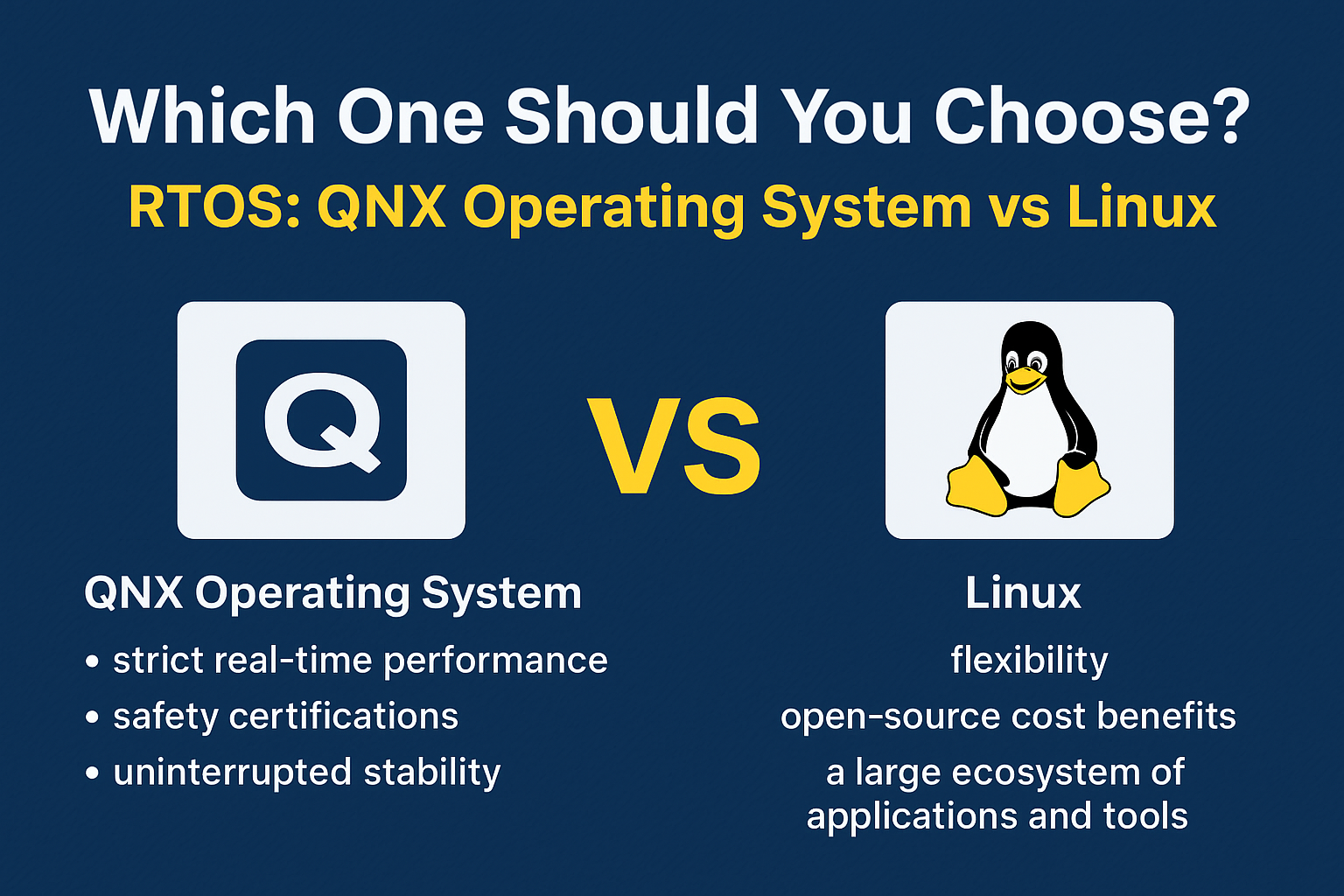
Which One Should You Choose QNX & LINUX ?
Choosing between the QNX Operating System and Linux depends on your project’s requirements, performance goals, and safety needs. Both are powerful, but they shine in different areas.
When to Choose the QNX Operating System
The QNX Operating System, developed by BlackBerry QNX, is the right choice when:
Your project demands strict real-time performance with predictable response times.
You are working on safety-critical systems that require certifications such as ISO 26262 (automotive), IEC 62304 (medical devices), or DO-178C (aerospace).
You need uninterrupted stability — if one software component crashes, the rest of the system should remain unaffected thanks to QNX’s microkernel architecture.
You’re developing for industries like automotive infotainment, industrial automation, aerospace, or defense, where downtime is unacceptable.
In short, BlackBerry QNX is designed for environments where failure is not an option and real-time precision is critical.
When to Choose Linux
Linux is the right choice when:
You need flexibility and the freedom to customize the OS for different purposes.
You want the cost benefits of open-source software without paying licensing fees.
Your application benefits from a large ecosystem of tools, libraries, and developer support.
Real-time precision is not your top priority, or you can manage with soft real-time capabilities by using the PREEMPT_RT patch.
Your focus is on building servers, IoT devices, development platforms, or consumer electronics.
Linux is ideal when you need versatility, fast development, and broad hardware compatibility rather than strict safety certifications.
Bottom line:
Choose the QNX Operating System if you’re building mission-critical, real-time, and safety-certified applications.
Choose Linux if you want open-source flexibility, community support, and broad use cases.
ConclusionQNX Operating System vs Linux
The QNX Operating System and Linux both serve important roles in the world of technology.
QNX shines in real-time, safety-critical applications.
Linux excels in general-purpose and flexible environments.
Your choice will depend on whether you prioritize deterministic performance or flexibility and cost-efficiency.
Frequently Asked Questions (FAQ) – QNX Operating System vs Linux
1. What is the QNX Operating System used for?
The QNX Operating System is mainly used in safety-critical and real-time applications such as automotive systems, aerospace equipment, medical devices, and industrial control systems. It is chosen for its high reliability, fault tolerance, and deterministic performance.
2. Is the QNX Operating System open source?
No, the QNX Operating System is a commercial product owned by BlackBerry Limited. It requires licensing for use, unlike Linux, which is open source and free to download.
3. How is the QNX Operating System different from Linux?
The QNX Operating System is a real-time microkernel-based OS, while Linux is a general-purpose monolithic kernel OS. QNX focuses on predictable execution and fault isolation, whereas Linux emphasizes flexibility, customization, and community support.
4. Can Linux replace the QNX Operating System?
In most real-time, safety-critical environments, Linux cannot fully replace the QNX Operating System because Linux does not provide the same level of hard real-time guarantees. However, with the PREEMPT_RT patch, Linux can handle some real-time workloads.
5. Why do automotive companies prefer the QNX Operating System?
Automotive companies use the QNX Operating System because it meets strict safety and reliability standards such as ISO 26262. It ensures that vehicle systems like infotainment, navigation, and driver assistance run without unexpected delays or failures.
6. Is the QNX Operating System better than Linux?
Neither is universally “better” — the QNX Operating System is better for time-sensitive, safety-critical applications, while Linux is better for general-purpose and cost-effective solutions.
You can also Visit other tutorials of Embedded Prep
When you’re learning object-oriented programming in C++, two important concepts you’ll come across are Abstract Class and Interface in Cpp. These might sound a bit technical at first, but don’t worry — we’ll break everything down in a simple way.
Are you new to object-oriented programming and trying to understand the difference between an Abstract Class and Interface in Cpp? This beginner-friendly guide on Abstract Class and Interface in C++ is exactly what you need! In this detailed article, we explain what abstract classes are, how pure virtual functions work, and how C++ uses abstract classes to simulate interface behavior.
You’ll learn:
The definition and purpose of abstract classes in C++
How to declare and use pure virtual functions
The concept of interfaces in C++ and how to implement them
Key differences between abstract classes and interfaces
Real-world examples and code snippets for hands-on learning
Whether you’re a student, a programming beginner, or someone preparing for C++ interviews, this comprehensive explanation of Abstract Class and Interface in C++ will strengthen your understanding and help you write clean, modular, and reusable code.
Abstract Class and Interface in Cpp
What is an Abstract Class?
An abstract class is a class that cannot be directly used to create objects. It’s like a blueprint that other classes must follow.
It is mainly used when:
You want to define a common structure or behavior for all derived classes.
You want to force derived classes to implement some specific functions.
How to define an abstract class?
In C++, a class becomes abstract if it has at least one pure virtual function.
class Animal {
public:
    virtual void makeSound() = 0; // Pure virtual function
};
What is a Pure Virtual Function?
A pure virtual function is a function that has no body in the base class and must be overriddenin derived classes.
Syntax:
virtual returnType functionName() = 0;
Example of Abstract Class:
#include <iostream>
using namespace std;

class Animal {
public:
    virtual void makeSound() = 0;  // pure virtual function
};

class Dog : public Animal {
public:
    void makeSound() {
        cout << "Woof!" << endl;
    }
};

int main() {
    Dog d;
    d.makeSound();  // Output: Woof!
}
🔸 You can’t create an object of Animal because it’s an abstract class. 🔸 You must overridemakeSound() in the derived class.
What is an Interface?
In C++, interface is not a keyword like in Java or C#. But we can achieve interface-like behavior using abstract classes.
An interface:
Only contains pure virtual functions.
Doesn’t have any data members or function definitions.
Example of Interface in C++:
class Printable {
public:
    virtual void print() = 0;  // pure virtual function
};
Any class that implements Printable must define the print() function.
Full Example of Interface:
#include <iostream>
using namespace std;

class Printable {
public:
    virtual void print() = 0;
};

class Document : public Printable {
public:
    void print() {
        cout << "Printing Document..." << endl;
    }
};

int main() {
    Document doc;
    doc.print();  // Output: Printing Document...
}
Key Differences: Abstract Class and Interface in cpp
Feature
Abstract Class
Interface-like (in C++)
Can have data members?
Yes
No
Can have function body?
Yes (non-pure virtual functions)
No (only pure virtual functions)
Can have constructors?
Yes
No (interfaces don’t need them)
Used for
Shared code + enforcing rules
Only enforcing rules (contract)
When to Use What?
Use abstract class when you want to share code and behavior among related classes.
Use an interface-style class when you want to define a contract (a set of rules that must be followed) without any implementation.
Summary of Abstract Class and Interface in cpp
Abstract class = class with at least one pure virtual function.
You can’t create objects of abstract classes.
Interfaces in C++ are implemented using abstract classes with only pure virtual functions.
Abstract classes can have both complete and incomplete functions; interfaces only have incomplete ones.
Frequently Asked Questions (FAQ) – Abstract Class and Interface in cpp
Q1: What is an abstract class in C++? A: An abstract class in C++ is a class that contains at least one pure virtual function. It cannot be used to create objects directly and is meant to be inherited by other classes that implement its pure virtual functions.
Q2: What is a pure virtual function? A: A pure virtual function is a function declared in a base class with no definition. It uses the = 0 syntax and must be overridden by derived classes. Example:
virtual void speak() = 0;
Q3: Can we create an object of an abstract class in C++? A: No, you cannot create an object of an abstract class. You must inherit it in a derived class and implement all pure virtual functions before creating an object.
Q4: What is an interface in C++? A: C++ does not have a built-in interface keyword like Java, but you can create interface-like behavior using an abstract class that contains only pure virtual functions and no data members.
Q5: What is the difference between an abstract class and an interface in C++? A:
An abstract class can have both pure and non-pure (regular) member functions and can include data members.
An interface (in C++ terms) contains only pure virtual functions and no data or implementation.
Q6: Can an abstract class have constructors in C++? A: Yes, abstract classes can have constructors. However, since you can’t create an object of an abstract class, the constructor is only called when a derived class is instantiated.
Q7: Can a class implement multiple interfaces in C++? A: Yes, C++ supports multiple inheritance, so a class can inherit from multiple abstract classes (interfaces), allowing it to implement multiple sets of behaviors.
Q8: When should I use an abstract class vs. an interface in C++? A:
Use an abstract class when you want to provide default/shared implementation along with rules.
Use an interface-style abstract class when you only want to enforce certain function definitions (pure contract).
Q9: Can an abstract class have a destructor in C++? A: Yes, and it’s good practice to declare the destructor as virtual in an abstract class to ensure proper cleanup when deleting derived objects.
Q10: Is it possible to inherit an abstract class without implementing all pure virtual functions? A: Yes, but then the derived class also becomes abstract. To make it concrete (instantiable), all pure virtual functions must be implemented.
You can also Visit other tutorials of Embedded Prep
AI-Enabled Chipsets : In the age of artificial intelligence, traditional computing architectures are increasingly struggling to keep up with the exponential growth of data, the complexity of modern algorithms, and the massive computational demands of advanced AI workloads. EnterAI-enabled chipsets, a new generation of specialized hardware designed to revolutionize how machines process information and learn from vast datasets. These cutting-edge chipsets, including GPUs, FPGAs, and ASICs, are transforming the landscape of computing by delivering unprecedented speed, efficiency, and parallel processing power. Unlike conventional CPUs that process instructions sequentially, AI-enabled chipsets are engineered to execute millions of calculations simultaneously, making them ideal for handling tasks such as deep learning, image recognition, natural language processing, and real-time analytics. As artificial intelligence continues to permeate industries like healthcare, automotive, finance, and robotics, the demand for AI-enabled chipsets is skyrocketing, driving innovation and unlocking capabilities once thought impossible. These powerful chips are not just improving performance but also shaping the future of intelligent systems, paving the way for smarter applications, autonomous technologies, and breakthroughs that are redefining how we live and work.
What Are AI-Enabled Chipsets?
In today’s era of artificial intelligence, traditional computing architectures are increasingly struggling to keep pace with the explosive growth of data and the complex demands of modern AI workloads. To bridge this gap, AI-enabled chipsets have emerged as powerful, specialized hardware that is transforming the landscape of computing and unlocking capabilities once considered impossible. These advanced chipsets are specifically engineered to accelerate artificial intelligence operations by handling the enormous processing requirements that general-purpose CPUs can no longer manage efficiently. Unlike traditional processors, AI-enabled chipsets are built to execute massive parallel processing and perform specialized computations essential for running modern AI algorithms, such as deep learning and neural networks.
Among the most prominent types of AI-enabled chipsets are GPUs, FPGAs, and ASICs. GPUs, or Graphics Processing Units, were originally designed for rendering images but have evolved into essential tools for AI thanks to their ability to perform thousands of calculations simultaneously, making them ideal for training large neural networks and handling complex tasks like image and video recognition, natural language processing, and scientific simulations. FPGAs, or Field-Programmable Gate Arrays, offer unique flexibility because they can be reprogrammed to create custom hardware circuits tailored for specific AI applications. This makes them invaluable in scenarios requiring low latency and adaptable solutions, such as edge AI devices, high-frequency trading systems, or custom neural network architectures. ASICs, or Application-Specific Integrated Circuits, are custom-designed chips optimized for a single task, providing the highest levels of performance and energy efficiency. A prime example is Google’s Tensor Processing Units (TPUs), which deliver exceptional speed and efficiency for large-scale AI model training and high-volume inference tasks in data centers or specialized applications like speech and image recognition.
The core strengths of AI-enabled chipsets lie in their parallel processing capabilities, high memory bandwidth, and superior energy efficiency. AI workloads, especially in deep learning, often require billions of calculations to be executed at once. AI-enabled chipsets are designed with architectures that can process vast amounts of data in parallel, significantly reducing the time needed for AI model training and inference compared to traditional CPUs. Furthermore, modern AI applications rely on processing huge datasets, ranging from high-resolution images and videos to complex sensor and language data. AI chipsets are equipped with large memory capacities and high bandwidth to ensure smooth and rapid data transfer between memory and processing units, which helps eliminate performance bottlenecks. Another crucial advantage of AI-enabled chipsets is their energy efficiency. Training AI models on traditional hardware can be extremely power-intensive and costly, but AI chips are optimized for high performance per watt, enabling them to deliver significant computational power while consuming less energy. This efficiency is vital for both large-scale data centers and edge devices operating in power-constrained environments.
The widespread adoption of AI-enabled chipsets is driving significant advancements across numerous industries. In autonomous vehicles, these chipsets process data from cameras, radar, lidar, and other sensors in real-time, allowing vehicles to make quick, intelligent driving decisions. In healthcare, AI chips power advanced diagnostic tools that analyze medical images and patient data to detect diseases like cancer earlier and with greater accuracy. In natural language processing, AI chipsets enable seamless human-machine interactions, powering voice assistants like Siri and Alexa, as well as sophisticated language translation services. In manufacturing and robotics, AI-enabled chipsets enhance precision, reduce errors, and improve operational efficiency on production lines, leading to smarter and more reliable industrial systems.
Looking ahead, the future of AI-enabled chipsets is incredibly promising as AI models become larger and more complex. The demand for even more powerful and efficient AI chips will continue to grow, prompting industry leaders to invest heavily in next-generation architectures. These future chipsets will need to support increasingly massive AI models, such as large language models like GPT-4 and beyond, enable on-device AI inference for edge computing applications, and leverage hybrid architectures that combine the strengths of CPUs, GPUs, and dedicated AI accelerators. Additionally, cutting-edge research into neuromorphic computing, inspired by the human brain’s structure and functionality, could pave the way for entirely new classes of AI-enabled chipsets capable of handling cognitive tasks with unprecedented efficiency and speed.
Overall, AI-enabled chipsets are revolutionizing the computing world with their unparalleled performance, specialized architectures, and energy efficiency. They are at the forefront of the AI revolution, powering transformative applications from real-time image recognition in autonomous vehicles to advanced natural language understanding. As technology continues to advance, AI-enabled chipsets will play an increasingly vital role in shaping the future of industries, products, and everyday life, opening the door to intelligent solutions we are only beginning to imagine. Whether you are a tech enthusiast, developer, or business leader, understanding how AI-enabled chipsets work and their impact on artificial intelligence is crucial for navigating this rapidly evolving technological landscape.
AI-enabled chipsets are specialized semiconductor chips specifically designed to accelerate artificial intelligence operations. Unlike traditional CPUs, which execute general-purpose instructions sequentially, AI chips are built to handle massive parallel processing and specialized computations required by modern AI algorithms, such as neural networks.
Some of the most prominent types of AI-enabled chipsets include:
GPUs (Graphics Processing Units)
FPGAs (Field-Programmable Gate Arrays)
ASICs (Application-Specific Integrated Circuits)
AI-Enabled Chipsets: Powering the Future of Intelligent Computing (2025)
Understanding the Basics of AI-Enabled Chips: How Smart Hardware Powers Artificial Intelligence
The basics of AI-enabled chips revolve around specialized hardware components designed to meet the growing computational demands of artificial intelligence applications. Unlike traditional general-purpose circuits such as Central Processing Units (CPUs), which were originally designed for sequential and versatile computing tasks, AI-enabled chips include advanced technologies like Graphics Processing Units (GPUs), Field-Programmable Gate Arrays (FPGAs), and Application-Specific Integrated Circuits (ASICs). While CPUs can still handle some fundamental AI operations, their relevance is gradually diminishing as AI-enabled chips continue to evolve and dominate the landscape of intelligent computing. One of the primary reasons AI-enabled chips are essential in modern computing is their ability to handle the extremely high data processing requirements that AI workloads demand, which often exceed the capabilities of general-purpose chips like CPUs. AI-enabled chips are engineered with architectures that integrate faster, smaller, and highly efficient transistors, allowing them to perform a significantly higher number of computations per unit of energy compared to chips that rely on larger and fewer transistors. This innovative design leads to remarkable benefits, including faster processing speeds, lower energy consumption, and the ability to execute complex tasks with improved efficiency, making AI-enabled chips indispensable in AI development and deployment.
Moreover, AI-enabled chips possess specialized capabilities that dramatically accelerate the complex calculations required by artificial intelligence algorithms. A core feature of these chips is their proficiency in parallel processing, which enables them to perform thousands or even millions of calculations simultaneously. This is crucial because artificial intelligence often involves processing large datasets and executing highly complex mathematical operations, such as those found in training deep neural networks, analyzing massive amounts of sensor data, or performing tasks in computer vision and natural language processing. Parallel processing ensures that AI-enabled chips can complete these tasks much faster and with higher precision than traditional CPUs, making them particularly valuable for developing, training, and deploying advanced AI models. As the field of artificial intelligence becomes more sophisticated, the demand for chips that can handle such extensive and simultaneous computations continues to grow, positioning AI-enabled chips as vital components in next-generation computing systems.
Additionally, technological advancements like 3DIC (three-dimensional integrated circuit) technology are playing a significant role in enhancing the performance of AI-enabled chips. By vertically stacking multiple layers of integrated circuits, 3DIC technology increases computational density and efficiency within the chip, allowing more transistors and logic units to fit into a smaller physical footprint. This vertical integration improves overall data transfer rates between different layers of the chip, reduces signal delays, and contributes to greater processing speed and power efficiency. As a result, AI-enabled chips equipped with 3DIC technology can manage the demanding workloads of artificial intelligence applications even more effectively, handling complex AI operations at unprecedented speeds and with lower power requirements. This makes them highly suitable for deployment in areas ranging from cloud computing and data centers to edge devices and autonomous systems.
In essence, AI-enabled chips are the backbone of modern artificial intelligence systems, offering specialized architectures and capabilities that far surpass those of traditional computing hardware. Their ability to execute parallel processing, handle massive data throughput, and operate with exceptional energy efficiency positions them as critical enablers of the AI revolution. As AI continues to permeate industries such as healthcare, automotive, finance, manufacturing, and consumer technology, the importance of AI-enabled chips will only grow, driving further innovation and shaping the future of intelligent computing. Whether it’s training sophisticated machine learning models, performing real-time analytics, or powering intelligent devices at the edge, AI-enabled chips are at the core of transforming how technology interacts with the world around us, unlocking new possibilities and redefining the boundaries of what machines can achieve.
AI is transforming the world, from smart assistants to self-driving cars, and one big reason is the power of AI-enabled chips. These chips are specially designed to handle the unique needs of artificial intelligence, and they have several advantages over general-purpose chips like CPUs. Here’s how AI-enabled chips stand out:
Parallel Processing for Faster Work AI-enabled chips can perform many calculations at the same time, thanks to parallel processing. Unlike general-purpose chips (like CPUs) that handle tasks one after another, AI chips can split big problems into smaller pieces and solve them simultaneously. This makes them perfect for complex AI tasks like image recognition, speech processing, and running large AI models.
Higher Memory Capacity and Bandwidth AI workloads involve huge amounts of data that need to move quickly between the chip and memory. AI-enabled chips have much larger memory capacity and higher bandwidth compared to general-purpose chips. This means they can handle more data at once and avoid slowdowns, which is crucial for tasks like analyzing videos, processing sensor data, or running AI algorithms smoothly.
Better Energy Efficiency AI-enabled chips are designed to use less power while delivering high performance. They often use techniques like low-precision calculations, which allow them to work efficiently with fewer electrical resources. This makes them more energy-efficient than general-purpose chips, which is important for saving power in devices like smartphones, as well as reducing costs in large data centers.
Higher Accuracy and Precision AI-enabled chips are built specifically for the complex math involved in artificial intelligence. This makes them more accurate than general-purpose chips when performing tasks like facial recognition, translating languages, or analyzing medical images. Their precision helps reduce mistakes, which is critical in applications like healthcare, self-driving cars, and security systems.
Customizable for Specific AI Tasks Some types of AI-enabled chips, such as FPGAs and ASICs, can be customized for specific applications. This means their design can be adjusted to run particular AI models or perform certain tasks more efficiently. For example, a company might design an AI chip to specialize in voice recognition or video analysis. This flexibility makes AI-enabled chips much more powerful for targeted uses compared to general-purpose chips.
Different Types for Different Needs There are various kinds of AI-enabled chips, each with its own strengths:
CPUs (Central Processing Units): General-purpose chips that handle many types of tasks but are slower for complex AI work.
GPUs (Graphics Processing Units): Great for parallel processing and widely used for training AI models and handling large amounts of data.
FPGAs (Field-Programmable Gate Arrays): Chips that can be reprogrammed to handle specific AI tasks, offering flexibility and efficiency.
ASICs (Application-Specific Integrated Circuits): Custom-built chips designed for one particular task, offering high speed and low energy use.
NPUs (Neural Processing Units): Chips focused on deep learning and neural networks, ideal for tasks like image and speech recognition.
Overall, AI-enabled chips are far better than general-purpose chips for running artificial intelligence because they are designed to handle the huge amounts of data, complex calculations, and fast processing speeds required in AI applications. With benefits like parallel processing, higher memory capacity, energy efficiency, precision, and customization, AI-enabled chips are fueling the growth of smart technologies in many industries, including healthcare, automotive, finance, robotics, and everyday consumer devices.
AI Chip Use Cases: How AI-Enabled Chips Are Powering the Future
Artificial intelligence (AI) is rapidly transforming many aspects of our daily lives, from smart assistants to advanced healthcare solutions. At the core of this transformation are AI-enabled chips, the specialized hardware designed to efficiently handle the demanding computations required by AI applications. Without these chips, many of the intelligent technologies we use today wouldn’t be possible. To help beginners understand their impact, let’s take a detailed look into some of the most important AI chip use cases shaping industries around the world.
1. Autonomous Vehicles: Making Self-Driving Cars Smarter and Safer
One of the most well-known AI chip use cases is in autonomous or self-driving vehicles. These cars rely heavily on AI to understand and navigate complex environments safely. Autonomous vehicles collect vast amounts of data through cameras, LiDAR sensors, radar, and GPS systems. AI-enabled chips process this data in real time, interpreting images, detecting obstacles, and predicting the behavior of other vehicles and pedestrians.
Thanks to their ability to perform massive parallel processing, AI chips allow cars to make quick decisions — like slowing down for a pedestrian or changing lanes to avoid a hazard. This real-time processing power is critical because any delay could lead to accidents. As AI chip technology improves, self-driving cars become more reliable, efficient, and capable of handling a wider range of driving conditions, accelerating the future of transportation.
2. Robotics: Enabling Smarter and More Responsive Machines
Robotics is another key field where AI chip use cases are driving rapid progress. Robots equipped with AI chips can perform complex tasks by analyzing their environment through cameras and sensors, then making intelligent decisions based on that information. For example, agricultural robots (also called cobots) can monitor crop health, identify weeds, and apply fertilizers precisely where needed, boosting efficiency and sustainability in farming.
In industrial settings, AI-powered robots improve manufacturing by handling repetitive or dangerous tasks with accuracy and speed. Even humanoid robots, designed to assist humans with daily activities or provide companionship, rely on AI chips to recognize speech, navigate spaces, and respond appropriately to human emotions and commands. AI chips are making robots more adaptable, efficient, and capable than ever before.
3. Edge AI: Bringing Intelligence to Everyday Devices
Edge AI is one of the fastest-growing AI chip use cases today. It refers to AI processing that happens locally on devices rather than relying on distant cloud servers. Devices like smart watches, security cameras, smartphones, and even kitchen appliances are now equipped with AI-enabled chips that allow them to analyze data right where it is created.
This local processing has several important benefits. First, it reduces latency, meaning devices respond faster since they don’t need to send data to the cloud and wait for a response. Second, it enhances privacy and security because sensitive information stays on the device rather than being transmitted over the internet. Third, edge AI saves energy, making devices more efficient and extending battery life. From smart homes that adjust lighting and temperature automatically to smart city infrastructure that monitors traffic and pollution, edge AI powered by AI chips is creating a more connected and intelligent world.
4. Healthcare: Revolutionizing Medical Diagnosis and Treatment
Healthcare is an industry being profoundly impacted by AI chip use cases. AI-enabled chips power systems that analyze medical images such as X-rays, MRIs, and CT scans to detect diseases earlier and with higher accuracy than traditional methods. For example, AI chips enable cancer detection models to identify tumors that might be missed by the human eye, leading to earlier interventions and better patient outcomes.
Moreover, AI chips support wearable health devices that monitor vital signs in real time, alerting users or doctors to potential health issues before they become serious. This kind of continuous monitoring and rapid data processing helps in managing chronic diseases and personalizing treatments, making healthcare more proactive and precise.
5. Natural Language Processing: Enhancing Communication Between Humans and Machines
Another exciting AI chip use case is natural language processing (NLP), which allows machines to understand and respond to human language. AI chips enable voice assistants like Siri, Alexa, and Google Assistant to recognize speech, interpret commands, and even hold conversations with users. These chips handle complex tasks such as language translation, sentiment analysis, and text summarization quickly and accurately.
Because NLP requires processing huge amounts of data in real time, AI-enabled chips’ parallel processing and high memory bandwidth make it possible to deliver smooth and natural user experiences. As these chips become more powerful, machines will continue to get better at understanding and interacting with us in everyday life.
6. Finance: Detecting Fraud and Making Smarter Decisions
In the financial sector, AI chip use cases help detect fraudulent transactions by analyzing patterns and spotting anomalies much faster than traditional software. AI chips process large datasets in real time, enabling banks and financial institutions to flag suspicious activity instantly and protect customers.
Additionally, AI chips support automated trading systems that analyze market trends and execute trades with minimal delay, optimizing investment strategies and increasing profits. These applications demonstrate how AI-enabled chips are helping to make finance faster, safer, and smarter.
The Core Strengths of AI-Enabled Chipsets
1. Parallel Processing
AI workloads, especially deep learning, involve billions of mathematical operations that can be performed simultaneously. AI-enabled chipsets leverage parallel processing architectures to crunch enormous amounts of data faster than traditional CPUs. For example, GPUs can execute thousands of simple operations in parallel, making them ideal for training large neural networks.
2. High Memory Bandwidth
Modern AI models process vast datasets—from images and videos to sensor data and natural language text. AI chips often integrate large memory capacities and high bandwidth to feed data to the processing cores quickly and reduce bottlenecks.
3. Energy Efficiency
One of the major challenges in AI computing is power consumption. Training AI models on traditional hardware can be energy-intensive and costly. AI-enabled chipsets are engineered for higher performance per watt, delivering powerful computation while reducing energy costs and heat generation—a critical factor in data centers and edge devices.
AI Chip Types and Their Roles
GPUs: The AI Workhorse
Initially designed for rendering graphics, GPUs have become the go-to solution for AI due to their parallel processing capabilities. Companies like NVIDIA and AMD have developed specialized GPUs optimized for deep learning, with features like tensor cores for matrix operations used in AI training and inference.
Use Cases:
Image and video recognition
Natural language processing
Scientific simulations
FPGAs: Customizable and Flexible
FPGAs are reconfigurable chips that allow developers to create custom hardware circuits for specific AI tasks. They’re prized for their balance of performance and flexibility, making them ideal for applications where adaptability and lower latency are crucial.
Use Cases:
Edge AI devices
Financial trading systems
Custom neural network architectures
ASICs: Purpose-Built for Performance
ASICs are chips custom-designed for a single application, offering the highest performance and energy efficiency for specific AI workloads. Google’s Tensor Processing Units (TPUs) are a prime example of ASICs engineered for deep learning.
Use Cases:
Large-scale data center AI training
High-volume inference in production environments
Specialized applications like speech recognition
Real-World Applications of AI-Enabled Chipsets
The adoption of AI-enabled chipsets is fueling innovation across multiple industries:
Autonomous Vehicles: AI chips process camera feeds, lidar data, and sensor inputs in real-time to make split-second driving decisions.
Healthcare: AI-powered diagnostic tools analyze medical images and patient data, helping detect diseases like cancer earlier and more accurately.
Natural Language Processing: From voice assistants like Siri and Alexa to advanced translation services, AI chips make human-machine communication smoother and more intelligent.
Robotics and Manufacturing: AI chips drive precision robotics on production lines, improving efficiency and reducing errors.
The Future of AI-Enabled Chipsets
As AI models grow in complexity and size, the demand for even more powerful and efficient AI chips will continue to rise. Industry leaders are investing heavily in developing next-generation chip architectures that can support:
Larger AI models (e.g., LLMs like GPT-4 and beyond)
On-device AI inference for edge computing
Hybrid architectures combining CPUs, GPUs, and AI accelerators
Furthermore, innovations like neuromorphic computing, inspired by the human brain’s architecture, are emerging as potential game-changers in the AI chipset landscape.
Advantages of AI-Enabled Chips
1. Exceptional Processing Speed through Parallelism One of the biggest advantages of AI-enabled chips is their ability to process many calculations simultaneously, thanks to parallel processing architectures. Unlike traditional CPUs that execute instructions one at a time, AI chips like GPUs and FPGAs can handle thousands or even millions of operations in parallel. This ability dramatically accelerates training and inference of AI models, enabling faster results in applications such as image recognition, natural language processing, and autonomous driving.
2. Enhanced Energy Efficiency Energy consumption is a critical factor in computing, especially for AI workloads that require massive calculations. AI-enabled chips are designed to optimize power usage, often employing techniques like low-precision arithmetic and workload distribution to reduce energy consumption without sacrificing performance. This makes them suitable for edge devices like smartphones and IoT gadgets, where battery life and heat generation are concerns, as well as for large-scale data centers looking to minimize operational costs.
3. Improved Accuracy and Reliability in AI Tasks Because AI-enabled chips are built specifically for AI workloads, they can execute complex mathematical operations with high precision. This leads to more accurate outcomes in sensitive applications like medical diagnostics, autonomous navigation, and voice recognition. Precision is essential when errors can have serious consequences, and AI chips help reduce mistakes by supporting complex AI algorithms more effectively than general-purpose processors.
4. Flexibility and Customization for Specific Applications Certain types of AI chips, such as FPGAs and ASICs, offer the ability to be customized for particular AI models or workloads. This customization means that hardware can be tailored to specific industries or use cases, improving efficiency and lowering latency. For example, ASICs can be designed to accelerate speech recognition or recommendation engines, providing optimized performance that general-purpose chips cannot match.
5. Enabling Edge AI and Real-Time Processing AI-enabled chips empower edge computing by allowing AI tasks to be performed directly on devices, without relying heavily on cloud computing. This reduces latency, improves data privacy, and lowers bandwidth requirements. From smart cameras and home assistants to industrial sensors and autonomous drones, AI chips at the edge enable faster decision-making and better responsiveness in real-world scenarios.
6. Driving Innovation Across Industries The adoption of AI-enabled chips is fueling breakthroughs in healthcare, automotive, finance, manufacturing, and more. For example, in healthcare, AI chips support early disease detection through medical imaging analysis. In finance, they enable fraud detection and high-frequency trading. In manufacturing, they power smart robotics and quality control. This wide impact highlights how AI chips are foundational to the AI revolution.
Disadvantages of AI-Enabled Chips
1. High Cost of Development and Manufacturing Designing and producing AI-enabled chips, particularly custom ASICs, involves significant upfront investment. The research, development, and fabrication processes are expensive, which can limit accessibility for startups and small businesses. This high cost also means that AI chip technology might be unaffordable for certain applications or markets.
2. Complexity in Programming and Optimization AI-enabled chips often require specialized programming languages, development tools, and expertise. Optimizing AI models to fully utilize the capabilities of these chips can be challenging, especially for developers new to AI hardware. This complexity can slow down the adoption of AI chips and increase project timelines.
3. Limited Versatility Compared to General-Purpose Chips Many AI chips are highly specialized for specific AI tasks. While this specialization improves performance for those tasks, it limits their usefulness in general computing applications. Unlike CPUs, which can run a wide range of software, AI-enabled chips might not handle non-AI workloads effectively, requiring additional hardware for general-purpose computing.
4. Integration and Compatibility Challenges Incorporating AI-enabled chips into existing systems often demands significant hardware redesign and software adjustments. Compatibility issues can arise between AI chips and other components, increasing development complexity and cost. Organizations may need to invest in new infrastructure or extensive testing to ensure smooth integration.
5. Rapid Technological Obsolescence The AI hardware field evolves quickly, with new chip architectures and improvements released regularly. Investing in current AI-enabled chips carries the risk that newer, more efficient models will soon replace them. This rapid change can lead to shorter hardware lifecycles and increased costs for staying current
Wrapping Up
AI-enabled chipsets are revolutionizing computing with their specialized architectures, unmatched processing power, and energy efficiency. From enabling real-time image recognition in autonomous vehicles to powering advanced natural language understanding, these chips are at the heart of the AI revolution. As technology advances, AI-enabled chipsets will continue to shape the future of industries, products, and everyday life, opening doors to intelligent solutions we’re only beginning to imagine.
Whether you’re a tech enthusiast, developer, or business leader, understanding the role of AI-enabled chipsets is crucial to navigating the rapidly evolving world of artificial intelligence.
You can also Visit other tutorials of Embedded Prep
The Applications of Multithreading span nearly every area of modern software development, transforming how programs perform and respond to user interactions. Multithreading allows applications to run multiple tasks simultaneously, dramatically improving speed and efficiency. Web browsers use it to load multiple tabs and process complex scripts without freezing. Gaming and graphics software rely on multithreading to handle rendering, physics, and sound effects in real time, ensuring smooth and immersive experiences. Servers and network applications leverage multithreading to manage thousands of client connections at once, providing fast and reliable services. Multimedia applications depend on multithreading to play videos, edit media, and process large files without delays. Even operating systems themselves are multithreaded, enabling users to run many programs at the same time without slowing down the system. In mobile apps, multithreading keeps interfaces responsive by performing background tasks like data loading or GPS tracking seamlessly. Across industries like data analytics, artificial intelligence, and financial systems, the Applications of Multithreading are crucial for handling large datasets, performing parallel computations, and delivering high-performance results. By understanding and using multithreading, developers can build software that is faster, smarter, and ready for the demands of today’s multitasking world.
Introduction
Ever wondered how your smartphone can play music, download updates, and let you scroll social media — all at the same time? The answer lies in multithreading.
Multithreading is a programming technique that lets software run multiple tasks simultaneously. It makes applications faster, more responsive, and better at handling complex operations.
Let’s explore the applications of multithreading and see how it powers the technology we use every day.
What Is Multithreading?
Before diving into where multithreading is used, let’s quickly recap what it means.
A thread is the smallest unit of execution in a program.
Multithreading means a program creates and runs multiple threads side by side.
Instead of waiting for one task to finish before starting the next, multithreaded programs handle multiple tasks at once. This saves time and improves performance.
Real-World Applications of Multithreading
Let’s look at how multithreading is used in real applications:
1. Web Browsers
Modern web browsers like Chrome, Firefox, and Edge use multithreading to:
✅ Load multiple web pages in different tabs. ✅ Download files while you keep browsing. ✅ Run animations, videos, and scripts smoothly.
Without multithreading, a heavy website could freeze your entire browser!
2. Games and Graphics Applications
Video games and graphic tools depend on multithreading for:
🎮 Handling game logic and physics. 🎮 Managing graphics rendering. 🎮 Playing background music and sound effects.
Multithreading ensures smooth gameplay even during complex scenes.
3. Servers and Networking
Servers handle thousands of requests every second. Multithreading helps servers:
🌐 Process multiple client connections at once. 🌐 Respond quickly without delays. 🌐 Handle tasks like file uploads, database queries, and more.
For example, a web server can serve different users simultaneously without making them wait.
4. Multimedia Applications
Applications like video editors, music players, and streaming apps use multithreading for:
🎵 Playing audio and video smoothly. 🎵 Editing videos in real time. 🎵 Converting media formats faster.
This allows users to preview, edit, and export files efficiently.
5. Operating Systems
Operating systems (Windows, Linux, macOS) are multithreaded systems. They:
🖥️ Run multiple apps at the same time. 🖥️ Handle hardware events like keyboard, mouse, or network inputs. 🖥️ Keep the system responsive and fast.
Without multithreading, your PC would freeze every time a heavy task runs.
6. Data Processing and Analytics
Big Data and Machine Learning applications use multithreading to:
📊 Process large datasets in parallel. 📊 Train machine learning models faster. 📊 Analyze data while updating dashboards.
Multithreading reduces processing times and improves productivity for data scientists.
7. Mobile Applications
Smartphone apps use multithreading to:
📱 Load images and content in the background. 📱 Stay responsive even during updates. 📱 Run background services like notifications and GPS.
This makes mobile apps smoother and user-friendly.
Benefits of Multithreading
The applications of multithreading exist because of its amazing benefits:
✅ Faster execution of tasks. ✅ Better responsiveness in user interfaces. ✅ Efficient use of multi-core CPUs. ✅ Ability to perform background work without freezing the app.
Conclusion
From web browsers to powerful servers and games, the applications of multithreading are everywhere. It helps software become faster, smarter, and more responsive.
Learning multithreading is a great step for any programmer who wants to build high-performance applications. Start exploring it — and you’ll see just how much it powers the technology we rely on every day!
Multithreading can make software faster and more responsive by running tasks in parallel. But it’s not always smooth sailing. In this article, we explore the key disadvantages of multithreading, including increased complexity, debugging difficulties, race conditions, higher resource usage, and performance bottlenecks. Whether you’re a beginner or just starting to learn about multithreading in programming, understanding these challenges will help you write safer, more efficient code.
What Is Multithreading?
Before we dive into the disadvantages of multithreading, let’s quickly understand what multithreading means.
Multithreading allows a program to run multiple tasks at the same time. For example, your computer might be downloading a file, playing music, and checking emails all at once — thanks to multithreading.
It sounds amazing, right? But like any powerful tool, multithreading comes with challenges.
Key Disadvantages of Multithreading
Here are some important disadvantages of multithreading you should know, especially if you’re a beginner.
1. Complexity in Programming
One major disadvantage of multithreading is complexity.
Writing multithreaded code is harder than writing single-threaded programs.
You have to manage how threads share data and avoid mistakes like race conditions or deadlocks.
Race conditions happen when two threads try to change the same data at the same time, causing unpredictable results. Deadlocks occur when two threads wait for each other forever, causing the program to hang.
2. Debugging Is Difficult
Another disadvantage of multithreading is that debugging becomes a nightmare.
Bugs in multithreaded programs may only appear sometimes, depending on timing.
It’s hard to reproduce issues because they don’t happen every time you run the program.
Tools for multithreading debugging exist but can be complicated for beginners.
3. Increased Resource Usage
While multithreading is supposed to make programs faster, it can also increase memory and CPU usage:
Each thread takes some memory and processing power.
Too many threads can slow down your system instead of speeding it up.
4. Context Switching Overhead
A big disadvantage of multithreading is context switching overhead.
The operating system has to switch between threads, saving and restoring states.
If there are too many threads, this switching can waste time instead of improving performance.
5. Risk of Data Inconsistency
If threads are not properly synchronized, you may face data inconsistency:
Two threads might update the same variable at the same time.
Without using locks or synchronization mechanisms, data can become corrupted.
6. Scalability Limitations
A disadvantage of multithreading is that it doesn’t always scale as well as you think:
Not every task can be divided into threads.
Some parts of your program must still run one after another.
On systems with fewer cores, having many threads offers no benefit.
Should You Avoid Multithreading?
No! Multithreading is powerful and extremely useful. But it’s important to know the disadvantages of multithreading so you can plan your code properly and avoid mistakes.
If you’re a beginner:
✅ Start simple. ✅ Learn about synchronization tools like mutexes and semaphores. ✅ Test your multithreaded code thoroughly.
Conclusion
Multithreading is an awesome way to speed up your programs and handle many tasks at once. But there are clear disadvantages of multithreading—like complexity, debugging challenges, and potential performance issues.
By understanding these pitfalls, you’ll be better prepared to write reliable and efficient multithreaded applications.
Ever wondered how your computer can download a file, play music, and let you type an email — all at once? The secret lies in multithreading.
One of the biggest advantages of multithreading is that it allows a program to handle many tasks at the same time. For beginners, this technique is one of the coolest ways to speed up code, improve efficiency, and create applications that feel smoother and more responsive. Let’s dive deeper into the advantages of multithreading and see why it’s such a powerful tool for developers.
What is Multithreading?
In simple words, a thread is a small unit of a program. A program with multithreading can run several of these threads simultaneously. Imagine a restaurant kitchen where one chef chops veggies while another grills meat — that’s how multithreading works in software!
Key Advantages of Multithreading
Let’s look at why multithreading is a great idea, especially for modern applications:
✅ 1. Faster Execution (Speed Up Code)
One of the biggest benefits of multithreading is speed. Tasks that can run in parallel finish sooner because they share the workload. Instead of waiting for one task to complete before starting another, multithreading gets things done simultaneously.
Example: While loading a webpage, one thread fetches images while another fetches text content.
✅ 2. Better Resource Utilization
Modern computers have multi-core processors. Multithreading helps your programs use all cores efficiently, rather than leaving some sitting idle. This results in faster and more efficient applications.
✅ 3. Improved Responsiveness
Multithreading makes applications feel smoother. For example, a video game can keep running while loading new levels in the background, preventing the game from freezing.
Example: In a chat app, one thread listens for new messages, while another handles your typing.
✅ 4. Simpler Program Structure for Some Tasks
Certain problems, like handling multiple users or processing many requests, are naturally easier to solve with multithreading. Threads can handle different users or tasks independently.
✅ 5. Reduced Waiting Time
Programs often need to wait for things — like reading data from a file or a network. With multithreading, your program can keep doing other work instead of pausing entirely.
✅ 6. Scalability for Bigger Projects
Multithreading helps applications scale better as demands grow. Big systems like web servers handle thousands of requests using multithreading to stay fast and reliable.
When to Use Multithreading?
Apps needing high performance
Programs with background tasks (e.g. file downloads)
User interfaces that must remain responsive
Server applications handling many clients
Caution: Not Always Easy!
While the advantages of multithreading are huge, it’s important to know it’s not always simple. Threads share resources, and managing them incorrectly can cause bugs like:
Race conditions
Deadlocks
Data inconsistency
So, while multithreading speeds up code, it must be used carefully!
Conclusion
The advantages of multithreading are clear: faster performance, better resource use, and smoother user experiences. Whether you’re building a game, a web app, or a complex system, learning multithreading in programming is a valuable skill.