Beginner-friendly guide on Battery Management System (BMS) with in-depth insights on design, challenges, applications, and future trends for EVs and renewable energy.
Imagine you have a smartphone or an electric vehicle. The battery powers everything — but without proper management, it could overheat, degrade quickly, or even fail completely. That’s where a Battery Management System (BMS) comes into play. In simple terms, a BMS is like the brain of a battery pack. It ensures the battery stays safe, efficient, and long-lasting. That’s where the Battery Management System (BMS) comes in.
Let’s dive deeper into what a BMS is, how it works, its components, challenges, and real-world applications.
What is a Battery Management System (BMS)?
A Battery Management System is an electronic system designed to manage rechargeable batteries. It protects the battery, optimizes its performance, monitors state-of-health (SOH), and communicates with other systems.
In electric vehicles (EVs), renewable energy storage, and consumer electronics, a BMS is vital to ensure battery safety, longevity, and efficiency.
How Does a Battery Management System Work?
A BMS continuously monitors various parameters of the battery pack such as:
Voltage: Ensuring each cell operates within safe limits.
Current: Managing charging and discharging currents.
Temperature: Preventing overheating through thermal management.
State of Charge (SOC): Tracking battery charge level.
State of Health (SOH): Measuring battery health over time.
Using these parameters, the BMS makes real-time decisions to maintain performance and safety.
Key Components of a BMS
A typical BMS includes:
Battery Monitoring Unit (BMU): Measures cell voltages, currents, and temperatures.
Cell Balancer: Ensures all cells are equally charged to prevent damage.
Protection Circuit: Prevents overcharging, deep discharging, and overheating.
Communication Module: Sends battery status data to external systems.
Firmware: Intelligent control software that manages battery health and safety.
Uneven cell balancing → Reduced efficiency and capacity.
A well-designed BMS prevents these risks while improving battery lifespan and efficiency.
Challenges in Battery Management System Design
Designing a robust BMS comes with challenges:
Real-time monitoring: High-speed, precise measurement of battery parameters.
Thermal management: Maintaining optimal temperatures under varying load conditions.
Cell balancing: Keeping cells in sync for consistent performance.
Firmware complexity: Developing fault-tolerant, safe, and efficient control algorithms.
Communication reliability: Ensuring seamless integration with the EV or device controller.
These challenges require advanced hardware and intelligent firmware design.
Applications of BMS
BMS technology is used in:
Electric Vehicles (EVs): Ensures optimal battery performance for driving range and safety.
Renewable Energy Storage: Optimizes battery usage in solar or wind energy systems.
Consumer Electronics: Manages batteries in laptops, smartphones, and power banks.
Industrial Equipment: Ensures safe operation of backup power systems and robotics.
Future of Battery Management Systems
With advancements in AI and IoT, BMS are becoming smarter. Modern BMS designs now include:
Predictive analytics for battery life estimation.
Remote monitoring via cloud systems.
Adaptive control for improved efficiency.
This evolution is critical as industries shift towards electric mobility and renewable energy.
Frequently Asked Questions (FAQs) on Battery Management System (BMS)
Q1. What is a Battery Management System (BMS)? A Battery Management System is an electronic system that monitors, protects, and manages rechargeable batteries. It ensures safety, improves efficiency, and prolongs battery life by controlling voltage, current, and temperature.
Q2. Why is a BMS important for electric vehicles (EVs)? In EVs, the BMS is critical for safety and performance. It manages cell balancing, thermal control, state-of-charge estimation, and communication with the vehicle’s control system. Without a BMS, batteries could degrade faster or cause safety hazards.
Q3. How does a BMS improve battery life? A BMS optimizes charging and discharging, balances cells, prevents overcharging and deep discharge, and manages temperature. These functions significantly extend the battery’s lifespan and efficiency.
Q4. What are the main components of a BMS? The main components include:
Battery Monitoring Unit (BMU)
Cell Balancer
Protection Circuit
Communication Interface
Microcontroller Unit (MCU)
Q5. Can a BMS be used for renewable energy storage? Yes. BMS is essential for solar and wind energy storage systems. It ensures safe operation, maximizes battery efficiency, and extends battery life.
Q6. What challenges exist in designing a BMS? Some major challenges are real-time monitoring, cell balancing, thermal management, firmware complexity, and reliable communication between battery cells and the system.
Q7. Will BMS technology improve in the future? Absolutely. Future BMS will integrate AI and IoT for predictive maintenance, remote monitoring, wireless communication, and smarter battery optimization.
Q8. Is BMS only for electric vehicles? No. BMS is used in EVs, renewable energy storage, consumer electronics (laptops, smartphones), industrial equipment, and backup power systems.
Conclusion
The Battery Management System is more than just hardware and firmware—it’s the intelligence that keeps battery systems safe, efficient, and reliable. As the world moves towards electrification and renewable energy, BMS technology will continue to evolve, playing an increasingly critical role in powering the future.
Basic signals used in SPI communication MOSI, MISO, SCLK, and CS. Beginner-friendly guide with real-life examples for easy understanding
Imagine you are in a busy kitchen. The head chef gives instructions, helpers listen, and everyone works in perfect sync to prepare a dish. In electronics, something very similar happens when devices “talk” to each other using SPI communication.
SPI (Serial Peripheral Interface) is like that kitchen team — it allows a master device (chef) to communicate with one or more slave devices (helpers) in a fast and organized way. But how do they understand each other? The answer lies in the basic signals of SPI communication.
Let’s break them down one by one with a real-world example.
1. MOSI (Master Out Slave In)
Think of MOSI as the chef giving a recipe instruction to the helper. The master sends data out through MOSI, and the slave listens.
👉 Example: When your smartwatch (master) sends data to a heart rate sensor (slave), the information like “start measuring” is sent via MOSI.
2. MISO (Master In Slave Out)
Now it’s the helper’s turn to reply. MISO is the signal line where the slave sends information back to the master.
Example: The heart rate sensor replies with “your pulse is 78 BPM” using the MISO line, so the smartwatch can display it.
3. SCLK (Serial Clock)
Just like a ticking wall clock keeps a kitchen team in sync, the serial clock keeps both master and slave synchronized. The master generates the clock signal, ensuring everyone talks at the right time.
Example: Without this signal, your smartwatch and sensor would talk over each other like two chefs shouting at the same time — chaos!
4. SS / CS (Slave Select or Chip Select)
Imagine the head chef calling one helper by name — “You, start chopping onions!” That’s exactly what the Slave Select (SS) or Chip Select (CS) line does. It tells which slave device should pay attention.
Example: If your smartwatch has both a heart rate sensor and an accelerometer, the master uses CS to say, “Heart rate sensor, I’m talking to you now.”
Why These Signals Matter in Real Life?
Everyday devices around us — fitness bands, smartphones, digital cameras, or even car infotainment systems — rely onSPI signals for smooth communication. Without these signals:
Your camera’s sensor couldn’t quickly send high-resolution data to the processor.
Your car’s ECU couldn’t communicate with sensors in milliseconds.
Your smartwatch wouldn’t instantly show your heartbeat.
Quick Recap
The four basic SPI signals are:
MOSI → Master sends data to slave.
MISO → Slave sends data back to master.
SCLK → Master clock keeps them in sync.
SS/CS → Selects which slave to talk to.
In short, SPI communication works like a well-organized kitchen team where clear signals ensure perfect results.
Frequently Asked Questions (FAQ) on SPI Communication Signals
1. What are the 4 basic signals used in SPI communication?
Ans: The four basic SPI signals are: MOSI (Master Out Slave In) – Master sends data to slave MISO (Master In Slave Out) – Slave sends data back to master SCLK (Serial Clock) – Synchronizes data transfer SS/CS (Slave Select or Chip Select) – Selects which slave device to communicate with
2. Why is the clock (SCLK) important in SPI?
Ans: SCLK ensures that both master and slave send and receive data in sync. Without the clock, devices would not know when to read or write data, causing communication errors.
3. What is the difference between MOSI and MISO?
Ans: MOSI → Data flows from master to slave. MISO → Data flows from slave to master. They work like a two-way street, but each has its dedicated lane.
4. Where is SPI communication used in real life?
Ans: SPI is widely used in smartwatches, smartphones, sensors, EEPROMs, SD cards, displays, and automotive ECUs where fast and reliable data transfer is required.
5. How is SPI different from I2C communication?
Ans: Yes! Multiple slaves can be connected, but each requires a separate CS (Chip Select) line from the master to activate it individually.SPI uses 4 lines (MOSI, MISO, SCLK, CS) and is faster. I2C uses only 2 lines (SDA, SCL) and supports multiple devices more easily. Use SPI when you need speed, and I2C when you need simplicity.
6. Can multiple devices be connected using SPI?
Ans: Yes! Multiple slaves can be connected, but each requires a separate CS (Chip Select) line from the master to activate it individually.
You can also Visit other tutorials of Embedded Prep
Master Yocto Interview Questions for Professionals a complete beginner-to-pro guide with real-time scheduling, interrupts, task management, and practical embedded tips.
It was a cold night of December when I was sitting in front of my laptop, sipping hot coffee, watching yet another bitbakebuild hang at 92%. The office was quiet, only the sound of fans from our build server filled the air.
If you’ve ever worked with the Yocto Project, you know this feeling—long builds, strange errors, and sometimes a kernel panic staring at you from the serial console. In that moment, I realized something important:
This is exactly what interviewers want to know. Not if you can run bitbake core-image-minimal, but if you can survive when Yocto throws problems at you.
Below are real-world problems I faced, retold as interview-style questions—the kind that test whether you’ve lived through these moments or just read the documentation.
Yocto Interview Questions for Professionals
1.What do you do when bitbake hangs?
I remember one Friday evening—everyone was leaving early, but my build refused to move forward. The trick was simple:
First, crank up the logs with bitbake <target> -DDD.
While that ran, I opened htop and saw memory usage was maxed out.
Cleaning the recipe with bitbake -c clean <recipe> and restarting the build saved me.
Lesson: Don’t just panic, look at logs and resources first.
2. How do you debug a kernel panic in a Yocto-built image?
The first time I saw a kernel panic on my embedded board, I thought the hardware was dead. But no—it was just the software. The serial console showed me a crash address. Using:
addr2line -e vmlinux <address>
I traced it back to a missing driver configuration. After enabling CONFIG_DEBUG_KERNEL, I finally got readable logs.
Lesson: Always capture logs from the panic before touching the code.
3. How do you find which package provides a given binary?
One night, a teammate asked: “Which recipe gives us lsusb?” Instead of guessing, I ran:
oe-pkgdata-util find-path /usr/bin/lsusb
Within seconds, we had the package name.
Lesson: Yocto has hidden gems of tools—learn them.
4. How do you rebuild only a single recipe instead of the full image?
Waiting 3 hours for a full image rebuild is pain. The smart way:
bitbake -c clean <recipe>
bitbake <recipe>
And then just repack into the image. Saved me countless nights.
5. Difference between clean commands
I learned this the hard way when I used cleanall and lost my entire source download at 2 AM.
clean → removes build artifacts.
cleansstate → removes build + sstate cache.
cleanall → wipes everything, including source.
Lesson: Use cleanall only if you suspect corrupted source.
6. How do you apply a patch to the kernel or a package?
I still remember applying my first patch. I created a bbappend, added:
SRC_URI += "file://fix.patch"
Dropped the patch inside files/, rebuilt, and boom—it worked.
7. How do you verify the root filesystem contents?
There was a time we shipped an image without scp installed—disaster! Now I always check rootfs:
With oe-pkgdata-util list-pkgs.
Or mount the .ext4 image and inspect manually.
8. How do you debug missing shared libraries?
Nothing hurts more than seeing “error while loading shared libraries” on boot. My fix:
ldd <binary>
Then track the missing library using oe-pkgdata-util find-path. Finally, add the package in:
IMAGE_INSTALL_append = " libxyz"
9. How do you integrate debugging tools (gdb, strace, perf)?
When I was new, debugging meant printing logs. But then I discovered the real power:
IMAGE_INSTALL_append = " gdb strace perf"
Suddenly, I could trace syscalls, debug processes, and even profile performance.
10. How do you handle dependency issues in Yocto builds?
This is where patience wins. Once, my build broke because a recipe forgot to depend on zlib. Using:
I generated a dependency graph. The missing link was obvious. Adding it to DEPENDS fixed everything.
Final Thoughts
When I look back at those long debugging nights, I realize they made me a stronger engineer. Yocto is not just about writing recipes—it’s about learning how to fight through errors, crashes, and panics.
If you can tell such stories in an interview, you’ll stand out. Because at the end of the day, Yocto is less about memorizing commands and more about proving that you can debug under pressure.
Frequently Asked Questions (FAQ)
Q1. Why do interviewers focus on debugging and troubleshooting in Yocto interviews?
A1. Because real-world Yocto projects are full of unexpected issues—build hangs, kernel panics, missing libraries. Interviewers want to see if you can solve practical problems, not just run simple commands.
Q2. What is the most common issue developers face in Yocto builds?
A2. The most common are build hangs, missing dependencies, and runtime errors like missing shared libraries. Knowing how to debug these quickly is a key skill.
Q3. How can I prepare for Yocto debugging interview questions?
A3. Practice real scenarios: trigger build errors, break recipes intentionally, and then fix them. Reading only documentation won’t give you the confidence that hands-on troubleshooting will.
Q4. What’s the difference between bitbake -c clean, cleansstate, and cleanall?
Q5. How do you debug a kernel panic in a Yocto-built image?
A5. Use the serial console to capture logs, enable kernel debug configs, and trace the crash address with addr2line. Then check drivers and device tree settings.
Q6. What tools help debug missing shared libraries?
A6. Run ldd <binary> to check dependencies, and use oe-pkgdata-util find-path to locate the missing library’s package.
Q7. Can I add debugging tools like gdb and strace directly in Yocto?
A7. Yes, add them to your image using: IMAGE_INSTALL_append = ” gdb strace perf”
Q8. How do I check the contents of a Yocto root filesystem before flashing?
A8. You can list packages with oe-pkgdata-util list-pkgs or mount the .ext4 rootfs image and browse its contents.
Q9. Why is bitbake sometimes very slow or hangs?
A9. Common reasons are insufficient system resources, corrupted sstate-cache, or deadlocks in tasks. Debug logs (-DDD) and system monitoring help pinpoint the issue.
Q10. Is debugging Yocto mostly about memorizing commands?
A10. No—debugging Yocto is about systematic problem-solving. Commands help, but the real skill lies in understanding logs, dependencies, and how the build system works.
You can also Visit other tutorials of Embedded Prep
In the world of embedded systems and electronics, RTOS is a term that comes up very often. But what exactly is an RTOS, and how is it different from the general-purpose operating systems we use on our computers and smartphones? This article explains these concepts in simple, beginner-friendly language.
What is an RTOS?
RTOS stands for Real-Time Operating System. It is a type of operating system specifically designed to process data and respond to events in real time. The key idea is predictability — an RTOS guarantees that critical tasks are executed within a defined time frame, which is crucial in embedded systems.
For example:
In an automotive airbag system, the RTOS must respond immediately to a collision sensor input.
In medical devices, it ensures timely data processing to monitor a patient’s vital signs.
Unlike general-purpose systems, where delays are acceptable, an RTOS ensures deterministic behavior, meaning the system responds consistently within a guaranteed time.
Key Features of an RTOS
Deterministic Task Scheduling: Tasks are executed in a predictable order with guaranteed timing.
Multitasking: An RTOS can handle multiple tasks simultaneously while prioritizing critical ones.
Interrupt Handling: It responds quickly to hardware interrupts.
Resource Management: Efficiently manages CPU, memory, and peripheral resources to meet deadlines.
Small Footprint: Designed for embedded systems, so it consumes minimal memory and CPU.
Popular examples of RTOS include FreeRTOS, QNX, VxWorks, and RTEMS.
What is a General-Purpose Operating System (GPOS)?
A General-Purpose Operating System (GPOS) is designed to handle a wide range of tasks for general computing. Examples include Windows, Linux, and macOS.
GPOS focuses on throughput and user experience, rather than strict timing guarantees. For example:
You can run multiple applications like a browser, music player, and text editor.
The system may prioritize some tasks dynamically, but there’s no strict guarantee that a specific task will finish within a fixed time.
Key Differences Between RTOS and GPOS
Feature
RTOS
GPOS
Primary Focus
Predictability and real-time response
User experience and throughput
Task Scheduling
Deterministic, priority-based
Non-deterministic, dynamic
Interrupt Handling
Fast and predictable
May experience delays
Resource Usage
Optimized for embedded systems
Can be resource-heavy
Examples
FreeRTOS, QNX, VxWorks
Windows, Linux, macOS
Why Use an RTOS?
RTOS is essential in systems where timing is critical. Some common applications include:
Using an RTOS ensures that critical tasks always run on time, preventing system failures and improving safety.
Frequently Asked Questions (FAQ)
Q1: Can Linux be used as an RTOS? A1: Standard Linux is not a real-time OS, but PREEMPT-RT patches can add some real-time capabilities.
Q2: Is an RTOS required for all embedded systems? A2: Not always. Simple devices may work fine with a bare-metal approach, but complex or time-critical systems benefit from an RTOS.
Q3: What is the main advantage of an RTOS? A3: The main advantage is predictable and timely task execution, essential for safety-critical applications
QNX OS Most Asked Interview Questions explained in a simple and beginner-friendly way. Learn about microkernel, message passing, scheduling, memory management, and debugging in QNX OS to prepare for your next embedded systems interview.
If you are preparing for an interview where QNX OS is involved, you are in the right place. QNX (Quick UNIX) is a real-time operating system (RTOS) widely used in automotive, medical devices, industrial systems, and embedded applications. Many companies test candidates on their understanding of QNX fundamentals, process management, memory handling, and inter-process communication.
This article will walk you through the most asked QNX interview questions with simple explanations so you can build confidence for your next interview.
Master QNX OS Most Asked Interview Questions
1. What is QNX OS?
QNX is a microkernel-based real-time operating system designed for reliability and deterministic performance. Unlike monolithic kernels, QNX uses a microkernel that handles only essential functions like scheduling, message passing, and interrupt handling, while other services run as user-space processes.
Why it matters in interviews? Interviewers want to know if you understand the core concept of microkernel vs monolithic kernel, because this is the foundation of QNX.
Deterministic response time (critical in automotive and medical systems).
POSIX compliance (developers can use familiar APIs).
Tip: Be ready to compare QNX with Linux or VxWorks in your interview.
3. Explain QNX Microkernel Architecture
QNX runs only the microkernel in privileged mode, while everything else (drivers, file systems, services) runs in user mode.
This makes the system fault-tolerant – if one driver crashes, it doesn’t bring down the whole system.
Communication happens through message passing between processes.
Beginner way to answer: Think of QNX like a city: the microkernel is the traffic controller, while drivers, applications, and services are like cars following rules.
4. What is Message Passing in QNX?
Message passing is the heart of QNX IPC (Inter-Process Communication).
Processes communicate using Send, Receive, and Reply (SRR) calls.
It ensures synchronous, safe communication without shared memory conflicts.
Example Interview Point: If asked about performance, mention that message passing avoids race conditions and makes QNX highly predictable.
5. How does Scheduling work in QNX?
QNX uses priority-based preemptive scheduling.
The highest-priority ready thread always runs.
Supports round-robin among equal-priority threads.
Ideal for real-time systems where deadlines matter.
Tip for Interviews: Always highlight deterministic response time.
6. How is Memory Managed in QNX?
QNX supports protected virtual memory.
Each process has its own address space.
Memory faults in one process don’t affect others.
This is a key difference from smaller RTOS that often lack memory protection.
7. What are some common use cases of QNX?
Automotive infotainment and ADAS systems.
Industrial automation.
Medical devices.
Aerospace and defense applications.
Why this question matters? Interviewers want to check if you know where QNX is actually used in the real world.
8. How do you debug in QNX?
Using QNX Momentics IDE (based on Eclipse).
With tools like pidin, sloginfo, and tracelogger.
Remote debugging over target hardware.
Beginner-friendly answer: Say you use pidin to check running processes, sloginfo to read system logs, and the IDE for step-by-step debugging.
9. QNX vs Linux – Which is better for real-time?
QNX → More predictable, deterministic, lightweight.
Linux RT patches → Can achieve real-time, but not as reliable in critical systems.
If asked in interviews, say: “QNX is preferred in safety-critical systems, while Linux is better for general-purpose and flexible applications.”
10. Why do Automotive Companies prefer QNX?
ISO 26262 safety certification.
High reliability in infotainment, ADAS, and digital clusters.
Fault isolation (one failing component doesn’t crash the system).
All Possible QNX OS Interview Questions
QNX Fundamentals (Beginner)
What is QNX?
Is QNX a real-time operating system?
What type of kernel does QNX use?
What does “microkernel” mean?
Why is QNX considered a microkernel OS?
What are the main features of QNX?
Where is QNX commonly used?
What is the difference between QNX and Linux?
Is QNX POSIX compliant?
What does POSIX compliance mean?
Who develops QNX?
What is Neutrino in QNX?
Is QNX open source?
What languages are supported in QNX?
What hardware architectures does QNX support?
What is real-time behavior?
What is hard real-time vs soft real-time?
Why is determinism important in QNX?
What is latency?
What is jitter?
QNX Architecture & Microkernel
What components run inside the QNX microkernel?
What runs outside the microkernel in QNX?
Why are drivers outside the kernel in QNX?
How does microkernel improve reliability?
How does QNX achieve fault isolation?
What is a user-space driver?
What happens if a driver crashes in QNX?
How is IPC handled in QNX?
What is the role of the QNX microkernel scheduler?
What kernel services are provided by QNX?
Compare monolithic kernel vs microkernel
What are the advantages of QNX microkernel?
What are the disadvantages of microkernel?
How does QNX reduce IPC overhead?
What is message passing?
QNX Boot Process
Explain the QNX boot sequence
What is IPL (Initial Program Loader)?
What is startup code in QNX?
What is procnto?
What does procnto do?
What is the role of the bootstrap loader?
What is the system page (syspage)?
What information is stored in syspage?
What is the difference between startup and procnto?
What happens after procnto starts?
What is the first user process in QNX?
How are drivers started during boot?
What is buildfile?
What is a QNX image?
How do you customize QNX boot image?
QNX Processes & Threads
What is a process in QNX?
What is a thread?
Difference between process and thread in QNX
Does QNX support multi-threading?
What is a thread ID (TID)?
What is a process ID (PID)?
How many threads can a process have?
What is thread scheduling?
What is preemptive scheduling?
How does QNX handle context switching?
What is thread state?
What is thread priority?
What is priority inversion?
How does QNX handle priority inversion?
What is priority inheritance?
What is priority ceiling?
QNX Scheduling
What scheduling policies does QNX support?
What is SCHED_FIFO?
What is SCHED_RR?
What is SCHED_OTHER?
Difference between FIFO and Round Robin
What is time slicing?
What is quantum?
What happens when two threads have same priority?
Can a lower priority thread preempt a higher one?
How do interrupts affect scheduling?
What is CPU affinity?
Does QNX support SMP?
How does QNX schedule threads on multi-core systems?
What is adaptive partition scheduling (APS)?
QNX Inter-Process Communication (IPC)
What IPC mechanisms does QNX use?
What is message passing in QNX?
What is MsgSend?
What is MsgReceive?
What is MsgReply?
Why is message passing synchronous?
What is a channel?
What is a connection?
Difference between channel and connection
What happens if MsgSend blocks?
What is pulse in QNX?
What is a pulse used for?
Difference between pulse and message
What is sigevent?
How are signals used in QNX?
Difference between signals and pulses
What is shared memory?
When to use shared memory vs message passing?
What synchronization mechanisms are used?
What are mutexes and semaphores in QNX?
QNX Resource Manager (Very Important)
What is a resource manager?
Why does QNX use resource managers?
What is the pathname space in QNX?
How does QNX handle files and devices uniformly?
What is io_open?
What is io_read?
What is io_write?
What is io_devctl?
What is dispatch layer?
What is resmgr_attach?
What is iofunc?
What is ocb (Open Control Block)?
What is attr structure?
How do permissions work in resource managers?
How does QNX handle /dev entries?
Difference between character and block devices
How to create a custom device driver?
How does read/write flow work internally?
What happens when a process opens a device?
How does QNX handle blocking I/O?
QNX File System
What file systems does QNX support?
What is QNX6 file system?
What is ETFS?
What is flash file system?
Difference between QNX6 and ext4
What is mount?
What is umount?
What is inode?
What is a file descriptor?
How does QNX handle file permissions?
What is virtual file system (VFS)?
How are file systems implemented in QNX?
How does QNX handle wear leveling?
What is fs-qnx6?
What happens if file system crashes?
QNX Drivers & BSP
What is a BSP in QNX?
What does a BSP contain?
What is startup code in BSP?
What is board bring-up?
How do you write a QNX driver?
Difference between Linux driver and QNX driver
What is devb?
What is devc?
What is devn?
What is io-pkt?
What is devctl?
How are interrupts handled in QNX drivers?
What is ISR in QNX?
What is InterruptAttach?
What is InterruptWait?
Memory Management
How does QNX manage memory?
What is virtual memory?
What is physical memory?
What is MMU?
Does QNX support demand paging?
What is memory partitioning?
What is stack memory?
What is heap memory?
What is shared memory object?
What is shm_open?
How does QNX prevent memory corruption?
What happens on memory fault?
What is page fault?
How does QNX handle memory protection?
What is mprotect?
Networking in QNX
What networking stack does QNX use?
What is io-pkt?
Does QNX support TCP/IP?
What is socket API?
Difference between TCP and UDP
What is CAN stack in QNX?
What is Ethernet driver architecture?
How does QNX handle network interrupts?
What is loopback interface?
How do you debug network issues in QNX?
Debugging & Tools
What debugging tools are available in QNX?
What is Momentics?
What is gdb in QNX?
How do you debug a crashed process?
What is slogger?
What is sloginfo?
What is tracelogger?
What is system profiler?
What is latency measurement tool?
How do you analyze CPU usage?
How do you analyze memory leaks?
What is dump file?
What is core dump?
How to debug IPC issues?
How to debug deadlocks?
Safety, Security & ISO 26262
What is functional safety?
Why is QNX used in safety-critical systems?
What is ISO 26262?
What is ASIL?
What ASIL levels does QNX support?
What is QNX Safe Kernel?
Difference between QNX Neutrino and QNX Safe
What is safety certification?
How does microkernel help safety?
What is freedom from interference?
How is memory isolated?
How is time partitioning achieved?
What is secure boot?
What is trusted execution?
How does QNX handle cybersecurity?
Advanced & Expert Level
How does QNX guarantee deterministic latency?
How do you design a real-time system in QNX?
How do you handle overload conditions?
How do you design fault-tolerant systems?
How do you restart failed components?
How does QNX support high availability?
How does QNX compare with AUTOSAR OS?
How does QNX compare with VxWorks?
How does QNX handle mixed-criticality systems?
How do you optimize IPC performance?
How do you tune scheduler parameters?
How do you reduce interrupt latency?
How do you design a custom resource manager?
How do you debug real-time violations?
How do you port QNX to new hardware?
Scenario / Practical Interview Questions
How would you design a device driver in QNX?
How would you implement inter-process communication?
How would you recover from a crashed driver?
How would you measure worst-case latency?
How would you implement a watchdog?
How would you handle priority inversion?
How would you isolate a faulty application?
How would you meet ASIL-D requirements?
How would you debug boot failure?
How would you optimize system startup time?
QNX Security Architecture (Including TrustZone)
Why Security Matters in QNX
QNX is used in:
Automotive ECUs (IVI, ADAS, Digital Cockpit)
Industrial controllers
Medical devices
So it must provide:
Strong isolation
Deterministic real-time behavior
Safety + security together
Core Security Principles in QNX
QNX security is based on:
Microkernel isolation
Least-privilege design
Hardware-assisted security
Defense-in-depth
Separation of safety-critical and non-critical software
Microkernel = First Security Layer
How QNX Microkernel Improves Security
Only minimal code runs in kernel mode:
Scheduling
IPC
Interrupt handling
Low-level memory management
Drivers, filesystems, network stacks run in user space
Security Benefits
Driver crash ≠ system crash
Compromised service can be restarted
Smaller attack surface
Easier security certification
This is a huge advantage over monolithic kernels.
Process & Memory Isolation
🔹 Memory Protection
Each process has its own virtual address space
Enforced by MMU
No direct memory access between processes
🔹 What Happens on Violation?
Memory fault
Process terminated
Kernel remains unaffected
IPC Security (Message Passing)
QNX uses synchronous message passing instead of shared memory by default.
🔹 Security Advantages
No accidental memory sharing
Kernel validates message transfer
Controlled access through channels
🔹 Credentials Propagation
QNX can pass:
PID
UID
GID
Enables authentication & authorization
Capabilities & Permissions
🔹 POSIX Permissions
File/device permissions
User & group based access
🔹 Fine-Grained Control
Access to /dev nodes
Access to IPC channels
Access to system services
Secure Boot in QNX
🔹 What is Secure Boot?
Ensures only trusted software runs on the system.
🔹 Boot Chain
ROM bootloader
First-stage bootloader
QNX IPL
QNX startup
QNX kernel (procnto)
User processes
🔹 Verification
Digital signatures
Cryptographic hash validation
Root of Trust (RoT)
❗ If verification fails → system does not boot.
Trusted Execution Environment (TEE)
QNX integrates with hardware TEE, such as:
ARM TrustZone
Secure enclaves
ARM TrustZone + QNX (Very Important)
What is TrustZone?
ARM TrustZone splits the system into:
Secure World
Normal World
How QNX Uses TrustZone
Secure World
Normal World
Key storage
Applications
Crypto ops
QNX Neutrino
Secure boot
IVI / ADAS
HSM access
Networking
Use Cases
Secure key management
Certificate handling
DRM
Secure firmware update
Vehicle identity protection
QNX typically runs in:
Normal World
Communicates with Secure World via SMC calls
Hardware Security Module (HSM)
What is HSM?
Dedicated hardware for cryptography
QNX + HSM
Secure key storage
Hardware-accelerated crypto
Used for:
Secure boot
TLS
OTA updates
CAN authentication
Secure Communication
Network Security
TLS/SSL support
Secure sockets
Firewall & filtering
Automotive
Secure CAN
Ethernet TSN security
DoIP protection
QNX Hypervisor Security
QNX Hypervisor
Runs multiple OSs (Linux, Android, QNX)
Strong partitioning
Security Benefits
No shared kernel
Memory & CPU isolation
One OS compromise does not affect others
Very important for digital cockpit systems.
Safety + Security (ISO 26262 + Cybersecurity)
QNX supports:
ISO 26262
ISO 21434 (Automotive Cybersecurity)
Freedom From Interference
Time partitioning
Memory partitioning
Resource partitioning
Secure + Safe Together
Secure boot protects safety software
Isolation prevents cascading failures
Intrusion Detection & Monitoring
Secure logging
Process monitoring
Integrity checks
Watchdogs
QNX Security Interview Questions
How does QNX microkernel improve security?
How does QNX ensure process isolation?
What is secure boot in QNX?
How does QNX integrate with TrustZone?
Difference between TrustZone and Hypervisor?
How does QNX protect cryptographic keys?
How does QNX support ISO 21434?
How does QNX prevent privilege escalation?
How does QNX handle a compromised driver?
Why is QNX preferred for automotive security?
One-Line Interview
QNX security is built on a microkernel architecture, strong process isolation, secure boot, hardware-assisted security like ARM TrustZone and HSMs, and certified safety/security standards, making it ideal for automotive and safety-critical systems.
What is QNX Hypervisor?
Short definition (for interviews)
QNX Hypervisor is a Type-1 (bare-metal) hypervisor that allows multiple operating systems—such as QNX, Linux, and Android to run simultaneously on the same hardware with strong isolation, real-time performance, and safety certification support.
Why Do We Need a Hypervisor in QNX Systems?
Modern embedded systems (especially automotive) must run:
+-----------------------------+
|   Guest OS (Android)        |
+-----------------------------+
|   Guest OS (Linux)          |
+-----------------------------+
|   Guest OS (QNX Neutrino)   |
+-----------------------------+
|        QNX Hypervisor       |
+-----------------------------+
|           Hardware          |
+-----------------------------+
Each Guest OS:
Thinks it owns the hardware
Is fully isolated from others
Key Responsibilities of QNX Hypervisor
🔹 CPU Virtualization
Assigns CPU cores to guests
Supports core pinning
Guarantees real-time behavior
🔹 Memory Isolation
Each guest has a fixed memory region
Enforced using MMU & IOMMU
No memory overlap
🔹 Device Virtualization
Shared devices (GPU, network)
Dedicated devices (CAN, SPI, UART)
Controlled access
🔹 Interrupt Virtualization
Interrupt routing per guest
Priority-aware handling
Real-Time Advantages
Unlike general hypervisors:
Deterministic scheduling
Low interrupt latency
Predictable execution
This is why QNX Hypervisor is used in ADAS and safety ECUs.
Safety & Certification
🔹 Functional Safety
Supports ISO 26262
Freedom from interference
🔹 Why Hypervisor Helps Safety
Fault in Android ≠ fault in QNX safety app
Crash containment
Independent restart
QNX Hypervisor vs TrustZone
Feature
TrustZone
QNX Hypervisor
Purpose
Secure vs normal world
Multi-OS virtualization
Worlds
2
Multiple guests
Isolation
Security-focused
Safety + security
OS Count
Limited
Many OSs
Use case
Key storage, crypto
Digital cockpit
They are complementary, not competitors.
QNX Hypervisor vs Linux Hypervisor (KVM)
Feature
QNX Hypervisor
KVM
Real-time
Excellent
Limited
Safety cert
Yes
No
Determinism
High
Medium
Automotive
Preferred
Rare
Typical Automotive Use Case
Digital Cockpit ECU
Guest OS
Role
QNX
Instrument cluster (ASIL-B/D)
Android
Infotainment
Linux
Middleware / services
All running on one SoC.
Device Sharing Example
GPU shared between Android & QNX
CAN dedicated to QNX safety OS
Ethernet shared via virtual NIC
Boot Flow with Hypervisor
Secure Boot ROM
Bootloader
QNX Hypervisor starts
Guest OS images loaded
Guests run independently
Key Interview Questions
What is QNX Hypervisor?
Why is QNX Hypervisor Type-1?
How does QNX Hypervisor ensure isolation?
Difference between Hypervisor and microkernel?
Hypervisor vs TrustZone?
Why is QNX Hypervisor used in automotive?
How does QNX Hypervisor support ISO 26262?
How are devices shared between guests?
One-Line Interview Answer
QNX Hypervisor is a real-time, safety-certified, Type-1 hypervisor that allows multiple operating systems to run securely and independently on the same hardware, making it ideal for automotive and safety-critical systems.
1. What is QNX Hypervisor?
QNX Hypervisor is a Type-1 (bare-metal) hypervisor built on top of the QNX Neutrino RTOS microkernel. It allows multiple operating systems (guests) such as QNX, Linux, Android, or AUTOSAR Adaptive to run simultaneously on the same hardware, while remaining strictly isolated from each other.
In simple words:
QNX Hypervisor lets you safely run infotainment, ADAS, and safety-critical software on one SoC without interference.
2. Why is QNX Hypervisor Type-1?
A Type-1 hypervisor runs directly on hardware, not on top of another OS.
Why QNX Hypervisor is Type-1:
Runs directly on the SoC
No host OS like Linux or Windows underneath
Has direct control over:
CPU cores
Memory (MMU)
Interrupts
Devices
Why this matters:
Lower latency
Deterministic real-time behavior
Higher safety and security
Smaller attack surface
This is mandatory for automotive safety systems.
3. How does QNX Hypervisor ensure isolation?
Isolation is the core strength of QNX Hypervisor.
Isolation is achieved at multiple levels:
CPU Isolation
Each guest OS is assigned:
Dedicated CPU cores or
Controlled time slices (scheduler enforced)
One guest cannot block or starve another
Memory Isolation
Uses hardware MMU
Each guest has:
Its own virtual address space
No guest can:
Read
Write
Execute memory of another guest
Device Isolation
Devices are either:
Exclusively assigned (pass-through)
Virtualized via QNX resource managers
A faulty guest cannot crash shared drivers
Fault Containment
If one guest:
Crashes
Hangs
Other guests continue running normally
This is critical for ASIL-D systems.
4. Difference between Hypervisor and Microkernel?
This is a very common interview trap question.
Aspect
Microkernel (QNX Neutrino)
Hypervisor (QNX Hypervisor)
Purpose
OS architecture
OS virtualization
Runs
Core OS services
Multiple OS instances
Controls
Threads, IPC, scheduling
CPU, memory, devices
Fault isolation
Between services
Between OSs
Example
QNX Neutrino
QNX Hypervisor
Key relationship:
QNX Hypervisor is built on top of the QNX microkernel
The microkernel provides:
Message passing
Scheduling
Fault isolation
The hypervisor adds:
Guest OS control
Hardware partitioning
5. Hypervisor vs TrustZone?
These are not competitors they work together.
TrustZone (ARM):
Hardware security technology
Splits system into:
Secure world
Non-secure world
Used for:
Secure boot
Key storage
Crypto
DRM
QNX Hypervisor:
Software virtualization layer
Runs multiple OSs
Provides:
Isolation
Scheduling
Resource control
Key difference:
Feature
TrustZone
QNX Hypervisor
Level
Hardware security
Software virtualization
Isolation
Secure vs non-secure
OS-to-OS
Use case
Keys, crypto
Full OS workloads
Flexibility
Limited
Very high
In automotive:
TrustZone protects secrets
QNX Hypervisor isolates systems
6. Why is QNX Hypervisor used in automotive?
Automotive systems demand safety + performance + consolidation.
Reasons QNX Hypervisor is chosen:
Mixed-Criticality Support
Run together:
ASIL-D safety apps
Infotainment (Linux/Android)
ADAS workloads
ECU Consolidation
Multiple ECUs → Single powerful SoC
Reduces:
Cost
Wiring
Power consumption
Weight
Real-Time Determinism
Guaranteed timing behavior
Mandatory for:
Braking
Steering
ADAS
Proven Safety
Used by:
BMW
Mercedes
Volkswagen
Tesla (selected domains)
7. How does QNX Hypervisor support ISO 26262?
ISO 26262 is about functional safety.
QNX Hypervisor supports ISO 26262 through:
Safety-Certified Components
QNX Neutrino microkernel:
Certified up to ASIL-D
Safety manuals and documentation provided
Freedom from Interference
Strong isolation ensures:
One guest cannot affect another
Required by ISO 26262 Part 6
Deterministic Scheduling
Predictable execution
No priority inversion across guests
Fault Detection and Recovery
Guest crashes are contained
Safety guest continues operating
Auditable Design
Minimal trusted computing base
Easier certification
This is why QNX is trusted for safety-critical ECUs.
8. How are devices shared between guests?
There are three main methods.
Device Pass-Through
One device → one guest
Direct hardware access
Lowest latency
Example:
CAN controller → safety guest
Virtual Devices
Hypervisor emulates a device
Guest sees a virtual hardware device
Actual hardware managed by QNX
Example:
Virtual network card
Shared Services via Resource Managers
QNX resource manager owns the device
Guests communicate using:
IPC
Shared memory
Controlled and safe sharing
Example:
Display
Audio
Storage
FAQ: QNX OS Interview Questions
Q1. Is QNX a real-time operating system? Yes, QNX is an RTOS with deterministic scheduling and predictable response times.
Q2. What is the core feature of QNX? The microkernel architecture with message passing.
Q3. How do processes communicate in QNX? Using Send, Receive, and Reply (SRR) message passing calls.
Q4. Which companies use QNX? Automotive (BlackBerry QNX, BMW, Audi), medical devices, aerospace, and industrial automation.
Q5. How do you check running processes in QNX? By using the pidin command.
Q6. What is the difference between QNX and Linux? QNX offers true real-time performance and fault tolerance, while Linux is more flexible but less predictable.
Q7. What tools are used for debugging in QNX? Momentics IDE, pidin, sloginfo, tracelogger.
Q8. Why is QNX preferred in automotive software? Because of safety certification, fault isolation, and reliability.
Final Tips for Cracking QNX OS Interview
Understand basic architecture (microkernel, message passing). Learn system utilities (pidin, sloginfo, ls, etc.). Be clear about real-time scheduling and priorities. Compare QNX vs Linux when asked.
You can also Visit other tutorials of Embedded Prep
Beginner-friendly guide to Circular Linked List. Learn types, structure, advantages, disadvantages, applications, and C code examples. When learning data structures, most beginners start with arrays and linked lists. Among different types of linked lists, the Circular Linked List is an important concept that offers flexibility in memory management and traversal. In this article, we will explain what a circular linked list is, its types, advantages, and real-world applications in a beginner-friendly way.
A Circular Linked List is a special type of linked list in which the last node is connected back to the first node, forming a closed loop. Unlike arrays, circular linked lists are dynamic in nature, meaning they can grow or shrink during program execution.
What is a Circular Linked List?
A Circular Linked List is a type of linked list where the last node points back to the first node instead of pointing to NULL. This creates a circular connection, allowing continuous traversal of the list in a loop.
Unlike a Singly Linked List, which ends at NULL, or a Doubly Linked List, which has two pointers, the circular linked list makes navigation seamless without an endpoint.
Types of Circular Linked List
Singly Circular Linked List
A singly circular linked list is just like a normal singly linked list, but with one small twist. In this structure, every node has two parts: the data it stores and a pointer to the next node. The difference is that the last node doesn’t point to NULL; instead, it connects back to the very first node. This creates a circular chain where you can keep moving forward from one node to the next without ever reaching an end. Imagine it like kids standing in a circle holding hands—if you keep walking around, you’ll return to the starting point. This kind of list is useful when you need to repeatedly go through data, such as in round-robin scheduling or playlist management in music players.
Singly Circular Linked List
Doubly Circular Linked List
A doubly circular linked list is an advanced version of the circular linked list. In this structure, every node contains three parts: the data, a pointer to the next node, and another pointer to the previous node. Unlike a simple doubly linked list, the last node doesn’t end with NULL. Instead, its next pointer connects back to the first node, and the first node’s previous pointer links to the last node. This creates a complete circular chain where you can move forward or backward through the list without ever reaching an endpoint. You can think of it like a train running on a circular track—you can travel clockwise or counterclockwise and always come back to where you started. This makes doubly circular linked lists very handy in situations like navigation menus, music or video playlists, and simulations where movement in both directions is needed.
Doubly Circular Linked List
Basic Structure of a Circular Linked List
Here’s a simple structure in C language:
struct Node {
    int data;
    struct Node* next;
};
For a Doubly Circular Linked List, we add a previous pointer:
#include <iostream>
using namespace std;
class Node {
public:
    int data;
    Node* next;

    Node(int value) {
        data = value;
        next = nullptr;
    }
};
void insertEnd(Node*& last, int value) {
Node* newNode = new Node(value);
if (last == nullptr) {
last = newNode;
last->next = last; // Self loop
} else {
newNode->next = last->next;
last->next = newNode;
last = newNode;
}
}
void display(Node* last) {
if (last == nullptr) return;
Node* temp = last->next;
do {
cout << temp->data << " -> ";
temp = temp->next;
} while (temp != last->next);
cout << " (back to start)\n";
}
int main() {
Node* last = nullptr;
insertEnd(last, 10);
insertEnd(last, 20);
insertEnd(last, 30);
display(last);
return 0;
}
Why Learn Circular Linked List?
It helps in CPU scheduling algorithms (Round Robin).
Useful in repeated task execution like music playlists, traffic signal management, and multiplayer games.
Provides constant time insertion at both ends.
Difference Between Circular Linked List and Regular Linked List
Feature
Regular Linked List
Circular Linked List
Last Node
Points to NULL
Points to first node
Traversal
Stops at NULL
Never ends, continues in a loop
Memory Usage
Has a terminating pointer
Utilizes memory efficiently
Applications
Basic data storage
Scheduling, queues, buffers
When to Use Circular Linked List Instead of Array?
Use Case
Array
Circular Linked List
Fixed size
✅
❌
Dynamic growth
❌
✅
Random access
✅ O(1)
❌ O(n)
Continuous looping
❌
✅
Insertion at beginning
❌ O(n)
✅ O(1)
Circular Linked List Interview Questions
Preparing for coding interviews? Here’s a categorized list of Circular Linked List interview questions suitable for beginners, intermediate learners, and experienced professionals.
Beginner-Level Questions
What is a Circular Linked List?
How does a Circular Linked List differ from a regular Linked List?
What are the types of Circular Linked Lists?
Write the structure of a node in a Circular Singly Linked List.
Write the structure of a node in a Circular Doubly Linked List.
What are the advantages of Circular Linked Lists over arrays?
List some real-world applications of Circular Linked Lists.
What is the time complexity of insertion at the beginning of a Circular Linked List?
What is the time complexity of deletion at the end of a Circular Linked List?
Explain how traversal works in a Circular Linked List.
Intermediate-Level Questions
Why do we often maintain a pointer to the last node instead of the first node in Circular Linked Lists?
Explain insertion at the beginning, end, and a specific position in a Circular Linked List.
Explain deletion at the beginning, end, and a specific position in a Circular Linked List.
How do you implement a Circular Queue using a Circular Linked List?
How would you check if a linked list is circular?
What is the difference between a Circular Singly Linked List and a Circular Doubly Linked List?
Write pseudocode for traversing a Circular Linked List.
How can you implement Round Robin Scheduling using a Circular Linked List?
Compare time complexities of insertion and deletion in Circular Linked Lists vs Arrays.
What challenges arise while debugging a Circular Linked List?
Experienced-Level Questions
How do you detect an infinite loop in a Circular Linked List?
How would you reverse a Circular Linked List?
How can a Circular Linked List be used to implement a deque (double-ended queue)?
In which scenarios is a Circular Linked List better than a Doubly Linked List?
How would you merge two Circular Linked Lists into one?
Design an algorithm to split a Circular Linked List into two halves.
How do you handle memory management issues in large Circular Linked Lists?
What are the potential pitfalls in pointer manipulation when inserting nodes into a Circular Linked List?
How does a Circular Linked List improve CPU scheduling performance?
Design a Circular Linked List to handle a real-time system scenario (e.g., traffic light control).
Conclusion
A Circular Linked List is a powerful data structure for situations requiring continuous traversal and dynamic memory allocation. Though slightly more complex than singly linked lists, its applications in operating systems, games, and memory management make it worth learning.
If you are a beginner, start by understanding the structure, then practice insertion, deletion, and traversal operations in circular linked lists. With time, you’ll find this data structure highly useful in real-world applications.
If you are a beginner, start with circular singly linked lists and then move on to doubly circular linked lists. With practice, you’ll understand how this structure outperforms arrays and regular linked lists in certain scenarios.
FAQs on Circular Linked List
1.What is the main difference between singly and circular singly linked list?
Ans: In singly linked list, traversal ends at NULL. In circular singly linked list, traversal loops back to the first node.
2.Why is circular linked list used in OS scheduling?
Ans: Because tasks can be executed in a continuous loop (Round Robin algorithm).
3.Can we implement queues using circular linked list?
Ans: Arrays are faster for random access, but circular linked lists are better for dynamic memory and looping tasks. Yes, circular linked lists are best suited for circular queues.
4.Which is faster — array or circular linked list?
Ans: Arrays are faster for random access, but circular linked lists are better for dynamic memory and looping tasks.
5.Why is it better to keep a pointer to the last node instead of the first node in a Circular Linked List?
Ans: Because insertion at the beginning and the end can be done in O(1) time without traversing the entire list.
6.How do you detect an infinite loop in a Circular Linked List?
Ans: By using the Floyd’s Cycle Detection Algorithm (Tortoise and Hare algorithm).
7.What is the time complexity for insertion and deletion in Circular Linked List?
Ans: Insertion at beginning/end → O(1) Insertion at specific position → O(n) Deletion at beginning/end → O(1) Deletion at specific position → O(n)
8.What are the challenges in debugging a Circular Linked Lis
Ans: Risk of infinite loops if termination conditions are not handled. Requires extra care in insertion/deletion to maintain circular structure.
9.Compare Circular Linked List with Doubly Linked List in terms of memory usage and traversal.
Ans: Circular Linked List saves memory by avoiding NULL pointers. Doubly Circular Linked List requires more memory but supports two-way traversal.
10.How does a Circular Linked List improve CPU scheduling in an Operating System?
Ans: In Round Robin Scheduling, processes are arranged in a circular linked list so the CPU can allocate time slices fairly to each process in a loop.
You can also Visit other tutorials of Embedded Prep
Differences Between a Hard Real-Time System and a Soft Real-Time System : Learn the key differences between hard real-time and soft real-time systems with beginner-friendly examples. Explore real-time system types, applications, and FAQs for embedded systems, operating systems, and computer science students.
When learning real-time systems in embedded systems or computer science, one of the most common questions is: What is the difference between a hard real-time system and a soft real-time system?
Both types of systems deal with time-critical tasks, but they handle deadlines differently. Let’s break it down in simple terms.
Differences Between a Hard Real-Time System and a Soft Real-Time System
What is a Real-Time System?
A real-time system is a computer system where the correctness of operations depends not only on producing the right result but also on delivering it at the right time. In other words, timing is as important as accuracy.
Real-time systems are widely used in embedded systems, robotics, automotive, aerospace, medical devices, and telecommunications.
Hard Real-Time System
A hard real-time system is one where missing a deadline is unacceptable. Even a single delay can cause system failure or dangerous situations.
Key Characteristics:
Deadlines must always be met.
Deterministic response (predictable behavior).
Usually used in safety-critical applications.
Examples of Hard Real-Time Systems:
Airbag control system in cars 🚗
Pacemakers and medical life-support systems ❤️🩹
Flight control systems in airplanes ✈️
Industrial automation robots 🤖
In all these cases, even a millisecond delay can lead to severe consequences.
Soft Real-Time System
A soft real-time system is more flexible. Missing a deadline occasionally does not cause system failure, but it may degrade performance or user experience.
Key Characteristics:
Deadlines are important but not strict.
Occasional delays are tolerable.
Focuses on performance efficiency rather than strict timing.
Examples of Soft Real-Time Systems:
Video streaming platforms 🎥 (buffering may occur, but playback continues)
Online gaming 🎮 (minor network delays are acceptable)
Multimedia systems 🎵 (slight delay in audio is tolerable)
Hard Real-Time vs Soft Real-Time: A Quick Comparison
Feature
Hard Real-Time System
Soft Real-Time System
Deadline Handling
Must always meet deadlines
Missing deadlines is tolerable
Tolerance to Delay
Zero tolerance
Some tolerance allowed
Application Domain
Safety-critical
Performance-focused
Examples
Airbag, pacemaker, flight control
Video streaming, gaming, multimedia
Conclusion
The main difference between hard and soft real-time systems lies in how strictly they treat deadlines.
Hard real-time systems cannot afford delays because they deal with life-critical or safety-critical operations.
Soft real-time systems allow flexibility, as a missed deadline only affects performance or user experience.
Understanding this difference is crucial for students, developers, and engineers working in embedded systems, operating systems, and time-sensitive applications
Frequently Asked Questions (FAQ)
1. What is the main difference between a hard real-time system and a soft real-time system?
The main difference is how they handle deadlines.
Hard real-time system → Missing a deadline is unacceptable and can cause system failure.
Soft real-time system → Missing a deadline is tolerable, but it may affect performance.
2. Is an operating system like Windows or Linux a real-time system?
Standard Windows and Linux are not real-time systems because they do not guarantee strict deadline handling.
However, specialized versions like RTLinux or QNX can be used for real-time applications.
3. Which is faster: a hard real-time system or a soft real-time system?
It’s not about being “faster” but about predictability.
Hard real-time systems are deterministic (responses are guaranteed within a fixed time).
Soft real-time systems may respond quickly but without strict guarantees.
4. Can a system be both hard and soft real-time?
Yes, a single system can have mixed-criticality tasks. For example:
In a modern car 🚗, the airbag system is hard real-time, while the infotainment system is soft real-time.
5. What are real-life examples of hard and soft real-time systems?
Hard Real-Time → Pacemaker, flight control, anti-lock braking system (ABS).
Soft Real-Time → Online gaming, video conferencing, multimedia streaming.
6. Why are hard real-time systems used in critical applications?
Because in safety-critical environments, even a 1-millisecond delay can cause accidents, loss of life, or major system failure .
You can also Visit other tutorials of Embedded Prep
Inter-Task Communication : In real-time operating systems (RTOS), multiple tasks often need to exchange information to function correctly and maintain system reliability. This process is known as inter-task communication (ITC). Effective ITC ensures that tasks can coordinate their actions, share data safely, and avoid issues like data corruption or priority inversion.
What is Inter-Task Communication (ITC) in RTOS?
Inter-task communication is the method by which different tasks (or threads) running in an RTOS exchange information. Unlike general-purpose operating systems, RTOS emphasizes deterministic behavior and timely execution. Therefore, ITC mechanisms in RTOS must be fast, reliable, and predictable.
Why is Inter-Task Communication Important?
Data Sharing: Tasks often need to access or update shared data.
Synchronization: Some tasks may need to wait for events or signals from other tasks.
Resource Management: Helps in managing access to shared hardware resources without conflicts.
Event Notification: Allows tasks to notify others about the occurrence of specific events.
Common Inter-Task Communication Mechanisms
RTOS provides multiple mechanisms for inter-task communication. Each has its own use case and advantages.
1. Message Queues
Concept: A message queue is a buffer that stores messages sent by one task and received by another.
Features: FIFO (First-In-First-Out) order, optional priority-based message handling.
Use Case: Ideal for sending structured data between producer and consumer tasks.
Concept: A semaphore is a signaling mechanism used for synchronization. It can be binary (0 or 1) or counting.
Features: Prevents race conditions by controlling task access to shared resources.
Use Case: Protecting a shared resource like a hardware peripheral.
Example (Pseudo Code):
// Task A
wait(semaphore); // wait until available
accessResource();
signal(semaphore); // release resource
3. Mutexes (Mutual Exclusion)
Concept: A mutex is similar to a binary semaphore but designed specifically for mutual exclusion.
Features: Prevents priority inversion with priority inheritance mechanisms.
Use Case: Ensuring only one task accesses a critical section at a time.
4. Event Flags / Event Groups
Concept: Event flags are bits used to signal the occurrence of specific events between tasks.
Features: Multiple tasks can wait for multiple events simultaneously.
Use Case: Signaling complex event patterns or task dependencies.
5. Shared Memory
Concept: Tasks share a common memory region for direct data exchange.
Features: Fast, but requires synchronization (semaphore or mutex) to avoid race conditions.
Use Case: High-speed data transfer, such as sensor readings or buffers for audio/video streaming.
Real-World Example
Consider a drone system:
Sensor Task: Reads GPS and IMU data.
Control Task: Computes motor commands.
Communication Task: Sends telemetry data to the base station.
Here, message queues can send sensor data from the Sensor Task to the Control Task, while event flags can notify the Communication Task whenever new telemetry data is ready to transmit.
Conclusion
Inter-task communication is a cornerstone of real-time systems. By using mechanisms like message queues, semaphores, mutexes, event flags, and shared memory, developers can ensure that tasks work together efficiently and safely. Understanding ITC not only improves system reliability but also enhances the predictability and performance of RTOS-based applications.
FAQ Inter-Task Communication (ITC) in RTOS
1) What is inter-task communication in an RTOS?
Inter-task communication (ITC) is how tasks (threads) exchange data and coordinate actions. It covers two needs:
Data passing (e.g., sensor values from Producer → Consumer)
Synchronization (e.g., “I’m done, you can start”)
2) Why not just use global variables?
Unprotected globals cause race conditions, data corruption, and timing bugs. RTOS primitives (queues, semaphores, mutexes, etc.) provide atomicity, ordering, and blocking with timeouts.
8) What are event flags and when should I use them?
Event flags are bits representing conditions (BIT0, BIT1, …). Tasks can wait for any or all bits, optionally with clear-on-exit. Great for multi-source synchronization without moving data.
FreeRTOS EventGroup example:
#define EVT_WIFI (1<<0)
#define EVT_TIME (1<<1)

EventGroupHandle_t eg;

void TaskCoordinator(void *arg) {
    EventBits_t bits = xEventGroupWaitBits(eg, EVT_WIFI|EVT_TIME, pdTRUE, pdTRUE, portMAX_DELAY);
    // Runs when both Wi-Fi ready and time synced
}
9) What’s priority inversion and how do I avoid it?
A low-priority task holds a lock needed by a high-priority task, causing the high-priority task to wait behind a medium-priority task. Use mutexes with priority inheritance (not semaphores) for shared data.
10) What’s the best way to pass large data (e.g., frames)?
Pass pointers through a queue/mailbox to pre-allocated buffers (from a memory pool) instead of copying big payloads. This is a zero-copy pattern. Guard the buffer lifetime (who owns/free’s it).
11) How do timeouts help reliability?
Every blocking call should have a finite timeout to avoid deadlocks and detect stalls. On timeout, log, count errors, and apply recovery (reset peripheral, drop message, escalate).
12) How big should my queue be?
Profile producer/consumer rates and worst-case bursts. Rule of thumb:
Add margin for jitter; monitor queue high-water mark at runtime.
13) Can I use shared memory without locks if I’m careful?
Only in single-producer/single-consumer with a lock-free ring buffer and proper volatile/compiler barriers or RTOS primitives. For multi-producer or multi-consumer, use locks or specialized lock-free structures.
14) Are message queues deterministic enough for hard real-time?
Yes—if sized properly, with bounded operations, ISR-safe signaling, and no dynamic allocation in the hot path. Avoid variable-time copies; prefer fixed sizes or zero-copy pools.
15) What’s the difference between blocking and non-blocking APIs?
Blocking waits until success/timeout; simpler logic but can delay tasks.
Non-blocking returns immediately; requires retries or event-driven designs.
Use blocking with sensible timeouts for simplicity; use non-blocking in high-rate pipelines.
16) How do I choose between queues and event flags?
Need to carry data? → Queue/Message buffer
Need to signal states or gate progress? → Semaphore/Event flags Often you’ll signal with an event and then read from a shared buffer.
17) Example with POSIX message queues (RTOSes with POSIX layer)
Learn what Priority Inversion is in an RTOS, why it causes problems in real-time systems, and how techniques like priority inheritance and priority ceiling protocols can fix it.
Priority Inversion : When working with Real-Time Operating Systems (RTOS), one important concept that often confuses beginners is priority inversion. If you are learning about task scheduling, semaphores, or resource sharing, understanding this issue is crucial. In this article, we’ll break down what priority inversion is, why it happens, and how it can be solved in RTOS systems.
What is Priority Inversion?
Priority inversion is a problem that occurs in multitasking systems when a high-priority task is forced to wait because a lower-priority task is holding a resource (like a mutex or semaphore) that the high-priority task needs.
Instead of the high-priority task running immediately (as expected in an RTOS), it gets “inverted” and ends up waiting, sometimes even longer than medium-priority tasks. This can lead to performance issues, missed deadlines, and unexpected system behavior.
Example of Priority Inversion
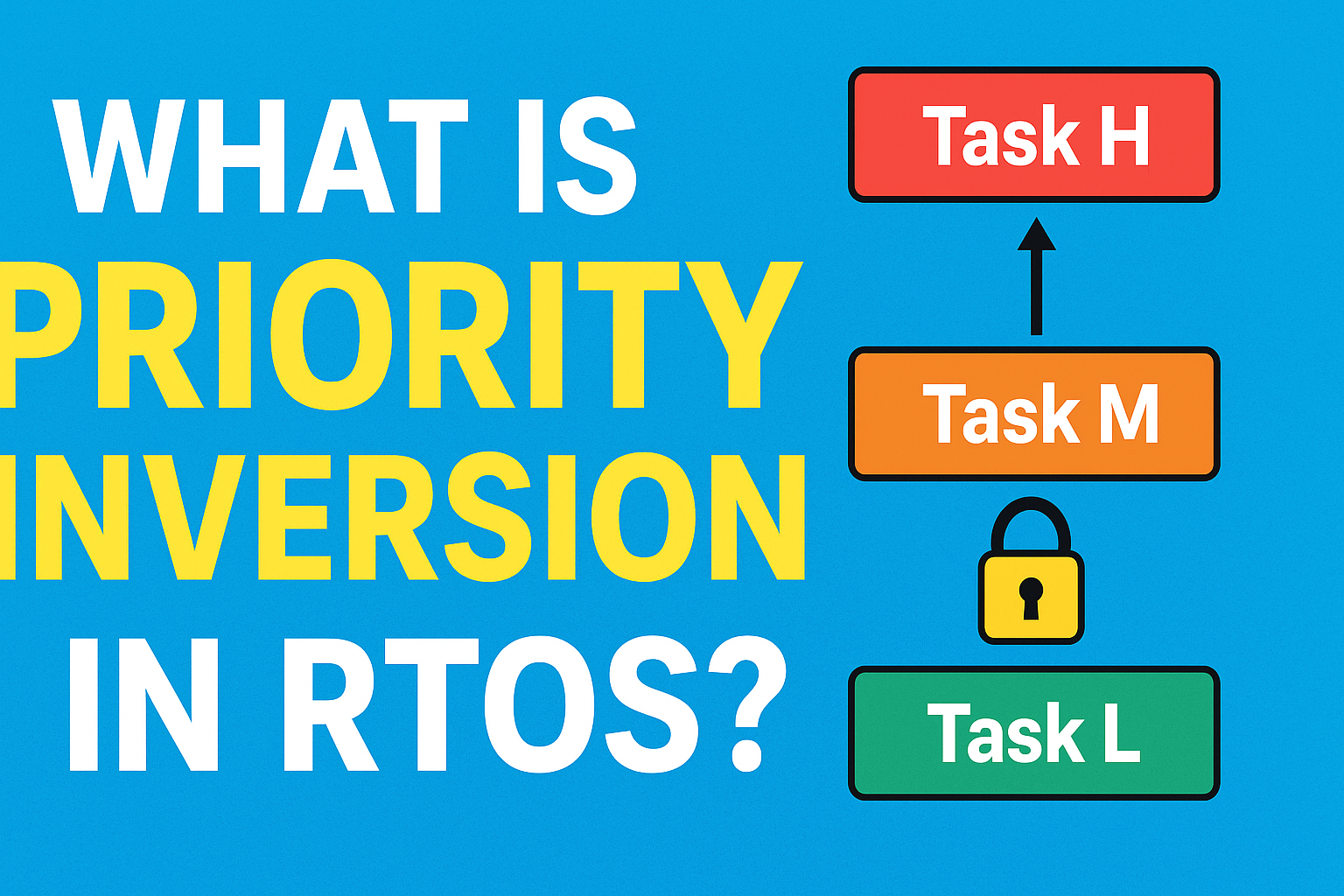
Imagine you have three tasks in an RTOS:
Task H (High priority) → Needs a shared resource.
Task L (Low priority) → Currently holding the resource.
Task M (Medium priority) → Independent task that doesn’t need the resource.
Here’s what happens:
Task L locks the resource.
Task H tries to access the same resource, but it is locked by Task L, so Task H must wait.
Before Task L can finish, Task M starts running (since it has higher priority than Task L).
Now, Task H (which is the most critical task) is waiting indirectly because Task M keeps running, delaying Task L from releasing the resource.
This situation is called priority inversion.
Why is Priority Inversion a Problem?
Missed deadlines: In real-time systems, tasks often have strict timing requirements.
Unpredictable behavior: The system no longer behaves as expected based on priority rules.
Reduced reliability: Critical applications (like automotive, aerospace, or medical devices) may fail due to delays.
How Can Priority Inversion Be Mitigated?
RTOS designers use specific techniques to solve priority inversion. The most common solutions are:
1. Priority Inheritance Protocol
When a low-priority task holds a resource needed by a high-priority task, the RTOS temporarily boosts the priority of the low-priority task to match the high-priority task.
This ensures the low-priority task quickly finishes and releases the resource.
After releasing, its priority is restored.
2. Priority Ceiling Protocol
In this method, each resource is assigned a priority ceiling (the highest priority of any task that may use it).
When a task locks the resource, it temporarily inherits the ceiling priority.
This prevents medium-priority tasks from preempting and causing delays.
3. Careful Task Design
Keep critical sections (where resources are locked) as short as possible.
Avoid unnecessary resource sharing between high and low-priority tasks.
Use appropriate scheduling policies in the RTOS.
Real-World Example of Priority Inversion
NASA’s Mars Pathfinder mission famously experienced a system reset issue due to priority inversion. The problem was solved by enabling priority inheritance, which prevented further system failures.
C++ Example using std::thread and std::mutex
#include <iostream>
#include <thread>
#include <mutex>
#include <chrono>

std::mutex resource;

void lowPriorityTask() {
    std::cout << "Low-priority task started and locking resource\n";
    resource.lock();  // Lock resource
    std::this_thread::sleep_for(std::chrono::seconds(5)); // Simulate long work
    resource.unlock();
    std::cout << "Low-priority task finished\n";
}

void mediumPriorityTask() {
    std::this_thread::sleep_for(std::chrono::milliseconds(500)); // Let low task start first
    std::cout << "Medium-priority task running\n";
    std::this_thread::sleep_for(std::chrono::seconds(2)); // Simulate work
    std::cout << "Medium-priority task finished\n";
}

void highPriorityTask() {
    std::this_thread::sleep_for(std::chrono::milliseconds(1000)); // Start after low task
    std::cout << "High-priority task trying to lock resource\n";
    resource.lock(); // Blocked here because low-priority holds it
    std::cout << "High-priority task got resource!\n";
    resource.unlock();
}

int main() {
    std::thread t1(lowPriorityTask);
    std::thread t2(mediumPriorityTask);
    std::thread t3(highPriorityTask);

    t1.join();
    t2.join();
    t3.join();

    return 0;
}
Output explanation:
Low-priority task locks the resource.
High-priority task wants it but is blocked.
Medium-priority task runs and delays Low-priority task from finishing → High-priority task is indirectly delayed.
This demonstrates priority inversion.
C++ Simulation with Priority Inheritance (Conceptual)
Here, FreeRTOS automatically boosts the low-priority task holding the mutex to the priority of the high-priority task if it tries to acquire it. This avoids priority inversion.
Conclusion
Priority inversion is an important concept every embedded systems or RTOS developer should understand. It happens when a high-priority task is blocked by a lower-priority task holding a resource. The good news is that RTOS kernels offer mechanisms like priority inheritance and priority ceiling protocols to solve this issue.
By keeping critical sections short and designing tasks carefully, developers can prevent priority inversion and ensure their RTOS applications run smoothly and reliably.
FAQ of Priority Inversion
1.What is priority inversion in RTOS?
Ans: Priority inversion occurs when a high-priority task is blocked because a low-priority task is holding a resource, while medium-priority tasks keep running.
2.Why is priority inversion dangerous?
Ans: It can cause missed deadlines, unpredictable system behavior, and failures in critical real-time systems like automotive, aerospace, and medical devices.
3.How can priority inversion be prevented?
Ans: Common solutions include priority inheritance protocol, priority ceiling protocol, and designing tasks so that resource locking is minimal.
4.What is the difference between priority inheritance and priority ceiling?
Ans: Priority inheritance temporarily raises the priority of the low-priority task holding a resource. Priority ceiling assigns the resource the highest priority of any task that might use it, preventing medium-priority interference.
5.Can you give a real-world example of priority inversion?
Ans: Yes, NASA’s Mars Pathfinder mission faced a system reset issue due to priority inversion, which was fixed using the priority inheritance mechanism.
Priority Inversion Interview Questions
Basic Level
What is priority inversion in an RTOS?
Explain with an example how a high-priority task can get blocked by a low-priority task.
Why is priority inversion a problem in real-time systems?
What is the difference between a high-priority and low-priority task in an RTOS context?
Intermediate Level
How does the priority inheritance protocol help in mitigating priority inversion?
What is the priority ceiling protocol and how is it different from priority inheritance?
Can priority inversion occur if there are no shared resources between tasks? Why or why not?
How can careful task design help prevent priority inversion?
Advanced Level
Explain a real-world example where priority inversion caused a system failure.
If a high-priority task is blocked due to priority inversion, how can you identify it using RTOS debugging tools?
What are the trade-offs of implementing priority inheritance in an RTOS?
How would you handle multiple resources being used by tasks of different priorities to avoid priority inversion?
You can also Visit other tutorials of Embedded Prep
Interview Questions on Interrupt Service Routine : When preparing for embedded systems interviews, one of the most important topics is the Interrupt Service Routine (ISR). Recruiters often ask questions on ISR because it is a core concept in microcontrollers, operating systems, and real-time systems. In this guide, we’ll go through commonly asked ISR interview questions, explained in a simple way for beginners.
What is an Interrupt Service Routine (ISR)?
An Interrupt Service Routine (ISR) is a special block of code that executes when a hardware or software interrupt occurs. Instead of continuously checking a condition (polling), the system pauses its normal execution and jumps to the ISR to handle the event immediately.
Example: When you press a button on a microcontroller, an interrupt occurs, and the ISR handles the button press.
Top Interview Questions on Interrupt Service Routine (ISR) Master Embedded Interview Guide (2025)
Common Interview Questions on Interrupt Service Routine (ISR)
1. What is an ISR in embedded systems?
Answer: An ISR is a function that handles interrupts. It is triggered automatically when an interrupt occurs, allowing the CPU to respond quickly to external or internal events.
2. What are the characteristics of an ISR?
Answer:
Fast execution : Should be short and efficient.
No return values : ISR does not return values.
No blocking calls : Avoid using functions like delay() inside ISR.
Context saving : CPU saves the current state before jumping to ISR.
3. Can an ISR call another function?
Answer: Yes, but it should only call lightweight functions. Heavy operations inside ISR may slow down the system and block other interrupts.
4. What are nested interrupts?
Answer: Nested interrupts occur when a higher-priority interrupt occurs while another ISR is still running. In such cases, the CPU pauses the current ISR and executes the higher-priority one.
5. Why should we keep ISRs short?
Answer: Long ISRs delay the processing of other interrupts. In real-time systems, this can cause missed events and system instability.
6. What is the difference between ISR and a normal function?
Answer:
ISR executes automatically when an interrupt occurs, while a normal function is called manually.
ISR does not return values, while functions can.
ISR runs in a special CPU context and must be as short as possible.
7. Can we use global variables inside ISR?
Answer: Yes, but they must be declared as volatile so that the compiler does not optimize them. This ensures real-time updates between the ISR and the main program.
8. What is interrupt latency?
Answer: Interrupt latency is the time delay between an interrupt request and the start of ISR execution. Low latency is important for real-time systems.
9. How do you handle multiple interrupts?
Answer:
Assign priority levels to interrupts.
Use interrupt vectors to map different ISRs.
Ensure critical ISRs are shorter and higher priority.
10. What are some best practices for writing ISRs?
Answer:
Keep ISRs short and simple.
Use global variables carefully (mark them as volatile).
Avoid using printf, malloc, or delay inside ISR.
Handle only critical tasks inside ISR and defer others to the main loop or task scheduler.
List of Interview Questions on Interrupt Service Routine (ISR)
Basic Questions of Interrupt Service Routine interview questions
What is an Interrupt Service Routine (ISR)?
Why do we need ISR in embedded systems?
What are the main features of an ISR?
What is the difference between polling and ISR?
What happens when an interrupt occurs?
Intermediate Questions of ISR in embedded systems
What are the rules for writing an ISR?
Why should an ISR be short and fast?
Can we use global variables inside ISR?
What is the role of the volatile keyword in ISR?
What is interrupt latency?
Can an ISR return a value? Why or why not?
What is the difference between ISR and a normal function?
Can ISRs be nested? What are nested interrupts?
How does the CPU know which ISR to execute?
What is an interrupt vector table?
Advanced Questions of common ISR interview questions
How are multiple interrupts handled in a system?
What are interrupt priorities?
What is the difference between maskable and non-maskable interrupts?
What are reentrant and non-reentrant ISRs?
Can we use dynamic memory allocation (malloc/free) inside ISR?
Why is it not recommended to use printf() inside ISR?
What are some common mistakes while writing ISRs?
How do you handle critical tasks inside ISR?
What happens if an ISR takes too long to execute?
How do modern microcontrollers reduce interrupt latency?
Practical/Implementation Questions of interrupt handling in embedded systems
How do you declare an ISR in C/C++?
How do you enable and disable interrupts in a microcontroller?
What is the difference between hardware and software interrupts?
Can an ISR call another ISR?
How do you share data between ISR and the main program?
What are best practices for writing ISRs?
What tools or debuggers can be used to test ISR execution?
Can an ISR cause a system crash? How?
How does an operating system handle interrupts differently from bare-metal programming?
What is the difference between vectored and non-vectored interrupts?
1.What is an Interrupt Service Routine (ISR)?
Ans: An ISR is a special function that executes automatically when an interrupt occurs, allowing the CPU to handle events quickly without polling.
2.Why do we use ISR in embedded systems?
Ans: ISR reduces CPU load, improves response time, and makes systems more efficient by handling events only when they occur.
3. Can an ISR return a value?
Ans: No, ISRs cannot return values because they are executed by hardware/OS, not called like regular functions.
4. Why should ISR be short and fast?
Ans: Long ISRs block other interrupts and can cause system delays or missed events.
5. Can we use global variables in ISR?
Ans: Yes, but they should be declared as volatile to ensure real-time updates between ISR and the main program.
6. What is interrupt latency?
Ans: Interrupt latency is the time delay between an interrupt request and the start of ISR execution.
7. Can we use printf or delay inside ISR?
Ans: No, functions like printf, malloc, or delay should be avoided inside ISR as they are slow and may cause system instability.
8. What is the difference between ISR and normal function?
Ans: a) ISR executes automatically when an interrupt occurs, while a normal function is called explicitly. b) ISR does not return values, while functions can. c) ISR runs in a special CPU context.
9. What are nested interrupts?
Ans: Nested interrupts occur when a higher-priority interrupt interrupts the execution of a lower-priority ISR.
10. What are best practices for writing ISRs?
Ans: a) Keep ISRs short and efficient. b) Use volatile for shared variables. c) Avoid blocking functions. d) Handle only critical tasks inside ISR, defer the rest to main loop or task scheduler.
You can also Visit other tutorials of Embedded Prep