Best RTOS for microcontrollers : When working with embedded systems, choosing the right Real-Time Operating System (RTOS) is essential. An RTOS provides predictable task scheduling, resource management, and timing accuracy—critical for applications like automotive systems, IoT devices, robotics, and medical equipment.
In this article, we’ll explore 6 popular RTOS software for embedded systems, highlighting their key features and use cases in a simple, beginner-friendly way.
6 Best RTOS for microcontrollers
1. FreeRTOS
FreeRTOS is one of the most widely used open-source RTOS. It is lightweight, portable, and designed for microcontrollers and small embedded devices.
Key Features:
Open-source and free to use
Supports over 40+ architectures
Small memory footprint
Large community support
Best For: IoT devices, low-power microcontrollers, and academic projects.
2. VxWorks
VxWorks is a commercial RTOS developed by Wind River. It is known for high performance and reliability in mission-critical applications.
Key Features:
Real-time scheduling and deterministic behavior
Strong security features
POSIX-compliant APIs
Extensive debugging and development tools
Best For: Aerospace, defense, automotive, and industrial automation.
3. QNX Neutrino RTOS
QNX is a microkernel-based RTOS trusted for its stability and fault tolerance. It is commonly used in safety-critical applications.
Key Features:
Microkernel architecture for high reliability
Scalability from small devices to large systems
Strong focus on safety standards (ISO 26262, IEC 61508)
Excellent inter-process communication
Best For: Automotive infotainment, medical devices, and industrial systems.
4. ThreadX (Azure RTOS)
ThreadX, now part of Microsoft Azure RTOS, is optimized for simplicity and performance.
Key Features:
Fast real-time performance with low latency
Integrated with Azure IoT services
Small footprint (as low as 2 KB RAM)
Pre-certified for safety standards
Best For: IoT products, wearables, and consumer electronics.
5. Micrium µC/OS-II & µC/OS-III
Micrium’s RTOS family is well-documented and widely used in commercial and educational fields.
Key Features:
Preemptive multitasking
Safety-certified kernels
Rich documentation and examples
Compatible with various microcontrollers
Best For: Medical devices, industrial controls, and educational use.
6. Zephyr RTOS
Zephyr is an open-source RTOS backed by the Linux Foundation. It is gaining popularity due to its scalability and community support.
Best For: IoT, smart home devices, and wearable technology.
Conclusion of Best RTOS for microcontrollers
Choosing the right RTOS software for embedded systems depends on your project needs. For beginners, FreeRTOS and Zephyr are great starting points due to their open-source nature and community support. For advanced, safety-critical applications, VxWorks and QNX are widely trusted in industries.
Frequently Asked Questions (FAQ) | Best RTOS for microcontrollers
1. What is the best RTOS for microcontrollers in 2025?
In 2025, the best RTOS for microcontrollers is still FreeRTOS due to its lightweight design, wide hardware support, and active community. However, Zephyr RTOS is quickly becoming a strong alternative for IoT-based microcontroller projects.
2. Why should I use an RTOS instead of bare-metal programming?
An RTOS provides task scheduling, multitasking, and resource management, making it easier to handle complex embedded applications. In bare-metal programming, the developer manages everything manually, which is harder to scale.
3. Which RTOS is most used in the industry?
FreeRTOS is the most widely adopted in microcontrollers.
QNX and VxWorks dominate safety-critical industries like automotive, aerospace, and medical.
Zephyr is rapidly growing in IoT ecosystems.
4. What is the lightest RTOS for microcontrollers?
FreeRTOS and ThreadX (Azure RTOS) are considered the lightest RTOS options. They require very little RAM and ROM, making them ideal for small 8-bit and 32-bit microcontrollers.
5. Can I run Linux instead of RTOS on microcontrollers?
No. Linux requires more memory and processing power than most microcontrollers can provide. For resource-constrained devices, an RTOS is the best choice.
6. Which RTOS is free to use?
FreeRTOS (MIT license)
Zephyr RTOS (Apache 2.0 license) Both are completely open-source and free to use in commercial or personal projects.
7. What is the difference between an RTOS and a general OS?
RTOS: Provides deterministic timing and real-time scheduling for critical applications.
General OS (like Linux/Windows): Focuses on throughput, user interaction, and multitasking without strict timing guarantees.
8. Is FreeRTOS the best RTOS for microcontrollers used in IoT?
Yes. FreeRTOS is the most popular choice for IoT devices because it is lightweight, works with cloud platforms like AWS, and supports a huge range of microcontrollers
You can also Visit other tutorials of Embedded Prep
QNX Operating System vs Linux : Discover the difference between the QNX Operating System and Linux in this beginner-friendly guide. Learn how BlackBerry QNX delivers real-time performance, safety, and reliability for automotive, medical, and industrial applications compared to Linux’s flexibility and open-source power.
When it comes to choosing an operating system for embedded systems and mission-critical applications, two popular options are the QNX Operating System and Linux. Both have their strengths, but they are designed for different purposes. This article will help beginners understand what the QNX Operating System vs Linux is, how it compares to Linux, and where each one is best used.
What is the QNX Operating System?
The QNX Operating System is a real-time operating system (RTOS) developed by BlackBerry Limited. It is known for its high reliability, safety, and deterministic performance, making it ideal for environments where failure is not an option.
Main features of the QNX Operating System:
Microkernel architecture — only essential services (like scheduling and interprocess communication) run in the kernel for improved stability.
Real-time capabilities — guarantees predictable responses within strict deadlines.
POSIX compliance — allows easier porting of software from other Unix-like systems.
Fault resilience — if one component fails, the rest of the system remains unaffected.
Where the QNX Operating System is used:
Automotive infotainment and safety systems
Aerospace and defense equipment
Medical devices
Industrial automation systems
What is Linux?
Linux is a general-purpose, open-source operating system used on everything from smartphones to servers and IoT devices. Unlike the QNX Operating System, Linux uses a monolithic kernel and is maintained by a global open-source community.
Main features of Linux:
Monolithic kernel — all core OS services run in kernel space.
Highly customizable — hundreds of distributions to suit different needs.
Large developer community — constant updates and support.
Wide hardware compatibility — runs on small IoT boards to large data centers.
QNX Operating System vs Linux : Key Differences
Feature
QNX Operating System
Linux Operating System
Type
Real-Time Operating System (RTOS)
General-Purpose Operating System
Kernel Architecture
Microkernel
Monolithic kernel
Real-Time Capability
Hard real-time, deterministic
Not hard real-time (PREEMPT_RT patch adds soft real-time)
Licensing
Commercial (BlackBerry QNX)
Open-source (GPL and others)
Reliability
Extremely high, fault-tolerant
Stable but less fault isolation
Customization
Safety-critical focus
Broad customization options
Typical Use Cases
Automotive, aerospace, medical, industrial
Servers, desktops, IoT, embedded devices
Community Support
Vendor-provided
Large open-source community
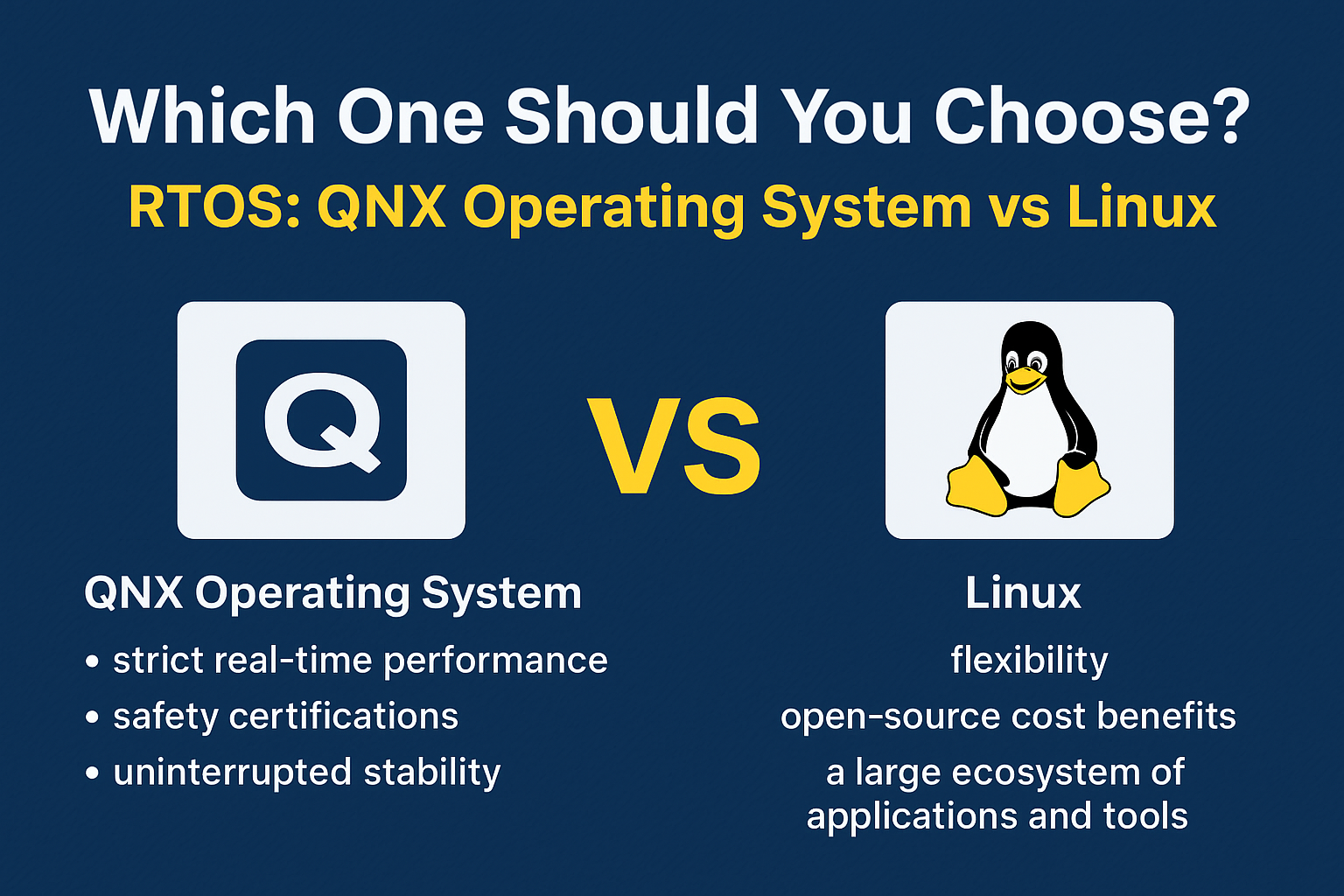
Which One Should You Choose QNX & LINUX ?
Choosing between the QNX Operating System and Linux depends on your project’s requirements, performance goals, and safety needs. Both are powerful, but they shine in different areas.
When to Choose the QNX Operating System
The QNX Operating System, developed by BlackBerry QNX, is the right choice when:
Your project demands strict real-time performance with predictable response times.
You are working on safety-critical systems that require certifications such as ISO 26262 (automotive), IEC 62304 (medical devices), or DO-178C (aerospace).
You need uninterrupted stability — if one software component crashes, the rest of the system should remain unaffected thanks to QNX’s microkernel architecture.
You’re developing for industries like automotive infotainment, industrial automation, aerospace, or defense, where downtime is unacceptable.
In short, BlackBerry QNX is designed for environments where failure is not an option and real-time precision is critical.
When to Choose Linux
Linux is the right choice when:
You need flexibility and the freedom to customize the OS for different purposes.
You want the cost benefits of open-source software without paying licensing fees.
Your application benefits from a large ecosystem of tools, libraries, and developer support.
Real-time precision is not your top priority, or you can manage with soft real-time capabilities by using the PREEMPT_RT patch.
Your focus is on building servers, IoT devices, development platforms, or consumer electronics.
Linux is ideal when you need versatility, fast development, and broad hardware compatibility rather than strict safety certifications.
Bottom line:
Choose the QNX Operating System if you’re building mission-critical, real-time, and safety-certified applications.
Choose Linux if you want open-source flexibility, community support, and broad use cases.
ConclusionQNX Operating System vs Linux
The QNX Operating System and Linux both serve important roles in the world of technology.
QNX shines in real-time, safety-critical applications.
Linux excels in general-purpose and flexible environments.
Your choice will depend on whether you prioritize deterministic performance or flexibility and cost-efficiency.
Frequently Asked Questions (FAQ) – QNX Operating System vs Linux
1. What is the QNX Operating System used for?
The QNX Operating System is mainly used in safety-critical and real-time applications such as automotive systems, aerospace equipment, medical devices, and industrial control systems. It is chosen for its high reliability, fault tolerance, and deterministic performance.
2. Is the QNX Operating System open source?
No, the QNX Operating System is a commercial product owned by BlackBerry Limited. It requires licensing for use, unlike Linux, which is open source and free to download.
3. How is the QNX Operating System different from Linux?
The QNX Operating System is a real-time microkernel-based OS, while Linux is a general-purpose monolithic kernel OS. QNX focuses on predictable execution and fault isolation, whereas Linux emphasizes flexibility, customization, and community support.
4. Can Linux replace the QNX Operating System?
In most real-time, safety-critical environments, Linux cannot fully replace the QNX Operating System because Linux does not provide the same level of hard real-time guarantees. However, with the PREEMPT_RT patch, Linux can handle some real-time workloads.
5. Why do automotive companies prefer the QNX Operating System?
Automotive companies use the QNX Operating System because it meets strict safety and reliability standards such as ISO 26262. It ensures that vehicle systems like infotainment, navigation, and driver assistance run without unexpected delays or failures.
6. Is the QNX Operating System better than Linux?
Neither is universally “better” — the QNX Operating System is better for time-sensitive, safety-critical applications, while Linux is better for general-purpose and cost-effective solutions.
You can also Visit other tutorials of Embedded Prep
Key features of QNX : The QNX Neutrino microkernel architecture is designed for high reliability, modularity, and real-time performance, making it well-suited for embedded systems. Here are the key features of its architecture:
Key Features of QNX Neutrino Microkernel Architecture
Microkernel Design
Only the most essential services run in kernel space: CPU scheduling, IPC (Interprocess Communication), low-level memory management, and interrupt handling.
All other components (filesystems, drivers, network stacks, etc.) run in user space as separate processes.
Message Passing IPC
Processes communicate via a synchronous message-passing mechanism, which is fast and thread-safe.
This enables modularity, security, and fault isolation.
Fault Resilience and Isolation
If a user-space driver or service fails, it does not crash the entire system.
Services can be restarted dynamically without rebooting the system.
Deterministic Real-Time Performance
Designed for hard real-time systems with predictable latency.
Supports priority-based preemptive scheduling and priority inheritance.
Scalability and Modularity
Components can be included or excluded based on application needs.
Supports running on single-core, multi-core, and SMP systems efficiently.
Resource Manager Model
Filesystems, devices, and services are implemented as resource managers that respond to POSIX-style messages.
Allows seamless interaction with custom services as if they were regular files/devices.
POSIX Compliance
High degree of POSIX API support for portability and familiarity.
Supports multithreading with POSIX threads.
Security and Privilege Separation
Fine-grained permission model and the separation of services enhances system security.
Runs critical services with least privilege principle.
Support for Multi-Protocol and Multi-Architecture
Supports ARM, x86, PowerPC, MIPS, etc.
Provides protocol stacks for networking (TCP/IP, etc.), CAN, USB, and more.
Dynamic System Management
Services can be dynamically added, removed, or updated at runtime without reboot.
Useful in mission-critical systems like automotive, medical, and industrial applications.
Monolithic Kernel
Definition: A monolithic kernel is a single large process running entirely in a single address space (kernel space). All core services (e.g., device drivers, file systems, memory management, system calls) run inside the kernel.
Key Features:
All services run in kernel mode.
Fast performance due to direct communication.
Adding new features often requires recompiling the entire kernel.
A bug in one component (e.g., a driver) can crash the whole system.
Examples: Linux, Windows NT (older versions), UNIX
Microkernel
Definition: A microkernel keeps only the most essential functions (e.g., inter-process communication, basic scheduling, low-level address space management) in the kernel space. Other services (file systems, device drivers, etc.) run in user space as separate processes.
Key Features:
Emphasizes modularity and isolation.
Fault in a user-space service doesn’t crash the entire system.
Slower due to message passing overhead between services.
Easier to maintain and extend (e.g., add or update services without kernel recompilation).
Examples: QNX, MINIX, L4, seL4
Comparison Table
Feature
Monolithic Kernel
Microkernel
Structure
Single large program
Minimal kernel, services in user space
Performance
Fast
Slower due to IPC overhead
Stability
Less stable (one crash can affect all)
More stable (service crashes isolated)
Extensibility
Difficult to extend
Easier to extend/modify
Security
Less secure (shared memory)
More secure (isolated services)
Debugging
Harder
Easier (user-space services)
You can also Visit other tutorials of Embedded Prep
If you’re diving into embedded systems, you’ve probably heard of QNX. But what is QNX, and how does it stand apart from other real-time operating systems (RTOSs) like FreeRTOS or VxWorks? In this post, we’ll explain what QNX is, explore its unique microkernel architecture, and compare its features with other popular RTOSs to help you understand where and why it shines.
What is RTOS?
RTOS stands for Real-Time Operating System. It’s a special kind of operating system designed to manage hardware resources, run applications, and process data in real-time — meaning it can guarantee that certain tasks are completed within strict timing constraints.
Unlike general-purpose operating systems like Windows or Linux, which focus on maximizing throughput or user experience, an RTOS prioritizes predictability and timing accuracy so critical tasks run on time, every time.
What is QNX?
QNX is a commercial real-time operating system (RTOS) developed by BlackBerry Limited. It’s designed specifically for embedded systems that require high reliability, safety, and deterministic performance.
Here’s a quick overview:
Type: Real-Time Operating System (RTOS)
Kernel Architecture: Microkernel
Main Use Cases: Automotive systems (e.g. ADAS, digital cockpits, infotainment), industrial automation, medical devices, networking equipment, aerospace, and defense
Key Features of QNX
POSIX-Compliant – Supports standard POSIX APIs for easier development and portability
High Reliability & Fault Tolerance – Isolates faults so a crashing driver or application doesn’t bring down the entire system
Fast Boot Times – Essential for automotive and embedded applications
Modular and Scalable – Load only what you need for your system
Deterministic Performance – Guarantees predictable response times for critical applications
These features make QNX a strong choice for mission-critical systems where safety and uptime are paramount.
How is QNX Different from Other RTOSs?
To see how QNX differs from other RTOSs, let’s compare it against alternatives like FreeRTOS, VxWorks, and RTEMS across key dimensions:
Feature
QNX
Other RTOSs (e.g. FreeRTOS, VxWorks, RTEMS)
Kernel Type
Microkernel
Mostly monolithic or hybrid
Process Isolation
Full MMU-based memory protection (like Linux)
Often limited; tasks may share memory
Fault Tolerance
High; one crashed driver doesn’t affect others
Lower; faults can crash the whole system
Scalability
Highly modular; load only needed components
Varies; not all are modular
Development Model
Commercial with strong vendor support
Mix of open-source (FreeRTOS) and proprietary
Multicore Support
Full Symmetric Multi-Processing (SMP) support
Varies; some lack proper multicore support
Real-time Behavior
Hard real-time with nanosecond latency
Varies; some RTOSs may not guarantee hard real-time behavior
Security & Certification
Widely used in ISO 26262, DO-178C, IEC 61508 systems
Some RTOSs not certified or harder to certify
Why Choose QNX?
So when should you consider QNX over other RTOSs?
Choose QNX if your system needs:
✅ High reliability – Faults in one component won’t crash the entire OS ✅ True process isolation – Critical for safety and security certifications ✅ Hard real-time performance – Nanosecond-level deterministic response ✅ Safety certifications – Used in ISO 26262 (automotive), DO-178C (aerospace), and IEC 61508 (industrial)
While it’s a more heavyweight, commercial option than lightweight RTOSs like FreeRTOS, the tradeoff brings robust safety, isolation, and reliability — critical for mission-critical embedded systems.
QNX vs. FreeRTOS: A Quick Note
Many engineers wonder about QNX vs. FreeRTOS. Here’s a simple rule of thumb:
Use FreeRTOS for small, cost-sensitive projects where basic multitasking and simplicity are enough (e.g. IoT devices, wearables).
Use QNX when you need strict safety certifications, process isolation, or hard real-time behavior for complex, mission-critical systems.
Final Thoughts
QNX continues to be a leading choice in industries like automotive, industrial, and medical, where system failures simply aren’t an option. Its microkernel design and rich set of features make it stand apart from many traditional RTOSs.
Whether you’re developing an automotive infotainment system or a life-critical medical device, knowing how QNX compares to other RTOSs helps you make the right decision for your embedded software architecture.
Excellent! Let’s take it further. I’ll provide you with sample interview questions and brief model answers, tailored for someone preparing for mid-level or senior interviews involving QNX or RTOS concepts.
QNX & RTOS Interview Q&A
✅ Q1. What is QNX, and why is it considered a microkernel OS?
Answer: QNX is a commercial real-time operating system (RTOS) developed by BlackBerry. It’s called a microkernel OS because only essential services like scheduling, IPC (inter-process communication), and interrupt handling run in the kernel space. All other services—including device drivers, file systems, and protocol stacks—run in user space as separate processes. This design improves fault tolerance and system stability.
✅ Q2. How is QNX different from other RTOSs like FreeRTOS or VxWorks?
Answer:
Kernel Type: QNX uses a microkernel, while many RTOSs like FreeRTOS have monolithic or hybrid kernels.
Process Isolation: QNX offers full MMU-based process isolation, while other RTOSs often share memory among tasks.
Fault Tolerance: A fault in one QNX driver doesn’t crash the entire system, while monolithic kernels can fail entirely.
Certifications: QNX is widely used in safety-critical systems (ISO 26262, DO-178C) and offers commercial support, whereas some RTOSs are lightweight but lack such certifications.
✅ Q3. What are the main advantages of a microkernel architecture in QNX?
Answer:
Fault isolation: A failing driver or service won’t crash the kernel.
Better security: Processes are isolated in separate address spaces.
Scalability: Systems can be customized by loading only the required components.
Maintainability: Easier to update or replace services without modifying the kernel.
✅ Q4. Can you explain message passing in QNX?
Answer: In QNX, processes and threads communicate via message passing. A client sends a message to a server process using functions like MsgSend(). The server receives the message, processes it, and replies using MsgReply(). This synchronous IPC ensures that the sender waits for a reply, enabling coordinated communication without shared memory.
✅ Q5. How does QNX achieve fault tolerance?
Answer: Since device drivers and system services run as user-space processes, faults are contained within those processes. If a driver crashes, it can be restarted without affecting the kernel or other services. This architecture makes QNX suitable for mission-critical systems where uptime is crucial.
✅ Q6. What is the QNX Momentics IDE?
Answer: QNX Momentics is an Eclipse-based integrated development environment. It provides tools for developing, debugging, and profiling applications on QNX Neutrino RTOS. It includes tools for memory analysis, performance profiling, and visualization of system events.
✅ Q7. Why is QNX often chosen for automotive systems?
Answer:
Predictable real-time behavior for safety-critical tasks.
Fast boot times required for modern vehicles.
Certified for ISO 26262 (functional safety standard).
Supports process isolation, crucial for running safety and infotainment software on the same hardware.
Strong commercial support and proven track record in automotive.
✅ Q8. How does QNX handle multicore systems?
Answer: QNX supports SMP (Symmetric Multi-Processing), allowing the OS to run threads across multiple cores. The microkernel manages scheduling and load balancing to optimize real-time performance while maintaining isolation between processes.
✅ Q9. What are resource managers in QNX?
Answer: Resource managers in QNX abstract hardware or services and present them as file system entries (e.g. /dev/). They handle open, read, write, and other POSIX calls. This unified model simplifies device driver development and inter-process communication.
✅ Q10. Would you choose QNX for a simple IoT sensor node? Why or why not?
Answer: Probably not. QNX is heavyweight compared to lightweight RTOSs like FreeRTOS. For a simple IoT sensor, you typically want minimal memory footprint and cost, which FreeRTOS provides. QNX is better for complex systems needing process isolation, certification, and robust fault tolerance.
Behavioral / Experience-Based
✅ Q11. Have you worked on QNX? What challenges did you face?
Sample Answer: “Yes, I worked on an automotive infotainment project using QNX. One challenge was understanding message passing and designing proper IPC between multiple services. Debugging crashes was also different because drivers run in user space, so I had to analyze core dumps and logs carefully. However, the system’s fault isolation saved us from many full system reboots, which was a huge advantage.”
✅ Q12. What do you think are the biggest benefits of using QNX over Linux for embedded systems?
Sample Answer: “While Linux offers flexibility and open-source advantages, QNX excels in real-time performance, fault isolation, and safety certifications. If my system requires strict timing guarantees and safety standards like ISO 26262, QNX would be my choice.”
You can also Visit other tutorials of Embedded Prep
Character-Device Drivers QNX : When you type something on your keyboard, the character-device driver is the first part of the system that reads and understands your input.
The specific driver used depends on your hardware. To find out which one applies to your setup, check the documentation for devc-* drivers in the Utilities Reference.
Note: Some keys might work differently depending on how your system is set up. For more details, see the Character I/O section in the System Architecture Guide.
Input Modes
Character-device drivers can work in two different input modes:
Raw mode: Input is sent directly without any processing.
Canonical (or edited) mode: Input is processed and edited (e.g., backspace works, input is sent after pressing Enter).
Terminal Support
Some programs like vi need to know the capabilities of your terminal (like moving the cursor or clearing the screen). This is handled using:
The TERM environment variable, which tells the system what kind of terminal you’re using.
The /usr/share/terminfo directory, which contains data about different terminal types.
Telnet Usage
If you’re using Telnet to connect two QNX systems (like QNX 4 or QNX Neutrino), use the -8 option to allow full 8-bit data transmission. If you’re connecting from a non-QNX system and the terminal behaves oddly, exit Telnet and restart it with the -8 option.
Keyboard Overview
The character-device drivers instantly process what you type. The system interprets different keys and combinations (keychords) in specific ways, which are listed in a table (not shown here).
Physical and Virtual Consoles
The combination of your display adapter, monitor, and keyboard is known as the physical console, which is managed by a console driver. In addition, QNX supports virtual consoles, which allow multiple login sessions on the same screen.
Here’s a beginner-friendly and easy-to-understand version of your paragraph:
Input Modes
Character-device drivers can work in two different modes:
Raw input mode: Every character you type is sent straight to the program immediately, as soon as it’s typed.
Canonical (or edited) input mode: The program receives your input only after you’ve typed a full line and pressed Enter.
In simple terms:
Raw mode = character-by-character input.
Edited mode = line-by-line input.
Here’s a beginner-friendly version of your Terminal Support section:
Terminal Support
Some programs like vi need to know what your terminal is capable of—such as moving the cursor, clearing the screen, and more—so they can work properly.
This is where the TERM environment variable comes in. It tells the system what type of terminal you’re using.
The terminal capabilities are stored in the /usr/share/terminfo directory. Inside it, you’ll find folders named a to z, each holding data for different types of terminals.
Some older applications may use /etc/termcap, which is an older, single-file version of the terminal database.
By default, the terminal type in QNX is set to qansi-m, which is QNX’s version of an ANSI terminal.
To learn how to change or set the terminal type, refer to “Terminal types” in the Configuring Your Environment guide.
Here’s a beginner-friendly version of your Telnet section:
Telnet
If you’re using Telnet to connect between two QNX systems (like QNX 4 and QNX Neutrino), you should use the -8 option. This enables 8-bit data communication, which helps ensure all characters are transmitted correctly.
If you’re connecting to a QNX Neutrino system from another type of operating system and things look weird on your screen (like wrong characters or display issues), try this:
Exit Telnet.
Restart it using the -8 option.
Also, if you’re using Windows to connect to a QNX Neutrino system using Telnet, set your terminal type to ansi or vt100 to make sure the display works correctly.
Here’s a more human-readable version of the Keyboard at a Glance section:
The Keyboard at a Glance
Character-device drivers immediately handle the keys you press, including combinations of keys (called keychords). These drivers interpret the input right when you type it.
However, if your keyboard isn’t behaving as expected, it might be due to one of the following reasons:
The system is using raw input mode instead of edited input mode.
The application you’re working with has its own rules for keyboard behavior.
The terminal you’re using might have some keyboard limitations.
Common Keyboard Actions
Here’s a quick reference for some common keyboard actions:
Action
Key(s) to Press
Move the cursor to the left
← (Left Arrow)
Move the cursor to the right
→ (Right Arrow)
Move the cursor to the start of the line
Home
Move the cursor to the end of the line
End
Delete the character left of the cursor
Backspace
Delete the character at the cursor
Del
Delete all characters on a line
Ctrl + U
Toggle between insert and typeover modes
Ins
Submit a line of input or start a new line
Enter
Recall a previous command
↑ or ↓ (Arrow Keys)
Suspend the displaying of output
Ctrl + S
Resume the displaying of output
Ctrl + Q
Attempt to kill a process
Ctrl + C or Ctrl + Break
Indicate end of input (EOF)
Ctrl + D
Clear the terminal
Ctrl + L
When you press the up or down arrow keys, the driver sends a “back” or “forward” command to the shell, which then recalls the actual command you typed earlier.
Here’s a more human-readable version of your Physical and Virtual Consoles section:
Physical and Virtual Consoles
The physical console includes your display adapter (the hardware that connects the screen), the screen itself, and the system keyboard. All of these components are controlled by a console driver.
Not all systems include a console driver, especially in embedded systems, which may only have a serial driver (like devc-ser*). The devc-con and devc-con-hid drivers are currently only supported on x86 platforms.
Virtual Consoles
QNX Neutrino allows you to run multiple sessions at once through virtual consoles. These virtual consoles are numbered like /dev/con1, /dev/con2, etc. They allow you to switch between different applications without closing them.
When the system starts the devc-con or devc-con-hid drivers, it can specify how many virtual consoles to enable using the -n option. You can have up to nine virtual consoles at once.
Managing Virtual Consoles
You can configure your system to launch different programs on various consoles at startup. This can be done using the tinit program, which reads the /etc/config/ttys file to decide which programs to start on each console. By default, tinit starts a login prompt on the consoles.
If you add more consoles, make sure to update the /etc/config/ttys file so that tinit knows which programs to launch on them.
Each virtual console can run its own application in the foreground, using the entire screen. The keyboard is connected to the virtual console that’s currently in focus.
Switching Between Virtual Consoles
You can easily switch between virtual consoles by pressing specific key combinations (called keychords):
To switch to the next active console: Ctrl + Alt + Enter or Ctrl + Alt + + (Use the + key on the numeric keypad)
To switch to the previous active console: Ctrl + Alt + − (Use the - key on the numeric keypad)
You can also jump directly to a specific console by pressing Ctrl + Alt + n, where n is the number of the virtual console you want to switch to. For example, to go to /dev/con2, press Ctrl + Alt + 2.
Ending a Session
When you finish working on a console, you can end the session by typing logout or exit, or by pressing Ctrl + D. After this, the console will be idle and won’t appear in the cycle when using the console-switching key combinations. The only exception is console 1, which usually restarts the login prompt.
For more information about how the consoles work, check the devc-con and devc-con-hid drivers in the Utilities Reference, and the “Console devices” section in the System Architecture Guide.
Scheduling in QNX : In a real-time operating system like QNX Neutrino, scheduling is the brain behind who runs the CPU and when. Think of it as a smart traffic controller — it makes sure every thread (a lightweight process) gets a fair chance to run, and that critical tasks run exactly when they need to.
Scheduling in QNX
Why Is Scheduling Important?
In real-time and embedded systems, timing is everything. Imagine an airbag system or a pacemaker — delays are not an option. QNX uses scheduling policies to ensure that high-priority threads get the CPU immediately, while lower-priority or background tasks wait their turn.
In QNX (a real-time OS), scheduling means deciding which thread (a small unit of a program) gets to run on the CPU and for how long.
Each thread has a priority, and higher-priority threads run first. If two or more threads have the same priority, then the scheduling policy decides how the OS chooses between them.
Types of Scheduling Policies in QNX
1. FIFO (First In, First Out) — SCHED_FIFO
Threads are run in the order they become ready.
Once a thread is running, it keeps running until it blocks or finishes.
No time limit or time slice.
🧠 Think of it like: “First come, first served”
2. Round Robin — SCHED_RR
Like FIFO, but each thread gets a small time slice (e.g., 10ms).
After its time is over, it goes to the end of the line, and the next thread runs.
🧠 Think of it like: “Everyone gets a turn”
3. Sporadic — SCHED_SPORADIC
Used for time-sensitive tasks that should not use too much CPU.
Gives the thread high priority for a short time, then lowers it to let others run.
🧠 Think of it like: “You can run fast, but not for too long!”
4. Other — SCHED_OTHER
Behaves like round-robin.
Not recommended because its behavior may change in the future.
Key Points
Each thread in QNX can have its own policy.
These policies only matter if two threads have the same priority.
If a higher-priority thread is ready, it runs immediately (preempts others).
Example: Set Scheduling in Code
Here’s a simple C code example showing how to:
Get current scheduling info
Change it to FIFO
Increase the priority
#include <pthread.h>
#include <stdio.h>
#include <stdlib.h>
#include <string.h>
#include <errno.h>
int main() {
struct sched_param param;
int policy, retcode;
// Get current scheduling policy and priority
retcode = pthread_getschedparam(pthread_self(), &policy, ¶m);
if (retcode != 0) {
printf("Error: %s\n", strerror(retcode));
return EXIT_FAILURE;
}
printf("Current Priority: %d\n", param.sched_priority);
// Increase priority and change to FIFO
param.sched_priority += 1;
policy = SCHED_FIFO;
retcode = pthread_setschedparam(pthread_self(), policy, ¶m);
if (retcode != 0) {
printf("Error: %s\n", strerror(retcode));
return EXIT_FAILURE;
}
printf("Changed to FIFO with Priority: %d\n", param.sched_priority);
return 0;
}
Functions You Can Use
Function Name
What It Does
pthread_getschedparam()
Get thread’s current policy & priority
pthread_setschedparam()
Set thread’s policy & priority
pthread_setschedprio()
Just change the priority
pthread_self()
Get ID of the current thread
What is Round-Robin Scheduling?
Round-Robin (SCHED_RR) is a scheduling method used when multiple threads have the same priority.
It makes sure that every thread gets a fair share of CPU time, instead of one thread running forever.
How It Works
When a thread is selected to run, it continues until one of the following happens:
✅ It finishes or gives up the CPU by itself (voluntarily).
⛔ A higher-priority thread becomes ready (preemption).
⌛ It uses up its time slice (its allowed time to run).
What Is a Time Slice?
A time slice is the small chunk of time that each thread gets to run before the next thread is given a turn.
In QNX, the time slice is calculated as:
timeslice = 4 × ticksize
What is ticksize?
It’s the basic unit of time the system uses.
If your CPU speed > 40 MHz, then ticksize = 1 ms, so timeslice = 4 ms
If CPU speed ≤ 40 MHz, then ticksize = 10 ms, so timeslice = 40 ms
💡 Most modern CPUs use 4 ms time slices.
Example Scenario
Let’s say there are 3 threads (A, B, and C) of equal priority.
Thread A runs first and uses up its time slice (4 ms).
Then it is moved to the end of the queue.
Now, Thread B runs, then C, and so on.
It works like a loop, giving each thread a fair chance.
Comparison with FIFO
Feature
FIFO (SCHED_FIFO)
Round-Robin (SCHED_RR)
Time Slice?
❌ No
✅ Yes (4ms by default)
Fairness
⚠️ One thread can hog the CPU
✅ Threads take turns
Preemption allowed?
✅ By higher-priority threads
✅ By higher-priority threads
Same-priority threads
Run in order, until blocked or done
Rotate using time slices
Key Points
Round-Robin is fair for threads with the same priority.
If a thread finishes early, the next one runs immediately.
It avoids CPU starvation by not letting one thread run too long.
Code: Round-Robin Thread Scheduling in C
#include <pthread.h>
#include <stdio.h>
#include <stdlib.h>
#include <unistd.h>
#include <string.h>
#include <sched.h>
void* thread_func(void* arg) {
char* name = (char*)arg;
for (int i = 0; i < 5; ++i) {
printf("Thread %s is running (iteration %d)\n", name, i + 1);
usleep(500000); // Sleep for 0.5 seconds to simulate work
}
return NULL;
}
int main() {
pthread_t thread1, thread2;
struct sched_param param;
pthread_attr_t attr;
// Initialize thread attributes
pthread_attr_init(&attr);
// Set the scheduling policy to Round-Robin
pthread_attr_setschedpolicy(&attr, SCHED_RR);
// Set the thread priority (use a valid priority for your system)
param.sched_priority = 10;
pthread_attr_setschedparam(&attr, ¶m);
// Explicitly set inherit scheduler to EXPLICIT
pthread_attr_setinheritsched(&attr, PTHREAD_EXPLICIT_SCHED);
// Create two threads using round-robin scheduling
pthread_create(&thread1, &attr, thread_func, "A");
pthread_create(&thread2, &attr, thread_func, "B");
// Wait for threads to finish
pthread_join(thread1, NULL);
pthread_join(thread2, NULL);
printf("Main thread finished.\n");
return 0;
}
Notes:
We set the scheduling policy to SCHED_RR using pthread_attr_setschedpolicy().
We also specify a priority using sched_param.
PTHREAD_EXPLICIT_SCHED is needed to override default inheritance behavior.
Threads A and B will take turns, showing fair execution.
Permissions
To run this on QNX or Linux:
You may need root privileges (or capabilities) to set real-time scheduling.
sudo ./your_program_name
You can also Visit other tutorials of Embedded Prep
Booting is like waking up your computer or embedded device. When you press the power button, the system must go from “just hardware” to a fully running operating system (OS) that can run applications.
In QNX Neutrino, the boot process is modular and layered, and it’s built to give maximum flexibility, especially for embedded systems.
QNX Boot Process
The QNX boot process is highly customizable and optimized for real-time embedded
The QNX boot process involves several key steps to bring the system up from power-on to a fully operational state:
Power-On and Bootloader: When the system is powered on, the bootloader is executed. It initializes the hardware (CPU, memory, peripherals) and loads the QNX kernel into memory.
Kernel Loading: The QNX kernel is loaded and starts running. It manages system resources like memory, processes, and interrupts.
System Initialization: The kernel initializes essential services, such as device drivers, file systems, and network services.
User-Space Initialization: The system starts user-space processes and applications, often based on startup scripts. This includes services like login prompts and other essential applications.
Normal Operation: The system enters its normal operational state, ready for user interaction and running background tasks.
Main Components in QNX Boot Sequence
Think of the QNX boot process like climbing a ladder. Each step builds on the one before it and gets closer to running real applications.
Here are the 3 main software pieces involved after the hardware powers up:
IPL (Initial Program Loader)
Startup Program
OS Image (with Kernel and Scripts)
These parts are packaged together in something called an Image File System (IFS).
QNX Boot Process Steps (Simplified with Explanation)
Step 1: Hardware Initialization (Powering On)
This is when the board turns on.
The processor starts executing from a fixed address called the reset vector.
Depending on the hardware, something like a BIOS (x86), UEFI, or U-Boot (ARM) runs first.
These are low-level programs that check the system and hand over control to the QNX boot code.
Step 2: IPL – Initial Program Loader
The IPL is the first piece of QNX software that runs.
It’s very small and is hardware-specific (custom to your board or chip).
The IPL’s job is to:
Initialize just enough hardware (like RAM or flash).
Load the rest of the QNX system from storage (like flash, SD card, etc.).
Specifically, it loads the IFS (Image File System).
Then, it passes control to the next step — the startup program.
🧠 Think of the IPL as the stage crew that sets the stage and curtain before the actors (OS) come in.
Step 3: Startup Program
The startup program runs immediately after the IPL.
It’s smarter than the IPL and does more complex hardware setup:
Initializes memory mapping.
Sets up interrupt controllers, timers, and CPU caches.
Prepares the environment so the QNX kernel can start.
It’s still inside the IFS (Image File System) that was loaded by the IPL.
Step 4: OS Kernel (procnto)
After startup finishes hardware setup, it hands control to the QNX microkernel (procnto).
procnto includes:
The QNX kernel.
The process manager (it handles creating and scheduling programs).
The kernel reads a script from the IFS (defined in the buildfile) and begins launching:
Drivers (e.g., for serial, USB, or storage).
System processes (e.g., file systems).
Initial applications (like the shell or custom software).
This is where QNX becomes a real operating system and starts managing resources, files, and communication.
What is an IFS (Image File System)?
IFS = Bootable image that contains:
The startup program
The QNX kernel (procnto)
Device drivers
Startup scripts
Libraries and initial apps
You can think of the IFS like a suitcase with everything QNX needs to boot up and get started.
You create an IFS using a buildfile and the tool mkifs.
How Is the QNX Boot Image Customized?
You can customize what goes into the IFS using a buildfile — a special text file that lists:
Flash the IFS to your board or load it via U-Boot.
You control the boot sequence just by editing this buildfile — no need to recompile the entire OS.
💛 Support Embedded Prep
If you find our tutorials helpful and want to support our mission of sharing high-quality embedded system knowledge, you can contribute by buying us a coffee.
Every small contribution helps us keep creating valuable content for learners like you. ☕
Thank you for your support — it truly keeps Embedded Prep growing. 💻✨
What Happens After QNX Boot?
Once everything in the IFS is running, you may still need to start large or complex applications after boot, especially if:
Your app is made of multiple processes.
Processes must start in a specific order.
You want to manage failures or restarts.
For this, QNX provides:
SLM – System Launch and Monitor
Think of it as a supervisor for apps.
It can:
Launch multiple apps in the correct order.
Monitor them and restart if needed.
Let you change startup order without touching the IFS.
Summary Table of QNX Boot Process
Component
Purpose
IPL
Minimal code that loads the IFS (hardware-specific).
Startup
Sets up hardware (timers, cache, MMU) for the kernel.
Kernel (procnto)
Core of QNX; manages memory, processes, threads.
IFS
Boot image with startup, kernel, drivers, apps, scripts.
Real-time questions related to QNX : Real-time systems are crucial in industries that require highly predictable and time-sensitive operations. In embedded systems, especially in applications like automotive, telecommunications, medical devices, and robotics, real-time performance is not just a feature; it is a necessity. Among the many real-time operating systems available, QNX stands out due to its robustness, modularity, and real-time capabilities.
What is QNX?
QNX is a commercial, Unix-like real-time operating system (RTOS) designed primarily for embedded systems. Unlike general-purpose operating systems, QNX is optimized for real-time performance, meaning it can guarantee responses to inputs within strict time constraints. This ensures that time-sensitive tasks are executed without delay, which is crucial for systems that must respond promptly to external stimuli or control systems.
At its core, QNX utilizes a microkernel architecture. The QNX microkernel is a lightweight and efficient core that handles basic operations such as task scheduling, memory management, and inter-process communication (IPC). Everything else, including device drivers, file systems, and network services, runs in user space, isolated from the kernel. This separation enhances system reliability and fault tolerance, ensuring that if one service fails, it does not affect others.
The Significance of Real-Time Performance
In real-time systems, the concept of time is critical. Real-time performance is classified into two categories:
Hard Real-Time: Systems that must meet strict deadlines. Missing a deadline could result in catastrophic failures (e.g., life-support systems in hospitals, automotive safety features).
Soft Real-Time: Systems where deadlines are important but not critical. Missing a deadline does not cause immediate failure, but it may degrade performance or user experience (e.g., streaming services, video conferencing).
QNX is designed to provide hard real-time capabilities, which is essential for applications requiring absolute predictability in time-critical environments. The operating system ensures that tasks are executed within specific time constraints, regardless of system load.
QNX Scheduling and Task Management
One of the most critical aspects of real-time operating systems is how they manage tasks and schedules. In QNX, real-time scheduling is deterministic, meaning it can guarantee that tasks will be executed at the right time without delays.
QNX employs priority-based preemptive scheduling, which ensures that tasks are scheduled according to their urgency. When multiple tasks are ready to execute, the scheduler selects the highest-priority task first. If a higher-priority task becomes ready while a lower-priority task is running, QNX will preempt the current task and execute the higher-priority one immediately. This mechanism helps ensure that critical tasks are always executed on time.
Additionally, round-robin scheduling can be used for tasks with equal priority. In this scheme, each task is given an equal time slice to execute before control is passed to the next task in the queue, ensuring fairness in CPU usage.
Microkernel Architecture and Modularity
The key feature of QNX is its microkernel architecture, which is different from traditional monolithic kernels. In a monolithic kernel, the entire OS runs in supervisor mode, meaning any failure in one part of the OS could affect the entire system. In contrast, QNX’s microkernel only provides essential services, such as managing processes, scheduling, and interrupt handling, while other services like device drivers, file systems, and networking run in user space.
This modular approach offers several benefits:
Fault Isolation: If one service crashes (e.g., a device driver), it does not bring down the entire system. This isolation improves the system’s stability.
Flexibility: Developers can customize QNX by adding or removing modules without affecting the core kernel.
Safety: Critical operations can be isolated, and failures can be contained within their own modules, preventing cascading failures.
The modularity of QNX is beneficial for embedded systems where the operating system needs to be lightweight, flexible, and fault-tolerant.
Real-Time Synchronization in QNX
Synchronization between tasks is essential in a real-time operating system, especially in systems that handle concurrent processes. QNX provides several synchronization mechanisms to manage resource access and ensure tasks execute in a coordinated manner.
Mutexes are used to ensure that only one task can access a shared resource at any given time, preventing race conditions.
Semaphores help coordinate the execution of multiple tasks. Tasks can signal each other to indicate when they are ready to proceed.
Condition Variables allow tasks to wait for specific conditions to be true before they continue executing, offering fine-grained control over task sequencing.
These synchronization tools ensure that tasks in QNX can work together without causing conflicts, delays, or data corruption, which is vital for maintaining real-time performance.
Interrupt Handling in QNX
Interrupts are used to respond to external events in real time, and QNX excels in this area by providing efficient and predictable interrupt handling. The system allows for fast response times to hardware interrupts, ensuring that real-time events are processed immediately.
QNX allows developers to configure Interrupt Service Routines (ISRs), which are specialized functions that respond to interrupts. These routines are designed to execute quickly and efficiently, as interrupt handling must be completed as soon as possible to avoid delays. In addition to regular ISRs, QNX supports threaded ISRs, where interrupt handling can be deferred to a separate thread to process more complex tasks without blocking the real-time system.
Message-Passing and Inter-Process Communication (IPC)
In real-time embedded systems, tasks often need to communicate with one another. QNX uses message-passing as a fundamental mechanism for IPC. This allows different processes (or threads) to exchange data safely without interfering with one another.
QNX offers a range of IPC mechanisms, such as:
Message Queues: Used for sending and receiving messages between tasks.
Mailboxes: Specialized message queues with a fixed number of slots, useful for tasks that need to process a stream of messages.
Signals: A lightweight mechanism to send simple notifications between tasks.
This message-passing system enables real-time tasks to coordinate efficiently and communicate without blocking or delaying critical operations.
Memory Management in QNX
Real-time memory management is another vital aspect of QNX. Memory allocation must be predictable and efficient to avoid delays that could impact real-time performance. QNX employs a real-time memory allocator that ensures quick memory allocation and deallocation while minimizing fragmentation.
One of the key features of QNX is its ability to manage memory across different partitions. Memory resources can be reserved for specific tasks or services, ensuring that each component of the system has the memory it needs to function correctly without interference.
QNX also provides support for shared memory between processes, allowing tasks to share data efficiently while maintaining separation for security and stability.
Fault Tolerance and System Reliability
Reliability and fault tolerance are paramount in real-time systems, and QNX is designed to meet these demands. The system ensures that tasks and processes are isolated from one another, so if one fails, it does not compromise the entire system. Furthermore, watchdog timers can be set up to monitor the system’s health. If a task fails or the system becomes unresponsive, the watchdog timer can trigger a recovery process to restore normal operation.
QNX also supports high-availability and failover mechanisms, which are particularly useful in mission-critical applications like automotive control systems or industrial automation, where system uptime is crucial.
By diving into the details of how QNX works, you can gain the expertise needed to build and optimize embedded real-time applications that meet the strict requirements of modern embedded systems.
💛 Support Embedded Prep
If you find our tutorials helpful and want to support our mission of sharing high-quality embedded system knowledge, you can contribute by buying us a coffee.
Every small contribution helps us keep creating valuable content for learners like you. ☕
Thank you for your support — it truly keeps Embedded Prep growing. 💻✨
1. How does QNX ensure real-time performance?
QNX is a real-time operating system (RTOS) designed to meet strict timing constraints. It ensures real-time performance through several key features:
Microkernel Architecture
The QNX microkernel handles only the most critical tasks: scheduling, interrupt handling, interprocess communication (IPC), and synchronization.
Other services (file system, network, etc.) run in user space, which makes the kernel faster and more predictable.
This ensures high-priority tasks meet their deadlines.
Fast Interprocess Communication (IPC)
QNX’s message-passing IPC is highly optimized and synchronous by default.
It allows fast and deterministic communication between threads and processes.
Timer Accuracy
QNX provides high-resolution timers (microsecond accuracy) using its clock and timer services.
You can schedule precise timeouts, delays, and periodic tasks.
Interrupt Handling
Interrupt Service Routines (ISRs) are short and quick, and they usually defer processing to threads called Interrupt Threads (i-threads), which are real-time threads.
2. What is priority inversion and how does QNX handle it?
What is Priority Inversion?
It occurs when:
A low-priority thread holds a shared resource (e.g., a mutex).
A high-priority thread needs that resource and gets blocked.
Meanwhile, a medium-priority thread preempts the low-priority one, preventing it from releasing the resource.
When a low-priority thread holds a mutex needed by a high-priority thread, QNX temporarily boosts the low-priority thread’s priority to match the high-priority one.
This allows it to finish its work and release the resource quickly, minimizing the delay.
This mechanism is built into QNX’s native synchronization primitives, like pthread_mutex_t with the PRIO_INHERIT protocol.
3. Example: Writing a real-time application in QNX
Let’s write a simple real-time periodic task in QNX that runs every 1 second to simulate sensor reading.
#include <stdio.h>
#include <stdlib.h>
#include <unistd.h>
#include <pthread.h>
#include <sched.h>
#include <time.h>
void* sensor_task(void* arg) {
struct timespec interval = {1, 0}; // 1 second
struct timespec next_time;
// Get current time
clock_gettime(CLOCK_REALTIME, &next_time);
while (1) {
// Wait until next scheduled time
next_time.tv_sec += 1;
clock_nanosleep(CLOCK_REALTIME, TIMER_ABSTIME, &next_time, NULL);
// Simulate real-time task
printf("Sensor read at time: %ld\n", time(NULL));
}
return NULL;
}
int main() {
pthread_t thread;
pthread_attr_t attr;
struct sched_param param;
// Set thread attributes
pthread_attr_init(&attr);
pthread_attr_setschedpolicy(&attr, SCHED_FIFO); // Real-time policy
param.sched_priority = 50; // High priority (1-255 in QNX)
pthread_attr_setschedparam(&attr, ¶m);
pthread_attr_setinheritsched(&attr, PTHREAD_EXPLICIT_SCHED);
// Create real-time thread
pthread_create(&thread, &attr, sensor_task, NULL);
// Join thread (in real use case, main might do other work)
pthread_join(thread, NULL);
return 0;
}
Explanation:
We set the thread scheduling policy to SCHED_FIFO (real-time first-in, first-out).
We use clock_nanosleep with TIMER_ABSTIME to make it wake up precisely every 1 second.
This is deterministic and respects real-time timing.
Example 1: Real-time Message Passing in QNX
QNX’s microkernel uses synchronous message passing (MsgSend, MsgReceive, MsgReply) for interprocess communication (IPC), ensuring predictable and real-time-safe data exchange.
Goal:
A client sends sensor data to a server (e.g., a data logger) using QNX message passing.
Networking and Protocols in QNX : Networking is an essential part of any modern embedded operating system. QNX, being a real-time operating system (RTOS), supports full TCP/IP networking capabilities, allowing devices to communicate reliably across networks. This article will help you understand:
How the TCP/IP stack is integrated in QNX
How to configure network interfaces
How to implement a basic socket-based server
In QNX, Networking and Protocols refer to the mechanisms that enable communication between devices or systems over a network. QNX is a real-time operating system (RTOS) designed to be used in embedded systems, and it supports various networking features to allow devices to interact, share data, and communicate with one another in a structured manner.
Networking and Protocols in QNX
1. Networking in QNX:
Networking Stack: QNX supports a full networking stack that provides both IPv4 and IPv6 support. This stack enables devices to communicate over Ethernet, Wi-Fi, or other physical communication layers.
IP Networking: QNX provides support for basic Internet Protocol (IP) networking, including IP addressing, routing, and subnetting.
Network Interfaces: QNX can manage different types of network interfaces, including wired (Ethernet) and wireless (Wi-Fi), allowing devices to connect to local networks or the Internet.
Socket API: The QNX networking stack supports sockets, allowing applications to send and receive data over the network using familiar APIs (e.g., BSD socket API).
2. Protocols in QNX:
Transmission Control Protocol (TCP): TCP provides reliable, connection-oriented communication. It is used when data integrity and order are important. It establishes a connection between the sender and receiver before data is transmitted.
User Datagram Protocol (UDP): UDP is a simpler, connectionless protocol that does not guarantee reliable delivery. It’s faster but may lose data during transmission.
Internet Protocol (IP): IP handles addressing and routing of packets across different networks. It’s the foundational protocol that ensures data packets can be routed between devices across networks.
Simple Network Management Protocol (SNMP): SNMP is supported in QNX for network device management and monitoring.
Dynamic Host Configuration Protocol (DHCP): QNX can automatically obtain network configuration (IP address, subnet mask, etc.) from a DHCP server.
Domain Name System (DNS): QNX provides DNS support to resolve human-readable domain names to IP addresses.
3. QNX Network Services:
File System Over Network (NFS): QNX supports NFS, which allows systems to share files over a network as if they were local files.
Remote Procedure Call (RPC): QNX supports RPC, allowing applications to invoke functions in remote systems, effectively enabling distributed systems to communicate.
Virtual Private Network (VPN): QNX also supports VPNs for secure remote communication.
4. QNX Networking Tools:
ifconfig: A command-line utility used to configure network interfaces in QNX.
netstat: A tool used to display network connections, routing tables, and interface statistics.
ping: Used to test the connectivity between two devices over a network.
5. QNX Network Security:
QNX provides support for security features like firewalls, secure socket layers (SSL), and encryption to protect data during transmission.
Practical Applications:
Automotive Systems: Networking protocols are often used in automotive systems for communication between various components of an in-vehicle network.
Industrial Automation: In embedded systems used for industrial automation, QNX networking allows control systems to communicate with sensors, actuators, and other devices.
IoT Devices: QNX powers IoT devices where networking protocols like TCP, UDP, and MQTT are used for device communication.
In summary, networking in QNX provides the essential components to allow embedded systems to communicate over a network using well-known protocols. This is key for many embedded applications that require real-time, reliable, and secure communication between devices.
What is TCP/IP Stack?
TCP/IP is the suite of communication protocols used to connect devices on the Internet or any local network. The stack includes protocols like:
IP (Internet Protocol) – for addressing and routing packets
TCP (Transmission Control Protocol) – for reliable communication
UDP (User Datagram Protocol) – for faster, connectionless communication
How is TCP/IP Stack Integrated in QNX?
QNX integrates the TCP/IP stack as a network manager service. In QNX 6.x and QNX SDP 7.x:
The TCP/IP stack is part of the io-pkt service.
It handles all networking operations.
It’s a modular and pluggable architecture.
Components:
io-pkt-v4-hc or io-pkt-v6-hc – loads the TCP/IP stack (IPv4 or IPv6)
Network drivers are loaded as shared objects (.so files)
TCP/IP library is POSIX-compliant, so standard C sockets work.
Example: Start the TCP/IP Stack
# For IPv4
io-pkt-v4-hc -d rtl8168 -p tcpip
Here:
-d rtl8168: loads the Realtek Ethernet driver
-p tcpip: loads the TCP/IP protocol stack
How Do You Configure Network Interfaces in QNX?
Once the TCP/IP stack is running, you need to configure the IP address and bring up the interface.
Step 1: Identify the network interface
Run:
ifconfig
You’ll see interfaces like en0, en1, etc.
Step 2: Assign an IP address
ifconfig en0 192.168.1.10 netmask 255.255.255.0 up
en0: interface name
192.168.1.10: your IP address
netmask: subnet mask
up: brings the interface online
Step 3: Add a default gateway (optional)
route add default 192.168.1.1
This sets the default route for outbound packets.
Step 4: Test connectivity
ping 192.168.1.1
💛 Support Embedded Prep
If you find our tutorials helpful and want to support our mission of sharing high-quality embedded system knowledge, you can contribute by buying us a coffee.
Every small contribution helps us keep creating valuable content for learners like you. ☕
Thank you for your support — it truly keeps Embedded Prep growing. 💻✨
How Do You Implement a Socket-Based Server in QNX?
Since QNX uses POSIX-compliant sockets, you can write server/client applications just like in Linux or Unix.