
Tag: QNX RTOS

  • Master QNX Boot Process Interview Question Explained (2026)

    Learn the complete QNX Boot Process: IPL, Startup Code, IFS, SLM & Boot Manager explained step-by-step for embedded system interviews.

    Understanding the QNX boot process is a must if you’re preparing for embedded or automotive interviews. In this video, we break down the complete QNX boot flow step by step from power-on to application launch in a way that’s easy to understand and practical for real interviews.

    You’ll learn how IPL, startup code, IFS, the Neutrino microkernel, SLM, and the Boot Manager work together during system boot. Each concept is explained with clear logic, real-world examples, and common interview questions that are frequently asked in companies working with QNX RTOS.

    This content is designed for beginners, experienced engineers, and senior embedded developers who want clarity instead of textbook definitions. If you’re targeting roles in automotive, IVI, ADAS, or real-time systems, this guide will help you answer confidently and explain concepts like a professional.

    Perfect for:

    • QNX RTOS interview preparation
    • Embedded software engineers
    • Automotive and safety-critical system roles

    Explain QNX booting process

    0️⃣ Power-On / Reset

    • CPU resets and starts execution from a fixed reset vector
    • Control goes to platform firmware
      • ROM code / SoC boot ROM
      • BIOS / UEFI (x86)
      • Trusted firmware (ARM)

    1️⃣ Firmware / Platform Initialization

    Responsibilities:

    • Basic silicon initialization
    • Select boot media (eMMC, SD, NOR, NAND, network)
    • Load the Initial Program Loader (IPL)

    Still not QNX OS yet.

    2️⃣ Initial Program Loader (IPL)

    First QNX-specific software

    Responsibilities:

    • Initialize minimum hardware:
      • DRAM controller
      • CPU caches
      • Basic clocking
    • Locate and load the QNX IFS (Image File System) into RAM
    • Transfer execution to the startup program inside the IFS

    IPL is board-specific and extremely small.

    3️⃣ Image File System (IFS)

    The IFS is a single binary image containing:

    • Startup program (startup-*)
    • procnto (kernel + process manager)
    • Boot scripts
    • Drivers & servers
    • Boot manager / SLM (if used)
    • Optional user applications

    IPL only loads the IFS; it does not start services.

    4️⃣ Startup Program (Critical Stage)

    Executed directly from the IFS

    Responsibilities:

    • Identify CPU and SoC
    • Initialize interrupt controller
    • Initialize timers
    • Configure caches
    • Initialize MMU
    • Discover RAM & reserved regions
    • Build the System Page (syspage)
    • Register kernel callouts
    • Prepare execution environment for the kernel

    The kernel cannot run without startup completing

    5️⃣ Transfer Control to procnto

    • Startup jumps to procnto entry point

    6️⃣ procnto (Kernel + Process Manager)

    procnto contains:

    • Neutrino microkernel
    • Process manager

    Kernel responsibilities:

    • Thread scheduling
    • Interrupt handling
    • Message passing (IPC)
    • Timers
    • Signals

    Process manager responsibilities:

    • Process creation (spawn, fork)
    • Memory management
    • POSIX services
    • File descriptor handling

    At this point, the OS is alive, but no drivers or filesystems exist yet.

    7️⃣ Boot Script Execution (Buildfile Script)

    • procnto executes the startup script embedded in the IFS
    • Script is defined in the IFS buildfile

    Script launches:

    • Device drivers (resource managers)
    • Filesystems
    • Networking stack
    • Logging services

    Example:

    devc-seromap
    io-blk.so
    devb-mmcsd
    mount -t qnx6 /dev/mmc0 /
    

    Script order defines system bring-up order.

    8️⃣ Boot Manager (Optional, Policy-Based)

    Runs as a user-space process

    Responsibilities:

    • Decide boot mode:
      • Normal
      • Recovery
      • Factory
      • OTA update
    • Read:
      • GPIO
      • NVRAM
      • Reset reason
    • Select:
      • Which script
      • Which partition
      • Which system profile

    Boot Manager does not boot the OS, it selects how the OS continues.

    9️⃣ SLM – System Launch Manager (Optional but Common)

    Runs after boot decision

    Responsibilities:

    • Launch services based on policy
    • Handle:
      • Dependencies
      • Ordering
      • Restart policies
      • Monitoring

    Example:

    • Start audio only after codec driver
    • Restart camera service on crash
    • Delay UI until graphics stack is ready

    Replaces traditional init systems.

    🔟 Filesystem Mounting

    • Root filesystem mounted
    • Persistent storage mounted
    • /proc, /dev, /etc become available

    1️⃣1️⃣ System Services Running

    Examples:

    • io-pkt (networking)
    • slog2info (logging)
    • devb-* (storage)
    • Audio, camera, display services

    All run in user space.

    1️⃣2️⃣ User Applications Start

    • System enters RUNNING state
    • Real-time applications start with:
      • Assigned priority
      • Scheduling policy
    • System is fully operational

    COMPLETE FLOW DIAGRAM

    Power On / Reset
          ↓
    Firmware / ROM / UEFI
          ↓
    Initial Program Loader (IPL)
          ↓
    Load IFS into RAM
          ↓
    Startup Program
          ↓
    procnto (Kernel + Process Manager)
          ↓
    Boot Script (IFS)
          ↓
    Boot Manager (optional)
          ↓
    SLM (optional)
          ↓
    Drivers / Services
          ↓
    Applications
    

    IPL (Initial Program Loader) is the first QNX-specific software component that runs after power-on/reset.
    Its primary role is to prepare minimal hardware and load the QNX OS image (IFS) into RAM.

    Simple Definition

    IPL is a small, board-specific program that runs after firmware, initializes minimal hardware, loads the QNX Image File System (IFS) into memory, and transfers control to the startup program.

    Where IPL Fits in the QNX Boot Sequence

    Power ON / Reset
       ↓
    Firmware / Boot ROM / UEFI
       ↓
    IPL   ← (first QNX component)
       ↓
    Startup program (inside IFS)
       ↓
    procnto (kernel + process manager)
    

    Key Responsibilities of IPL

    1️⃣ Minimal Hardware Initialization

    • Initialize DRAM / RAM controller
    • Set basic CPU clocks
    • Enable caches (if required)
    • Setup minimal UART for debug logs

    Only what’s needed to load the OS — nothing more.

    2️⃣ Locate Boot Media

    • Determines where the OS image is stored:
      • NOR / NAND Flash
      • eMMC / SD card
      • Network (TFTP)
      • SPI Flash

    3️⃣ Load the IFS (Image File System)

    • Copies the QNX IFS image from boot media into RAM
    • Verifies image integrity (optional checksum/signature)

    4️⃣ Transfer Control to Startup Program

    • Jumps to the startup program entry point
    • From this point, IPL is no longer involved

    What IPL Does NOT Do

    • Does not initialize MMU
    • Does not start the kernel
    • Does not start drivers or services
    • Does not run in user space

    Characteristics of IPL

    • Board-specific
    • Very small footprint
    • Runs in physical addressing mode
    • Written in C + assembly
    • Often stored in ROM or Flash

    IPL vs Startup Program (Very Common Interview Question)

    FeatureIPLStartup Program
    Runs first✅❌
    Hardware initMinimalExtensive
    Loads IFS✅❌
    Builds syspage❌✅
    Initializes MMU❌✅
    Starts kernel❌✅ (via procnto)

    One-Line Ultra-Short Answer

    IPL is a minimal bootloader in QNX that initializes basic hardware and loads the OS image (IFS) into RAM before handing control to the startup program.

    High-Level Difference (One-Line)

    IPL is a minimal, board-specific QNX loader whose only job is to load the IFS, while U-Boot is a full-featured, OS-agnostic bootloader that can load many operating systems and provide user interaction.

    Position in Boot Flow

    QNX with IPL

    ROM / Firmware
       ↓
    IPL
       ↓
    Startup program
       ↓
    procnto (kernel)
    

    QNX with U-Boot

    ROM / Firmware
       ↓
    U-Boot
       ↓
    Load IFS into RAM
       ↓
    Startup program
       ↓
    procnto (kernel)
    

    U-Boot can replace IPL, but the startup program is still mandatory in QNX.

    Core Purpose

    AspectIPLU-Boot
    Primary goalLoad QNX IFSGeneral-purpose bootloader
    OS specificYes (QNX)No (Linux, QNX, RTOS)
    Feature setMinimalVery rich
    User interactionNoneCLI, scripting
    Typical sizeVery small (KBs)Large (100s of KBs–MBs)

    Hardware Initialization

    AreaIPLU-Boot
    DDR initMinimalFull
    ClocksMinimalFull
    GPIONoYes
    NetworkingNoYes
    USBNoYes
    DisplayNoYes

    IPL initializes only what’s needed to load IFS.

    Storage & Boot Sources

    FeatureIPLU-Boot
    NOR/NANDYesYes
    eMMC/SDYesYes
    Network bootRareCommon
    Filesystem supportNoYes (FAT, EXT, etc.)

    OS Image Handling

    FeatureIPLU-Boot
    Loads IFSYesYes
    Loads Linux kernelNoYes
    Multiple imagesNoYes
    Image selectionFixedDynamic

    Security Features

    FeatureIPLU-Boot
    Secure bootLimitedStrong
    Image authenticationBasicAdvanced
    TPM supportNoYes

    Scripting & Debugging

    FeatureIPLU-Boot
    Command lineNoYes
    Boot scriptsNoYes
    Environment variablesNoYes
    Recovery shellNoYes

    Typical Use Cases

    IPL is used when:

    • You want fast, deterministic boot
    • System is fixed-function
    • Safety-critical systems (automotive)
    • Minimal attack surface

    U-Boot is used when:

    • Multiple OS support needed
    • Development & debugging required
    • OTA updates, recovery modes
    • Rich storage & network boot options

    Common Interview Trick Question

    Q: Can QNX boot without IPL?

    ✔️ Yes, if U-Boot loads the IFS directly
    ❌ No, QNX can’t boot without the startup program

    IPL vs U-Boot vs Startup

    ComponentRole
    IPLLoads IFS
    U-BootLoads IFS or kernel
    StartupPrepares system for kernel

    Startup is mandatory. IPL is optional if U-Boot is used.

    Real Automotive Example

    • Boot ROM → U-Boot
    • U-Boot verifies image & selects slot
    • U-Boot loads QNX IFS into RAM
    • Jumps to startup program
    • QNX kernel starts

    IFS (Image File System) is a single, self-contained binary image that contains everything QNX needs to boot and start running — including the kernel, startup code, drivers, and applications.

    Simple Definition

    IFS is a bootable, in-memory filesystem image that bundles the QNX kernel, startup program, system processes, drivers, scripts, and applications into one binary loaded by the bootloader.

    Where IFS Fits in the Boot Sequence

    IPL / U-Boot
       ↓
    Load IFS into RAM
       ↓
    Startup program
       ↓
    procnto (kernel)
       ↓
    Boot scripts & services
    

    What an IFS Contains

    Mandatory Components

    • Startup program (startup-*)
    • procnto
      • Neutrino microkernel
      • Process manager

    Optional Components

    • Boot scripts
    • Device drivers (resource managers)
    • Filesystem drivers
    • Networking stack
    • Boot Manager
    • SLM (System Launch Manager)
    • System services
    • User applications
    • Shared libraries

    Everything inside the IFS is available immediately at boot.

    Why QNX Uses IFS

    1️⃣ Single Binary = Fast & Reliable Boot

    • No dependency on external filesystems
    • Ideal for real-time & safety systems

    2️⃣ Read-Only & In-Memory

    • Stored in ROM/Flash
    • Loaded into RAM
    • Immutable at runtime → improves reliability

    3️⃣ Deterministic Startup

    • Exact execution order defined in buildfile
    • No surprises during boot

    How IFS is Created

    Tool Used

    • mkifs

    Input

    • Buildfile
      • Lists binaries
      • Defines scripts
      • Sets permissions & paths

    Output

    • Single IFS binary
      • Example: ifs-qnx.bin

    Simple Buildfile Example

    [virtual=armle]
    startup-qcom
    procnto
    script=/etc/system/boot {
        devc-seromap
        io-blk.so
    }
    

    Runtime Characteristics

    FeatureIFS
    LocationRAM
    Writable (read-only)
    SizeFixed at build time
    ExecutionDirect from memory
    Mount point/ (initial root)

    IFS vs Root Filesystem

    AspectIFSRoot FS
    PurposeBoot & early systemPersistent storage
    ModifiableNoYes
    Used at bootAlwaysOptional
    ReliabilityVery highDepends on storage

    After boot, QNX may switch root to a persistent filesystem.

    Common Interview Questions

    Q. Can QNX boot without IFS?

    ❌ No
    IFS is mandatory.

    Q. Can there be multiple IFS images?

    ✔️ Yes

    • Different boot modes
    • Recovery images
    • OTA A/B partitions

    Q. Is IFS the same as Linux initramfs?

    Conceptually similar, but:

    • IFS is more deterministic
    • Built specifically for QNX
    • Integrated tightly with the kernel startup

    One-Line Ultra-Short Answer

    IFS is a single, bootable in-memory filesystem image that contains the QNX startup program, kernel, drivers, scripts, and applications.

    Startup code in QNX is the very first software that runs after the boot loader (IPL) and before the QNX Neutrino microkernel starts.

    Its main job is to initialize the hardware, prepare memory, and load the QNX kernel and system processes into RAM.

    Why is Startup Code needed in QNX?

    When the system powers on:

    • Hardware is in an unknown state
    • RAM is not initialized
    • MMU, caches, clocks are not configured

    The startup code prepares the system so the QNX kernel can run safely and deterministically.

    Position in QNX Boot Flow (Interview Point)

    Power ON
       ↓
    ROM / Boot ROM
       ↓
    IPL (Initial Program Loader)
       ↓
    Startup Code   ← (This)
       ↓
    QNX Neutrino Microkernel (procnto)
       ↓
    System Services & Applications
    

    Key Responsibilities of QNX Startup Code

    1. Basic Hardware Initialization

    • Initialize CPU
    • Configure clocks and PLL
    • Enable RAM controllers
    • Set up UART (for early debug output)

    2. Memory Setup

    • Detect available RAM
    • Build the system memory map
    • Reserve memory for:
      • Kernel
      • System processes
      • Drivers

    3. MMU and Cache Setup

    • Initialize MMU
    • Set up page tables
    • Enable instruction and data caches

    (Important for performance and protection)

    4. Load the IFS (Image File System)

    • Locate the IFS image
    • Copy it into RAM
    • Validate the image

    IFS contains:

    • Neutrino kernel (procnto)
    • Process Manager
    • Shared libraries
    • Startup services

    5. Start the QNX Microkernel

    • Transfer control to:
    procnto
    
    • After this point, QNX kernel scheduling and message passing begin

    Is Startup Code Hardware Dependent?

    Yes

    • Startup code is board-specific
    • Written per SoC / CPU architecture
    • Different for:
      • ARM
      • x86
      • PowerPC

    Where is Startup Code Located?

    • Stored inside the IFS
    • Built using:
    startup-<boardname>
    

    Example:

    startup-am335x
    startup-imx8
    

    Difference Between IPL and Startup Code (Very Common Interview Question)

    IPLStartup Code
    Runs from ROM/FlashRuns from RAM
    Very minimalMore complex
    Loads startupLoads kernel + IFS
    Hardware-agnosticHardware-specific

    One-Line Interview Answer

    Startup code in QNX is a board-specific program that runs after the IPL to initialize hardware, configure memory and MMU, load the IFS, and finally start the QNX Neutrino microkernel.

    Real-World Example (Bonus)

    On an ARM board:

    • IPL sets up SDRAM
    • Startup code:
      • Configures MMU
      • Sets UART for logs
      • Loads procnto
      • Hands control to the kernel

    Where they sit in the QNX boot flow

    Power ON
      ↓
    Boot ROM
      ↓
    IPL (Initial Program Loader)
      ↓
    Startup Code
      ↓
    QNX Neutrino Microkernel (procnto)
      ↓
    SLM (System Launch Manager)
      ↓
    Boot Manager
      ↓
    System Services & Applications
    

    1️⃣ Startup Code (Before Kernel)

    What is Startup Code?

    Startup code is a board-specific program that runs after IPL and before the QNX kernel.

    Runs in:

    • No OS context
    • No scheduling, no IPC, no processes

    Main Responsibilities

    • Initialize CPU, clocks, PLL
    • Initialize RAM
    • Set up MMU and caches
    • Build system memory map
    • Load IFS into RAM
    • Start Neutrino microkernel (procnto)

    Key Interview Line

    Startup code prepares the hardware and memory so that the QNX kernel can safely start.

    2️⃣ SLM (System Launch Manager)

    What is SLM?

    SLM is the first user-space process launched by the QNX kernel.

    It is responsible for starting all core system services.

    Runs in:

    • User space
    • Fully scheduled by the kernel
    • Uses message passing

    What SLM Does

    • Reads system launch configuration
    • Starts:
      • Process Manager
      • Path Manager
      • Device drivers
      • Filesystems
      • Networking stack
    • Handles service dependencies
    • Ensures correct startup order

    Why SLM is important

    • Provides deterministic system bring-up
    • Allows controlled, restartable services

    Key Interview Line

    SLM is responsible for launching and supervising essential system services after the kernel starts.

    3️⃣ Boot Manager

    What is Boot Manager?

    Boot Manager is a user-space component that controls which system configuration or boot image to start.

    It is commonly used in automotive and safety-critical systems.

    Runs in:

    • User space
    • After SLM starts basic services

    What Boot Manager Does

    • Selects:
      • Normal boot
      • Recovery boot
      • OTA update boot
    • Validates images (CRC / signature)
    • Handles:
      • A/B partitions
      • Rollback on failure
    • Supports safe and secure boot flow

    Why Boot Manager is needed

    • Enables fail-safe boot
    • Supports software updates
    • Required for ASIL / functional safety systems

    Key Interview Line

    Boot Manager controls system boot modes and ensures safe startup, recovery, and update handling.

    Direct Comparison Table (Very Important)

    FeatureStartup CodeSLMBoot Manager
    Boot StageBefore kernelAfter kernelAfter SLM
    Runs InNo OSUser spaceUser space
    Hardware InitYesNoNo
    Kernel LaunchYesNoNo
    Service LaunchNoYesPartial
    Boot Mode SelectionNoNoYes
    Safety / OTANoNoYes
    Board SpecificYesMostly genericGeneric

    One-Line Differentiation

    • Startup code initializes hardware and starts the kernel
    • SLM launches and manages system services
    • Boot Manager decides how the system boots (normal, recovery, update)

    Common Interview Trap

    ❌ “Boot Manager starts the kernel”
    ✅ Wrong — kernel is already running before Boot Manager starts.

    Real Automotive Example

    • Startup initializes SoC and DDR
    • Kernel starts
    • SLM launches:
      • Audio
      • Camera
      • CAN
    • Boot Manager:
      • Verifies OTA image
      • Chooses A/B partition
      • Rolls back on failure

    5-Second Interview Answer

    In QNX, startup code initializes hardware and starts the kernel, SLM launches and supervises system services, and Boot Manager controls boot modes, recovery, and updates for safe system startup.

    io-pkt is the QNX networking stack process that provides TCP/IP networking services.

    Detailed Explanation

    • io-pkt is a user-space network protocol stack
    • It implements:
      • TCP
      • UDP
      • IP
      • ARP
      • ICMP
    • Uses QNX’s message-passing microkernel architecture
    • Hardware-independent networking core

    Key Responsibilities

    • Packet routing
    • Protocol handling
    • Socket API support
    • Interface with NIC drivers

    How hardware fits in

    • NIC drivers are shared libraries loaded by io-pkt
    • Example:
    io-pkt-v6-hc -d e1000
    

    Why QNX uses io-pkt (Interview Point)

    • Fault isolation (user space)
    • Restartable networking stack
    • Deterministic behavior

    Runs in:

    • User space

    devb-* is the QNX block device driver used for storage devices.

    Detailed Explanation

    • devb stands for device block
    • Provides block-level access to storage:
      • eMMC
      • SD card
      • USB storage
      • SATA
      • NVMe

    What devb-* Does

    • Manages:
      • Read/write blocks
      • Disk partitions
      • Media detection
    • Exposes devices like:
    /dev/hd0
    /dev/hd0t77
    

    Common devb-* Examples

    DriverDevice
    devb-sdmmcSD / eMMC
    devb-umassUSB mass storage
    devb-sataSATA disk
    devb-nvmeNVMe

    Used with File Systems

    • Works with:
      • fs-qnx6
      • fs-ext4
      • fs-fat

    Runs in:

    • User space

    devc-* is the QNX character device driver for serial communication interfaces.

    Detailed Explanation

    • devc stands for device character
    • Provides serial I/O support:
      • UART
      • RS-232
      • RS-485
    • Uses termios interface

    What devc-* Does

    • Handles:
      • Baud rate
      • Parity
      • Flow control
      • Interrupts
    • Creates devices like:
    /dev/ser1
    /dev/ttyS0
    

    Common devc-* Examples

    DriverInterface
    devc-ser8250Standard UART
    devc-mx1i.MX UART
    devc-omapTI OMAP UART

    Runs in:

    • User space

    Comparison Table

    Featureio-pktdevb-*devc-*
    TypeNetwork stackBlock driverCharacter driver
    Used ForTCP/IP networkingStorage devicesSerial communication
    Device TypeNetworkBlockCharacter
    Runs InUser spaceUser spaceUser space
    RestartableYesYesYes
    Hardware SpecificPartiallyYesYes

    One-Line Difference

    • io-pkt → networking stack
    • devb-* → storage devices
    • devc-* → serial communication

    Common Interview Trap

    ❌ “These drivers run in kernel space”
    ✓ Wrong — QNX runs drivers in user space for fault tolerance.

    Real Automotive Example

    • io-pkt → Ethernet / CAN-over-IP
    • devb-sdmmc → eMMC storage
    • devc-ser8250 → Debug UART

    5-Second Interview Answer (Perfect)

    In QNX, io-pkt provides networking services, devb-* handles block storage devices, and devc-* manages serial character devices, all running safely in user space

    A startup script in QNX is a shell script that runs after the QNX kernel boots to start system services, drivers, and applications in a defined order.

    Slightly Detailed

    • Executed in user space
    • Runs after procnto (microkernel) is up
    • Typically launched by SLM (System Launch Manager)
    • Used to:
      • Start drivers
      • Mount filesystems
      • Configure networking
      • Launch applications

    What Does a Startup Script Do?

    Common tasks include:

    • Start drivers:
    devc-ser8250 &
    io-pkt-v6-hc -d e1000 &
    devb-sdmmc &
    
    • Mount filesystems:
    mount -t qnx6 /dev/hd0t177 /data
    
    • Configure networking:
    ifconfig en0 192.168.1.10
    
    • Set environment variables
    • Start applications and services

    Where Are Startup Scripts Located?

    Interview Answer

    Startup scripts are stored inside the IFS (Image File System) and are executed during system boot.

    Common Locations

    LocationPurpose
    /etc/system/Primary system startup scripts
    /etc/system/enum/Hardware enumeration scripts
    /etc/rc.d/Optional rc-style scripts
    /proc/boot/Read-only IFS contents

    Most Important File (Very Common Question)

    /proc/boot/script

    • Main startup script
    • Executed automatically during boot
    • Lives inside the IFS
    • Read-only at runtime

    How Startup Scripts Are Executed (Boot Flow)

    Kernel (procnto)
       ↓
    SLM starts
       ↓
    SLM executes /proc/boot/script
       ↓
    Drivers and services start
    

    Why Startup Scripts Are Important?

    Interview Points

    • Control boot order
    • Enable deterministic startup
    • Allow easy system customization
    • No kernel recompilation required

    Startup Script vs Startup Code

    Startup CodeStartup Script
    Runs before kernelRuns after kernel
    Written in CWritten in shell
    Hardware initializationService & driver launch
    Board-specificMostly generic

    Real-World Example (Automotive)

    • Startup script:
      • Starts audio service
      • Launches camera driver
      • Brings up Ethernet
    • Allows OTA updates without touching kernel

    One-Line Interview Answer

    A startup script in QNX is a user-space shell script stored in the IFS that runs after the kernel boots to launch system services, drivers, and applications.

    Conclusion

    The QNX boot process may look complex at first, but once you understand the role of each stage, it becomes very logical and easy to explain in interviews. From IPL and startup code preparing the hardware, to the Neutrino microkernel taking control, and finally SLM and the Boot Manager launching and managing system services, every step is designed for determinism, safety, and reliability.

    Knowing how these components work together not only helps you answer interview questions with confidence but also gives you a real-world understanding of why QNX is widely used in automotive and safety-critical systems. If you can clearly explain the boot flow and the responsibility of each layer, you already stand out as a strong embedded engineer.

    Keep revising the flow, relate it to practical use cases, and you’ll be well prepared for any QNX or embedded systems interview.

    FAQ : QNX Boot Process

    1. What is the QNX boot process?

    The QNX boot process is the sequence of steps the system follows from power-on to running applications. It involves IPL, startup code, IFS, the Neutrino microkernel, SLM, and Boot Manager.

    2. What is IPL in QNX?

    IPL (Initial Program Loader) is the first code that runs after powering on the system. It initializes basic hardware and loads the startup code into RAM.

    3. What is startup code in QNX?

    Startup code is a board-specific program that runs after IPL. It sets up memory, MMU, caches, and loads the IFS, then starts the Neutrino microkernel.

    4. What is IFS (Image File System)?

    IFS contains the QNX kernel, drivers, libraries, and startup scripts. Startup code loads IFS into RAM so the system can run all services.

    5. What is SLM in QNX?

    SLM (System Launch Manager) is the first user-space process launched by the kernel. It starts drivers, system services, and applications, handling dependencies and startup order.

    6. What is Boot Manager in QNX?

    Boot Manager controls which boot mode or image the system uses. It ensures safe boot, recovery options, and OTA updates, especially in automotive or safety-critical systems.

    7. What is io-pkt in QNX?

    io-pkt is the networking stack process in QNX. It handles TCP/IP, UDP, ICMP, and communicates with NIC drivers to provide network functionality in user space.

    8. What are devb-* drivers in QNX?

    devb-* drivers are block device drivers for storage devices like SD cards, eMMC, USB drives, and SATA/NVMe disks. They provide read/write block-level access.

    9. What are devc-* drivers in QNX?

    devc-* drivers are character device drivers used for serial communication interfaces such as UART, RS-232, and RS-485.

    10. What is a startup script in QNX?

    A startup script is a user-space shell script executed after the kernel boots. It launches drivers, services, and applications, defining the system’s startup behavior.

    11. Where are startup scripts located in QNX?

    Startup scripts are stored in the IFS, usually under /etc/system/ or /proc/boot/script. They are executed automatically during system boot.

    12. What is the difference between startup code, SLM, and Boot Manager?

    ComponentRole
    Startup CodeHardware initialization and kernel launch
    SLMLaunches system services and drivers in user space
    Boot ManagerManages boot modes, safe boot, recovery, and updates

    In short, startup code starts the kernel, SLM starts services, and Boot Manager controls boot modes.
    Read More about Process : What is is Process
    Read More about System Call in Linux : What is System call
    Read More about IPC : What is IPC
  • QNX OS Interview Questions 2026 : Complete Guide from Beginner to Advanced

    Complete QNX OS interview guide with beginner to advanced questions on RTOS, IPC, scheduling, drivers, debugging, and automotive systems.

    QNX is widely used in safety-critical and real-time embedded systems such as automotive infotainment, ADAS, medical devices, and industrial automation. Preparing for a QNX interview requires much more than memorizing basic RTOS concepts it demands a deep understanding of microkernel architecture, message passing, real-time scheduling, device drivers, memory management, and system-level debugging.

    This article provides a complete and structured set of QNX OS interview questions, carefully arranged from beginner to advanced level. Whether you are a fresher stepping into embedded systems or an experienced engineer working on automotive or safety-critical platforms, these questions will help you assess your knowledge, identify gaps, and prepare confidently for real-world QNX interviews.

    Each section mirrors how QNX is actually used in production systems, making this guide practical, relevant, and industry-focused.

    Why These QNX Interview Questions Are Useful

    These questions are not random or theoretical. They are based on real interview patterns and day-to-day QNX development scenarios.

    Here’s why this question set is genuinely useful:

    • Covers the complete QNX ecosystem
      From microkernel basics to advanced topics like adaptive partitioning, audio services, drivers, and safety isolation, nothing important is skipped.
    • Matches real interview progression
      Interviews usually start with architecture and fundamentals, then move to IPC, scheduling, memory, drivers, and finally system design. This question flow follows the same pattern.
    • Builds strong conceptual clarity
      Many engineers “use” QNX but struggle to explain why things work the way they do. These questions force you to think at system level, not just API level.
    • Helps freshers and experienced engineers alike
      Beginners can start from the basics, while experienced candidates can focus on advanced debugging, performance tuning, audio, and safety-critical design.
    • Automotive and safety focused
      QNX is heavily used in automotive. Topics like ISO 26262, ASIL, hypervisor, fault tolerance, and real-time guarantees are frequently asked and fully covered here.
    • Excellent self-assessment tool
      If you can confidently explain most of these questions, you are interview-ready. If not, they clearly show where you need to revise.

    In short, this question set prepares you not just to pass interviews, but to think like a QNX system engineer.

    QNX OS Interview Questions

    BASIC LEVEL : QNX Fundamentals

    QNX Basics

    1. What is QNX?
    2. Is QNX a real-time operating system?
    3. What does “microkernel” mean in QNX?
    4. How is QNX different from Linux?
    5. Where is QNX commonly used?
    6. What are the main features of QNX?
    7. What does POSIX compliance mean in QNX?
    8. Is QNX open source or proprietary?
    9. What is Neutrino in QNX?
    10. What is deterministic behavior in RTOS?
    11. What is the latest version of QNX?

    QNX Architecture

    1. Explain QNX architecture
    2. Explain QNX microkernel architecture.
    3. What runs in kernel space in QNX?
    4. What runs in user space in QNX?
    5. Why does QNX use message passing?
    6. What are resource managers in QNX?
    7. What is the role of the microkernel?
    8. How does QNX achieve fault tolerance?
    9. What is adaptive partitioning?
    10. What is a thread in QNX?
    11. What is a process in QNX?

    For a detailed explanation of the answer, you can visit : QNX OS Interview Questions and Answer

    BASIC : Boot & Startup

    1. What is the QNX boot sequence?
    2. What is IPL (Initial Program Loader)?
    3. What is IFS (Image File System)?
    4. What is startup code in QNX?
    5. What is the role of procnto?
    6. What is io-pkt?
    7. What is devb-*?
    8. What is devc-*?
    9. What is a startup script?
    10. Where are startup scripts located?

    INTERMEDIATE : Process, Thread & Scheduling

    Processes & Threads

    1. Difference between process and thread in QNX?
    2. What is the default thread scheduling policy?
    3. What is priority inheritance?
    4. What is priority inversion?
    5. How does QNX handle priority inversion?
    6. What is round-robin scheduling?
    7. What is FIFO scheduling?
    8. What is sporadic scheduling?
    9. What is adaptive scheduling?
    10. How many priority levels does QNX support?

    Scheduling

    1. How does QNX guarantee real-time behavior?
    2. What happens if a high-priority thread blocks?
    3. How does QNX handle preemption?
    4. What is timeslice in QNX?
    5. What is thread affinity?
    6. How to bind threads to CPU cores?
    7. How does SMP work in QNX?
    8. How does QNX handle multicore systems?
    9. What is load balancing in QNX?
    10. What is interrupt latency?

    INTERMEDIATE : IPC & Synchronization

    IPC (Message Passing)

    1. Explain QNX message passing.
    2. What is MsgSend()?
    3. What is MsgReceive()?
    4. What is MsgReply()?
    5. What is synchronous vs asynchronous IPC?
    6. Why message passing is faster in QNX?
    7. What happens if a server crashes?
    8. How does QNX recover from server failure?
    9. What is pulse in QNX?
    10. What is a channel?

    Synchronization

    1. What is a mutex?
    2. What is a semaphore?
    3. Difference between mutex and semaphore?
    4. What is condition variable?
    5. What is read-write lock?
    6. How does QNX avoid deadlocks?
    7. What is priority ceiling?
    8. What is priority inheritance mutex?
    9. What are atomic operations?
    10. How to synchronize ISRs with threads?

    INTERMEDIATE : Memory Management

    1. How is memory managed in QNX?
    2. What is virtual memory?
    3. Does QNX support MMU?
    4. What is physical vs virtual address?
    5. What is shared memory?
    6. How to create shared memory in QNX?
    7. What is mmap()?
    8. What is memory partitioning?
    9. What is adaptive partitioning scheduler (APS)?
    10. How does QNX prevent memory starvation?

    INTERMEDIATE : Signals, Timers & Interrupts

    Signals

    1. What are signals in QNX?
    2. Difference between signals and pulses?
    3. How does QNX handle signals?
    4. What is sigaction()?
    5. What is signal masking?

    Timers

    1. What is a timer in QNX?
    2. Difference between POSIX timer and QNX timer?
    3. What is timer_create()?
    4. What is a watchdog timer?
    5. How are timers implemented internally?

    Interrupts

    1. What is ISR in QNX?
    2. How to attach an interrupt?
    3. What is InterruptAttach()?
    4. Difference between ISR and IST?
    5. What is interrupt latency?
    6. How does QNX handle nested interrupts?
    7. What is interrupt masking?
    8. What is pulse from ISR?
    9. Why ISR must be short?
    10. How does QNX handle interrupt priorities?

    ADVANCED : Device Drivers & Resource Managers

    Drivers

    1. What is a QNX device driver?
    2. Difference between Linux and QNX drivers?
    3. What is a resource manager?
    4. What is resmgr_attach()?
    5. What is iofunc_*?
    6. How does open/read/write work in QNX?
    7. What is pathname space?
    8. How does QNX handle /dev?
    9. What is io-pkt architecture?
    10. What is devb block driver?

    Character & Block Drivers

    1. How to write a character driver in QNX?
    2. How to write a block driver in QNX?
    3. How to expose hardware to user space?
    4. How does QNX handle DMA?
    5. How to handle interrupts in drivers?
    6. How to debug QNX drivers?
    7. What is driver hot-plug?
    8. What is devctl()?
    9. What is mount in QNX?
    10. How does filesystem driver work?

    ADVANCED – Networking, Filesystem & Storage

    Networking

    1. What is io-pkt?
    2. How TCP/IP stack works in QNX?
    3. Difference between QNX and Linux networking?
    4. What is socket API in QNX?
    5. How to debug network issues in QNX?
    6. What is PPS (Persistent Publish Subscribe)?
    7. What is Qnet?
    8. How IPC works across nodes?
    9. What is adaptive networking?
    10. How does QNX handle Ethernet drivers?

    Filesystem

    1. What filesystems are supported in QNX?
    2. What is QNX6 filesystem?
    3. What is flash filesystem?
    4. What is wear leveling?
    5. What is power-safe filesystem?
    6. How does QNX handle journaling?
    7. What is fs-qnx6.so?
    8. How to mount filesystem at boot?
    9. What is mount vs fstab?
    10. How to debug filesystem issues?

    EXPERT : Audio, Automotive & Safety

    Audio (Very Important for Automotive)

    1. How ALSA works in QNX?
    2. Difference between Linux ALSA and QNX audio?
    3. What is PCM in QNX?
    4. What is mixer in QNX?
    5. What is audio routing?
    6. What is TDM?
    7. What is I2S in QNX?
    8. How audio service starts in QNX?
    9. How to debug audio latency issues?
    10. How to write a custom audio codec driver?

    Automotive & Safety

    1. What is ASIL?
    2. How QNX supports functional safety?
    3. What is ISO 26262?
    4. What is safety partition?
    5. What is hypervisor in QNX?
    6. Difference between QNX Hypervisor and Linux?
    7. What is secure boot in QNX?
    8. What is trust zone usage in QNX?
    9. How to isolate safety-critical tasks?
    10. How QNX ensures freedom from interference?

    EXPERT : Debugging, Performance & Optimization

    Debugging

    1. How to debug QNX applications?
    2. What is gdb in QNX?
    3. What is pdebug?
    4. How to debug startup issues?
    5. How to debug boot failures?
    6. How to debug drivers?
    7. How to trace IPC?
    8. What is System Profiler?
    9. What is Momentics IDE?
    10. How to analyze thread states?

    Performance

    1. How to reduce IPC latency?
    2. How to optimize scheduling?
    3. How to measure interrupt latency?
    4. How to reduce boot time?
    5. How to optimize memory usage?
    6. How to profile CPU usage?
    7. How to handle CPU starvation?
    8. How to debug deadlocks?
    9. How to detect priority inversion?
    10. How to tune APS parameters?

    ARCHITECT / SYSTEM DESIGN LEVEL

    1. Design a fault-tolerant QNX system.
    2. Design an audio service architecture in QNX.
    3. Design multi-core scheduling for QNX.
    4. Design safe OTA update mechanism in QNX.
    5. Design driver recovery without reboot.
    6. Design IPC between safety and non-safety domains.
    7. Design fast boot system in QNX.
    8. Design logging framework in QNX.
    9. Design watchdog strategy.
    10. Design startup dependency ordering.

    BONUS : REAL INTERVIEW SCENARIO QUESTIONS

    1. Why did you choose QNX over Linux?
    2. How do you debug a hung QNX system?
    3. How do you recover from driver crash?
    4. How do you handle memory leaks in QNX?
    5. How do you ensure real-time guarantees?
    6. What challenges did you face in QNX?
    7. How do you debug race conditions?
    8. How do you handle CPU overload?
    9. How do you design high-availability service?
    10. Explain one QNX project you worked on.

    Conclusion

    QNX is not just another operating system — it is designed for systems where failure is not an option. That’s why interviewers expect more than surface-level knowledge. They look for engineers who understand real-time behavior, fault isolation, IPC, scheduling, drivers, and system reliability.

    This comprehensive list of QNX OS interview questions is designed to help you build that understanding step by step. If you go through these questions honestly and study the areas where you feel weak, you won’t just memorize answers — you’ll gain confidence in how QNX actually works in real products.

    Use this guide as:

    • A revision checklist before interviews
    • A learning roadmap for QNX
    • A benchmark for your embedded systems knowledge

    Mastering these concepts will not only help you clear QNX interviews, but also make you a stronger, more reliable embedded software engineer in real-world projects.

    Frequently Asked Questions (FAQ) : QNX OS Interview Preparation

    1. What is QNX and why is it used in embedded systems?

    QNX is a real-time operating system (RTOS) based on a microkernel architecture. It is widely used in embedded systems because it offers deterministic performance, high reliability, fault isolation, and strong support for safety-critical applications such as automotive infotainment, ADAS, medical devices, and industrial automation.

    2. Is QNX difficult to learn for beginners?

    QNX can feel challenging at first, especially if you are new to RTOS concepts. However, if you already understand C/C++, processes, threads, and basic OS concepts, learning QNX becomes much easier. Starting with microkernel fundamentals and message passing helps build a strong foundation.

    3. How is QNX different from Linux?

    Linux uses a monolithic kernel where most services run in kernel space, while QNX follows a microkernel approach. In QNX, drivers, filesystems, and network stacks run in user space, which improves fault tolerance and system stability—an important requirement for safety-critical systems.

    4. Why is message passing important in QNX?

    Message passing is the core IPC mechanism in QNX. It enables safe, deterministic communication between processes and threads. Because services run in user space, message passing ensures isolation while still delivering high performance and real-time guarantees.

    5. What topics are most important for a QNX interview?

    Interviewers usually focus on:

    • Microkernel architecture
    • IPC (MsgSend, MsgReceive, pulses)
    • Thread scheduling and priorities
    • Memory management
    • Interrupt handling
    • Resource managers and device drivers
    • Debugging and performance tuning
    • Automotive and safety concepts (ISO 26262, ASIL)

    6. Are QNX interview questions more theoretical or practical?

    Most QNX interviews are practical and scenario-based. Interviewers often ask how you debug issues, design fault-tolerant services, handle priority inversion, or recover from driver failures rather than just theoretical definitions.

    7. Is QNX mainly used in automotive projects?

    Automotive is the largest user of QNX today, especially for infotainment and digital cockpits. However, QNX is also widely used in medical devices, railway systems, industrial controllers, networking equipment, and aerospace applications.

    8. Do I need driver development experience to clear a QNX interview?

    Driver knowledge is not mandatory for entry-level roles, but it is a big advantage for experienced positions. Understanding resource managers, interrupt handling, and user-space drivers significantly improves your interview performance.

    9. How should I prepare for advanced QNX interview rounds?

    For advanced rounds, focus on:

    • Real-time scheduling policies
    • Adaptive partitioning (APS)
    • IPC performance tuning
    • Debugging tools (GDB, Momentics, System Profiler)
    • Multicore and SMP behavior
    • System design and fault recovery strategies

    10. Are QNX interviews harder than Linux embedded interviews?

    QNX interviews are usually more system-design oriented and focus heavily on real-time behavior and reliability. While Linux interviews test kernel and driver knowledge, QNX interviews test how well you understand deterministic systems and fault isolation.

    11. Can these QNX interview questions help in real projects?

    Yes. These questions are not just for interviews. They help you understand how QNX systems behave in real products, how services communicate, how failures are handled, and how performance is optimized—skills that are directly applicable to real-world projects.

    12. What level of C/C++ knowledge is required for QNX?

    A solid understanding of C is essential, and C++ is commonly used for application and service development. Knowledge of pointers, memory management, multithreading, and synchronization primitives is critical for working effectively with QNX.

    13. How long does it take to prepare for a QNX interview?

    Preparation time depends on your background. Freshers may need 6–8 weeks, while experienced embedded engineers can revise and prepare in 2–3 weeks by focusing on QNX-specific concepts and practical scenarios.

    14. Is QNX still relevant in 2026 and beyond?

    Yes. QNX continues to be a key platform for safety-critical and automotive systems. With the growth of software-defined vehicles and real-time computing, QNX remains highly relevant.

    15. How should I use this QNX interview question guide effectively?

    Go through the questions section by section. Try to explain each answer in your own words. Wherever you struggle, revise that topic and relate it to real scenarios. This approach will build confidence and improve both interview performance and practical understanding.

    Read More about Process : What is is Process
    Read More about System Call in Linux : What is System call
    Read More about IPC : What is IPC
  • Master QNX Resource Managers for Beginners and Embedded Engineers (2026)

    Learn QNX Resource Managers step by step with real examples. Understand IPC, message passing, drivers, and how QNX services work in practice.

    Introduction of QNX Resource Managers

    If you are working with real-time systems, safety-critical software, or automotive platforms, you will eventually run into QNX. And when you do, one topic comes up again and again: Writing Device Drivers and Resource Managers in QNX.

    This is where many engineers get confused.

    Linux developers often expect kernel modules. Beginners expect something similar to microcontroller firmware. QNX does neither in the traditional way. Instead, QNX takes a very different approach that feels strange at first but makes a lot of sense once it clicks. If you are new to QNX, you will understand the basics without feeling overwhelmed.
    If you already have experience with embedded Linux or RTOS systems, you will understand why QNX does things differently and how to work with it confidently. We will cover device drivers, resource managers, QNX Neutrino IPC, and message passing step by step.

    By the end, Writing Device Drivers and Resource Managers in QNX will feel logical instead of mysterious.

    What Makes QNX Different from Linux Driver Models

    The biggest mental shift when moving to QNX is accepting that the kernel is not the center of everything.

    Microkernel philosophy

    Linux uses a monolithic kernel. Most drivers live inside the kernel space. If a driver crashes, the system usually goes down with it.

    QNX uses a microkernel. The kernel does very little:

    • Scheduling
    • Interrupt handling
    • Low-level IPC
    • Basic memory management

    Everything else runs in user space.

    Why drivers run in user space

    In QNX, most device drivers and all resource managers are user-space processes. This gives you:

    • Fault isolation
    • Easier debugging
    • Ability to restart drivers without rebooting
    • Better system stability

    If a QNX driver crashes, the kernel stays alive. You can restart the driver like a normal process.

    Real-world advantages

    This design is one of the main reasons QNX is used in:

    • Automotive infotainment
    • ADAS systems
    • Medical devices
    • Industrial controllers

    Safety certification becomes more realistic when one faulty component cannot crash the whole system.

    Understanding QNX Neutrino Architecture

    Before you write a single line of code, you must understand how QNX Neutrino is structured.

    Microkernel at the center

    The QNX Neutrino microkernel is tiny and deterministic. It does not know about filesystems, drivers, or networking. Those are all separate processes.

    Processes vs threads

    • Process: Has its own address space
    • Thread: Runs inside a process and shares memory

    Most QNX drivers are single processes with one or more threads.

    IPC fundamentals

    Everything in QNX talks through IPC. This is not optional. It is the backbone of the system.

    This is where QNX Neutrino IPC becomes critical. Instead of shared memory hacks or kernel callbacks, QNX relies on message passing.

    Once you understand IPC, device drivers and resource managers start to feel natural.

    What Is a QNX Device Driver

    A QNX device driver is a program that controls hardware and exposes it to user applications.

    Where drivers live

    Unlike Linux kernel modules:

    • QNX drivers are user-space processes
    • They can be started and stopped like normal programs
    • They often live under /dev

    QNX character driver explained

    Most beginners start with a QNX character driver. These drivers:

    • Handle byte streams
    • Look like files
    • Support open, read, write, close

    Examples:

    • UART drivers
    • I2C device access
    • Simple GPIO interfaces

    Driver vs resource manager

    This is important:

    • Device driver: Talks directly to hardware
    • Resource manager: Presents a file-like interface to applications

    Often, a driver is implemented as a resource manager. This is why beginners get confused. In QNX, these concepts overlap by design.

    Resource Managers Explained Like You’ve Never Heard Before

    Think of a resource manager as a translator.

    What they are

    A resource manager:

    • Registers a pathname like /dev/mydevice
    • Waits for client requests
    • Handles read, write, ioctl, open, close
    • Responds using IPC

    Why they exist

    QNX treats everything as a resource. Files, devices, services. A resource manager lets your service behave like a file.

    Applications do not care if they are talking to:

    • A real file
    • A hardware device
    • A software service

    Feels like files, acts like services

    This is the magic.

    You can open() a device, but behind the scenes, a message is sent to your process. You handle it in your own code.

    A simple QNX resource manager example could expose a temperature sensor as /dev/temp0. Applications just read it like a file.

    QNX Message Passing and IPC Deep Dive

    This section is the heart of QNX.

    Why message passing matters

    Everything depends on it:

    • Drivers
    • Resource managers
    • Filesystems
    • Networking

    Understanding QNX message passing is more important than memorizing APIs.

    Core IPC calls

    • MsgSend()
    • MsgReceive()
    • MsgReply()

    Flow:

    1. Client sends a message
    2. Server receives it
    3. Server replies
    4. Client unblocks

    This is synchronous and deterministic.

    Pulses

    Pulses are lightweight messages:

    • No reply needed
    • Used for events and notifications
    • Very fast

    Drivers use pulses for interrupts, timers, and signals.

    Why this model works

    • No shared memory races
    • Clear ownership
    • Predictable timing
    • Easier debugging

    Once you embrace this, QNX starts to feel clean and intentional.

    Step-by-Step: Writing a Simple QNX Character Driver

    This is a QNX device driver tutorial at a conceptual level. Enough to understand the flow without drowning in boilerplate.

    High-level flow

    1. Initialize hardware
    2. Create a dispatch structure
    3. Attach a resource manager
    4. Enter dispatch loop
    5. Handle read and write requests

    Key structures

    • dispatch_t
    • resmgr_attr_t
    • resmgr_connect_funcs_t
    • resmgr_io_funcs_t

    These structures tell QNX how to route messages to your code.

    Data flow explained simply

    • User app calls read()
    • Kernel converts it to a message
    • Message arrives at your driver
    • Your io_read() function runs
    • You copy data to client buffer
    • Reply is sent automatically

    No kernel hacking. No syscall tables.

    Step-by-Step: Writing a Simple Resource Manager

    A resource manager is often easier than a full driver.

    Dispatch loop

    The dispatch loop waits for messages and routes them:

    dispatch_block()
    dispatch_handler()
    

    resmgr_attach

    This registers your path:

    • /dev/myresource
    • Sets permissions
    • Connects handlers

    io_read and io_write

    These functions do the real work:

    • Validate request
    • Copy data
    • Update offsets

    This model scales from simple demos to production systems.

    User Application Interaction

    From the application side, everything looks familiar.

    File I/O model

    Applications use:

    • open()
    • read()
    • write()
    • ioctl()

    They do not need to know about IPC.

    Message passing directly

    Advanced apps can use:

    • MsgSend()
    • Pulses
    • Shared memory

    This is useful for high-performance or control-heavy systems.

    Real example

    An automotive audio service may:

    • Use file I/O for control
    • Use message passing for real-time events
    • Use shared memory for audio buffers

    QNX lets you mix models cleanly.

    Debugging Tips for QNX Drivers and Resource Managers

    Debugging is easier than Linux if you know how to think.

    Common mistakes

    • Forgetting to reply to messages
    • Blocking inside handlers
    • Incorrect permissions
    • Bad offset handling

    Debugging mindset

    Think in terms of messages, not function calls.

    Ask:

    • Who sent this message?
    • Why is the client blocked?
    • Did I reply correctly?

    Useful tools

    • slog2
    • pidin
    • on -f
    • gdb

    Logs and process inspection go a long way.

    Performance, Safety, and Reliability Considerations

    This is why QNX exists.

    Automotive focus

    QNX dominates automotive because:

    • Fault isolation is real
    • Determinism is predictable
    • Certification is practical

    Fault containment

    If your driver crashes:

    • Kernel survives
    • Other services survive
    • System can recover

    Real-time behavior

    Message passing is deterministic. No hidden kernel locks. This matters for safety systems.

    Common Beginner Mistakes

    • Treating QNX like Linux
    • Ignoring IPC fundamentals
    • Blocking inside resource manager callbacks
    • Overusing shared memory
    • Forgetting permission settings
    • Not handling offsets correctly
    • Mixing driver logic with application logic

    Real-World Use Cases

    Automotive

    • Audio routing services
    • CAN and Ethernet gateways
    • Sensor abstraction layers

    Medical

    • Patient monitoring devices
    • Imaging systems
    • Safety-certified controllers

    Industrial

    • PLC communication
    • Fieldbus interfaces
    • Motion control systems

    Frequently Asked Questions of QNX Resource Managers

    What is the difference between a device driver and a resource manager in QNX?

    A driver controls hardware. A resource manager exposes services using a file-like interface. Many drivers are implemented as resource managers.

    Is kernel programming required in QNX?

    No. Most drivers run in user space.

    Why does QNX use message passing instead of shared memory?

    Message passing is deterministic, safe, and easier to reason about in real-time systems.

    Can Linux developers learn QNX easily?

    Yes, but they must unlearn kernel-centric thinking.

    What is QNX Neutrino IPC used for?

    All communication between processes, including drivers and applications.

    Are QNX character drivers similar to Linux character drivers?

    Conceptually yes, but implementation is completely different.

    Can I restart a crashed driver without rebooting?

    Yes. This is a core advantage of QNX.

    How are interrupts handled?

    Interrupts are delivered as pulses or messages to user-space drivers.

    Is QNX suitable for high-performance systems?

    Yes. Many production automotive systems use it today.

    How do applications talk to resource managers?

    Using standard POSIX file I/O or direct message passing.

    Is QNX harder than Linux?

    Different, not harder. Once IPC clicks, it feels simpler.

    Do I need to write resource managers for everything?

    No. Only when you want a file-like interface.

    Conclusion

    Writing Device Drivers and Resource Managers in QNX is not about learning obscure APIs. It is about understanding a philosophy.

    QNX is built around isolation, message passing, and clarity. Drivers are not special kernel magic. They are well-behaved user processes that communicate through clean IPC.

    Once you understand QNX Neutrino IPC, message passing, and the role of resource managers, the system becomes predictable and powerful.

    If you are serious about automotive, safety-critical, or real-time systems, mastering Writing Device Drivers and Resource Managers in QNX is one of the most valuable skills you can develop.

    Practice small examples. Read the messages. Think in terms of services, not kernels. That is how real QNX systems are built.

    Recommended Resource: Expand Your ESP32 Knowledge

    If you’re enjoying this project and want to explore more powerful sensor integrations, make sure to check out my detailed guide on using the ESP32 with the DS18B20 temperature sensor. It’s a beginner-friendly, real-world tutorial that shows how to measure temperature with high accuracy and integrate the data into IoT dashboards, automation systems, or cloud servers. You can read the full step-by-step guide here: ESP with DS18b20

    This resource pairs perfectly with your ESP32 with RFID setup—together, you can build advanced smart home systems, environmental monitoring tools, or complete multi-sensor IoT projects.

  • QNX Operating System vs Linux | Master QNX RTOS A Beginner’s Guide (2026)

    QNX Operating System vs Linux : Discover the difference between the QNX Operating System and Linux in this beginner-friendly guide. Learn how BlackBerry QNX delivers real-time performance, safety, and reliability for automotive, medical, and industrial applications compared to Linux’s flexibility and open-source power.

    When it comes to choosing an operating system for embedded systems and mission-critical applications, two popular options are the QNX Operating System and Linux. Both have their strengths, but they are designed for different purposes.
    This article will help beginners understand what the QNX Operating System vs Linux is, how it compares to Linux, and where each one is best used.

    What is the QNX Operating System?

    The QNX Operating System is a real-time operating system (RTOS) developed by BlackBerry Limited. It is known for its high reliability, safety, and deterministic performance, making it ideal for environments where failure is not an option.

    Main features of the QNX Operating System:

    • Microkernel architecture — only essential services (like scheduling and interprocess communication) run in the kernel for improved stability.
    • Real-time capabilities — guarantees predictable responses within strict deadlines.
    • POSIX compliance — allows easier porting of software from other Unix-like systems.
    • Fault resilience — if one component fails, the rest of the system remains unaffected.

    Where the QNX Operating System is used:

    • Automotive infotainment and safety systems
    • Aerospace and defense equipment
    • Medical devices
    • Industrial automation systems

    What is Linux?

    Linux is a general-purpose, open-source operating system used on everything from smartphones to servers and IoT devices. Unlike the QNX Operating System, Linux uses a monolithic kernel and is maintained by a global open-source community.

    Main features of Linux:

    • Monolithic kernel — all core OS services run in kernel space.
    • Highly customizable — hundreds of distributions to suit different needs.
    • Large developer community — constant updates and support.
    • Wide hardware compatibility — runs on small IoT boards to large data centers.

    QNX Operating System vs Linux : Key Differences

    FeatureQNX Operating SystemLinux Operating System
    TypeReal-Time Operating System (RTOS)General-Purpose Operating System
    Kernel ArchitectureMicrokernelMonolithic kernel
    Real-Time CapabilityHard real-time, deterministicNot hard real-time (PREEMPT_RT patch adds soft real-time)
    LicensingCommercial (BlackBerry QNX)Open-source (GPL and others)
    ReliabilityExtremely high, fault-tolerantStable but less fault isolation
    CustomizationSafety-critical focusBroad customization options
    Typical Use CasesAutomotive, aerospace, medical, industrialServers, desktops, IoT, embedded devices
    Community SupportVendor-providedLarge open-source community

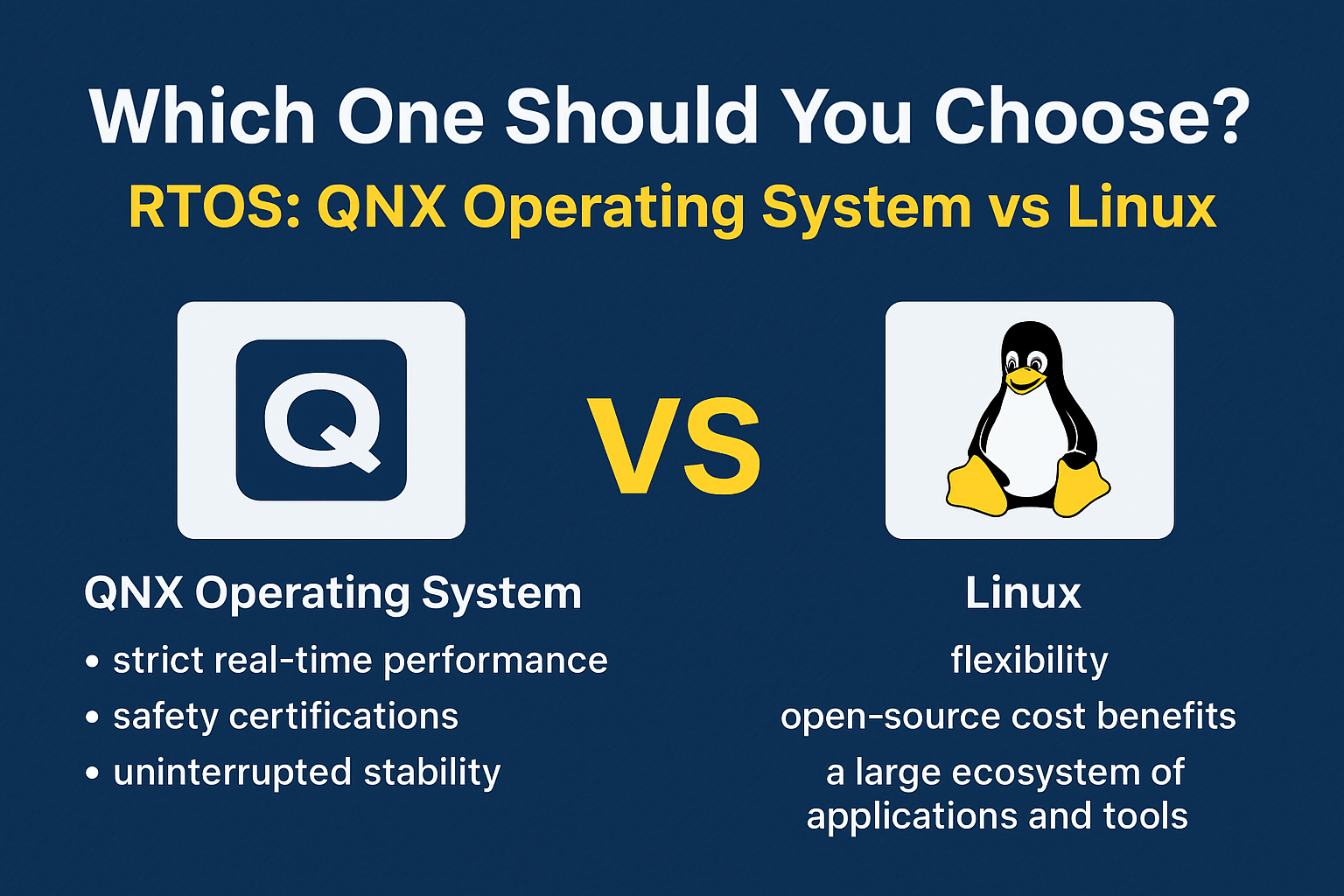
    Which One Should You Choose QNX & LINUX ?

    Choosing between the QNX Operating System and Linux depends on your project’s requirements, performance goals, and safety needs. Both are powerful, but they shine in different areas.

    When to Choose the QNX Operating System

    The QNX Operating System, developed by BlackBerry QNX, is the right choice when:

    • Your project demands strict real-time performance with predictable response times.
    • You are working on safety-critical systems that require certifications such as ISO 26262 (automotive), IEC 62304 (medical devices), or DO-178C (aerospace).
    • You need uninterrupted stability — if one software component crashes, the rest of the system should remain unaffected thanks to QNX’s microkernel architecture.
    • You’re developing for industries like automotive infotainment, industrial automation, aerospace, or defense, where downtime is unacceptable.

    In short, BlackBerry QNX is designed for environments where failure is not an option and real-time precision is critical.

    When to Choose Linux

    Linux is the right choice when:

    • You need flexibility and the freedom to customize the OS for different purposes.
    • You want the cost benefits of open-source software without paying licensing fees.
    • Your application benefits from a large ecosystem of tools, libraries, and developer support.
    • Real-time precision is not your top priority, or you can manage with soft real-time capabilities by using the PREEMPT_RT patch.
    • Your focus is on building servers, IoT devices, development platforms, or consumer electronics.

    Linux is ideal when you need versatility, fast development, and broad hardware compatibility rather than strict safety certifications.

    Bottom line:

    • Choose the QNX Operating System if you’re building mission-critical, real-time, and safety-certified applications.
    • Choose Linux if you want open-source flexibility, community support, and broad use cases.

    Conclusion QNX Operating System vs Linux

    The QNX Operating System and Linux both serve important roles in the world of technology.

    • QNX shines in real-time, safety-critical applications.
    • Linux excels in general-purpose and flexible environments.

    Your choice will depend on whether you prioritize deterministic performance or flexibility and cost-efficiency.

    1. What is the QNX Operating System used for?

    The QNX Operating System is mainly used in safety-critical and real-time applications such as automotive systems, aerospace equipment, medical devices, and industrial control systems. It is chosen for its high reliability, fault tolerance, and deterministic performance.

    2. Is the QNX Operating System open source?

    No, the QNX Operating System is a commercial product owned by BlackBerry Limited. It requires licensing for use, unlike Linux, which is open source and free to download.

    3. How is the QNX Operating System different from Linux?

    The QNX Operating System is a real-time microkernel-based OS, while Linux is a general-purpose monolithic kernel OS. QNX focuses on predictable execution and fault isolation, whereas Linux emphasizes flexibility, customization, and community support.

    4. Can Linux replace the QNX Operating System?

    In most real-time, safety-critical environments, Linux cannot fully replace the QNX Operating System because Linux does not provide the same level of hard real-time guarantees. However, with the PREEMPT_RT patch, Linux can handle some real-time workloads.

    5. Why do automotive companies prefer the QNX Operating System?

    Automotive companies use the QNX Operating System because it meets strict safety and reliability standards such as ISO 26262. It ensures that vehicle systems like infotainment, navigation, and driver assistance run without unexpected delays or failures.

    6. Is the QNX Operating System better than Linux?

    Neither is universally “better” — the QNX Operating System is better for time-sensitive, safety-critical applications, while Linux is better for general-purpose and cost-effective solutions.
    QNX Operating System vs Linux | Master QNX RTOS
    QNX Operating System vs Linux Master QNX RTOS A Beginner’s Guide (2025)