
Tag: CPU Architecture

  • Most Popular CPU Architectures in 2026: ARM64, x86_64, RISC-V, and Apple M-Series Explained

    Explore the most popular CPU architectures in 2026 like ARM64, x86_64, RISC-V, and Apple M-Series. Learn key differences, benefits, and which architecture is best.

    If you’ve ever wondered why your phone feels different from your laptop, or why some processors sip power while others burn through it, the answer usually comes down to one thing: CPU Architecture. Think of CPU architecture as the blueprint that tells a processor how to work, how to run instructions, and how fast it can think.

    In 2026, we have many different CPU architectures, but four of them dominate real devices: ARM64, x86_64, RISC-V, and Apple’s M-Series.
    Let’s break them down in the simplest, cleanest way possible.

    What Is CPU Architecture?

    A CPU Architecture defines how a processor is designed, what instructions it can run, how it handles memory, and how it communicates with hardware. You can think of it as the foundation of a processor, shaping its performance, power usage, and compatibility.

    If you’ve heard terms like RISC, CISC, x86, amd64, ARM, Harvard, Von Neumann, or instruction set, these are all tied to CPU architecture basics.

    The reason we have different types of CPU architectures is simple: devices have different needs. A smartwatch doesn’t need the same heavy architecture as a gaming PC. That’s why we have a list of CPU architectures instead of just one universal design.

    The Most Popular CPU Architectures in 2026

    Below are the architectures you’ll find everywhere today—from mobile phones to cloud servers.

    1. ARM64 (AArch64): The King of Mobile and Beyond

    Primary use: Smartphones, tablets, IoT, embedded devices, Apple Silicon, Android devices, AWS Graviton servers, Raspberry Pi.

    ARM64 dominates because it delivers high performance with low power consumption. This is why Android CPU architectures almost always use ARM, and why CPU architecture ARM vs x86 is one of the most searched comparisons.

    Why ARM64 Is So Popular

    • Uses RISC (Reduced Instruction Set Architecture)
    • Runs cooler and more efficiently
    • Perfect for battery-powered devices
    • Supported widely across Linux and mobile platforms
    • Growing in cloud computing (AWS ARM CPU architectures like Graviton)

    ARM CPUs also support big.LITTLE hybrid designs, mixing performance and efficiency cores. This makes them ideal for everything from IoT gadgets to high-performance AI laptops.

    2. x86_64 (AMD64): The Architecture Behind Most PCs

    Primary use: Laptops, desktops, servers, Windows PCs, gaming rigs.

    When you hear Intel CPU architectures or AMD CPU architectures, this is what we mean: x86_64, also called amd64.
    This architecture has powered PCs for decades.

    Why x86_64 Is Still Important

    • Excellent for desktop-level performance
    • Runs Windows, most Linux distros, and industry software
    • Backward compatible with older x86 and i686 systems
    • Ideal for CPU-heavy workloads like gaming, video editing, and development

    You’ve probably seen debates like CPU architecture AMD64 vs i686 or CPU architecture x64 vs x86—these all revolve around compatibility and performance differences.

    Even though ARM64 is rising fast, x86_64 remains the most common CPU architecture for personal computers.

    3. RISC-V: The Open-Source CPU Architecture

    Primary use: embedded systems, education, research, custom silicon, IoT, edge devices, AI accelerators.

    RISC-V is the newest superstar. It’s an open-source CPU architecture, meaning anyone can design processors with it, without paying Intel, AMD, or ARM licensing fees.

    Why RISC-V Matters in 2026

    • Open and customizable
    • Growing fast in AI and edge computing
    • Supported in Linux and Android
    • Backed by major companies like Google, Nvidia, Qualcomm

    It is one of the best alternative CPU architectures and is shaping the future of mobile hardware. Many universities teach CPU architecture fundamentals using RISC-V because it’s transparent and modifiable.

    4. Apple M-Series (Based on ARM64): Performance Meets Efficiency

    Primary use: MacBook Air/Pro, iMac, iPad Pro.

    Apple’s M-Series is technically ARM64, but with heavy customizations. The architecture blends RISC efficiency with desktop-class performance, thanks to Apple’s focus on unified memory and powerful GPU/CPU cores.

    Why Apple M-Series Leads the Market

    • Incredible performance per watt
    • Great for AI, multimedia, development
    • Unified memory architecture boosts speed
    • Designed specifically for macOS

    Apple’s CPUs are a great example of how both the CPU and GPU cores are brand-new architecture, optimized together for real workloads.

    How Many CPU Architectures Are There?

    If you look at what CPU architectures are there, the list is long:

    • ARM (ARM32, ARM64)
    • x86 (ia32, i686)
    • x86_64 (amd64)
    • RISC-V
    • MIPS
    • SPARC
    • PowerPC
    • Alpha
    • 8-bit architectures (used in microcontrollers like AVR, PIC)

    But the most popular CPU architectures today are only four: ARM64, x86_64, RISC-V, and Apple M-Series.

    CPU Architecture ARM vs x86: The Classic Comparison

    This is the question almost everyone asks.

    FeatureARM64x86_64
    Instruction SetRISCCISC
    Power UseLowHigh
    PerformanceGreat for mobileGreat for desktops
    ApplicationsAndroid, IoT, Apple SiliconWindows PCs, gaming
    Heat GenerationLowerHigher

    ARM64 is better for efficiency; x86_64 is better for raw power.
    Apple M-Series blurs the line by offering both.

    CPU Architecture and Instruction Set (Why It Matters)

    A CPU runs machine instructions, and the collection of instructions it can understand is known as the Instruction Set Architecture (ISA). Every CPU architecture is tied to its own ISA. For instance, ARM CPU architecture relies on the AArch64 ISA, x86 architecture follows a CISC-based ISA, and RISC-V architecture uses the modular RV64I ISA.

    These differences in ISA are the reason software built for one CPU architecture may not work on another. Each architecture handles instructions, memory access, and performance features in its own way.

    If you want a clear breakdown of how CPU architectures vary at the design level, you can also explore this in-depth guide on Harvard vs Von Neumann architecture: https://embeddedprep.com/harvard-vs-von-neumann-architecture/

    Why Knowing CPU Architecture Helps You

    • Helps you pick the right software version (x86, amd64, arm64)
    • Helps in Android app development (understanding ABI)
    • Helps in compiling code (GCC CPU architectures options)
    • Helps in troubleshooting architecture conflicts like conflicting CPU architectures errors
    • Helps understand performance in gaming, AI, and programming

    If you’re a beginner in computer science or embedded systems, CPU architecture basics are one of the best places to start.

    CPU Architecture in 2026: What’s Next?

    Future trends include:

    • More devices switching from x86_64 to ARM64
    • Massive growth of RISC-V in IoT and AI chips
    • Cloud providers adopting ARM-based servers
    • Hybrid CPU and GPU architectures for high-performance computing
    • New open-source CPU architecture projects

    Even Intel and AMD are designing ARM and RISC-V chips for specific markets.

    What Is CPU Architecture ALU?

    In every processor, the Arithmetic Logic Unit (ALU) is the part that actually does things.
    It performs:

    • Arithmetic operations like addition, subtraction, multiplication
    • Logical operations like AND, OR, XOR, NOT
    • Comparisons like less than, equal, greater than

    In simple words, the ALU is the calculator and decision-maker of the CPU.

    Whenever you open an app, play a game, or even type a message, the ALU is busy processing instructions behind the scenes.

    Where the ALU Fits Inside CPU Architecture

    A CPU has several key components:

    • Control Unit (CU)
    • Registers
    • Cache
    • Instruction Decoder
    • ALU

    Among these, the ALU handles all mathematical and logical work, while the control unit tells it what to do.

    You can think of it like:

    • The Control Unit is the manager
    • The Registers are quick-access notepads
    • The ALU is the worker who actually performs calculations

    This teamwork makes the entire CPU architecture run smoothly.

    Why the ALU Is So Important

    Here’s the interesting part:
    Almost every real-world task—from rendering graphics to performing encryption—relies on basic ALU operations.

    Some examples:

    • Adding your game character’s X/Y position
    • Checking if a number is bigger or smaller
    • Shifting bits for fast multiplication
    • Performing CPU instruction cycles
    • Handling low-level operations in compilers and operating systems

    If the CPU were a brain, the ALU would be the part that solves problems instantly.

    How the ALU Works Step by Step

    When the CPU receives an instruction:

    1. Instruction is fetched from memory
    2. Decoded by the control unit
    3. Required data is loaded into registers
    4. The ALU performs the operation
    5. Result is stored back in a register or memory

    This sequence repeats billions of times per second.

    Key Features of a Modern ALU

    Modern ALUs are much more advanced than the small units found in early processors.

    They support:

    • Integer arithmetic
    • Logical operations
    • Bit-shifting operations
    • Boolean logic
    • Flags such as zero flag, carry flag, overflow flag
    • Pipelining for fast parallel execution

    Some CPUs even have multiple ALUs to run several operations at the same time.

    ALU vs FPU: What’s the Difference?

    You may also hear about the FPU (Floating Point Unit).
    Here’s the simple difference:

    • ALU: Handles integer and logical operations
    • FPU: Handles decimal and floating-point calculations

    Both are crucial, but the ALU is the core calculation engine inside traditional CPU architecture.

    How ALU Relates to Performance

    A stronger, wider, or faster ALU can improve:

    • Instruction execution speed
    • Parallel processing
    • Throughput of arithmetic operations
    • Overall CPU performance

    This is why modern processors like ARM, x86, RISC-V, and Apple Silicon invest heavily in ALU design.

    Examples of ALU in Popular CPU Architectures

    Different CPU architectures organize their ALUs in different ways:

    • ARM processors use simple, efficient ALU pipelines for low-power devices
    • x86_64 CPUs like Intel and AMD use complex, multi-stage ALUs
    • RISC-V CPUs use modular ALU designs
    • Apple M-series includes multiple ALU clusters for high performance

    Even though the architecture varies, the ALU’s purpose always stays the same.

    Final Thoughts of Popular CPU Architectures

    Understanding CPU Architecture is like understanding the brain of your device.
    It explains why some systems are fast, why others save power, and why software behaves differently across hardware.

    In 2026, the world runs mostly on four major architectures:

    • ARM64
    • x86_64 (AMD64)
    • RISC-V
    • Apple M-Series (ARM-based)

    Each has its strengths, target markets, and unique features.
    If you know how they differ, you’ll make smarter choices—whether you’re buying a laptop, picking an Android CPU architecture, compiling software, or learning computer organization.

    FAQ — Popular CPU Architecture (ARM64, x86_64, RISC-V, Apple M-Series)

    Answered clearly and in depth so beginners and developers can quickly understand CPU architecture concepts, differences, and practical implications for devices, servers, and software builds.

    1. What is a CPU architecture and why does it matter?

    A CPU architecture is the blueprint for how a processor executes instructions, manages registers, accesses memory, and communicates with other hardware. It defines the instruction set (ISA — e.g., ARM, x86, RISC-V), register layout, memory model, and execution model (pipelining, superscalar, etc.). Why it matters:

    • Software compatibility: Binaries compiled for one ISA (for example, amd64) won’t run on another (for example, arm64) without recompilation or translation.
    • Performance and power: RISC designs like ARM often trade complex instructions for efficiency, while CISC designs like x86 historically focused on denser instruction sets for desktop performance.
    • Design trade-offs: Architecture drives choices on cache size, core types (performance vs efficiency), and security features.

    Understanding CPU architecture helps you choose the right hardware, compile correctly with gcc options, and debug architecture-specific issues.

    2. What’s the difference between an instruction set architecture (ISA) and microarchitecture?

    The ISA is the programmer-visible contract: instructions, registers, memory model, and calling conventions. Examples: ARM AArch64 ISA, x86-64 ISA, RISC-V RV64I.

    The microarchitecture is the physical implementation of that ISA: how many pipeline stages, branch predictors, cache hierarchy, execution units, and clocking strategy. Two CPUs can share the same ISA (say, amd64) but have very different performance and power profiles due to differing microarchitectures.

    In short: ISA = “what” the CPU can do; microarchitecture = “how” it does it.

    3. ARM64 vs x86_64 — which should I pick for a new project?

    Choice depends on goals:

    • Low power / mobile / battery sensitive: ARM64 (AArch64) is usually best — widely used in smartphones, tablets, Raspberry Pi, and increasingly in cloud (AWS Graviton).
    • Desktop software & legacy binaries: x86_64 (amd64) is still the default for many desktop apps, games, and Windows-only software.
    • Cross-platform development: Consider supporting both — build system flags (CMake, GCC target triplets) and CI can automate multi-arch builds.

    If your project needs maximum compatibility with existing desktop tools, start with x86_64; if you need energy efficiency or plan to deploy on mobile/cloud ARM nodes, optimize for arm64.

    4. What is RISC-V and why is it gaining traction?

    RISC-V is an open, modular ISA: anyone can implement it without licensing fees. Key benefits:

    • Open standards: full transparency for research, education, and custom silicon.
    • Customizability: vendors can add extensions for vector math, compressed instructions, or domain-specific accelerators.
    • Ecosystem growth: toolchains, Linux support, and silicon implementations are maturing fast, especially for embedded and AI-edge use cases.

    RISC-V is especially attractive where companies or universities need a flexible, royalty-free architecture — expect wider adoption in embedded, IoT, and specialized accelerators.

    5. How do I check my system’s CPU architecture on Linux or Windows?

    Quick commands:

    • Linux: uname -m (outputs x86_64 or aarch64), or lscpu for more detail.
    • Windows (PowerShell): Get-CimInstance Win32_Processor | Select-Object Architecture, Name or use systeminfo.
    • Android: adb shell getprop ro.product.cpu.abi reports primary ABI (e.g., arm64-v8a).

    Knowing the exact architecture helps pick the right binary (e.g., amd64 vs arm64) and resolve conflicting cpu architectures errors during installs.

    6. What are common CPU architecture terms beginners should learn?

    Useful terms and a short explanation:

    • ISA (Instruction Set Architecture) — the CPU’s language.
    • RISC vs CISC — philosophy: reduced vs complex instruction sets.
    • Microarchitecture — physical CPU design (pipelines, cache).
    • Registers — tiny fast storage on the CPU for immediate operations.
    • Cache — multi-level fast memory to reduce latency to main RAM.
    • Endianness — big-endian vs little-endian affects byte order.
    • ABI (Application Binary Interface) — calling conventions and binary interface rules.

    These fundamentals are covered in any good CPU architecture book or course and are essential before diving into microarchitecture design or compiler targets.

    7. Why do some programs throw “incompatible architecture” or i686 vs amd64 errors?

    Errors like “module incompatible with CPU architecture x86_64” appear when a binary or kernel module was compiled for a different ISA or ABI. Common scenarios:

    • Trying to run a 32-bit i686 binary on a 64-bit-only system with no 32-bit support installed.
    • Installing a package built for amd64 on an arm64 device.
    • Conflicting cpu architectures in multi-arch package systems — the package manager refuses to mix incompatible binaries.

    Fixes include installing the correct architecture build, enabling multi-arch support, or recompiling from source for your target architecture with proper GCC -march/-mabi flags.

    8. How does CPU architecture affect cloud and server choices?

    Cloud providers now offer multiple CPU architecture families (x86_64, Arm-based instances like AWS Graviton). Consider:

    • Workload characteristics: throughput and single-thread performance vs parallel efficiency matters for databases, web servers, and AI inference.
    • Cost and power: ARM instances often offer better price/performance and lower power draw for many server workloads.
    • Compatibility: some pre-built binaries or enterprise software may only be available for x86_64; container images must match the node architecture.

    For new deployments, evaluate benchmarking on the target architecture — a direct port can yield large cost or performance wins.

    9. What is the role of compilers and GCC in supporting CPU architectures?

    Compilers (GCC, Clang) translate high-level code to machine code for a specific ISA. They provide:

    • Target options: -march, -mtune, and triplets (e.g., x86_64-linux-gnu, aarch64-linux-gnu).
    • Cross-compilation support: build on one host for a different target architecture.
    • Optimizations tailored to microarchitecture features (vector extensions, specific instruction sets).

    Stay aware of gcc cpu architectures deprecation discussions or changes in default targets — toolchain updates may change supported defaults and require CI updates.

    10. Are there ‘best’ CPU architectures for AI and machine learning?

    There’s no single “best” architecture. Instead:

    • Edge AI / low-power inference: ARM64 and specialized RISC-V implementations with vector extensions often win due to efficiency.
    • High-throughput training: x86_64 servers with powerful GPUs or accelerators generally lead because of ecosystem maturity and PCIe connectivity.
    • Custom accelerators: Many vendors design domain-specific extensions (for example, custom cores on Apple M-Series or RISC-V vector extensions) that accelerate certain ML workloads.

    The decision should be driven by memory bandwidth, accelerator support (GPUs/NPUs), and software stack compatibility.

    11. What are common classroom or self-study resources to learn CPU architecture?

    Good starting resources include:

    • Classic textbooks (architecture and organization) that cover Von Neumann vs Harvard models, pipelines, caches, and ALU design.
    • University lecture notes and MOOCs for CPU architecture basics and advanced microarchitecture topics.
    • Hands-on tools: RISC-V simulators, QEMU for cross-arch experimentation, and building small CPU cores in Verilog/VHDL.

    Look for practical labs that show a CPU architecture block diagram, pipeline hazards, and how instruction sets map to machine code — these bridge theory and practice.

    12. How will CPU architectures evolve after 2026?

    Emerging trends to watch:

    • Heterogeneous compute: tighter integration of CPU, GPU, and NPUs with unified memory and shared ISAs for specific tasks.
    • Open ISAs: RISC-V growth enabling specialized, licensable-free silicon designs.
    • Energy efficiency: architectures focused on performance-per-watt will dominate mobile and edge markets.
    • Compiler-driven optimization: compilers will expose more architecture-specific features (vector, matrix) for higher-level frameworks to leverage.

    Expect more cross-pollination: ARM ideas in servers, x86 ideas in power-saving cores, and RISC-V in domain-specific accelerators. Knowing the fundamentals now keeps you ready for these changes.
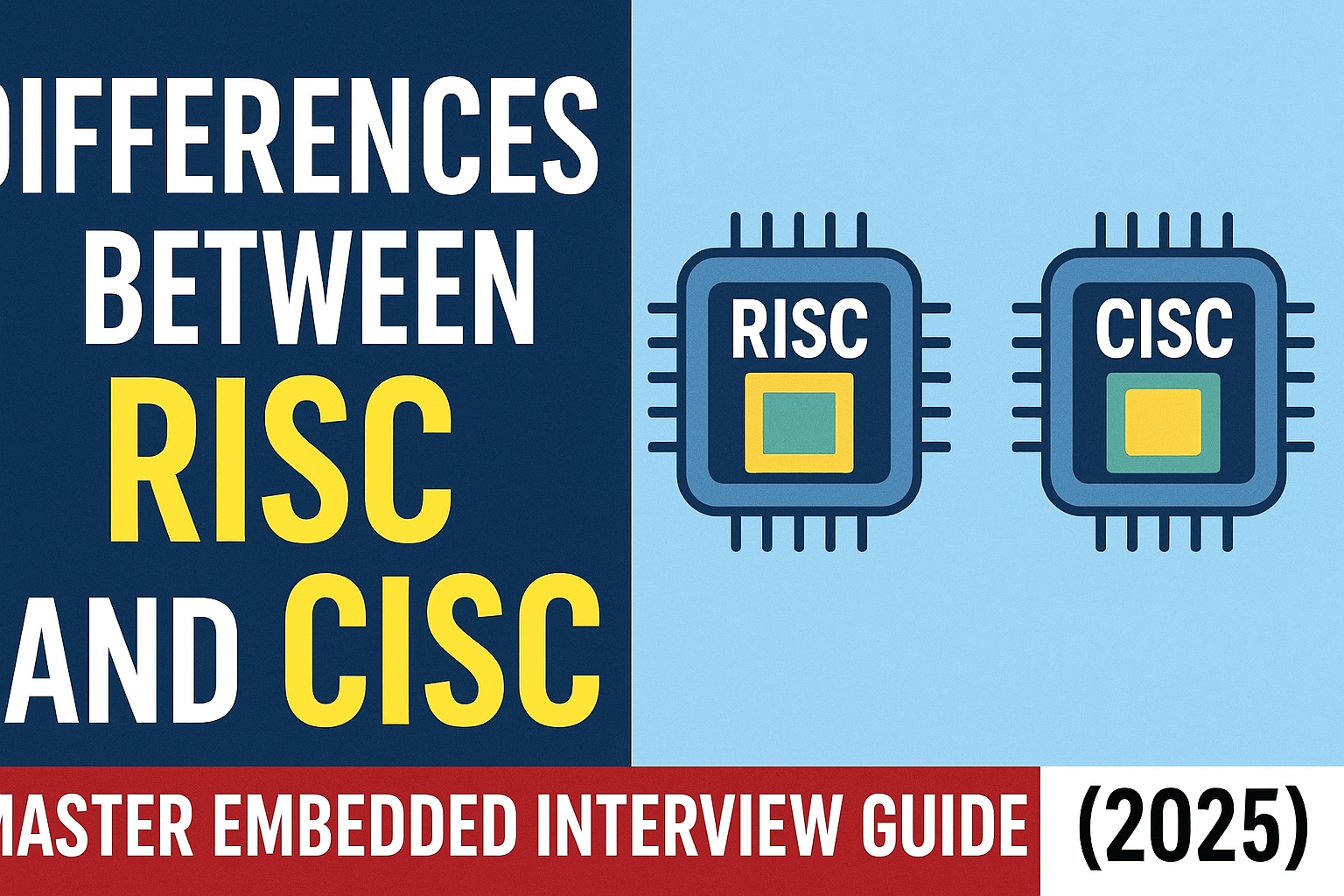

  • Differences between RISC and CISC | Master Embedded Interview Guide (2026)

    Differences between RISC and CISC : Discover the differences between RISC and CISC processors, their advantages, disadvantages, and applications in computers and embedded systems. Learn which processor architecture suits your needs

    Differences between RISC and CISC

    In the world of computer architecture, RISC and CISC are two foundational processor designs that have shaped how modern computers work. Understanding these architectures is essential for students, engineers, and tech enthusiasts who want to deepen their knowledge of computer processors and embedded systems. In this article, we will explain what RISC and CISC are, their differences, advantages, disadvantages, and real-world applications.

    What is RISC (Reduced Instruction Set Computer)?

    RISC stands for Reduced Instruction Set Computer. It is a type of microprocessor architecture that uses a small set of simple instructions, allowing the processor to execute instructions faster. The main idea behind RISC is simplicity and efficiency. Each instruction is designed to perform a very basic operation, which typically completes in one clock cycle.

    Key Features of RISC

    • Simplified Instructions: Executes basic instructions only.
    • Uniform Instruction Length: All instructions usually have the same size.
    • Load/Store Architecture: Memory access is done only through specific instructions.
    • Faster Execution: Due to simplicity, pipelines can be implemented efficiently.
    • Low Power Consumption: Less complex hardware reduces energy usage.

    Advantages of RISC

    • High performance for simple instructions.
    • Easier to design and optimize pipelines.
    • Efficient for embedded systems and mobile devices.

    Disadvantages of RISC

    • Requires more instructions to perform complex tasks.
    • Larger program size due to the higher number of instructions.

    Examples of RISC Processors

    • ARM (Advanced RISC Machine)
    • MIPS (Microprocessor without Interlocked Pipeline Stages)
    • SPARC (Scalable Processor Architecture)

    What is CISC (Complex Instruction Set Computer)?

    CISC stands for Complex Instruction Set Computer. Unlike RISC, CISC processors use a large set of instructions, including complex operations that can perform multiple tasks in a single instruction. The main goal of CISC is to reduce the number of instructions per program, even if it increases the complexity of each instruction.

    Key Features of CISC

    • Complex Instructions: Each instruction can perform multiple low-level operations.
    • Variable Instruction Length: Instructions can have different sizes.
    • Memory-to-Memory Operations: Allows operations directly on memory without using registers.
    • Fewer Instructions per Program: Reduces the need for repetitive coding.

    Advantages of CISC

    • Reduced program size.
    • Easier for programmers to implement complex algorithms.
    • More powerful instructions can simplify software development.

    Disadvantages of CISC

    • Slower execution due to instruction complexity.
    • More power consumption and heat generation.
    • Complex design and harder to optimize pipelines.

    Examples of CISC Processors

    • Intel x86 Series
    • VAX (Virtual Address eXtension)
    • IBM System/360

    Differences between RISC and CISC

    FeatureRISCCISC
    Full FormReduced Instruction Set ComputerComplex Instruction Set Computer
    Instruction SetSimple and smallLarge and complex
    ExecutionSingle clock cycle per instructionMultiple clock cycles per instruction
    Memory AccessLoad/Store instructions onlyMemory-to-memory instructions allowed
    Program SizeLargerSmaller
    Hardware ComplexitySimpleComplex
    ExamplesARM, MIPS, SPARCIntel x86, VAX

    Applications of RISC and CISC

    • RISC Processors are commonly used in smartphones, tablets, embedded systems, and IoT devices because of their efficiency and low power consumption.
    • CISC Processors dominate personal computers, servers, and workstations, where performance and complex computations are required.

    Why Understanding RISC and CISC is Important

    Knowing the difference between RISC and CISC helps in:

    • Selecting the right processor architecture for specific applications.
    • Optimizing software for performance and energy efficiency.
    • Understanding the evolution of modern CPUs and embedded systems.

    Conclusion of topic Differences between RISC and CISC

    Both RISC and CISC architectures have their own advantages and use cases. While RISC focuses on simplicity and speed, making it ideal for mobile and embedded devices, CISC emphasizes powerful instructions and ease of programming, making it suitable for desktops and servers. Understanding these architectures is crucial for anyone working in computer engineering, embedded systems, or software development.

    Frequently Asked Questions (FAQ) | Differences between RISC and CISC

    1. What is the difference between RISC and CISC?
    RISC (Reduced Instruction Set Computer) uses a small set of simple instructions executed quickly, while CISC (Complex Instruction Set Computer) uses a large set of complex instructions, often requiring multiple clock cycles.

    2. Which is better, RISC or CISC?
    It depends on the application. RISC is ideal for embedded systems and mobile devices due to efficiency and low power consumption, whereas CISC is suited for desktops and servers requiring complex computations.

    3. What are some examples of RISC processors?
    Popular RISC processors include ARM, MIPS, and SPARC.

    4. What are some examples of CISC processors?
    Common CISC processors include Intel x86 series, VAX, and IBM System/360.

    5. Why do RISC processors use simpler instructions?
    RISC processors focus on simplicity to allow faster execution, efficient pipelining, and lower power consumption.

    6. Does CISC reduce program size?
    Yes, CISC’s complex instructions allow multiple operations in a single instruction, reducing the overall program size.

    7. What is the main application of RISC and CISC architectures?
    RISC is widely used in smartphones, tablets, and IoT devices, while CISC dominates personal computers, servers, and workstations.

    8. Can a processor be both RISC and CISC?
    Modern processors often incorporate hybrid designs, combining RISC efficiency with some complex CISC instructions for compatibility.

    Differences between RISC and CISC
    Differences between RISC and CISC Master Embedded Interview Guide (2025)
  • Little Endian and Big Endian : A Complete Guide (2026)

    Little Endian and Big Endian

    Little Endian and Big Endian : Understand the key differences in endianness, how they affect data storage, and why it matters in computer architecture and network communication.

    Imagine this: You’re debugging your first embedded C program on a microcontroller. Everything seems fine — the code compiles, runs, and even prints numbers. But suddenly, your integer values look weird. Instead of 0x12345678, you see 0x78563412.

    You double-check your logic, your memory addresses, even your compiler settings — everything looks perfect. Frustration builds up until your senior calmly asks,

    “Did you check your system’s endianness?”

    That’s the moment it clicks — you’ve just met one of the most fascinating yet confusing concepts in computer architecture: Endianness — the way computers store and read bytes in memory.

    This guide will cover Little Endian and Big Endian The difference between Little Endian and Big Endian , Their advantages and disadvantages , Use cases in processors, networking, and embedded systems , How to detect and handle endianness in programming

    Little Endian and Big Endian : Endianness is an essential concept in computer architecture that determines the byte order used for storing multi-byte data in memory. Different systems use different formats, which can cause compatibility issues when transferring data between processors, file formats, or networks.

    By the end, you’ll have a solid understanding of endianness and how it impacts system design.

    What is Endianness?

    Endianness refers to how bytes are arranged in memory when storing multi-byte data types like integers and floating-point numbers.

    There are two primary types of endianness:

    • Little-endian: The least significant byte (LSB) is stored first (lowest memory address).
    • Big-endian: The most significant byte (MSB) is stored first (lowest memory address).

    Understanding endianness is crucial in system programming, embedded systems, and network communication.

    Little Endian: Explained

    In a little-endian system, the least significant byte (LSB) is stored first, meaning lower memory addresses contain smaller parts of the number.

    Example on Little Endian and Big Endian

    Let\’s store a 32-bit hexadecimal number 0x12345678 in little-endian format:

    Memory AddressValue
    000x78
    010x56
    020x34
    030x12

    Common Little Endian Processors | Little Endian and Big Endian

    • Intel x86/x64 processors
    • ARM (default mode)
    • AMD architectures

    Advantages of Little Endian

    Easier arithmetic operations, as the LSB is stored first
    Common in modern processors, making it widely used

    Disadvantages of Little Endian

    Less intuitive for humans, as numbers appear reversed
    Requires byte-swapping when working with big-endian systems

    What is Big Endian : Explained

    Big Endian : In a big-endian system, the most significant byte (MSB) is stored first, making it more natural for humans to read.

    Example

    Storing 0x12345678 in big-endian format:

    Memory AddressValue
    000x12
    010x34
    020x56
    030x78

    Common Big Endian Processors

    IBM PowerPC
    Motorola 68K
    SPARC architectures

    Advantages of Big Endian

    More intuitive for human reading, as numbers are stored in their natural order
    Used in network protocols, such as TCP/IP

    Disadvantages of Big Endian

    Less efficient for arithmetic operations, since LSB is stored last
    Less common in modern CPUs, requiring conversions

    Little Endian and Big Endian: Key Differences

    FeatureLittle EndianBig Endian
    Byte OrderLSB firstMSB first
    Common ProcessorsIntel, AMD, ARMPowerPC, SPARC, Motorola
    Network UseNo (requires conversion)Yes (network byte order)
    Arithmetic OperationsEasierHarder
    ReadabilityLess intuitiveMore intuitive

    💛 Support Embedded Prep

    If you find our tutorials helpful and want to support our mission of sharing high-quality embedded system knowledge, you can contribute by buying us a coffee. Every small contribution helps us keep creating valuable content for learners like you. ☕

    Thank you for your support — it truly keeps Embedded Prep growing. 💻✨

    How to Check Endianness in Programming?

    Little Endian and Big Endian : Most programming languages provide ways to detect endianness.

    Detecting Endianness in C/C++ | Little Endian and Big Endian

    #include <stdio.h>
    int main() {
        unsigned int num = 1;
        char *ptr = (char*)&num;
        if (*ptr == 1)
            printf(\"Little Endian\\n\");
        else
            printf(\"Big Endian\\n\");
        return 0;
    }
    

    Checking Endianness in Python | Little Endian and Big Endian

    import sys
    print(\"Little Endian\" if sys.byteorder == \"little\" else \"Big Endian\")
    

    Byte Swapping in C | Little Endian and Big Endian

    To convert between endian formats:

    #include <stdint.h>
    #include <stdio.h>
    uint32_t swap_endian(uint32_t num) {
        return ((num >> 24) & 0xFF) | ((num >> 8) & 0xFF00) |
               ((num << 8) & 0xFF0000) | ((num << 24) & 0xFF000000);
    }
    

    Endianness in Networking (Network Byte Order)

    Most network protocols (like TCP/IP) use big-endian format (also called \”network byte order\”).

    Converting to Network Byte Order in C

    #include <arpa/inet.h>
    uint32_t ip = htonl(0x12345678); // Converts to network byte order (big-endian)
    

    Significance of Most Significant Byte (MSbyte) in Little and Big Endian

    When dealing with computer architecture, memory storage, and data representation, endianness plays a crucial role in how multi-byte data is organized. The Most Significant Byte (MSbyte) is a key component in this representation, and its position varies based on whether the system follows Little Endian or Big Endian format.

    1. What is the Most Significant Byte (MSbyte)?

    The MSbyte is the byte containing the most significant (largest) part of the data. In a multi-byte number, it holds the highest order bits. For example:

    • In a 4-byte integer:
      • 0x12345678 → 0x12 is the MSbyte.
    • In a 2-byte value:
      • 0xABCD → 0xAB is the MSbyte.

    2. Little Endian vs. Big Endian Representation

    Little Endian

    • In Little Endian systems, the least significant byte (LSbyte) is stored first in memory, and the most significant byte is stored last.
    • Memory order: Value: 0x12345678 Memory: 78 56 34 12
    • The MSbyte (0x12) is placed at the highest memory address.

    ✅ Advantages of Little Endian:

    • Simpler arithmetic operations, as the least significant part comes first.
    • Commonly used in x86 and ARM architectures.

    Big Endian

    • In Big Endian systems, the most significant byte is stored first, followed by the less significant bytes.
    • Memory order: Value: 0x12345678 Memory: 12 34 56 78
    • The MSbyte (0x12) is placed at the lowest memory address.

    ✅ Advantages of Big Endian:

    • Easier to read hex dumps and memory representations (since the bytes are in the same order as the actual value).
    • Used in network protocols (TCP/IP) and certain RISC architectures.
    Little Endian and Big Endian : A Complete Guide (2025)
    Little Endian and Big Endian : A Complete Guide (2025)

    3. Importance of MSbyte in Endian Representation

    A. Data Interpretation

    The position of the MSbyte determines how a system reads and interprets multi-byte data.

    • On a Little Endian system, the MSbyte is at the higher address, which can lead to potential issues if interpreted incorrectly on a Big Endian system.
    • Example:
      • Value: 0x1234
      • Little Endian memory: 34 12
      • Big Endian memory: 12 34
      • Incorrect interpretation due to endianness mismatch can lead to data corruption or unexpected values.

    B. Communication Protocols

    In network protocols, such as TCP/IP, Big Endian (also called network byte order) is used.

    • When sending data between Big Endian and Little Endian systems, the MSbyte’s position must be properly adjusted to avoid communication errors.

    C. Performance and Efficiency

    • On Little Endian systems, operations like arithmetic and bitwise shifts are more efficient since they start processing from the least significant side.
    • On Big Endian systems, reading memory in a human-readable format is straightforward due to the MSbyte-first ordering.

    4. Pitfalls and Compatibility Issues

    • Cross-platform incompatibility: When moving binary data between Little Endian and Big Endian systems, incorrect handling of the MSbyte can lead to incorrect values.
    • File formats and serialization:
      • Some file formats specify endianness, while others do not.
      • Improper handling of the MSbyte can result in corrupted data when interpreting file headers.

    5. Conclusion on Little Endian and Big Endian

    The Most Significant Byte (MSbyte) plays a vital role in multi-byte data representation. Its position varies based on the endianness of the system:

    • In Little Endian, the MSbyte is stored last.
    • In Big Endian, the MSbyte is stored first.

    FAQ: Frequently Asked Questions | Little Endian and Big Endian

    1. Why is Endianness Important?

    Endianness affects data storage and transfer between different systems. It is critical for cross-platform compatibility.

    2. Which Endianness is Better?

    Neither is inherently better; little-endian is preferred in modern CPUs, while big-endian is used in networking.

    3. How Do I Convert Between Endianness?

    By byte-swapping, using built-in functions like htonl() and ntohl() in C or struct.pack() in Python.

    4. Does Endianness Affect Single-Byte Data?

    No, endianness only applies to multi-byte data types.

    5. What is Network Byte Order?

    Network protocols use big-endian (network byte order) for consistent data transfer between different systems.

    Top Interview Questions on Little Endian and Big Endian

    Now that you have a complete understanding of Little Endian and Big Endian, you are ready to confidently tackle related problems and ace interviews in one shot. Focus on mastering questions such as:

    • What is endianness, and why does it matter?
    • Explain the difference between little-endian and big-endian.
    • Which processors use little-endian vs. big-endian?
    • How would you check a system\’s endianness in C?
    • How does endianness affect network communication?
    • What is byte swapping, and when is it needed?
    • Why do network protocols use big-endian format?
    • How does endianness impact embedded systems?
    • What are real-world examples where endianness caused problems?
    • How do you handle endianness in cross-platform applications?

    Conclusion on Little Endian and Big Endian

    Endianness is a fundamental concept in computer architecture, networking, and embedded systems. Understanding it helps in writing cross-platform applications, debugging low-level software, and preventing data corruption.

    Thank you for exploring this Little Endian and Big Endian : A Complete Guide tutorials ! Stay ahead in embedded systems with expert insights, hands-on projects, and in-depth guides. Follow Embedded Prep for the latest trends, best practices, and step-by-step tutorials to enhance your expertise. Keep learning, keep innovating!

    You can also Visit other tutorials of Embedded Prep