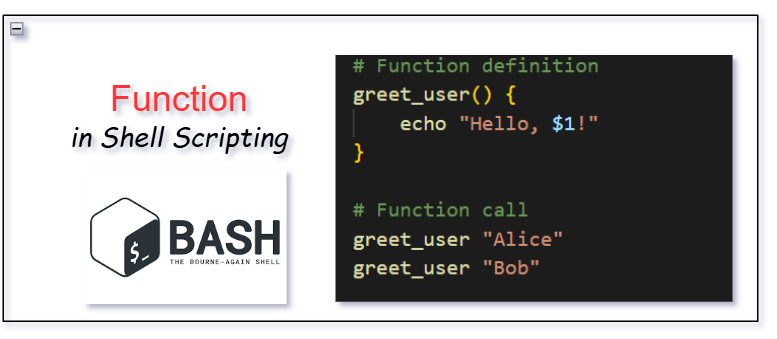
Function in Shell Scripting : Shell scripting is a powerful tool used for automating tasks in Unix-like operating systems. For beginners, organizing your shell scripts into reusable functions and using return values can greatly improve the efficiency and maintainability of your code. This beginner-friendly guide will explain how to organize shell scripts using functions, return values, and other best practices to keep your scripts clean, efficient, and easy to understand.
What are Functions in Shell Scripting?
In shell scripting, a function is a reusable block of code that performs a specific task. Functions help break down complex scripts into smaller, more manageable parts. Instead of repeating code multiple times, you can define a function once and call it wherever needed.
Why Use Functions in Shell Scripts?
- Reusability: Functions allow you to reuse code without duplication, saving time and reducing errors.
- Readability: Dividing your script into smaller functions makes it easier to understand and maintain.
- Organization: Functions help you group related tasks together, making your scripts more modular.
Defining a Function in Shell Scripting
Here’s how to define and use a simple function in a shell script:
#!/bin/bash

# Function definition
greet_user() {
    echo "Hello, $1!"
}

# Function call
greet_user "Alice"
greet_user "Bob"
Explanation:
greet_useris a function that takes one argument ($1) and prints a greeting message.- The function is called twice in the script: first with the argument “Alice” and then with “Bob”.
$1refers to the first argument passed to the function.
What are Return Values in Shell Scripting?
In shell scripting, functions can return values using the return keyword, but it’s important to note that the return statement in shell scripting only allows the function to return an exit status (a number between 0 and 255). This is typically used to indicate whether a function has succeeded or failed.
To actually return values like strings or numbers, you can use echo or store values in variables.
Using return for Exit Status
#!/bin/bash

# Function that checks if a file exists
check_file() {
    if [[ -f "$1" ]]; then
        return 0  # Success
    else
        return 1  # Failure
    fi
}

# Calling the function and checking the return status
check_file "/path/to/file"
if [[ $? -eq 0 ]]; then
    echo "File exists."
else
    echo "File does not exist."
fi
Explanation:
- The
check_filefunction returns0(success) if the file exists and1(failure) if it does not. $?checks the exit status of the last command or function, which is used to determine if the file exists.
Returning Values with echo
#!/bin/bash

# Function that adds two numbers and returns the result
add_numbers() {
    local sum=$(( $1 + $2 ))
    echo $sum  # Return the sum
}

# Calling the function and capturing the result
result=$(add_numbers 3 5)
echo "The sum is: $result"
Explanation:
add_numberstakes two arguments, adds them together, and usesechoto return the result.- The result is captured using command substitution (
$(...)) and stored in theresultvariable.
Organizing Your Shell Scripts with Functions and Return Values
Now that we understand how to define functions and use return values in shell scripting, let’s look at how to organize your script with reusable functions to perform multiple tasks.
Example: Backup Script
Let’s create a script that backs up files, checks if the backup was successful, and reports the result.
#!/bin/bash

# Function to backup files
backup_files() {
    cp -r "$1" "$2"
    if [[ $? -eq 0 ]]; then
        return 0  # Backup successful
    else
        return 1  # Backup failed
    fi
}

# Function to display status message
display_status() {
    if [[ $1 -eq 0 ]]; then
        echo "Backup successful!"
    else
        echo "Backup failed!"
    fi
}

# Main script logic
source_dir="/path/to/source"
backup_dir="/path/to/backup"

backup_files "$source_dir" "$backup_dir"
display_status $?
Key Points:
- Modular Functions:
backup_fileshandles the task of copying files and returns a success or failure status.display_statustakes the return value and prints the corresponding status message.
- Return Values and Exit Status:
- The return value of
backup_filesis checked using$?in thedisplay_statusfunction.
- The return value of
- Readable and Maintainable: By breaking the script into functions, it becomes easy to understand and maintain. If you need to modify how backups are handled, you only need to update the
backup_filesfunction.
Best Practices for Organizing Shell Scripts
- Descriptive Function Names: Always choose function names that clearly describe what the function does. For example, use
backup_filesrather than a vague name likedo_task. - Limit Global Variables: Try to limit the use of global variables. Pass data to functions through parameters and return values instead of relying on global state.
- Use Comments: Add comments to your functions to explain their purpose, parameters, and return values. This makes your script easier to understand for others (and yourself) when you revisit it later.
- Error Handling: Use return values to handle errors and ensure your script behaves as expected even when something goes wrong. For example, return a non-zero status code if an error occurs, and check that code before continuing.
- Reusability: Keep functions general and reusable. Avoid hard-coding specific values within functions—use parameters instead.
Example 1: File Backup Script
This example demonstrates a script that backs up files and checks if the backup was successful. It uses functions to make the code more organized.
#!/bin/bash

# Function to backup files
backup_files() {
    cp -r "$1" "$2"  # Copy files from source to destination
    if [[ $? -eq 0 ]]; then
        return 0  # Success
    else
        return 1  # Failure
    fi
}

# Function to display status message
display_status() {
    if [[ $1 -eq 0 ]]; then
        echo "Backup successful!"
    else
        echo "Backup failed!"
    fi
}

# Main script logic
source_dir="/path/to/source"
backup_dir="/path/to/backup"

backup_files "$source_dir" "$backup_dir"
display_status $?
Explanation:
backup_filesfunction: Copies files from the source directory to the backup directory. It checks if the operation was successful and returns0if it was, or1if it failed.display_statusfunction: Takes the return value of thebackup_filesfunction and prints either a success or failure message.- Usage: You run the script by specifying the source and destination directories. The script will handle the backup and display the result.
Example 2: Calculator Script
This example shows how to create a simple calculator with functions for addition and subtraction.
#!/bin/bash

# Function to add two numbers
add_numbers() {
    local sum=$(( $1 + $2 ))
    echo $sum  # Return the sum
}

# Function to subtract two numbers
subtract_numbers() {
    local diff=$(( $1 - $2 ))
    echo $diff  # Return the difference
}

# Main script logic
num1=10
num2=5

sum=$(add_numbers $num1 $num2)
diff=$(subtract_numbers $num1 $num2)

echo "Sum: $sum"
echo "Difference: $diff"
Explanation:
add_numbersfunction: Takes two arguments, adds them together, and returns the result usingecho.subtract_numbersfunction: Takes two arguments, subtracts them, and returns the result usingecho.- Usage: This script calculates the sum and difference of
num1andnum2, and displays the results.
Example 3: Directory Check Script
This example checks whether a directory exists, and prints a message accordingly. It uses a function to do the checking.
#!/bin/bash

# Function to check if a directory exists
check_directory() {
    if [[ -d "$1" ]]; then
        return 0  # Directory exists
    else
        return 1  # Directory does not exist
    fi
}

# Main script logic
dir="/path/to/directory"

check_directory "$dir"
if [[ $? -eq 0 ]]; then
    echo "Directory exists."
else
    echo "Directory does not exist."
fi
Explanation:
check_directoryfunction: Takes a directory path as an argument and checks if it exists using the-dtest. It returns0if the directory exists and1if it does not.- Usage: The script checks if the directory specified in the
dirvariable exists, and displays a message accordingly.
Key Concepts from the Examples:
- Reusable Functions: In each example, the code is organized into functions (
backup_files,add_numbers,check_directory) that perform specific tasks. This makes the script easier to maintain and reuse. - Return Values: Functions either return a value (using
echo) or return an exit status (usingreturn), which is then used by the main script to take action. - Modularity: Each task (e.g., backup, calculation, directory check) is separated into its own function, making the script more organized and readable.
Frequently Asked Questions (FAQ) | Function in Shell Scripting
1. What is the purpose of using functions in shell scripts?
Answer: Functions in shell scripts are used to modularize code, making it more readable, reusable, and easier to maintain. Instead of writing repetitive code, you can create functions for specific tasks and call them multiple times throughout the script. This reduces redundancy and makes the script more organized.
2. How do I define a function in a shell script?
Answer: You define a function in a shell script using the following syntax:
function_name() {
    # Code block
}
For example:
greet_user() {
    echo "Hello, $1!"
}
You can call the function by using its name followed by any arguments, like this:
greet_user "Alice"3. How do I pass arguments to a function in a shell script?
Answer: You pass arguments to a function just like you would for a command-line program. Inside the function, you refer to the arguments using $1, $2, etc. (where $1 is the first argument, $2 is the second, and so on).
Example:
greet_user() {
    echo "Hello, $1!"
}

greet_user "Alice"  # Outputs: Hello, Alice!
4. Can I return a value from a shell function?
Answer: Shell functions do not directly return values like functions in other programming languages. However, you can use echo to output a value or use return to indicate success or failure (using an exit status code).
- To return a status (success or failure), use the
returnkeyword (with values from 0 to 255):success() { return 0 # Success } failure() { return 1 # Failure } - To return actual values (like strings or numbers), use
echo:add_numbers() { local sum=$(( $1 + $2 )) echo $sum # Return the sum } result=$(add_numbers 5 10) echo "The result is: $result" # Outputs: The result is: 15
5. What does the $? symbol do in a shell script?
Answer: $? is a special variable that holds the exit status of the last executed command or function. A value of 0 indicates success, while any non-zero value indicates an error or failure.
For example:
check_directory() {
    if [[ -d "$1" ]]; then
        return 0  # Directory exists
    else
        return 1  # Directory does not exist
    fi
}

check_directory "/path/to/dir"
if [[ $? -eq 0 ]]; then
    echo "Directory exists."
else
    echo "Directory does not exist."
fi
In this example, $? is used to check if the check_directory function returned 0 (success) or 1 (failure).
6. How do I handle errors in shell scripts using return values?
Answer: To handle errors, you can return different exit statuses from your functions and check them in the main script. The most common approach is to use return 0 for success and return 1 (or other non-zero values) for failure.
Example:
copy_file() {
    cp "$1" "$2"
    if [[ $? -eq 0 ]]; then
        return 0  # Success
    else
        return 1  # Failure
    fi
}

copy_file "/path/to/source" "/path/to/destination"
if [[ $? -eq 0 ]]; then
    echo "File copied successfully."
else
    echo "Error copying file."
fi
7. How can I make my shell script more modular and reusable?
Answer: To make your script more modular, break it into smaller, reusable functions that each perform a specific task. Avoid repeating code. Instead, define a function for each task and call that function when needed.
For example, instead of writing the code to check if a file exists multiple times, define a function like this:
check_file_exists() {
    if [[ -f "$1" ]]; then
        echo "File exists."
    else
        echo "File does not exist."
    fi
}

check_file_exists "/path/to/file"
Now, you can reuse this function anytime you need to check if a file exists.
8. What is the difference between echo and return in shell functions?
Answer:
echois used to output values from a function. This can be captured in a variable using command substitution ($(...)), and it can return strings, numbers, or any other data.returnis used to indicate the exit status of a function (or command). It returns a value between 0 and 255, where0indicates success, and any non-zero value indicates an error.
Example:
# Using echo to return values
get_sum() {
    local sum=$(( $1 + $2 ))
    echo $sum
}

result=$(get_sum 5 10)
echo "The sum is: $result"

# Using return for status
check_success() {
    return 0  # Success
}

check_success
if [[ $? -eq 0 ]]; then
    echo "Operation was successful."
else
    echo "Operation failed."
fi
9. Can I pass multiple arguments to a function in shell scripting?
Answer: Yes, you can pass multiple arguments to a function in shell scripting. Each argument is accessed using $1, $2, $3, and so on. You can also use $@ to refer to all arguments passed to the function.
Example:
greet_users() {
    for user in "$@"; do
        echo "Hello, $user!"
    done
}

greet_users "Alice" "Bob" "Charlie"
This will output:
Hello, Alice!
Hello, Bob!
Hello, Charlie!
10. How do I structure a larger shell script using functions?
Answer: For larger scripts, break your script into separate functions that perform individual tasks. Each function should be responsible for one thing. Then, in the main part of the script, call these functions in the appropriate order.
Example of structuring a larger script:
#!/bin/bash

# Function to initialize directories
initialize_dirs() {
    mkdir -p "$1"
}

# Function to copy files
copy_files() {
    cp -r "$1"/* "$2"
}

# Function to log actions
log_action() {
    echo "$(date): $1" >> "$2"
}

# Main script logic
initialize_dirs "/path/to/backup"
copy_files "/path/to/source" "/path/to/backup"
log_action "Backup completed successfully" "/path/to/logfile.log"
This way, each task is modular and can be easily modified without affecting the rest of the script.
You can also Visit other tutorials of Embedded Prep
- What is eMMC (Embedded MultiMediaCard) memory ?
- Top 30+ I2C Interview Questions
- Bit Manipulation Interview Questions
- Structure and Union in c
- Little Endian vs. Big Endian: A Complete Guide
- Merge sort algorithm
Special thanks to @mr-raj for contributing to this article on Embedded Prep

Mr. Raj Kumar is a highly experienced Technical Content Engineer with 7 years of dedicated expertise in the intricate field of embedded systems. At Embedded Prep, Raj is at the forefront of creating and curating high-quality technical content designed to educate and empower aspiring and seasoned professionals in the embedded domain.
Throughout his career, Raj has honed a unique skill set that bridges the gap between deep technical understanding and effective communication. His work encompasses a wide range of educational materials, including in-depth tutorials, practical guides, course modules, and insightful articles focused on embedded hardware and software solutions. He possesses a strong grasp of embedded architectures, microcontrollers, real-time operating systems (RTOS), firmware development, and various communication protocols relevant to the embedded industry.
Raj is adept at collaborating closely with subject matter experts, engineers, and instructional designers to ensure the accuracy, completeness, and pedagogical effectiveness of the content. His meticulous attention to detail and commitment to clarity are instrumental in transforming complex embedded concepts into easily digestible and engaging learning experiences. At Embedded Prep, he plays a crucial role in building a robust knowledge base that helps learners master the complexities of embedded technologies.