Category: Embedded Linux

  • A “Successful Build” Is Not the Same as a Reproducible Yocto Image

    A “Successful Build” Is Not the Same as a Reproducible Yocto Image

    A build that completes without errors is not necessarily reproducible. If the same product source and configuration produce different binaries on another machine—or months later—the team may struggle to identify what changed in a security update or field release.

    The Yocto Project defines reproducibility as producing the same binary output from a given input configuration regardless of when or where it is built, including filesystem path and host environment. Its test manual strongly advises projects to verify reproducibility before finalizing production images, rather than waiting until an urgent update is needed.

    Why it matters after shipping

    Imagine rebuilding a product to address a vulnerability long after its original release. If unrelated components also change at the binary level, engineers need to spend more time determining what actually changed and what must be revalidated. Reproducibility makes that comparison clearer and can improve confidence in the release process.

    Yocto’s documentation points to several contributors: stable path mappings, explicit recipe dependencies and configuration, isolated recipe sysroots, controlled host tools, and building images from the packages they actually depend on. A clean build is useful, but reproducibility requires controlling the inputs that influence it.

    Make it an engineering test

    • Record the metadata revisions, configuration, toolchain and host environment used for a release.
    • Build the same inputs in a second path or controlled environment and compare outputs.
    • Investigate timestamps, host autodetection and undeclared dependencies when outputs differ.
    • Keep CI logs and artifact hashes so the comparison can be repeated.
    • Run the reproducibility check before a product release, not only after a problem appears.

    Reproducible output does not prove a system is free of vulnerabilities or that its configuration is correct. It does give teams a stronger way to answer a crucial maintenance question: can we reconstruct what we shipped from the source and build inputs we recorded?

    For devices expected to receive long-term updates, that capability is part of release readiness—not a nice-to-have build-system experiment.

    Sources

    Featured image credit: Illustrative circuit board photo by Samtoucan via Wikimedia Commons, CC BY-SA 3.0. Cropped to 16:9. Source.

  • Rust in the Linux Kernel: A Practical First Step for C-Focused Embedded Developers

    Rust in the Linux Kernel: A Practical First Step for C-Focused Embedded Developers

    Rust support in the Linux kernel is an increasingly visible part of kernel development, but the practical message for embedded engineers is more measured than “rewrite your driver.” Kernel Rust has a documented toolchain and build path; it coexists with a large body of C code and is not a universal replacement for existing interfaces.

    The kernel’s Rust documentation points developers to a Quick Start guide, coding guidelines, architecture support information and testing guidance. The Quick Start notes that kernel Rust development depends on a compatible Rust toolchain and LLVM/Clang setup; distro packages may work when they match the project’s requirements.

    What to verify before writing code

    First check whether the kernel configuration and target architecture support the Rust features you need. Then verify the exact compiler, Rust components and bindgen requirements documented for the kernel version you are building. A system Rust compiler that works for user-space applications is not automatically the correct toolchain for a kernel tree.

    Next, read the kernel’s Rust coding and testing documentation. The kernel has its own APIs and constraints; learning general Rust syntax is only one step. A small in-tree example or existing Rust-supported subsystem is a better starting point than designing a product around a hypothetical abstraction.

    How embedded teams can evaluate it

    • Pin the kernel revision and toolchain used for the experiment.
    • Confirm support for the target architecture and configuration.
    • Build a minimal Rust-enabled kernel before porting product code.
    • Compare the required maintenance and integration effort with the existing C path.
    • Keep the experiment narrow and review upstream kernel guidance as it evolves.

    For device makers, the decision should be based on supported kernel APIs, staff expertise, upstream maintenance and the product’s lifecycle—not on a language debate in isolation. Rust can provide useful safety properties, but it does not remove the need for careful review, testing or correct hardware integration.

    The kernel’s own documentation is the place to check current prerequisites. Treat Rust as an additional kernel development option with specific requirements, not as a drop-in language switch.

    Sources

    Featured image credit: Illustrative historic Apple I computer photo by Kazuhisa OTSUBO via Wikimedia Commons, CC BY 2.0. Cropped to 16:9. Source.

  • Yocto Layers Explained: How to Keep Board Support, Product Policy and Apps Apart

    Yocto Layers Explained: How to Keep Board Support, Product Policy and Apps Apart

    A Yocto build can begin as a handful of local changes and slowly become a tangle of patches, recipes and machine settings. Layers are the project’s way to organize that metadata so board support, distro policy and product-specific changes can evolve without being mixed together.

    The Yocto Project manual describes layers as a way to isolate different types of customization. It recommends checking the OpenEmbedded Metadata Index before creating a new layer, because an existing community layer may already provide some or all of the metadata you need.

    Give each layer a clear job

    A board-support layer should hold machine-specific configuration and support for the hardware family. A distro layer can express policy shared across products, such as package selection or configuration defaults. A product layer can hold application recipes and customizations unique to a device or product line.

    The exact split depends on the organization, but the test is practical: can another team reuse or upgrade one concern without inheriting unrelated product decisions? A single “everything” layer often makes it difficult to review why a change exists and whether a patch is still needed upstream.

    Use the tooling instead of hand-editing every file

    The manual documents bitbake-layers create-layer for creating a general layer and bitbake-layers add-layer for adding it to the build configuration. Those commands require an initialized build environment; running them before the project’s setup script means the shell may not know where BitBake tools are located.

    When reviewing a new layer, check its declared compatibility, dependencies, priority and licensing. Prefer upstream fixes over carrying long-lived local patches, and record the source revisions that produced a release image.

    A small review checklist

    • Search the metadata index before creating a new layer.
    • Give the layer a narrow, documented purpose.
    • Keep machine, distro and product changes distinguishable.
    • Declare layer dependencies and compatibility honestly.
    • Test the image from a clean, version-pinned build configuration.

    Layer boundaries are not bureaucracy. They make it easier to upgrade a BSP, maintain product variants and explain exactly which metadata shaped a shipped image.

    Sources

    Featured image credit: Illustrative Atmel Acqua A5 board photo by Ordercrazy via Wikimedia Commons, CC0. Cropped to 16:9. Source.

  • Linux Device Driver Interview Questions Complete Roadmap

    1. Linux & Kernel Fundamentals

    Basic

    1. What is Linux?
    2. What is the Linux kernel?
    3. What is the difference between Linux and the Linux kernel?
    4. What is the kernel space and user space?
    5. Why is user space separated from kernel space?
    6. What happens when a user-space application calls a system call?
    7. What is a system call?
    8. What is the difference between system call and library call?
    9. What is a kernel module?
    10. What is a loadable kernel module (LKM)?
    11. Why do we use kernel modules?
    12. What is the difference between built-in driver and loadable driver?
    13. What is insmod?
    14. What is rmmod?
    15. What is modprobe?
    16. Difference between insmod and modprobe.
    17. What is lsmod?
    18. What is modinfo?
    19. What is /lib/modules?
    20. What is sysfs?
    21. What is procfs?
    22. Difference between /proc and /sys.

    2. Linux Device Driver Fundamentals

    1. What is a device driver?
    2. Why do we need device drivers?
    3. What are the different types of Linux drivers?
    4. What is a character driver?
    5. What is a block driver?
    6. What is a network driver?
    7. Difference between character and block drivers.
    8. What is a device?
    9. What is a device number?
    10. What is a major number?
    11. What is a minor number?
    12. Why are major and minor numbers required?
    13. What is dev_t?
    14. What is MAJOR()?
    15. What is MINOR()?
    16. What is MKDEV()?
    17. What is dynamic device number allocation?
    18. Difference between static and dynamic major number allocation.

    Important APIs

    alloc_chrdev_region()
    register_chrdev_region()
    unregister_chrdev_region()

    Know why, when and how each is used.

    3. Character Device Driver

    This is one of the highest-priority interview areas.

    Questions

    1. How do you write a basic character driver?
    2. What are the steps to create a character driver?
    3. What is struct file_operations?
    4. What is struct file?
    5. What is struct inode?
    6. What is struct cdev?
    7. Difference between inode and file.
    8. What is file_operations?
    9. Explain:
      • open()
      • read()
      • write()
      • close()
      • ioctl()
      • poll()
      • mmap()
      • llseek()
    10. How does a user-space read() reach the driver’s read() function?
    11. How does a user-space write() reach the driver’s write() function?
    12. What is private_data?
    13. How do you store driver-specific information in private_data?
    14. What is copy_to_user()?
    15. What is copy_from_user()?
    16. Why can’t we directly dereference a user-space pointer from kernel space?
    17. Difference between copy_to_user() and memcpy().
    18. What does copy_to_user() return?
    19. What does copy_from_user() return?
    20. What happens if user-space passes an invalid pointer?

    4. Device Driver Registration

    Know the complete sequence.

    Character driver

    alloc_chrdev_region()
            ↓
    cdev_init()
            ↓
    cdev_add()
            ↓
    class_create()
            ↓
    device_create()
            ↓
    /dev/mydevice

    Interview questions:

    1. Explain this entire flow.
    2. What does cdev_init() do?
    3. What does cdev_add() do?
    4. What is a Linux device class?
    5. What does class_create() do?
    6. What does device_create() do?
    7. Who creates /dev/mydevice?
    8. What is udev?
    9. Difference between device_create() and class_create().
    10. How do you remove a character device cleanly?

    5. Kernel Module Programming

    Prepare these very well.

    1. What is a kernel module?
    2. What is module_init()?
    3. What is module_exit()?
    4. What happens during module insertion?
    5. What happens during module removal?
    6. What is MODULE_LICENSE()?
    7. What is MODULE_AUTHOR()?
    8. What is MODULE_DESCRIPTION()?
    9. What is MODULE_DEVICE_TABLE()?
    10. What is EXPORT_SYMBOL()?
    11. Difference between:
    • EXPORT_SYMBOL
    • EXPORT_SYMBOL_GPL
    1. Can a kernel module call user-space functions?
    2. Can kernel code use printf()?
    3. Why do we use printk() / pr_info()?
    4. What is dmesg?
    5. How do you debug a module that fails to load?
    6. What does “Unknown symbol” mean?
    7. What is symbol resolution?

    6. Kernel Memory Management

    Very important for experienced Embedded Linux interviews.

    1. How does kernel memory allocation work?
    2. Difference between user-space malloc() and kernel kmalloc().
    3. What is kmalloc()?
    4. What is kzalloc()?
    5. What is kcalloc()?
    6. What is vmalloc()?
    7. Difference between kmalloc() and vmalloc().
    8. What is kfree()?
    9. What is vfree()?
    10. What are GFP flags?
    11. What is GFP_KERNEL?
    12. What is GFP_ATOMIC?
    13. Difference between GFP_KERNEL and GFP_ATOMIC.
    14. Why can’t you sleep in atomic context?
    15. What is physically contiguous memory?
    16. What is virtually contiguous memory?
    17. What is DMA?
    18. What is DMA-coherent memory?
    19. What is a memory leak?
    20. How can you detect kernel memory leaks?

    7. Kernel Virtual Memory

    1. What is virtual memory?
    2. Virtual address vs physical address.
    3. What is kernel virtual address?
    4. What is physical address?
    5. What is virt_to_phys()?
    6. What is phys_to_virt()?
    7. What is ioremap()?
    8. Why do we need ioremap()?
    9. Difference between normal RAM and I/O memory.
    10. What is readl()?
    11. What is writel()?
    12. Difference between:
    *ptr = value;

    and

    writel(value, ptr);

    8. Device Tree

    For modern Embedded Linux, this is extremely important.

    1. What is Device Tree?
    2. Why do we need Device Tree?
    3. What problem does Device Tree solve?
    4. What is DTS?
    5. What is DTSI?
    6. What is DTB?
    7. What is DTBO?
    8. How does Linux use Device Tree?
    9. What is a Device Tree node?
    10. What is a Device Tree property?
    11. What is compatible?
    12. What is reg?
    13. What is interrupts?
    14. What is clocks?
    15. What is gpio?
    16. What is gpios?
    17. What is status = "okay"?
    18. What does status = "disabled" mean?
    19. What is #address-cells?
    20. What is #size-cells?
    21. What are phandles?
    22. What is &label?
    23. What is Device Tree overlay?
    24. How does driver match with Device Tree?
    25. Explain of_match_table.
    26. What is MODULE_DEVICE_TABLE(of, ...)?
    27. What happens when compatible matches?
    28. How do you read a Device Tree property from a driver?
    29. What is of_property_read_u32()?
    30. What is of_get_named_gpio()?
    31. What is devm_*?

    Very common interview question

    How does a Device Tree node get connected to a driver?

    Know this flow:

    Device Tree
         ↓
    compatible
         ↓
    Driver of_match_table
         ↓
    Kernel matching
         ↓
    probe()
         ↓
    Device initialized

    9. Platform Driver

    Extremely important.

    1. What is a platform driver?
    2. What is a platform device?
    3. Why are platform drivers used?
    4. What is struct platform_driver?
    5. What is probe()?
    6. What is remove()?
    7. When is probe() called?
    8. When is remove() called?
    9. What is platform_device?
    10. Difference between platform driver and platform device.
    11. What is platform driver matching?
    12. How does Device Tree match with platform driver?
    13. What is platform_get_resource()?
    14. What is platform_get_irq()?
    15. What is devm_ioremap_resource()?
    16. What is devm_kzalloc()?
    17. Why are devm_* APIs useful?
    18. What happens automatically when a device is removed?

    10. Interrupts

    Very high priority.

    1. What is an interrupt?
    2. Hardware interrupt vs software interrupt.
    3. What is IRQ?
    4. What is ISR?
    5. What is interrupt context?
    6. What is request_irq()?
    7. What is free_irq()?
    8. Explain interrupt handler.
    9. What is irqreturn_t?
    10. What is IRQ_HANDLED?
    11. What is IRQ_NONE?
    12. What is shared IRQ?
    13. What is IRQF_SHARED?
    14. Why can’t you sleep inside an ISR?
    15. Can you call kmalloc(GFP_KERNEL) inside ISR?
    16. Why do we use GFP_ATOMIC in interrupt context?
    17. What is top half?
    18. What is bottom half?
    19. Why do we need bottom halves?
    20. What is a tasklet?
    21. What is a workqueue?
    22. Difference between tasklet and workqueue.
    23. What is threaded IRQ?
    24. Difference between hard IRQ and threaded IRQ.
    25. What is request_threaded_irq()?
    26. Which operations are allowed in interrupt context?
    27. How do you handle a long interrupt operation?

    11. Synchronization

    One of the most frequently tested areas.

    1. Why do we need synchronization?
    2. What is a race condition?
    3. What is a critical section?
    4. What is a mutex?
    5. What is a spinlock?
    6. Difference between mutex and spinlock.
    7. When should you use a mutex?
    8. When should you use a spinlock?
    9. Can you sleep while holding a spinlock?
    10. Can you sleep while holding a mutex?
    11. Can mutex be used inside ISR?
    12. Can spinlock be used inside ISR?
    13. What is semaphore?
    14. Mutex vs semaphore.
    15. What is completion?
    16. What is atomic operation?
    17. What is atomic_t?
    18. What is atomic_inc()?
    19. What is atomic_dec()?
    20. What is deadlock?
    21. What is priority inversion?
    22. What is lock ordering?
    23. What is recursive locking?
    24. What happens if the same spinlock is acquired twice?

    12. Wait Queues

    1. What is a wait queue?
    2. Why are wait queues used?
    3. What is wait_event()?
    4. What is wait_event_interruptible()?
    5. What is wake_up()?
    6. Difference between wake_up() and wake_up_interruptible().
    7. Why should a driver put a process to sleep?
    8. What is blocking I/O?
    9. What is non-blocking I/O?
    10. What does O_NONBLOCK mean?
    11. How do you implement blocking read()?
    12. How do you wake up a blocked process?

    Example concept:

    Application
         ↓
    read()
         ↓
    No data available
         ↓
    Process sleeps
         ↓
    Hardware interrupt
         ↓
    Data available
         ↓
    wake_up()
         ↓
    Process resumes

    13. Poll / Select / Epoll

    1. What is poll()?
    2. Why do drivers implement poll()?
    3. What is select()?
    4. What is epoll()?
    5. How does application know that device data is available?
    6. What is poll_wait()?
    7. Difference between blocking read() and poll().
    8. How do you implement poll() in a driver?

    14. I/O Control – ioctl

    Very common.

    1. What is ioctl()?
    2. Why do we use ioctl?
    3. When should you use read/write vs ioctl?
    4. How do you implement ioctl?
    5. What is _IO()?
    6. What is _IOR()?
    7. What is _IOW()?
    8. What is _IOWR()?
    9. Why are ioctl command numbers required?
    10. How do you pass a structure from user space to kernel?
    11. How do you safely copy ioctl data?
    12. What security problems can ioctl introduce?

    15. I2C Driver

    For embedded interviews, very important.

    1. What is I2C?
    2. How does I2C work?
    3. What are SDA and SCL?
    4. What is I2C slave address?
    5. What is ACK/NACK?
    6. What is repeated START?
    7. What is an I2C adapter?
    8. What is an I2C client?
    9. What is struct i2c_driver?
    10. What is struct i2c_client?
    11. What is struct i2c_adapter?
    12. What is probe() in an I2C driver?
    13. What is remove()?
    14. What is i2c_transfer()?
    15. What is i2c_master_send()?
    16. What is i2c_master_recv()?
    17. What is SMBus?
    18. I2C vs SMBus.
    19. How does Device Tree describe an I2C device?
    20. How does an I2C driver bind to a device?

    16. SPI Driver

    1. What is SPI?
    2. SPI signals:
      • MOSI
      • MISO
      • CLK
      • CS
    3. SPI master vs slave.
    4. What is SPI mode?
    5. What are CPOL and CPHA?
    6. What is struct spi_driver?
    7. What is struct spi_device?
    8. What is spi_transfer?
    9. What is spi_message?
    10. Difference between I2C and SPI.
    11. How does SPI driver communicate with hardware?
    12. How is SPI device represented in Device Tree?
    13. How does SPI driver matching happen?

    17. GPIO Driver

    1. What is GPIO?
    2. Input vs output GPIO.
    3. What is GPIO descriptor?
    4. What is the GPIO subsystem?
    5. How do you request a GPIO?
    6. How do you configure GPIO direction?
    7. How do you read GPIO?
    8. How do you write GPIO?
    9. What is gpiod_get()?
    10. What is gpiod_set_value()?
    11. What is gpiod_get_value()?
    12. Why is descriptor-based GPIO preferred over legacy GPIO APIs?
    13. How do you define GPIO in Device Tree?

    18. Pin Control

    1. What is pinctrl?
    2. Why is pinctrl required?
    3. What is pin multiplexing?
    4. What is pin configuration?
    5. What is pinctrl-0?
    6. What is pinctrl-names?
    7. What happens if pinmux is incorrectly configured?
    8. How does Device Tree configure pins?

    19. DMA

    Important for high-performance embedded systems.

    1. What is DMA?
    2. Why do we need DMA?
    3. CPU vs DMA data transfer.
    4. What is DMA buffer?
    5. What is DMA mapping?
    6. What is dma_map_single()?
    7. What is dma_unmap_single()?
    8. What is dma_alloc_coherent()?
    9. What is cache coherency?
    10. What is DMA streaming mapping?
    11. What is coherent DMA?
    12. What happens if CPU cache and DMA memory are inconsistent?
    13. What is DMA mask?
    14. What is dma_set_mask_and_coherent()?

    20. Device Model

    1. What is Linux device model?
    2. What is struct device?
    3. What is a bus?
    4. What is a driver?
    5. What is a device?
    6. What is a class?
    7. What is kobject?
    8. What is sysfs?
    9. What is bus-driver-device relationship?
    10. Explain:
    Bus
     ├── Device
     └── Driver
    1. What is device binding?
    2. What is driver binding?
    3. What is bind/unbind?

    21. Kernel Threads

    1. What is a kernel thread?
    2. Why do we need kernel threads?
    3. How do you create a kernel thread?
    4. What is kthread_run()?
    5. What is kthread_stop()?
    6. Difference between kernel thread and user-space thread.
    7. Can a kernel thread sleep?
    8. How do you stop a kernel thread safely?

    22. Workqueues

    1. What is a workqueue?
    2. Why use workqueues?
    3. What is deferred work?
    4. What is work_struct?
    5. What is INIT_WORK()?
    6. What is schedule_work()?
    7. What is flush_work()?
    8. Workqueue vs kernel thread.
    9. Workqueue vs tasklet.

    23. Timers

    1. What is a kernel timer?
    2. Why are timers used?
    3. What is struct timer_list?
    4. What is timer_setup()?
    5. What is mod_timer()?
    6. What is del_timer()?
    7. Can timer callback sleep?
    8. Timer vs delayed work.
    9. How do you implement periodic work?

    24. Power Management

    Important for automotive/embedded.

    1. What is Linux power management?
    2. What is suspend/resume?
    3. What is runtime PM?
    4. What is system suspend?
    5. What are:
      • suspend()
      • resume()
    6. What is runtime suspend?
    7. What is runtime resume?
    8. What is pm_runtime_get_sync()?
    9. What is pm_runtime_put()?
    10. Why is runtime PM important in embedded systems?
    11. How do you handle device state during suspend/resume?

    25. Error Handling

    1. How do you handle errors in kernel drivers?
    2. What are kernel error codes?
    3. Why do kernel functions return negative values?
    4. What is PTR_ERR()?
    5. What is IS_ERR()?
    6. What is ERR_PTR()?
    7. Difference between NULL pointer and ERR_PTR.
    8. What is dev_err()?
    9. What is dev_warn()?
    10. What is dev_info()?
    11. How do you clean up resources if probe fails halfway?

    Very important pattern

    Resource 1 acquired
            ↓
    Resource 2 acquired
            ↓
    Resource 3 fails
            ↓
    Release Resource 2
            ↓
    Release Resource 1
            ↓
    Return error

    26. Device-Managed Resources

    1. What is devm_kzalloc()?
    2. What is devm_ioremap_resource()?
    3. What is devm_request_irq()?
    4. Why use devm_* functions?
    5. When are managed resources automatically released?
    6. Difference between kzalloc() and devm_kzalloc().

    27. Memory-Mapped I/O

    1. What is MMIO?
    2. What is a memory-mapped register?
    3. How does CPU access hardware registers?
    4. What is ioremap()?
    5. What are readb/readw/readl?
    6. What are writeb/writew/writel?
    7. Why shouldn’t normal pointer dereferencing be used for MMIO?
    8. What is register polling?
    9. What is register masking?
    10. How do you set/clear a register bit safely?

    28. C Concepts for Driver Interviews

    Because Linux drivers are heavily based on C, prepare:

    1. Pointer
    2. Pointer to pointer
    3. Function pointer
    4. Callback function
    5. Structure
    6. Union
    7. Structure padding
    8. Bit fields
    9. Bit manipulation
    10. volatile
    11. const
    12. static
    13. extern
    14. inline
    15. typedef
    16. Macro
    17. Preprocessor
    18. Memory alignment
    19. Endianness
    20. Signed vs unsigned
    21. Race conditions
    22. Stack vs heap
    23. Function pointers
    24. Linked lists
    25. Circular buffers

    Especially know:

    volatile
    const
    static

    and:

    struct
    union
    enum
    typedef

    29. Linked Lists in Kernel

    1. Why does Linux use linked lists?
    2. What is struct list_head?
    3. What is an intrusive linked list?
    4. What is INIT_LIST_HEAD()?
    5. What is list_add()?
    6. What is list_del()?
    7. What is list_for_each()?
    8. What is container_of()?
    9. Why is container_of() important?
    10. Explain how Linux retrieves a parent structure from list_head.

    30. container_of()

    This is a favorite interview question.

    struct device_data {
        int value;
        struct list_head list;
    };

    Question:

    If you have a pointer to list, how do you get device_data?

    Answer:

    container_of()

    Know how offsetof() works as well.

    31. Concurrency & Race Conditions

    Prepare real scenarios:

    1. What is a race condition?
    2. How can two processes access the same driver?
    3. How can interrupt and process context race?
    4. How do you protect shared data?
    5. Mutex vs spinlock.
    6. Atomic variables.
    7. Memory barriers.
    8. What is smp_mb()?
    9. What is READ_ONCE()?
    10. What is WRITE_ONCE()?
    11. What is lock contention?
    12. What is deadlock?
    13. How do you debug deadlock?

    32. Atomic Context vs Process Context

    Very important.

    Process context

    Can generally:

    Sleep
    Schedule
    Acquire mutex
    kmalloc(GFP_KERNEL)
    Wait for resources

    Interrupt/atomic context

    Cannot sleep.

    Generally use:

    Spinlock
    GFP_ATOMIC
    Atomic operations

    Interview question:

    Why can’t an interrupt handler sleep?

    You should be able to explain this clearly.

    33. Debugging Linux Drivers

    1. How do you debug a kernel driver?
    2. What is dmesg?
    3. What is printk?
    4. What is dynamic debug?
    5. What is ftrace?
    6. What is tracepoint?
    7. What is debugfs?
    8. What is sysfs?
    9. How do you debug kernel panic?
    10. What is Oops?
    11. What is kernel panic?
    12. Difference between Oops and kernel panic.
    13. What is NULL pointer dereference?
    14. How do you find the source line of a crash?
    15. What is addr2line?
    16. What is gdb?
    17. What is KGDB?
    18. What is KASAN?
    19. What is lockdep?
    20. What is kmemleak?

    34. Kernel Crash Scenarios

    Interviewers may give scenarios.

    Example

    Driver crashes with NULL pointer dereference. What will you do?

    Expected approach:

    Check dmesg
       ↓
    Find faulting address
       ↓
    Find call stack
       ↓
    Identify source line
       ↓
    Check pointer initialization
       ↓
    Check probe/remove sequence
       ↓
    Fix and reproduce

    Other scenarios:

    1. Kernel panic during module insertion.
    2. Driver probe is never called.
    3. read() blocks forever.
    4. Interrupt never occurs.
    5. I2C device isn’t detected.
    6. SPI communication fails.
    7. /dev/mydevice isn’t created.
    8. Driver loads but doesn’t bind.
    9. DMA data is corrupted.
    10. System freezes when driver is unloaded.

    35. Sysfs

    1. What is sysfs?
    2. Why does sysfs exist?
    3. How does driver expose attributes?
    4. What is struct device_attribute?
    5. What are show() and store()?
    6. What is DEVICE_ATTR()?
    7. Difference between sysfs and procfs.
    8. When should you use sysfs?
    9. Why shouldn’t sysfs be used for large data transfers?

    36. Procfs

    1. What is /proc?
    2. What information does /proc provide?
    3. Can a driver create /proc entries?
    4. Difference between /proc and /sys.
    5. When would you use procfs?

    37. Debugfs

    1. What is debugfs?
    2. Why is debugfs used?
    3. Difference between sysfs and debugfs.
    4. Should production applications depend on debugfs?
    5. How can a driver expose debugging information through debugfs?

    38. User Space ↔ Kernel Space

    Very important.

    Know these mechanisms:

    System calls
         ↓
    ioctl
         ↓
    read/write
         ↓
    mmap
         ↓
    poll/select/epoll

    Questions:

    1. How does user space communicate with driver?
    2. Why can’t user space directly access kernel memory?
    3. What is a system call?
    4. What happens during read()?
    5. What happens during write()?
    6. What happens during ioctl()?
    7. What is mmap()?
    8. Why use mmap()?
    9. What is zero-copy?

    39. mmap in Device Drivers

    1. What is mmap()?
    2. Why map kernel/device memory to user space?
    3. How does driver implement mmap?
    4. What is zero-copy?
    5. What are the security risks of mmap?
    6. Difference between read/write and mmap.

    40. Block Drivers

    For advanced interviews:

    1. What is a block device?
    2. Character vs block device.
    3. What is a block layer?
    4. What is a request queue?
    5. What is bio?
    6. What is I/O scheduler?
    7. What is /dev/sda?
    8. What is /dev/mmcblk0?
    9. What is NVMe?
    10. Basic Linux storage stack.

    41. Network Drivers

    If the job requires networking:

    1. What is a network driver?
    2. What is struct net_device?
    3. What is NAPI?
    4. What is interrupt-driven packet reception?
    5. Why is NAPI used?
    6. What is sk_buff?
    7. What is TX/RX ring?
    8. What is DMA in network drivers?
    9. What happens when an Ethernet packet arrives?
    10. Explain Linux network stack.

    42. Boot Process + Driver

    Very common in Embedded Linux.

    Know:

    Power ON
       ↓
    Boot ROM
       ↓
    Bootloader
       ↓
    Kernel
       ↓
    Device Tree
       ↓
    Kernel initialization
       ↓
    Driver initialization
       ↓
    Root filesystem
       ↓
    init/systemd
       ↓
    User application

    Questions:

    1. What happens after power-on?
    2. What is BootROM?
    3. What is U-Boot?
    4. What does U-Boot do?
    5. How does U-Boot load Device Tree?
    6. How does kernel start?
    7. When are drivers initialized?
    8. What is initcall?
    9. What is root filesystem?
    10. What happens if the driver is built into the kernel?

    43. Kernel Build System

    1. What is Kconfig?
    2. What is Makefile in kernel?
    3. What is .config?
    4. What is menuconfig?
    5. What is defconfig?
    6. What is CONFIG_*?
    7. Built-in vs module:
    CONFIG_DRIVER=y
    CONFIG_DRIVER=m
    CONFIG_DRIVER=n
    1. Difference between y, m, and n.
    2. How do you enable a driver?
    3. How do you build an external module?

    44. Cross Compilation

    For Embedded Linux:

    1. What is cross compilation?
    2. Why do we cross compile?
    3. Host vs target.
    4. What is cross compiler?
    5. What is ARCH?
    6. What is CROSS_COMPILE?
    7. How do you build a kernel for ARM?
    8. How do you build an external driver for another architecture?
    9. What is kernel build directory?
    10. Why must module and kernel versions/configuration match?

    45. Linux Driver + Yocto

    Since Embedded Linux jobs often combine these skills:

    1. What is Yocto?
    2. What is BitBake?
    3. How do you add a kernel driver to Yocto?
    4. What is a recipe?
    5. What is a layer?
    6. What is SRC_URI?
    7. What is inherit module?
    8. How do you compile an external kernel module using Yocto?
    9. How do you add a Device Tree change?
    10. How do you enable a kernel configuration?
    11. What is KERNEL_MODULE_AUTOLOAD?
    12. What is IMAGE_INSTALL?
    13. Difference between built-in driver and module in Yocto.
    14. How do you debug a driver build failure in BitBake?

    46. Real-Time / Automotive Driver Questions

    For automotive Embedded Linux, prepare:

    1. What is PREEMPT?
    2. What is PREEMPT_RT?
    3. What is real-time Linux?
    4. What is interrupt latency?
    5. What is scheduling latency?
    6. What is priority inversion?
    7. What is CPU affinity?
    8. What is SCHED_FIFO?
    9. What is SCHED_RR?
    10. What is SCHED_OTHER?
    11. How do you reduce driver latency?
    12. How do you handle high-frequency interrupts?
    13. How do you handle DMA buffers?
    14. How do you debug intermittent audio/data loss?

    47. Most Important Scenario Questions

    These are particularly useful for interviews:

    Scenario 1

    Driver is loaded but probe() isn’t called. Why?

    Possible areas:

    compatible mismatch
    Device Tree disabled
    driver not registered
    wrong bus
    missing device
    module not loaded

    Scenario 2

    /dev/mydevice doesn’t exist. What do you check?

    Driver loaded?
           ↓
    Major/minor allocated?
           ↓
    cdev_add() successful?
           ↓
    class_create()?
           ↓
    device_create()?
           ↓
    udev?

    Scenario 3

    Interrupt isn’t coming.

    Check:

    Device Tree IRQ
          ↓
    IRQ number
          ↓
    request_irq()
          ↓
    Hardware interrupt enable
          ↓
    GPIO/pinmux
          ↓
    Interrupt controller
          ↓
    ISR

    Scenario 4

    I2C device doesn’t respond.

    Check:

    Power
     ↓
    SDA/SCL
     ↓
    Pull-ups
     ↓
    Pinmux
     ↓
    I2C address
     ↓
    Bus speed
     ↓
    Device Tree
     ↓
    I2C controller
     ↓
    Driver

    Scenario 5

    System freezes randomly.

    Think about:

    Deadlock
    Race condition
    Spinlock issue
    Interrupt storm
    Memory corruption
    Use-after-free
    NULL pointer
    DMA corruption

    48. Must-Know Kernel APIs

    Try to recognize these immediately:

    kmalloc()
    kzalloc()
    kfree()
    
    copy_to_user()
    copy_from_user()
    
    mutex_lock()
    mutex_unlock()
    
    spin_lock()
    spin_unlock()
    
    wait_event()
    wake_up()
    
    request_irq()
    free_irq()
    
    ioremap()
    iounmap()
    
    readl()
    writel()
    
    alloc_chrdev_region()
    cdev_init()
    cdev_add()
    
    class_create()
    device_create()
    
    platform_driver_register()
    platform_driver_unregister()
    
    devm_kzalloc()
    devm_request_irq()
    
    request_threaded_irq()
    
    schedule_work()
    
    kthread_run()
    kthread_stop()
    
    dma_alloc_coherent()
    dma_map_single()
    dma_unmap_single()

    49. Top 30 Questions You MUST Prepare

    If your interview is soon, prioritize these:

    1. What is a Linux device driver?
    2. Kernel space vs user space.
    3. Character vs block driver.
    4. Major/minor number.
    5. file_operations.
    6. inode vs file.
    7. cdev.
    8. alloc_chrdev_region().
    9. cdev_add().
    10. class_create() and device_create().
    11. copy_to_user() / copy_from_user().
    12. Kernel module lifecycle.
    13. Device Tree.
    14. compatible property.
    15. Device Tree → driver → probe().
    16. Platform driver.
    17. probe() and remove().
    18. Interrupt handling.
    19. Top half vs bottom half.
    20. Workqueue vs tasklet.
    21. Mutex vs spinlock.
    22. Process context vs interrupt context.
    23. Wait queue.
    24. kmalloc() vs vmalloc().
    25. GFP_KERNEL vs GFP_ATOMIC.
    26. MMIO and ioremap().
    27. I2C driver architecture.
    28. SPI driver architecture.
    29. DMA.
    30. Driver debugging using dmesg, ftrace, debugfs, etc.

    Recommended interview preparation order

    C fundamentals
          ↓
    Linux fundamentals
          ↓
    Kernel/User space
          ↓
    Kernel modules
          ↓
    Character drivers
          ↓
    Device model
          ↓
    Device Tree
          ↓
    Platform drivers
          ↓
    Interrupts
          ↓
    Synchronization
          ↓
    Wait queues
          ↓
    Memory management
          ↓
    I2C
          ↓
    SPI
          ↓
    GPIO
          ↓
    DMA
          ↓
    Power management
          ↓
    Debugging
          ↓
    Yocto + Driver
          ↓
    Real-world scenarios

    Linux Internals Interview Questions – Complete A-Z

    1. Linux Architecture

    1. What is Linux?
    2. What is the Linux kernel?
    3. Explain Linux architecture.
    4. What are the major components of Linux?
    5. What is kernel space?
    6. What is user space?
    7. Why are user space and kernel space separated?
    8. What happens when a user application starts?
    9. What happens when a Linux command is executed?
    10. What happens when you execute ./a.out?
    11. What is the role of the shell?
    12. What is the role of the kernel?
    13. What is GNU/Linux?
    14. What is monolithic kernel?
    15. Is Linux a monolithic kernel?
    16. What is a modular monolithic kernel?
    17. Monolithic vs microkernel.
    18. What are the advantages of Linux’s architecture?
    19. What are kernel subsystems?
    20. Explain the Linux kernel at a high level.

    Know this architecture

    User Applications
           ↓
    Libraries
           ↓
    System Calls
           ↓
    Linux Kernel
     ┌───────────────┐
     │ Process Mgmt  │
     │ Memory Mgmt   │
     │ VFS           │
     │ Networking    │
     │ IPC           │
     │ Drivers       │
     │ Scheduler     │
     └───────────────┘
           ↓
    Hardware

    2. Boot Process

    1. What happens when a Linux system powers ON?
    2. What is Boot ROM?
    3. What is firmware?
    4. What is a bootloader?
    5. What is U-Boot?
    6. What does U-Boot do?
    7. How does bootloader load the kernel?
    8. How does bootloader load Device Tree?
    9. What is Image?
    10. What is zImage?
    11. What is uImage?
    12. What is FIT image?
    13. What is initramfs?
    14. What is root filesystem?
    15. What is /sbin/init?
    16. What is systemd?
    17. What happens after kernel decompression?
    18. What is start_kernel()?
    19. What happens inside start_kernel()?
    20. How does Linux initialize devices?
    21. What are initcalls?
    22. What is early_initcall()?
    23. What is subsys_initcall()?
    24. What is module_init()?
    25. How does Linux finally start user space?

    Embedded Linux boot flow

    Power ON
       ↓
    Boot ROM
       ↓
    Bootloader
       ↓
    DRAM Initialization
       ↓
    Load Kernel
       ↓
    Load Device Tree
       ↓
    Kernel
       ↓
    start_kernel()
       ↓
    Kernel Initialization
       ↓
    Root Filesystem
       ↓
    init/systemd
       ↓
    User Applications

    3. Process Internals

    This is one of the most important Linux Internal topics.

    1. What is a process?
    2. What is a program?
    3. Program vs process.
    4. What happens when a process is created?
    5. What is PCB?
    6. What is task_struct?
    7. What information is stored in task_struct?
    8. What is PID?
    9. What is PPID?
    10. What is TGID?
    11. What is TID?
    12. What is a process ID namespace?
    13. What is process state?
    14. Explain:
    • Running
    • Runnable
    • Sleeping
    • Stopped
    • Zombie
    1. What is a zombie process?
    2. What is an orphan process?
    3. What happens to an orphan process?
    4. What is init/PID 1?
    5. What is fork()?
    6. What is vfork()?
    7. Difference between fork() and vfork().
    8. What is clone()?
    9. How does Linux create a process?
    10. What happens internally during fork()?
    11. What is exec()?
    12. Difference between fork() and exec().
    13. What is wait()?
    14. What is waitpid()?
    15. Why does a parent call wait()?
    16. What is process termination?
    17. What happens when exit() is called?
    18. What is _exit()?
    19. exit() vs _exit().
    20. What is process hierarchy?
    21. What is a process tree?
    22. What is pstree?
    23. What is process context?

    4. Threads

    1. What is a thread?
    2. Process vs thread.
    3. Why use threads?
    4. What resources are shared between threads?
    5. What resources are private to each thread?
    6. Do threads have separate address spaces?
    7. What is a kernel thread?
    8. User thread vs kernel thread.
    9. What is pthread_create()?
    10. What is pthread_join()?
    11. What is thread cancellation?
    12. What is thread-local storage?
    13. What is TLS?
    14. How does Linux implement threads?
    15. What is clone()?
    16. Why are Linux threads often described as tasks?
    17. What is a thread group?
    18. What is TGID?
    19. What is TID?

    5. CPU Scheduling

    Very frequently asked.

    1. What is process scheduling?
    2. Why do we need a scheduler?
    3. What is the Linux scheduler?
    4. What is context switching?
    5. What happens during a context switch?
    6. Process context vs interrupt context.
    7. What is preemptive scheduling?
    8. What is cooperative scheduling?
    9. What is scheduling latency?
    10. What is time slice?
    11. What is priority?
    12. What is nice value?
    13. What is nice?
    14. What is renice?
    15. What is CFS?
    16. What is the Completely Fair Scheduler?
    17. What is SCHED_NORMAL?
    18. What is SCHED_FIFO?
    19. What is SCHED_RR?
    20. What is SCHED_DEADLINE?
    21. FIFO vs Round Robin.
    22. Real-time scheduling vs normal scheduling.
    23. What is starvation?
    24. What is priority inversion?
    25. How is priority inversion handled?
    26. What is CPU affinity?
    27. What is taskset?
    28. What is CPU isolation?
    29. What is load balancing?
    30. How does Linux select the next task?
    31. What is a runqueue?
    32. What is scheduler tick?
    33. What is tickless Linux?
    34. What is CONFIG_NO_HZ?

    6. Context Switching

    1. What is context switching?
    2. Why does context switching happen?
    3. What is saved during context switch?
    4. What is restored?
    5. Process context switch vs thread context switch.
    6. What is register context?
    7. What is stack context?
    8. What is address-space switching?
    9. Why is context switching expensive?
    10. What happens to CPU cache during context switching?
    11. What is TLB?
    12. Does every context switch flush the TLB?
    13. How does ASID/PCID help?
    14. What is voluntary context switching?
    15. What is involuntary context switching?
    16. How can you measure context switches?

    7. System Calls

    One of the most important Linux internals topics.

    1. What is a system call?
    2. Why are system calls needed?
    3. User function vs system call.
    4. Library call vs system call.
    5. What happens internally when read() is called?
    6. What happens when write() is called?
    7. What happens when open() is called?
    8. What happens when fork() is called?
    9. What happens when execve() is called?
    10. What is system call number?
    11. How does kernel identify a system call?
    12. What is syscall entry?
    13. What is syscall return?
    14. What is trap instruction?
    15. What is privilege-level transition?
    16. What happens to CPU registers during syscall?
    17. How does user space return from kernel space?
    18. What is strace?
    19. How can strace help debug applications?
    20. Can user space directly call kernel functions?
    21. Why can’t user space access kernel memory directly?

    8. CPU Privilege Levels

    1. What is privilege?
    2. User mode vs kernel mode.
    3. What is ring 0?
    4. What is ring 3?
    5. Why does Linux use different privilege levels?
    6. What happens during user → kernel transition?
    7. What happens during kernel → user transition?
    8. What is a trap?
    9. What is an exception?
    10. What is an interrupt?
    11. Interrupt vs exception vs trap.

    9. Virtual Memory

    Extremely important.

    1. What is virtual memory?
    2. Why does Linux use virtual memory?
    3. Virtual address vs physical address.
    4. What is address space?
    5. What is process address space?
    6. What is virtual address space?
    7. What is page?
    8. What is page frame?
    9. What is page table?
    10. What is multi-level page table?
    11. Why are multi-level page tables used?
    12. What is MMU?
    13. What is TLB?
    14. Why do we need TLB?
    15. What is page fault?
    16. Minor vs major page fault.
    17. What happens during a page fault?
    18. What is demand paging?
    19. What is lazy allocation?
    20. What is copy-on-write?
    21. How does fork() use copy-on-write?
    22. What is memory mapping?
    23. What is mmap()?
    24. What is anonymous memory?
    25. What is file-backed memory?
    26. What is shared memory?
    27. What is private memory?
    28. What is memory overcommit?
    29. What is ASLR?
    30. What is memory protection?

    10. Process Address Space

    Know this diagram:

    High Address
    +------------------+
    | Kernel Space     |
    +------------------+
    | Stack            |
    |        ↓         |
    |                  |
    |        ↑         |
    | Heap             |
    +------------------+
    | BSS              |
    | Data             |
    | Text             |
    +------------------+
    Low Address

    Questions:

    1. What is text segment?
    2. What is data segment?
    3. What is BSS?
    4. What is heap?
    5. What is stack?
    6. Heap vs stack.
    7. Where are global variables stored?
    8. Where are static variables stored?
    9. Where are local variables stored?
    10. Where are string literals stored?
    11. What causes stack overflow?
    12. What is stack frame?
    13. What is function call stack?
    14. What is ASLR?
    15. How does shared library memory appear in process address space?

    11. Memory Allocation

    1. What is malloc()?
    2. What happens internally during malloc()?
    3. malloc() vs calloc().
    4. malloc() vs realloc().
    5. What is brk()?
    6. What is sbrk()?
    7. What is mmap() used for in memory allocation?
    8. How does glibc allocate memory?
    9. What is memory fragmentation?
    10. Internal vs external fragmentation.
    11. What is memory leak?
    12. How do you find memory leaks?
    13. What is valgrind?
    14. What is AddressSanitizer?
    15. What is double free?
    16. What is use-after-free?
    17. What is dangling pointer?

    12. Kernel Memory Management

    1. What is kmalloc()?
    2. What is kzalloc()?
    3. What is vmalloc()?
    4. kmalloc() vs vmalloc().
    5. What is GFP_KERNEL?
    6. What is GFP_ATOMIC?
    7. Why can’t GFP_KERNEL be used in interrupt context?
    8. What is the buddy allocator?
    9. What is SLAB?
    10. What is SLUB?
    11. What is SLOB?
    12. Why does Linux use slab allocation?
    13. What is an object cache?
    14. What is page allocator?
    15. What is high memory?
    16. What is low memory?
    17. What is physically contiguous memory?
    18. What is virtually contiguous memory?

    13. Buddy Allocator

    1. What is buddy system?
    2. Why is buddy allocator used?
    3. What is an order?
    4. What is an order-0 page?
    5. How does buddy splitting work?
    6. How does buddy merging work?
    7. What is external fragmentation?
    8. Why can’t large physically contiguous allocations always succeed?
    9. What is compaction?

    14. Slab / SLUB Allocator

    1. Why do we need slab allocator?
    2. What is a slab?
    3. What is a cache?
    4. What is an object?
    5. Slab vs page allocator.
    6. SLAB vs SLUB.
    7. Why is SLUB commonly used?
    8. What is kmem_cache_create()?
    9. What is kmem_cache_alloc()?
    10. What is kmem_cache_free()?

    15. Page Cache

    1. What is page cache?
    2. Why does Linux use page cache?
    3. How does read() interact with page cache?
    4. How does write() interact with page cache?
    5. What is buffered I/O?
    6. What is direct I/O?
    7. What is O_DIRECT?
    8. What is dirty page?
    9. What is writeback?
    10. What is fsync()?
    11. What is sync()?
    12. What is fdatasync()?
    13. What is writeback cache?
    14. What happens if RAM becomes full of cached data?

    16. File Descriptors

    1. What is a file descriptor?
    2. Why does Linux represent devices/files using file descriptors?
    3. What is FD 0?
    4. What is FD 1?
    5. What is FD 2?
    6. What happens when open() is called?
    7. What is a file descriptor table?
    8. What is an open file description?
    9. What is struct file?
    10. What is an inode?
    11. FD vs inode vs file.
    12. What happens when close() is called?
    13. What happens if two processes share an FD?
    14. What happens after fork()?
    15. What is dup()?
    16. What is dup2()?
    17. What is dup3()?
    18. What is FD inheritance?

    17. VFS – Virtual File System

    Very important for Linux internals.

    1. What is VFS?
    2. Why does Linux need VFS?
    3. What is a filesystem?
    4. What is an inode?
    5. What is a dentry?
    6. What is struct file?
    7. What is super_block?
    8. Explain:
    Process
       ↓
    System Call
       ↓
    VFS
       ↓
    Filesystem
       ↓
    Block Layer
       ↓
    Device Driver
       ↓
    Hardware
    1. What is inode cache?
    2. What is dentry cache?
    3. What is pathname lookup?
    4. What happens during open("/home/test.txt")?
    5. What is namei?
    6. What is mount?
    7. What is superblock?
    8. Hard link vs symbolic link.
    9. What happens when a file is deleted?
    10. Can a deleted file still be open?

    18. Filesystem Internals

    1. What is ext4?
    2. What is inode?
    3. What is directory entry?
    4. What is block?
    5. What is filesystem block size?
    6. What is journaling?
    7. Why is journaling needed?
    8. What happens after sudden power failure?
    9. What is fsck?
    10. What is mount?
    11. What is unmount?
    12. What is /etc/fstab?
    13. What is root filesystem?
    14. What is tmpfs?
    15. What is procfs?
    16. What is sysfs?
    17. What is devtmpfs?
    18. What is debugfs?
    19. What is overlayfs?
    20. What is NFS?

    19. IPC – Inter-Process Communication

    1. What is IPC?
    2. Why is IPC needed?
    3. What are the IPC mechanisms?
    4. Pipe
    5. FIFO
    6. Message queue
    7. Shared memory
    8. Semaphore
    9. Signal
    10. Socket
    11. Pipe vs FIFO.
    12. Message queue vs shared memory.
    13. Shared memory vs pipe.
    14. Which IPC mechanism is fastest?
    15. Why is shared memory fast?
    16. How do you synchronize shared memory?

    20. Pipes

    1. What is a pipe?
    2. How does pipe() work?
    3. Anonymous pipe vs named pipe.
    4. What is FIFO?
    5. What happens if pipe buffer is full?
    6. What happens if no reader exists?
    7. Is pipe unidirectional?
    8. How is pipe implemented inside kernel?

    21. Signals

    1. What is a signal?
    2. Why are signals used?
    3. What is SIGINT?
    4. SIGTERM vs SIGKILL.
    5. SIGSTOP vs SIGCONT.
    6. What is SIGSEGV?
    7. What is SIGCHLD?
    8. What happens when a signal is generated?
    9. What is signal handler?
    10. Can you catch SIGKILL?
    11. Can you catch SIGSTOP?
    12. Signal vs interrupt.
    13. What is signal masking?
    14. What is pending signal?
    15. What is blocked signal?
    16. What is sigaction()?
    17. Why is sigaction() preferred over old signal()?

    22. Shared Memory

    1. What is shared memory?
    2. Why is shared memory fast?
    3. What is mmap()?
    4. What is POSIX shared memory?
    5. What is System V shared memory?
    6. Shared memory synchronization.
    7. Can multiple processes write simultaneously?
    8. What happens without synchronization?
    9. Shared memory vs message queue.

    23. Synchronization

    1. What is synchronization?
    2. What is race condition?
    3. What is critical section?
    4. What is mutex?
    5. What is semaphore?
    6. What is spinlock?
    7. Mutex vs semaphore.
    8. Mutex vs spinlock.
    9. What is read-write lock?
    10. What is RCU?
    11. What is atomic operation?
    12. What is atomic_t?
    13. What is memory barrier?
    14. What is deadlock?
    15. What is livelock?
    16. What is starvation?
    17. What is priority inversion?
    18. How do you avoid deadlocks?
    19. What is lock ordering?
    20. Can a mutex be used in interrupt context?
    21. Can a spinlock be used in process context?
    22. Can you sleep while holding a spinlock?

    24. RCU

    For advanced interviews:

    1. What is RCU?
    2. Why was RCU introduced?
    3. Read-copy-update concept.
    4. Why is RCU useful for read-heavy workloads?
    5. What is an RCU read-side critical section?
    6. What is rcu_read_lock()?
    7. What is rcu_read_unlock()?
    8. What is synchronize_rcu()?
    9. RCU vs mutex.
    10. RCU vs spinlock.

    25. Deadlock

    1. What is deadlock?
    2. Four conditions for deadlock.
    3. Mutual exclusion.
    4. Hold and wait.
    5. No preemption.
    6. Circular wait.
    7. How do you prevent deadlock?
    8. How do you debug deadlock?
    9. What is lockdep?
    10. Give an example of kernel deadlock.

    26. Interrupts

    1. What is an interrupt?
    2. Hardware vs software interrupt.
    3. What is IRQ?
    4. What is ISR?
    5. Interrupt context.
    6. What happens when an interrupt occurs?
    7. What is interrupt controller?
    8. What is IRQ number?
    9. Shared IRQ.
    10. Edge-triggered vs level-triggered.
    11. What is interrupt affinity?
    12. What is interrupt storm?
    13. What is interrupt latency?
    14. What is top half?
    15. What is bottom half?
    16. What is threaded IRQ?
    17. What is tasklet?
    18. What is workqueue?
    19. Why can’t ISR sleep?
    20. What is request_irq()?
    21. What is free_irq()?

    27. Kernel Timers

    1. What is kernel timer?
    2. Why use kernel timers?
    3. What is timer callback?
    4. Can timer callback sleep?
    5. Timer vs workqueue.
    6. Timer vs delayed work.
    7. What happens if timer callback takes too long?
    8. How do you create a kernel timer?

    28. Workqueues

    1. What is workqueue?
    2. Why defer work?
    3. What is work_struct?
    4. What is schedule_work()?
    5. Can workqueue sleep?
    6. Workqueue vs tasklet.
    7. Workqueue vs kernel thread.
    8. What is ordered workqueue?
    9. What is dedicated workqueue?

    29. Kernel Threads

    1. What is a kernel thread?
    2. How is it different from a user thread?
    3. What is kthread_run()?
    4. What is kthread_stop()?
    5. Can kernel threads sleep?
    6. How does a kernel thread terminate?
    7. Why would a driver use a kernel thread?

    30. Networking Internals

    For Embedded Linux, prepare the basics.

    1. Explain Linux networking architecture.
    2. What happens when you run:
    ping 8.8.8.8
    1. What happens when an Ethernet frame arrives?
    2. What is NIC?
    3. What is network driver?
    4. What is net_device?
    5. What is socket?
    6. What is socket buffer (sk_buff)?
    7. What is TCP/IP stack?
    8. What is ARP?
    9. What is routing?
    10. What is IP address?
    11. MAC address vs IP address.
    12. TCP vs UDP.
    13. What is port?
    14. What is network namespace?
    15. What is NAPI?
    16. Why is NAPI required?
    17. Interrupt-driven RX vs polling.
    18. What is checksum offload?
    19. What is TSO?
    20. What is GRO?
    21. What is RSS?
    22. What is DMA in network drivers?

    31. Socket Internals

    1. What is a socket?
    2. What happens during socket()?
    3. What happens during bind()?
    4. What happens during listen()?
    5. What happens during accept()?
    6. What happens during connect()?
    7. What happens during send()?
    8. What happens during recv()?
    9. What is socket buffer?
    10. Blocking vs non-blocking socket.
    11. What is select()?
    12. What is poll()?
    13. What is epoll()?
    14. Why is epoll() efficient?
    15. Level-triggered vs edge-triggered.

    32. DMA

    1. What is DMA?
    2. Why use DMA?
    3. CPU copy vs DMA.
    4. What is DMA buffer?
    5. What is DMA mapping?
    6. What is DMA coherent memory?
    7. What is cache coherency?
    8. dma_map_single().
    9. dma_unmap_single().
    10. dma_alloc_coherent().
    11. Streaming DMA vs coherent DMA.
    12. What is DMA mask?
    13. What is IOMMU?
    14. CPU cache vs DMA.
    15. What happens if cache isn’t synchronized?

    33. Device Model

    1. What is Linux device model?
    2. What is a device?
    3. What is a driver?
    4. What is a bus?
    5. What is a class?
    6. What is kobject?
    7. What is sysfs?
    8. What is device binding?
    9. What is driver binding?
    10. Explain:
    Bus
     ├── Device
     └── Driver
    1. What is struct device?
    2. What is reference counting?
    3. What is kref?
    4. What is hotplug?
    5. What is uevent?
    6. What is udev?

    34. Device Tree

    1. What is Device Tree?
    2. Why do we need Device Tree?
    3. DTS vs DTSI.
    4. DTS vs DTB.
    5. What is DTBO?
    6. What is a node?
    7. What is a property?
    8. What is compatible?
    9. What is reg?
    10. What is interrupts?
    11. What is clocks?
    12. What is gpios?
    13. What is status?
    14. What is phandle?
    15. What is Device Tree overlay?
    16. How does Device Tree bind to a driver?
    17. What is of_match_table?
    18. What is of_device_id?
    19. What is probe()?
    20. How does the kernel discover hardware from Device Tree?

    35. Kernel Modules

    1. What is kernel module?
    2. Why use modules?
    3. Built-in vs module.
    4. What is .ko?
    5. What is insmod?
    6. What is modprobe?
    7. What is rmmod?
    8. What is lsmod?
    9. What is modinfo?
    10. What is module dependency?
    11. What is symbol export?
    12. What is EXPORT_SYMBOL()?
    13. What is EXPORT_SYMBOL_GPL()?
    14. What happens during module loading?
    15. What happens during unloading?
    16. Why can a module fail to unload?
    17. What is module reference count?

    36. Sysfs / Procfs / Debugfs

    1. What is sysfs?
    2. What is procfs?
    3. What is debugfs?
    4. Difference between them.
    5. What information is exposed through /proc?
    6. What information is exposed through /sys?
    7. Why shouldn’t debugfs be used as a stable application interface?
    8. How does a driver create a sysfs attribute?
    9. What are show() and store()?
    10. What is DEVICE_ATTR()?

    37. Kernel Synchronization Context

    Interviewers love scenario questions:

    Q: Can you sleep here?

    Prepare answers for:

    ContextCan Sleep?
    User processYes
    Kernel process contextYes
    Kernel threadYes
    Interrupt handlerNo
    Timer callbackNo
    Spinlock-held contextNo
    Atomic contextNo

    Then expect:

    Why?

    What API can you use instead?

    Which GFP flag should you use?

    38. ELF & Program Loading

    1. What is ELF?
    2. What is an ELF executable?
    3. What is an ELF header?
    4. What is a program header?
    5. What is a section header?
    6. What is .text?
    7. What is .data?
    8. What is .bss?
    9. What is symbol table?
    10. What is relocation?
    11. What is dynamic linking?
    12. What is static linking?
    13. Static vs dynamic linking.
    14. What is a shared library?
    15. What is .so?
    16. What is the dynamic linker?
    17. What is ld.so?
    18. What happens when you execute an ELF binary?
    19. What is ASLR?
    20. What is PIE?

    39. Dynamic Linking

    1. Static vs dynamic library.
    2. What is .so?
    3. What is LD_LIBRARY_PATH?
    4. What is ldconfig?
    5. What is dynamic linker?
    6. What is symbol resolution?
    7. What is PLT?
    8. What is GOT?
    9. What is lazy binding?
    10. What is LD_PRELOAD?

    40. IPC + Synchronization Scenarios

    Prepare scenarios like:

    Two processes access the same shared buffer. How will you synchronize?

    Producer produces data faster than consumer. What happens?

    Consumer waits until data arrives. What IPC/synchronization mechanism would you use?

    Multiple threads update the same variable. What can go wrong?

    An interrupt updates a buffer while a process reads it. How will you protect it?

    41. Blocking & Non-Blocking I/O

    1. What is blocking I/O?
    2. What is non-blocking I/O?
    3. What is O_NONBLOCK?
    4. What happens when read() has no data?
    5. What is EAGAIN?
    6. What is EWOULDBLOCK?
    7. How does poll() work?
    8. How does select() work?
    9. How does epoll() work?
    10. Blocking vs polling.
    11. Blocking read vs interrupt-driven design.

    42. select() / poll() / epoll()

    1. Why do we need I/O multiplexing?
    2. What is select()?
    3. What is poll()?
    4. What is epoll()?
    5. select() vs poll().
    6. poll() vs epoll().
    7. Why is epoll() more scalable?
    8. Level-triggered vs edge-triggered.
    9. What is EPOLLIN?
    10. What is EPOLLOUT?
    11. What is EPOLLERR?
    12. How does a device driver implement poll()?

    43. Signals vs Interrupts

    Very common conceptual question.

    InterruptSignal
    Hardware/kernel eventProcess notification
    Usually handled by kernel/ISRDelivered to process
    CPU/hardware relatedProcess related
    Example GPIO interruptSIGTERM

    Questions:

    1. Difference between interrupt and signal.
    2. Can a process generate a signal?
    3. Can kernel generate a signal?
    4. What is hardware interrupt?
    5. What is software interrupt?

    44. Time Management

    1. What is system clock?
    2. What is clock tick?
    3. What is jiffies?
    4. What is HZ?
    5. What is monotonic clock?
    6. What is realtime clock?
    7. Difference between CLOCK_REALTIME and CLOCK_MONOTONIC.
    8. What is high-resolution timer?
    9. What is timer interrupt?
    10. What is nanosleep()?
    11. What is clock_nanosleep()?
    12. Why is CLOCK_MONOTONIC preferred for measuring elapsed time?

    45. SMP / Multicore Linux

    1. What is SMP?
    2. What is multicore?
    3. How does Linux handle multiple CPUs?
    4. What is CPU affinity?
    5. What is per-CPU data?
    6. Why use per-CPU variables?
    7. What is cache coherence?
    8. What is cache line?
    9. What is false sharing?
    10. What is CPU migration?
    11. What is load balancing?
    12. What is NUMA?
    13. What is memory barrier?
    14. Why are locks more important on SMP?

    46. Cache & Memory Ordering

    For senior Embedded Linux roles:

    1. What is CPU cache?
    2. L1/L2/L3 cache.
    3. What is cache line?
    4. What is cache coherence?
    5. What is memory ordering?
    6. What is memory barrier?
    7. Why is compiler reordering different from CPU reordering?
    8. What is READ_ONCE()?
    9. What is WRITE_ONCE()?
    10. What is smp_mb()?
    11. What is smp_rmb()?
    12. What is smp_wmb()?
    13. How can missing barriers cause race conditions?
    14. What is false sharing?

    47. OOM – Out Of Memory

    1. What happens when Linux runs out of memory?
    2. What is OOM?
    3. What is OOM Killer?
    4. Why does Linux kill a process?
    5. How does Linux select a process?
    6. What is oom_score?
    7. What is oom_score_adj?
    8. How do you debug OOM?
    9. What is swap?
    10. Why might an embedded system disable swap?

    48. Swap

    1. What is swap?
    2. Why is swap used?
    3. What is swap partition?
    4. What is swap file?
    5. What happens during swapping?
    6. What is swap-in?
    7. What is swap-out?
    8. What is thrashing?
    9. Why is swap usually avoided in some embedded systems?

    49. Kernel Panic / Oops

    1. What is kernel panic?
    2. What is kernel Oops?
    3. Oops vs panic.
    4. What is NULL pointer dereference?
    5. What is use-after-free?
    6. What is stack overflow?
    7. What is kernel BUG?
    8. How do you debug a kernel crash?
    9. What is call trace?
    10. What is dmesg?
    11. What is addr2line?
    12. What is vmlinux?
    13. Why is debug information important?
    14. What is CONFIG_DEBUG_INFO?

    50. Linux Debugging

    1. How do you debug a Linux application?
    2. How do you debug a kernel?
    3. What is gdb?
    4. What is strace?
    5. What is ltrace?
    6. What is dmesg?
    7. What is ftrace?
    8. What is perf?
    9. What is top?
    10. What is htop?
    11. What is vmstat?
    12. What is iostat?
    13. What is sar?
    14. What is free?
    15. What is /proc/meminfo?
    16. What is /proc/cpuinfo?
    17. What is /proc/interrupts?
    18. What is /proc/<pid>/maps?
    19. What is /proc/<pid>/status?
    20. What is /proc/<pid>/fd/?

    51. Performance Debugging

    1. CPU usage is 100%. How do you debug?
    2. System is slow. What do you check?
    3. Memory usage is increasing continuously. What do you check?
    4. Process is blocked. How do you debug?
    5. High interrupt usage — what could cause it?
    6. High context switches — what could cause it?
    7. High CPU but low application workload — why?
    8. High I/O wait — what does it mean?
    9. What is perf?
    10. What is profiling?
    11. What is flame graph?
    12. What is tracing?
    13. Profiling vs tracing.

    52. Kernel Tracing

    1. What is ftrace?
    2. What is tracepoint?
    3. What is kprobe?
    4. What is kretprobe?
    5. What is eBPF?
    6. What is perf?
    7. What is function tracing?
    8. What is event tracing?
    9. How can you trace system calls?
    10. How can you trace scheduler events?

    53. eBPF

    For modern Linux interviews:

    1. What is eBPF?
    2. Why is eBPF useful?
    3. What can eBPF observe?
    4. eBPF vs kernel module.
    5. What is a BPF program?
    6. What is BPF map?
    7. What is verifier?
    8. How can eBPF help debugging?
    9. What is bpftrace?
    10. What is bpftool?

    54. Namespaces

    1. What are Linux namespaces?
    2. Why are namespaces used?
    3. What is PID namespace?
    4. Network namespace?
    5. Mount namespace?
    6. IPC namespace?
    7. UTS namespace?
    8. User namespace?
    9. Cgroup namespace?
    10. How do namespaces help containers?

    55. Cgroups

    1. What are cgroups?
    2. Why are cgroups used?
    3. CPU cgroup.
    4. Memory cgroup.
    5. I/O cgroup.
    6. What is resource limiting?
    7. What is resource accounting?
    8. Namespace vs cgroup.
    9. How do containers use namespaces and cgroups?

    56. Containers / Docker Internals

    1. What is a container?
    2. Container vs virtual machine.
    3. How does Linux support containers?
    4. Namespaces.
    5. Cgroups.
    6. Overlay filesystem.
    7. Capabilities.
    8. What is container isolation?
    9. What is PID namespace?
    10. What happens when a container starts?

    57. Linux Security Internals

    1. What is permission?
    2. What is UID?
    3. What is GID?
    4. Real UID vs effective UID.
    5. What is setuid?
    6. What are Linux capabilities?
    7. What is CAP_NET_ADMIN?
    8. What is CAP_SYS_ADMIN?
    9. What is DAC?
    10. What is MAC?
    11. What is SELinux?
    12. What is AppArmor?
    13. What is seccomp?
    14. What is ASLR?
    15. What is NX/DEP?

    58. Kernel Synchronization + Interrupt Scenario Questions

    Be ready for questions like:

    Q1

    ISR updates a variable and user thread reads it. What problem can occur?

    Q2

    Can you use mutex inside ISR?

    Q3

    Why use spinlock in interrupt context?

    Q4

    What happens if you call schedule() while holding a spinlock?

    Q5

    Why use a workqueue after an interrupt?

    Q6

    What happens if two CPUs access the same variable simultaneously?

    Q7

    How do memory barriers solve ordering problems?

    59. Linux Power Management

    Important for embedded systems.

    1. What is suspend?
    2. What is resume?
    3. What is system sleep?
    4. What is runtime PM?
    5. What is runtime suspend?
    6. What is runtime resume?
    7. What is wakeup source?
    8. What is autosuspend?
    9. What is CPU idle?
    10. What is CPU frequency scaling?
    11. What is cpufreq?
    12. What is cpuidle?
    13. How does a driver participate in suspend/resume?

    60. Embedded Linux Internals

    For your target profile, definitely prepare:

    1. Bootloader → kernel flow.
    2. Kernel → Device Tree.
    3. Device Tree → driver.
    4. Driver → hardware.
    5. Interrupt → driver.
    6. DMA → memory.
    7. User application → driver.
    8. Driver → sysfs.
    9. Driver → /dev.
    10. ALSA architecture.
    11. Linux audio pipeline.
    12. I2C/SPI/GPIO.
    13. Kernel configuration.
    14. Cross compilation.
    15. Root filesystem.
    16. Init/systemd.
    17. Yocto integration.
    18. Kernel module integration.
    19. Debugging boot failures.
    20. Debugging driver probe failures.

    61. ALSA / Audio Internals

    Since Automotive Linux/audio roles can ask this:

    1. What is ALSA?
    2. ALSA architecture.
    3. What is ALSA kernel layer?
    4. What is ALSA userspace library?
    5. What is PCM?
    6. What is PCM device?
    7. What is PCM playback?
    8. What is PCM capture?
    9. What is PCM buffer?
    10. What is period?
    11. What is period size?
    12. What is buffer size?
    13. What is sample rate?
    14. What is bit depth?
    15. What is channel count?
    16. What is ALSA driver?
    17. What is ASoC?
    18. What is codec driver?
    19. What is CPU DAI?
    20. What is codec DAI?
    21. What is DAPM?
    22. What is machine driver?
    23. What is audio routing?
    24. How does an ALSA application reach hardware?

    62. Linux Audio Stack

    Know this flow:

    Application
         ↓
    ALSA / PulseAudio / PipeWire
         ↓
    ALSA Kernel
         ↓
    ASoC
         ↓
    Machine Driver
         ↓
    CPU DAI
         ↓
    Codec / DSP
         ↓
    I2S / TDM
         ↓
    Audio Hardware

    Possible questions:

    Explain Linux audio architecture.

    What happens when an application plays audio?

    ALSA vs PulseAudio?

    What is ASoC?

    What is DAI?

    What is PCM?

    63. Driver + Linux Internals Scenario Questions

    These are extremely important for experienced interviews.

    Scenario 1

    Application calls read(). Explain everything that happens internally.

    Expected chain:

    Application
     ↓
    libc
     ↓
    system call
     ↓
    Kernel
     ↓
    VFS
     ↓
    file_operations
     ↓
    Driver read()
     ↓
    Hardware/buffer
     ↓
    copy_to_user()
     ↓
    Application

    Scenario 2

    Hardware generates an interrupt. Explain what happens.

    Hardware
     ↓
    Interrupt Controller
     ↓
    CPU
     ↓
    IRQ Entry
     ↓
    ISR
     ↓
    Schedule Deferred Work
     ↓
    Driver
     ↓
    Wake Waiting Process
     ↓
    Application

    Scenario 3

    Application writes to /dev/mydevice.

    Explain:

    open()
     ↓
    VFS
     ↓
    driver open()
    
    write()
     ↓
    VFS
     ↓
    driver write()
     ↓
    copy_from_user()
     ↓
    hardware

    Scenario 4

    Driver’s probe() isn’t getting called.

    Check:

    Device exists?
     ↓
    Correct bus?
     ↓
    Device Tree?
     ↓
    compatible?
     ↓
    Driver registered?
     ↓
    match table?
     ↓
    Kernel configuration?
     ↓
    probe()

    Scenario 5

    System randomly crashes after several hours.

    Think:

    Memory leak
     ↓
    Use-after-free
     ↓
    Race condition
     ↓
    Buffer overflow
     ↓
    DMA corruption
     ↓
    Stack overflow
     ↓
    Deadlock

    64. Top 50 Linux Internals Questions

    If you have limited interview preparation time, master these first:

    1. Linux architecture.
    2. Kernel space vs user space.
    3. Linux boot process.
    4. start_kernel().
    5. Process vs program.
    6. task_struct.
    7. fork().
    8. exec().
    9. clone().
    10. wait().
    11. Zombie vs orphan.
    12. Threads vs processes.
    13. Context switching.
    14. Scheduler.
    15. CFS.
    16. Real-time scheduling.
    17. System calls.
    18. User → kernel transition.
    19. Virtual memory.
    20. Page tables.
    21. MMU.
    22. TLB.
    23. Page fault.
    24. Copy-on-write.
    25. mmap().
    26. malloc() internals.
    27. Kernel memory allocation.
    28. Buddy allocator.
    29. SLAB/SLUB.
    30. Page cache.
    31. File descriptors.
    32. VFS.
    33. inode.
    34. dentry.
    35. superblock.
    36. open() internals.
    37. IPC.
    38. Signals.
    39. Shared memory.
    40. Mutex vs spinlock.
    41. Deadlock.
    42. Interrupt handling.
    43. Top half/bottom half.
    44. Workqueue.
    45. Device Tree.
    46. Device model.
    47. DMA.
    48. Kernel debugging.
    49. Kernel panic/Oops.
    50. Linux networking internals.

    65.What Interviewers Usually Do

    For an experienced Embedded Linux candidate, don’t expect only:

    “What is a mutex?”

    They may ask:

    “Suppose an ISR receives data into a ring buffer and a userspace application reads that data. Explain the complete design.”

    You should be able to discuss:

    Hardware
       ↓
    DMA
       ↓
    Ring Buffer
       ↓
    Interrupt
       ↓
    ISR / Threaded IRQ
       ↓
    Synchronization
       ↓
    Wait Queue
       ↓
    Driver read()
       ↓
    copy_to_user()
       ↓
    Application

    Then they may go deeper:

    Why DMA?
    Why ring buffer?
    Why spinlock?
    Can ISR sleep?
    Why wait queue?
    What happens if buffer is full?
    What happens if application is slow?
    How do you prevent race conditions?
    How do you handle cache coherency?
    How would you debug data corruption?

    That’s the level you should prepare for.

    Best preparation sequence

    For your Embedded Linux / Automotive Audio background, I’d study Linux internals in this order:

    1. Linux Architecture
           ↓
    2. Boot Process
           ↓
    3. Processes & Threads
           ↓
    4. Scheduling
           ↓
    5. System Calls
           ↓
    6. Virtual Memory
           ↓
    7. Memory Management
           ↓
    8. VFS & File Systems
           ↓
    9. File Descriptors
           ↓
    10. IPC
           ↓
    11. Signals
           ↓
    12. Synchronization
           ↓
    13. Interrupts
           ↓
    14. Workqueues / Kernel Threads
           ↓
    15. Device Model
           ↓
    16. Device Tree
           ↓
    17. Drivers
           ↓
    18. DMA
           ↓
    19. Networking
           ↓
    20. Power Management
           ↓
    21. Kernel Debugging
           ↓
    22. Performance / Tracing
           ↓
    23. ALSA / ASoC
           ↓
    24. Yocto + Kernel
           ↓
    25. Real-world Scenarios

    Linux Internals Interview Questions – Complete A–Z

    1. Linux Architecture

    1. What is Linux?
    2. What is the Linux kernel?
    3. Explain Linux architecture.
    4. What are the major components of Linux?
    5. What is kernel space?
    6. What is user space?
    7. Why are user space and kernel space separated?
    8. What happens when a user application starts?
    9. What happens when a Linux command is executed?
    10. What happens when you execute ./a.out?
    11. What is the role of the shell?
    12. What is the role of the kernel?
    13. What is GNU/Linux?
    14. What is monolithic kernel?
    15. Is Linux a monolithic kernel?
    16. What is a modular monolithic kernel?
    17. Monolithic vs microkernel.
    18. What are the advantages of Linux’s architecture?
    19. What are kernel subsystems?
    20. Explain the Linux kernel at a high level.

    Know this architecture

    User Applications
           ↓
    Libraries
           ↓
    System Calls
           ↓
    Linux Kernel
     ┌───────────────┐
     │ Process Mgmt  │
     │ Memory Mgmt   │
     │ VFS           │
     │ Networking    │
     │ IPC           │
     │ Drivers       │
     │ Scheduler     │
     └───────────────┘
           ↓
    Hardware

    2. Boot Process

    1. What happens when a Linux system powers ON?
    2. What is Boot ROM?
    3. What is firmware?
    4. What is a bootloader?
    5. What is U-Boot?
    6. What does U-Boot do?
    7. How does bootloader load the kernel?
    8. How does bootloader load Device Tree?
    9. What is Image?
    10. What is zImage?
    11. What is uImage?
    12. What is FIT image?
    13. What is initramfs?
    14. What is root filesystem?
    15. What is /sbin/init?
    16. What is systemd?
    17. What happens after kernel decompression?
    18. What is start_kernel()?
    19. What happens inside start_kernel()?
    20. How does Linux initialize devices?
    21. What are initcalls?
    22. What is early_initcall()?
    23. What is subsys_initcall()?
    24. What is module_init()?
    25. How does Linux finally start user space?

    Embedded Linux boot flow

    Power ON
       ↓
    Boot ROM
       ↓
    Bootloader
       ↓
    DRAM Initialization
       ↓
    Load Kernel
       ↓
    Load Device Tree
       ↓
    Kernel
       ↓
    start_kernel()
       ↓
    Kernel Initialization
       ↓
    Root Filesystem
       ↓
    init/systemd
       ↓
    User Applications

    3. Process Internals

    This is one of the most important Linux Internal topics.

    1. What is a process?
    2. What is a program?
    3. Program vs process.
    4. What happens when a process is created?
    5. What is PCB?
    6. What is task_struct?
    7. What information is stored in task_struct?
    8. What is PID?
    9. What is PPID?
    10. What is TGID?
    11. What is TID?
    12. What is a process ID namespace?
    13. What is process state?
    14. Explain:
    • Running
    • Runnable
    • Sleeping
    • Stopped
    • Zombie
    1. What is a zombie process?
    2. What is an orphan process?
    3. What happens to an orphan process?
    4. What is init/PID 1?
    5. What is fork()?
    6. What is vfork()?
    7. Difference between fork() and vfork().
    8. What is clone()?
    9. How does Linux create a process?
    10. What happens internally during fork()?
    11. What is exec()?
    12. Difference between fork() and exec().
    13. What is wait()?
    14. What is waitpid()?
    15. Why does a parent call wait()?
    16. What is process termination?
    17. What happens when exit() is called?
    18. What is _exit()?
    19. exit() vs _exit().
    20. What is process hierarchy?
    21. What is a process tree?
    22. What is pstree?
    23. What is process context?

    4. Threads

    1. What is a thread?
    2. Process vs thread.
    3. Why use threads?
    4. What resources are shared between threads?
    5. What resources are private to each thread?
    6. Do threads have separate address spaces?
    7. What is a kernel thread?
    8. User thread vs kernel thread.
    9. What is pthread_create()?
    10. What is pthread_join()?
    11. What is thread cancellation?
    12. What is thread-local storage?
    13. What is TLS?
    14. How does Linux implement threads?
    15. What is clone()?
    16. Why are Linux threads often described as tasks?
    17. What is a thread group?
    18. What is TGID?
    19. What is TID?

    5. CPU Scheduling

    Very frequently asked.

    1. What is process scheduling?
    2. Why do we need a scheduler?
    3. What is the Linux scheduler?
    4. What is context switching?
    5. What happens during a context switch?
    6. Process context vs interrupt context.
    7. What is preemptive scheduling?
    8. What is cooperative scheduling?
    9. What is scheduling latency?
    10. What is time slice?
    11. What is priority?
    12. What is nice value?
    13. What is nice?
    14. What is renice?
    15. What is CFS?
    16. What is the Completely Fair Scheduler?
    17. What is SCHED_NORMAL?
    18. What is SCHED_FIFO?
    19. What is SCHED_RR?
    20. What is SCHED_DEADLINE?
    21. FIFO vs Round Robin.
    22. Real-time scheduling vs normal scheduling.
    23. What is starvation?
    24. What is priority inversion?
    25. How is priority inversion handled?
    26. What is CPU affinity?
    27. What is taskset?
    28. What is CPU isolation?
    29. What is load balancing?
    30. How does Linux select the next task?
    31. What is a runqueue?
    32. What is scheduler tick?
    33. What is tickless Linux?
    34. What is CONFIG_NO_HZ?

    6. Context Switching

    1. What is context switching?
    2. Why does context switching happen?
    3. What is saved during context switch?
    4. What is restored?
    5. Process context switch vs thread context switch.
    6. What is register context?
    7. What is stack context?
    8. What is address-space switching?
    9. Why is context switching expensive?
    10. What happens to CPU cache during context switching?
    11. What is TLB?
    12. Does every context switch flush the TLB?
    13. How does ASID/PCID help?
    14. What is voluntary context switching?
    15. What is involuntary context switching?
    16. How can you measure context switches?

    7. System Calls

    One of the most important Linux internals topics.

    1. What is a system call?
    2. Why are system calls needed?
    3. User function vs system call.
    4. Library call vs system call.
    5. What happens internally when read() is called?
    6. What happens when write() is called?
    7. What happens when open() is called?
    8. What happens when fork() is called?
    9. What happens when execve() is called?
    10. What is system call number?
    11. How does kernel identify a system call?
    12. What is syscall entry?
    13. What is syscall return?
    14. What is trap instruction?
    15. What is privilege-level transition?
    16. What happens to CPU registers during syscall?
    17. How does user space return from kernel space?
    18. What is strace?
    19. How can strace help debug applications?
    20. Can user space directly call kernel functions?
    21. Why can’t user space access kernel memory directly?

    8. CPU Privilege Levels

    1. What is privilege?
    2. User mode vs kernel mode.
    3. What is ring 0?
    4. What is ring 3?
    5. Why does Linux use different privilege levels?
    6. What happens during user → kernel transition?
    7. What happens during kernel → user transition?
    8. What is a trap?
    9. What is an exception?
    10. What is an interrupt?
    11. Interrupt vs exception vs trap.

    9. Virtual Memory

    Extremely important.

    1. What is virtual memory?
    2. Why does Linux use virtual memory?
    3. Virtual address vs physical address.
    4. What is address space?
    5. What is process address space?
    6. What is virtual address space?
    7. What is page?
    8. What is page frame?
    9. What is page table?
    10. What is multi-level page table?
    11. Why are multi-level page tables used?
    12. What is MMU?
    13. What is TLB?
    14. Why do we need TLB?
    15. What is page fault?
    16. Minor vs major page fault.
    17. What happens during a page fault?
    18. What is demand paging?
    19. What is lazy allocation?
    20. What is copy-on-write?
    21. How does fork() use copy-on-write?
    22. What is memory mapping?
    23. What is mmap()?
    24. What is anonymous memory?
    25. What is file-backed memory?
    26. What is shared memory?
    27. What is private memory?
    28. What is memory overcommit?
    29. What is ASLR?
    30. What is memory protection?

    10. Process Address Space

    Know this diagram:

    High Address
    +------------------+
    | Kernel Space     |
    +------------------+
    | Stack            |
    |        ↓         |
    |                  |
    |        ↑         |
    | Heap             |
    +------------------+
    | BSS              |
    | Data             |
    | Text             |
    +------------------+
    Low Address

    Questions:

    1. What is text segment?
    2. What is data segment?
    3. What is BSS?
    4. What is heap?
    5. What is stack?
    6. Heap vs stack.
    7. Where are global variables stored?
    8. Where are static variables stored?
    9. Where are local variables stored?
    10. Where are string literals stored?
    11. What causes stack overflow?
    12. What is stack frame?
    13. What is function call stack?
    14. What is ASLR?
    15. How does shared library memory appear in process address space?

    11. Memory Allocation

    1. What is malloc()?
    2. What happens internally during malloc()?
    3. malloc() vs calloc().
    4. malloc() vs realloc().
    5. What is brk()?
    6. What is sbrk()?
    7. What is mmap() used for in memory allocation?
    8. How does glibc allocate memory?
    9. What is memory fragmentation?
    10. Internal vs external fragmentation.
    11. What is memory leak?
    12. How do you find memory leaks?
    13. What is valgrind?
    14. What is AddressSanitizer?
    15. What is double free?
    16. What is use-after-free?
    17. What is dangling pointer?

    12. Kernel Memory Management

    1. What is kmalloc()?
    2. What is kzalloc()?
    3. What is vmalloc()?
    4. kmalloc() vs vmalloc().
    5. What is GFP_KERNEL?
    6. What is GFP_ATOMIC?
    7. Why can’t GFP_KERNEL be used in interrupt context?
    8. What is the buddy allocator?
    9. What is SLAB?
    10. What is SLUB?
    11. What is SLOB?
    12. Why does Linux use slab allocation?
    13. What is an object cache?
    14. What is page allocator?
    15. What is high memory?
    16. What is low memory?
    17. What is physically contiguous memory?
    18. What is virtually contiguous memory?

    13. Buddy Allocator

    1. What is buddy system?
    2. Why is buddy allocator used?
    3. What is an order?
    4. What is an order-0 page?
    5. How does buddy splitting work?
    6. How does buddy merging work?
    7. What is external fragmentation?
    8. Why can’t large physically contiguous allocations always succeed?
    9. What is compaction?

    14. Slab / SLUB Allocator

    1. Why do we need slab allocator?
    2. What is a slab?
    3. What is a cache?
    4. What is an object?
    5. Slab vs page allocator.
    6. SLAB vs SLUB.
    7. Why is SLUB commonly used?
    8. What is kmem_cache_create()?
    9. What is kmem_cache_alloc()?
    10. What is kmem_cache_free()?

    15. Page Cache

    1. What is page cache?
    2. Why does Linux use page cache?
    3. How does read() interact with page cache?
    4. How does write() interact with page cache?
    5. What is buffered I/O?
    6. What is direct I/O?
    7. What is O_DIRECT?
    8. What is dirty page?
    9. What is writeback?
    10. What is fsync()?
    11. What is sync()?
    12. What is fdatasync()?
    13. What is writeback cache?
    14. What happens if RAM becomes full of cached data?

    16. File Descriptors

    1. What is a file descriptor?
    2. Why does Linux represent devices/files using file descriptors?
    3. What is FD 0?
    4. What is FD 1?
    5. What is FD 2?
    6. What happens when open() is called?
    7. What is a file descriptor table?
    8. What is an open file description?
    9. What is struct file?
    10. What is an inode?
    11. FD vs inode vs file.
    12. What happens when close() is called?
    13. What happens if two processes share an FD?
    14. What happens after fork()?
    15. What is dup()?
    16. What is dup2()?
    17. What is dup3()?
    18. What is FD inheritance?

    17. VFS – Virtual File System

    Very important for Linux internals.

    1. What is VFS?
    2. Why does Linux need VFS?
    3. What is a filesystem?
    4. What is an inode?
    5. What is a dentry?
    6. What is struct file?
    7. What is super_block?
    8. Explain:
    Process
       ↓
    System Call
       ↓
    VFS
       ↓
    Filesystem
       ↓
    Block Layer
       ↓
    Device Driver
       ↓
    Hardware
    1. What is inode cache?
    2. What is dentry cache?
    3. What is pathname lookup?
    4. What happens during open("/home/test.txt")?
    5. What is namei?
    6. What is mount?
    7. What is superblock?
    8. Hard link vs symbolic link.
    9. What happens when a file is deleted?
    10. Can a deleted file still be open?

    18. Filesystem Internals

    1. What is ext4?
    2. What is inode?
    3. What is directory entry?
    4. What is block?
    5. What is filesystem block size?
    6. What is journaling?
    7. Why is journaling needed?
    8. What happens after sudden power failure?
    9. What is fsck?
    10. What is mount?
    11. What is unmount?
    12. What is /etc/fstab?
    13. What is root filesystem?
    14. What is tmpfs?
    15. What is procfs?
    16. What is sysfs?
    17. What is devtmpfs?
    18. What is debugfs?
    19. What is overlayfs?
    20. What is NFS?

    19. IPC – Inter-Process Communication

    1. What is IPC?
    2. Why is IPC needed?
    3. What are the IPC mechanisms?
    4. Pipe
    5. FIFO
    6. Message queue
    7. Shared memory
    8. Semaphore
    9. Signal
    10. Socket
    11. Pipe vs FIFO.
    12. Message queue vs shared memory.
    13. Shared memory vs pipe.
    14. Which IPC mechanism is fastest?
    15. Why is shared memory fast?
    16. How do you synchronize shared memory?

    20. Pipes

    1. What is a pipe?
    2. How does pipe() work?
    3. Anonymous pipe vs named pipe.
    4. What is FIFO?
    5. What happens if pipe buffer is full?
    6. What happens if no reader exists?
    7. Is pipe unidirectional?
    8. How is pipe implemented inside kernel?

    21. Signals

    1. What is a signal?
    2. Why are signals used?
    3. What is SIGINT?
    4. SIGTERM vs SIGKILL.
    5. SIGSTOP vs SIGCONT.
    6. What is SIGSEGV?
    7. What is SIGCHLD?
    8. What happens when a signal is generated?
    9. What is signal handler?
    10. Can you catch SIGKILL?
    11. Can you catch SIGSTOP?
    12. Signal vs interrupt.
    13. What is signal masking?
    14. What is pending signal?
    15. What is blocked signal?
    16. What is sigaction()?
    17. Why is sigaction() preferred over old signal()?

    22. Shared Memory

    1. What is shared memory?
    2. Why is shared memory fast?
    3. What is mmap()?
    4. What is POSIX shared memory?
    5. What is System V shared memory?
    6. Shared memory synchronization.
    7. Can multiple processes write simultaneously?
    8. What happens without synchronization?
    9. Shared memory vs message queue.

    23. Synchronization

    1. What is synchronization?
    2. What is race condition?
    3. What is critical section?
    4. What is mutex?
    5. What is semaphore?
    6. What is spinlock?
    7. Mutex vs semaphore.
    8. Mutex vs spinlock.
    9. What is read-write lock?
    10. What is RCU?
    11. What is atomic operation?
    12. What is atomic_t?
    13. What is memory barrier?
    14. What is deadlock?
    15. What is livelock?
    16. What is starvation?
    17. What is priority inversion?
    18. How do you avoid deadlocks?
    19. What is lock ordering?
    20. Can a mutex be used in interrupt context?
    21. Can a spinlock be used in process context?
    22. Can you sleep while holding a spinlock?

    24. RCU

    For advanced interviews:

    1. What is RCU?
    2. Why was RCU introduced?
    3. Read-copy-update concept.
    4. Why is RCU useful for read-heavy workloads?
    5. What is an RCU read-side critical section?
    6. What is rcu_read_lock()?
    7. What is rcu_read_unlock()?
    8. What is synchronize_rcu()?
    9. RCU vs mutex.
    10. RCU vs spinlock.

    25. Deadlock

    1. What is deadlock?
    2. Four conditions for deadlock.
    3. Mutual exclusion.
    4. Hold and wait.
    5. No preemption.
    6. Circular wait.
    7. How do you prevent deadlock?
    8. How do you debug deadlock?
    9. What is lockdep?
    10. Give an example of kernel deadlock.

    26. Interrupts

    1. What is an interrupt?
    2. Hardware vs software interrupt.
    3. What is IRQ?
    4. What is ISR?
    5. Interrupt context.
    6. What happens when an interrupt occurs?
    7. What is interrupt controller?
    8. What is IRQ number?
    9. Shared IRQ.
    10. Edge-triggered vs level-triggered.
    11. What is interrupt affinity?
    12. What is interrupt storm?
    13. What is interrupt latency?
    14. What is top half?
    15. What is bottom half?
    16. What is threaded IRQ?
    17. What is tasklet?
    18. What is workqueue?
    19. Why can’t ISR sleep?
    20. What is request_irq()?
    21. What is free_irq()?

    27. Kernel Timers

    1. What is kernel timer?
    2. Why use kernel timers?
    3. What is timer callback?
    4. Can timer callback sleep?
    5. Timer vs workqueue.
    6. Timer vs delayed work.
    7. What happens if timer callback takes too long?
    8. How do you create a kernel timer?

    28. Workqueues

    1. What is workqueue?
    2. Why defer work?
    3. What is work_struct?
    4. What is schedule_work()?
    5. Can workqueue sleep?
    6. Workqueue vs tasklet.
    7. Workqueue vs kernel thread.
    8. What is ordered workqueue?
    9. What is dedicated workqueue?

    29. Kernel Threads

    1. What is a kernel thread?
    2. How is it different from a user thread?
    3. What is kthread_run()?
    4. What is kthread_stop()?
    5. Can kernel threads sleep?
    6. How does a kernel thread terminate?
    7. Why would a driver use a kernel thread?

    30. Networking Internals

    For Embedded Linux, prepare the basics.

    1. Explain Linux networking architecture.
    2. What happens when you run:
    ping 8.8.8.8
    1. What happens when an Ethernet frame arrives?
    2. What is NIC?
    3. What is network driver?
    4. What is net_device?
    5. What is socket?
    6. What is socket buffer (sk_buff)?
    7. What is TCP/IP stack?
    8. What is ARP?
    9. What is routing?
    10. What is IP address?
    11. MAC address vs IP address.
    12. TCP vs UDP.
    13. What is port?
    14. What is network namespace?
    15. What is NAPI?
    16. Why is NAPI required?
    17. Interrupt-driven RX vs polling.
    18. What is checksum offload?
    19. What is TSO?
    20. What is GRO?
    21. What is RSS?
    22. What is DMA in network drivers?

    31. Socket Internals

    1. What is a socket?
    2. What happens during socket()?
    3. What happens during bind()?
    4. What happens during listen()?
    5. What happens during accept()?
    6. What happens during connect()?
    7. What happens during send()?
    8. What happens during recv()?
    9. What is socket buffer?
    10. Blocking vs non-blocking socket.
    11. What is select()?
    12. What is poll()?
    13. What is epoll()?
    14. Why is epoll() efficient?
    15. Level-triggered vs edge-triggered.

    32. DMA

    1. What is DMA?
    2. Why use DMA?
    3. CPU copy vs DMA.
    4. What is DMA buffer?
    5. What is DMA mapping?
    6. What is DMA coherent memory?
    7. What is cache coherency?
    8. dma_map_single().
    9. dma_unmap_single().
    10. dma_alloc_coherent().
    11. Streaming DMA vs coherent DMA.
    12. What is DMA mask?
    13. What is IOMMU?
    14. CPU cache vs DMA.
    15. What happens if cache isn’t synchronized?

    33. Device Model

    1. What is Linux device model?
    2. What is a device?
    3. What is a driver?
    4. What is a bus?
    5. What is a class?
    6. What is kobject?
    7. What is sysfs?
    8. What is device binding?
    9. What is driver binding?
    10. Explain:
    Bus
     ├── Device
     └── Driver
    1. What is struct device?
    2. What is reference counting?
    3. What is kref?
    4. What is hotplug?
    5. What is uevent?
    6. What is udev?

    34. Device Tree

    1. What is Device Tree?
    2. Why do we need Device Tree?
    3. DTS vs DTSI.
    4. DTS vs DTB.
    5. What is DTBO?
    6. What is a node?
    7. What is a property?
    8. What is compatible?
    9. What is reg?
    10. What is interrupts?
    11. What is clocks?
    12. What is gpios?
    13. What is status?
    14. What is phandle?
    15. What is Device Tree overlay?
    16. How does Device Tree bind to a driver?
    17. What is of_match_table?
    18. What is of_device_id?
    19. What is probe()?
    20. How does the kernel discover hardware from Device Tree?

    35. Kernel Modules

    1. What is kernel module?
    2. Why use modules?
    3. Built-in vs module.
    4. What is .ko?
    5. What is insmod?
    6. What is modprobe?
    7. What is rmmod?
    8. What is lsmod?
    9. What is modinfo?
    10. What is module dependency?
    11. What is symbol export?
    12. What is EXPORT_SYMBOL()?
    13. What is EXPORT_SYMBOL_GPL()?
    14. What happens during module loading?
    15. What happens during unloading?
    16. Why can a module fail to unload?
    17. What is module reference count?

    36. Sysfs / Procfs / Debugfs

    1. What is sysfs?
    2. What is procfs?
    3. What is debugfs?
    4. Difference between them.
    5. What information is exposed through /proc?
    6. What information is exposed through /sys?
    7. Why shouldn’t debugfs be used as a stable application interface?
    8. How does a driver create a sysfs attribute?
    9. What are show() and store()?
    10. What is DEVICE_ATTR()?

    37. Kernel Synchronization Context

    Interviewers love scenario questions:

    Q: Can you sleep here?

    Prepare answers for:

    ContextCan Sleep?
    User processYes
    Kernel process contextYes
    Kernel threadYes
    Interrupt handlerNo
    Timer callbackNo
    Spinlock-held contextNo
    Atomic contextNo

    Then expect:

    Why?

    What API can you use instead?

    Which GFP flag should you use?

    38. ELF & Program Loading

    1. What is ELF?
    2. What is an ELF executable?
    3. What is an ELF header?
    4. What is a program header?
    5. What is a section header?
    6. What is .text?
    7. What is .data?
    8. What is .bss?
    9. What is symbol table?
    10. What is relocation?
    11. What is dynamic linking?
    12. What is static linking?
    13. Static vs dynamic linking.
    14. What is a shared library?
    15. What is .so?
    16. What is the dynamic linker?
    17. What is ld.so?
    18. What happens when you execute an ELF binary?
    19. What is ASLR?
    20. What is PIE?

    39. Dynamic Linking

    1. Static vs dynamic library.
    2. What is .so?
    3. What is LD_LIBRARY_PATH?
    4. What is ldconfig?
    5. What is dynamic linker?
    6. What is symbol resolution?
    7. What is PLT?
    8. What is GOT?
    9. What is lazy binding?
    10. What is LD_PRELOAD?

    40. IPC + Synchronization Scenarios

    Prepare scenarios like:

    Two processes access the same shared buffer. How will you synchronize?

    Producer produces data faster than consumer. What happens?

    Consumer waits until data arrives. What IPC/synchronization mechanism would you use?

    Multiple threads update the same variable. What can go wrong?

    An interrupt updates a buffer while a process reads it. How will you protect it?

    41. Blocking & Non-Blocking I/O

    1. What is blocking I/O?
    2. What is non-blocking I/O?
    3. What is O_NONBLOCK?
    4. What happens when read() has no data?
    5. What is EAGAIN?
    6. What is EWOULDBLOCK?
    7. How does poll() work?
    8. How does select() work?
    9. How does epoll() work?
    10. Blocking vs polling.
    11. Blocking read vs interrupt-driven design.

    42. select() / poll() / epoll()

    1. Why do we need I/O multiplexing?
    2. What is select()?
    3. What is poll()?
    4. What is epoll()?
    5. select() vs poll().
    6. poll() vs epoll().
    7. Why is epoll() more scalable?
    8. Level-triggered vs edge-triggered.
    9. What is EPOLLIN?
    10. What is EPOLLOUT?
    11. What is EPOLLERR?
    12. How does a device driver implement poll()?

    43. Signals vs Interrupts

    Very common conceptual question.

    InterruptSignal
    Hardware/kernel eventProcess notification
    Usually handled by kernel/ISRDelivered to process
    CPU/hardware relatedProcess related
    Example GPIO interruptSIGTERM

    Questions:

    1. Difference between interrupt and signal.
    2. Can a process generate a signal?
    3. Can kernel generate a signal?
    4. What is hardware interrupt?
    5. What is software interrupt?

    44. Time Management

    1. What is system clock?
    2. What is clock tick?
    3. What is jiffies?
    4. What is HZ?
    5. What is monotonic clock?
    6. What is realtime clock?
    7. Difference between CLOCK_REALTIME and CLOCK_MONOTONIC.
    8. What is high-resolution timer?
    9. What is timer interrupt?
    10. What is nanosleep()?
    11. What is clock_nanosleep()?
    12. Why is CLOCK_MONOTONIC preferred for measuring elapsed time?

    45. SMP / Multicore Linux

    1. What is SMP?
    2. What is multicore?
    3. How does Linux handle multiple CPUs?
    4. What is CPU affinity?
    5. What is per-CPU data?
    6. Why use per-CPU variables?
    7. What is cache coherence?
    8. What is cache line?
    9. What is false sharing?
    10. What is CPU migration?
    11. What is load balancing?
    12. What is NUMA?
    13. What is memory barrier?
    14. Why are locks more important on SMP?

    46. Cache & Memory Ordering

    For senior Embedded Linux roles:

    1. What is CPU cache?
    2. L1/L2/L3 cache.
    3. What is cache line?
    4. What is cache coherence?
    5. What is memory ordering?
    6. What is memory barrier?
    7. Why is compiler reordering different from CPU reordering?
    8. What is READ_ONCE()?
    9. What is WRITE_ONCE()?
    10. What is smp_mb()?
    11. What is smp_rmb()?
    12. What is smp_wmb()?
    13. How can missing barriers cause race conditions?
    14. What is false sharing?

    47. OOM – Out Of Memory

    1. What happens when Linux runs out of memory?
    2. What is OOM?
    3. What is OOM Killer?
    4. Why does Linux kill a process?
    5. How does Linux select a process?
    6. What is oom_score?
    7. What is oom_score_adj?
    8. How do you debug OOM?
    9. What is swap?
    10. Why might an embedded system disable swap?

    48. Swap

    1. What is swap?
    2. Why is swap used?
    3. What is swap partition?
    4. What is swap file?
    5. What happens during swapping?
    6. What is swap-in?
    7. What is swap-out?
    8. What is thrashing?
    9. Why is swap usually avoided in some embedded systems?

    49. Kernel Panic / Oops

    1. What is kernel panic?
    2. What is kernel Oops?
    3. Oops vs panic.
    4. What is NULL pointer dereference?
    5. What is use-after-free?
    6. What is stack overflow?
    7. What is kernel BUG?
    8. How do you debug a kernel crash?
    9. What is call trace?
    10. What is dmesg?
    11. What is addr2line?
    12. What is vmlinux?
    13. Why is debug information important?
    14. What is CONFIG_DEBUG_INFO?

    50. Linux Debugging

    1. How do you debug a Linux application?
    2. How do you debug a kernel?
    3. What is gdb?
    4. What is strace?
    5. What is ltrace?
    6. What is dmesg?
    7. What is ftrace?
    8. What is perf?
    9. What is top?
    10. What is htop?
    11. What is vmstat?
    12. What is iostat?
    13. What is sar?
    14. What is free?
    15. What is /proc/meminfo?
    16. What is /proc/cpuinfo?
    17. What is /proc/interrupts?
    18. What is /proc/<pid>/maps?
    19. What is /proc/<pid>/status?
    20. What is /proc/<pid>/fd/?

    51. Performance Debugging

    1. CPU usage is 100%. How do you debug?
    2. System is slow. What do you check?
    3. Memory usage is increasing continuously. What do you check?
    4. Process is blocked. How do you debug?
    5. High interrupt usage — what could cause it?
    6. High context switches — what could cause it?
    7. High CPU but low application workload — why?
    8. High I/O wait — what does it mean?
    9. What is perf?
    10. What is profiling?
    11. What is flame graph?
    12. What is tracing?
    13. Profiling vs tracing.

    52. Kernel Tracing

    1. What is ftrace?
    2. What is tracepoint?
    3. What is kprobe?
    4. What is kretprobe?
    5. What is eBPF?
    6. What is perf?
    7. What is function tracing?
    8. What is event tracing?
    9. How can you trace system calls?
    10. How can you trace scheduler events?

    53. eBPF

    For modern Linux interviews:

    1. What is eBPF?
    2. Why is eBPF useful?
    3. What can eBPF observe?
    4. eBPF vs kernel module.
    5. What is a BPF program?
    6. What is BPF map?
    7. What is verifier?
    8. How can eBPF help debugging?
    9. What is bpftrace?
    10. What is bpftool?

    54. Namespaces

    1. What are Linux namespaces?
    2. Why are namespaces used?
    3. What is PID namespace?
    4. Network namespace?
    5. Mount namespace?
    6. IPC namespace?
    7. UTS namespace?
    8. User namespace?
    9. Cgroup namespace?
    10. How do namespaces help containers?

    55. Cgroups

    1. What are cgroups?
    2. Why are cgroups used?
    3. CPU cgroup.
    4. Memory cgroup.
    5. I/O cgroup.
    6. What is resource limiting?
    7. What is resource accounting?
    8. Namespace vs cgroup.
    9. How do containers use namespaces and cgroups?

    56. Containers / Docker Internals

    1. What is a container?
    2. Container vs virtual machine.
    3. How does Linux support containers?
    4. Namespaces.
    5. Cgroups.
    6. Overlay filesystem.
    7. Capabilities.
    8. What is container isolation?
    9. What is PID namespace?
    10. What happens when a container starts?

    57. Linux Security Internals

    1. What is permission?
    2. What is UID?
    3. What is GID?
    4. Real UID vs effective UID.
    5. What is setuid?
    6. What are Linux capabilities?
    7. What is CAP_NET_ADMIN?
    8. What is CAP_SYS_ADMIN?
    9. What is DAC?
    10. What is MAC?
    11. What is SELinux?
    12. What is AppArmor?
    13. What is seccomp?
    14. What is ASLR?
    15. What is NX/DEP?

    58. Kernel Synchronization + Interrupt Scenario Questions

    Be ready for questions like:

    Q1

    ISR updates a variable and user thread reads it. What problem can occur?

    Q2

    Can you use mutex inside ISR?

    Q3

    Why use spinlock in interrupt context?

    Q4

    What happens if you call schedule() while holding a spinlock?

    Q5

    Why use a workqueue after an interrupt?

    Q6

    What happens if two CPUs access the same variable simultaneously?

    Q7

    How do memory barriers solve ordering problems?

    59. Linux Power Management

    Important for embedded systems.

    1. What is suspend?
    2. What is resume?
    3. What is system sleep?
    4. What is runtime PM?
    5. What is runtime suspend?
    6. What is runtime resume?
    7. What is wakeup source?
    8. What is autosuspend?
    9. What is CPU idle?
    10. What is CPU frequency scaling?
    11. What is cpufreq?
    12. What is cpuidle?
    13. How does a driver participate in suspend/resume?

    60. Embedded Linux Internals

    For your target profile, definitely prepare:

    1. Bootloader → kernel flow.
    2. Kernel → Device Tree.
    3. Device Tree → driver.
    4. Driver → hardware.
    5. Interrupt → driver.
    6. DMA → memory.
    7. User application → driver.
    8. Driver → sysfs.
    9. Driver → /dev.
    10. ALSA architecture.
    11. Linux audio pipeline.
    12. I2C/SPI/GPIO.
    13. Kernel configuration.
    14. Cross compilation.
    15. Root filesystem.
    16. Init/systemd.
    17. Yocto integration.
    18. Kernel module integration.
    19. Debugging boot failures.
    20. Debugging driver probe failures.

    61. ALSA / Audio Internals

    Since Automotive Linux/audio roles can ask this:

    1. What is ALSA?
    2. ALSA architecture.
    3. What is ALSA kernel layer?
    4. What is ALSA userspace library?
    5. What is PCM?
    6. What is PCM device?
    7. What is PCM playback?
    8. What is PCM capture?
    9. What is PCM buffer?
    10. What is period?
    11. What is period size?
    12. What is buffer size?
    13. What is sample rate?
    14. What is bit depth?
    15. What is channel count?
    16. What is ALSA driver?
    17. What is ASoC?
    18. What is codec driver?
    19. What is CPU DAI?
    20. What is codec DAI?
    21. What is DAPM?
    22. What is machine driver?
    23. What is audio routing?
    24. How does an ALSA application reach hardware?

    62. Linux Audio Stack

    Know this flow:

    Application
         ↓
    ALSA / PulseAudio / PipeWire
         ↓
    ALSA Kernel
         ↓
    ASoC
         ↓
    Machine Driver
         ↓
    CPU DAI
         ↓
    Codec / DSP
         ↓
    I2S / TDM
         ↓
    Audio Hardware

    Possible questions:

    Explain Linux audio architecture.

    What happens when an application plays audio?

    ALSA vs PulseAudio?

    What is ASoC?

    What is DAI?

    What is PCM?

    63. Driver + Linux Internals Scenario Questions

    These are extremely important for experienced interviews.

    Scenario 1

    Application calls read(). Explain everything that happens internally.

    Expected chain:

    Application
     ↓
    libc
     ↓
    system call
     ↓
    Kernel
     ↓
    VFS
     ↓
    file_operations
     ↓
    Driver read()
     ↓
    Hardware/buffer
     ↓
    copy_to_user()
     ↓
    Application

    Scenario 2

    Hardware generates an interrupt. Explain what happens.

    Hardware
     ↓
    Interrupt Controller
     ↓
    CPU
     ↓
    IRQ Entry
     ↓
    ISR
     ↓
    Schedule Deferred Work
     ↓
    Driver
     ↓
    Wake Waiting Process
     ↓
    Application

    Scenario 3

    Application writes to /dev/mydevice.

    Explain:

    open()
     ↓
    VFS
     ↓
    driver open()
    
    write()
     ↓
    VFS
     ↓
    driver write()
     ↓
    copy_from_user()
     ↓
    hardware

    Scenario 4

    Driver’s probe() isn’t getting called.

    Check:

    Device exists?
     ↓
    Correct bus?
     ↓
    Device Tree?
     ↓
    compatible?
     ↓
    Driver registered?
     ↓
    match table?
     ↓
    Kernel configuration?
     ↓
    probe()

    Scenario 5

    System randomly crashes after several hours.

    Think:

    Memory leak
     ↓
    Use-after-free
     ↓
    Race condition
     ↓
    Buffer overflow
     ↓
    DMA corruption
     ↓
    Stack overflow
     ↓
    Deadlock

    64. Top 50 Linux Internals Questions

    If you have limited interview preparation time, master these first:

    1. Linux architecture.
    2. Kernel space vs user space.
    3. Linux boot process.
    4. start_kernel().
    5. Process vs program.
    6. task_struct.
    7. fork().
    8. exec().
    9. clone().
    10. wait().
    11. Zombie vs orphan.
    12. Threads vs processes.
    13. Context switching.
    14. Scheduler.
    15. CFS.
    16. Real-time scheduling.
    17. System calls.
    18. User → kernel transition.
    19. Virtual memory.
    20. Page tables.
    21. MMU.
    22. TLB.
    23. Page fault.
    24. Copy-on-write.
    25. mmap().
    26. malloc() internals.
    27. Kernel memory allocation.
    28. Buddy allocator.
    29. SLAB/SLUB.
    30. Page cache.
    31. File descriptors.
    32. VFS.
    33. inode.
    34. dentry.
    35. superblock.
    36. open() internals.
    37. IPC.
    38. Signals.
    39. Shared memory.
    40. Mutex vs spinlock.
    41. Deadlock.
    42. Interrupt handling.
    43. Top half/bottom half.
    44. Workqueue.
    45. Device Tree.
    46. Device model.
    47. DMA.
    48. Kernel debugging.
    49. Kernel panic/Oops.
    50. Linux networking internals.

    65.What Interviewers Usually Do

    For an experienced Embedded Linux candidate, don’t expect only:

    “What is a mutex?”

    They may ask:

    “Suppose an ISR receives data into a ring buffer and a userspace application reads that data. Explain the complete design.”

    You should be able to discuss:

    Hardware
       ↓
    DMA
       ↓
    Ring Buffer
       ↓
    Interrupt
       ↓
    ISR / Threaded IRQ
       ↓
    Synchronization
       ↓
    Wait Queue
       ↓
    Driver read()
       ↓
    copy_to_user()
       ↓
    Application

    Then they may go deeper:

    Why DMA?
    Why ring buffer?
    Why spinlock?
    Can ISR sleep?
    Why wait queue?
    What happens if buffer is full?
    What happens if application is slow?
    How do you prevent race conditions?
    How do you handle cache coherency?
    How would you debug data corruption?

    That’s the level you should prepare for.

    Best preparation sequence

    For your Embedded Linux / Automotive Audio background, I’d study Linux internals in this order:

    1. Linux Architecture
           ↓
    2. Boot Process
           ↓
    3. Processes & Threads
           ↓
    4. Scheduling
           ↓
    5. System Calls
           ↓
    6. Virtual Memory
           ↓
    7. Memory Management
           ↓
    8. VFS & File Systems
           ↓
    9. File Descriptors
           ↓
    10. IPC
           ↓
    11. Signals
           ↓
    12. Synchronization
           ↓
    13. Interrupts
           ↓
    14. Workqueues / Kernel Threads
           ↓
    15. Device Model
           ↓
    16. Device Tree
           ↓
    17. Drivers
           ↓
    18. DMA
           ↓
    19. Networking
           ↓
    20. Power Management
           ↓
    21. Kernel Debugging
           ↓
    22. Performance / Tracing
           ↓
    23. ALSA / ASoC
           ↓
    24. Yocto + Kernel
           ↓
    25. Real-world Scenarios

    Linux Kernel Programming – Complete Interview Question Bank

    1. Linux Kernel Programming Basics

    1. What is Linux kernel programming?
    2. How is kernel programming different from normal C programming?
    3. What is kernel space?
    4. What is user space?
    5. Why can’t kernel code use normal user-space APIs?
    6. Can kernel code use printf()?
    7. What is printk()?
    8. What are pr_info(), pr_err(), pr_warn(), and pr_debug()?
    9. What is a kernel module?
    10. What is an LKM?
    11. Why are kernel modules used?
    12. Built-in code vs loadable module.
    13. What is a .ko file?
    14. What happens when a .ko file is loaded?
    15. What happens when a module is unloaded?
    16. What is insmod?
    17. What is rmmod?
    18. What is modprobe?
    19. Difference between insmod and modprobe.
    20. What is lsmod?
    21. What is modinfo?
    22. What is module dependency?
    23. What is module reference counting?
    24. Why can a module fail to unload?

    2. Kernel Module Programming

    Questions

    1. What is module_init()?
    2. What is module_exit()?
    3. What happens inside module initialization?
    4. What happens inside module cleanup?
    5. Can a kernel module have multiple module_init() functions?
    6. What is MODULE_LICENSE()?
    7. Why is module licensing important?
    8. What is MODULE_AUTHOR()?
    9. What is MODULE_DESCRIPTION()?
    10. What is MODULE_VERSION()?
    11. What is MODULE_DEVICE_TABLE()?
    12. What is EXPORT_SYMBOL()?
    13. What is EXPORT_SYMBOL_GPL()?
    14. Difference between them.
    15. What is a kernel symbol?
    16. What is symbol resolution?
    17. What causes an “Unknown symbol” error?
    18. What happens if a module depends on another module?
    19. How does the kernel resolve module dependencies?
    20. What is modprobe doing internally?

    Basic structure

    #include <linux/module.h>
    #include <linux/kernel.h>
    
    static int __init my_init(void)
    {
        pr_info("Driver loaded\n");
        return 0;
    }
    
    static void __exit my_exit(void)
    {
        pr_info("Driver unloaded\n");
    }
    
    module_init(my_init);
    module_exit(my_exit);
    
    MODULE_LICENSE("GPL");

    Interviewers may ask you to write this from memory.

    3. Kernel Build System

    1. How do you compile a kernel module?
    2. What is a kernel Makefile?
    3. What is Kbuild?
    4. What is Kconfig?
    5. What is .config?
    6. What is CONFIG_xxx?
    7. Difference between:
    CONFIG_xxx=y
    CONFIG_xxx=m
    CONFIG_xxx=n
    1. What does obj-m mean?
    2. What does obj-y mean?
    3. How do you build an external module?
    4. What is KDIR?
    5. What is ARCH?
    6. What is CROSS_COMPILE?
    7. Why must a module be built against the correct kernel?
    8. What is vermagic?
    9. What happens if kernel and module versions don’t match?
    10. What are kernel headers?
    11. Difference between userspace headers and kernel headers.
    12. How do you cross-compile a kernel module?
    13. How do you add a driver to the Linux kernel source tree?

    4. Kernel Data Types

    1. What is u8?
    2. What is u16?
    3. What is u32?
    4. What is u64?
    5. What is s32?
    6. What is size_t?
    7. What is ssize_t?
    8. What is phys_addr_t?
    9. What is dma_addr_t?
    10. What is dev_t?
    11. What is pid_t?
    12. What is atomic_t?
    13. Why does kernel code use its own data types?
    14. Why should you avoid assuming int is always a particular size?

    5. Kernel Memory Programming

    This is one of the highest-priority areas.

    Allocation

    1. What is kmalloc()?
    2. What is kzalloc()?
    3. What is kcalloc()?
    4. What is krealloc()?
    5. What is kfree()?
    6. What is vmalloc()?
    7. What is vzalloc()?
    8. What is vfree()?
    9. kmalloc() vs vmalloc().
    10. What does “physically contiguous” mean?
    11. What does “virtually contiguous” mean?
    12. Why is kmalloc() physically contiguous?
    13. Why is vmalloc() only virtually contiguous?
    14. Which is faster: kmalloc() or vmalloc()?
    15. When would you use each?

    GFP flags

    1. What is GFP?
    2. What is GFP_KERNEL?
    3. What is GFP_ATOMIC?
    4. What is GFP_NOWAIT?
    5. Why can’t GFP_KERNEL be used in interrupt context?
    6. Why is GFP_ATOMIC needed?
    7. What does it mean for an allocation to sleep?

    Advanced

    1. What is the buddy allocator?
    2. What is SLAB?
    3. What is SLUB?
    4. Why does the kernel use slab allocation?
    5. What is a slab cache?
    6. What is kmem_cache_create()?
    7. What is kmem_cache_alloc()?
    8. What is kmem_cache_free()?
    9. What is memory fragmentation?
    10. What is a memory leak?
    11. What is use-after-free?
    12. What is double-free?
    13. How do you detect kernel memory leaks?

    6. copy_to_user() / copy_from_user()

    1. Why can’t you directly access user memory from kernel code?
    2. What is copy_to_user()?
    3. What is copy_from_user()?
    4. Difference between memcpy() and copy_to_user().
    5. What does copy_to_user() return?
    6. What does copy_from_user() return?
    7. What happens if the user passes an invalid pointer?
    8. What is access_ok()?
    9. Why is validating user input important?
    10. Can copy_to_user() sleep?
    11. Can you call it from interrupt context?

    7. Kernel Pointers

    1. What is a kernel virtual address?
    2. What is a physical address?
    3. What is a user virtual address?
    4. What is virt_to_phys()?
    5. What is phys_to_virt()?
    6. What is ioremap()?
    7. Why is ioremap() required?
    8. What is __iomem?
    9. What is IS_ERR()?
    10. What is PTR_ERR()?
    11. What is ERR_PTR()?
    12. NULL pointer vs ERR_PTR.
    13. Why are kernel error pointers used?

    8. Character Driver Programming

    1. What is a character driver?
    2. How do you create a character driver?
    3. What is struct cdev?
    4. What is struct file_operations?
    5. What is struct inode?
    6. What is struct file?
    7. Difference between inode and file.
    8. What is dev_t?
    9. What is major number?
    10. What is minor number?
    11. What is alloc_chrdev_region()?
    12. What is register_chrdev_region()?
    13. Difference between them.
    14. What is cdev_init()?
    15. What is cdev_add()?
    16. What is cdev_del()?
    17. What is class_create()?
    18. What is device_create()?
    19. Who creates /dev/mydevice?
    20. What is udev?
    21. What is devtmpfs?
    22. How does /dev/mydevice connect to your driver?
    23. How does open() reach the driver?
    24. How does read() reach the driver?
    25. How does write() reach the driver?
    26. How does close() reach the driver?

    Flow

    Application
         ↓
    open("/dev/mydevice")
         ↓
    VFS
         ↓
    file_operations
         ↓
    driver->open()

    9. file_operations

    Prepare every callback:

    1. What is .open?
    2. What is .release?
    3. What is .read?
    4. What is .write?
    5. What is .unlocked_ioctl?
    6. What is .compat_ioctl?
    7. What is .mmap?
    8. What is .poll?
    9. What is .llseek?
    10. What is .fasync?
    11. What is .fsync?
    12. What is .read_iter?
    13. What is .write_iter?
    14. What is private_data?
    15. How do you store per-device data in private_data?

    10. ioctl

    1. What is ioctl?
    2. Why use ioctl?
    3. When should you use ioctl instead of read/write?
    4. What is _IO()?
    5. What is _IOR()?
    6. What is _IOW()?
    7. What is _IOWR()?
    8. What is an ioctl command number?
    9. How is data passed between userspace and kernel?
    10. Why should ioctl arguments be validated?
    11. How do you pass a structure through ioctl?
    12. What security problems can ioctl create?
    13. What is 32-bit/64-bit compatibility in ioctl?
    14. What is .compat_ioctl?

    11. Blocking & Non-Blocking I/O

    1. What is blocking I/O?
    2. What is non-blocking I/O?
    3. What is O_NONBLOCK?
    4. What happens when read() has no data?
    5. What is EAGAIN?
    6. What is EWOULDBLOCK?
    7. How do you implement blocking read in a driver?
    8. How do you implement non-blocking read?
    9. What is a wait queue?
    10. Why do drivers put processes to sleep?
    11. How does the driver wake the process?

    12. Wait Queues

    1. What is a wait queue?
    2. Why are wait queues required?
    3. What is wait_event()?
    4. What is wait_event_interruptible()?
    5. What is wait_event_timeout()?
    6. What is wake_up()?
    7. What is wake_up_interruptible()?
    8. What is the wait condition?
    9. Why must the condition be checked again after waking?
    10. What is a spurious wakeup?
    11. How would you implement a blocking read() using a wait queue?

    Typical design

    Application
        ↓
    read()
        ↓
    Data unavailable
        ↓
    wait_event()
        ↓
    Process sleeps
        ↓
    Hardware interrupt
        ↓
    Data arrives
        ↓
    wake_up()
        ↓
    read() continues

    13. Poll / Select / Epoll

    1. Why does a driver implement poll()?
    2. What is poll_wait()?
    3. How does select() work?
    4. How does poll() work?
    5. How does epoll() work?
    6. select() vs poll().
    7. poll() vs epoll().
    8. Level-triggered vs edge-triggered.
    9. What is POLLIN?
    10. What is POLLOUT?
    11. What is POLLERR?
    12. How does a driver notify userspace that data is available?

    14. Interrupt Programming

    1. What is an interrupt?
    2. What is IRQ?
    3. What is ISR?
    4. What is interrupt context?
    5. What is request_irq()?
    6. What is free_irq()?
    7. What is irqreturn_t?
    8. What is IRQ_HANDLED?
    9. What is IRQ_NONE?
    10. What is shared IRQ?
    11. What is IRQF_SHARED?
    12. Edge vs level triggered interrupt.
    13. What is interrupt affinity?
    14. What is interrupt latency?
    15. Why can’t an ISR sleep?
    16. Can you call kmalloc(GFP_KERNEL) from ISR?
    17. Can you acquire a mutex inside ISR?
    18. Can you use a spinlock inside ISR?
    19. What is threaded IRQ?
    20. What is request_threaded_irq()?

    15. Top Half / Bottom Half

    1. What is top half?
    2. What is bottom half?
    3. Why do we defer interrupt work?
    4. What is tasklet?
    5. What is workqueue?
    6. What is threaded interrupt?
    7. Tasklet vs workqueue.
    8. Workqueue vs threaded IRQ.
    9. Which can sleep?
    10. Which runs in interrupt context?
    11. When would you choose each mechanism?

    Simple idea

    Hardware Interrupt
           ↓
        Top Half
           ↓
      Quick processing
           ↓
       Bottom Half
           ↓
    Longer processing

    16. Spinlocks

    1. What is spinlock?
    2. Why do we need spinlocks?
    3. What is spin_lock()?
    4. What is spin_unlock()?
    5. What is spin_lock_irqsave()?
    6. What is spin_unlock_irqrestore()?
    7. Why disable interrupts while taking some spinlocks?
    8. Can a spinlock holder sleep?
    9. What happens if it does?
    10. Spinlock vs mutex.
    11. Spinlock vs semaphore.
    12. What is spinlock contention?
    13. What is recursive spinlock acquisition?
    14. What is deadlock with spinlocks?

    17. Mutex

    1. What is a mutex?
    2. Why use mutex?
    3. mutex_lock().
    4. mutex_unlock().
    5. Can mutex sleep?
    6. Can mutex be used in interrupt context?
    7. Mutex vs spinlock.
    8. Mutex vs semaphore.
    9. Recursive mutex?
    10. What happens if a process dies while holding a mutex?
    11. What is priority inversion?

    18. Semaphores

    1. What is semaphore?
    2. Binary semaphore vs counting semaphore.
    3. Semaphore vs mutex.
    4. What is down()?
    5. What is up()?
    6. Can semaphore sleep?
    7. Can semaphore be used in interrupt context?
    8. When would you choose semaphore?

    19. Atomic Operations

    1. What is an atomic operation?
    2. Why do we need atomic operations?
    3. What is atomic_t?
    4. What is atomic_read()?
    5. What is atomic_set()?
    6. What is atomic_inc()?
    7. What is atomic_dec()?
    8. What is atomic_add()?
    9. Atomic variable vs mutex.
    10. When should you use atomic operations?

    20. Memory Barriers

    1. What is memory ordering?
    2. What is a memory barrier?
    3. Why are memory barriers required on SMP?
    4. What is compiler reordering?
    5. What is CPU reordering?
    6. What is mb()?
    7. What is rmb()?
    8. What is wmb()?
    9. What is smp_mb()?
    10. What is READ_ONCE()?
    11. What is WRITE_ONCE()?
    12. Give a real race condition where a memory barrier is needed.

    21. Kernel Linked Lists

    1. Why does Linux use linked lists?
    2. What is struct list_head?
    3. What is an intrusive linked list?
    4. INIT_LIST_HEAD().
    5. list_add().
    6. list_add_tail().
    7. list_del().
    8. list_for_each().
    9. list_for_each_entry().
    10. What is container_of()?
    11. Why is container_of() important?
    12. How does container_of() work?
    13. What is offsetof()?

    22. container_of()

    A classic interview question.

    Suppose:

    struct my_device {
        int id;
        struct list_head list;
    };

    If you have:

    struct list_head *ptr;

    how do you obtain:

    struct my_device *

    Answer:

    container_of()

    Know exactly how and why it works.

    23. Kernel Process Programming

    1. What is task_struct?
    2. What information does it contain?
    3. How do you get the current task?
    4. What is current?
    5. What is current->pid?
    6. What is current->comm?
    7. What is process context?
    8. What is kernel context?
    9. Can kernel code create processes?
    10. Can kernel code create threads?
    11. What is kthread_run()?
    12. What is kthread_stop()?
    13. How do you stop a kernel thread?
    14. Can a kernel thread sleep?
    15. What is schedule()?
    16. What is schedule_timeout()?

    24. Kernel Threads

    1. What is a kernel thread?
    2. User thread vs kernel thread.
    3. What is kthread_run()?
    4. What is kthread_create()?
    5. What is wake_up_process()?
    6. What is kthread_should_stop()?
    7. What is kthread_stop()?
    8. Can a kernel thread call schedule()?
    9. How do you safely terminate a kernel thread?
    10. Kernel thread vs workqueue.

    25. Timers

    1. What is a kernel timer?
    2. Why are kernel timers used?
    3. What is struct timer_list?
    4. What is timer_setup()?
    5. What is mod_timer()?
    6. What is del_timer()?
    7. What is timer callback?
    8. Can a timer callback sleep?
    9. Timer vs delayed work.
    10. How do you create a periodic timer?

    26. Workqueues

    1. What is workqueue?
    2. Why use workqueue?
    3. What is deferred work?
    4. What is struct work_struct?
    5. What is INIT_WORK()?
    6. What is schedule_work()?
    7. What is cancel_work_sync()?
    8. Can workqueue code sleep?
    9. Workqueue vs tasklet.
    10. Workqueue vs kernel thread.
    11. What is delayed work?
    12. What is schedule_delayed_work()?

    27. Device Tree Programming

    1. What is Device Tree?
    2. What is DTS?
    3. What is DTSI?
    4. What is DTB?
    5. What is DTBO?
    6. What is compatible?
    7. What is reg?
    8. What is interrupts?
    9. What is clocks?
    10. What is gpios?
    11. What is status?
    12. What is a phandle?
    13. What is of_match_table?
    14. What is of_device_id?
    15. How does a driver read a Device Tree property?
    16. What is of_property_read_u32()?
    17. What is of_property_read_string()?
    18. How do you obtain a GPIO?
    19. How do you obtain an IRQ?
    20. How does Device Tree trigger probe()?

    Critical flow

    DTS
     ↓
    DTB
     ↓
    Kernel parses Device Tree
     ↓
    Device created
     ↓
    Driver registered
     ↓
    compatible matching
     ↓
    probe()

    28. Platform Driver Programming

    1. What is a platform driver?
    2. Why use platform drivers?
    3. What is struct platform_driver?
    4. What is probe()?
    5. What is remove()?
    6. When is probe() called?
    7. How does platform driver matching work?
    8. What is platform_get_resource()?
    9. What is platform_get_irq()?
    10. What is platform_get_drvdata()?
    11. What is platform_set_drvdata()?
    12. What is devm_ioremap_resource()?
    13. What is devm_kzalloc()?
    14. What is devm_request_irq()?
    15. What happens if probe fails?
    16. How do you clean up resources?

    29. I2C Kernel Programming

    1. What is I2C?
    2. What is an I2C adapter?
    3. What is an I2C client?
    4. What is struct i2c_driver?
    5. What is struct i2c_client?
    6. What is struct i2c_adapter?
    7. What is probe()?
    8. What is remove()?
    9. What is i2c_transfer()?
    10. What is i2c_master_send()?
    11. What is i2c_master_recv()?
    12. What is SMBus?
    13. I2C vs SMBus.
    14. How does an I2C driver match a Device Tree node?
    15. How do you debug an I2C device that isn’t responding?

    30. SPI Kernel Programming

    1. What is SPI?
    2. What is SPI master?
    3. What is SPI device?
    4. What is struct spi_driver?
    5. What is struct spi_device?
    6. What is struct spi_transfer?
    7. What is struct spi_message?
    8. What is spi_sync()?
    9. What is spi_async()?
    10. What is CPOL?
    11. What is CPHA?
    12. What are SPI modes?
    13. How does SPI driver matching work?
    14. How is SPI represented in Device Tree?
    15. I2C vs SPI.

    31. GPIO Kernel Programming

    1. What is GPIO?
    2. What is GPIO descriptor?
    3. What is gpiod_get()?
    4. What is gpiod_set_value()?
    5. What is gpiod_get_value()?
    6. GPIO input vs output.
    7. GPIO vs pinctrl.
    8. How do you describe GPIO in Device Tree?
    9. How can a GPIO generate an interrupt?
    10. Legacy GPIO API vs descriptor-based API.

    32. MMIO

    1. What is memory-mapped I/O?
    2. What is a hardware register?
    3. How does CPU access hardware registers?
    4. What is ioremap()?
    5. What is iounmap()?
    6. What is readb()?
    7. What is readw()?
    8. What is readl()?
    9. What is writeb()?
    10. What is writew()?
    11. What is writel()?
    12. Why shouldn’t you use normal pointer access for MMIO?
    13. What is __iomem?
    14. What is register masking?
    15. How do you set/clear a register bit?

    33. DMA

    1. What is DMA?
    2. Why use DMA?
    3. CPU transfer vs DMA transfer.
    4. What is a DMA buffer?
    5. What is DMA mapping?
    6. What is dma_map_single()?
    7. What is dma_unmap_single()?
    8. What is dma_alloc_coherent()?
    9. What is coherent DMA?
    10. What is streaming DMA?
    11. What is cache coherency?
    12. What is DMA mask?
    13. What is dma_set_mask_and_coherent()?
    14. What is IOMMU?
    15. What happens if CPU cache isn’t synchronized with DMA?

    34. Device Model

    1. What is Linux device model?
    2. What is struct device?
    3. What is a bus?
    4. What is a driver?
    5. What is a device?
    6. What is a class?
    7. What is kobject?
    8. What is reference counting?
    9. What is sysfs?
    10. What is uevent?
    11. What is device binding?
    12. What is driver binding?
    13. What is hotplug?
    14. What is udev?

    35. Sysfs Programming

    1. What is sysfs?
    2. Why is sysfs used?
    3. How does a driver create a sysfs attribute?
    4. What is struct device_attribute?
    5. What is show()?
    6. What is store()?
    7. What is DEVICE_ATTR()?
    8. What is sysfs_create_group()?
    9. Sysfs vs procfs.
    10. Sysfs vs debugfs.

    36. Debugfs

    1. What is debugfs?
    2. Why use debugfs?
    3. How do you create a debugfs file?
    4. How do you expose driver debug information?
    5. Debugfs vs sysfs.
    6. Should production applications depend on debugfs?

    37. Kernel Debugging

    1. How do you debug a kernel module?
    2. What is dmesg?
    3. What is dynamic debug?
    4. What is ftrace?
    5. What is tracepoint?
    6. What is kprobe?
    7. What is kretprobe?
    8. What is perf?
    9. What is KGDB?
    10. What is KASAN?
    11. What is KCSAN?
    12. What is lockdep?
    13. What is kmemleak?
    14. What is kernel panic?
    15. What is Oops?
    16. Oops vs panic.
    17. What is a kernel call trace?
    18. How do you find the source line causing a crash?
    19. What is addr2line?
    20. Why do you need vmlinux with debug symbols?

    38. Kernel Crash Questions

    Prepare these scenarios:

    Q1

    Kernel crashes with NULL pointer dereference. How do you debug?

    Q2

    Driver works for 10 minutes and then crashes.

    What do you investigate?

    Memory corruption
    Race condition
    Use-after-free
    DMA corruption
    Stack overflow

    Q3

    Driver unload causes kernel panic.

    Think:

    Outstanding references
    Running workqueue
    Active timer
    Interrupt still enabled
    Use-after-free

    Q4

    System hangs when driver is unloaded.

    Think:

    Deadlock
    Blocked process
    Workqueue not cancelled
    Kernel thread not stopped

    39. Error Handling

    1. Why does kernel code return negative error codes?
    2. What is -EINVAL?
    3. What is -ENOMEM?
    4. What is -EFAULT?
    5. What is -EBUSY?
    6. What is -ENODEV?
    7. What is -EIO?
    8. What is IS_ERR()?
    9. What is PTR_ERR()?
    10. What is ERR_PTR()?
    11. NULL pointer vs error pointer.
    12. How do you clean resources when probe() fails halfway?

    40. Reference Counting

    1. What is reference counting?
    2. Why is reference counting needed?
    3. What is kref?
    4. What is refcount_t?
    5. What happens if reference counting is wrong?
    6. How can reference counting prevent use-after-free?
    7. What is a module reference count?
    8. Why can’t a driver unload while it is still in use?

    41. RCU

    1. What is RCU?
    2. Why use RCU?
    3. What is read-copy-update?
    4. What is rcu_read_lock()?
    5. What is rcu_read_unlock()?
    6. What is synchronize_rcu()?
    7. RCU vs mutex.
    8. RCU vs spinlock.
    9. When is RCU useful?

    42. Kernel Scheduling APIs

    1. What is schedule()?
    2. What is schedule_timeout()?
    3. What is cond_resched()?
    4. What is yield()?
    5. What is task state?
    6. What is TASK_RUNNING?
    7. What is TASK_INTERRUPTIBLE?
    8. What is TASK_UNINTERRUPTIBLE?
    9. Why shouldn’t you normally use TASK_UNINTERRUPTIBLE unnecessarily?

    43. Kernel Preemption

    1. What is preemption?
    2. What is kernel preemption?
    3. What is voluntary preemption?
    4. What is preemptive kernel?
    5. What is preempt_disable()?
    6. What is preempt_enable()?
    7. What is preemption count?
    8. Why can’t certain kernel contexts be preempted?
    9. How does PREEMPT_RT change kernel behavior?

    44. Per-CPU Variables

    1. What is per-CPU data?
    2. Why use per-CPU variables?
    3. What problem do they solve?
    4. What is DEFINE_PER_CPU()?
    5. What is alloc_percpu()?
    6. How does per-CPU data improve performance?
    7. How does it reduce locking?

    45. Kernel Stack

    1. What is a kernel stack?
    2. User stack vs kernel stack.
    3. Does each thread have its own kernel stack?
    4. How large is a kernel stack?
    5. Why must kernel stack usage be limited?
    6. What causes kernel stack overflow?
    7. Why should large local arrays be avoided in kernel code?
    8. What happens during user → kernel transition to the stack?

    46. Kernel Concurrency Scenarios

    Be able to answer:

    Scenario

    One CPU is executing your driver while an interrupt occurs and accesses the same data.

    What do you use?

    Possible answer: appropriate locking such as a spinlock, depending on context.

    Scenario

    Two processes call your driver’s write() simultaneously.

    What do you do?

    Answer: identify shared state and protect it with appropriate synchronization.

    Scenario

    ISR modifies a buffer while userspace reads it.

    Think:

    Interrupt context
           ↕
    Synchronization
           ↕
    Process context

    47. User ↔ Kernel Communication

    Know every major mechanism:

    read()
    write()
    ioctl()
    mmap()
    poll()
    sysfs
    procfs
    netlink

    Questions:

    1. How does userspace communicate with kernel?
    2. When would you use read/write?
    3. When would you use ioctl?
    4. When would you use mmap?
    5. When would you use sysfs?
    6. What is netlink?
    7. What is procfs?
    8. Which mechanism is appropriate for configuration vs bulk data?

    48. mmap Programming

    1. What is mmap()?
    2. Why map kernel memory into userspace?
    3. How does a driver’s .mmap callback work?
    4. What is zero-copy?
    5. Why is mmap useful for high-bandwidth data?
    6. What are mmap security concerns?
    7. How can DMA buffers be exposed to userspace?

    49. Kernel Networking Programming

    1. What is struct net_device?
    2. What is sk_buff?
    3. What is NAPI?
    4. Why is NAPI used?
    5. What happens when an Ethernet packet arrives?
    6. How does a network driver receive packets?
    7. What is RX ring?
    8. What is TX ring?
    9. How is DMA used by network drivers?
    10. What is interrupt coalescing?

    50. Power Management

    1. What is runtime PM?
    2. What is system suspend?
    3. What is resume?
    4. What is suspend()?
    5. What is resume()?
    6. What is pm_runtime_get_sync()?
    7. What is pm_runtime_put()?
    8. What is autosuspend?
    9. What is wakeup source?
    10. How does a driver handle power state transitions?

    51. Kernel Time / Timers

    1. What is jiffies?
    2. What is HZ?
    3. What is kernel tick?
    4. What is high-resolution timer?
    5. What is monotonic time?
    6. What is ktime?
    7. Timer vs sleep.
    8. Timer callback vs workqueue.

    52. Kernel Lists / Queues

    1. Linked list.
    2. Hash list.
    3. Circular buffer.
    4. Ring buffer.
    5. FIFO.
    6. What is kfifo?
    7. Why use kfifo?
    8. How do you implement producer-consumer?
    9. How do you synchronize a ring buffer?

    53. Kernel FIFO

    1. What is kfifo?
    2. Why use kfifo?
    3. kfifo_in().
    4. kfifo_out().
    5. How do you allocate a FIFO?
    6. Is kfifo automatically thread-safe?
    7. How would you synchronize producer and consumer?

    54. Kernel APIs — Must Know

    You should recognize and explain these:

    kmalloc()
    kzalloc()
    kfree()
    
    vmalloc()
    vfree()
    
    copy_to_user()
    copy_from_user()
    
    mutex_lock()
    mutex_unlock()
    
    spin_lock()
    spin_unlock()
    
    spin_lock_irqsave()
    spin_unlock_irqrestore()
    
    wait_event()
    wake_up()
    
    schedule()
    schedule_timeout()
    
    request_irq()
    free_irq()
    request_threaded_irq()
    
    alloc_chrdev_region()
    unregister_chrdev_region()
    
    cdev_init()
    cdev_add()
    cdev_del()
    
    class_create()
    device_create()
    device_destroy()
    
    ioremap()
    iounmap()
    
    readl()
    writel()
    
    devm_kzalloc()
    devm_request_irq()
    devm_ioremap_resource()
    
    kthread_run()
    kthread_stop()
    
    schedule_work()
    cancel_work_sync()
    
    dma_alloc_coherent()
    dma_map_single()
    dma_unmap_single()
    
    container_of()
    list_add()
    list_del()
    list_for_each_entry()

    55. Kernel Coding Questions

    Interviewers may give you code and ask:

    Example 1

    char *buf;
    
    buf = kmalloc(100, GFP_KERNEL);

    Questions:

    • What does this do?
    • What if allocation fails?
    • How do you free it?
    • Can this be called from ISR?

    Example 2

    spin_lock(&lock);
    foo++;
    spin_unlock(&lock);

    Questions:

    • Why use spinlock?
    • Can foo++ be interrupted?
    • Can this code sleep?
    • What happens on SMP?

    Example 3

    if (copy_from_user(buf, user_buf, count))
        return -EFAULT;

    Questions:

    • Why use copy_from_user()?
    • What does its return value mean?
    • Why return -EFAULT?

    56. Kernel Programming Scenario Questions

    These are very important for actual interviews.

    1. Your driver hangs the system.

    How do you debug it?

    2. Your probe() isn’t called.

    What do you check?

    3. /dev/mydevice isn’t created.

    What do you check?

    4. Interrupt isn’t coming.

    What do you check?

    5. I2C device isn’t detected.

    What do you check?

    6. Driver crashes during rmmod.

    What do you check?

    7. read() blocks forever.

    What could be wrong?

    8. CPU usage becomes 100%.

    Could your driver be causing it?

    9. DMA data is corrupted.

    What could be wrong?

    10. Driver works on one board but not another.

    What would you investigate?

    11. Race condition occurs only occasionally.

    How would you debug it?

    12. Kernel memory usage keeps increasing.

    What do you investigate?

    13. System crashes after suspend/resume.

    What do you investigate?

    14. Driver works initially but fails after repeated open/close.

    What could be wrong?

    15. Hardware generates interrupts continuously.

    What could cause an interrupt storm?

    57. Most Important Questions to Master

    If you have an interview soon, do these first:

    1. Kernel vs user space.
    2. Kernel module lifecycle.
    3. module_init() / module_exit().
    4. Kernel Makefile.
    5. kmalloc() / vmalloc().
    6. GFP flags.
    7. copy_to_user() / copy_from_user().
    8. Character driver architecture.
    9. Major/minor numbers.
    10. cdev.
    11. file_operations.
    12. open/read/write/ioctl.
    13. Blocking/non-blocking I/O.
    14. Wait queues.
    15. poll().
    16. Interrupts.
    17. Top half/bottom half.
    18. Workqueue.
    19. Kernel thread.
    20. Mutex.
    21. Spinlock.
    22. Semaphore.
    23. Atomic operations.
    24. Memory barriers.
    25. Race conditions.
    26. Deadlocks.
    27. container_of().
    28. Linked lists.
    29. Device Tree.
    30. Platform driver.
    31. probe() / remove().
    32. MMIO.
    33. ioremap().
    34. I2C driver.
    35. SPI driver.
    36. GPIO.
    37. DMA.
    38. Sysfs.
    39. Debugfs.
    40. Kernel debugging.
    41. Kernel Oops.
    42. Kernel panic.
    43. KASAN.
    44. Lockdep.
    45. ftrace.
    46. Power management.
    47. mmap.
    48. VFS basics.
    49. Kernel scheduling.
    50. Real-world debugging scenarios.
  • Embedded Linux + Yocto Interview Questions

    PART 1 – Embedded Linux Fundamentals

    Beginner

    1. What is Embedded Linux?
    2. What is the difference between Linux and Embedded Linux?
    3. What are the major components of an Embedded Linux system?
    4. What is a Linux distribution?
    5. What is a BSP?
    6. What is a bootloader?
    7. What is a kernel?
    8. What is a root filesystem?
    9. What is a device tree?
    10. What is a cross compiler?
    11. What is cross compilation?
    12. What is a toolchain?
    13. What are GCC, binutils and glibc?
    14. What is an architecture-specific toolchain?
    15. What is the difference between host, target and build machine?
    16. What is an embedded target?
    17. What is /boot?
    18. What is /etc?
    19. What is /dev?
    20. What is /proc?
    21. What is /sys?
    22. What is /tmp?
    23. What is /var?
    24. What is /usr?
    25. What is /lib?
    26. What happens when Linux boots?
    27. What is the Linux boot sequence?
    28. What is firmware?
    29. What is hardware initialization?
    30. What is a console?
    31. What is a serial console?
    32. What is UART?
    33. Why is UART commonly used for debugging embedded Linux?
    34. What is SSH?
    35. What is Telnet?
    36. SSH vs Telnet?
    37. What is BusyBox?
    38. Why is BusyBox commonly used in Embedded Linux?
    39. What is init?
    40. What is PID 1?
    41. What is systemd?
    42. systemd vs SysVinit?
    43. What is a daemon?
    44. What is a service?
    45. What is a shell?
    46. What is Bash?
    47. What is a process?
    48. What is a thread?
    49. Process vs thread?
    50. What is a signal?

    PART 2 – Embedded Linux Architecture

    1. Explain the complete Embedded Linux architecture.
    2. Explain:
    Application
         ↓
    Libraries
         ↓
    System Calls
         ↓
    Linux Kernel
         ↓
    Device Drivers
         ↓
    Hardware
    1. What happens when an application calls open()?
    2. What happens when an application calls read()?
    3. What happens when an application calls write()?
    4. What is a system call?
    5. Why can’t user applications directly access hardware?
    6. User space vs kernel space?
    7. What is privilege level?
    8. What is kernel mode?
    9. What is user mode?
    10. How does an application communicate with a driver?
    11. What is /dev?
    12. How are device nodes created?
    13. What is udev?
    14. What is devtmpfs?
    15. What is sysfs?
    16. What is procfs?
    17. What is debugfs?
    18. What is tmpfs?
    19. What is initramfs?
    20. initramfs vs root filesystem?
    21. What is NFS root filesystem?
    22. Why use NFS during embedded development?
    23. What is a read-only root filesystem?
    24. Why would an embedded system use a read-only rootfs?

    PART 3 – Boot Process

    Extremely Important

    1. Explain the Embedded Linux boot sequence from power-on to application.

    Expected:

    Power ON
       ↓
    ROM / Boot ROM
       ↓
    Bootloader
       ↓
    Hardware initialization
       ↓
    Load Kernel
       ↓
    Load Device Tree
       ↓
    Kernel initialization
       ↓
    Mount root filesystem
       ↓
    Start PID 1
       ↓
    Start services
       ↓
    Application
    1. What is Boot ROM?
    2. What is SPL?
    3. What is U-Boot?
    4. Why is U-Boot commonly used?
    5. U-Boot vs BIOS?
    6. What is UEFI?
    7. U-Boot vs UEFI?
    8. What is SPL?
    9. Why do we need SPL?
    10. What is bootcmd?
    11. What is bootargs?
    12. What is printenv?
    13. What is setenv?
    14. What is saveenv?
    15. What is bootm?
    16. What is booti?
    17. What is bootz?
    18. What is kernel image Image?
    19. Image vs zImage?
    20. What is uImage?
    21. Image vs uImage?
    22. What is FIT image?
    23. What is extlinux.conf?
    24. What is kernel command line?
    25. How does the kernel receive boot arguments?
    26. What is:
    console=ttyS0,115200
    1. What is:
    root=/dev/mmcblk0p2
    1. What is:
    rootwait
    1. What is:
    rw
    1. What is:
    ro
    1. What happens if root filesystem cannot be mounted?
    2. What is kernel panic?
    3. How do you debug a kernel boot failure?

    PART 4 – Linux Kernel Basics

    1. What is the Linux kernel?
    2. Monolithic kernel vs microkernel?
    3. Why is Linux called a monolithic kernel?
    4. What is a modular kernel?
    5. What is a kernel module?
    6. Built-in driver vs loadable module?
    7. What is:
    insmod
    1. What is:
    modprobe
    1. insmod vs modprobe?
    2. What is:
    lsmod
    1. What is:
    rmmod
    1. What is:
    modinfo
    1. What is /lib/modules/<kernel-version>?
    2. What is EXPORT_SYMBOL()?
    3. EXPORT_SYMBOL vs EXPORT_SYMBOL_GPL?
    4. What is kernel configuration?
    5. What is .config?
    6. What is defconfig?
    7. What is menuconfig?
    8. What is:
    make menuconfig
    1. What is:
    make defconfig
    1. What is Kconfig?
    2. What is Kbuild?
    3. Kconfig vs Kbuild?

    PART 5 – Linux Device Tree

    Must Know

    1. What is Device Tree?
    2. Why was Device Tree introduced?
    3. What problem does Device Tree solve?
    4. What is DTS?
    5. What is DTSI?
    6. DTS vs DTSI?
    7. What is DTB?
    8. DTS → DTB conversion?
    9. What is Device Tree Compiler?
    10. What is:
    dtc
    1. Explain a Device Tree node.
    2. What is compatible?
    3. What is reg?
    4. What is interrupts?
    5. What is clocks?
    6. What is clock-names?
    7. What is gpio?
    8. What is gpio-controller?
    9. What is status = "okay"?
    10. What does:
    status = "disabled";

    mean?

    1. What are phandles?
    2. What is &uart0?
    3. What is Device Tree overlay?
    4. What is aliases?
    5. What is chosen node?
    6. What is the memory node?
    7. How does a driver match with Device Tree?
    8. Explain:
    compatible → driver matching → probe()
    1. How do you debug Device Tree issues?

    PART 6 – Linux Device Drivers

    1. What is a device driver?
    2. Why do we need drivers?
    3. Character vs block vs network driver?
    4. What is a character device?
    5. What is a block device?
    6. What is a network device?
    7. What is major number?
    8. What is minor number?
    9. What is dev_t?
    10. What is struct file_operations?
    11. Explain:
    open()
    read()
    write()
    ioctl()
    mmap()
    poll()
    release()
    1. What is copy_to_user()?
    2. What is copy_from_user()?
    3. Why can’t we directly dereference a user-space pointer?
    4. What is kmalloc()?
    5. What is kzalloc()?
    6. What is vmalloc()?
    7. kmalloc() vs vmalloc()?
    8. What is GFP_KERNEL?
    9. What is GFP_ATOMIC?
    10. GFP_KERNEL vs GFP_ATOMIC?
    11. What is devm_*()?
    12. Why use devm-managed resources?
    13. What is probe()?
    14. What is remove()?
    15. What is driver binding?
    16. What is driver unbinding?
    17. What is platform driver?
    18. What is platform device?
    19. Why are platform drivers commonly used in SoC systems?
    20. What is platform_driver?
    21. What is platform_device?
    22. What is platform_get_resource()?
    23. What is devm_ioremap_resource()?
    24. What is ioremap()?
    25. What is MMIO?
    26. MMIO vs port I/O?

    PART 7 – Interrupts

    1. What is an interrupt?
    2. Hardware interrupt vs software interrupt?
    3. What is IRQ?
    4. What is IRQ number?
    5. What is ISR?
    6. What is interrupt handler?
    7. What is request_irq()?
    8. What is free_irq()?
    9. What is threaded IRQ?
    10. Hard IRQ vs threaded IRQ?
    11. What can you do inside an ISR?
    12. What should you NOT do inside an ISR?
    13. Why can’t you sleep in interrupt context?
    14. What is interrupt context?
    15. What is process context?
    16. What is bottom half?
    17. What is top half?
    18. What is tasklet?
    19. What is workqueue?
    20. Tasklet vs workqueue?
    21. What is softirq?
    22. Softirq vs tasklet?
    23. What is interrupt affinity?
    24. What is interrupt storm?
    25. What is shared IRQ?
    26. What is edge-triggered interrupt?
    27. What is level-triggered interrupt?

    PART 8 – Synchronization

    1. Why is synchronization required?
    2. What is race condition?
    3. What is critical section?
    4. What is mutex?
    5. What is semaphore?
    6. What is spinlock?
    7. Mutex vs spinlock?
    8. Binary semaphore vs mutex?
    9. What is read-write lock?
    10. What is atomic operation?
    11. What is atomic_t?
    12. What is memory barrier?
    13. Why are memory barriers required?
    14. What is deadlock?
    15. What are the conditions for deadlock?
    16. What is priority inversion?
    17. How can priority inversion be handled?
    18. Can mutex be used in interrupt context?
    19. Can spinlock be used in process context?
    20. What happens if you sleep while holding a spinlock?

    PART 9 – Linux Memory Management

    1. What is virtual memory?
    2. Physical vs virtual address?
    3. What is MMU?
    4. What is page?
    5. What is page table?
    6. What is TLB?
    7. What is page fault?
    8. Minor vs major page fault?
    9. What is kernel virtual address?
    10. What is user virtual address?
    11. What is DMA?
    12. What is DMA mapping?
    13. What is cache coherency?
    14. What is coherent DMA?
    15. Streaming DMA vs coherent DMA?
    16. What is CMA?
    17. What is reserved memory?
    18. What is memory fragmentation?
    19. What is slab allocator?
    20. SLAB vs SLUB?
    21. What is page allocator?

    PART 10 – Linux System Programming

    1. What is a process?
    2. What is PID?
    3. What is PPID?
    4. What is fork()?
    5. What is exec()?
    6. fork() vs exec()?
    7. What is wait()?
    8. What is waitpid()?
    9. What is zombie process?
    10. What is orphan process?
    11. What is daemon process?
    12. What is exit()?
    13. What is _exit()?
    14. exit() vs _exit()?
    15. What is IPC?
    16. Types of IPC?
    17. Pipe?
    18. Named pipe?
    19. Message queue?
    20. Shared memory?
    21. Semaphore?
    22. Socket?
    23. Signal?
    24. Shared memory vs pipe?
    25. Message queue vs shared memory?
    26. What is POSIX?
    27. POSIX threads?
    28. What is pthread_create()?
    29. What is pthread_join()?
    30. What is pthread_mutex?
    31. What is condition variable?
    32. What is thread scheduling?

    PART 11 – Linux Networking

    1. What is socket?
    2. TCP vs UDP?
    3. What is IP address?
    4. MAC address vs IP address?
    5. What is ARP?
    6. What is DHCP?
    7. What is DNS?
    8. What is routing?
    9. What is gateway?
    10. What is subnet mask?
    11. What is loopback?
    12. What is Ethernet?
    13. What is CAN?
    14. What is SocketCAN?
    15. How do you bring up an interface?
    16. Explain:
    ip link
    ip addr
    ip route
    1. How do you capture packets?
    2. What is tcpdump?
    3. What is ethtool?
    4. How do you debug network connectivity?

    PART 12 – Linux Debugging

    1. How do you debug an Embedded Linux application?
    2. How do you debug a kernel crash?
    3. What is dmesg?
    4. What is journalctl?
    5. What is strace?
    6. What is ltrace?
    7. What is GDB?
    8. GDB vs KGDB?
    9. What is core dump?
    10. How do you analyze a core dump?
    11. What is gdbserver?
    12. How do you remotely debug an embedded application?
    13. What is perf?
    14. What is ftrace?
    15. What is trace-cmd?
    16. What is printk?
    17. printk vs pr_info/pr_err?
    18. What is dynamic debug?
    19. What is lockdep?
    20. What is KASAN?
    21. What is KCSAN?
    22. What is kmemleak?
    23. How do you debug memory leaks?
    24. How do you debug CPU utilization?
    25. How do you debug high boot time?
    26. How do you debug random kernel crashes?

    PART 13 – Linux Build System

    1. What is a Linux kernel build?
    2. What is Makefile?
    3. What is recursive Make?
    4. What is cross compilation?
    5. What is ARCH?
    6. What is CROSS_COMPILE?

    Example:

    make ARCH=arm64 CROSS_COMPILE=aarch64-linux-gnu-
    1. What is toolchain prefix?
    2. What is sysroot?
    3. What is libc?
    4. glibc vs musl?
    5. glibc vs uClibc?
    6. What is static linking?
    7. What is dynamic linking?
    8. Static vs dynamic linking?
    9. What is ELF?
    10. What is executable?
    11. What is shared library?
    12. What is .so?
    13. What is .a?
    14. What is linker?
    15. What is loader?
    16. What is ld.so?

    PART 14 – Yocto Fundamentals

    Most Important for Yocto Interviews

    1. What is Yocto Project?
    2. Is Yocto an operating system?
    1. What does Yocto provide?
    2. What is OpenEmbedded?
    3. Yocto vs OpenEmbedded?
    4. What is Poky?
    5. Is Poky the Yocto Project?
    6. What is BitBake?
    7. What is a recipe?
    8. What is .bb file?
    9. What is .bbappend?
    10. What is .inc file?
    11. What is layer?
    12. What is metadata?
    13. What is machine configuration?
    14. What is distro configuration?
    15. What is image recipe?
    16. What is package recipe?
    17. What is packagegroup?
    18. What is BSP layer?
    19. What is application layer?
    20. What is distro layer?
    21. What is meta layer?
    22. Why is Yocto layer-based?

    PART 15 – Yocto Architecture

    1. Explain Yocto architecture.
    BitBake
       ↓
    Metadata
       ↓
    Recipes
       ↓
    Classes
       ↓
    Configuration
       ↓
    Tasks
       ↓
    Packages
       ↓
    Root Filesystem
       ↓
    Image
    1. What is metadata?
    2. What is BitBake datastore?
    3. What is parsing?
    4. What is task execution?
    5. What is dependency resolution?
    6. What is package generation?
    7. What is image generation?
    8. What is deploy directory?
    9. What is tmp?
    10. What is downloads?
    11. What is sstate-cache?
    12. What is buildhistory?
    13. What is conf/local.conf?
    14. What is conf/bblayers.conf?
    15. What is MACHINE?
    16. What is DISTRO?
    17. What is TARGET_ARCH?
    18. What is TARGET_SYS?
    19. What is BUILD_SYS?
    20. What is HOST_SYS?

    PART 16 – Yocto Recipes

    1. Explain a basic Yocto recipe.
    2. What is:
    SUMMARY
    DESCRIPTION
    LICENSE
    LIC_FILES_CHKSUM
    SRC_URI
    SRCREV
    S
    PV
    PR
    1. What is SRC_URI?
    2. What is SRCREV?
    3. What is PV?
    4. What is PR?
    5. What is WORKDIR?
    6. What is S?
    7. What is B?
    8. What is D?
    9. What is DEPLOYDIR?
    10. What is ${bindir}?
    11. What is ${libdir}?
    12. What is ${sysconfdir}?
    13. What is ${datadir}?
    14. What is ${includedir}?

    PART 17 – Yocto Tasks

    1. What is a BitBake task?
    2. What is do_fetch?
    3. What is do_unpack?
    4. What is do_patch?
    5. What is do_configure?
    6. What is do_compile?
    7. What is do_install?
    8. What is do_package?
    9. What is do_package_write_*?
    10. What is do_rootfs?
    11. What is do_image?
    12. What is do_image_complete?
    13. Explain the complete recipe build flow.
    do_fetch
     ↓
    do_unpack
     ↓
    do_patch
     ↓
    do_configure
     ↓
    do_compile
     ↓
    do_install
     ↓
    do_package
     ↓
    do_package_write
    1. What is task dependency?
    2. How do you add dependency between tasks?
    3. What is addtask?
    4. What is task ordering?
    5. What is before?
    6. What is after?

    PART 18 – Yocto Variables

    1. What is variable expansion?
    2. Difference between:
    =
    ?=
    ??=
    :=
    1. What is immediate expansion?
    2. What is lazy expansion?
    3. Difference:
    FOO = "abc"
    FOO := "abc"
    1. What is:
    ${@python-expression}
    1. What is OVERRIDES?
    2. What is override syntax?
    3. Explain:
    VAR:${MACHINE}
    1. What is append?
    2. What is prepend?
    3. Difference between:
    VAR:append = " abc"
    VAR += "abc"
    1. What is DISTRO_FEATURES?
    2. What is MACHINE_FEATURES?
    3. What is IMAGE_FEATURES?
    4. What is EXTRA_IMAGE_FEATURES?
    5. What is PACKAGECONFIG?
    6. What is DEPENDS?
    7. What is RDEPENDS?
    8. What is RRECOMMENDS?
    9. DEPENDS vs RDEPENDS?
    10. RDEPENDS vs RRECOMMENDS?

    PART 19 -Yocto Dependencies

    1. What does DEPENDS mean?
    2. What does RDEPENDS mean?
    3. What happens if a library is missing during compilation?
    4. What happens if a runtime library is missing?
    5. Why can a package exist but its dependency still be missing?
    6. What is sysroot in Yocto?
    7. What is recipe-specific sysroot?
    8. What is staging?
    9. Why shouldn’t you manually modify Yocto sysroot?
    10. How does BitBake know where dependencies are?

    PART 20 – Yocto Classes

    1. What is a Yocto class?
    2. What is .bbclass?
    3. What is inherit?
    4. What is inherit cmake?
    5. What is inherit meson?
    6. What is inherit autotools?
    7. What is inherit pkgconfig?
    8. What is inherit systemd?
    9. What is inherit module?
    10. What is inherit kernel?
    11. What is inherit externalsrc?
    12. What is inherit cmake doing internally?
    13. When would you use externalsrc?

    PART 21 – Yocto Layers

    1. What is a Yocto layer?
    2. Why create a custom layer?
    3. How do you create a layer?
    4. What does bitbake-layers create-layer do?
    5. What is BBLAYERS?
    6. What is BBFILE_COLLECTIONS?
    7. What is BBFILE_PATTERN?
    8. What is BBFILE_PRIORITY?
    9. What is layer priority?
    10. What happens if two layers contain the same recipe?
    11. Which recipe gets selected?
    12. How does .bbappend work across layers?
    13. How do you check available layers?
    14. How do you check recipe providers?
    15. Explain:
    bitbake-layers show-layers
    bitbake-layers show-recipes
    bitbake-layers show-appends

    PART 22 – Yocto Image Creation

    1. What is an image recipe?
    2. What is:
    IMAGE_INSTALL
    1. What is:
    CORE_IMAGE_EXTRA_INSTALL
    1. Difference between IMAGE_INSTALL and CORE_IMAGE_EXTRA_INSTALL?
    2. What is IMAGE_FEATURES?
    3. What is EXTRA_IMAGE_FEATURES?
    4. How do you add an application to an image?
    5. How do you add a package?
    6. How do you remove a package?
    7. How do you add SSH server?
    8. How do you create a custom image?
    9. What is:
    inherit core-image
    1. How do you create a minimal image?
    2. How do you create a development image?

    PART 23 – Yocto Package Management

    1. What is a package?
    2. What is package manager?
    3. Yocto package formats?
    4. RPM vs DEB vs IPK?
    5. What is PACKAGE_CLASSES?
    6. What is IMAGE_PKGTYPE?
    7. What is package splitting?
    8. Why does one recipe produce multiple packages?
    9. What is:
    PN
    PN-dev
    PN-dbg
    PN-staticdev
    1. What is ${PN}?
    2. What is ${PN}-dev?
    3. What is ${PN}-dbg?
    4. What is FILES:${PN}?
    5. What is FILES:${PN}-dev?

    PART 24 – Yocto Kernel

    1. How is Linux kernel built in Yocto?
    2. What is linux-yocto?
    3. What is a kernel recipe?
    4. How do you customize the kernel?
    5. How do you add a kernel configuration?
    6. What is kernel fragment?
    7. What is .cfg fragment?
    8. How do you add a kernel patch?
    9. How do you modify Device Tree using Yocto?
    10. How do you add a new DTS file?
    11. How do you configure kernel options?
    12. What is:
    KERNEL_DEVICETREE
    1. What is:
    KERNEL_FEATURES
    1. How do you verify the kernel configuration?
    2. Where is the built kernel located?

    PART 25 – Yocto Device Tree

    1. How do you modify Device Tree in Yocto?
    2. Where do Device Tree sources live?
    3. How do you add custom DTS?
    4. How do you add a Device Tree patch?
    5. How do you enable a peripheral?
    6. How do you disable a peripheral?
    7. How does a Yocto kernel recipe find DTS files?
    8. How do you debug Device Tree compilation?
    9. How do you verify the DTB inside the final image?

    PART 26 – Yocto Debugging

    1. BitBake recipe compilation fails. How do you debug?
    2. What is:
    bitbake -c clean
    1. What is:
    bitbake -c cleansstate
    1. clean vs cleansstate?
    2. What is:
    bitbake -c cleanall
    1. cleanall vs cleansstate?
    2. What is:
    bitbake -e
    1. How do you find the final value of a variable?
    2. How do you find why a variable has a particular value?
    3. What is:
    bitbake -g
    1. How do you inspect dependency graph?
    2. What is:
    bitbake -c devshell
    1. What is log.do_compile?
    2. What is run.do_compile?
    3. Where do you find task logs?
    4. How do you debug missing header files?
    5. How do you debug missing libraries?
    6. How do you debug cannot find -lxxx?
    7. How do you debug QA errors?
    8. What is do_package_qa?

    PART 27 – Yocto QA Errors

    1. What is Yocto QA?
    2. What is:
    installed-vs-shipped
    1. What is:
    file-rdeps
    1. What is:
    dev-so
    1. What is:
    already-stripped
    1. What is:
    buildpaths
    1. What is:
    compile-host-path
    1. What is:
    rpaths
    1. What is:
    invalid-pkgconfig
    1. What is:
    libdir
    1. What is:
    arch
    1. Why shouldn’t QA errors simply be disabled?
    2. When would you use INSANE_SKIP?

    PART 28 – Yocto sstate and Downloads

    1. What is sstate?
    2. Why is sstate important?
    3. What is SSTATE_DIR?
    4. What is DL_DIR?
    5. Why does Yocto download source separately?
    6. How does Yocto avoid rebuilding everything?
    7. What is shared state cache?
    8. What causes sstate invalidation?
    9. What is hash equivalence?
    10. What is BitBake signature?
    11. What is task hash?
    12. What happens when a task’s inputs change?

    PART 29 — Yocto SDK

    1. What is Yocto SDK?
    2. Why use an SDK?
    3. What is extensible SDK?
    4. Standard SDK vs eSDK?
    5. How do you generate an SDK?
    6. What is:
    bitbake <image> -c populate_sdk
    1. What is:
    populate_sdk_ext
    1. What is cross-development SDK?
    2. How do you compile an application using Yocto SDK?
    3. What is sysroot inside SDK?

    PART 30 – Yocto Multiconfig

    1. What is multiconfig?
    2. Why use multiconfig?
    3. How can you build multiple machines?
    4. How can you build host and target components?
    5. What is:
    BBMULTICONFIG
    1. How does dependency work across multiconfigs?

    PART 31 – Yocto Reproducibility

    1. What is reproducible build?
    2. Why are reproducible builds important?
    3. What causes non-reproducibility?
    4. How does Yocto support reproducible builds?
    5. What is build timestamp?
    6. What is source timestamp?
    7. How do you investigate differences between two images?

    PART 32 – Yocto Licensing

    1. How does Yocto handle licenses?
    2. What is LICENSE?
    3. What is LIC_FILES_CHKSUM?
    4. Why is LIC_FILES_CHKSUM required?
    5. What happens if license checksum changes?
    6. What is INCOMPATIBLE_LICENSE?
    7. How do you exclude GPL packages?
    8. How do you handle commercial packages?

    PART 33 – Yocto Security

    1. How do you secure an Embedded Linux image?
    2. How do you enable secure boot?
    3. What is verified boot?
    4. What is measured boot?
    5. Secure boot vs verified boot?
    6. What is TPM?
    7. What is dm-verity?
    8. What is read-only rootfs?
    9. What is signed package?
    10. How do you reduce attack surface?
    11. Why should unnecessary services be removed?
    12. How do you disable root login?
    13. How do you disable password-based SSH?

    PART 34 – Yocto OTA

    1. What is OTA update?
    2. How would you implement OTA for Embedded Linux?
    3. What is A/B update?
    4. Why use dual root filesystem?
    5. What happens if update fails?
    6. What is rollback?
    7. What is RAUC?
    8. What is SWUpdate?
    9. What is Mender?
    10. How would you design a reliable OTA system?
    11. How do you prevent bricking during OTA?

    PART 35 – Yocto Performance

    1. Why is Yocto build slow?
    2. How do you reduce build time?
    3. How does sstate improve build performance?
    4. How does parallelism work?
    5. What is:
    BB_NUMBER_THREADS
    1. What is:
    PARALLEL_MAKE
    1. What is network caching?
    2. How do you optimize CI Yocto builds?
    3. What is shared sstate server?
    4. What is source mirror?

    PART 36 – Advanced BitBake

    1. What is BitBake’s dependency resolver?
    2. How does BitBake determine task execution order?
    3. What is task signature?
    4. What is task hash?
    5. What is stamp?
    6. What is stamp-based execution?
    7. What is fakeroot?
    8. Why does Yocto use fakeroot/pseudo?
    9. What is pseudo?
    10. Why is do_install executed under fakeroot?
    11. What is BB_TASK_NICE_LEVEL?
    12. What is BB_TASK_IONICE_LEVEL?
    13. What is BB_NO_NETWORK?
    14. What is BB_FETCH_PREMIRRORONLY?
    15. What is PREMIRRORS?
    16. What is MIRRORS?

    PART 37 – Yocto Advanced Recipe Questions

    1. How do you write a recipe for a Git project?
    2. How do you specify Git branch?
    3. How do you specify commit?
    4. What is:
    SRC_URI = "git://..."
    SRCREV = "..."
    1. What is ${AUTOREV}?
    2. Why should AUTOREV generally be avoided in production?
    3. How do you apply a patch?
    4. How do you add multiple patches?
    5. How do you disable a patch?
    6. How do you override recipe variables?
    7. How do you create machine-specific configuration?
    8. How do you create distro-specific configuration?
    9. How do you make a recipe machine-specific?
    10. How do you make a package architecture-independent?

    PART 38 – CMake + Yocto

    1. How do you build a CMake project using Yocto?
    2. What is:
    inherit cmake
    1. What is EXTRA_OECMAKE?
    2. How does Yocto pass compiler information to CMake?
    3. How do you pass CMake options?
    4. How do you install binaries from CMake?
    5. How do you handle external dependencies?
    6. How do you debug CMake cross-compilation?

    PART 39 – Autotools + Yocto

    1. What is Autotools?
    2. What is:
    configure
    Makefile
    automake
    autoconf
    1. What is:
    inherit autotools
    1. What is EXTRA_OECONF?
    2. What is oe_runconf?
    3. How does Yocto cross-compile Autotools projects?

    PART 40 – Real Interview Troubleshooting

    These are very high-value interview questions.

    Scenario 1

    Your application builds successfully on Ubuntu but fails in Yocto. Why?

    Possible areas:

    • missing DEPENDS
    • incorrect sysroot
    • missing headers
    • missing pkg-config
    • wrong PACKAGECONFIG
    • host contamination
    • incorrect CMake configuration

    Scenario 2

    Your recipe compiles but binary is missing from the final image. Why?

    Check:

    do_install
    FILES:${PN}
    IMAGE_INSTALL
    package split

    Scenario 3

    cannot find -lpulse

    How would you debug?

    Scenario 4

    Header file exists on your host but Yocto cannot find it.

    Why?

    Scenario 5

    Application works on Ubuntu but crashes on target.

    How do you debug?

    Scenario 6

    Device Tree compiles but driver doesn’t probe.

    What do you check?

    compatible
    status
    reg
    interrupts
    clocks
    GPIO
    driver match
    probe()

    Scenario 7

    Driver probes but hardware doesn’t work.

    How do you debug?

    Scenario 8

    Kernel boots but root filesystem doesn’t mount.

    What do you check?

    Scenario 9

    Kernel hangs during boot.

    How do you debug?

    Scenario 10

    Yocto rebuilds everything after a small change.

    Why?

    Scenario 11

    Yocto build suddenly becomes very slow.

    What do you investigate?

    Scenario 12

    Image size is 1 GB. How do you reduce it?

    Scenario 13

    Target has only 128 MB RAM. How would you optimize Linux?

    Scenario 14

    Application has high CPU usage.

    How do you investigate?

    Scenario 15

    System randomly freezes.

    How do you debug?

    PART 41 – Expert Embedded Linux Questions

    Architecture

    1. Design an Embedded Linux boot architecture for a custom SoC.
    2. Design a production BSP.
    3. How would you structure a Yocto project for multiple products?
    4. How would you maintain multiple hardware revisions?
    5. How would you support multiple SoCs?
    6. How would you maintain multiple kernel versions?
    7. How would you maintain multiple product variants?
    8. How would you design a long-term-maintenance Yocto system?

    PART 42 – Expert Yocto Project Architecture

    1. Design a custom Yocto layer architecture.

    Example:

    meta-company
    ├── conf
    ├── classes
    ├── recipes-core
    ├── recipes-kernel
    ├── recipes-bsp
    ├── recipes-app
    ├── recipes-multimedia
    └── recipes-security
    1. Where should application recipes live?
    2. Where should BSP recipes live?
    3. Where should machine configuration live?
    4. Where should distro configuration live?
    5. How do you prevent vendor-layer modifications from affecting your product layer?
    6. How do you handle vendor BSP upgrades?
    7. How do you maintain custom patches?

    PART 43 – Production Yocto

    1. How do you create a production image?
    2. Development image vs production image?
    3. How do you remove debugging tools from production?
    4. How do you disable SSH in production?
    5. How do you enable read-only rootfs?
    6. How do you configure watchdog?
    7. How do you configure system health monitoring?
    8. How do you recover from application crashes?
    9. How do you automatically restart services?
    10. How do you collect crash logs?
    11. How do you implement persistent logs?
    12. How do you reduce boot time?

    PART 44 – Embedded Linux Audio + Yocto

    Since audio is a common Embedded Linux area, these are particularly useful if your role involves ALSA/PulseAudio.

    1. What is ALSA?
    2. What is PulseAudio?
    3. ALSA vs PulseAudio?
    4. What is PipeWire?
    5. ALSA architecture?
    6. What is PCM?
    7. What is mixer?
    8. What is ALSA device?
    9. What is hardware device?
    10. What is aplay?
    11. What is arecord?
    12. What is amixer?
    13. What is alsactl?
    14. What is speaker-test?
    15. How do you debug audio playback?
    16. What causes sample-rate mismatch?
    17. What causes underrun?
    18. What causes overrun?
    19. What is buffer size?
    20. What is period size?
    21. How do you reduce audio latency?
    22. How would you package ALSA utilities using Yocto?
    23. How would you add PulseAudio to a Yocto image?
    24. How would you debug:
    cannot find -lpulse
    cannot find -lpulse-simple
    1. How do DEPENDS and RDEPENDS apply to an audio application?

    PART 45 – Automotive Embedded Linux

    For automotive roles, prepare these too:

    1. What is Automotive Linux?
    2. Embedded Linux vs Automotive Linux?
    3. What is Automotive Grade Linux?
    4. What is Android Automotive?
    5. Embedded Linux vs Android Automotive?
    6. What is QNX?
    7. Linux vs QNX?
    8. What is AUTOSAR?
    9. AUTOSAR Classic vs Adaptive?
    10. Linux vs AUTOSAR Adaptive?
    11. What is CAN?
    12. CAN FD?
    13. What is SOME/IP?
    14. What is DDS?
    15. What is Ethernet AVB?
    16. What is TSN?
    17. What is ECU?
    18. What is IVI?
    19. What is infotainment system?
    20. What is gateway ECU?
    21. What is ADAS?
    22. What is functional safety?
    23. What is ISO 26262?
    24. What is ASIL?
    25. What is cybersecurity in automotive Linux?

    PART 46 — Extremely Important “Explain Your Project” Questions

    These often matter more than theoretical questions.

    Be ready to answer:

    1. Explain your Embedded Linux project.
    2. Explain your Yocto project.
    3. Why did you use Yocto?
    4. Why not build the Linux system manually?
    5. What BSP did you use?
    6. Which machine did you use?
    7. Which Linux kernel version?
    8. Which Yocto release?
    9. Which layers did you use?
    10. Did you create a custom layer?
    11. Did you write recipes?
    12. Did you modify the kernel?
    13. Did you modify Device Tree?
    14. Did you write a driver?
    15. How did you debug the driver?
    16. How did you debug Yocto builds?
    17. How did you reduce build time?
    18. How did you reduce image size?
    19. How did you add an application to the image?
    20. How did you add a systemd service?
    21. How did you configure networking?
    22. How did you configure audio?
    23. How did you debug boot issues?
    24. What was the hardest bug you solved?
    25. What performance optimization did you make?
    26. What was your contribution personally?
    27. What would you improve in the project?

    PART 47 – Must-Know Commands

    You should be comfortable explaining these without memorizing blindly.

    Linux

    ps
    top
    htop
    free
    df
    du
    mount
    lsblk
    fdisk
    dmesg
    journalctl
    systemctl
    ip
    ss
    ping
    route
    ethtool
    tcpdump
    strace
    lsof
    find
    grep
    awk
    sed
    cat
    less
    hexdump
    dd
    chmod
    chown
    ln
    scp
    ssh

    Kernel

    uname
    lsmod
    modprobe
    insmod
    rmmod
    modinfo
    dmesg
    sysctl

    Yocto

    source oe-init-build-env
    bitbake
    bitbake-layers
    devtool
    recipetool
    oe-pkgdata-util

    Especially:

    bitbake -e
    bitbake -c clean
    bitbake -c cleansstate
    bitbake -c devshell
    bitbake -c menuconfig
    bitbake -c compile
    bitbake -c install
    bitbake-layers show-layers
    bitbake-layers show-recipes
    bitbake-layers show-appends

    PART 48 – 20 Questions You Absolutely Must Master

    If you have limited preparation time, do not skip these:

    1. Explain complete Embedded Linux boot process.
    2. Explain Yocto architecture.
    3. Yocto vs Buildroot.
    4. Yocto vs OpenEmbedded vs Poky vs BitBake.
    5. What is a recipe?
    6. What is a Yocto layer?
    7. .bb vs .bbappend?
    8. DEPENDS vs RDEPENDS?
    9. Explain BitBake task flow.
    10. How do you add an application to a Yocto image?
    11. How do you customize the Linux kernel using Yocto?
    12. How do you modify Device Tree using Yocto?
    13. How do you debug a failed Yocto recipe?
    14. How do you debug cannot find -lxxx?
    15. What is sstate cache?
    16. What is sysroot?
    17. How does Device Tree bind to a driver?
    18. How do you debug a driver that doesn’t probe?
    19. How do you debug a Linux kernel boot failure?
    20. Explain your complete Embedded Linux/Yocto project end-to-end.

    Final Interview Preparation Structure

    Recommend preparing in this order:

                        EMBEDDED LINUX
                              │
              ┌───────────────┴────────────────┐
              │                                │
           LINUX                           YOCTO
              │                                │
       ┌──────┼───────┐              ┌─────────┼─────────┐
       │      │       │              │         │         │
     Boot   Kernel  System          BitBake   Recipes   Layers
       │      │       │              │         │         │
     UBoot Drivers  IPC             Tasks   Packages   BSP
       │      │       │              │         │         │
     DT   Interrupts Processes      Variables  Image   Machine
       │      │       │              │         │         │
       └──────┼───────┘              └─────────┼─────────┘
              │                                │
              └──────────────┬─────────────────┘
                             │
                        DEBUGGING
                             │
                 ┌───────────┼───────────┐
                 │           │           │
               GDB         ftrace      strace
                 │           │           │
               KGDB        perf       dmesg
                             │
                        PRODUCTION
                             │
                  ┌──────────┼──────────┐
                  │          │          │
               Security     OTA       Performance
  • Linux System Programming – Complete Interview Question Bank

    1. Linux System Programming Fundamentals

    Basic Concepts

    1. What is Linux System Programming?
    2. What is the difference between System Programming and Application Programming?
    3. What is a Linux system call?
    4. Why do we need system calls?
    5. What happens internally when a system call is called?
    6. What is the difference between user space and kernel space?
    7. What is a context switch?
    8. What causes a context switch?
    9. What is process context?
    10. What is interrupt context?
    11. What is kernel mode?
    12. What is user mode?
    13. How does a program transition from user mode to kernel mode?
    14. What is the system call interface?
    15. What is libc?
    16. Difference between glibc, libc and system calls.
    17. What is POSIX?
    18. Linux vs POSIX?
    19. What is a POSIX API?
    20. What is an API vs ABI?
    21. What is errno?
    22. How is errno implemented?
    23. Why should you not directly check errno after every function?
    24. What does perror() do?
    25. Difference between perror() and strerror().

    2. Processes

    This is one of the most important interview areas.

    Process Basics

    1. What is a process?
    2. Process vs program?
    3. Process vs thread?
    4. What are the different process states?
    5. What is PID?
    6. What is PPID?
    7. What is process ID 1?
    8. What is a parent process?
    9. What is a child process?
    10. What is an orphan process?
    11. What is a zombie process?
    12. How does a process become zombie?
    13. How does the parent remove a zombie?
    14. What happens if the parent terminates before the child?
    15. Who adopts an orphan process?
    16. What is process hierarchy?
    17. How can you see process hierarchy in Linux?
    18. What is ps?
    19. What is /proc/<pid>?

    3. fork()

    1. What is fork()?
    2. What does fork() return?
    3. What happens internally during fork()?
    4. Does fork() copy the entire process memory?
    5. What is Copy-on-Write (COW)?
    6. Why is Copy-on-Write used?
    7. What happens to global variables after fork()?
    8. What happens to stack after fork()?
    9. What happens to heap after fork()?
    10. What happens to file descriptors after fork()?
    11. Does child inherit environment variables?
    12. Does child inherit signal handlers?
    13. Does child inherit pending signals?
    14. Does child inherit mutexes?
    15. What happens to threads after fork() in a multithreaded process?
    16. What is fork() + exec()?
    17. Why is fork() commonly followed by exec()?

    Coding Questions

    pid_t pid = fork();
    
    if (pid == 0)
        printf("Child\n");
    else if (pid > 0)
        printf("Parent\n");
    else
        perror("fork");

    Interviewers may ask:

    How many times will this code execute?

    4. exec()

    Know all of these:

    • execl()
    • execlp()
    • execle()
    • execv()
    • execvp()
    • execve()

    Questions:

    1. What does exec() do?
    2. Does exec() create a new process?
    3. Difference between fork() and exec().
    4. Why is exec() usually used with fork()?
    5. Difference between execv() and execvp().
    6. What happens to PID after exec()?
    7. What happens to open file descriptors after exec()?
    8. What is FD_CLOEXEC?
    9. What happens to memory after exec()?
    10. What happens to signal dispositions after exec()?
    11. Why can exec() fail?
    12. Explain fork() → exec() → wait().

    5. Process Termination

    1. exit()
    2. _exit()
    3. _Exit()
    4. Difference between exit() and _exit().
    5. What happens when exit() is called?
    6. What are atexit() handlers?
    7. What happens to stdio buffers?
    8. Why is _exit() preferred in a child after fork() in certain cases?
    9. What is exit status?
    10. How does parent obtain child exit status?

    6. wait() / waitpid()

    1. What is wait()?
    2. What is waitpid()?
    3. Difference between wait() and waitpid().
    4. What is WIFEXITED()?
    5. What is WEXITSTATUS()?
    6. What is WIFSIGNALED()?
    7. What is WTERMSIG()?
    8. What is WIFSTOPPED()?
    9. What is WSTOPSIG()?
    10. What is WIFCONTINUED()?
    11. What is blocking wait()?
    12. How do you perform non-blocking wait?
    13. How do you prevent zombie processes?

    7. File Descriptors

    This is extremely important for Linux interviews.

    1. What is a file descriptor?
    2. Why does Linux use file descriptors?
    3. What are standard file descriptors?
    4. stdin = 0
    5. stdout = 1
    6. stderr = 2
    7. What is a file descriptor table?
    8. What is an open file description?
    9. What is an inode?
    10. Explain relationship:
    Process
       ↓
    File Descriptor
       ↓
    Open File Description
       ↓
    Inode
       ↓
    File
    1. What does open() return?
    2. What happens internally when open() is called?
    3. What happens when close() is called?
    4. What happens if you don’t close a file descriptor?
    5. What is FD leak?
    6. How do you detect FD leaks?
    7. What is the maximum number of FDs?
    8. What is ulimit -n?
    9. Difference between file descriptor and FILE pointer.
    10. Difference between fd and FILE *.

    8. File Operations

    Know:

    open()
    close()
    read()
    write()
    pread()
    pwrite()
    lseek()
    fcntl()
    ioctl()
    dup()
    dup2()
    dup3()

    Questions:

    1. Explain open().
    2. Explain read().
    3. Explain write().
    4. Explain close().
    5. What does lseek() do?
    6. What is SEEK_SET?
    7. What is SEEK_CUR?
    8. What is SEEK_END?
    9. Can lseek() be used on a pipe?
    10. What happens if read() returns 0?
    11. What does partial read() mean?
    12. What does partial write() mean?
    13. Why can write() write fewer bytes than requested?
    14. Difference between blocking and non-blocking I/O.
    15. What is O_RDONLY?
    16. O_WRONLY?
    17. O_RDWR?
    18. O_CREAT?
    19. O_APPEND?
    20. O_TRUNC?
    21. O_EXCL?
    22. O_NONBLOCK?
    23. O_SYNC?
    24. O_DSYNC?
    25. O_CLOEXEC?

    9. dup(), dup2(), dup3()

    1. What is dup()?
    2. What is dup2()?
    3. What is dup3()?
    4. Difference between dup() and dup2().
    5. How does shell output redirection work?

    Example:

    ./program > output.txt
    1. How can you implement:
    command > file

    using system calls?

    Answer involves:

    open()
    dup2()
    close()
    exec()

    10. File I/O vs Standard I/O

    1. read() vs fread()
    2. write() vs fwrite()
    3. open() vs fopen()
    4. close() vs fclose()
    5. What is stdio buffering?
    6. Full buffering?
    7. Line buffering?
    8. Unbuffered I/O?
    9. Why does printf() not immediately write to terminal/file?
    10. What does fflush() do?
    11. Why can output be duplicated after fork()?

    11. Pipes

    1. What is a pipe?
    2. How does pipe work?
    3. Is pipe unidirectional?
    4. What are anonymous pipes?
    5. What are named pipes?
    6. What is FIFO?
    7. Difference between pipe and FIFO.
    8. How is a pipe created?
    9. What does pipe() return?
    10. What happens when pipe buffer becomes full?
    11. What happens when no reader exists?
    12. What happens when no writer exists?
    13. What happens when all writers close the pipe?
    14. What does read() return on EOF?
    15. What happens when writing to a pipe with no reader?
    16. What is SIGPIPE?
    17. What is PIPE_BUF?
    18. Is pipe communication bidirectional?
    19. How can two processes communicate bidirectionally?

    12. FIFO

    1. What is FIFO?
    2. Why is FIFO called named pipe?
    3. How do you create FIFO?
    4. mkfifo()
    5. FIFO vs regular file.
    6. FIFO vs anonymous pipe.
    7. Blocking behavior of FIFO.
    8. What happens when FIFO has no reader?
    9. What happens when FIFO has no writer?

    13. IPC – Inter Process Communication

    You should know all major IPC mechanisms:

    Pipe
    FIFO
    Message Queue
    Shared Memory
    Semaphore
    Socket
    Signal

    Questions:

    1. What is IPC?
    2. Why do processes need IPC?
    3. List Linux IPC mechanisms.
    4. Which IPC is fastest?
    5. Which IPC allows direct shared memory?
    6. Which IPC provides message boundaries?
    7. Which IPC is suitable for large data?
    8. Shared memory vs pipe.
    9. Message queue vs pipe.
    10. Semaphore vs mutex.
    11. Socket vs pipe.

    14. Shared Memory

    1. What is shared memory?
    2. Why is shared memory fast?
    3. How do two processes share memory?
    4. What is shmget()?
    5. shmat()?
    6. shmdt()?
    7. shmctl()?
    8. POSIX shared memory?
    9. shm_open()
    10. mmap()
    11. Shared memory synchronization?
    12. Why does shared memory need synchronization?
    13. Shared memory vs message queue.
    14. Shared memory vs pipe.
    15. How would you implement producer-consumer using shared memory?

    15. Message Queues

    System V

    msgget()
    msgsnd()
    msgrcv()
    msgctl()

    POSIX

    mq_open()
    mq_send()
    mq_receive()
    mq_close()
    mq_unlink()

    Questions:

    1. What is message queue?
    2. Message queue vs pipe.
    3. Why use message queues?
    4. What is message priority?
    5. What happens when queue is full?
    6. Blocking vs non-blocking message queue.
    7. POSIX vs System V message queues.

    16. Signals

    Another must-know topic.

    1. What is a signal?
    2. Why are signals used?
    3. Synchronous vs asynchronous signals.
    4. SIGINT
    5. SIGTERM
    6. SIGKILL
    7. SIGSTOP
    8. SIGSEGV
    9. SIGBUS
    10. SIGPIPE
    11. SIGCHLD
    12. SIGALRM
    13. SIGUSR1
    14. SIGUSR2
    15. What is signal handler?
    16. signal() vs sigaction().
    17. Why prefer sigaction()?
    18. What is signal masking?
    19. What is sigprocmask()?
    20. What is sigpending()?
    21. What is sigsuspend()?
    22. What is kill()?
    23. Does kill() always terminate a process?
    24. What does raise() do?
    25. What is pause()?
    26. What is a blocked signal?
    27. What is a pending signal?
    28. Can SIGKILL be caught?
    29. Can SIGSTOP be caught?
    30. What happens when multiple signals arrive?
    31. What are real-time signals?
    32. Standard vs real-time signals.
    33. What is signal-safe function?
    34. What functions can safely be called from signal handlers?

    17. Threads

    1. What is a thread?
    2. Process vs thread.
    3. Why use threads?
    4. User-level vs kernel-level threads.
    5. What is POSIX thread?
    6. pthread_create()
    7. pthread_join()
    8. pthread_exit()
    9. pthread_self()
    10. pthread_cancel()
    11. What happens if thread function returns?
    12. Joinable vs detached thread.
    13. What is a detached thread?
    14. What happens if main thread exits?
    15. Thread stack?
    16. Thread-local storage?
    17. What does each thread share?
    18. What does each thread have independently?

    Very common question:

    What is shared between threads?

    Answer:

    Code
    Data
    Heap
    Global variables
    Open file descriptors
    Address space

    Each thread has its own:

    Stack
    Registers
    Program counter
    Thread ID

    18. Mutex

    1. What is mutex?
    2. Why do we need mutex?
    3. pthread_mutex_init()
    4. pthread_mutex_lock()
    5. pthread_mutex_unlock()
    6. pthread_mutex_destroy()
    7. What is recursive mutex?
    8. Normal mutex?
    9. Error-checking mutex?
    10. Mutex vs semaphore.
    11. Mutex vs spinlock.
    12. What is deadlock?
    13. How does deadlock happen?
    14. How can deadlock be prevented?
    15. What is lock ordering?

    19. Condition Variables

    1. What is condition variable?
    2. Why use condition variable?
    3. pthread_cond_wait()
    4. pthread_cond_signal()
    5. pthread_cond_broadcast()
    6. Why does pthread_cond_wait() release mutex?
    7. Why should condition variable be used with mutex?
    8. Why should while generally be used instead of if around condition waits?
    9. What is spurious wakeup?
    10. Producer-consumer using condition variables.

    20. Semaphores

    1. What is semaphore?
    2. Binary semaphore?
    3. Counting semaphore?
    4. sem_init()
    5. sem_wait()
    6. sem_post()
    7. sem_trywait()
    8. sem_destroy()
    9. Mutex vs semaphore.
    10. Binary semaphore vs mutex.
    11. Counting semaphore use cases.
    12. Can a different thread unlock a mutex?
    13. Can a different thread call sem_post()?

    21. Deadlock

    Know the four Coffman conditions:

    1. Mutual exclusion
    2. Hold and wait
    3. No preemption
    4. Circular wait

    Interview questions:

    • What is deadlock?
    • Give a real example.
    • How do you detect deadlock?
    • How do you prevent deadlock?
    • How can lock ordering prevent deadlock?
    • Deadlock vs starvation.
    • Deadlock vs livelock.

    22. Race Conditions

    1. What is race condition?
    2. Give an example.
    3. How do you reproduce race conditions?
    4. How do you prevent race conditions?
    5. Mutex solution.
    6. Atomic operation solution.
    7. Race condition vs data race.
    8. Why does volatile NOT solve race conditions?
    9. Atomic vs volatile.

    23. Synchronization

    Know:

    Mutex
    Semaphore
    Condition Variable
    Spinlock
    Read/Write Lock
    Atomic Operations
    Memory Barriers
    Futex

    Questions:

    1. Mutex vs semaphore.
    2. Mutex vs spinlock.
    3. Spinlock vs rwlock.
    4. Atomic operation vs mutex.
    5. What is memory ordering?
    6. What is memory barrier?
    7. What is futex()?
    8. Why are futexes important in Linux?

    24. Scheduling

    1. What is CPU scheduling?
    2. Preemptive scheduling?
    3. Cooperative scheduling?
    4. Process priority?
    5. Nice value?
    6. nice()
    7. setpriority()
    8. Real-time scheduling?
    9. SCHED_FIFO
    10. SCHED_RR
    11. SCHED_OTHER
    12. SCHED_DEADLINE
    13. What is priority inversion?
    14. Priority inheritance?
    15. Priority ceiling?

    25. CPU Affinity

    1. What is CPU affinity?
    2. Why pin a thread/process to a CPU?
    3. sched_setaffinity()
    4. sched_getaffinity()
    5. Why is CPU affinity useful in real-time/embedded systems?

    26. mmap()

    Extremely important for Embedded Linux.

    1. What is mmap()?
    2. Why use mmap()?
    3. Memory mapping?
    4. File-backed mapping?
    5. Anonymous mapping?
    6. MAP_SHARED
    7. MAP_PRIVATE
    8. PROT_READ
    9. PROT_WRITE
    10. PROT_EXEC
    11. MAP_ANONYMOUS
    12. MAP_FIXED
    13. munmap()
    14. msync()
    15. mprotect()
    16. madvise()
    17. mmap vs read/write.
    18. How can processes communicate using mmap?
    19. How does mmap relate to device drivers?
    20. Why do drivers expose mmap()?

    27. Virtual Memory

    1. What is virtual memory?
    2. Why does Linux use virtual memory?
    3. Virtual address vs physical address.
    4. Page?
    5. Page table?
    6. MMU?
    7. TLB?
    8. Page fault?
    9. Minor page fault?
    10. Major page fault?
    11. Demand paging?
    12. Copy-on-write?
    13. Anonymous memory?
    14. File-backed memory?
    15. Swap?
    16. What happens during page fault?
    17. What is memory fragmentation?
    18. Internal vs external fragmentation.

    28. brk() and mmap() / Heap

    1. How does malloc() obtain memory?
    2. What is brk()?
    3. What is sbrk()?
    4. Does malloc always use brk()?
    5. When does malloc use mmap()?
    6. What happens when free() is called?
    7. What is heap fragmentation?
    8. What is memory leak?
    9. How can memory leaks be detected?

    29. select()

    1. What is select()?
    2. Why use select()?
    3. What is I/O multiplexing?
    4. What is fd_set?
    5. FD_ZERO()
    6. FD_SET()
    7. FD_CLR()
    8. FD_ISSET()
    9. What is timeout?
    10. Limitations of select().
    11. Why does select() modify fd_set?
    12. What is FD_SETSIZE?

    30. poll()

    1. What is poll()?
    2. pollfd structure.
    3. POLLIN
    4. POLLOUT
    5. POLLERR
    6. POLLHUP
    7. POLLNVAL
    8. select() vs poll().
    9. Advantages of poll.

    31. epoll()

    Very important for advanced Linux interviews.

    1. What is epoll?
    2. Why was epoll introduced?
    3. epoll_create1()
    4. epoll_ctl()
    5. epoll_wait()
    6. EPOLLIN
    7. EPOLLOUT
    8. EPOLLERR
    9. EPOLLHUP
    10. Level-triggered epoll.
    11. Edge-triggered epoll.
    12. LT vs ET.
    13. Why must you use non-blocking I/O with ET?
    14. EPOLLONESHOT
    15. EPOLLEXCLUSIVE
    16. epoll vs select.
    17. epoll vs poll.
    18. How does epoll scale with thousands of FDs?

    32. Non-Blocking I/O

    1. What is blocking I/O?
    2. What is non-blocking I/O?
    3. O_NONBLOCK
    4. What does EAGAIN mean?
    5. What does EWOULDBLOCK mean?
    6. How do you implement non-blocking read?
    7. Non-blocking socket.
    8. Non-blocking pipe.
    9. Non-blocking device driver.

    33. Sockets

    This is a huge interview topic.

    Basics

    1. What is socket?
    2. What is socket programming?
    3. TCP vs UDP.
    4. Client-server architecture.
    5. What is IP address?
    6. What is port?
    7. What is protocol?
    8. What is socket family?
    9. AF_INET
    10. AF_INET6
    11. AF_UNIX

    TCP

    Know:

    socket()
    bind()
    listen()
    accept()
    connect()
    send()
    recv()
    close()

    Questions:

    1. Explain TCP server flow.
    2. Explain TCP client flow.
    3. Why is listen() required?
    4. What does accept() return?
    5. Does accept() create a new socket?
    6. Difference between listening socket and connected socket.
    7. What is backlog?
    8. What happens if accept() isn’t called?
    9. What does connect() do?
    10. What happens when client closes connection?
    11. What does recv() return 0 mean?
    12. What is SO_REUSEADDR?
    13. What is SO_REUSEPORT?

    34. UDP

    1. TCP vs UDP.
    2. Is UDP connection-oriented?
    3. Does UDP guarantee delivery?
    4. Does UDP preserve message boundaries?
    5. sendto()
    6. recvfrom()
    7. sendmsg()
    8. recvmsg()
    9. UDP broadcast.
    10. UDP multicast.

    35. Unix Domain Sockets

    Especially useful in Embedded Linux / Android.

    1. What is Unix domain socket?
    2. Why use Unix sockets?
    3. Unix socket vs TCP socket.
    4. AF_UNIX
    5. Stream vs datagram Unix sockets.
    6. Abstract namespace sockets.
    7. How can processes communicate through Unix sockets?

    36. Socket I/O Multiplexing

    Questions:

    1. How can one server handle multiple clients?
    2. Threads vs select.
    3. Threads vs epoll.
    4. select + socket.
    5. poll + socket.
    6. epoll + socket.
    7. Non-blocking socket + epoll.
    8. Reactor pattern.

    37. File System

    1. What is filesystem?
    2. What is inode?
    3. What is directory?
    4. What is hard link?
    5. What is symbolic link?
    6. Hard link vs soft link.
    7. What is mount?
    8. What is mount point?
    9. What is /proc?
    10. What is /sys?
    11. What is /dev?
    12. What is /tmp?
    13. What is /etc?
    14. What is /var?
    15. What is /home?
    16. What is /run?
    17. What is tmpfs?
    18. What is procfs?
    19. What is sysfs?
    20. What is devtmpfs?

    38. Directory APIs

    Know:

    opendir()
    readdir()
    closedir()
    rewinddir()
    seekdir()
    telldir()

    Questions:

    1. How do you list directory contents from C?
    2. What does readdir() return?
    3. What is struct dirent?
    4. What is d_name?
    5. How do you recursively traverse a directory?

    39. File Metadata

    Know:

    stat()
    fstat()
    lstat()

    Questions:

    1. Difference between stat() and lstat().
    2. stat() vs fstat().
    3. What is struct stat?
    4. File size?
    5. File permissions?
    6. File type?
    7. Access time?
    8. Modification time?
    9. Change time?
    10. What is st_mode?
    11. What is S_ISREG()?
    12. S_ISDIR()?
    13. S_ISLNK()?

    40. Permissions

    1. Linux file permissions.
    2. Owner/group/others.
    3. rwx.
    4. Numeric permissions.
    5. chmod().
    6. chown().
    7. fchmod().
    8. umask().
    9. What is umask?
    10. What happens when creating a file?
    11. SUID?
    12. SGID?
    13. Sticky bit?
    14. ACL?
    15. Capability?

    41. Links

    1. Hard link?
    2. Soft link?
    3. link()
    4. unlink()
    5. symlink()
    6. readlink()
    7. Why can’t directories normally have hard links created by users?
    8. What happens when original file is deleted?

    42. Daemons

    1. What is daemon?
    2. Foreground vs background process.
    3. How do you create daemon?
    4. What is daemonization?
    5. Why call fork()?
    6. Why call setsid()?
    7. Why change working directory?
    8. Why redirect stdin/stdout/stderr?
    9. Why close inherited FDs?
    10. What is a session?
    11. What is process group?
    12. What is controlling terminal?

    43. Sessions & Process Groups

    1. What is process group?
    2. What is process group ID?
    3. What is session?
    4. What is session leader?
    5. What is controlling terminal?
    6. setsid()
    7. setpgid()
    8. getsid()
    9. getpgrp()
    10. Why are process groups needed for job control?

    44. Terminal / TTY

    1. What is TTY?
    2. What is pseudo-terminal?
    3. PTY vs TTY.
    4. What is /dev/tty?
    5. /dev/pts?
    6. What is terminal driver?
    7. What is terminal line discipline?
    8. What is canonical mode?
    9. What is raw mode?
    10. termios.

    45. Memory Management

    1. malloc()
    2. calloc()
    3. realloc()
    4. free()
    5. memset()
    6. memcpy()
    7. memmove()
    8. memcmp()
    9. Memory leak.
    10. Double free.
    11. Use-after-free.
    12. Buffer overflow.
    13. Dangling pointer.
    14. Heap corruption.
    15. Stack overflow.
    16. Memory alignment.
    17. Memory fragmentation.
    18. How do you debug memory corruption?

    46. memcpy() vs memmove()

    1. Difference?
    2. What happens with overlapping memory?
    3. Why can memcpy() fail with overlapping regions?
    4. Implementation-level difference.

    47. Memory Alignment

    1. What is alignment?
    2. Why is alignment important?
    3. Aligned vs unaligned access.
    4. ARM alignment behavior.
    5. Structure alignment.
    6. Padding.
    7. posix_memalign()
    8. aligned_alloc().

    48. ioctl()

    Especially important for device-driver interviews.

    1. What is ioctl?
    2. Why use ioctl?
    3. Why can’t normal read/write handle everything?
    4. How does ioctl work?
    5. What is ioctl command number?
    6. _IO()
    7. _IOR()
    8. _IOW()
    9. _IOWR()
    10. What is direction?
    11. What is command magic number?
    12. What is command number?
    13. How does userspace communicate with driver through ioctl?
    14. Why must kernel validate user pointers?
    15. copy_to_user()
    16. copy_from_user().

    49. fcntl()

    1. What is fcntl()?
    2. File descriptor duplication.
    3. File descriptor flags.
    4. File status flags.
    5. F_GETFD
    6. F_SETFD
    7. F_GETFL
    8. F_SETFL
    9. FD_CLOEXEC
    10. File locking with fcntl().

    50. File Locking

    1. What is file locking?
    2. Advisory locking?
    3. Mandatory locking?
    4. flock()
    5. fcntl() locking.
    6. Shared lock?
    7. Exclusive lock?
    8. Blocking vs non-blocking lock.

    51. Timers

    Know:

    sleep()
    usleep()
    nanosleep()
    alarm()
    setitimer()
    timer_create()
    timer_settime()
    timerfd_create()

    Questions:

    1. sleep() vs nanosleep().
    2. Why is usleep() obsolete?
    3. What is POSIX timer?
    4. What is timerfd?
    5. Timer vs sleep.
    6. Periodic timer?
    7. Absolute vs relative timer.
    8. CLOCK_MONOTONIC vs CLOCK_REALTIME.

    52. Time APIs

    1. time()
    2. gettimeofday()
    3. clock_gettime()
    4. clock_settime()
    5. CLOCK_REALTIME
    6. CLOCK_MONOTONIC
    7. CLOCK_MONOTONIC_RAW
    8. CLOCK_PROCESS_CPUTIME_ID
    9. CLOCK_THREAD_CPUTIME_ID

    Very common:

    Why should timeout logic generally use CLOCK_MONOTONIC instead of CLOCK_REALTIME?

    53. /proc

    Extremely important in Linux.

    1. What is proc filesystem?
    2. Why is /proc called virtual filesystem?
    3. /proc/cpuinfo
    4. /proc/meminfo
    5. /proc/interrupts
    6. /proc/ioports
    7. /proc/iomem
    8. /proc/mounts
    9. /proc/modules
    10. /proc/<pid>/status
    11. /proc/<pid>/maps
    12. /proc/<pid>/fd
    13. /proc/<pid>/cmdline
    14. /proc/<pid>/stat
    15. /proc/loadavg

    54. /sys / sysfs

    1. What is sysfs?
    2. Difference between /proc and /sys.
    3. What is kobject?
    4. What is sysfs attribute?
    5. What is /sys/class?
    6. What is /sys/devices?
    7. What is /sys/bus?
    8. How do drivers expose information through sysfs?

    55. Environment Variables

    1. What is environment variable?
    2. getenv()
    3. setenv()
    4. unsetenv()
    5. putenv()
    6. How does child inherit environment?
    7. How does execve() handle environment?

    56. Dynamic Linking

    1. Static linking vs dynamic linking.
    2. What is shared library?
    3. .so file?
    4. .a file?
    5. What is ELF?
    6. What is dynamic linker?
    7. What is ld.so?
    8. What is LD_LIBRARY_PATH?
    9. What is RPATH?
    10. What is RUNPATH?
    11. What is symbol resolution?
    12. What is lazy binding?
    13. What is PLT?
    14. What is GOT?
    15. What is dlopen()?
    16. dlsym()
    17. dlclose()
    18. dlerror().

    57. ELF

    1. What is ELF?
    2. ELF header?
    3. Program header?
    4. Section header?
    5. .text
    6. .data
    7. .bss
    8. .rodata
    9. Symbol table.
    10. Relocation.
    11. Static vs dynamic ELF.
    12. readelf.
    13. objdump.
    14. nm.
    15. ldd.

    58. System Call Tracing

    strace

    Know:

    strace ./program
    strace -f ./program
    strace -p PID
    strace -e trace=file ./program
    strace -e trace=network ./program

    Questions:

    1. What is strace?
    2. How does strace work?
    3. How do you trace child processes?
    4. How do you trace file operations?
    5. How do you trace network calls?
    6. What is ptrace()?
    7. How does debugger use ptrace?

    59. Debugging

    GDB

    Know:

    break
    run
    continue
    next
    step
    finish
    print
    display
    watch
    info registers
    info threads
    backtrace
    thread

    Questions:

    1. How do you debug segmentation fault?
    2. What is core dump?
    3. How do you enable core dump?
    4. What is ulimit -c?
    5. How do you analyze core dump?
    6. What is GDB?
    7. Attach GDB to running process?
    8. Debug multithreaded application?
    9. Debug deadlock?
    10. Debug memory corruption?

    60. Core Dump

    1. What is core dump?
    2. Why is core dump generated?
    3. How to enable core dump?
    4. What is ulimit -c unlimited?
    5. How do you analyze core?
    6. What information does core contain?
    7. What is a segmentation fault?
    8. SIGSEGV vs SIGBUS.

    61. Linux IPC – Advanced

    Know:

    eventfd
    signalfd
    timerfd
    memfd
    pidfd
    futex

    Questions:

    1. What is eventfd?
    2. Why use eventfd?
    3. eventfd vs pipe.
    4. What is signalfd?
    5. Why use signalfd?
    6. What is timerfd?
    7. Why combine timerfd with epoll?
    8. What is pidfd?
    9. Why is pidfd useful?
    10. What is futex?
    11. How does pthread mutex relate to futex?

    62. Asynchronous I/O

    1. What is asynchronous I/O?
    2. Synchronous vs asynchronous I/O.
    3. POSIX AIO.
    4. aio_read()
    5. aio_write()
    6. io_uring.
    7. What is io_uring?
    8. Why was io_uring introduced?
    9. io_uring vs epoll.
    10. Blocking vs non-blocking vs asynchronous I/O.

    63. io_uring

    For modern Linux interviews:

    1. What is io_uring?
    2. Submission Queue?
    3. Completion Queue?
    4. SQE?
    5. CQE?
    6. Why can io_uring reduce syscall overhead?
    7. io_uring vs epoll.

    64. Namespaces

    Important for modern Linux.

    1. What is Linux namespace?
    2. Why are namespaces used?
    3. PID namespace.
    4. Mount namespace.
    5. Network namespace.
    6. IPC namespace.
    7. UTS namespace.
    8. User namespace.
    9. Cgroup namespace.
    10. Time namespace.

    65. Cgroups

    1. What are cgroups?
    2. Why use cgroups?
    3. CPU limits.
    4. Memory limits.
    5. I/O limits.
    6. Process accounting.
    7. cgroups vs namespaces.
    8. How containers use cgroups.

    66. Containers

    1. What is Linux container?
    2. Container vs VM.
    3. How do namespaces provide isolation?
    4. How do cgroups provide resource control?
    5. What is Docker fundamentally using from Linux?

    67. Capabilities

    1. What are Linux capabilities?
    2. Why capabilities?
    3. Root vs capabilities.
    4. CAP_NET_ADMIN
    5. CAP_SYS_ADMIN
    6. CAP_SYS_PTRACE
    7. Effective capabilities.
    8. Permitted capabilities.
    9. Inheritable capabilities.

    68. Security

    1. File permissions.
    2. ACL.
    3. Capabilities.
    4. SELinux.
    5. AppArmor.
    6. ASLR.
    7. NX bit.
    8. Stack canary.
    9. PIE.
    10. RELRO.

    69. Boot & Process Startup

    For Embedded Linux, know:

    Boot ROM
     ↓
    Bootloader
     ↓
    Linux Kernel
     ↓
    init
     ↓
    systemd / init system
     ↓
    Services
     ↓
    Application

    Questions:

    1. What happens after kernel boot?
    2. What is init?
    3. Why is PID 1 special?
    4. What is systemd?
    5. What is service?
    6. What is daemon?
    7. How does systemd start services?
    8. What is target?
    9. What is unit?
    10. What is journal?

    70. Linux Logging

    1. syslog()
    2. openlog()
    3. closelog()
    4. logger
    5. journald.
    6. journalctl.
    7. Kernel logs vs application logs.
    8. dmesg.
    9. Log levels.

    71. Kernel ↔ User Space Communication

    Very important for your Embedded Linux/device-driver interviews.

    Know:

    System Calls
    ioctl
    sysfs
    procfs
    debugfs
    netlink
    mmap
    signals
    device files

    Questions:

    1. How does userspace communicate with kernel?
    2. ioctl vs sysfs.
    3. sysfs vs procfs.
    4. debugfs?
    5. What is netlink?
    6. Why use mmap in drivers?
    7. How does /dev communicate with drivers?
    8. What happens when userspace opens /dev/mydevice?

    72. Device Files

    1. What is /dev?
    2. Character device vs block device.
    3. What is major number?
    4. What is minor number?
    5. What is mknod()?
    6. What is udev?
    7. How are device nodes created?
    8. What happens during:
    open("/dev/mydevice", ...);
    1. How does VFS reach driver?
    2. What is file_operations?

    73. VFS

    1. What is VFS?
    2. Why does Linux need VFS?
    3. What is inode?
    4. What is dentry?
    5. What is struct file?
    6. What is superblock?
    7. What is filesystem object?
    8. Explain:
    Application
     ↓
    System Call
     ↓
    VFS
     ↓
    Filesystem
     ↓
    Block Layer
     ↓
    Device Driver
     ↓
    Hardware
    1. Difference between inode and struct file.
    2. What is dentry cache?

    74. Linux Performance

    Know these tools:

    top
    htop
    ps
    vmstat
    iostat
    sar
    free
    uptime
    time
    perf
    strace
    ltrace
    pidstat
    mpstat
    iotop
    ftrace

    Questions:

    1. How do you find CPU bottleneck?
    2. How do you find memory bottleneck?
    3. How do you find I/O bottleneck?
    4. How do you identify high CPU process?
    5. How do you identify memory leak?
    6. How do you identify FD leak?
    7. How do you identify thread problems?
    8. How do you profile an application?

    75. perf

    1. What is perf?
    2. CPU profiling.
    3. perf stat
    4. perf record
    5. perf report
    6. CPU cycles.
    7. Instructions.
    8. Cache misses.
    9. Context switches.
    10. Page faults.

    76. ftrace

    1. What is ftrace?
    2. Function tracer.
    3. Function graph tracer.
    4. Tracepoints.
    5. kprobes.
    6. uprobes.
    7. How is ftrace different from strace?
    8. How do you investigate kernel latency?

    77. Linux I/O Architecture

    Understand:

    Application
        ↓
    read/write
        ↓
    VFS
        ↓
    Page Cache
        ↓
    Filesystem
        ↓
    Block Layer
        ↓
    I/O Scheduler
        ↓
    Device Driver
        ↓
    Hardware

    Questions:

    1. What is page cache?
    2. Buffered I/O?
    3. Direct I/O?
    4. O_DIRECT?
    5. O_SYNC?
    6. fsync()?
    7. fdatasync()?
    8. sync()?
    9. Why is write() not necessarily writing directly to disk?
    10. What happens when fsync() is called?

    78. System Call Internals

    For senior interviews:

    1. How does a system call work internally?
    2. What is syscall number?
    3. What happens during syscall entry?
    4. What happens during syscall return?
    5. What is syscall instruction?
    6. What is sysenter?
    7. ARM SVC instruction?
    8. x86 syscall mechanism?
    9. How are syscall arguments passed?
    10. What is syscall table?
    11. How does kernel return errno?

    79. Error Handling

    Know common errors:

    EINTR
    EAGAIN
    EWOULDBLOCK
    EINVAL
    EBADF
    ENOMEM
    EACCES
    EPERM
    ENOENT
    EEXIST
    EPIPE
    ECONNRESET
    ETIMEDOUT
    ENOSPC
    EMFILE
    ENFILE

    Questions:

    1. Difference between EINTR and EAGAIN.
    2. What should you do if read() returns EINTR?
    3. What is EMFILE?
    4. EMFILE vs ENFILE.
    5. What is EPIPE?
    6. Why can write() return EPIPE?
    7. What is ECONNRESET?
    8. What is EINVAL?

    80. Advanced Interview Scenarios

    These are where experienced interviewers differentiate candidates.

    Scenario 1

    Parent creates child, child exits, but process remains in ps. Why?

    → Zombie.

    Scenario 2

    Two threads increment a global counter but final value is incorrect. Why?

    → Race condition.

    Scenario 3

    Application CPU usage suddenly becomes 100%. How do you debug?

    → top → identify PID → top -H / ps -L → perf → GDB.

    Scenario 4

    Application crashes randomly with SIGSEGV.

    Discuss:

    core dump
    gdb
    backtrace
    ASAN
    valgrind
    memory corruption
    race condition
    use-after-free
    stack corruption

    Scenario 5

    Server needs to handle 10,000 connections.

    Discuss:

    non-blocking sockets
    epoll
    event-driven architecture

    Scenario 6

    Two processes need to exchange a 10 MB buffer continuously.

    Discuss:

    Shared Memory
    +
    Synchronization

    Scenario 7

    You need to notify a process that data is ready.

    Possible:

    pipe
    eventfd
    signal
    socket
    shared memory + semaphore

    Scenario 8

    Application leaks file descriptors. How do you find it?

    ls /proc/<pid>/fd

    and:

    lsof -p <pid>

    Scenario 9

    Application has memory leak.

    Discuss:

    Valgrind
    ASan
    heap profiling
    /proc/<pid>/status

    Scenario 10

    Thread A waits for Thread B, while B waits for A.

    → Deadlock.

    81. Must-Know Linux Commands for Interviews

    You should be comfortable with:

    ps
    top
    htop
    pstree
    pgrep
    pkill
    kill
    killall
    nice
    renice
    taskset
    lsof
    strace
    ltrace
    gdb
    readelf
    objdump
    nm
    ldd
    file
    size
    strings
    dmesg
    journalctl
    free
    vmstat
    iostat
    sar
    mpstat
    pidstat
    perf
    ftrace
    ip
    ss
    netstat
    mount
    umount
    df
    du
    ls
    find
    stat
    chmod
    chown
    ln

    82. Top 50 Questions You Absolutely Must Master

    If your interview is soon, prioritize these:

    1. What is a system call?
    2. User space vs kernel space?
    3. Process vs thread?
    4. fork()?
    5. Copy-on-write?
    6. exec()?
    7. fork() vs exec()?
    8. wait() vs waitpid()?
    9. Zombie vs orphan?
    10. File descriptor?
    11. File descriptor table?
    12. inode vs file descriptor?
    13. open/read/write/close?
    14. dup2()?
    15. fcntl()?
    16. Pipe?
    17. FIFO?
    18. Shared memory?
    19. Message queue?
    20. Semaphore?
    21. Signal?
    22. sigaction()?
    23. Signal masking?
    24. Mutex?
    25. Condition variable?
    26. Mutex vs semaphore?
    27. Race condition?
    28. Deadlock?
    29. Priority inversion?
    30. mmap()?
    31. Virtual memory?
    32. Page fault?
    33. select()?
    34. poll()?
    35. epoll()?
    36. LT vs ET?
    37. Blocking vs non-blocking I/O?
    38. TCP socket programming?
    39. TCP vs UDP?
    40. Unix domain socket?
    41. /proc?
    42. /sys?
    43. ioctl()?
    44. VFS?
    45. Device file?
    46. strace?
    47. GDB/core dump?
    48. perf?
    49. Dynamic linking/ELF?
    50. Kernel ↔ userspace communication?

    83. Embedded Linux Interview Priority

    Since you’re targeting Embedded Linux, don’t study every topic with equal depth.

    🔴 Tier 1 – Must Master

    Process
    fork
    exec
    wait
    File Descriptor
    File I/O
    Pipe
    Signal
    Thread
    Mutex
    Semaphore
    Condition Variable
    Race Condition
    Deadlock
    IPC
    mmap
    Virtual Memory
    select
    poll
    epoll
    Socket
    ioctl
    /proc
    /sys
    VFS
    Device Files
    System Calls

    🟠 Tier 2 – Strongly Recommended

    Shared Memory
    Message Queue
    FIFO
    fcntl
    File Locking
    Timers
    Scheduling
    CPU Affinity
    ELF
    Dynamic Linking
    Core Dump
    GDB
    strace
    perf
    ftrace
    Daemon
    TTY
    Unix Domain Socket
    Netlink
    eventfd
    timerfd
    signalfd

    🟡 Tier 3 – Advanced/Senior

    io_uring
    futex
    Namespaces
    Cgroups
    Capabilities
    SELinux
    ASLR
    PIE
    RELRO
    AIO
    Memory Ordering
    Advanced VFS
    Syscall Internals
    Kernel/User ABI
  • Master How to Write Platform Devices and Drivers (2026)

    Learn how to write Platform Devices and Drivers from scratch using Device Tree, I2C, interrupts, and testing, explained clearly for beginners.

    If you are stepping into Linux device driver development, sooner or later you will hear one phrase again and again: Platform Devices and Drivers.
    They sound complex at first, but once you understand the flow, they are actually one of the cleanest and most structured ways to write Linux drivers for embedded systems.

    In this article, we will go from zero to a working platform driver.
    We will start with the basic idea, then move step by step through implementation, device tree integration, I2C communication, interrupt handling, and finally testing and debugging.

    What Is Platform Devices and Drivers?

    Platform Devices and Drivers are a Linux kernel mechanism used to describe and manage on-board hardware that is not discoverable dynamically.

    Unlike USB or PCI devices, platform devices do not announce themselves.
    They are usually fixed on the board, soldered directly to the SoC or connected via internal buses like I2C or SPI.

    Examples include:

    • GPIO controllers
    • I2C sensors
    • RTC chips
    • Watchdog timers
    • Custom hardware blocks

    Linux needs a way to:

    1. Describe this hardware
    2. Match it with the correct driver
    3. Initialize it safely during boot

    That is exactly what platform devices and drivers do.

    Why Platform Devices and Drivers Matter in Embedded Linux

    If you work with embedded boards, you will almost always use Platform Devices and Drivers because:

    • Hardware is board-specific
    • There is no auto-detection
    • Device Tree is used to describe hardware
    • Drivers must bind cleanly during boot

    This model separates hardware description (Device Tree) from driver logic (kernel module), which makes systems easier to maintain and port.

    High-Level Architecture

    Before writing any code, let’s understand the flow:

    1. You buy an I2C chip (for example, a temperature sensor)
    2. You connect it to your board
    3. You describe it in the Device Tree
    4. Linux creates a platform device
    5. Your platform driver registers itself
    6. Kernel matches device and driver
    7. probe() function runs
    8. Driver initializes hardware
    9. Device becomes usable from user space

    Once you understand this flow, everything else fits naturally.

    From Purchase to Product: Real-World Scenario

    Let’s make this real.

    Imagine you purchased an I2C temperature sensor that:

    • Works over I2C
    • Has an interrupt pin
    • Is connected to your SoC

    Your goal:

    • Write a Linux driver
    • Handle I2C communication
    • Handle interrupts
    • Expose data to user space

    We will build this using Platform Devices and Drivers.

    Step 1: Understand the Hardware

    Before touching the kernel:

    • Read the datasheet
    • Note the I2C address
    • Register map
    • Interrupt behavior
    • Voltage levels

    Example details:

    • I2C address: 0x48
    • Interrupt active low
    • Data register at 0x00

    Never skip this step. Drivers written without understanding hardware always fail.

    Step 2: Device Tree Basics

    In modern Linux, Device Tree describes platform devices.

    The Device Tree tells the kernel:

    • Where the device is
    • How it is connected
    • What driver should bind to it

    Example Device Tree Node

    i2c1 {
        status = "okay";
    
        temp_sensor@48 {
            compatible = "vendor,temp-sensor";
            reg = <0x48>;
            interrupt-parent = <&gpio1>;
            interrupts = <12 IRQ_TYPE_EDGE_FALLING>;
        };
    };
    

    Important properties:

    • compatible → used for driver matching
    • reg → I2C address
    • interrupts → interrupt configuration

    This node becomes a platform device internally.

    Step 3: Platform Driver Structure

    A platform driver is a kernel module that registers itself using platform_driver.

    Basic Skeleton

    static int temp_probe(struct platform_device *pdev)
    {
        return 0;
    }
    
    static int temp_remove(struct platform_device *pdev)
    {
        return 0;
    }
    
    static const struct of_device_id temp_of_match[] = {
        { .compatible = "vendor,temp-sensor" },
        { }
    };
    MODULE_DEVICE_TABLE(of, temp_of_match);
    
    static struct platform_driver temp_driver = {
        .probe = temp_probe,
        .remove = temp_remove,
        .driver = {
            .name = "temp_sensor",
            .of_match_table = temp_of_match,
        },
    };
    
    module_platform_driver(temp_driver);
    

    This is the heart of Platform Devices and Drivers.

    Step 4: Driver and Device Matching

    Matching happens using the compatible string.

    • Device Tree provides compatible = "vendor,temp-sensor"
    • Driver declares the same string
    • Kernel binds them automatically

    If probe() is not called:

    • Check compatible string
    • Check Device Tree compilation
    • Check kernel logs

    Step 5: Accessing Device Tree Data

    Inside probe(), you can read properties from Device Tree.

    struct device *dev = &pdev->dev;
    struct device_node *np = dev->of_node;
    

    This lets you:

    • Read GPIO numbers
    • Read custom properties
    • Configure behavior per board

    This is why platform drivers are flexible.

    Step 6: Integrating I2C in Platform Drivers

    Many beginners get confused here.

    Yes, the device is on I2C, but the binding still happens via platform devices when using Device Tree.

    You usually:

    • Get the I2C adapter
    • Create an I2C client
    • Communicate using I2C APIs

    Example

    struct i2c_client *client;
    
    client = i2c_new_dummy_device(adapter, 0x48);
    

    Now you can read registers:

    i2c_smbus_read_byte_data(client, 0x00);
    

    This approach keeps hardware description separate from communication logic.

    Step 7: Interrupt Handling

    Interrupts are critical for real devices.

    Get IRQ Number

    int irq = platform_get_irq(pdev, 0);
    

    Register Interrupt Handler

    request_irq(irq, temp_irq_handler,
                IRQF_TRIGGER_FALLING,
                "temp_irq", dev);
    

    Interrupt Handler

    static irqreturn_t temp_irq_handler(int irq, void *dev_id)
    {
        // Read status register
        return IRQ_HANDLED;
    }
    

    Always keep interrupt handlers short and fast.

    Step 8: Exposing Data to User Space

    A driver is useless if user space cannot talk to it.

    Common approaches:

    • sysfs
    • character device
    • IIO subsystem (for sensors)

    Simple sysfs Example

    static ssize_t temp_show(struct device *dev,
                             struct device_attribute *attr,
                             char *buf)
    {
        return sprintf(buf, "25\n");
    }
    
    DEVICE_ATTR_RO(temp);
    

    This creates:

    /sys/devices/.../temp
    

    Step 9: Error Handling and Cleanup

    Good platform drivers always clean up.

    In remove():

    • Free IRQ
    • Unregister I2C client
    • Free memory
    free_irq(irq, dev);
    

    Never assume probe() always succeeds.

    Step 10: Building and Testing

    Compile the Driver

    • Add to kernel tree or as module
    • Enable in menuconfig

    Load Module

    insmod temp_driver.ko
    

    Check Logs

    dmesg | grep temp
    

    Verify Device Tree

    ls /proc/device-tree
    

    Testing is where most learning happens.

    Common Mistakes Beginners Make

    • Wrong compatible string
    • Forgetting to enable I2C bus
    • Interrupt polarity mismatch
    • Blocking code in IRQ handler
    • Ignoring return values

    Every one of these will cost you hours if you ignore basics.

    How to Write Platform Devices and Drivers

    // SPDX-License-Identifier: GPL-2.0
    /*
     * Production-ready Platform Driver example
     * - Device Tree based
     * - I2C sensor
     * - Interrupt handling
     * - sysfs interface
     */
    
    #include <linux/module.h>
    #include <linux/kernel.h>
    #include <linux/platform_device.h>
    #include <linux/of.h>
    #include <linux/of_irq.h>
    #include <linux/i2c.h>
    #include <linux/interrupt.h>
    #include <linux/slab.h>
    #include <linux/mutex.h>
    #include <linux/pm.h>
    #include <linux/sysfs.h>
    
    /* ---------- Driver Private Data ---------- */
    struct temp_dev {
    	struct device       *dev;
    	struct i2c_client   *client;
    	int                  irq;
    	int                  temperature;
    	struct mutex         lock;
    };
    
    /* ---------- I2C Read Helper ---------- */
    static int temp_sensor_read(struct temp_dev *tdev)
    {
    	int ret;
    
    	ret = i2c_smbus_read_byte_data(tdev->client, 0x00);
    	if (ret < 0)
    		dev_err(tdev->dev, "I2C read failed\n");
    
    	return ret;
    }
    
    /* ---------- Interrupt Handler ---------- */
    static irqreturn_t temp_irq_handler(int irq, void *data)
    {
    	struct temp_dev *tdev = data;
    	int temp;
    
    	mutex_lock(&tdev->lock);
    
    	temp = temp_sensor_read(tdev);
    	if (temp >= 0)
    		tdev->temperature = temp;
    
    	mutex_unlock(&tdev->lock);
    
    	dev_info(tdev->dev, "Interrupt: temperature=%d\n",
    		 tdev->temperature);
    
    	return IRQ_HANDLED;
    }
    
    /* ---------- sysfs Interface ---------- */
    static ssize_t temperature_show(struct device *dev,
    				struct device_attribute *attr,
    				char *buf)
    {
    	struct temp_dev *tdev = dev_get_drvdata(dev);
    	int temp;
    
    	mutex_lock(&tdev->lock);
    	temp = tdev->temperature;
    	mutex_unlock(&tdev->lock);
    
    	return sysfs_emit(buf, "%d\n", temp);
    }
    
    static DEVICE_ATTR_RO(temperature);
    
    static struct attribute *temp_attrs[] = {
    	&dev_attr_temperature.attr,
    	NULL,
    };
    
    static const struct attribute_group temp_attr_group = {
    	.attrs = temp_attrs,
    };
    
    /* ---------- Probe Function ---------- */
    static int temp_probe(struct platform_device *pdev)
    {
    	struct temp_dev *tdev;
    	struct i2c_adapter *adapter;
    	struct device *dev = &pdev->dev;
    	int ret;
    
    	dev_info(dev, "Probing temperature sensor\n");
    
    	tdev = devm_kzalloc(dev, sizeof(*tdev), GFP_KERNEL);
    	if (!tdev)
    		return -ENOMEM;
    
    	tdev->dev = dev;
    	mutex_init(&tdev->lock);
    	platform_set_drvdata(pdev, tdev);
    
    	/* Get I2C adapter (from DT bus number) */
    	adapter = i2c_get_adapter(1);
    	if (!adapter) {
    		dev_err(dev, "Failed to get I2C adapter\n");
    		return -ENODEV;
    	}
    
    	/* Create I2C client */
    	tdev->client = i2c_new_dummy_device(adapter, 0x48);
    	i2c_put_adapter(adapter);
    
    	if (IS_ERR(tdev->client)) {
    		dev_err(dev, "Failed to create I2C client\n");
    		return PTR_ERR(tdev->client);
    	}
    
    	/* Read initial value */
    	ret = temp_sensor_read(tdev);
    	if (ret >= 0)
    		tdev->temperature = ret;
    
    	/* Get IRQ from Device Tree */
    	tdev->irq = platform_get_irq(pdev, 0);
    	if (tdev->irq < 0) {
    		dev_err(dev, "Failed to get IRQ\n");
    		return tdev->irq;
    	}
    
    	ret = devm_request_irq(dev,
    			       tdev->irq,
    			       temp_irq_handler,
    			       IRQF_TRIGGER_FALLING,
    			       dev_name(dev),
    			       tdev);
    	if (ret) {
    		dev_err(dev, "Failed to request IRQ\n");
    		return ret;
    	}
    
    	/* Create sysfs group */
    	ret = sysfs_create_group(&dev->kobj, &temp_attr_group);
    	if (ret) {
    		dev_err(dev, "Failed to create sysfs group\n");
    		return ret;
    	}
    
    	dev_info(dev, "Temperature sensor driver loaded\n");
    	return 0;
    }
    
    /* ---------- Remove Function ---------- */
    static int temp_remove(struct platform_device *pdev)
    {
    	struct temp_dev *tdev = platform_get_drvdata(pdev);
    
    	sysfs_remove_group(&pdev->dev.kobj, &temp_attr_group);
    
    	if (tdev->client)
    		i2c_unregister_device(tdev->client);
    
    	dev_info(&pdev->dev, "Temperature sensor removed\n");
    	return 0;
    }
    
    /* ---------- Power Management ---------- */
    #ifdef CONFIG_PM_SLEEP
    static int temp_suspend(struct device *dev)
    {
    	dev_info(dev, "Suspending temperature sensor\n");
    	return 0;
    }
    
    static int temp_resume(struct device *dev)
    {
    	dev_info(dev, "Resuming temperature sensor\n");
    	return 0;
    }
    #endif
    
    static SIMPLE_DEV_PM_OPS(temp_pm_ops,
    			 temp_suspend,
    			 temp_resume);
    
    /* ---------- Device Tree Match ---------- */
    static const struct of_device_id temp_of_match[] = {
    	{ .compatible = "demo,temp-sensor" },
    	{ }
    };
    MODULE_DEVICE_TABLE(of, temp_of_match);
    
    /* ---------- Platform Driver ---------- */
    static struct platform_driver temp_driver = {
    	.probe  = temp_probe,
    	.remove = temp_remove,
    	.driver = {
    		.name           = "temp_sensor",
    		.of_match_table = temp_of_match,
    		.pm             = &temp_pm_ops,
    	},
    };
    
    module_platform_driver(temp_driver);
    
    MODULE_LICENSE("GPL");
    MODULE_AUTHOR("Nishant Singh");
    MODULE_DESCRIPTION("Production-ready Platform Driver with I2C and Interrupt");
    

    Device Tree

    &i2c1 {
    	status = "okay";
    
    	temp_sensor@48 {
    		compatible = "demo,temp-sensor";
    		reg = <0x48>;
    		interrupt-parent = <&gpio1>;
    		interrupts = <12 IRQ_TYPE_EDGE_FALLING>;
    	};
    };
    

    User Space Test

    cat /sys/devices/platform/temp_sensor/temperature
    

    Why Platform Devices and Drivers Scale Well

    Once you master Platform Devices and Drivers, you can:

    • Port drivers across boards
    • Reuse Device Tree files
    • Support multiple variants
    • Keep drivers clean and readable

    This is why the Linux kernel strongly encourages this model.

    FAQs : Platform Devices and Drivers.

    1. What are Platform Devices and Drivers in Linux?

    Platform Devices and Drivers are a Linux kernel mechanism used for non-discoverable hardware. These are devices that are permanently attached to the board, like I2C sensors, GPIO controllers, RTCs, and on-chip peripherals. Since such hardware cannot announce itself, Linux relies on the Device Tree to describe it and platform drivers to manage it.

    2. Why do we need Platform Drivers when using Device Tree?

    Device Tree only describes hardware.
    Platform drivers contain the actual code that talks to the hardware. The kernel uses the compatible string in the Device Tree to match a platform device with the correct platform driver and then calls the driver’s probe() function.

    3. What is the role of the probe() function?

    The probe() function is where everything starts. It is called when the kernel successfully matches a platform device with its driver. In probe(), you:

    • Allocate memory
    • Read Device Tree properties
    • Initialize hardware
    • Register interrupts
    • Create sysfs or character devices

    If probe() fails, the device will not work.

    4. How does Device Tree match a Platform Driver?

    Matching is done using the compatible string.
    The Device Tree node provides a compatible property, and the platform driver provides an of_device_id table with the same string. If they match exactly, the kernel binds them together.

    5. Can Platform Drivers be used for I2C or SPI devices?

    Yes. This is very common.
    Even though the device communicates over I2C or SPI, the binding still happens through Platform Devices and Drivers when using Device Tree. Inside the platform driver, you create or access an I2C or SPI client to communicate with the hardware.

    6. What is the difference between a Platform Driver and an I2C Driver?

    An I2C driver is tied directly to the I2C subsystem and is usually auto-created by the I2C core.
    A Platform Driver is more generic and is often used when:

    • You need board-specific logic
    • The device uses multiple resources (IRQ, GPIO, regulators)
    • You want tighter control over initialization

    Both approaches are valid and used in production.

    7. How are interrupts handled in Platform Drivers?

    Interrupts are described in the Device Tree using the interrupts property.
    Inside the driver, you retrieve the IRQ number using platform_get_irq() and register a handler using request_irq() or devm_request_irq(). The interrupt handler should be fast and should avoid sleeping or heavy processing.

    8. What is devm_* and why should it be used?

    devm_* APIs automatically free resources when the device is removed.
    They reduce memory leaks and simplify error handling. In production drivers, devm_kzalloc(), devm_request_irq(), and similar APIs are strongly recommended.

    9. How do Platform Drivers expose data to user space?

    Common methods include:

    • sysfs attributes
    • character devices
    • standard kernel subsystems like IIO, input, or hwmon

    For simple data like sensor readings, sysfs is often enough. For high-performance or streaming data, character devices or IIO are better choices.

    10. What are the most common reasons probe() is not called?

    The most common reasons are:

    • Mismatch in compatible string
    • Device Tree node not compiled or loaded
    • Driver not enabled in kernel configuration
    • Incorrect Device Tree hierarchy (wrong bus node)

    Checking dmesg usually points you in the right direction.

    11. Are Platform Drivers used in real production kernels?

    Absolutely.
    Most SoC drivers, board-level drivers, and embedded peripherals in the Linux kernel are implemented using Platform Devices and Drivers. This model scales well and is heavily used by vendors and upstream kernel developers.

    12. When should I avoid using Platform Devices and Drivers?

    You should avoid platform drivers if:

    • The hardware is self-discoverable (USB, PCI)
    • The kernel already provides a dedicated subsystem driver
    • You are writing a pure user-space driver

    In those cases, platform drivers would add unnecessary complexity.

    You can also read : Linked List Coding Questions

  • How Linux Boots? Master Linux Booting Process (2026)

    Learn How Linux Boots process step by step, from power on to login. Beginner-friendly explanation with clear stages and real examples.

    If you’ve ever wondered what happens when you press the power button on a Linux machine, you’re not alone. The Linux booting process can seem mysterious at first, but once you break it down, it’s a fascinating journey from firmware to a fully running operating system. understand how Linux boots, embedded Linux booting, Arch Linux booting, and more.

    What is the Linux Booting Process?

    At its core, the Linux booting process is the sequence of events that happens from the moment you switch on your computer until the Linux OS is fully loaded and ready to use. It involves several stages, including BIOS initialization, loading the bootloader, starting the kernel, and launching startup applications.

    Think of it like preparing for a road trip. First, you check the car (BIOS), then you start the engine (bootloader), the engine runs and powers the car (kernel), and finally, you hit the road (startup applications).

    Embedded Linux Booting Process

    Embedded systems, like a Raspberry Pi, IoT devices, or automotive controllers, use embedded Linux. The embedded Linux booting process is slightly different because it’s tailored for small devices with limited resources.

    Here’s the simplified flow:

    1. Power-On Reset – The microcontroller powers up.
    2. Bootloader Stage – A lightweight bootloader, often U-Boot, initializes hardware.
    3. Kernel Loading – The Linux kernel is loaded from storage (like flash memory).
    4. Device Tree Setup – Hardware configuration is applied.
    5. Init Process – The init system starts user-space applications.

    In embedded Linux, understanding the boot process is critical for debugging issues like devices not booting after installation or booting into a black screen.

    Lets know How Linux Boots :

    BIOS in Linux Booting Process

    The first step in any Linux boot is the BIOS (Basic Input/Output System). When you power on the system, the BIOS performs POST (Power-On Self-Test), checking your hardware. It then looks for a bootable device and loads the boot block.

    Some common BIOS-related questions:

    • Linux boot into BIOS – Press keys like F2, F12, DEL during startup.
    • Linux BIOS boot partition – This is where the BIOS expects the bootloader to reside.
    • Linux boot BIOS command – BIOS doesn’t use Linux commands, but it initializes the environment so Linux can start.

    Linux Boot Block

    The Linux boot block is a small part of the disk that the BIOS reads first. It contains the initial bootloader code, which points to the main bootloader (like GRUB). If the boot block is corrupt, Linux won’t start.

    Linux Booting Step by Step

    Linux Booting Step by Step

    Here’s a detailed step-by-step overview of the Linux booting process:

    1. BIOS Initialization

    • Checks hardware integrity.
    • Identifies bootable devices.

    2. Bootloader Stage

    • GRUB (GRand Unified Bootloader) is commonly used.
    • Presents the Linux booting to GRUB prompt if configured for manual input.
    • Allows selection of kernel, OS, or recovery mode.
    • Handles dual booting Linux and Windows scenarios.

    3. Kernel Loading

    • Kernel is loaded into memory.
    • Decompressing Linux booting the kernel happens here.
    • Hardware drivers are initialized.

    4. Init Process

    • The kernel starts the first process (init).
    • Modern systems use systemd or init=/bin/bash in troubleshooting.
    • Runs Linux startup applications.

    5. Login Prompt

    • Displays graphical login or terminal login.
    • System is fully ready for user interaction.

    Linux Booting to GRUB Prompt

    Sometimes, your system stops at the GRUB prompt. This happens when:

    • GRUB is misconfigured.
    • Bootloader can’t find the kernel.
    • You’re using dual booting Linux and Windows setups.

    From GRUB, you can enter commands like linux /vmlinuz root=/dev/sda1 to manually boot Linux.

    Linux Booting: Common Issues and Solutions

    1. Linux Not Booting After Installation

    • Check BIOS boot order.
    • Ensure GRUB is installed correctly.
    • Boot from live media to repair.

    2. Arch Linux Booting to Black Screen

    This is a common problem in Arch Linux booting:

    • Black screen with cursor – usually graphics driver issue.
    • Booting into GRUB but not the OS – kernel parameters may be incorrect.

    Adding nomodeset in the GRUB command line often fixes the black screen issue.

    Arch Linux Booting

    Arch Linux is a rolling-release distribution, and understanding its boot process is crucial:

    1. Arch Linux booting to GRUB – GRUB manages kernel selection.
    2. Arch Linux booting to black screen with cursor – Graphics drivers need configuration.
    3. Troubleshooting steps:
      • Boot into live environment.
      • Chroot into your installation.
      • Reinstall or update GRUB.
      • Adjust kernel parameters.

    Dual Booting Linux and Windows

    Dual Booting Linux and Windows

    Many users opt for dual booting Linux and Windows. Here’s what you should know:

    • Is dual booting Linux and Windows good?
      Yes, if you need both OS environments. Ensure correct partitioning and use GRUB as the main bootloader.
    • GRUB will detect Windows automatically in most cases.
    • Avoid altering Windows bootloader directly, as it may overwrite GRUB.

    Linux Boot Commands and Tips

    Here are some useful Linux booting commands you might encounter:

    • ls /boot – lists kernel and boot files.
    • dmesg | less – shows kernel boot messages.
    • systemctl list-units --type=service – lists startup applications.
    • init=/bin/bash – boot into single-user mode for troubleshooting.
    • grub-install /dev/sda – reinstall GRUB bootloader.

    Linux Startup Applications

    Once the kernel and init system start, Linux startup applications launch automatically. These include:

    • System services (network, logging, cron jobs)
    • User-defined apps (chat clients, email, custom scripts)
    • GUI components (display manager, desktop environment)

    You can manage startup applications using systemctl, rc.d, or desktop-specific tools.

    Decompressing Linux Booting the Kernel

    The Linux kernel is often compressed to save space. During boot:

    1. Bootloader loads compressed kernel into memory.
    2. Kernel decompresses itself using zImage or bzImage.
    3. After decompression, kernel initializes hardware and mounts root filesystem.

    This step is crucial for embedded Linux booting as well.

    Linux Init=/bin/bash

    Sometimes Linux won’t boot normally. Using init=/bin/bash in GRUB allows:

    • Booting directly into a root shell.
    • Troubleshooting filesystem issues.
    • Fixing broken configurations.

    Linux Boot into BIOS

    If you need to change boot order or troubleshoot:

    • Press DEL, F2, F10, or ESC during startup.
    • Adjust boot priority for Linux or Windows.
    • Ensure Linux BIOS boot partition is correctly identified.

    Summary: Linux Booting Process Step by Step

    Here’s a quick recap of the Linux booting process step by step:

    1. Power-On → BIOS POST
    2. BIOS finds bootable device → loads boot block
    3. Bootloader (GRUB) loads → shows GRUB menu
    4. Kernel is loaded → decompressing Linux booting the kernel
    5. Kernel initializes hardware → mounts root filesystem
    6. Init process starts → runs Linux startup applications
    7. Login screen or shell prompt → system ready

    This sequence applies to both desktop Linux and embedded Linux booting process with slight variations.

    Key Takeaways

    • Understanding Linux booting is essential for troubleshooting.
    • Arch Linux booting issues like black screen or GRUB prompt are common for beginners.
    • Dual booting Linux and Windows is safe if done correctly.
    • Using init=/bin/bash or recovery options helps when Linux is not booting after installation.
    • BIOS and boot blocks are the foundation of any Linux system startup.

    FAQs About Linux Booting

    Q1: What is the primary function of BIOS in Linux booting?

    Ans: BIOS initializes hardware and loads the bootloader from the boot block.

    Q2: How do I fix Arch Linux booting to a black screen?

    Ans: Use nomodeset in GRUB, update graphics drivers, or check kernel parameters.

    Q3: Is dual booting Linux and Windows safe?

    Ans : Yes, if you properly partition the disk and use GRUB as the bootloader

    Q4: Can I boot Linux into a shell if it’s not starting?

    Ans: Yes, add init=/bin/bash in the GRUB boot parameters.

    Q5: What are Linux startup applications?

    Ans : They are services and programs that start automatically after boot.

    Conclusion

    The Linux booting process may seem complex at first, but breaking it down makes it manageable. From BIOS checks to GRUB selection, kernel decompression, init processes, and startup applications, every step plays a critical role. Whether you’re troubleshooting Arch Linux booting to a black screen, exploring embedded Linux booting, or setting up dual booting Linux and Windows, understanding this flow is essential for any Linux user or enthusiast.

    Remember, Linux booting isn’t just about starting the OS it’s about understanding how your system talks to your hardware and prepares your software environment. With this knowledge, you can confidently fix boot issues and optimize your system for reliability and performance.

    Understanding Linux Input Drivers : Input drivers connect your devices to the Linux system, making sure every keypress, click, or swipe is recognized.

    Read more: Input Drivers in Linux

  • Master LDD Interview Questions (2026)

    LDD interview questions with clear answers for freshers and experienced engineers. Covers character drivers, platform drivers, device tree, and kernel basics.

    Preparing for a Linux Device Driver interview can feel overwhelming, especially when questions go deep into kernel internals, memory management, and hardware interaction. This curated collection of Linux Device Driver (LDD) Interview Questions is designed to help both freshers and experienced embedded/Linux engineers confidently crack technical interviews.

    In this guide, you’ll find real interview questions asked in Round 1 and Round 2, covering both theoretical concepts and practical kernel programming scenarios. The questions focus on character drivers, platform drivers, device tree, kernel modules, interrupt handling, memory mapping, synchronization, and system call flow, which are commonly discussed by interviewers in embedded and Linux kernel roles.

    Whether you’re targeting roles like Linux Device Driver Developer, Embedded Linux Engineer, Kernel Developer, or Automotive Software Engineer, these questions will strengthen your fundamentals and improve your problem-solving approach.

    This resource is especially useful if you are preparing for interviews at product-based companies, automotive firms, startups, or MNCs, where deep knowledge of Linux internals is expected. By practicing these LDD interview questions, you’ll gain clarity on how drivers interact with hardware, how the Linux kernel manages resources, and how to debug real-world driver issues.

    If you are serious about building a career in Embedded Systems and Linux Kernel Development, this Linux Device Driver interview question set is a must-read.

    1. Basics of Linux Device Drivers

    1. What is a device driver in Linux?
    2. Why are device drivers required?
    3. What are the main types of device drivers in Linux?
    4. What is the difference between a device driver and an application?
    5. What is a kernel module?
    6. What is the difference between built-in drivers and loadable kernel modules?
    7. How do you load and unload a kernel module?
    8. What are insmod, rmmod, modprobe, and lsmod?
    9. What is dmesg and why is it used?
    10. What is /proc and /sys filesystem?

    2. Device Driver Types

    1. What is a character device driver?
    2. What is a block device driver?
    3. What is a network device driver?
    4. Give examples of character and block devices.
    5. When should you use a character driver vs a platform driver?
    6. Can a platform driver be a character driver?

    3. Character Device Driver

    1. What is a major and minor number?
    2. How does the kernel identify a device file?
    3. What is register_chrdev()?
    4. What is alloc_chrdev_region()?
    5. What is struct file_operations?
    6. Explain open(), read(), write(), and release() in drivers.
    7. What is copy_to_user() and copy_from_user()?
    8. Why can’t we directly access user space memory from kernel space?
    9. What is udev?

    4. Platform Devices and Drivers

    1. What is a platform device?
    2. What is a platform driver?
    3. Why are platform drivers used?
    4. What is device tree?
    5. Why is device tree required?
    6. What is a compatible string?
    7. How does the kernel match a platform device with a platform driver?
    8. What is probe() and remove()?
    9. Where is hardware information stored in device tree?
    10. Is device tree mandatory for platform drivers?

    5. Kernel Space vs User Space

    1. What is kernel space?
    2. What is user space?
    3. Why is kernel space protected?
    4. Can kernel directly access user memory?
    5. What happens during a system call?

    6. Memory Management in Drivers

    1. What is kmalloc()?
    2. Difference between kmalloc() and vmalloc()?
    3. What is GFP_KERNEL?
    4. What is memory leak in kernel?
    5. How do you debug memory leaks in drivers?
    6. What is DMA?
    7. What is coherent vs non-coherent DMA?

    7. Interrupts

    1. What is an interrupt?
    2. What is ISR (Interrupt Service Routine)?
    3. What is top half and bottom half?
    4. What are softirqs?
    5. What are tasklets?
    6. What are workqueues?
    7. Why should ISR be short?
    8. How do you register an interrupt handler?

    8. Concurrency and Synchronization

    1. What is a race condition?
    2. What is a spinlock?
    3. Difference between mutex and spinlock?
    4. When do you use mutex vs spinlock?
    5. What is atomic operation?
    6. What is semaphore?
    7. What is deadlock?

    9. Device Driver Debugging

    1. How do you debug a kernel driver?
    2. What is printk()?
    3. What are printk log levels?
    4. What is ftrace?
    5. What is kgdb?
    6. How do you handle kernel panic?

    10. Device Tree (DTS)

    1. What is DTS and DTB?
    2. How is DTS compiled?
    3. What is a node and property?
    4. What is reg property?
    5. What is interrupts property?
    6. How do drivers read device tree data?
    7. What is of_match_table?

    11. Advanced Driver Concepts

    1. What is a bus in Linux?
    2. Difference between platform bus, I2C bus, SPI bus?
    3. What is a resource manager?
    4. What is power management in drivers?
    5. What is suspend and resume?
    6. What is runtime power management?
    7. What is hot-plugging?
    8. What is sysfs interface?
    9. How do you expose driver data to user space?

    12. Linux Driver Build & Deployment

    1. How do you write a Makefile for kernel modules?
    2. What is Kconfig?
    3. Difference between monolithic kernel and modular kernel?
    4. How do you cross-compile a driver?
    5. How do you insert a driver at boot time?
    6. What is initramfs?

    13. Interview Scenario-Based Questions

    1. How would you write a driver for an LED?
    2. How does the kernel know which hardware is connected?
    3. How would you handle multiple devices using one driver?
    4. What happens if probe fails?
    5. How do you ensure driver portability?
    6. How do you write a driver without device tree?
    7. How do you test a driver?
    8. What precautions are required while writing kernel code?
    9. What happens if a driver crashes?
    10. Why is kernel programming considered risky?

    Bonus: Common Follow-Up Questions

    • Explain driver flow from boot to device access
    • Explain system call flow for read()
    • Explain character driver vs platform driver with real example
    • Explain how user application communicates with driver

    Conclusion

    Linux Device Driver interview preparation is not just about answering questions, but about understanding how the Linux kernel interacts with hardware. By practicing these LDD interview questions, you build strong core concepts, improve your debugging skills, and gain the confidence needed to face real technical interviews. With consistent learning and hands-on practice, you can crack Linux Device Driver interviews and grow as a skilled Embedded or Kernel Developer.

    Frequently Asked Questions (FAQ) : Linux Device Driver Interview Questions

    1. What are Linux Device Driver interview questions?

    Linux Device Driver interview questions focus on how the Linux kernel communicates with hardware. These questions usually cover topics like character drivers, platform drivers, device trees, interrupts, memory management, system calls, and kernel modules. They test both conceptual understanding and practical coding skills.

    2. Are Linux Device Driver interview questions hard for beginners?

    They can feel challenging at first, but beginners can crack them by starting with basics such as driver types, kernel space vs user space, and file operations (open, read, write). With regular practice and hands-on driver development, these questions become much easier to understand.

    3. What topics are most important for LDD interviews?

    The most important topics include character drivers, platform drivers, device tree, kernel module lifecycle, interrupt handling, memory mapping (ioremap), synchronization mechanisms, and system call flow. Interviewers often expect strong fundamentals in these areas.

    4. What is the difference between Round 1 and Round 2 LDD interview questions?

    Round 1 usually focuses on basic concepts, theory, and simple code understanding. Round 2 is more in-depth and practical, covering real-world scenarios like driver debugging, hardware interaction, race conditions, and performance issues in the kernel.

    5. Do Linux Device Driver interviews require coding?

    Yes, most interviews include coding-related questions. You may be asked to write a simple character driver, explain kernel APIs, or debug a driver issue. Even if live coding is not required, you should clearly explain how you would implement a driver.

    6. Is device tree knowledge mandatory for Linux Device Driver interviews?

    Yes, device tree knowledge is very important, especially for embedded Linux roles. Interviewers often ask how the kernel identifies hardware, how drivers match with device tree nodes, and how platform drivers use device tree data.

    7. How can I prepare for Linux Device Driver interviews effectively?

    The best way to prepare is by combining theory with hands-on practice. Write small drivers, understand kernel logs using dmesg, explore /proc and /sys, and practice explaining concepts in simple terms. Revising common LDD interview questions regularly also helps a lot.

    8. Are these LDD interview questions useful for experienced engineers?

    Absolutely. Experienced engineers are often tested on deeper kernel internals, optimization, synchronization, and debugging. These Linux Device Driver interview questions help refresh fundamentals and prepare for advanced discussion rounds.

    9. Which job roles ask Linux Device Driver interview questions?

    Roles like Linux Device Driver Developer, Embedded Linux Engineer, Kernel Developer, BSP Engineer, and Automotive Software Engineer commonly ask LDD interview questions during technical interviews.

    10. Can learning LDD interview questions help in real projects?

    Yes. These questions are closely related to real-world driver development. Understanding them improves your ability to write stable drivers, debug kernel issues, and work efficiently with hardware in production systems.

    Read More : Char Driver Model in Linux

  • Platform Devices and Drivers on Linux

    Learn Platform Devices and Drivers in Linux from scratch with clear explanations, device tree examples, driver code, testing steps, and real-world insights.

    If you are getting into Linux device drivers, especially embedded Linux, you will keep hearing one phrase again and again: Platform Devices and Drivers.

    At first, it sounds complicated. Platform bus, platform_device, platform_driver, device tree, probe function, resources, matching. It feels like too many moving parts.

    But once you understand the why behind platform devices and drivers, everything starts to click.

    This guide is written for beginners, but with expert depth, so it also helps during interviews and real projects.

    What Are Platform Devices and Drivers in Linux?

    In simple words:

    Platform Devices and Drivers are used in Linux to handle on-chip hardware that is not discoverable automatically.

    That single sentence explains 80 percent of the concept.

    Unlike PCI or USB devices, many embedded peripherals are:

    • Built directly into the SoC
    • Always present
    • Not hot-pluggable
    • Not discoverable by scanning a bus

    Examples include:

    • GPIO controllers
    • I2C controllers
    • SPI controllers
    • UARTs
    • Timers
    • Watchdogs
    • On-chip ADCs

    Linux still needs a clean way to represent these hardware blocks. That is where Platform Devices and Drivers come in.

    Why Platform Devices and Drivers Exist

    To understand platform drivers, first understand what Linux expects from hardware.

    Linux follows a simple model:

    • A device describes hardware
    • A driver knows how to control that hardware
    • The kernel matches them and binds them

    For PCI or USB, the kernel can discover devices automatically. For embedded hardware, there is no discovery mechanism.

    So Linux needed:

    • A way to describe fixed hardware
    • A bus that does not rely on enumeration
    • A matching mechanism that still feels clean

    That solution is the platform bus.

    What Is the Platform Bus?

    The platform bus is a virtual bus inside the Linux kernel.

    It is not a real hardware bus like I2C or SPI.

    Think of it as a logical meeting place where:

    • Platform devices are registered
    • Platform drivers are registered
    • The kernel matches them by name or device tree

    This bus makes sure Linux can treat on-chip hardware the same way it treats external devices.

    Platform Device vs Platform Driver

    This confusion is very common, especially for beginners.

    Let us clear it properly.

    Platform Device

    A platform device represents the hardware.

    It describes things like:

    • Base memory address
    • IRQ number
    • DMA channels
    • Clock names
    • Device name

    The platform device does not contain logic. It only describes what exists.

    Platform Driver

    A platform driver contains the software logic.

    It knows:

    • How to initialize the hardware
    • How to read and write registers
    • How to handle interrupts
    • How to expose functionality to user space

    The driver does the actual work.

    How Platform Devices Were Defined Earlier

    Before device tree became common, platform devices were defined in board files.

    Example idea:

    static struct platform_device uart_device = {
        .name = "my_uart",
        .id = -1,
        .resource = uart_resources,
    };
    

    This worked but had problems:

    • Board specific code lived inside the kernel
    • Kernel had to be recompiled for hardware changes
    • Not scalable

    This is why Device Tree replaced board files.

    Role of Device Tree in Platform Devices and Drivers

    Today, Device Tree is the most common way platform devices are created.

    The device tree:

    • Describes hardware in a hardware-agnostic way
    • Is loaded by the bootloader
    • Is parsed by the kernel
    • Automatically creates platform devices

    So now, you usually do not manually register platform devices in C code.

    How Device Tree Creates Platform Devices

    When the kernel boots:

    1. Bootloader loads kernel + device tree blob
    2. Kernel parses the device tree
    3. Each compatible node becomes a platform device
    4. Kernel looks for a matching platform driver

    That is the entire flow.

    Example Device Tree Node

    uart0: serial@48020000 {
        compatible = "vendor,my-uart";
        reg = <0x48020000 0x1000>;
        interrupts = <32>;
        status = "okay";
    };
    

    This node creates a platform device automatically.

    The kernel then looks for a platform driver with:

    .compatible = "vendor,my-uart"
    

    How Platform Device and Driver Matching Works

    Linux supports multiple matching mechanisms, but device tree is the most common.

    Matching Using of_match_table

    static const struct of_device_id my_uart_of_match[] = {
        { .compatible = "vendor,my-uart" },
        {}
    };
    

    When the kernel sees a platform device with the same compatible string, it binds the driver.

    Basic Structure of a Platform Driver

    A minimal platform driver looks like this:

    static int my_driver_probe(struct platform_device *pdev)
    {
        return 0;
    }
    
    static int my_driver_remove(struct platform_device *pdev)
    {
        return 0;
    }
    
    static struct platform_driver my_driver = {
        .probe = my_driver_probe,
        .remove = my_driver_remove,
        .driver = {
            .name = "my_driver",
            .of_match_table = my_driver_of_match,
        },
    };
    

    This structure is the backbone of Platform Devices and Drivers in Linux.

    What Happens in the Probe Function

    The probe() function is the heart of a platform driver.

    This is where you:

    • Get memory resources
    • Map registers using ioremap
    • Request IRQs
    • Initialize hardware
    • Register character device or subsystem

    If probe fails, the device is not usable.

    Getting Resources from Platform Device

    Example:

    struct resource *res;
    res = platform_get_resource(pdev, IORESOURCE_MEM, 0);
    

    This resource came directly from the device tree reg property.

    Mapping Registers

    void __iomem *base;
    base = devm_ioremap_resource(&pdev->dev, res);
    

    This maps physical memory into kernel virtual address space.

    Interrupt Handling in Platform Drivers

    int irq = platform_get_irq(pdev, 0);
    request_irq(irq, my_isr, 0, "my_driver", dev);
    

    Again, IRQ info comes from device tree.

    Power Management in Platform Drivers

    Platform drivers integrate nicely with Linux power management.

    You can implement:

    • Suspend
    • Resume

    This is important for battery-powered embedded devices.

    How Platform Drivers Expose Functionality

    Platform drivers usually expose functionality using:

    • Character devices
    • sysfs
    • procfs
    • Input subsystem
    • Network stack

    Example for character device:

    alloc_chrdev_region(...)
    cdev_add(...)
    

    How to Write Platform Devices and Drivers in Linux Step by Step

    Here is a clean beginner flow.

    Step 1: Identify Hardware

    • Base address
    • IRQ number
    • Clock source

    Step 2: Write Device Tree Node

    Describe hardware correctly.

    Step 3: Write Platform Driver Skeleton

    • probe
    • remove
    • match table

    Step 4: Handle Resources

    • Memory
    • IRQ
    • Clocks

    Step 5: Initialize Hardware

    • Reset
    • Configure registers

    Step 6: Expose Interface

    • Char device or sysfs

    Common Mistakes Beginners Make

    • Forgetting of_match_table
    • Wrong compatible string
    • Not handling error paths
    • Hardcoding addresses
    • Ignoring device tree

    Avoid these and your driver becomes clean and reusable.

    Platform Devices and Drivers vs Character Drivers

    This is a popular interview question.

    A platform driver is about how the driver binds to hardware.

    A character driver is about how user space interacts.

    Many platform drivers internally register a character driver.

    They are not mutually exclusive.

    Testing and Verifying Platform Drivers

    Testing is where most tutorials stop. This one does not.

    Check Device Creation

    ls /sys/bus/platform/devices
    

    Check Driver Binding

    ls /sys/bus/platform/drivers
    

    Check Kernel Logs

    dmesg | grep my_driver
    

    Verify Probe Execution

    Add logs:

    dev_info(&pdev->dev, "Probe successful\n");
    

    Verify Resource Mapping

    Check /proc/iomem.

    Debugging Tips for Platform Drivers

    • Use dev_dbg()
    • Enable dynamic debug
    • Validate device tree addresses
    • Double-check IRQ numbers
    • Use ftrace if needed

    Debugging is part of learning. Do not avoid it.

    Real-World Use of Platform Devices and Drivers

    Almost every embedded Linux system relies on platform drivers:

    • Automotive ECUs
    • Medical devices
    • Industrial controllers
    • Consumer electronics
    • IoT gateways

    If you work in embedded Linux, you will write or debug platform drivers.

    Platform Driver Implementation From Scratch (Linux)

    What we are building

    We will create a basic platform driver that:

    • Matches a device tree node
    • Gets MMIO memory
    • Maps registers
    • Logs success

    This is the foundation of all real platform drivers (GPIO, UART, I2C, SPI, etc.).

    Step 1: Understand the Flow

    Before code, understand this flow:

    Device Tree
         ↓
    Platform Device created by kernel
         ↓
    Platform Driver registered
         ↓
    Matching via compatible string
         ↓
    probe() called
         ↓
    Hardware initialized
    

    If this flow is clear, platform drivers become easy.

    Step 2: Device Tree Node (Hardware Description)

    This is mandatory in modern Linux.

    Example Device Tree Node

    Add this to your .dts file:

    my_device@10000000 {
        compatible = "nish,my-platform-device";
        reg = <0x10000000 0x1000>;
        status = "okay";
    };
    

    What this means

    PropertyMeaning
    compatibleUsed for driver matching
    regBase address + size
    statusEnable device

    This node automatically creates a platform device.

    Step 3: Platform Driver Skeleton (Core Code)

    Create a file:

    my_platform_driver.c
    

    Include Required Headers

    #include <linux/module.h>
    #include <linux/platform_device.h>
    #include <linux/of.h>
    #include <linux/io.h>
    

    Step 4: Device Tree Match Table

    This is how Linux connects device ↔ driver

    static const struct of_device_id my_platform_of_match[] = {
        { .compatible = "nish,my-platform-device" },
        { }
    };
    MODULE_DEVICE_TABLE(of, my_platform_of_match);
    

    Compatible string must exactly match device tree.

    Step 5: Private Driver Data Structure

    struct my_platform_dev {
        void __iomem *base_addr;
    };
    

    This stores mapped register base.

    Step 6: Probe Function (Most Important Part)

    static int my_platform_probe(struct platform_device *pdev)
    {
        struct resource *res;
        struct my_platform_dev *dev;
    
        dev = devm_kzalloc(&pdev->dev, sizeof(*dev), GFP_KERNEL);
        if (!dev)
            return -ENOMEM;
    
        res = platform_get_resource(pdev, IORESOURCE_MEM, 0);
        if (!res) {
            dev_err(&pdev->dev, "Memory resource not found\n");
            return -ENODEV;
        }
    
        dev->base_addr = devm_ioremap_resource(&pdev->dev, res);
        if (IS_ERR(dev->base_addr))
            return PTR_ERR(dev->base_addr);
    
        platform_set_drvdata(pdev, dev);
    
        dev_info(&pdev->dev, "Platform driver probed successfully\n");
    
        return 0;
    }
    

    What happens here (simple words)

    StepExplanation
    platform_get_resource()Gets address from DT
    ioremap()Maps physical → virtual
    platform_set_drvdata()Saves private data
    probe()Hardware is now usable

    Step 7: Remove Function

    static int my_platform_remove(struct platform_device *pdev)
    {
        dev_info(&pdev->dev, "Platform driver removed\n");
        return 0;
    }
    

    Cleanup is automatic because we used devm_ APIs.

    Step 8: Platform Driver Structure

    static struct platform_driver my_platform_driver = {
        .probe  = my_platform_probe,
        .remove = my_platform_remove,
        .driver = {
            .name = "my_platform_driver",
            .of_match_table = my_platform_of_match,
        },
    };
    

    Step 9: Module Init and Exit

    module_platform_driver(my_platform_driver);
    
    MODULE_LICENSE("GPL");
    MODULE_AUTHOR("Nish");
    MODULE_DESCRIPTION("Platform Driver from Scratch");
    

    This macro handles init and exit automatically.

    Step 10: Complete Driver Code (Final)

    #include <linux/module.h>
    #include <linux/platform_device.h>
    #include <linux/of.h>
    #include <linux/io.h>
    
    struct my_platform_dev {
        void __iomem *base_addr;
    };
    
    static const struct of_device_id my_platform_of_match[] = {
        { .compatible = "nish,my-platform-device" },
        { }
    };
    MODULE_DEVICE_TABLE(of, my_platform_of_match);
    
    static int my_platform_probe(struct platform_device *pdev)
    {
        struct resource *res;
        struct my_platform_dev *dev;
    
        dev = devm_kzalloc(&pdev->dev, sizeof(*dev), GFP_KERNEL);
        if (!dev)
            return -ENOMEM;
    
        res = platform_get_resource(pdev, IORESOURCE_MEM, 0);
        if (!res)
            return -ENODEV;
    
        dev->base_addr = devm_ioremap_resource(&pdev->dev, res);
        if (IS_ERR(dev->base_addr))
            return PTR_ERR(dev->base_addr);
    
        platform_set_drvdata(pdev, dev);
    
        dev_info(&pdev->dev, "Platform driver probed\n");
        return 0;
    }
    
    static int my_platform_remove(struct platform_device *pdev)
    {
        dev_info(&pdev->dev, "Platform driver removed\n");
        return 0;
    }
    
    static struct platform_driver my_platform_driver = {
        .probe  = my_platform_probe,
        .remove = my_platform_remove,
        .driver = {
            .name = "my_platform_driver",
            .of_match_table = my_platform_of_match,
        },
    };
    
    module_platform_driver(my_platform_driver);
    
    MODULE_LICENSE("GPL");
    MODULE_AUTHOR("Nish");
    MODULE_DESCRIPTION("Platform Driver From Scratch");
    

    Step 11: Makefile

    obj-m += my_platform_driver.o
    

    Step 12: Build the Driver

    make -C /lib/modules/$(uname -r)/build M=$PWD modules
    

    Step 13: Insert and Test

    sudo insmod my_platform_driver.ko
    dmesg | tail
    

    Expected output:

    Platform driver probed
    

    Step 14: Verify Binding

    ls /sys/bus/platform/devices
    ls /sys/bus/platform/drivers/my_platform_driver
    

    If your device appears → success

    Key Interview Points

    • Platform drivers are for non-discoverable devices
    • Device tree creates platform devices
    • Matching happens via compatible
    • probe() initializes hardware
    • devm_ APIs simplify cleanup

    What You Should Do Next

    If you want real mastery, next steps:

    1. Add character device interface
    2. Add IRQ handling
    3. Add sysfs attributes
    4. Convert to GPIO / LED driver
    5. Learn power management callbacks

    Why Platform Devices and Drivers Matter for Your Career

    Understanding Platform Devices and Drivers shows that you:

    • Understand Linux internals
    • Can work close to hardware
    • Can read device tree files
    • Can debug kernel issues

    This skill separates application developers from embedded engineers.

    FAQ: Platform Devices and Drivers in Linux

    1. What are platform devices and drivers in Linux?

    Platform devices and drivers in Linux are used to manage hardware that is built directly into the system, such as GPIO controllers, UARTs, and timers. These devices cannot be auto-detected, so Linux uses the platform bus and device tree to describe and bind them to drivers.

    2. Why are platform drivers needed in embedded Linux?

    Platform drivers are needed in embedded Linux because most on-chip peripherals do not support hardware discovery. The platform driver framework allows Linux to cleanly separate hardware description from driver logic using device tree.

    3. What is the difference between a platform device and a platform driver?

    A platform device represents the hardware information like memory address and interrupts, while a platform driver contains the code that controls the hardware. Linux matches them and calls the driver’s probe function.

    4. How does device tree work with platform devices and drivers?

    The device tree describes hardware in a structured format. During boot, the Linux kernel parses the device tree and automatically creates platform devices, which are then matched with platform drivers using compatible strings.

    5. What is the platform bus in Linux?

    The platform bus is a virtual bus inside the Linux kernel that connects platform devices with platform drivers. It is mainly used for fixed hardware present on the SoC.

    6. How does Linux match a platform driver to a platform device?

    Linux matches a platform driver to a platform device using the compatible string defined in the device tree and the of_match_table in the driver code.

    7. What happens inside the probe function of a platform driver?

    The probe function is called when the driver matches a device. It initializes hardware, maps registers, requests interrupts, and prepares the device for use.

    8. Is a platform driver the same as a character driver?

    No. A platform driver defines how the driver binds to hardware, while a character driver defines how user space interacts with the driver. A platform driver can internally register a character driver.

    9. Do platform drivers always require a device tree?

    In modern Linux systems, platform drivers usually rely on device tree. Older systems used board files, but device tree is now the standard and recommended approach.

    10. How can I test if my platform driver is working correctly?

    You can test a platform driver by checking kernel logs using dmesg, verifying device creation in /sys/bus/platform, and confirming that the probe function is executed successfully.

    11. What are common mistakes when writing platform devices and drivers?

    Common mistakes include mismatched compatible strings, incorrect memory addresses in device tree, forgetting the of_match_table, and improper resource handling in the probe function.

    12. Where are platform devices and drivers used in real projects?

    Platform devices and drivers are widely used in automotive systems, industrial controllers, IoT devices, medical equipment, and consumer electronics running embedded Linux.

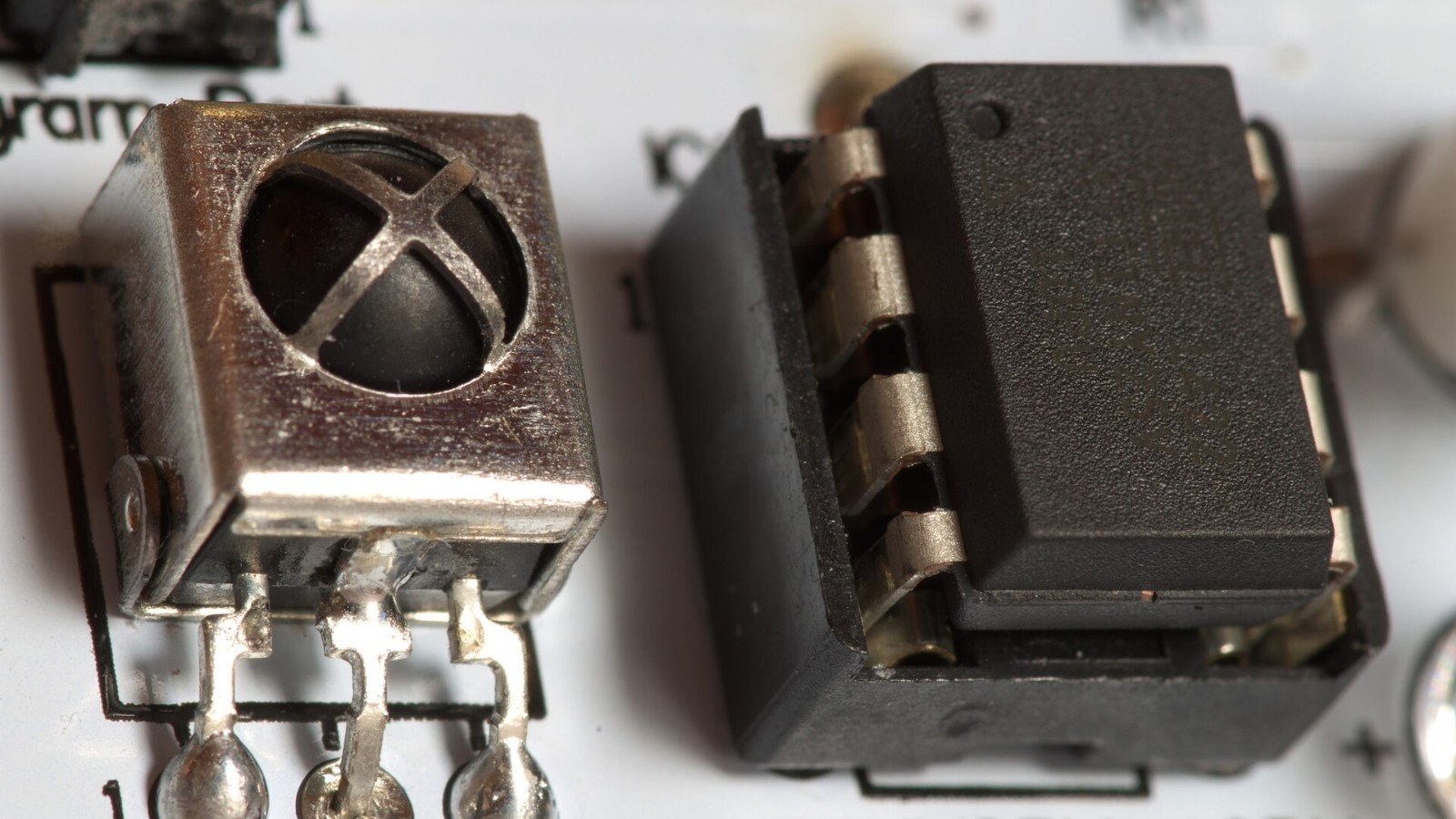
    Read More : Char Driver Model in Linux