Tag: RTOS scheduling

  • What is the Role of a Tick Interrupt in an RTOS? | Time Management and Task Scheduling Explained | Master RTOS Interview Questions (2026)

    Role of a Tick Interrupt in an RTOS : Learn the role of a tick interrupt in RTOS and how it manages time and task scheduling in real-time systems. Beginner-friendly guide with examples from IoT, robotics, automotive, and medical applications.

    Real-Time Operating Systems (RTOS) are widely used in embedded systems to handle tasks that must run within strict timing constraints. One of the most important concepts in an RTOS is the tick interrupt, which plays a key role in time management and task scheduling.

    In this article, we will explain what a tick interrupt is, why it is important, and provide examples of real-world applications where it is used.

    What is a Tick Interrupt in RTOS?

    A tick interrupt is a periodic signal generated by a hardware timer in a microcontroller or processor.

    • It occurs at a fixed interval (for example, every 1 millisecond).
    • Each tick updates the system clock inside the RTOS.
    • The RTOS uses these ticks to manage delays, timeouts, and scheduling decisions.

    Think of it like the heartbeat of the RTOS—without it, the system would not know how to measure time or decide when to switch tasks.

    Role of Tick Interrupt in RTOS

    1. Time Management

    The tick interrupt allows the RTOS to measure time in small intervals.

    • Functions like delay(1000 ms) or timeouts in message queues rely on ticks.
    • The RTOS keeps a counter that increases on every tick, helping tasks know how much time has passed.

    Example Applications:

    • Digital Watches: Updating the time every second using periodic ticks.
    • IoT Sensors: Collecting temperature data every 500 ms.
    • Industrial Automation: Sending sensor status updates at fixed intervals.

    2. Task Scheduling

    In an RTOS, tasks have priorities and sometimes need to run periodically. The tick interrupt helps the scheduler decide:

    • When to switch tasks (context switching).
    • When to wake up tasks that were waiting for a timer or delay.
    • How to ensure fair CPU usage among multiple tasks.

    Example Applications:

    • Automotive Systems: Airbag control tasks must run immediately when triggered, while background monitoring tasks run periodically.
    • Robotics: Motor control tasks execute every 10 ms, while navigation tasks run every 100 ms.
    • Medical Devices: A pacemaker uses tick interrupts to generate precise timing for electrical pulses.

    How Tick Interrupt Works (Step-by-Step)

    1. Hardware Timer Setup – A hardware timer in the microcontroller is configured to generate interrupts at fixed intervals.
    2. Tick ISR (Interrupt Service Routine) – When the timer fires, the RTOS runs the tick handler function.
    3. Update System Time – The tick count (system clock) is updated.
    4. Check Delayed Tasks – The RTOS checks if any tasks’ wait/delay time has expired.
    5. Task Switching – If a higher-priority task is ready, the scheduler performs a context switch.

    Key Benefits of Tick Interrupt in RTOS

    • Precise time tracking in milliseconds or microseconds.
    • Efficient multitasking with minimal CPU overhead.
    • Support for real-time deadlines and predictable task execution.
    • Flexibility to handle periodic and aperiodic tasks.

    Conclusion of Role of a Tick Interrupt in an RTOS

    The tick interrupt in an RTOS is the foundation of time management and task scheduling. It acts like the system’s heartbeat, ensuring that delays, timeouts, and periodic tasks are handled accurately.

    Without the tick interrupt, an RTOS would lose its ability to manage time-critical tasks, making it unsuitable for real-time applications such as automotive safety systems, robotics, and medical devices.

    Understanding the tick interrupt is essential for anyone learning RTOS concepts or working on embedded systems.

    FAQ Role of a Tick Interrupt in an RTOS

    Q1. What is a tick in RTOS?
    A tick is a fixed time interval generated by a hardware timer that helps the RTOS manage time and schedule tasks.

    Q2. What happens if an RTOS has no tick interrupt?
    Without ticks, the RTOS cannot track time or schedule periodic tasks, making real-time operation impossible.

    Q3. Can tick interrupts be customized?
    Yes, developers can configure the tick frequency (e.g., 1 ms or 10 ms) based on the application’s needs.

    Q4. What is the difference between tick-based and tickless RTOS?

    • Tick-based RTOS uses periodic ticks for scheduling.
    • Tickless RTOS saves power by waking up only when needed, common in low-power IoT systems.
    What is the Role of a Tick Interrupt in an RTOS
    What is the Role of a Tick Interrupt in an RTOS? | Time Management and Task Scheduling Explained
  • Battery optimization in RTOS: Optimizing Power Consumption in Resource-Constrained Systems | Master RTOS Interview Questions (2026)

    Battery optimization in RTOS: Prepare for your next embedded systems role with these top RTOS interview questions and answers. Learn real-time operating system concepts, scheduling, synchronization, memory management, and task handling in depth.

    Battery optimization in RTOS

    Introduction of Battery optimization in RTOS

    In today’s world of embedded systems and IoT devices, Battery optimization in RTOS (Real-Time Operating System) plays a critical role. Devices such as wearables, sensors, and portable medical equipment often run on limited battery power. Efficient power usage is essential to extend battery life and ensure reliable system performance.

    This article will explain the concept of Battery optimization in RTOS and how it helps optimize power consumption in resource-constrained systems.

    What is Battery optimization in RTOS ?

    Battery optimization in RTOS refers to techniques and mechanisms used to minimize the energy consumed by the processor, peripherals, and other system components. Since an RTOS is designed for real-time, predictable behavior, it must balance energy efficiency with performance requirements.

    Simply put, Battery optimization ensures the system consumes only the energy it actually needs while still meeting real-time deadlines.

    Why Battery optimization is Important in Resource-Constrained Systems

    Resource-constrained systems, like microcontrollers or IoT devices, usually have:

    • Limited battery capacity
    • Small processing power
    • Restricted memory and storage

    Without effective power management, these devices may drain batteries quickly or fail to deliver consistent performance. An RTOS helps prevent this by dynamically controlling power usage.

    Techniques Used by an RTOS to Optimize Battery optimization

    1. Task Scheduling and Idle Mode

    • The RTOS can put the processor into a low-power idle state when no tasks are running.
    • Idle tasks ensure that the CPU doesn’t waste energy when there is no work to do.

    2. Dynamic Voltage and Frequency Scaling (DVFS)

    • The system adjusts the processor’s clock frequency and voltage based on workload.
    • Lower frequency reduces power consumption when performance demand is low.

    3. Peripheral Power Control

    • An RTOS can selectively turn off unused peripherals (like UART, SPI, or timers) to save energy.
    • This prevents unnecessary power drain from inactive components.

    4. Tickless RTOS

    • Normally, an RTOS generates regular system “ticks” (timer interrupts).
    • In a tickless mode, these ticks are reduced or skipped when the system is idle, allowing the CPU to sleep longer and save energy.

    5. Sleep Modes and Deep Sleep

    • Many processors support multiple sleep modes.
    • The RTOS coordinates which sleep mode to enter based on the length of idle time.
    • Deep sleep conserves maximum energy while maintaining the ability to wake up for critical tasks.

    6. Energy-Aware Scheduling

    • The RTOS can schedule tasks not only by priority but also by energy efficiency.
    • Non-critical tasks may be delayed until the CPU is in a low-power state.

    Benefits of Battery optimization in RTOS

    • Extended battery life in IoT and embedded devices.
    • Efficient CPU utilization by avoiding unnecessary energy consumption.
    • Reduced heat generation which improves system reliability.
    • Cost savings by reducing energy usage in large-scale deployments.

    Real-World Examples of Battery optimization in RTOS

    1. Wearables (Smartwatches & Fitness Bands): Use tickless RTOS to conserve battery when idle.
    2. IoT Sensors: Turn off unused peripherals when not transmitting data.
    3. Medical Devices: Require long battery life and reliable real-time response.

    Conclusion

    Power management in an RTOS is all about making smart decisions to balance performance with energy efficiency. By using techniques like idle mode, DVFS, tickless scheduling, and peripheral control, an RTOS ensures that resource-constrained systems operate reliably while consuming minimal power.

    This not only extends battery life but also enables devices to work effectively in environments where energy resources are limited.

    FAQ: Battery optimization in RTOS

    1. What is power management in an RTOS?

    Power management in an RTOS is the process of controlling and reducing energy consumption in embedded systems. It ensures devices use only the power they need while meeting real-time performance requirements.

    2. Why is power management important in resource-constrained systems?

    Resource-constrained systems, like IoT sensors and wearables, often run on small batteries and have limited resources. Without power management, these devices would drain energy quickly and fail to function for long periods.

    3. How does an RTOS reduce power consumption?

    An RTOS reduces power consumption using techniques like idle mode, tickless scheduling, sleep states, dynamic voltage and frequency scaling (DVFS), and peripheral shutdown.

    4. What is a tickless RTOS?

    A tickless RTOS removes or reduces periodic timer interrupts when the system is idle. This allows the CPU to remain in a low-power sleep state for longer, saving energy.

    5. What are sleep modes in RTOS power management?

    Sleep modes are low-power states supported by processors. The RTOS manages transitions between active, idle, and deep sleep modes depending on system workload, helping conserve energy.

    6. How does Dynamic Voltage and Frequency Scaling (DVFS) help in RTOS power management?

    DVFS adjusts the CPU’s clock speed and voltage based on workload. Lowering frequency during low-demand tasks saves energy, while higher speeds are used for real-time tasks.

    7. Can peripherals also be managed to save power in an RTOS?

    Yes. An RTOS can selectively power down unused peripherals like timers, UART, SPI, or sensors when they are not in use, reducing unnecessary energy drain.

    8. What types of devices benefit from RTOS power management?

    Devices like wearables, IoT sensors, portable medical equipment, and low-power industrial systems benefit the most, as they rely on efficient energy usage to extend battery life.

    9. Does power management affect real-time performance in an RTOS?

    If designed properly, no. An RTOS balances energy efficiency with timing accuracy. It ensures critical tasks still meet deadlines while saving power during idle periods.

    10. What is the main advantage of power management in embedded systems?

    The main advantage is extended battery life without compromising performance. It also improves device reliability, reduces heat generation, and lowers overall energy costs.

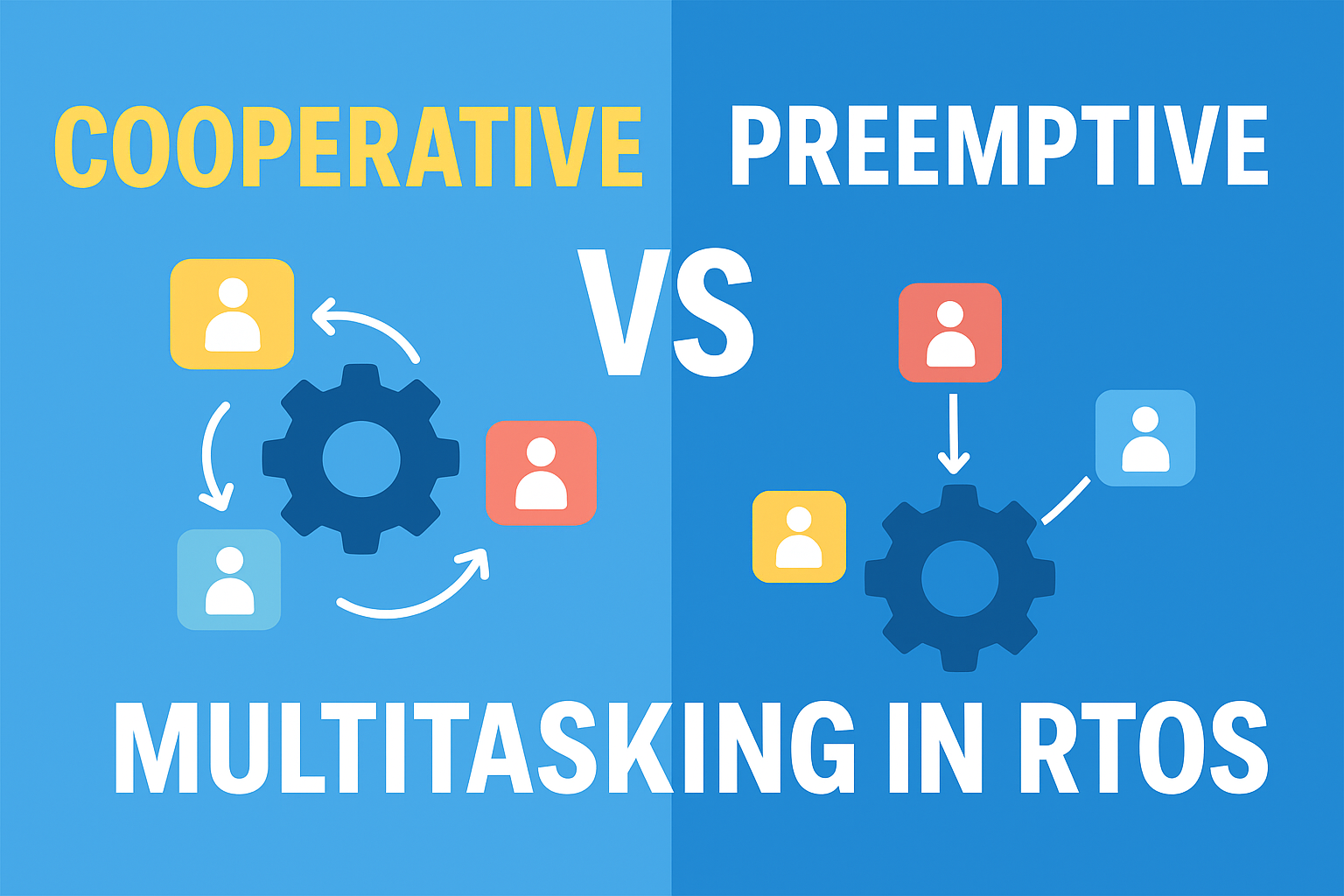
  • Trade-offs Between Cooperative and Preemptive Multitasking in RTOS | Master RTOS Interview Questions (2026)

    Learn the trade-offs between cooperative and preemptive multitasking in RTOS. Discover their advantages, disadvantages, use cases, and FAQs to choose the right model for your embedded system.

    In the world of embedded systems and real-time applications, performance and timing are everything. Unlike general-purpose operating systems such as Windows or Linux, where slight delays are acceptable, a Real-Time Operating System (RTOS) must ensure that tasks are executed on time and within strict deadlines.

    Introduction of Trade-offs Between Cooperative and Preemptive Multitasking

    Real-Time Operating Systems (RTOS) are widely used in embedded systems such as automotive ECUs, medical devices, and industrial controllers. One of the core features of an RTOS is multitasking, which allows multiple tasks to run seemingly at the same time.

    There are two common multitasking models in RTOS:

    • Cooperative Multitasking
    • Preemptive Multitasking

    Each model has its advantages, disadvantages, and specific use cases. To design efficient real-time systems, it is important to understand the trade-offs between cooperative multitasking and preemptive multitasking.

    What is Cooperative Multitasking?

    In a cooperative multitasking model, tasks voluntarily give up control of the CPU. This means the RTOS scheduler only switches tasks when a running task explicitly calls a yield function or completes execution.

    Key Characteristics of Trade-offs Between Cooperative and Preemptive Multitasking:

    • The CPU remains with a task until it decides to release control.
    • Context switching happens only at well-defined points.
    • The system depends on good behavior from tasks.

    Advantages of Cooperative Multitasking:

    • Simplicity: Easy to implement and understand.
    • Low Overhead: Fewer context switches mean more CPU time for tasks.
    • Predictability: Task switching occurs at known points, making debugging easier.

    Disadvantages of Cooperative Multitasking:

    • Risk of CPU Monopolization: A task that fails to yield can block the entire system.
    • Poor Real-Time Response: High-priority tasks may be delayed by long-running tasks.
    • Limited Scalability: Not suitable for complex applications with multiple time-critical tasks.

    Example Use Case: Small embedded systems such as calculators, digital watches, or basic IoT devices where tasks are lightweight and predictable.

    What is Preemptive Multitasking?

    In a preemptive multitasking model, the RTOS scheduler can interrupt tasks automatically based on priorities or timer ticks. This ensures that the CPU is allocated fairly and that high-priority tasks run without being blocked.

    Key Characteristics of Trade-offs Between Cooperative and Preemptive Multitasking:

    • The scheduler decides when to switch tasks.
    • High-priority tasks can preempt lower-priority ones immediately.
    • Requires proper handling of shared resources.

    Advantages of Preemptive Multitasking:

    • Fairness: No single task can monopolize the CPU.
    • High Responsiveness: Real-time deadlines can be met.
    • Better for Complex Systems: Can manage many tasks efficiently.

    Disadvantages of Preemptive Multitasking:

    • Higher Overhead: Frequent context switching consumes CPU time.
    • Increased Complexity: Requires synchronization mechanisms like mutexes and semaphores.
    • Harder to Debug: Bugs related to race conditions are more common.

    Example Use Case: Automotive systems, industrial automation, and medical devices where safety and real-time responsiveness are critical.

    Trade-offs Between Cooperative and Preemptive Multitasking Difference

    FactorCooperative MultitaskingPreemptive Multitasking
    CPU ControlTask decides when to yieldScheduler enforces switching
    OverheadLow (fewer context switches)Higher (frequent context switches)
    SimplicityEasy to implement and debugComplex, requires careful design
    FairnessDepends on task cooperationGuaranteed by scheduler
    ResponsivenessLimited, can cause delaysHigh, suitable for real-time systems
    Use CasesSimple devices, lightweight applicationsSafety-critical, time-sensitive systems

    Trade-offs Explained

    1. Performance vs Reliability:
      Cooperative multitasking has low overhead but risks reliability if a task fails to yield. Preemptive multitasking is more reliable but consumes more resources.
    2. Simplicity vs Complexity:
      Cooperative multitasking is beginner-friendly and easier to debug. Preemptive multitasking requires advanced concepts like mutexes, semaphores, and priority inversion handling.
    3. Responsiveness vs Determinism:
      Preemptive multitasking ensures timely responses, while cooperative multitasking offers deterministic but less responsive scheduling.

    When to Use Which?

    • Choose Cooperative Multitasking if:
      • The system is simple and predictable.
      • Tasks are lightweight and guaranteed to yield.
      • Power efficiency and low overhead are critical.
    • Choose Preemptive Multitasking if:
      • The system is complex with multiple critical tasks.
      • Real-time responsiveness is required.
      • Safety and fairness must be guaranteed.

    Conclusion of Trade-offs Between Cooperative and Preemptive Multitasking

    The choice between cooperative multitasking and preemptive multitasking in RTOS depends on the application’s needs.

    • Cooperative multitasking is simple, efficient, and suitable for small systems but risks delays if tasks do not yield.
    • Preemptive multitasking ensures fairness and responsiveness, making it ideal for safety-critical and real-time applications, but it comes with higher complexity and overhead.

    For most modern embedded systems, preemptive multitasking is preferred due to its reliability and ability to meet real-time constraints. However, cooperative multitasking still has its place in lightweight, power-constrained devices.

    FAQ: Trade-offs Between Cooperative and Preemptive Multitasking

    1. What is cooperative multitasking in RTOS?

    Cooperative multitasking is a model where tasks run until they voluntarily yield control to the scheduler. The RTOS depends on tasks being “well-behaved” and sharing CPU time responsibly.

    2. What is preemptive multitasking in RTOS?

    Preemptive multitasking allows the RTOS scheduler to forcibly interrupt tasks and allocate CPU time to higher-priority tasks. This ensures fairness and responsiveness but adds more complexity.

    3. Which model is easier to implement in an RTOS?

    Cooperative multitasking is easier to implement because it has lower overhead and requires minimal context switching. However, it relies heavily on proper task design.

    4. Why can cooperative multitasking cause delays?

    If a task does not yield control, it can block other tasks from executing, leading to delays, poor responsiveness, or even system freeze.

    5. Why is preemptive multitasking more reliable for real-time systems?

    Preemptive multitasking ensures that critical tasks always get CPU time when needed. This makes it more reliable for systems requiring strict real-time responses, such as automotive and medical devices.

    6. Which multitasking model has lower overhead?

    Cooperative multitasking has lower overhead because it avoids frequent context switches and reduces interrupt handling.

    7. Which multitasking model is more power-efficient?

    Cooperative multitasking can be more power-efficient in simple systems since fewer context switches reduce CPU load. However, preemptive multitasking can save power in real-time systems by ensuring tasks finish quickly and the CPU returns to idle mode.

    8. Can cooperative multitasking be used in critical systems?

    It can, but it is not recommended for safety-critical applications. Since one faulty or greedy task can block others, cooperative multitasking is risky for systems that require guaranteed timing.

    9. Is preemptive multitasking always better than cooperative multitasking?

    Not always. While preemptive multitasking ensures fairness and responsiveness, it also increases complexity, requires careful synchronization, and may waste CPU cycles due to frequent context switching.

    10. What is task starvation in cooperative multitasking?

    Task starvation occurs when a long-running task never yields control, preventing other tasks from executing. This problem is more common in cooperative systems.

    11. Do preemptive multitasking systems require synchronization mechanisms?

    Yes. Since tasks can be interrupted at any time, synchronization tools like semaphores, mutexes, and message queues are required to prevent data corruption and race conditions.

    12. Which multitasking model is best for beginners learning RTOS concepts?

    Beginners often start with cooperative multitasking because it is easier to understand and debug. Once comfortable, they move to preemptive multitasking for real-world, time-critical applications.

    Trade-offs Between Cooperative and Preemptive Multitasking
    Trade-offs Between Cooperative and Preemptive Multitasking in RTOS Master RTOS Interview Questions (2025)