
Tag: Multithreading in C++

  • Master POSIX Threads pthread Beginner’s Guide in C/C++ (2026)

    Unlock the Power of Multi-Threading in C and C++!

    Are you ready to take your C or C++ skills to the next level?

    POSIX Threads pthread is your ultimate beginner-friendly roadmap to writing fast, efficient, and multi-threaded applications using the powerful POSIX threads (pthread) library.

    What You’ll Learn

    ✅ What Threads Are

    • Understand threads as lightweight tasks running inside your program.
    • Learn why multi-threading matters for performance.

    ✅ Creating Threads Step by Step

    • How to write simple pthread programs from scratch.
    • Code examples you can run and experiment with.

    ✅ Thread Management

    • Starting, stopping, and waiting for threads.
    • Learn to pass data safely between threads.

    ✅ Synchronization Basics

    • Avoid crashes and data corruption with:
      • Mutexes
      • Condition variables
      • Join operations

    ✅ Thread Scheduling

    • How the operating system decides which thread runs when.
    • Control thread priorities for critical tasks.

    ✅ Debugging Threads

    • How to spot and fix:
      • Race conditions
      • Deadlocks
      • Data inconsistencies
    • Practical examples using GDB and DDD.

    ✅ Best Practices and Common Pitfalls

    • Write safer, faster code.
    • Avoid hidden bugs in multi-threaded programs.

    Perfect for Beginners

    No prior experience with threads? No problem!

    • Clear explanations in plain English
    • Real-world examples and simple exercises
    • Code snippets for both C and C++
    • Covers both Linux and other POSIX-compliant systems

    Why Learn POSIX Threads?

    In 2025, software runs everywhere—from servers to embedded systems, smartphones to IoT devices. Most of these platforms support POSIX threads, making pthreads a must-know skill for modern C/C++ developers.

    • Build responsive applications
    • Speed up data processing
    • Handle multiple tasks simultaneously
    • Prepare for professional software development jobs

    Who Should Read This Guide?

    ✅ Students learning C/C++
    ✅ Junior software developers
    ✅ Embedded programmers
    ✅ Anyone curious about how multi-threading works under the hood

    Don’t just write code—write powerful, multi-threaded applications!

    What Are Threads?

    Think of threads as lightweight workers inside a single program. Instead of launching entirely new programs (called processes), threads:

    • Share the same memory space (variables, functions, data)
    • Run independently, allowing your program to do several things at once

    Why Use Threads?

    Threads can speed up your program by using multiple CPU cores or handling tasks that might otherwise cause your program to wait unnecessarily. For example:

    ✅ On multi-core systems: Threads can run on separate CPU cores at the same time, improving performance for tasks like image processing, simulations, or large calculations.

    ✅ On single-core systems: Even if there’s only one CPU core, threads can help by overlapping work and waiting times. For example, while one thread waits for disk or network input/output (I/O), another can keep working.

    Threads vs. Processes

    A common way to run things in parallel is to fork a new process, but this has some downsides:

    • A new process has its own separate memory and resources.
    • Creating a new process is heavier (slower) and consumes more system resources.

    In contrast, threads:

    • Live inside the same process and share the same memory.
    • Are much lighter and faster to create.

    Example analogy:

    • Processes = separate buildings
    • Threads = rooms inside the same building

    Where Do Threads Shine?

    Threads are ideal when:

    • You want speed (multi-core utilization)
    • You have independent tasks to perform simultaneously
    • Your program must handle many waiting operations (e.g. network, disk)

    Threads and Distributed Computing

    Sometimes people confuse threads with other parallel computing technologies like MPI (Message Passing Interface) or PVM (Parallel Virtual Machine). Here’s the key difference:

    • Threads run inside one computer and share memory.
    • MPI/PVM run across multiple computers, communicating over a network.

    What is pthread?

    pthread stands for POSIX thread, a standardized threading library in C/C++. It is designed to create and manage multiple threads within a single process. This allows your program to perform multiple tasks simultaneously — a concept known as multithreading.

    🧠 POSIX stands for “Portable Operating System Interface,” a set of IEEE standards designed to maintain compatibility between operating systems.

    The POSIX thread library (often called pthreads) is a standard set of functions in C and C++ that allows you to create and manage threads. Threads are like tiny programs running inside your main program, enabling multiple tasks to happen concurrently.

    Threads are small tasks running inside a larger program.

    Thread operations include:

    • Creating new threads
    • Ending (terminating) threads
    • Synchronizing threads (making them work together using joins and blocking)
    • Scheduling (deciding when threads run)
    • Managing data
    • Interacting with the overall process

    A thread:

    • Does not keep a list of threads it created
    • Does not know which thread created it

    All threads in the same program share the same memory space, including:

    • Program instructions
    • Most data variables
    • Open files (file descriptors)
    • Signals and signal handlers
    • Current working directory
    • User and group IDs

    Each thread has its own unique things, such as:

    • Thread ID
    • CPU registers and stack pointer
    • Stack for local variables and return addresses
    • Signal mask (controls which signals the thread listens to)
    • Priority (how important the thread is)
    • Return value called errno (used to report errors)

    When you call pthread functions, they return 0 if the operation is successful.

    Why Learn Pthreads

    Learning pthreads helps you:

    • Write faster, more responsive programs
    • Take advantage of modern multi-core processors
    • Understand how modern systems handle parallelism

    Even as a beginner, understanding threads will level up your programming skills and prepare you for more advanced topics in software development!

    Why Use pthread?

    Using the pthread library lets developers write programs that are faster and more responsive, especially on modern systems with multi-core processors.

    Example – Threads in Action

    Let’s imagine you’re writing a program that:

    • Downloads a file from the internet
    • Updates a progress bar on the screen
    • Calculates data once the download finishes

    Instead of doing these tasks one after another, you can use threads:

    • Thread 1 – Downloads the file
    • Thread 2 – Updates the progress bar
    • Main thread – Prepares the calculations

    This way, the progress bar stays smooth while the file downloads in the background.

    Code Snippet (Simple Example)

    Here’s a super simple C example using pthreads:

    cCopyEdit#include <pthread.h>
    #include <stdio.h>
    
    void* say_hello(void* arg) {
        printf("Hello from the new thread!\n");
        return NULL;
    }
    
    int main() {
        pthread_t thread_id;
        pthread_create(&thread_id, NULL, say_hello, NULL);
        
        // Wait for the new thread to finish
        pthread_join(thread_id, NULL);
        
        printf("Main thread done.\n");
        return 0;
    }
    

    Output:

    Hello from the new thread!
    Main thread done.

    Advantages of Pthreads

    ✅ Lightweight and fast compared to processes
    ✅ Great for multi-core CPUs
    ✅ Shared memory makes communication between threads efficient
    ✅ Useful for real-time applications, servers, games, simulations

    Things to Watch Out For

    Threads share memory, so you need to carefully manage variables. If two threads change the same variable at the same time, you can get bugs like race conditions.

    Key Benefits of Using pthread

    • ✅ Parallel Execution: Perform multiple operations at once.
    • ✅ Faster Performance: Leverage multiple CPU cores.
    • ✅ Low Overhead: Threads consume fewer resources than processes (fork()).
    • ✅ Shared Memory: Threads can access the same data in memory, avoiding data copying.

    How pthread Works

    When you use pthread, you can spawn (create) a new thread by defining a function to execute in that thread.

    #include <pthread.h>
    #include <stdio.h>
    
    void* myThreadFunc(void* arg) {
        printf("Hello from the thread!\n");
        return NULL;
    }
    
    int main() {
        pthread_t thread_id;
    
        // Create a new thread
        pthread_create(&thread_id, NULL, myThreadFunc, NULL);
    
        // Wait for the thread to finish
        pthread_join(thread_id, NULL);
    
        printf("Thread has finished execution.\n");
        return 0;
    }
    

    Explanation:

    • pthread_t: a variable representing the thread.
    • pthread_create(): used to start a new thread.
    • pthread_join(): used to wait for the thread to finish.

    How is pthread Different from fork()?

    Featurepthreadfork()
    Resource UseLowHigh (creates new process)
    Memory SpaceSharedSeparate
    SpeedFaster (no new process)Slower
    Use CaseThreaded programmingIndependent processes

    Where pthread is Most Useful

    pthread is most effective on multi-core or multi-processor systems, but it can also offer performance improvements on single-core systems by handling:

    • File or network I/O
    • Waiting for user input
    • Interacting with slow devices

    In such cases, one thread can work while others wait, increasing overall efficiency.

    Limitations of pthread

    • Limited to a single computer (unlike MPI/PVM used in distributed computing).
    • Requires careful synchronization to avoid race conditions and deadlocks.
    • Debugging multithreaded code is generally harder.

    Real-World Examples of pthread Usage

    • Game engines using multiple threads for rendering, input, and physics.
    • Network servers handling multiple client connections.
    • Sensor data processing in embedded systems.

    Thread Creation and Termination in Pthreads

    When programming in C or C++, you often want to run multiple tasks at the same time. Threads allow you to do that by creating smaller units of a process that run concurrently. The POSIX Threads (pthreads) library helps you create and manage threads easily.

    What is Thread Creation and Termination?

    • Thread Creation: Starting a new thread that runs a specific function.
    • Thread Termination: Ending a thread’s execution properly when its task is done.

    Example Program: Creating and Terminating Threads

    Here’s a simple example (pthread1.c) that shows how to create two threads, make them print messages, and then terminate cleanly.

    #include <stdio.h>
    #include <stdlib.h>
    #include <pthread.h>
    
    void *print_message_function(void *ptr);
    
    int main() {
        pthread_t thread1, thread2;
        char *message1 = "Thread 1";
        char *message2 = "Thread 2";
        int iret1, iret2;
    
        // Create two threads running the same function but with different arguments
        iret1 = pthread_create(&thread1, NULL, print_message_function, (void*) message1);
        iret2 = pthread_create(&thread2, NULL, print_message_function, (void*) message2);
    
        // Wait for both threads to finish before continuing
        pthread_join(thread1, NULL);
        pthread_join(thread2, NULL);
    
        printf("Thread 1 returns: %d\n", iret1);
        printf("Thread 2 returns: %d\n", iret2);
    
        return 0;
    }
    
    void *print_message_function(void *ptr) {
        char *message = (char *) ptr;
        printf("%s \n", message);
        return NULL;
    }
    

    How to Compile and Run the Program

    • Compile with C compiler:
    cc -lpthread pthread1.c
    
    • Compile with C++ compiler:
    g++ -lpthread pthread1.c
    
    • Run the program:
    ./a.out
    

    Expected Output

    Thread 1
    Thread 2
    Thread 1 returns: 0
    Thread 2 returns: 0
    

    Explanation of Key Functions

    1. pthread_create

    This function creates a new thread.

    int pthread_create(pthread_t *thread, 
                       const pthread_attr_t *attr,
                       void *(*start_routine)(void *), 
                       void *arg);
    
    • thread: Pointer to store the thread ID.
    • attr: Thread attributes (set to NULL for default).
    • start_routine: The function the thread will execute.
    • arg: Argument passed to the function.

    Note: Each thread runs independently and can execute the same or different functions.

    2. pthread_join

    This function waits for a thread to finish.

    int pthread_join(pthread_t thread, void **retval);
    
    • It blocks the calling thread until the specified thread terminates.
    • Useful to ensure threads complete before the main program exits.

    3. pthread_exit

    Terminates the calling thread.

    void pthread_exit(void *retval);
    
    • Ends the thread and returns a value if needed.
    • The thread does not return from this function.
    • Usually used if you want to terminate a thread before the function naturally returns.

    Important Points for Beginners

    • Threads share the same memory space, so they can access the same variables. But be careful with data conflicts!
    • Threads should be joined before the main program exits to prevent premature termination.
    • You can pass only one argument to the thread function. To pass multiple values, bundle them in a structure and pass its pointer.
    • Always check the return value of pthread_create to make sure the thread was created successfully (0 means success).
    • In C++, the function pointer cast in pthread_create must be handled carefully to avoid compiler errors.

    Thread Synchronization in C with Pthreads

    When working with threads in programming, it’s important to manage how these threads work together to avoid problems like data corruption or crashes. This is where thread synchronization comes in handy.

    The Pthreads (POSIX threads) library provides three main ways to synchronize threads:

    1. Mutexes (Mutual Exclusion Locks)
    2. Joins (Waiting for Threads to Finish)
    3. Condition Variables (Waiting for Certain Conditions)

    Let’s explore each of these in a simple way.

    1. What are Mutexes? (Mutual Exclusion Locks)

    Imagine you and your friend want to write on the same notebook at the same time. If both of you write at once, the notebook gets messy and confusing. To avoid this, you decide only one person writes at a time, and the other waits. This is what a mutex does in threading.

    • Mutex is a lock that allows only one thread to access a piece of data (called a critical section) at a time.
    • It prevents race conditions, which happen when multiple threads try to change the same data simultaneously, causing unpredictable results.

    Example without Mutex (Problem):

    int counter = 0;
    
    void functionC() {
        counter++;  // Both threads try to increase counter at the same time!
    }
    

    If two threads run functionC at once, the counter might not increase correctly.

    Example with Mutex (Solution):

    pthread_mutex_t mutex1 = PTHREAD_MUTEX_INITIALIZER;
    int counter = 0;
    
    void functionC() {
        pthread_mutex_lock(&mutex1);   // Lock mutex before accessing counter
        counter++;
        pthread_mutex_unlock(&mutex1); // Unlock mutex after updating counter
    }
    

    Now, only one thread can change counter at a time, keeping the data safe and accurate.

    What Happens When Mutex is Locked?

    • If one thread locks the mutex, other threads trying to lock it will wait (blocked) until it’s unlocked.
    • Mutexes only work within the same process (not between different programs).

    2. What are Joins?

    When your program starts multiple threads, sometimes you want to wait for all of them to finish before continuing. This is called a join.

    • Using pthread_join(), you make the main program wait for a thread to finish.
    • It helps avoid problems like printing incomplete results or ending the program before threads finish.

    Simple Join Example:

    #define NTHREADS 10
    pthread_t threads[NTHREADS];
    int counter = 0;
    pthread_mutex_t mutex1 = PTHREAD_MUTEX_INITIALIZER;
    
    void* thread_function(void* arg) {
        pthread_mutex_lock(&mutex1);
        counter++;
        pthread_mutex_unlock(&mutex1);
        return NULL;
    }
    
    int main() {
        for (int i = 0; i < NTHREADS; i++) {
            pthread_create(&threads[i], NULL, thread_function, NULL);
        }
        for (int i = 0; i < NTHREADS; i++) {
            pthread_join(threads[i], NULL);  // Wait for each thread to finish
        }
        printf("Final counter value: %d\n", counter);
        return 0;
    }
    

    This ensures all threads finish incrementing the counter before printing the final value.

    3. What are Condition Variables?

    Sometimes a thread needs to wait until something happens before continuing. For example, wait for a resource to be available or for a certain condition to be true. This is where condition variables come in.

    • A condition variable allows threads to sleep (wait) and be signaled (woken up) by other threads when conditions change.
    • Condition variables always work with mutexes to avoid race conditions and deadlocks.

    How Condition Variables Work:

    • A thread waits on a condition variable with pthread_cond_wait(), which releases the mutex and puts the thread to sleep.
    • Another thread signals the condition with pthread_cond_signal() or pthread_cond_broadcast() to wake waiting threads.
    • The waiting thread wakes up and reacquires the mutex to continue.

    Simple Condition Variable Example:

    pthread_mutex_t mutex = PTHREAD_MUTEX_INITIALIZER;
    pthread_cond_t cond = PTHREAD_COND_INITIALIZER;
    int ready = 0;
    
    void* waiter_thread(void* arg) {
        pthread_mutex_lock(&mutex);
        while (!ready) {
            pthread_cond_wait(&cond, &mutex);  // Wait until 'ready' is true
        }
        printf("Condition met! Continuing work.\n");
        pthread_mutex_unlock(&mutex);
        return NULL;
    }
    
    void* signaler_thread(void* arg) {
        pthread_mutex_lock(&mutex);
        ready = 1;                         // Change condition
        pthread_cond_signal(&cond);        // Signal waiting thread
        pthread_mutex_unlock(&mutex);
        return NULL;
    }
    

    Here, waiter_thread waits until ready becomes 1. The signaler_thread changes ready and signals the waiting thread to continue.

    Summary of Thread Synchronization:

    Synchronization MechanismWhat It DoesWhen to Use
    MutexLocks a resource to ensure one thread accesses it at a timeProtect shared variables from race conditions
    JoinMakes one thread wait for another to finishWait for threads to complete before continuing
    Condition VariableAllows a thread to wait for a specific condition and be notifiedWait for a condition or event to occur

    Why is Thread Synchronization Important?

    • Prevents race conditions that cause unpredictable bugs.
    • Avoids deadlocks, where threads wait forever.
    • Ensures correct program behavior when multiple threads share data or resources.

    Compile & Run Example Programs

    To compile programs using pthreads:

    cc -lpthread program_name.c
    ./a.out

    Thread Scheduling in C/C++

    When working with threads in programming, thread scheduling decides which thread runs, when, and for how long. This is very important because your program might have multiple threads running at the same time, and the system needs to manage them efficiently.

    What is Thread Scheduling?

    • Thread scheduling is like a traffic controller for your program’s threads.
    • It decides the order in which threads get to use the CPU (processor).
    • Scheduling helps multiple threads share CPU time fairly or based on priority.

    How Does Thread Scheduling Work?

    The system can manage thread scheduling in several ways:

    1. During Thread Creation:
      When you create a new thread, you can specify its scheduling properties like priority and policy.
    2. Dynamically Changing Thread Scheduling:
      You can also change a thread’s scheduling attributes after it’s already running.
    3. Mutex and Scheduling:
      When threads compete to access shared resources, mutexes (locks) can affect scheduling. The system might change scheduling temporarily to prevent delays.
    4. During Synchronization:
      Scheduling can be adjusted dynamically when threads wait for each other (for example, waiting on a condition variable).

    Scheduling Attributes You Can Control

    • Scheduling Policy:
      Examples include SCHED_FIFO, SCHED_RR, or SCHED_OTHER. These define how threads are prioritized and switched.
    • Thread Priority:
      Threads with higher priority may get CPU time before lower priority threads.

    Default Scheduling

    • The threading library usually sets default scheduling values that work well for most programs.
    • You only need to change scheduling if you have special timing or priority needs.

    Real-Life Example: Printing Messages with Priority

    Imagine you have two workers (threads):

    • Worker A: High priority — needs to finish urgent tasks first.
    • Worker B: Lower priority — can wait.

    Thread scheduling ensures Worker A gets the CPU before Worker B.

    How to Set Scheduling in Code (POSIX Threads Example)

    #include <pthread.h>
    #include <stdio.h>
    #include <sched.h>
    
    void* threadFunc(void* arg) {
        printf("Thread running\n");
        return NULL;
    }
    
    int main() {
        pthread_t thread;
        pthread_attr_t attr;
        struct sched_param param;
    
        // Initialize thread attributes
        pthread_attr_init(&attr);
    
        // Set scheduling policy to Round Robin
        pthread_attr_setschedpolicy(&attr, SCHED_RR);
    
        // Set priority (range depends on system)
        param.sched_priority = 10;
        pthread_attr_setschedparam(&attr, &param);
    
        // Create thread with attributes
        pthread_create(&thread, &attr, threadFunc, NULL);
    
        // Wait for thread to finish
        pthread_join(thread, NULL);
    
        return 0;
    }
    

    Thread Pitfalls

    When working with threads, there are common problems and mistakes that programmers can fall into. These mistakes are called thread pitfalls. They can cause your program to:

    ✅ Crash
    ✅ Freeze (hang)
    ✅ Behave unpredictably
    ✅ Produce wrong results

    Race Conditions

    Even if your code appears in a specific order on the screen, threads don’t necessarily execute in that same order. The operating system’s scheduler determines when and how threads run, and their execution is often unpredictable. Threads can run at different speeds and overlap in ways you might not expect.

    A race condition happens when multiple threads try to read or write shared data at the same time, leading to unpredictable results. To avoid this, you should use synchronization tools like mutexes or thread joins to control the order and safety of thread execution.

    Thread-Safe Code

    In multi-threaded programs, you must ensure the functions you call are thread-safe. A thread-safe function avoids using shared static or global variables that could be accessed simultaneously by different threads.

    • Local variables in C are stored on the stack and are safe because each thread has its own stack.
    • If a function uses static or global variables, you’ll need to protect them with mutexes, or better, re-write the function to avoid shared state.

    Some functions are not thread-safe because they store data in static memory and return pointers to it. For example, strtok is not thread-safe or re-entrant because it uses internal static state. A safer alternative is strtok_r, which is re-entrant and allows you to pass your own state instead of using shared static data.

    When using non-thread-safe functions, make sure only one thread uses them at a time, and carefully manage which thread has access.

    Mutex Deadlock

    A deadlock occurs when a mutex (a mutual exclusion lock) is locked but never unlocked, causing threads to wait forever.

    Deadlocks can happen for several reasons:

    • A thread locks a mutex but crashes or exits before unlocking it.
    • Two or more threads lock different mutexes in different orders, creating a circular wait where each thread waits for a lock held by another.

    For example:

    pthread_mutex_lock(&mutex_1);
    while (pthread_mutex_trylock(&mutex_2)) {
        pthread_mutex_unlock(&mutex_1);
        /* stall or wait briefly before retrying */
        pthread_mutex_lock(&mutex_1);
    }
    count++;
    pthread_mutex_unlock(&mutex_1);
    pthread_mutex_unlock(&mutex_2);
    

    This pattern tries to avoid deadlock by unlocking the first mutex if the second mutex is already locked.

    Order matters! Consider this potential deadlock scenario:

    void *function1() {
        pthread_mutex_lock(&lock1);  // Step 1
        pthread_mutex_lock(&lock2);  // Step 3 → DEADLOCK if lock2 is held by another thread
        ...
    }
    
    void *function2() {
        pthread_mutex_lock(&lock2);  // Step 2
        pthread_mutex_lock(&lock1);
        ...
    }
    
    int main() {
        pthread_create(&thread1, NULL, function1, NULL);
        pthread_create(&thread2, NULL, function2, NULL);
    }
    

    If function1 locks lock1 and function2 locks lock2 simultaneously, each waits for the other’s lock, causing a deadlock. To prevent this, always lock mutexes in a consistent global order across all threads.

    Condition Variable Deadlock

    When using condition variables, it’s crucial to design your logic so that signals are always sent if a waiting thread is ever expected to proceed. Otherwise, a thread might wait indefinitely because the signal it relies on never arrives.

    Use loops rather than single if checks when waiting on condition variables to ensure that the thread re-checks the condition each time it wakes up, avoiding spurious wake-ups and logic errors.

    Thread Debugging (GDB & DDD)

    When you write multi-threaded programs, bugs can be very hard to find because multiple threads run at the same time.

    Imagine trying to watch several people talk at once—it’s easy to miss what each one is saying! Debuggers like GDB and DDD help you “pause” your program and look at what each thread is doing.

    Why Debug Threads?

    Threads might:
    ✅ Get stuck (deadlock)
    ✅ Modify shared data incorrectly (race conditions)
    ✅ Crash the program unexpectedly

    Thread debugging tools help you:

    • See how many threads are running
    • Check what each thread is doing
    • Stop one or all threads to investigate issues

    GDB: The GNU Debugger

    GDB is a powerful tool for debugging C and C++ programs.

    When working with threads, GDB can:

    • Stop and start multi-thread programs
    • Switch between threads
    • Examine variables in different threads

    How to Start GDB

    If your program is named myprog, start GDB like this:

    gdb ./myprog
    

    Or run the program directly under GDB:

    gdb --args ./myprog arg1 arg2
    

    Useful GDB Commands for Threads

    1. info threads

    Lists all threads in your program.

    Example output:

      Id   Target Id         Frame
    * 1    Thread 0x7ffff7 (main)   main () at myprog.c:10
      2    Thread 0x7ffff6         worker () at myprog.c:25
    

    * → indicates the currently selected thread.

    2. thread N

    Switch to thread number N.

    Example:

    (gdb) thread 2
    

    Now GDB focuses on thread 2.

    3. bt

    Shows a backtrace (call stack) of the current thread.

    Example:

    (gdb) bt
    #0  worker () at myprog.c:25
    #1  start_thread () at pthread_create.c:463
    #2  clone () at clone.S:95
    

    4. break

    Set a breakpoint so GDB stops when it reaches a specific line.

    Example:

    (gdb) break myprog.c:25

    5. continue

    Let the program run until the next breakpoint.

    (gdb) continue
    

    6. step / next

    • step → go into functions
    • next → run the next line, skipping over function calls

    Example GDB Thread Session

    Here’s a tiny example:

    #include <pthread.h>
    #include <stdio.h>
    
    void* worker(void* arg) {
        printf("Hello from thread!\n");
        return NULL;
    }
    
    int main() {
        pthread_t t;
        pthread_create(&t, NULL, worker, NULL);
        pthread_join(t, NULL);
        printf("Back in main thread\n");
        return 0;
    }
    

    Steps to debug:

    gcc -g -o myprog myprog.c -lpthread
    gdb ./myprog
    

    In GDB:

    (gdb) break worker
    (gdb) run
    (gdb) info threads
    (gdb) thread 2
    (gdb) bt
    (gdb) continue
    

    GDB/MI: Machine Interface

    GDB/MI is a machine-readable interface used by tools like IDEs to communicate with GDB.

    • You won’t type these commands directly unless you’re writing an IDE or debugger tool.
    • IDEs like Eclipse CDT use GDB/MI behind the scenes.

    DDD: Data Display Debugger

    DDD (Data Display Debugger) is a graphical interface for GDB. It makes debugging more visual.

    With DDD, you can:
    ✅ See threads in a list
    ✅ Click to switch threads
    ✅ Watch variables change graphically
    ✅ Set breakpoints with a mouse click

    To start DDD:

    ddd ./myprog
    
    • You’ll see a GUI where you can:
      • Set breakpoints
      • Run your program
      • See thread lists
      • View variables graphically

    Examining Threads in DDD

    • Look for the “Threads” window or menu.
    • Click a thread to select it.
    • The code window updates to show where that thread is running.
    • You can step through code in the selected thread.

    Tips for Thread Debugging

    ✅ Always compile with -g to include debug symbols.
    ✅ Test with only a few threads first.
    ✅ Look for deadlocks by checking where each thread is stopped.
    ✅ Use breakpoints to catch suspicious parts of your code.
    ✅ Use info threads frequently to keep track of your threads

    Wrapping Up

    The pthread library is a powerful tool for speeding up your applications using multithreading in C/C++. It’s especially beneficial when working on CPU-intensive or I/O-blocking tasks. If you’re building software that needs performance, responsiveness, or background task management, learning pthread is a must.

    Frequently Asked Questions (FAQ)

    Q1. Is pthread available on Windows?
    👉 Not natively. You can use wrappers like pthreads-w32 or use Windows-specific threading APIs.

    Q2. Is pthread part of the C++ standard?
    👉 No, but C++11 and later have <thread>, which provides higher-level abstractions.

    Q3. Can I use pthread in embedded systems?
    👉 Yes, many real-time and embedded operating systems support POSIX threads.

    You can also Visit other tutorials of Embedded Prep 

    Special thanks to @mr-raj for contributing to this article on EmbeddedPrep
  • Multithreading in C++

    Understanding Multithreading in C++

    Multithreading is a programming approach where a single program is split into multiple smaller parts called threads. Each thread executes independently but can access shared resources like memory. This allows the program to perform multiple tasks at the same time, which can lead to better performance by making use of multiple CPU cores.

    In C++, support for multithreading was added starting from the C++11 standard. This was made possible through the <thread> header, which provides the tools to create and manage threads.

    How to Create a Thread in C++

    In C++, the std::thread class is used to create and manage threads. When you create an object of this class, a new thread starts running the function or callable you provide.

    The basic syntax looks like this:

    std::thread threadName(callable);
    
    • threadName is the name you give to your thread object.
    • callable refers to any callable entity like a function pointer, a lambda, or a functor that defines what the thread will execute.

    Example of Creating and Running a Thread in C++

    #include <iostream>
    #include <thread>
    using namespace std;
    
    // This function will run in a separate thread
    void func() {
        cout << "Hello from the thread!" << endl;
    }
    
    int main() {
        // Create a thread that runs the function 'func'
        thread t(func);
    
        // Wait for the thread 't' to finish before continuing
        t.join();
    
        cout << "Main thread finished." << endl;
    
        return 0;
    }
    

    What’s happening here?

    • We define a function func that prints a message.
    • We create a thread t that runs this function independently.
    • The t.join() line makes sure the main program waits for the thread to complete before continuing.
    • Finally, the main thread prints its own message.

    Output:

    Hello from the thread!
    Main thread finished.
    

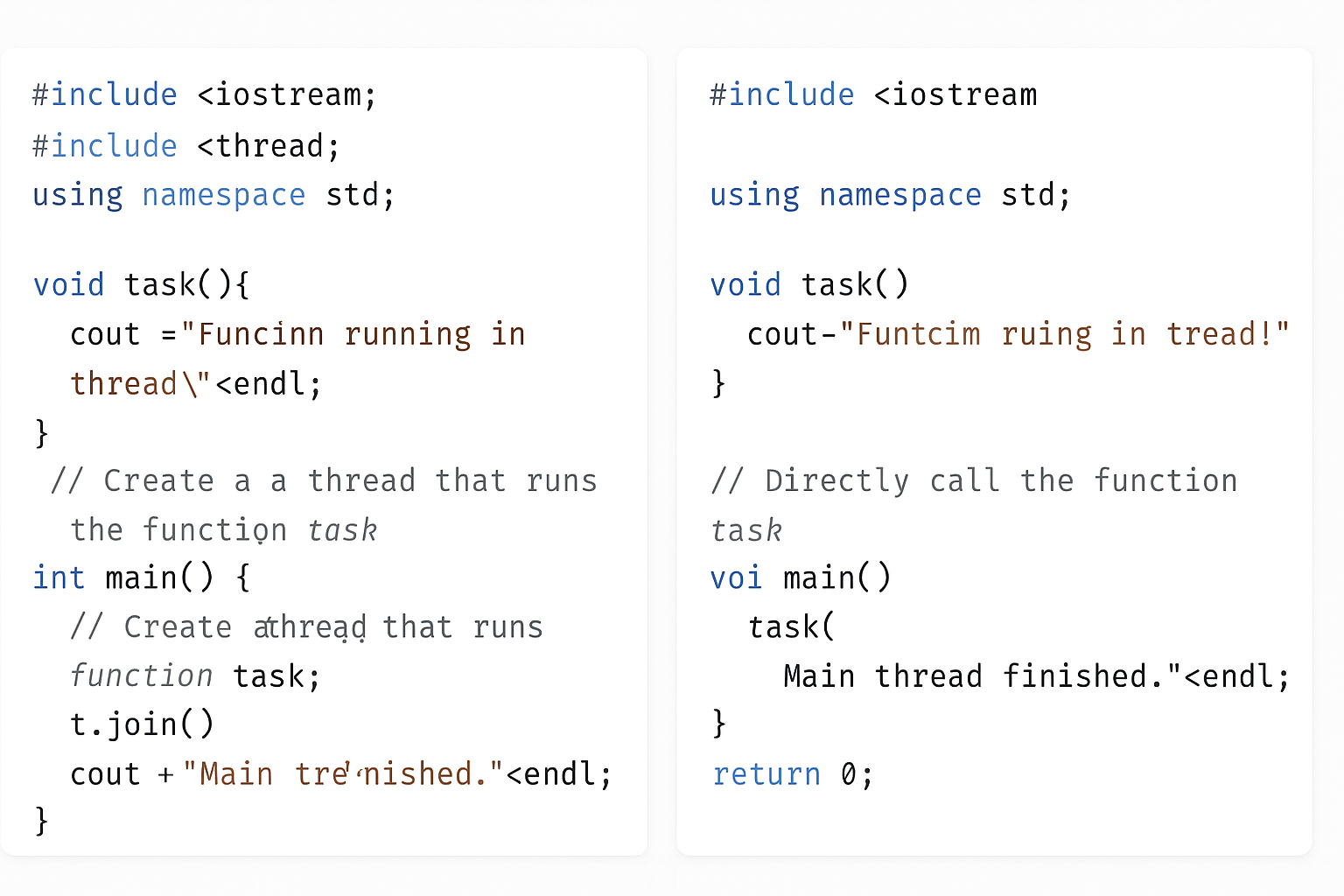
    Running Code With and Without Threads

    You’ll see how the same piece of code behaves when run without using threads and when run inside a separate thread. We will use simple examples to help beginners understand how threads allow your program to do multiple tasks at the same time, making your programs faster and more efficient. By the end, you will know how to create a thread in C++ and see the practical difference between running code sequentially versus concurrently

    Code without threading:

    #include <iostream>
    #include <chrono>
    #include <thread>
    
    void task() {
        for (int i = 1; i <= 5; ++i) {
            std::cout << "Task running: " << i << std::endl;
            std::this_thread::sleep_for(std::chrono::milliseconds(500));  // Simulate work
        }
    }
    
    int main() {
        std::cout << "Starting task without thread..." << std::endl;
        task();  // Running task function directly (blocking)
        std::cout << "Task completed without thread." << std::endl;
        return 0;
    }
    

    Code with threading:

    #include <iostream>
    #include <chrono>
    #include <thread>
    
    void task() {
        for (int i = 1; i <= 5; ++i) {
            std::cout << "Task running: " << i << std::endl;
            std::this_thread::sleep_for(std::chrono::milliseconds(500));  // Simulate work
        }
    }
    
    int main() {
        std::cout << "Starting task with thread..." << std::endl;
    
        std::thread t(task);  // Run task in a separate thread
    
        // Main thread continues here immediately
        std::cout << "Main thread continues while task runs..." << std::endl;
    
        t.join();  // Wait for the thread to finish before exiting
    
        std::cout << "Task completed with thread." << std::endl;
        return 0;
    }
    

    What happens:

    • Without thread: The program waits until task() completes before moving on.
    • With thread: The program starts task() in a new thread and the main thread continues executing immediately. The join() waits for the thread to finish before the program ends.
    Multithreading in C++
    Multithreading in C++

    What is a Callable in C++ Threads?

    When you create a thread in C++, you pass a callable to it. A callable is anything that can be called like a function, and the thread will execute this callable in parallel.

    For example:

    thread t(func);  // Runs the function 'func' in a new thread

    You can also pass arguments to the callable when creating the thread:

    void printNumber(int num) {
        cout << "Number: " << num << endl;
    }
    
    thread t(printNumber, 10);  // Runs printNumber(10) in the thread
    

    Types of Callables You Can Use with Threads in Multithreading

    In C++, callables fall into four main categories:

    1. Function: A regular function like func or printNumber.
    2. Lambda Expression: An anonymous function defined inline.
    3. Function Object: An object with the operator() defined, so it behaves like a function.
    4. Member Function: A function that is part of a class, either static or non-static.

    Callables in C++ Threads

    When you create a thread in C++, you give it something called a callable — this is basically “something you can call like a function.” The thread runs that callable independently.

    There are four common types of callables you can use in threads:

    1. Function

    What is it?

    A function is like a small reusable machine inside your program. It is a named block of code that performs a specific task. You write the function once, and then you can call (or use) it anytime by its name instead of rewriting the same code again and again.

    Functions help keep your code clean and organized, especially when working with more complex concepts like multithreading. In multithreading programming, you use functions to let multiple parts of your program run at the same time independently. This makes your programs faster and more efficient by doing many tasks simultaneously.

    Example

    #include <iostream>
    #include <thread>
    using namespace std;
    
    void sayHello() {
        cout << "Hello from function!" << endl;
    }
    
    int main() {
        thread t(sayHello); // Create thread running sayHello()
        t.join();           // Wait for thread to finish
        cout << "Main thread done." << endl;
        return 0;
    }
    

    What happens? The thread runs sayHello and prints a message separately while the main thread waits for it to finish.

    2. Lambda Expression

    What is it?

    What is a Lambda Expression?

    A lambda expression is an anonymous, inline function that you can write directly where you’d normally pass a function object, pointer, or functor.

    Syntax (C++):

    [ capture_list ] ( parameter_list ) -> return_type {
        // body
    };
    
    • capture_list → which external variables you want to use inside the lambda.
    • parameter_list → arguments (like in any function).
    • return_type → optional; deduced if omitted.
    • body → statements executed when called.

    Why Lambdas in Multithreading?

    When creating threads (e.g. using std::thread in C++), you often want to pass a function for the thread to run. Instead of writing a separate function or a functor class, lambdas let you:

    • write the thread’s code inline
    • capture variables from your current scope
    • reduce boilerplate code

    Example

    Without Lambda:

    #include <iostream>
    #include <thread>
    
    void printHello() {
        std::cout << "Hello from thread!" << std::endl;
    }
    
    int main() {
        std::thread t(printHello);
        t.join();
    }
    

    With Lambda:

    #include <iostream>
    #include <thread>
    
    int main() {
        std::thread t([] {
            std::cout << "Hello from thread!" << std::endl;
        });
        t.join();
    }
    

    Passing Variables via Capture:

    #include <iostream>
    #include <thread>
    
    int main() {
        int value = 42;
    
        std::thread t([value] {
            std::cout << "Value is: " << value << std::endl;
        });
    
        t.join();
    }
    

    If you want to modify a captured variable, capture it by reference:

    #include <iostream>
    #include <thread>
    
    int main() {
        int value = 0;
    
        std::thread t([&value] {
            value = 100;
        });
    
        t.join();
    
        std::cout << "Value is now: " << value << std::endl;
    }
    

    Example

    #include <iostream>
    #include <thread>
    using namespace std;
    
    int main() {
        thread t([]() {
            cout << "Hello from lambda!" << endl;
        }); // Lambda runs inside thread
    
        t.join();
        cout << "Main thread done." << endl;
        return 0;
    }
    

    What happens? The lambda function runs in the new thread, printing the message.

    3. Function Object (Functor)

    What is it?

    What is a Function Object (Functor)?

    function. This happens when a class defines a special function called operator(). Because of this, you can use an instance of that class just like you would call a normal function.

    Function objects are very helpful in multithreading programming. They let you package both code and data inside an object that can be passed to threads easily. This makes your multithreading programs more flexible, organized, and easier to manage.

    Example

    #include <iostream>
    #include <thread>
    using namespace std;
    
    // Define a class with operator()
    class Functor {
    public:
        void operator()() {
            cout << "Hello from function object!" << endl;
        }
    };
    
    int main() {
        Functor f;
        thread t(f); // Run the functor in a thread
        t.join();
        cout << "Main thread done." << endl;
        return 0;
    }
    

    What happens? The thread calls operator() of the functor, printing the message.

    4. Member Function (Static or Non-Static)

    What is it?

    A member function is a function that belongs to a class. There are two types:

    • Static member function: This kind of function does not need an object to be called. You can call it directly using the class name.
    • Non-static member function: This function needs an object of the class to work on because it usually uses the object’s data.

    In multithreading programming, threads can run both static and non-static member functions. But when you want to run a non-static member function in a thread, you must give the thread the object it should work on.

    Threads can run both types, but for non-static ones, you have to provide the object.

    Example — Static Member Function

    #include <iostream>
    #include <thread>
    using namespace std;
    
    class MyClass {
    public:
        static void staticFunc() {
            cout << "Hello from static member function!" << endl;
        }
    };
    
    int main() {
        thread t(MyClass::staticFunc); // Run static function in thread
        t.join();
        cout << "Main thread done." << endl;
        return 0;
    }
    

    Example — Non-Static Member Function

    #include <iostream>
    #include <thread>
    using namespace std;
    
    class MyClass {
    public:
        void nonStaticFunc() {
            cout << "Hello from non-static member function!" << endl;
        }
    };
    
    int main() {
        MyClass obj;
        thread t(&MyClass::nonStaticFunc, &obj); // Pass function pointer and object
        t.join();
        cout << "Main thread done." << endl;
        return 0;
    }
    

    Note: For non-static member functions, you must pass the object pointer as the first argument to the thread.

    Summary for Multithreading

    Callable TypeHow to Use in ThreadExample
    Functionthread t(func);void func()
    Lambda Expressionthread t([](){ /* code */ });Inline anonymous function
    Function Objectthread t(functorObj);Class with operator()
    Static Member Functhread t(ClassName::func);Static function of class
    Non-Static Member Functhread t(&Class::func, &obj);Non-static func + object

    Let’s create a simple C++ program that demonstrates all four callable types running in separate threads. This will help you see how each callable works side-by-side.

    #include <iostream>
    #include <thread>
    using namespace std;
    
    // 1. Regular Function
    void regularFunction() {
        cout << "Hello from regular function!" << endl;
    }
    
    // 3. Function Object (Functor)
    class Functor {
    public:
        void operator()() {
            cout << "Hello from function object!" << endl;
        }
    };
    
    // 4. Class with static and non-static member functions
    class MyClass {
    public:
        static void staticMemberFunction() {
            cout << "Hello from static member function!" << endl;
        }
    
        void nonStaticMemberFunction() {
            cout << "Hello from non-static member function!" << endl;
        }
    };
    
    int main() {
        // 1. Thread running a regular function
        thread t1(regularFunction);
    
        // 2. Thread running a lambda expression
        thread t2([]() {
            cout << "Hello from lambda expression!" << endl;
        });
    
        // 3. Thread running a function object
        Functor functorObj;
        thread t3(functorObj);
    
        // 4a. Thread running a static member function
        thread t4(&MyClass::staticMemberFunction);
    
        // 4b. Thread running a non-static member function
        MyClass obj;
        thread t5(&MyClass::nonStaticMemberFunction, &obj);
    
        // Wait for all threads to finish before exiting
        t1.join();
        t2.join();
        t3.join();
        t4.join();
        t5.join();
    
        cout << "Main thread finished." << endl;
    
        return 0;
    }
    

    What happens here?

    • t1 runs the regular function regularFunction.
    • t2 runs an inline lambda that prints a message.
    • t3 runs a function object (Functor) using its operator().
    • t4 runs the static member function of MyClass.
    • t5 runs the non-static member function of an object obj of MyClass.

    All threads run in parallel, and join() waits for each to complete before the program finishes.

    Expected Output (order may vary due to threads running concurrently):

    Hello from regular function!
    Hello from lambda expression!
    Hello from function object!
    Hello from static member function!
    Hello from non-static member function!
    Main thread finished.
    

    Thread Management in Multithreading C++

    When working with threads in C++, the standard thread library provides many tools to control and coordinate threads effectively. These tools help you manage thread lifecycles, synchronize access to shared data, and optimize program performance. Let’s explore some important functions and classes used for thread management.

    Key Thread Management Functions and Classes

    Function / ClassPurpose
    join()Makes the current (calling) thread wait until the target thread finishes its work.
    detach()Separates the thread from the main thread, letting it run independently without waiting.
    mutexA locking mechanism that ensures only one thread accesses shared data at a time, preventing conflicts.
    lock_guardA convenient wrapper around a mutex that locks it when created and automatically unlocks when destroyed (scope-based locking).
    condition_variableUsed for making threads wait for certain conditions to be true before continuing execution.
    atomicProvides a way to safely read and modify shared variables between threads without explicit locks.
    sleep_for()Pauses the current thread for a specified duration, like waiting for 1 second.
    sleep_until()Pauses the current thread until a specific time point is reached.
    hardware_concurrency()Returns the number of threads the system can run in parallel (usually equals CPU cores or hardware threads). Helps in optimizing thread usage.
    get_id()Retrieves a unique identifier for the thread, useful for debugging or tracking thread activity.

    Detailed Explanation of Each Multithreading

    1. join()

    When you create a thread, the main program and the new thread run at the same time. If you want the main program to wait for the thread to finish before continuing, you use join().

    thread t(func);
    t.join();  // Main thread waits until t finishes
    

    Without calling join(), the main program may finish and exit before the thread completes, causing unexpected behavior.

    2. detach()

    Sometimes, you want a thread to run on its own without the main program waiting for it. Calling detach() lets the thread run independently in the background.

    thread t(func);
    t.detach();  // Thread runs separately; main thread doesn't wait
    

    Use this carefully because once detached, you can’t control or join that thread anymore.

    3. mutex

    When multiple threads access the same data, they might interfere with each other, causing errors (called data races). A mutex (short for mutual exclusion) prevents this by allowing only one thread to access the data at a time.

    mutex mtx;
    mtx.lock();
    // Access shared data safely here
    mtx.unlock();
    

    4. lock_guard

    Manually locking and unlocking mutexes can lead to mistakes, especially if your code has multiple return points or exceptions. lock_guard helps by automatically locking the mutex when it’s created and unlocking when it goes out of scope.

    mutex mtx;
    {
        lock_guard<mutex> lock(mtx);
        // Safe access to shared data within this block
    }  // Mutex automatically unlocked here
    

    5. condition_variable

    Sometimes, one thread needs to wait until another thread signals it to continue, like waiting for a resource or a specific event. condition_variable helps threads to sleep and wake up efficiently based on conditions.

    Example usage involves waiting and notifying:

    • wait() — thread sleeps until notified.
    • notify_one() or notify_all() — wake one or all waiting threads.

    6. atomic

    Using mutexes is safe but can sometimes slow down your program due to locking overhead. atomic variables allow threads to safely read and write shared data without locks by ensuring operations are indivisible (atomic).

    #include <atomic>
    atomic<int> counter(0);
    
    counter++;  // Safe increment from multiple threads
    

    7. sleep_for() and sleep_until()

    Sometimes, you may want a thread to pause for some time or until a specific clock time.

    • sleep_for(duration) pauses the thread for the given time.
    this_thread::sleep_for(chrono::seconds(2));  // Sleep 2 seconds
    
    • sleep_until(time_point) pauses the thread until the given time.
    auto wake_time = chrono::steady_clock::now() + chrono::seconds(5);
    this_thread::sleep_until(wake_time);  // Sleep until 5 seconds from now
    

    8. hardware_concurrency()

    This function tells you how many threads your CPU can run in parallel. You can use this to decide how many threads to create for best performance without overloading the system.

    unsigned int n = thread::hardware_concurrency();
    cout << "Number of hardware threads available: " << n << endl;
    

    9. get_id()

    Each thread has a unique ID, which you can get by calling get_id(). This is useful when you want to log or debug to know which thread is doing what.

    thread::id this_id = this_thread::get_id();
    cout << "Current thread ID: " << this_id << endl;
    

    C++ provides many thread management tools to help you:

    • Coordinate thread execution (join, detach)
    • Protect shared data (mutex, lock_guard, atomic)
    • Synchronize thread behavior (condition_variable)
    • Control timing (sleep_for, sleep_until)
    • Get system info for better performance (hardware_concurrency)
    • Identify threads (get_id)

    Using these properly will make your multithreaded programs more reliable and efficient.

    Problems with Multithreading in C++

    Multithreading helps programs run faster by doing many things at once. But it also introduces some tricky problems that can cause your program to behave incorrectly or even crash. Understanding these problems is important for writing safe, reliable multithreaded code.

    1. Deadlock

    What is Deadlock?

    Deadlock happens when two or more threads get stuck forever, each waiting for the other to release a resource (like a lock or mutex) they need. Because they wait on each other endlessly, none can continue, and the program freezes.

    How Deadlock Happens — Example

    Imagine two threads, Thread A and Thread B:

    • Thread A locks Mutex 1 and waits to lock Mutex 2.
    • Thread B locks Mutex 2 and waits to lock Mutex 1.

    Both threads hold one mutex and wait for the other forever — this is a deadlock.

    Visualization:

    ThreadHoldsWaiting For
    AMutex 1Mutex 2
    BMutex 2Mutex 1

    How to Avoid Deadlock?

    • Always lock mutexes in the same order across all threads.
    • Use std::lock which can lock multiple mutexes without deadlock.
    • Keep critical sections short and release locks quickly.
    • Avoid nested locks if possible.

    2. Race Condition

    What is a Race Condition?

    A race condition happens when two or more threads access the same shared data at the same time, and at least one thread modifies it without proper synchronization. The result depends on the exact timing of threads, which can change every run.

    Why is it a Problem?

    The data can become corrupted or inconsistent because the operations overlap unpredictably. This leads to bugs that are hard to reproduce and fix.

    Example of Race Condition:

    int counter = 0;
    
    void increment() {
        for (int i = 0; i < 1000; i++) {
            counter++;  // Not thread-safe
        }
    }
    
    int main() {
        std::thread t1(increment);
        std::thread t2(increment);
    
        t1.join();
        t2.join();
    
        std::cout << counter << std::endl;  // Might be less than 2000 due to race condition
    }
    

    Here, both threads try to update counter at the same time. Since counter++ is not atomic, some increments get lost.

    How to Fix Race Condition?

    • Use mutexes (std::mutex) to protect shared data.
    • Use atomic operations (std::atomic<int>) for simple variables.
    • Design thread-safe data structures.

    3. Starvation

    What is Starvation?

    Starvation happens when a thread waits indefinitely to get access to a resource because other threads keep getting priority or resources first.

    Why Does it Happen?

    If your synchronization mechanism favors some threads over others (e.g., high priority threads always run first), some threads may never get a chance to run or access needed resources.

    Example Scenario:

    • Several threads with high priority continuously lock a mutex.
    • A low priority thread waits forever because it keeps getting preempted.

    How to Avoid Starvation?

    • Use fair locking algorithms like fair mutexes.
    • Use condition variables to signal waiting threads.
    • Avoid priority inversion by carefully managing thread priorities.

    4. Thread Synchronization — The Solution

    To solve or minimize these problems, thread synchronization is crucial.

    What is Thread Synchronization?

    It is a technique to control access to shared resources so that only one thread can use them at a time, preventing conflicts and corruption.

    Common Synchronization Tools in C++:

    1. Mutex (std::mutex)
      • Provides exclusive locking.
      • Only one thread can lock it at a time.
      • Other threads wait until the mutex is unlocked.
    2. Lock Guards (std::lock_guard)
      • A convenient RAII wrapper that locks a mutex when created and unlocks when destroyed.
      • Helps prevent forgetting to unlock.
      std::mutex mtx; void safe_increment() { std::lock_guard<std::mutex> lock(mtx); counter++; }
    3. Unique Lock (std::unique_lock)
      • More flexible than lock_guard, supports manual locking/unlocking and deferred locking.
      • Works well with condition variables.
    4. Condition Variables (std::condition_variable)
      • Allow threads to wait for some condition to become true.
      • Useful for producer-consumer problems and signaling between threads.

    Problems & Solutions of Multithreading

    ProblemCauseResultSolution
    DeadlockCircular waiting for locked resourcesProgram freezes/stallsLock mutexes in order, use std::lock
    Race ConditionUnsynchronized access/modification of shared dataData corruption or incorrect resultsUse mutexes or atomic variables
    StarvationSome threads get priority over othersSome threads never runUse fair locks, manage thread priorities

    Tips for Beginners

    • Always protect shared data with mutexes or atomics.
    • Keep locks held for the shortest time possible.
    • Avoid complex locking schemes that can cause deadlocks.
    • Use tools like thread sanitizers (e.g., in clang/gcc) to detect race conditions.
    • Write simple multithreaded code first and gradually add complexity.

    What is a Context Switch in Multithreading?

    A context switch is the process by which the CPU switches from executing one thread to executing another thread. Since the CPU can only run one thread at a time on a single core, it rapidly switches between multiple threads to give the illusion of parallelism.

    Why is Context Switching Needed in Multithreading ?

    • To allow multiple threads to share the CPU fairly.
    • To handle multiple tasks efficiently, especially when some threads are waiting (e.g., for input/output).
    • To improve overall system responsiveness.

    What Happens During a Context Switch in Multithreading ?

    When the CPU decides to switch from the currently running thread (let’s call it Thread A) to another thread (Thread B), it needs to:

    1. Save the State of Thread A:
      This includes the thread’s CPU registers, program counter (the address of the next instruction to execute), stack pointer, and other critical information that defines exactly where Thread A was in its execution.
    2. Load the State of Thread B:
      Restore the saved CPU registers, program counter, stack pointer, etc., of Thread B so it can continue from where it left off.
    3. Resume Execution of Thread B:
      The CPU then starts executing instructions of Thread B.

    What is Stored in the Context in Multithreading ?

    • CPU registers (general purpose registers).
    • Program counter (instruction pointer).
    • Stack pointer (to track function calls).
    • Possibly other hardware-specific information.

    Overhead of Context Switching in Multithreading

    • Context switching is not free — it takes time and CPU cycles.
    • Frequent context switches can reduce overall performance due to this overhead.
    • Operating systems and runtime schedulers try to minimize unnecessary context switches.

    Summary of Context Switching in Multithreading

    TermMeaning
    ContextThe saved state of a thread (registers, PC, stack pointer, etc.)
    Context SwitchSaving the current thread’s context and loading another thread’s context to resume its execution

    How context switching is handled differently in user-level threads vs kernel-level threads, or provide simple code examples demonstrating multithreading behavior!

    1. join() Example

    #include <iostream>
    #include <thread>
    using namespace std;
    
    void task() {
        cout << "Thread is running..." << endl;
    }
    
    int main() {
        thread t(task);
        t.join();  // Wait for thread to finish
        cout << "Main thread finished after join." << endl;
        return 0;
    }
    

    2. detach() Example

    #include <iostream>
    #include <thread>
    #include <chrono>
    using namespace std;
    
    void task() {
        this_thread::sleep_for(chrono::seconds(2));
        cout << "Detached thread finished work." << endl;
    }
    
    int main() {
        thread t(task);
        t.detach();  // Thread runs independently
        cout << "Main thread continues without waiting." << endl;
        this_thread::sleep_for(chrono::seconds(3));  // Wait to see detached thread output
        return 0;
    }
    

    3. mutex and lock_guard Example

    #include <iostream>
    #include <thread>
    #include <mutex>
    using namespace std;
    
    mutex mtx;
    int counter = 0;
    
    void increment() {
        for (int i = 0; i < 1000; ++i) {
            lock_guard<mutex> lock(mtx);  // Lock mutex safely
            ++counter;
        }
    }
    
    int main() {
        thread t1(increment);
        thread t2(increment);
        t1.join();
        t2.join();
    
        cout << "Counter value: " << counter << endl;  // Should be 2000
        return 0;
    }
    

    4. condition_variable Example

    #include <iostream>
    #include <thread>
    #include <mutex>
    #include <condition_variable>
    using namespace std;
    
    mutex mtx;
    condition_variable cv;
    bool ready = false;
    
    void waitForWork() {
        unique_lock<mutex> lock(mtx);
        cv.wait(lock, [] { return ready; });  // Wait until ready == true
        cout << "Worker thread started after notification." << endl;
    }
    
    void setReady() {
        {
            lock_guard<mutex> lock(mtx);
            ready = true;
        }
        cv.notify_one();  // Notify waiting thread
    }
    
    int main() {
        thread worker(waitForWork);
        this_thread::sleep_for(chrono::seconds(1));
        setReady();
        worker.join();
        return 0;
    }
    

    5. atomic Example

    #include <iostream>
    #include <thread>
    #include <atomic>
    using namespace std;
    
    atomic<int> counter(0);
    
    void increment() {
        for (int i = 0; i < 1000; ++i) {
            ++counter;  // Safe without mutex
        }
    }
    
    int main() {
        thread t1(increment);
        thread t2(increment);
        t1.join();
        t2.join();
    
        cout << "Atomic counter value: " << counter << endl;  // Should be 2000
        return 0;
    }
    

    6. sleep_for() and sleep_until() Example

    #include <iostream>
    #include <thread>
    #include <chrono>
    using namespace std;
    
    int main() {
        cout << "Sleeping for 2 seconds..." << endl;
        this_thread::sleep_for(chrono::seconds(2));
    
        auto wakeTime = chrono::steady_clock::now() + chrono::seconds(3);
        cout << "Sleeping until 3 seconds from now..." << endl;
        this_thread::sleep_until(wakeTime);
    
        cout << "Awake now!" << endl;
        return 0;
    }
    

    7. hardware_concurrency() Example

    #include <iostream>
    #include <thread>
    using namespace std;
    
    int main() {
        unsigned int n = thread::hardware_concurrency();
        cout << "This system can run " << n << " threads concurrently." << endl;
        return 0;
    }
    

    8. get_id() Example

    #include <iostream>
    #include <thread>
    using namespace std;
    
    void printThreadId() {
        cout << "Thread ID: " << this_thread::get_id() << endl;
    }
    
    int main() {
        thread t(printThreadId);
        t.join();
        cout << "Main thread ID: " << this_thread::get_id() << endl;
        return 0;
    }
    

    You can also Visit other tutorials of Embedded Prep 

    Special thanks to @mr-raj for contributing to this article on Embedded Prep