Understanding the difference between const, volatile and const volatile in C and C++ with simple examples. A clear beginner-friendly guide for all levels.
Understanding the difference between const , volatile and const volatile is one of those topics that every C and C++ programmer eventually has to master. These three keywords look tiny, but they shape how the compiler thinks, how your code behaves, and whether your embedded or multithreaded program works reliably.
Before diving in, keep in mind the big idea: const is about your intent not to modify something, while volatile is about unpredictable change from outside your code. And when they appear together, const volatile creates a type that you cannot write to, but that can still change behind your back.
Const , volatile and const volatile
What const really means in C and C++
When you add const to a variable, pointer, reference, or function parameter, you are telling the compiler, “I’m not going to change this value through this name.” It is a promise, and the compiler enforces it. This helps you write safer, more predictable code.
A simple line like:
const int value = 10;
means you won’t modify value after its definition. But the deeper power of const appears when pointers get involved:
const int *ptr;        // pointer to const data
int * const ptr2;      // const pointer to modifiable data
const int * const ptr3; // const pointer to const data
This is where developers understand why const correctness matters in C and C++. It prevents accidental modification, improves readability, enables function overloading in C++, and often helps the compiler optimize better because it knows some data will not change.
Something people often miss is that const does not magically make data immutable globally. The object may still be changed by another pointer that is not marked const. The “constness” applies only to the name you declared, not necessarily to the underlying object unless it was originally defined as const.
What volatile means and why it exists
The volatile keyword is completely different. It tells the compiler that a value may change at any moment due to something outside the program’s control. That could be a hardware register, an interrupt routine, a sensor, or another execution context.
A volatile variable forces the compiler to always perform an actual read or write, no caching, no optimizing away repeated accesses. For example:
volatile int flag;
If you read flag inside a loop, the compiler will reload it every time because the value might have changed between iterations.
Embedded developers rely heavily on volatile because memory-mapped device registers require fresh reads every time:
If UART_STATUS were not volatile, the compiler might reuse cached values, breaking the hardware interaction entirely.
Volatile does not guarantee atomicity, synchronization, or thread safety. Many beginners misinterpret volatile as a concurrency tool, but it does not provide memory ordering or prevent data races. It simply stops the compiler from optimizing reads and writes.
Where const and volatile work together: const volatile
Now imagine a situation where a variable changes outside your program, but you are not allowed to write to it. That’s where const volatile comes in.
A classic example is a hardware register that updates automatically:
This combination means your program treats it as read-only (const) while the hardware may still modify it unpredictably (volatile). Your reads must stay fresh, but your code must not write to the register.
This dual behavior is common in embedded systems, sensor interfaces, and special memory areas where the CPU reads values updated by hardware but must not change them.
Real examples that make everything click
Using const, volatile, or both becomes much clearer when you look at real code.
These examples reflect real-world embedded behavior and highlight why understanding const vs volatile is essential.
How compilers treat const, volatile, and const volatile
When compiling C or C++ code, the compiler aggressively optimizes for speed and size. Qualifiers like const and volatile shape what the compiler is allowed to do.
Const allows the compiler to:
eliminate unnecessary reads
fold constants into registers
assume values stay unchanged This leads to faster, tighter code.
Volatile forces the compiler to:
issue real memory reads and writes
avoid caching volatile objects
avoid removing loops that depend on volatile conditions
Const volatile objects follow both sets of rules: read-only to you, always fresh because of volatile.
Where to use in real projects
You use const when you want to express intent that something should not be modified. It makes APIs clearer, prevents accidental writes, and improves reliability.
You use volatile when interacting with:
memory-mapped IO
hardware status flags
interrupt handlers
values modified by external devices
You use const volatile when:
the data is read-only for software
but hardware or another execution context keeps updating it
This is especially common for registers like:
status registers
sensor output buffers
special system counters
Common misconceptions and mistakes
Many developers assume volatile makes operations atomic, but it does not. If two threads write to a volatile int, they can still corrupt the value because the CPU may require read-modify-write cycles that are not protected.
Another misconception is that const guarantees immutability. If a non-const pointer refers to the same object, it can still modify the value, breaking your expectations unless the object was originally declared const.
People also assume volatile provides synchronization between threads, but modern multithreaded programs require true atomic types or mutexes, not volatile.
And in embedded systems, forgetting volatile for hardware registers causes programs to behave unpredictably because the compiler optimizes away reads or writes.
Practical interview-style questions to strengthen understanding
Interviewers love asking about the difference between const , volatile and const volatile because it tests your understanding of the C memory model, embedded programming, and compiler behavior.
You might hear questions like:
What happens if you remove volatile from a hardware register?
Why does const not guarantee global immutability?
Can you safely cast away const?
When should you choose atomic instead of volatile?
How does volatile affect optimization?
Why do embedded drivers often use const volatile pointers?
FAQ of const , volatile and const volatile
Is volatile enough for thread communication?
No. Use proper atomic types.
When should I use const volatile?
When the value can change from hardware but should not be written by software.
Does volatile prevent reordering?
It prevents certain compiler-level reordering but does not guarantee CPU-level memory ordering.
Is const faster?
Often yes, because it allows the compiler to optimize.
Final thoughts
Understanding the difference between const , volatile and const volatile helps you write safer, clearer, more efficient C and C++ code. Const helps you express intent and prevent unwanted modification. Volatile keeps your program honest when dealing with unpredictable changes from hardware or external agents. And const volatile is the perfect mix for read-only registers that change behind the scenes.
Recommended Resource: Expand Your ESP32 Knowledge
If you’re enjoying this project and want to explore more powerful sensor integrations, make sure to check out my detailed guide on using the ESP32 with the DS18B20 temperature sensor. It’s a beginner-friendly, real-world tutorial that shows how to measure temperature with high accuracy and integrate the data into IoT dashboards, automation systems, or cloud servers. You can read the full step-by-step guide here: ESP with DS18b20
This resource pairs perfectly with your ESP32 with RFID setup—together, you can build advanced smart home systems, environmental monitoring tools, or complete multi-sensor IoT projects.
Explore the best Structures and Unions Interview Questions with 50+ powerful, beginner-friendly to advanced examples. Boost your C skills and prepare with confidence.
If you’re preparing for a C or embedded systems interview, you must be ready for Structures and Unions Interview Questions. These topics look simple, but interviewers ask surprisingly tricky problems around memory layout, padding, alignment, nested usage, and differences between structures vs unions.
Whether you’re a beginner learning C or an experienced engineer brushing up for a system-level role, this guide gives you crystal-clear explanations, real examples, and practical scenarios that hiring managers love to ask .
If you’re learning C programming and want to strengthen your fundamentals before practicing Structures and Unions Interview Questions, you should explore this detailed beginner-friendly guide on structures: Structures in C – Complete Guide It explains structure syntax, memory layout, padding, nesting, and real-world examples in a very simple way. Reading this will give you a strong foundation before jumping into advanced interview questions.
Introduction of Structures and Unions Interview Questions
C is powerful because it gives you full control over memory. With that power comes responsibility and interviewers test whether you truly understand memory behavior.
Two of the biggest tools in C for organizing and controlling memory layouts are:
Structure
Union
This article focuses on all levels of structured interview questions and answers, especially tailored for c interview questions on structures and unions that appear in companies like Qualcomm, STMicroelectronics, Samsung, NXP, KPIT, TCS, and more.
What Are Structures?
In simple words:
A structure in C is a way to group different variables under one name.
Each member of a structure gets its own memory.
Example
struct Employee {
    int id;
    float salary;
    char grade;
};
Memory is allocated for all members separately.
What Are Unions?
A union is like a structure, but all variables share the same memory location.
Think of it like a single container used by multiple items—only one item can exist meaningfully at a time.
Example
union Data {
    int id;
    float value;
    char ch;
};
Size = size of largest member.
This simple difference is the root of almost all structure and union interview questions.
Structures vs Unions
Let’s break it down:
Feature
Structure
Union
Memory
Separate memory for each member
Shared memory for all
Size
Sum of all members (with padding)
Size of largest member
Usage
Store multiple values at once
Store one value at a time
Example Use
Employee records
Embedded protocol decoding
You’ll often hear the term unions vs structures in C in interviews when discussing memory behavior.
Beginner-Level Structures and Unions Interview Questions
Let’s warm up with friendly, simple questions.
What is a structure in C?
A structure is a user-defined datatype that groups different datatypes under one name.
Great for modeling real-world things like employee, car, sensor, etc.
What is a union in C?
A union is similar to a structure, but all members share the same memory.
This is the simplest form of union questions asked in interviews.
Why do we use structures?
To store data logically and keep multiple variables grouped.
Why do we use unions?
To save memory, especially in:
Embedded systems
Protocol parsers
Hardware registers
This is common in questions on unions in interviews.
What is the size of a structure and union?
Structure → sum of members + padding
Union → size of largest member
Can a structure contain another structure?
Yes. This leads to nested structures, a common part of structural questions examples.
Can a union contain another union?
Yes, but rarely used unless memory reuse is needed.
Intermediate-Level Structure and Union Interview Questions
Here we get into deeper concepts like padding, alignment, pointers, typedef, and passing structures to functions.
How does padding affect structures?
C aligns structure members to the CPU’s natural alignment. This affects size and layout.
Example:
struct test {
    char a;   // 1 byte
    int b;    // 4 bytes
};
Size is 8 bytes, not 5, because of alignment.
Can we remove structure padding?
Yes, using:
#pragma pack(1)
__attribute__((packed)) (GCC)
How to pass a structure to a function?
Three ways:
By value
By pointer
By reference using pointer
Can we compare two structures directly?
No. You must compare member-wise.
What happens if you read one union member after writing another?
This is undefined behavior.
This comes up in structures and unions in C interview questions and answers.
How does a union save memory?
Because it allocates memory only once for the largest member.
When should you choose structures vs unions
Use structure when you need multiple values at the same time. Use union when you need different interpretations of the same memory block.
Advanced Structures and Unions Interview Questions and Answers
These are the tricky questions interviewers love to ask.
Explain memory layout of structure vs union
Structure:
| a | b | c |
Union:
| shared memory |
What is a flexible array member?
Used to create dynamic-sized structure:
struct packet {
    int size;
    char data[];
};
Why do embedded systems use unions for register mapping?
Because hardware registers can be accessed in multiple formats.
Learn Setting Bits in C with beginner-friendly examples, advantages, real-world applications, and bitwise tricks for efficient C programming.
If you’ve ever wondered how computers handle tiny pieces of information or how to make your C programs lightning-fast, then understanding Setting Bits in C is the key. Think of bits as the smallest building blocks of data — they’re either 0 (off) or 1 (on). When you master how to set bits in C, you’ll unlock a whole new level of control in programming.
In this article, we’ll break down Setting Bits in C step by step, with simple examples and explanations that actually make sense.
What Does “Setting a Bit” Mean?
Before diving into Setting Bits in C, let’s talk about what a bit really is. A bit is a single binary digit — 0 or 1. When we say “set a bit”, we mean turning a specific bit on (1) without affecting the other bits.
Imagine you have a row of light switches representing bits. Each switch is a bit position. Setting a bit is like flipping one switch ON while leaving the rest as they are.
Why You Should Care About Setting Bits in C
You might be thinking: why not just use integers and forget about bits? Well, Setting Bits in C comes in handy when you need to:
Control hardware registers in embedded systems
Optimize performance and memory usage
Work with flags, permissions, or masks
Handle data at the binary level for efficiency
If you’re into embedded systems, sensors, or low-level C programming, learning Setting Bits in C is absolutely essential.
Truth table for the OR (logical inclusive OR) operator.
The OR operator is represented as A OR B or A + B in logic. It outputs true (1) if at least one of the inputs is true (1).
Here’s the table:
A
B
A OR B
0
0
0
0
1
1
1
0
1
1
1
1
Explanation:
0 OR 0 = 0 → both false, output false
0 OR 1 = 1 → one true, output true
1 OR 0 = 1 → one true, output true
1 OR 1 = 1 → both true, output true
The Tools: Bitwise Operators in C
Before you start Setting Bits in C, you need to know about bitwise operators — these are special symbols in C that work directly on bits.
Operator
Description
Example
&
Bitwise AND
a & b
`
`
Bitwise OR
^
Bitwise XOR
a ^ b
~
Bitwise NOT
~a
<<
Left shift (move bits left)
a << 1
>>
Right shift (move bits right)
a >> 1
These are your tools for Setting Bits in C effectively.
How to Set a Specific Bit in C
Here’s the golden formula for Setting Bits in C:
num = num | (1 << bit_position);
Let’s break it down :
1 << bit_position means you’re shifting 1 to the left by bit_position times. So if bit_position = 2, then 1 << 2 = 00000100 in binary.
| (bitwise OR) turns ON the bit at that position without changing the others.
Example:
#include <stdio.h>

int main() {
    int num = 5;       // binary: 00000101
    int bit_pos = 1;   // we want to set bit 1

    num = num | (1 << bit_pos);

    printf("Result: %d\n", num);
    return 0;
}
Output:
7
Why 7? Because 5 in binary is 00000101. Setting bit 1 means we turn on the second bit from the right → 00000111 = 7. That’s the beauty of Setting Bits in C.
Visualization: Bit by Bit
Bit Position
Binary Before
Operation
Binary After
Decimal
1
00000101
Set bit 1
00000111
7
2
00000101
Set bit 2
00000101
5 (already set)
3
00000101
Set bit 3
00001101
13
When you’re Setting Bits in C, always remember: use OR (|) with a shifted 1 to turn a bit on.
Absolutely! Let’s break down
num = num | (1 << bit_position);
Step 1: Understand the Goal
We want to set a specific bit in a number.
Think of a number as a row of light switches. Each switch represents a bit:
0 = switch OFF
1 = switch ON
num is like the current state of all your switches. bit_position is which switch you want to turn ON.
For example, if num = 5 (binary: 00000101) and bit_position = 1, you want to turn ON the second switch from the right.
Step 2: The Inner Part (1 << bit_position)
1 in binary looks like: 00000001
<< is the left shift operator — it moves the bits to the left
So (1 << bit_position) moves that single 1 to the position we care about.
Example:
If bit_position = 1, then: 1 << 1 → 00000010
If bit_position = 3, then: 1 << 3 → 00001000
It’s like saying: “I want to target the switch at this exact position and turn it ON.”
Step 3: The Bitwise OR |
Now we have:
num = current switch state (say 00000101)
(1 << bit_position) = the switch we want to turn ON (say 00000010)
The bitwise OR operator (|) works like this:
Original bit
Target bit
Result (OR)
0
0
0
0
1
1
1
0
1
1
1
1
So it turns ON a bit wherever there is a 1 in either number.
Example:
num = 00000101  (5 in decimal)
1 << 1 = 00000010
num | (1 << 1) = 00000111  (7 in decimal)
Boom! Bit at position 1 is now ON, and all other bits stay exactly the same.
Step 4: The Assignment num =
Finally, we store the result back into num.
Without num = the operation happens in memory temporarily, but the original number won’t change. With num =, we update our number to include the new bit.
While learning Setting Bits in C, it’s also useful to check whether a bit is ON.
if (num & (1 << bit_pos)) {
    printf("Bit %d is set\n", bit_pos);
} else {
    printf("Bit %d is not set\n", bit_pos);
}
This simple check helps debug and confirm your bit manipulation in C.
How to Clear and Toggle Bits (Bonus Tips)
If you’re comfortable with Setting Bits in C, the next steps are:
Clear a bit:num = num & ~(1 << bit_pos);
Toggle a bit:num = num ^ (1 << bit_pos);
These tricks give you full control over each bit in your data.
Absolutely! Let’s expand the explanation of
num = num | (1 << bit_position);
Advantages of Setting Bits in C
When you’re Setting Bits in C, this method gives you some clear benefits:
Precision Control: You can set a specific bit without touching the other bits in a number.
Memory Efficiency: Instead of using separate variables for flags or states, each bit in a number can store important information.
Fast Execution: Bitwise operations like | are extremely fast because they work directly at the binary level.
Scalable for Multiple Flags: You can handle up to 32 flags in a single integer on a 32-bit system. That’s 32 different “switches” in just one variable.
Essential for Embedded Systems: In microcontrollers or hardware programming, registers are controlled by bits. Setting Bits in C is unavoidable there.
Disadvantages of Setting Bits in C
No approach is perfect. Here are some downsides:
Hard to Read for Beginners: Lines like num = num | (1 << 5) can look cryptic at first.
Bit Position Errors: Bits start at position 0, so it’s easy to target the wrong bit if you forget this.
Limited to Integer Sizes: You can only manipulate as many bits as your data type allows (e.g., 32 bits in int, 8 bits in char).
Debugging Complexity: If you set or clear the wrong bit, it can be tricky to spot the error in your program.
Even with these minor drawbacks, Setting Bits in C remains one of the most powerful tools for low-level programming.
Real-World Examples of Setting Bits in C
Let’s see where this technique shines:
a) Controlling LEDs on a Microcontroller
Imagine a microcontroller with 8 LEDs, where each LED corresponds to a bit:
int leds = 0;   // all LEDs off

// Turn on LED 3
leds = leds | (1 << 2);  // bit positions start from 0

// Turn on LED 1
leds = leds | (1 << 0);
Now, LED1 and LED3 are ON. This is a practical example of Setting Bits in C for embedded systems.
b) Permissions in File Systems
You can represent read, write, and execute permissions using bits:
Bit 0 = Execute
Bit 1 = Write
Bit 2 = Read
int permissions = 0;          // no permissions
permissions = permissions | (1 << 2);  // give read permission
permissions = permissions | (1 << 0);  // give execute permission
This lets you manage multiple permissions using just one variable, all thanks to Setting Bits in C.
c) Game Development (Flags and Status)
In games, a character can have different states (e.g., jumping, running, shooting). Each state can be a bit:
The player is now running and shooting simultaneously. Efficient, fast, and perfect for real-time applications.
Final Thoughts on Setting Bits in C
Learning Setting Bits in C might sound geeky at first, but once you understand it, it feels powerful. It gives you control at the binary level, making your programs faster, smaller, and more efficient. Whether you’re building embedded systems, optimizing algorithms, or just exploring the depth of C programming, Setting Bits in C is a must-have skill.
If you practice a few examples daily, you’ll soon start thinking in bits — and that’s when you truly level up as a C programmer.
Quick Recap
A bit is 0 or 1 — turning it ON means setting it.
Use | (bitwise OR) with (1 << bit_pos) to set a specific bit.
Don’t forget parentheses.
Practice makes perfect when learning Setting Bits in C.
Setting Bits in C: Common Interview Questions and Answers
1. Basic Understanding Questions
These check if you know what Setting Bits in C really means.
Q1: What does “setting a bit” mean in C? Expected answer: Turning a specific bit to 1 without changing other bits.
Q2: How do you set the 3rd bit of an integer variable in C? Expected answer:num = num | (1 << 2); // Bits are 0-indexed
Q3: What is the difference between | (OR) and & (AND) in bit manipulation? Expected answer: OR is used to set a bit, AND is used to check or clear a bit.
2. Coding/Practical Questions
Here, they test your ability to implement Setting Bits in C in real code.
Q4: Write a function to set a specific bit in an integer. Example solution: int setBit(int num, int pos) { return num | (1 << pos); }
Q5: Given a number, set bits at multiple positions (e.g., 1, 3, 5). Expected approach: Use OR (|) with a combined mask: num = num | ((1 << 1) | (1 << 3) | (1 << 5));
Q6: How would you verify if a bit is already set before setting it? Expected answer:if (!(num & (1 << bit_pos))) { num |= (1 << bit_pos); }
3. Conceptual/Advanced Questions
These are asked to see if you understand why and when to use bit manipulation.
Q7: Why is Setting Bits in C useful in embedded systems? Expected answer: Because hardware registers often require manipulating individual bits efficiently for performance and memory optimization.
Q8: What are the limitations of using bitwise operations for setting bits? Expected answer: Can be error-prone if bit positions are miscalculated, and it’s limited to the width of the data type (8-bit, 16-bit, 32-bit, etc.).
Q9: Explain the difference between setting, clearing, and toggling a bit in C. Expected answer:
Set:num |= (1 << pos)
Clear:num &= ~(1 << pos)
Toggle:num ^= (1 << pos)
Q10: Can you set multiple bits at once in an efficient way? How? Expected answer: Combine multiple bit shifts into a single mask and OR it with the number, as shown in Q5.
4. Real-Life Scenario/Problem-Solving Questions
Interviewers love giving embedded or practical problems:
Q11: You’re controlling 8 LEDs using one byte. How would you turn on LEDs 2, 4, and 7? Answer: Use a mask with OR: leds |= (1 << 1) | (1 << 3) | (1 << 6);
Q12: How would you use bit manipulation to store multiple boolean flags in one integer? Answer: Each bit represents a flag. Use Setting Bits in C to turn flags ON, AND to check, XOR to toggle.
Q13: How can Setting Bits in C improve memory efficiency? Answer: Instead of using separate variables for boolean flags, you can store 32 flags in a single 32-bit integer.
5. Tips for Interview Success
Always mention bit positions start at 0.
Explain your mask creation logic clearly.
Show understanding of real-world applications like hardware registers or embedded LEDs.
Be ready to write small functions that use |, &, ^, and <<.
Visualize bits when explaining — interviewers love candidates who think in binary.
FAQ: Setting Bits in C
1. What does “Setting Bits in C” mean?
Answer: “Setting Bits in C” means turning a specific bit of a number to 1 without changing the other bits. Bits are the smallest unit of data in a computer, either 0 (OFF) or 1 (ON). For example, setting the 2nd bit in num = 5 (00000101) changes it to 7 (00000111). This is commonly used in embedded programming and low-level C applications.
2. How do you set a specific bit in C?
Answer: You can set a specific bit in C using the following syntax:
num = num | (1 << bit_position);
(1 << bit_position) creates a mask with only the target bit set.
| (bitwise OR) turns the bit ON without affecting other bits.
num = stores the updated value back into the variable.
This is the most common and efficient method for Setting Bits in C.
3. Can you explain the line num = num | (1 << bit_position)?
Answer: Sure! Let’s break it down:
1 << bit_position shifts the number 1 to the left by the bit position you want to set.
| (OR) ensures the bit is turned ON while keeping all other bits unchanged.
Assigning it back to num updates your variable.
Think of it like flipping a single switch in a row of light switches without disturbing the others. This is the heart of Setting Bits in C.
4. Why is Setting Bits in C important?
Answer: Setting Bits in C is crucial because it allows:
Precise control over individual bits in a number.
Memory efficiency by storing multiple flags in a single integer.
Fast execution since bitwise operations are low-level and lightweight.
Hardware control in embedded systems, where registers are manipulated bit by bit.
5. What are the advantages of Setting Bits in C?
Answer:
Precision: Set individual bits without affecting others.
Memory-efficient: Store multiple flags in one variable.
Fast: Bitwise operations are extremely quick.
Scalable: Control many flags or hardware outputs with a single integer.
Essential for embedded and low-level programming.
6. What are the disadvantages of Setting Bits in C?
Answer:
Can be hard to read for beginners.
Bit position errors can lead to unexpected results.
Limited by the data type size (e.g., 8, 16, or 32 bits).
Debugging can be tricky if multiple bits are manipulated incorrectly.
7. How can I check if a bit is set in C?
Answer: Use the bitwise AND operator (&) with a mask:
if (num & (1 << bit_pos)) {
    printf("Bit %d is set\n", bit_pos);
} else {
    printf("Bit %d is not set\n", bit_pos);
}
This is a simple way to verify the state of any bit while working on Setting Bits in C.
8. How do you set multiple bits at once in C?
Answer: You can combine multiple shifted 1’s using OR (|) to set multiple bits:
num |= (1 << 1) | (1 << 3) | (1 << 5);
This is efficient and prevents repeated assignments, which is commonly used in embedded systems.
9. What is the difference between setting, clearing, and toggling a bit in C?
Answer:
Set a bit:num |= (1 << pos); → Turns the bit ON
Clear a bit:num &= ~(1 << pos); → Turns the bit OFF
Toggle a bit:num ^= (1 << pos); → Switches the bit state from 0→1 or 1→0
These operations are all part of bit manipulation in C.
10. Can you give real-world examples of Setting Bits in C?
Answer:
Embedded LEDs: Each LED corresponds to a bit in a variable. Turn on LEDs using num |= (1 << bit_pos);.
File permissions: Store read, write, and execute flags in one integer using individual bits.
Game development: Represent character states (jumping, running, shooting) with bits for efficient flag handling.
Hardware registers: Control sensors, motors, and devices directly via bit-level manipulation.
11. How is Setting Bits in C used in interviews?
Answer: Interviewers often test your understanding of Setting Bits in C through:
Explaining the concept of setting, clearing, and toggling bits
Writing small functions to set specific bits
Solving real-world problems like controlling multiple LEDs or managing flags
Optimizing memory usage with bit manipulation
Being confident with these examples shows practical knowledge and problem-solving skills.
12. Tips for mastering Setting Bits in C for interviews
Answer:
Remember bit positions start at 0.
Practice mask creation with 1 << bit_pos.
Use OR (|) for setting, AND (&) for clearing, XOR (^) for toggling.
Understand real-world use cases like embedded systems or hardware control.
Visualize bits to debug and explain your logic clearly.
Prepare for success with android automotive os interview questions . Explore top AAOS concepts, real examples, and expert answers for beginners.
Imagine getting into your car on a Monday morning. As you press the start button, the infotainment system lights up—not just with music and navigation, but with personalized settings, climate control, and even reminders for your next meeting. None of this relies on your phone. Instead, it’s powered directly by Android Automotive OS (AAOS), a complete operating system built for vehicles.
In this guide, we’ll explore what Android Automotive OS is, how its architecture works, how it differs from Android Auto, and what developers must consider when building apps for cars.
Android Automotive OS Interview Questions…
1. What is Android Automotive OS?
Android Automotive OS (AAOS) is Google’s version of Android designed specifically for in-vehicle infotainment (IVI) systems. Unlike Android Auto, which mirrors apps from a smartphone, AAOS runs natively on the car’s hardware. This deep integration enables automakers to offer features like navigation, media playback, climate control, and communication—without requiring a phone connection.
In short: Android Auto depends on your smartphone, while Android Automotive OS powers the car itself.
2. Android Automotive OS Architecture
AAOS is a full-stack, open-source, highly customizable platform. Its architecture ensures seamless interaction between vehicle hardware, system services, and apps.
Key components include:
HAL (Hardware Abstraction Layer): Interfaces between Android framework and car hardware.
Vehicle HAL: Extends HAL for automotive needs like sensors, engine data, and climate control.
Car Services: Provides APIs for navigation, media, and communication.
Apps: Pre-installed apps (Google Maps, Play Store, etc.) and user-installed apps.
This layered design makes AAOS both powerful and flexible for automakers.
3. Android Auto vs Android Automotive OS
Feature
Android Auto
Android Automotive OS
Runs on
Smartphone
Car hardware
Phone Required?
Yes
No
Integration
Limited (projection only)
Deep integration with vehicle systems
Customizations
Minimal
OEM can fully customize
Examples
Spotify mirrored from phone
Spotify runs natively on IVI
4. Optimizing Android Apps for Automotive
Developing for cars is different from mobile. A well-optimized automotive app should:
Simplify the UI: Use large buttons, minimal distractions.
Leverage Voice: Integrate with Google Assistant.
Optimize Performance: Keep apps lightweight for car hardware.
Use Vehicle APIs: Access speed, fuel, climate data to enhance user experience.
5. Designing UI for Android Automotive
A car environment demands driver-first design. Best practices:
Avoid driver distraction (minimal text, large icons).
Support day/night modes for better visibility.
Enable voice commands to reduce screen interaction.
Build responsive layouts for different screen sizes.
6. Vehicle HAL & Car APIs
At the heart of AAOS lies the Vehicle HAL—the bridge between vehicle hardware and Android framework. Developers can use VehicleProperty API and CarService to access car data (speed, gear, fuel, HVAC).
For example, a navigation app could adjust ETAs based on vehicle speed, while a music app could auto-pause when the car turns off.
7. Safety & Performance Considerations
Building apps for AAOS isn’t just about features—it’s about safety. Developers must ensure:
Minimal distractions through voice and simple UIs.
Fail-safe systems so infotainment crashes don’t affect driving.
Memory management to avoid freezes.
Stress testing in real-world driving scenarios.
8. Over-The-Air (OTA) Updates
AAOS supports OTA updates—a game-changer for cars. Best practices:
Use incremental updates to save bandwidth.
Validate thoroughly before release.
Provide a rollback mechanism in case updates fail.
Schedule updates when the car is idle.
9. AAOS vs Automotive Grade Linux (AGL)
Both AAOS and AGL (Automotive Grade Linux) power infotainment, but:
AAOS = Android ecosystem + Google services (Maps, Play Store)
AGL = Open Linux platform, customizable by OEMs
Many automakers choose AAOS for its ready-to-use app ecosystem.
10. Key Challenges in Android Automotive Development
Security: Protecting user and vehicle data.
Third-party apps: Ensuring compliance and performance.
Hardware variability: Different car makers = different setups.
Conclusion: Android Automotive OS Interview Questions
Android Automotive OS (AAOS) isn’t just an infotainment system—it’s the future of connected cars. From media streaming to real-time navigation and vehicle diagnostics, AAOS allows developers to shape a smarter, safer in-car experience.
As adoption grows, developers who understand AAOS architecture, Vehicle HAL, and automotive design principles will be at the forefront of building tomorrow’s mobility solutions.
FAQ: Android Automotive OS Interview Questions
Q1: What are android-automotive-os-interview-questions?
Ans: Android-automotive-os-interview-questions are commonly asked technical and conceptual queries related to Android Automotive OS (AAOS). They cover system architecture, AOSP, HAL, app development, and infotainment integration.
Q2: Why should I prepare for android-automotive-os-interview-questions?
Ans: Preparing for android-automotive-os-interview-questions helps candidates showcase knowledge in AAOS, debugging, performance optimization, and real-world automotive use cases, increasing chances of selection.
Q3: What topics are included in android-automotive-os-interview-questions?
Ans: Key topics include AOSP build system, Vehicle HAL, CAN bus, AAOS UI design, integration with car sensors, Android services, and performance tuning.
Q4: Are android-automotive-os-interview-questions suitable for beginners?
Ans: Yes, many android-automotive-os-interview-questions start with basic concepts like AOSP setup, repo sync, and app development before moving to advanced HAL integration and system services.
Q5: How can I practice android-automotive-os-interview-questions?
Ans: You can practice android-automotive-os-interview-questions by setting up an AAOS build environment, creating simple apps, exploring open-source projects, and reviewing past interview patterns.
You can also Visit other tutorials of Embedded Prep
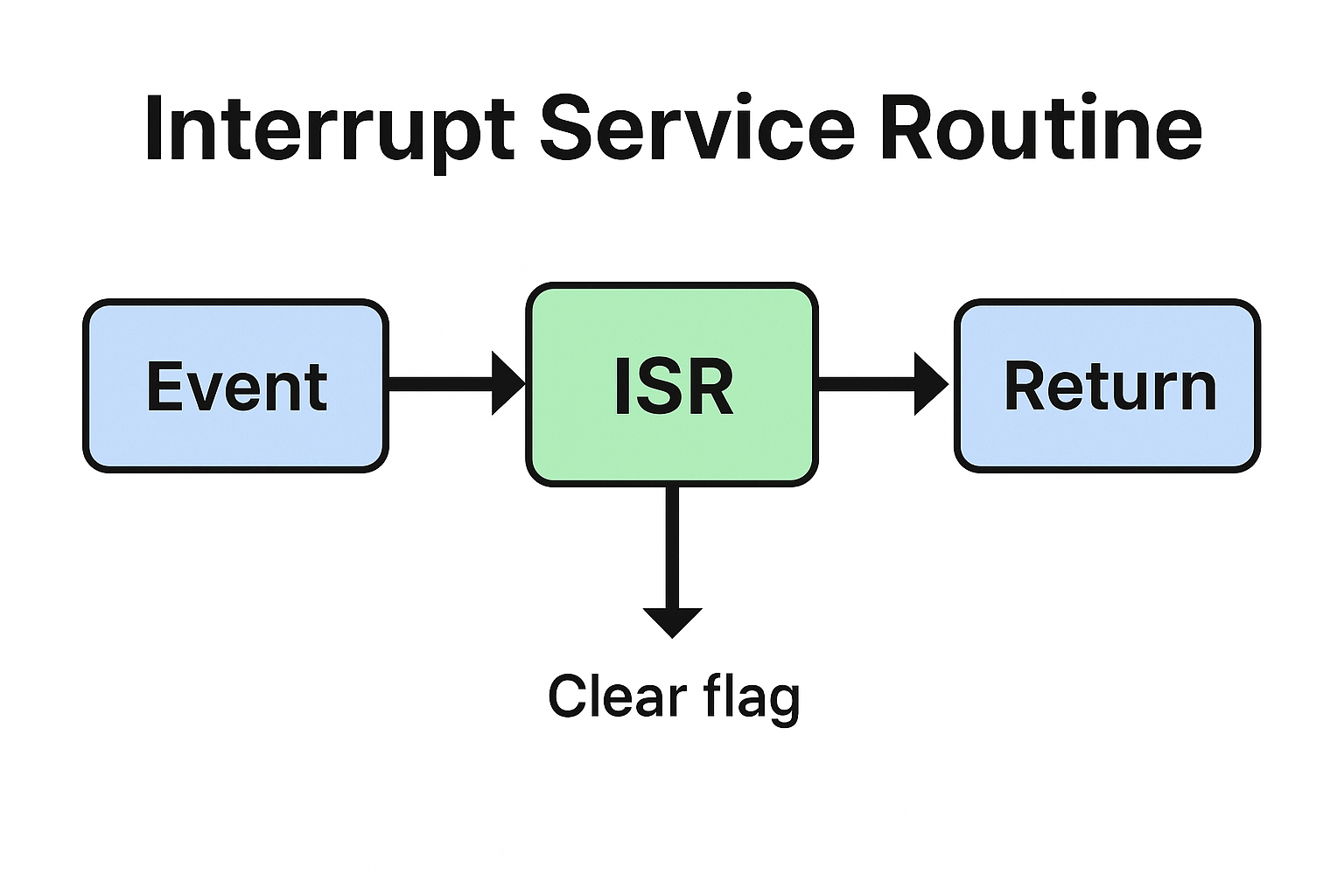
Interview Questions on Interrupt Service Routine : When preparing for embedded systems interviews, one of the most important topics is the Interrupt Service Routine (ISR). Recruiters often ask questions on ISR because it is a core concept in microcontrollers, operating systems, and real-time systems. In this guide, we’ll go through commonly asked ISR interview questions, explained in a simple way for beginners.
What is an Interrupt Service Routine (ISR)?
An Interrupt Service Routine (ISR) is a special block of code that executes when a hardware or software interrupt occurs. Instead of continuously checking a condition (polling), the system pauses its normal execution and jumps to the ISR to handle the event immediately.
Example: When you press a button on a microcontroller, an interrupt occurs, and the ISR handles the button press.
Top Interview Questions on Interrupt Service Routine (ISR) Master Embedded Interview Guide (2025)
Common Interview Questions on Interrupt Service Routine (ISR)
1. What is an ISR in embedded systems?
Answer: An ISR is a function that handles interrupts. It is triggered automatically when an interrupt occurs, allowing the CPU to respond quickly to external or internal events.
2. What are the characteristics of an ISR?
Answer:
Fast execution : Should be short and efficient.
No return values : ISR does not return values.
No blocking calls : Avoid using functions like delay() inside ISR.
Context saving : CPU saves the current state before jumping to ISR.
3. Can an ISR call another function?
Answer: Yes, but it should only call lightweight functions. Heavy operations inside ISR may slow down the system and block other interrupts.
4. What are nested interrupts?
Answer: Nested interrupts occur when a higher-priority interrupt occurs while another ISR is still running. In such cases, the CPU pauses the current ISR and executes the higher-priority one.
5. Why should we keep ISRs short?
Answer: Long ISRs delay the processing of other interrupts. In real-time systems, this can cause missed events and system instability.
6. What is the difference between ISR and a normal function?
Answer:
ISR executes automatically when an interrupt occurs, while a normal function is called manually.
ISR does not return values, while functions can.
ISR runs in a special CPU context and must be as short as possible.
7. Can we use global variables inside ISR?
Answer: Yes, but they must be declared as volatile so that the compiler does not optimize them. This ensures real-time updates between the ISR and the main program.
8. What is interrupt latency?
Answer: Interrupt latency is the time delay between an interrupt request and the start of ISR execution. Low latency is important for real-time systems.
9. How do you handle multiple interrupts?
Answer:
Assign priority levels to interrupts.
Use interrupt vectors to map different ISRs.
Ensure critical ISRs are shorter and higher priority.
10. What are some best practices for writing ISRs?
Answer:
Keep ISRs short and simple.
Use global variables carefully (mark them as volatile).
Avoid using printf, malloc, or delay inside ISR.
Handle only critical tasks inside ISR and defer others to the main loop or task scheduler.
List of Interview Questions on Interrupt Service Routine (ISR)
Basic Questions of Interrupt Service Routine interview questions
What is an Interrupt Service Routine (ISR)?
Why do we need ISR in embedded systems?
What are the main features of an ISR?
What is the difference between polling and ISR?
What happens when an interrupt occurs?
Intermediate Questions of ISR in embedded systems
What are the rules for writing an ISR?
Why should an ISR be short and fast?
Can we use global variables inside ISR?
What is the role of the volatile keyword in ISR?
What is interrupt latency?
Can an ISR return a value? Why or why not?
What is the difference between ISR and a normal function?
Can ISRs be nested? What are nested interrupts?
How does the CPU know which ISR to execute?
What is an interrupt vector table?
Advanced Questions of common ISR interview questions
How are multiple interrupts handled in a system?
What are interrupt priorities?
What is the difference between maskable and non-maskable interrupts?
What are reentrant and non-reentrant ISRs?
Can we use dynamic memory allocation (malloc/free) inside ISR?
Why is it not recommended to use printf() inside ISR?
What are some common mistakes while writing ISRs?
How do you handle critical tasks inside ISR?
What happens if an ISR takes too long to execute?
How do modern microcontrollers reduce interrupt latency?
Practical/Implementation Questions of interrupt handling in embedded systems
How do you declare an ISR in C/C++?
How do you enable and disable interrupts in a microcontroller?
What is the difference between hardware and software interrupts?
Can an ISR call another ISR?
How do you share data between ISR and the main program?
What are best practices for writing ISRs?
What tools or debuggers can be used to test ISR execution?
Can an ISR cause a system crash? How?
How does an operating system handle interrupts differently from bare-metal programming?
What is the difference between vectored and non-vectored interrupts?
1.What is an Interrupt Service Routine (ISR)?
Ans: An ISR is a special function that executes automatically when an interrupt occurs, allowing the CPU to handle events quickly without polling.
2.Why do we use ISR in embedded systems?
Ans: ISR reduces CPU load, improves response time, and makes systems more efficient by handling events only when they occur.
3. Can an ISR return a value?
Ans: No, ISRs cannot return values because they are executed by hardware/OS, not called like regular functions.
4. Why should ISR be short and fast?
Ans: Long ISRs block other interrupts and can cause system delays or missed events.
5. Can we use global variables in ISR?
Ans: Yes, but they should be declared as volatile to ensure real-time updates between ISR and the main program.
6. What is interrupt latency?
Ans: Interrupt latency is the time delay between an interrupt request and the start of ISR execution.
7. Can we use printf or delay inside ISR?
Ans: No, functions like printf, malloc, or delay should be avoided inside ISR as they are slow and may cause system instability.
8. What is the difference between ISR and normal function?
Ans: a) ISR executes automatically when an interrupt occurs, while a normal function is called explicitly. b) ISR does not return values, while functions can. c) ISR runs in a special CPU context.
9. What are nested interrupts?
Ans: Nested interrupts occur when a higher-priority interrupt interrupts the execution of a lower-priority ISR.
10. What are best practices for writing ISRs?
Ans: a) Keep ISRs short and efficient. b) Use volatile for shared variables. c) Avoid blocking functions. d) Handle only critical tasks inside ISR, defer the rest to main loop or task scheduler.
You can also Visit other tutorials of Embedded Prep
25 OOPs Interview Questions : Are you preparing for your next Embedded Software Engineer interview? A strong foundation in Object-Oriented Programming (OOPs) is critical, especially when working in C++ for embedded systems. In this article, we will explore 25 frequently asked OOPs interview questions, each explained in-depth with examples tailored for embedded systems. These questions are crafted to help you crack interviews at companies like Bosch, Continental, KPIT, Qualcomm, and more.
25 OOPs Interview Questions
Why OOPs in Embedded Software?
Object-Oriented Programming helps embedded developers to:
Organize complex code
Promote reusability and modularity
Simplify maintenance and debugging
Support real-time performance with modern C++ features
Top 25 OOPs Interview Questions for Embedded Software Engineers
1. What is Object-Oriented Programming (OOP)?
Object-Oriented Programming is a programming paradigm based on the concept of objects. Each object is an instance of a class, which encapsulates data and functions. OOP promotes reusability, modularity, and encapsulation — all essential for embedded systems where code efficiency and scalability matter.
Polymorphism: Allows function overloading and overriding
3. How is OOP different in embedded systems compared to desktop systems?
Embedded systems have limited memory and processing power, so OOP features must be used judiciously. For example, virtual functions and dynamic memory allocation can impact performance and are often avoided or replaced with static polymorphism (CRTP).
4. What is a class and object?
Class: A blueprint defining data members and member functions
Object: A runtime instance of a class
class LED {
  int pin;
public:
  LED(int p): pin(p) {}
  void on() { digitalWrite(pin, HIGH); }
};
LED led1(13);
5. What is encapsulation? How is it useful in embedded?
Encapsulation hides implementation details, making code safer and modular. In embedded systems, it helps to limit direct hardware access and prevent bugs.
protected: Accessible in class and its derived classes
7. What is constructor and destructor in C++?
Constructor: Automatically invoked when an object is created
Destructor: Automatically called when object goes out of scope Used in embedded for initializing hardware and releasing resources.
8. What is constructor overloading?
You can define multiple constructors with different parameters:
class Timer {
public:
  Timer() {}
  Timer(int delay) { /* Init with delay */ }
};
9. What is a copy constructor?
It creates a copy of an object. Useful in embedded when passing objects by value.
10. What is inheritance and how is it used?
Inheritance allows creating new classes from existing ones, improving code reuse.
class Sensor { /* Base */ };
class TempSensor: public Sensor { /* Derived */ };
11. What is function overloading vs overriding?
Overloading: Same function name, different parameters
Overriding: Redefining a base class method in a derived class using virtual
12. What are virtual functions?
Used for runtime polymorphism. In embedded systems, they should be used cautiously due to the added vtable overhead.
13. What is pure virtual function and abstract class?
A pure virtual function makes a class abstract. It’s used to enforce interfaces.
class Interface {
public:
  virtual void init() = 0;
};
14. What is static polymorphism?
Also known as compile-time polymorphism, achieved using templates or function overloading. Preferred in embedded to avoid runtime overhead.
15. What are friend functions and classes?
They bypass encapsulation. Use only when needed in embedded code to access private data (e.g., during low-level hardware debugging).
16. What is the ‘this’ pointer?
Points to the current object. Used for object chaining or distinguishing between member and local variables.
17. What are static data members and static functions?
Shared across all objects
Useful in embedded for tracking hardware state or shared resources
18. What is the difference between composition and inheritance?
Inheritance: “is-a” relationship
Composition: “has-a” relationship
Prefer composition in embedded to keep class hierarchy shallow and manageable.
19. What is multiple inheritance and why is it risky?
A class inherits from more than one base class. Risky in embedded due to ambiguity and complexity. Use interfaces or composition instead.
20. What is object slicing?
Occurs when an object of a derived class is assigned to a base class object, losing the derived part. Avoid this in embedded systems by using pointers or references.
21. What is the role of constructors in embedded hardware abstraction?
Constructors are used to initialize hardware resources, such as pins, registers, or peripherals, when objects are created.
22. How do you implement state machines using OOPs in embedded systems?
Using inheritance and polymorphism, each state can be a class, and transitions can be managed via function calls — clean and scalable.
23. What is CRTP (Curiously Recurring Template Pattern)?
Used in embedded systems for static polymorphism without runtime cost.
template<typename Derived>
class Base {
  void doSomething() {
    static_cast<Derived*>(this)->impl();
  }
};
24. How does OOP help in hardware abstraction?
You can abstract hardware modules (UART, SPI, ADC) as classes with clean interfaces. This decouples application logic from hardware-specific code.
25. What OOP features should be avoided or used carefully in embedded C++?
Avoid:
Heap allocation (new, delete)
Virtual functions in performance-critical paths
RTTI and exceptions (not always supported in embedded toolchains)
Final Thoughts
Understanding OOPs concepts in C++ for embedded systems is vital to writing clean, maintainable, and scalable code. While embedded software places some constraints on typical OOP usage, modern C++ (especially C++17 and C++20) enables powerful yet efficient patterns suitable for real-time applications.
If you are preparing for an embedded systems interview, these 25 OOPs interview questions will strengthen your understanding and help you ace your technical rounds.
You can also Visit other tutorials of Embedded Prep