
Tag: drone programming

  • ArduPilot Setup Guide (2026): Mission Planner & First Flight

    Updated October 8, 2026. This guide is for builders setting up ArduPilot Copter with Mission Planner. Hardware menus and supported firmware targets vary by flight controller, so use the official documentation for your exact board before connecting or flying.

    ArduPilot setup is not complete when firmware finishes uploading. You must select the correct vehicle and board firmware, configure the airframe and sensors, check radio and battery failsafes, and resolve every pre-arm warning. Work through the checks below on the bench first, then use simulation before a real flight.

    Safety: Remove propellers before bench setup, motor checks, or calibration that could spin motors. Secure the aircraft, keep people clear, and follow your local aviation rules and the manufacturer instructions. Do not fly if you do not understand a warning or failsafe.

    What you need

    ArduPilot is open-source autopilot software for supported aircraft and other vehicles. This walkthrough focuses on ArduCopter and Mission Planner. Before starting, confirm that the exact flight-controller board is supported for your vehicle in the official autopilot hardware list.

    • A supported flight controller mounted in the correct orientation for your frame.
    • A data-capable USB cable and a Windows computer for the standard Mission Planner installation.
    • The receiver, GPS/compass, battery monitor or power module, ESCs, motors, and battery required by your build.
    • The board and frame manuals, plus a safe test area where you can keep the aircraft and bystanders clear.

    1. Install Mission Planner and connect the board

    Download Mission Planner from the official ArduPilot installation instructions. Install it on Windows and allow the installer to add the required drivers. Use the current installer linked by ArduPilot; avoid third-party download sites. If Windows presents a security warning, verify the publisher and file source rather than adding an antivirus exclusion.

    Connect the flight controller with a data-capable cable. In Mission Planner, select the detected COM port and the appropriate baud rate, then connect. If no port appears, try a known data cable and another USB port, then follow the board vendor’s driver guidance. Do not guess at a port or firmware target.

    2. Install firmware for the exact board and vehicle

    Open Mission Planner’s firmware installation screen and choose ArduCopter only if you are configuring a copter. Select the firmware target recommended for the exact flight-controller board; similarly named boards can use different targets or sensor layouts. Follow the current ArduPilot firmware-loading guide and any board-specific instructions.

    Keep the USB connection stable while the uploader erases, programs, and verifies the board. Wait for the successful upload message and allow the controller to reboot before reconnecting. If flashing fails, follow the board’s documented bootloader recovery process instead of repeatedly trying unrelated firmware files.

    3. Complete mandatory setup in a deliberate order

    Frame and board orientation

    Select the frame class and type that match the physical aircraft. Confirm that the flight controller’s configured orientation matches how it is mounted. A mismatch can make sensor readings and control response incorrect; do not proceed to flight until the displayed vehicle attitude matches movements of the frame.

    Accelerometer and compass

    Calibrate the accelerometer with the aircraft held level and placed in the orientations requested by Mission Planner. For compass calibration, follow the official compass procedure: use a suitable outdoor location with a good GPS fix, keep away from metal and magnetic/electrical interference, and rotate the vehicle as prompted. Reboot if the ground station requests it. Do not use generic offset thresholds from an unrelated board as a substitute for diagnosing interference or orientation.

    Radio, battery monitor, and failsafes

    Calibrate the radio inputs and check that each stick and switch moves the correct channel in the expected direction. Configure loss-of-radio behavior for the receiver and aircraft you actually use. Set up the battery monitor for the installed power module or sensor, then verify its voltage/current readings against a trusted meter where appropriate. Use the official documentation for the receiver, battery monitor, and failsafe options; there are no safe universal parameter values for every build.

    Motors, ESCs, and flight modes

    With propellers removed, verify motor order and rotation against the frame diagram and the installed ESC configuration. Follow the ESC manufacturer’s instructions and ArduPilot’s board-specific setup guidance; do not run an ESC calibration procedure simply because an old tutorial recommends it. Assign flight modes only after you understand what each mode requires, and resolve all pre-arm checks rather than disabling them to make the warning disappear.

    4. Test in simulation before a real flight

    Use ArduPilot’s Software-in-the-Loop (SITL) simulator to learn Mission Planner, inspect mode changes, and rehearse a simple mission without a physical aircraft. Simulation is useful for finding planning mistakes, but it does not validate your specific hardware, wiring, compass environment, or local conditions.

    For the first real flight, use a legal, open site and a qualified pilot who can take control. Complete the aircraft-specific pre-flight checklist, verify the home position and GPS status, test the selected failsafe behavior safely, and begin with a simple controlled flight. Do not make the first flight an autonomous mission. Only progress to autonomous operation after the aircraft has behaved predictably in simpler modes and the mission, altitude, geofence, and return behavior have been checked for the site.

    Common setup problems

    • No COM port: confirm the cable carries data, try another port, and install only the driver recommended for the board.
    • Firmware upload fails: confirm the board is supported, use its documented bootloader/recovery steps, and do not select a target by guesswork.
    • Compass or GPS warning: move away from interference, verify sensor orientation and wiring, and follow the corresponding ArduPilot pre-arm message.
    • Pre-arm check remains: read the exact message in the ground station and correct its cause. Do not disable the check to force arming.
    • Unexpected motor response: remove the battery, keep propellers off, re-check motor order, direction, ESC configuration, and frame type before any powered test.

    Official references and next steps

    Use these primary sources for board-specific and version-current instructions: ArduPilot first-time setup, Mission Planner installation, firmware loading, compass calibration, and SITL simulation. Firmware and interface details change; check those docs again when updating a build.

    If you are new to the software side, continue with our drone programming development-environment guide. Keep a copy of your parameters and review the flight logs after each test; change one thing at a time and document the result.
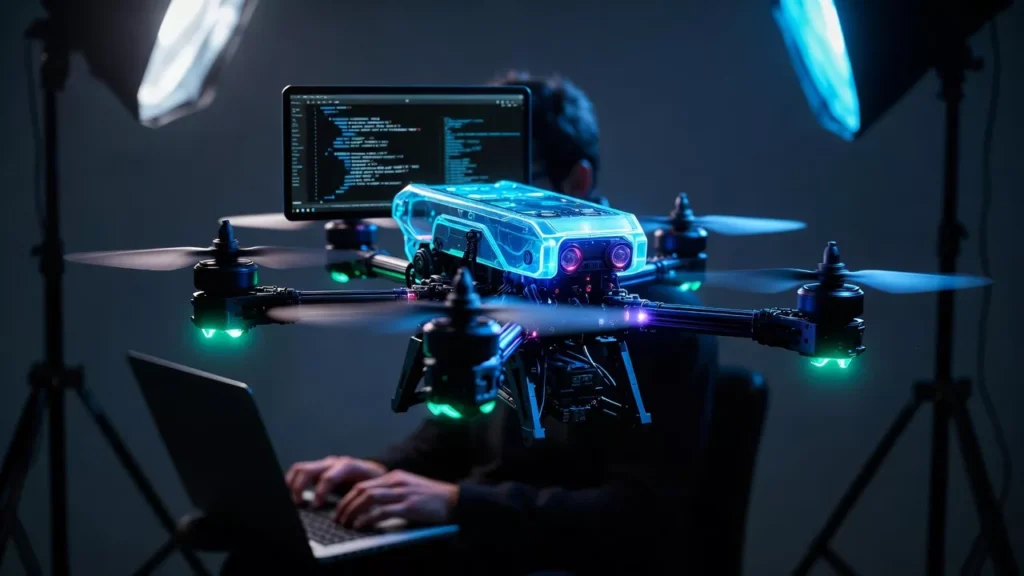
  • Drone Programming: Master How to Learn Drone Programming from Scratch (2026)

    Learn drone programming step by step with this beginner-friendly guide. Understand drone coding, Python, DJI drones, FPV learning, simulators, and real-world drone skills.

    If you are curious about drone programming, you are already ahead of most people. Drones are no longer just flying toys. They are used in photography, videography, agriculture, mapping, delivery, defense, and research. Behind every smooth takeoff and stable landing is code. In this guide, I will walk you through how to learn drone programming step by step, like I would explain it to a smart friend over coffee. No fluff, no corporate talk, just clear and practical guidance.

    This article is written for beginners but goes deep enough to help you grow into real-world skills. Whether you want to learn drone coding for fun, education, or a future career as a drone programmer, everything starts here.

    What Is Drone Programming and Why It Matters

    Drone programming is the process of writing software that controls how a drone behaves. This includes flight control, navigation, obstacle avoidance, camera movement, and communication with ground systems.

    When people say programming a drone, they usually mean one or more of these:

    • Controlling flight direction and speed
    • Automating takeoff and landing
    • Making drones follow GPS paths
    • Adding camera logic for photos and videos
    • Coordinating multiple drones together

    Learning drone programming gives you control. Instead of just flying a drone manually, you can tell it exactly what to do.

    Is It Easy to Learn to Fly a Drone?

    This is one of the most common questions beginners ask: is it easy to learn to fly a drone?

    The honest answer is yes, basic flying is easy. Modern drones are stable and beginner-friendly. Many people can learn how to fly a drone in 7 minutes using beginner modes.

    But there is a difference between flying and programming.

    Another common question is is it hard to learn to fly a drone? Advanced flying like FPV drone learning, manual mode, and precise movements takes practice. Programming adds another layer, but it is not scary if you start correctly.

    Learn Drone Programming vs Learn to Fly First

    You do not need to be an expert pilot before learning drone programming. Many developers start with simulations and virtual environments.

    A good learning path looks like this:

    1. Learn basic drone controls
    2. Understand how drones stay stable
    3. Start with virtual drone programming
    4. Move to real hardware

    This approach saves money and reduces risk.

    Learn Drone Programming Step by Step

    Step 1: Understand How Drones Work

    Before coding, you should understand:

    • What a quadcopter is
    • How motors and propellers work
    • What sensors like gyroscope and accelerometer do
    • How GPS helps drones navigate

    This foundation makes programming logical instead of confusing.

    Step 2: Choose the Right Programming Language for Drones

    A very common question is what programming language do drones use?

    The answer depends on the drone and your goal.

    Python

    • Most popular for beginners
    • Used widely in programming drones with python
    • Great for automation and AI
    • Perfect if you want to programming a drone with python

    C and C++

    • Used in low-level flight controllers
    • Common in drone programming C
    • Faster and closer to hardware

    JavaScript

    • Used in some web-based drone control systems
    • Useful for dashboards and interfaces
    • Known as drone programming javascript

    Scratch

    • Visual programming for beginners
    • Ideal for students and kids
    • Popular in drone programming with scratch

    If you are new, Python is the best place to start.

    How to Program a Drone with Python

    Many beginners search for how to program a drone with python because Python is readable and powerful.

    You can use Python to:

    • Control takeoff and landing
    • Move the drone forward, backward, up, and down
    • Read sensor data
    • Control camera actions

    Libraries like DroneKit and ROS make this easier. You will often see tutorials titled programming a drone with python or programming drones with python, and for good reason. Python lowers the entry barrier.

    Programming a Drone from Scratch

    When people hear programming a drone from scratch, they imagine building everything themselves. In reality, it means:

    • Using a flight controller
    • Writing custom logic on top of existing firmware
    • Controlling behavior through code

    You rarely write everything from zero, but you control how the drone behaves.

    This is where you truly learn to program drones instead of just flying them.

    Drone Programming Tutorial: What You Should Learn First

    A solid drone programming tutorial should cover:

    • Basic movement commands
    • Orientation and rotation
    • Sensor data reading
    • Safety checks
    • Emergency landing logic

    Once these basics are clear, advanced topics become easier.

    Learn Drone Coding Through Courses and Classes

    Learn Drone Programming

    Many learners prefer structured learning.

    Beginner Drone Training

    Beginner drone training focuses on:

    • Safety rules
    • Manual flight basics
    • Introduction to drone programming

    Beginner Drone Classes Near Me

    Searching for beginner drone classes near me can help you find local workshops. These often combine flying and coding.

    Drone Coding Course and E-Learning

    Online options include:

    • Drone coding course platforms
    • Drone programming with python course
    • Drone e-learning portals

    These are flexible and beginner-friendly.

    Programmable Drones for Education

    If you are just starting, using programmable drones for education is a smart move.

    Popular options include:

    • Mini drones with Python support
    • Scratch-based learning drones
    • DJI learning drone models

    These drones are designed to help you learn without breaking expensive hardware.

    Programming DJI Drones

    Many people want to know about programming DJI drones because DJI is popular.

    DJI provides SDKs that allow:

    • Automated flights
    • Camera control
    • Waypoint missions

    Using a DJI learning drone is a great way to practice safely while learning real skills.

    Mini Drone Programming for Beginners

    Mini drone programming is perfect for beginners. These drones:

    • Are affordable
    • Can be flown indoors
    • Support basic coding

    They help you learn logic without worrying about crashes.

    FPV Drone Programming and Learning

    FPV drones are different. FPV drone programming focuses more on:

    • Flight controller tuning
    • Manual control logic
    • Custom firmware

    If you are interested in racing or freestyle, FPV drone learning and FPV drone lesson programs teach both flying and technical setup.

    Drone Lessons for Beginners

    Good drone lessons for beginners include:

    • Theory
    • Simulator practice
    • Real flight sessions

    You may also find simple drone lesson videos and tutorials online.

    Learn Drone Photography and Videography

    Not all drone programmers focus on flight alone.

    Many learners want to:

    • Learn drone photography
    • Learn drone videography

    Programming helps automate camera movements, smooth shots, and repeatable paths.

    UAV Drone School and Professional Coaching

    If you want a career path, consider:

    • UAV drone school programs
    • Working with a UAV drone coach

    These focus on regulations, safety, and advanced programming.

    Virtual Drone Programming and Simulators

    Before flying real drones, use simulators for virtual drone programming.

    Benefits:

    • No crash risk
    • Faster learning
    • Cheap practice

    This is ideal for beginners and students.

    Programming Multiple Drones

    Advanced learners explore programming multiple drones.

    This includes:

    • Swarm behavior
    • Communication protocols
    • Collision avoidance

    This skill is used in research and defense applications.

    Programming Quadcopter Systems

    A quadcopter is the most common drone type. Programming quadcopter systems involves:

    • Balancing thrust
    • Stabilization logic
    • Sensor fusion

    This is where theory meets real engineering.

    Community Learning and Drone Programming Reddit

    Learning alone can be hard. Communities like drone programming reddit help you:

    • Ask questions
    • Share projects
    • Learn from real mistakes

    This keeps learning realistic and human.

    Special and Niche Drone Topics

    You may also come across:

    • Q10 drone tutorial content
    • X drone instructions
    • Models like Z L drone

    These are brand-specific but still useful for practice.

    Drone Programming Kits

    Drone programming kits bundle hardware, software, and tutorials. They are great for:

    • Students
    • Self-learners
    • Classrooms

    These kits often support Python or Scratch.

    R Programming Lessons and Drones

    Some learners explore data analysis using R learn programming and R programming lessons for drone data. While R is not used to control drones directly, it helps analyze flight data, mapping, and research results.

    Drone Programmer Career Path

    A drone programmer works on:

    • Autonomous navigation
    • Computer vision
    • Control systems

    This role blends software engineering with robotics.

    Final Thoughts: How to Learn Drone Programming the Smart Way

    Learning drone programming is not about memorizing commands. It is about understanding how machines think and move in the real world.

    Start small. Use simulations. Learn Python. Practice with mini drones. Join communities. Take structured courses when needed.

    If you stay consistent, drone programming becomes less mysterious and more exciting. With time, you will not just fly drones, you will tell them exactly how to behave.

    That is when learning turns into real skill.

    Frequently Asked Questions (FAQ) About Drone Programming

    1. What is drone programming in simple words?

    Drone programming means writing code that tells a drone how to fly, where to go, and what actions to take, like taking photos, avoiding obstacles, or landing safely.

    2. How can a beginner start learning drone programming?

    A beginner should start by understanding how drones work, then learn a simple programming language like Python, practice with simulators, and finally move to a small programmable drone.

    3. Is drone programming hard for beginners?

    Drone programming is not hard if you start step by step. Basic concepts are easy to learn, especially with Python and visual tools like Scratch. Advanced features take time but are achievable with practice.

    4. Which programming language is best for drone programming?

    Python is the best choice for beginners because it is easy to read and widely used. C and C++ are also used for low-level control, while Scratch is great for students and kids.

    5. Do I need to learn flying before learning drone programming?

    You do not need expert flying skills. Basic understanding of drone movement is enough. Many people learn drone programming using simulators before flying a real drone.

    6. Can I program DJI drones?

    Yes, many DJI drones support programming through official SDKs. You can automate flights, control cameras, and build custom drone applications.

    7. What are programmable drones for beginners?

    Programmable drones for beginners are small, affordable drones designed for learning. They often support Python or Scratch and are used in schools and training programs.

    8. How long does it take to learn drone programming?

    Basic drone programming can be learned in a few weeks with regular practice. Becoming advanced or professional may take several months depending on your learning speed and goals.

    9. Can I learn drone programming without buying a drone?

    Yes, you can start with virtual drone programming using simulators. This allows you to practice coding and flight logic without any risk or cost.

    10. Is drone programming useful for a career?

    Yes, drone programming is used in industries like photography, agriculture, mapping, security, and research. Skilled drone programmers are in growing demand.

    11. Are there online courses for drone programming?

    Yes, there are many drone coding courses, drone programming with Python courses, and drone e-learning platforms that teach from beginner to advanced levels.

    12. What is the difference between flying a drone and programming a drone?

    Flying a drone means controlling it manually, while programming a drone means writing code so the drone can fly and make decisions automatically.

    Read More : Difference Between CPLD and FPGA