If you’re learning Linked List data structures, you’ve probably come across the term Linked List. But what exactly is it? How does it work, and why do we even need it when we already have arrays?
In this blog post, we’ll dive deep into linked list in data structure, understand how it differs from other data structures, explore the types of linked list, and learn about their practical advantages and use cases.
What is a Linked List?
A Linked List is a linear data structure where elements are stored in nodes, and each node points to the next one in the sequence. Unlike arrays, which store elements in contiguous memory locations, linked lists store data non-contiguously and use pointers to connect elements.
Each node in a linked list contains:
Data (the value stored in the node)
Pointer (or reference) to the next node
This unique structure makes linked lists highly flexible and efficient in certain scenarios.
Why Use Linked List Instead of Arrays?
Before diving into the types of linked list, let’s quickly understand why we’d choose a linked list over an array:
✅ Dynamic Size: Unlike arrays, linked lists don’t require specifying size in advance. Nodes can be added or removed without reallocating memory.
✅ Efficient Insertions/Deletions: Adding or removing elements doesn’t involve shifting elements, as in arrays.
✅ Memory Utilization: Useful when memory is fragmented or when the size of the dataset changes frequently.
However, linked lists also have some disadvantages, like higher memory usage due to storing pointers and slower random access.
Types of Linked List
There are several types of linked list, each serving different use cases:
1. Singly Linked List
Each node has a reference to the next node only.
Traversal is possible only in one direction.
Simple and widely used in basic implementations.
Example:
[10] → [20] → [30] → NULL
2. Doubly Linked List
Each node has references to both next and previous nodes.
Allows traversal in both directions (forward and backward).
Slightly higher memory usage due to the extra pointer.
Example:
NULL ← [10] ↔ [20] ↔ [30] → NULL
3. Circular Linked List
Last node points back to the first node, creating a circle.
Can be singly or doubly linked.
Useful in applications like round-robin scheduling.
Example:
[10] → [20] → [30] → [10] …
Common Linked List Operations
Understanding basic linked list operations is crucial. Let’s look at the most common:
Insertion
Insert a new node at the beginning, middle, or end of the list.
Deletion
Remove a node based on value or position.
Traversal
Visit each node and perform an action (like printing values).
Searching
Find whether a particular value exists in the linked list.
Advantages of Linked List
Let’s recap some advantages of linked list:
Dynamic memory allocation
No wasted memory (no predefined size)
Easier insertion/deletion
Useful for implementing stacks, queues, graphs, and more
Applications of Linked List
Here are some practical uses of linked list in data structure:
Implementing stacks and queues
Dynamic memory management
Browser history (back and forward functionality)
Undo/redo features in software
Hash table chaining
Linked List vs Array: Quick Comparison
Feature
Array
Linked List
Size
Fixed
Dynamic
Memory Allocation
Contiguous
Non-contiguous
Insertion/Deletion
Costly (shifting)
Efficient
Random Access
O(1)
O(n)
Conclusion
A Linked List is a powerful and flexible data structure essential for any programmer’s toolkit. While it might seem complex initially, it offers significant advantages, especially when dealing with dynamic data and frequent insertions or deletions.
Whether you’re preparing for coding interviews or simply expanding your programming knowledge, mastering linked list in data structure will give you a strong foundation for solving complex problems efficiently.
Frequently Asked Questions (FAQ)
Q1. What is a linked list in simple words? A linked list is a sequence of nodes where each node points to the next, making it easy to add or remove elements without shifting other data.
Q2. Is linked list better than array? It depends. Linked lists are better for frequent insertions/deletions, but arrays are better for fast random access.
Q3. What are the types of linked list? The main types include singly linked list, doubly linked list, and circular linked list.
Q4. Where is linked list used in real life? Linked lists are used in browser history, memory management, music playlists, and many other applications.
The Applications of Multithreading span nearly every area of modern software development, transforming how programs perform and respond to user interactions. Multithreading allows applications to run multiple tasks simultaneously, dramatically improving speed and efficiency. Web browsers use it to load multiple tabs and process complex scripts without freezing. Gaming and graphics software rely on multithreading to handle rendering, physics, and sound effects in real time, ensuring smooth and immersive experiences. Servers and network applications leverage multithreading to manage thousands of client connections at once, providing fast and reliable services. Multimedia applications depend on multithreading to play videos, edit media, and process large files without delays. Even operating systems themselves are multithreaded, enabling users to run many programs at the same time without slowing down the system. In mobile apps, multithreading keeps interfaces responsive by performing background tasks like data loading or GPS tracking seamlessly. Across industries like data analytics, artificial intelligence, and financial systems, the Applications of Multithreading are crucial for handling large datasets, performing parallel computations, and delivering high-performance results. By understanding and using multithreading, developers can build software that is faster, smarter, and ready for the demands of today’s multitasking world.
Introduction
Ever wondered how your smartphone can play music, download updates, and let you scroll social media — all at the same time? The answer lies in multithreading.
Multithreading is a programming technique that lets software run multiple tasks simultaneously. It makes applications faster, more responsive, and better at handling complex operations.
Let’s explore the applications of multithreading and see how it powers the technology we use every day.
What Is Multithreading?
Before diving into where multithreading is used, let’s quickly recap what it means.
A thread is the smallest unit of execution in a program.
Multithreading means a program creates and runs multiple threads side by side.
Instead of waiting for one task to finish before starting the next, multithreaded programs handle multiple tasks at once. This saves time and improves performance.
Real-World Applications of Multithreading
Let’s look at how multithreading is used in real applications:
1. Web Browsers
Modern web browsers like Chrome, Firefox, and Edge use multithreading to:
✅ Load multiple web pages in different tabs. ✅ Download files while you keep browsing. ✅ Run animations, videos, and scripts smoothly.
Without multithreading, a heavy website could freeze your entire browser!
2. Games and Graphics Applications
Video games and graphic tools depend on multithreading for:
🎮 Handling game logic and physics. 🎮 Managing graphics rendering. 🎮 Playing background music and sound effects.
Multithreading ensures smooth gameplay even during complex scenes.
3. Servers and Networking
Servers handle thousands of requests every second. Multithreading helps servers:
🌐 Process multiple client connections at once. 🌐 Respond quickly without delays. 🌐 Handle tasks like file uploads, database queries, and more.
For example, a web server can serve different users simultaneously without making them wait.
4. Multimedia Applications
Applications like video editors, music players, and streaming apps use multithreading for:
🎵 Playing audio and video smoothly. 🎵 Editing videos in real time. 🎵 Converting media formats faster.
This allows users to preview, edit, and export files efficiently.
5. Operating Systems
Operating systems (Windows, Linux, macOS) are multithreaded systems. They:
🖥️ Run multiple apps at the same time. 🖥️ Handle hardware events like keyboard, mouse, or network inputs. 🖥️ Keep the system responsive and fast.
Without multithreading, your PC would freeze every time a heavy task runs.
6. Data Processing and Analytics
Big Data and Machine Learning applications use multithreading to:
📊 Process large datasets in parallel. 📊 Train machine learning models faster. 📊 Analyze data while updating dashboards.
Multithreading reduces processing times and improves productivity for data scientists.
7. Mobile Applications
Smartphone apps use multithreading to:
📱 Load images and content in the background. 📱 Stay responsive even during updates. 📱 Run background services like notifications and GPS.
This makes mobile apps smoother and user-friendly.
Benefits of Multithreading
The applications of multithreading exist because of its amazing benefits:
✅ Faster execution of tasks. ✅ Better responsiveness in user interfaces. ✅ Efficient use of multi-core CPUs. ✅ Ability to perform background work without freezing the app.
Conclusion
From web browsers to powerful servers and games, the applications of multithreading are everywhere. It helps software become faster, smarter, and more responsive.
Learning multithreading is a great step for any programmer who wants to build high-performance applications. Start exploring it — and you’ll see just how much it powers the technology we rely on every day!
Multithreading can make software faster and more responsive by running tasks in parallel. But it’s not always smooth sailing. In this article, we explore the key disadvantages of multithreading, including increased complexity, debugging difficulties, race conditions, higher resource usage, and performance bottlenecks. Whether you’re a beginner or just starting to learn about multithreading in programming, understanding these challenges will help you write safer, more efficient code.
What Is Multithreading?
Before we dive into the disadvantages of multithreading, let’s quickly understand what multithreading means.
Multithreading allows a program to run multiple tasks at the same time. For example, your computer might be downloading a file, playing music, and checking emails all at once — thanks to multithreading.
It sounds amazing, right? But like any powerful tool, multithreading comes with challenges.
Key Disadvantages of Multithreading
Here are some important disadvantages of multithreading you should know, especially if you’re a beginner.
1. Complexity in Programming
One major disadvantage of multithreading is complexity.
Writing multithreaded code is harder than writing single-threaded programs.
You have to manage how threads share data and avoid mistakes like race conditions or deadlocks.
Race conditions happen when two threads try to change the same data at the same time, causing unpredictable results. Deadlocks occur when two threads wait for each other forever, causing the program to hang.
2. Debugging Is Difficult
Another disadvantage of multithreading is that debugging becomes a nightmare.
Bugs in multithreaded programs may only appear sometimes, depending on timing.
It’s hard to reproduce issues because they don’t happen every time you run the program.
Tools for multithreading debugging exist but can be complicated for beginners.
3. Increased Resource Usage
While multithreading is supposed to make programs faster, it can also increase memory and CPU usage:
Each thread takes some memory and processing power.
Too many threads can slow down your system instead of speeding it up.
4. Context Switching Overhead
A big disadvantage of multithreading is context switching overhead.
The operating system has to switch between threads, saving and restoring states.
If there are too many threads, this switching can waste time instead of improving performance.
5. Risk of Data Inconsistency
If threads are not properly synchronized, you may face data inconsistency:
Two threads might update the same variable at the same time.
Without using locks or synchronization mechanisms, data can become corrupted.
6. Scalability Limitations
A disadvantage of multithreading is that it doesn’t always scale as well as you think:
Not every task can be divided into threads.
Some parts of your program must still run one after another.
On systems with fewer cores, having many threads offers no benefit.
Should You Avoid Multithreading?
No! Multithreading is powerful and extremely useful. But it’s important to know the disadvantages of multithreading so you can plan your code properly and avoid mistakes.
If you’re a beginner:
✅ Start simple. ✅ Learn about synchronization tools like mutexes and semaphores. ✅ Test your multithreaded code thoroughly.
Conclusion
Multithreading is an awesome way to speed up your programs and handle many tasks at once. But there are clear disadvantages of multithreading—like complexity, debugging challenges, and potential performance issues.
By understanding these pitfalls, you’ll be better prepared to write reliable and efficient multithreaded applications.
Ever wondered how your computer can download a file, play music, and let you type an email — all at once? The secret lies in multithreading.
One of the biggest advantages of multithreading is that it allows a program to handle many tasks at the same time. For beginners, this technique is one of the coolest ways to speed up code, improve efficiency, and create applications that feel smoother and more responsive. Let’s dive deeper into the advantages of multithreading and see why it’s such a powerful tool for developers.
What is Multithreading?
In simple words, a thread is a small unit of a program. A program with multithreading can run several of these threads simultaneously. Imagine a restaurant kitchen where one chef chops veggies while another grills meat — that’s how multithreading works in software!
Key Advantages of Multithreading
Let’s look at why multithreading is a great idea, especially for modern applications:
✅ 1. Faster Execution (Speed Up Code)
One of the biggest benefits of multithreading is speed. Tasks that can run in parallel finish sooner because they share the workload. Instead of waiting for one task to complete before starting another, multithreading gets things done simultaneously.
Example: While loading a webpage, one thread fetches images while another fetches text content.
✅ 2. Better Resource Utilization
Modern computers have multi-core processors. Multithreading helps your programs use all cores efficiently, rather than leaving some sitting idle. This results in faster and more efficient applications.
✅ 3. Improved Responsiveness
Multithreading makes applications feel smoother. For example, a video game can keep running while loading new levels in the background, preventing the game from freezing.
Example: In a chat app, one thread listens for new messages, while another handles your typing.
✅ 4. Simpler Program Structure for Some Tasks
Certain problems, like handling multiple users or processing many requests, are naturally easier to solve with multithreading. Threads can handle different users or tasks independently.
✅ 5. Reduced Waiting Time
Programs often need to wait for things — like reading data from a file or a network. With multithreading, your program can keep doing other work instead of pausing entirely.
✅ 6. Scalability for Bigger Projects
Multithreading helps applications scale better as demands grow. Big systems like web servers handle thousands of requests using multithreading to stay fast and reliable.
When to Use Multithreading?
Apps needing high performance
Programs with background tasks (e.g. file downloads)
User interfaces that must remain responsive
Server applications handling many clients
Caution: Not Always Easy!
While the advantages of multithreading are huge, it’s important to know it’s not always simple. Threads share resources, and managing them incorrectly can cause bugs like:
Race conditions
Deadlocks
Data inconsistency
So, while multithreading speeds up code, it must be used carefully!
Conclusion
The advantages of multithreading are clear: faster performance, better resource use, and smoother user experiences. Whether you’re building a game, a web app, or a complex system, learning multithreading in programming is a valuable skill.
Do you want to make your programs run faster and handle multiple tasks at once? Multithreading is the secret weapon!
Multithreading allows your program to perform several tasks in parallel. For example, while one part of your program calculates a sum, another part can multiply numbers—all at the same time.
In this article, we’ll show you a simple multithreading example in C++ where:
One thread performs addition
Another thread performs multiplication
Perfect for beginners learning how to write multithreaded programs!
What is Multithreading?
Multithreading means your program can: ✅ Do several tasks at the same time ✅ Speed up computations ✅ Make your app more responsive
Instead of running one task after another, threads can work in parallel.
Why Use Threads for Addition and Multiplication?
Imagine a calculator app:
One thread can keep adding numbers.
Another thread can multiply numbers simultaneously.
This saves time and shows how tasks can run side by side without waiting for each other to finish.
✅ Simple Multithreading Example in C++
Let’s create a C++ program where:
Thread 1 performs addition.
Thread 2 performs multiplication.
Here’s a beginner-friendly code example:
#include <iostream>
#include <thread>

using namespace std;

// Function to perform addition
void addition(int a, int b) {
    int sum = a + b;
    cout << "Addition: " << a << " + " << b << " = " << sum << endl;
}

// Function to perform multiplication
void multiplication(int a, int b) {
    int product = a * b;
    cout << "Multiplication: " << a << " * " << b << " = " << product << endl;
}

int main() {
    int num1 = 10;
    int num2 = 5;

    // Create threads
    thread t1(addition, num1, num2);
    thread t2(multiplication, num1, num2);

    // Wait for both threads to finish
    t1.join();
    t2.join();

    cout << "Both operations completed." << endl;

    return 0;
}
⚠️ The order of output may vary because threads run in parallel.
How This Program Works
We define two functions:
addition() → Adds two numbers
multiplication() → Multiplies two numbers
We create two threads:
t1 runs the addition function.
t2 runs the multiplication function.
We call .join() to wait for both threads to complete.
This way, both tasks run at the same time instead of one after the other!
Benefits of Multithreading
✅ Faster execution of multiple tasks ✅ Better use of CPU power ✅ Smooth and responsive programs
Learning multithreading helps you build modern applications that feel fast and powerful!
Conclusion
Multithreading makes your programs smarter and faster. Even a simple example—like one thread adding numbers and another multiplying—shows the power of doing multiple things at once.
Ready to level up? Try experimenting with more threads and different tasks. That’s how pros build high-speed software!
Common Issues in Multithreading : Multithreading sounds amazing—after all, it lets programs do multiple things at the same time, speeding up tasks and making software feel smooth and responsive. But like any powerful tool, it comes with its own set of challenges.
Let’s look at some common issues in multithreading in simple terms, so you can understand what can go wrong—and how to watch out for it!
1. Race Conditions
Imagine two people trying to write in the same notebook at the same time. One writes “Hello”, the other writes “World”—but the letters get mixed up, and the notebook ends up with “HeWllorldo.”
That’s what a race condition is:
Two (or more) threads try to access or change shared data at the same time.
The final result depends on the order in which threads run, which can change each time the program runs.
Why it’s bad: Race conditions cause unpredictable bugs that are hard to track down because they might not happen every time.
How to avoid it: Use locks, mutexes, or other synchronization techniques to make sure only one thread accesses shared data at a time.
2. Deadlocks
Let’s say Alice has Lock A and wants Lock B. Bob has Lock B and wants Lock A. Neither will give up their current lock, so both wait forever.
This situation is called a deadlock:
Two (or more) threads each hold a lock and wait for a lock held by the other.
No thread can proceed, so the program freezes.
Why it’s bad: Deadlocks can cause your program to hang and become unresponsive.
How to avoid it:
Always acquire locks in the same order.
Try to use timeouts when waiting for locks.
Minimize the number of locks held at once.
3. Starvation
Imagine there’s one printer in an office. A boss keeps printing big reports, so smaller jobs from other employees never get a turn.
This is starvation:
Some threads wait forever because other threads keep getting access to resources first.
Why it’s bad: Some parts of your program may never get to run, causing delays or failures.
How to avoid it: Use fair scheduling policies so all threads eventually get a turn.
4. Livelock
Livelock is like two people stepping aside repeatedly to let each other pass in a hallway—but neither ever moves forward.
In a livelock:
Threads keep responding to each other and changing state.
But they don’t actually make progress toward their goal.
Why it’s bad: The program doesn’t freeze, but it doesn’t complete tasks either.
How to avoid it: Introduce back-off strategies or randomized delays so threads stop getting stuck in repeated adjustments.
5. Context Switching Overhead
Each thread switch takes time, like changing drivers in a race car. If you have too many threads:
The computer spends more time switching between threads than doing real work.
This slows things down instead of speeding them up.
Why it’s bad: Excessive context switching wastes CPU resources and reduces performance.
How to avoid it:
Only create as many threads as necessary.
Use thread pools for managing threads efficiently.
6. Data Inconsistency
When multiple threads change data without proper coordination, you might get strange or incorrect values. For example:
A counter that should go from 0 to 10 ends up as 8 or 12 because threads updated it at the same time.
Why it’s bad: Your program produces wrong results.
How to avoid it:
Use atomic operations or locks to protect shared data.
Avoid unnecessary shared state if possible.
Conclusion
Multithreading is powerful—but it’s also tricky. These issues are not reasons to avoid multithreading, but they remind us to be careful when writing multithreaded code.
Always think about shared resources and thread safety.
Use synchronization tools wisely.
Test your code thoroughly, because some bugs only show up occasionally.
Understanding these common issues helps you write safer and faster programs that truly benefit from multithreading. Happy coding!
Multithreading sounds amazing — running parts of your program at the same time can make software faster and more responsive. But it’s not magic. Like any powerful tool, multithreading comes with limitations and challenges that every developer should understand.
In this guide, let’s explore the key limitations of multithreading in simple, everyday language.
Multithreading Is Not a Silver Bullet
When people hear “multithreading,” they often imagine their programs instantly running twice as fast. While multithreading can improve performance, there are many situations where it may cause more problems than it solves.
1. 🪤 Race Conditions
What is it? A race condition happens when two or more threads try to access and change the same data at the same time. Imagine two people writing on the same piece of paper — their writing might overlap and become unreadable!
Example:
Thread A reads a value.
Thread B changes it before A finishes.
Thread A writes back the old value — overwriting B’s change!
Why it’s bad?
Causes unpredictable bugs.
Makes programs unreliable.
How to fix it?
Use locks, mutexes, or other synchronization tools.
2. 🔒 Deadlocks
What is it? A deadlock occurs when two threads each hold a resource the other needs and refuse to let go — like two people refusing to step aside in a narrow hallway.
Example:
Thread A has Lock 1 and waits for Lock 2.
Thread B has Lock 2 and waits for Lock 1.
Both wait forever!
Why it’s bad?
Your program freezes and stops making progress.
How to fix it?
Carefully order lock acquisition.
Use timeout mechanisms.
3. 🏃 Context Switching Overhead
What is it? The CPU can run only one thread at a time per core. So it keeps switching between threads very quickly — called context switching. But each switch costs time.
Why it’s bad?
Too many threads = slower performance due to excessive switching.
Small tasks might run slower multithreaded than single-threaded.
4. 🎯 Difficulty in Debugging
What is it? Bugs in multithreaded code are often random and hard to reproduce. Sometimes your program works fine… then suddenly crashes!
Why it’s bad?
Bugs like race conditions and deadlocks might appear only once in a while.
Makes it harder to test and debug.
How to handle it?
Use logging.
Write thread-safe code.
Use debugging tools designed for multithreading.
5. 🧠 Increased Complexity
What is it? Writing multithreaded code is more complicated than writing single-threaded code.
Why it’s bad?
More chances to make mistakes.
Takes more time to design and test.
Harder to read and maintain.
6. ⚠️ Not Always Faster
What is it? Multithreading doesn’t guarantee speedup. Sometimes it’s slower due to:
Overhead of creating threads.
Locking and waiting for resources.
Limited CPU cores.
Example:
Running two threads on a single-core processor might be slower than running one thread.
7. 🚫 Limited Resources
What is it? There’s a limit to how many threads you can create. Each thread uses memory (for its stack) and system resources.
Why it’s bad?
Too many threads → system crashes or becomes unstable.
Key Takeaway
Multithreading can speed up programs and make them more responsive — but only if used carefully.
Always protect shared data.
Avoid deadlocks.
Don’t create more threads than you need.
Test thoroughly!
💡 Simple Tip:
Start small. Learn multithreading basics first, then gradually add more complexity. Don’t rush into using too many threads unless your problem truly needs it.
Multithreading is a powerful tool that can make your programs faster, more efficient, and more responsive. But it’s important to remember that it’s not a magic solution for every problem.
While running tasks in parallel sounds great, multithreading also brings challenges like race conditions, deadlocks, debugging difficulties, and increased complexity. Sometimes, trying to use multiple threads can actually slow down your program instead of speeding it up.
The key takeaway is this:
Use multithreading only when it’s truly needed, and always design your code carefully to avoid the common pitfalls.
Start with simple projects, learn about synchronization tools like locks and mutexes, and gradually build your skills. With practice and careful planning, you’ll be able to use multithreading safely and effectively.
Remember: Multithreading can make your code powerful — but only if you handle it with care!
Multithreading in Operating System: When you use a computer or smartphone, you often run many tasks simultaneously — like playing music while browsing the web or downloading files while writing a document. Multithreading is one key concept that allows this seamless multitasking to happen smoothly and efficiently.
In simple terms, multithreading is the technique where a single process is divided into multiple threads, each capable of running independently but sharing the same memory and resources. Threads are like tiny workers inside a program, each handling a different part of the task. This makes programs faster, more responsive, and better at utilizing modern multi-core processors.
Multithreading in operating systems plays a crucial role in managing how these threads are created, scheduled, and executed. The operating system acts like a manager, deciding which thread runs when, on which processor core, and for how long. It ensures that threads don’t interfere with each other in harmful ways, especially when accessing shared data.
Using multithreading, applications can perform multiple operations at once. For example, a web browser might:
Load images and videos in one thread
Render the web page in another thread
Handle user clicks and typing in yet another thread
Download files in the background without freezing the interface
This makes applications smoother and keeps devices responsive, even when running complex or multiple tasks.
However, multithreading isn’t without challenges. When threads share memory and resources, they can run into issues like:
Race conditions — when two threads try to modify the same data simultaneously
Deadlocks — when threads are stuck waiting for each other’s resources
Starvation — when a thread never gets CPU time because others keep running
To prevent such problems, operating systems provide synchronization tools like mutexes, semaphores, and locks, helping developers control how threads access shared resources safely.
In this article, we will explore:
✅ What is multithreading in operating systems? ✅ Benefits of using multithreading ✅ How threads work and how the OS manages them ✅ Common problems in multithreaded applications ✅ Beginner-friendly coding examples to see multithreading in action
Whether you’re a student, beginner programmer, or tech enthusiast, understanding multithreading in operating system is essential for creating efficient, high-performing applications. Dive in and discover how your computer does many things at once — all thanks to multithreading!
What is Multithreading?
Multithreading means running multiple threads — independent sequences of instructions — inside a single program or process at the same time (or seemingly so).
A process is a program in execution, like your browser.
A thread is a smaller unit of work within that process.
Think of a process as a factory, and threads as workers in that factory, each handling a different task.
Why Use Multithreading?
1. Better CPU Usage
Most modern CPUs have multiple cores that can work simultaneously. Multithreading lets a program run multiple parts in parallel to use the CPU efficiently.
2. Improved Responsiveness
Apps with multiple threads remain responsive. For example, your music player can play songs on one thread while another thread handles your commands.
3. Simpler Code Structure for Concurrent Tasks
Breaking big tasks into threads can make the program easier to design and maintain.
Basic C++ Code Example: Creating and Running Threads
Let’s see how to create and run threads in C++ using the standard library.
#include <iostream>
#include <thread>  // For std::thread

// Function to be run by a thread
void printNumbers() {
    for (int i = 1; i <= 5; i++) {
        std::cout << "Thread: " << i << std::endl;
    }
}

int main() {
    std::thread t1(printNumbers);  // Create a thread that runs printNumbers()

    // Meanwhile, main thread runs this loop
    for (int i = 1; i <= 5; i++) {
        std::cout << "Main thread: " << i << std::endl;
    }

    t1.join();  // Wait for thread t1 to finish

    return 0;
}
What happens here?
We create a new thread t1 that runs the function printNumbers.
The main thread runs its own loop printing messages.
Both run concurrently, so the output lines from the two threads interleave.
t1.join() makes the main thread wait for t1 to complete before exiting.
How Does Multithreading Work in an OS?
The OS manages threads through a process called scheduling — deciding which thread runs on which CPU core and when.
Threads go through these states:
New: Thread is created.
Runnable: Ready to run.
Running: Actively executing.
Blocked/Waiting: Paused, waiting for resources or events.
Terminated: Finished execution.
The OS rapidly switches between threads to give the illusion they run simultaneously, especially when CPU cores are fewer than threads.
Thread vs Process
Process: Has its own memory space.
Thread: Shares memory with other threads in the same process.
This sharing allows faster communication but can cause problems if not carefully handled.
Synchronization: Avoiding Race Conditions
When multiple threads share data, they can conflict. For example:
#include <iostream>
#include <thread>
#include <mutex>

int counter = 0;
std::mutex mtx;  // Mutex to protect counter

void increaseCounter() {
    for (int i = 0; i < 10000; i++) {
        mtx.lock();    // Lock before accessing shared data
        counter++;     // Critical section
        mtx.unlock();  // Unlock after done
    }
}

int main() {
    std::thread t1(increaseCounter);
    std::thread t2(increaseCounter);

    t1.join();
    t2.join();

    std::cout << "Final counter value: " << counter << std::endl;
    return 0;
}
Explanation
Two threads increase the same counter.
Without the mutex (mtx), the final value might be incorrect due to race conditions.
The mutex ensures only one thread changes counter at a time, preventing errors.
Common Multithreading Problems
1. Race Conditions
When threads change shared data at the same time without synchronization.
2. Deadlocks
When two or more threads wait for each other’s resources and none can proceed.
3. Starvation
When some threads never get CPU time because others monopolize it.
Real-Life Example: Web Browser
A browser uses multiple threads:
One to load images.
One to render pages.
One to handle user input.
One to download files.
Even if one thread is slow (e.g., waiting for network), others keep running so the app feels responsive.
Summary
Multithreading helps programs run tasks simultaneously, improving speed and responsiveness. However, it requires careful synchronization to avoid problems like race conditions and deadlocks.
Learning multithreading is essential to modern software development, and starting with simple examples like these will help build your foundation.
Multithreading Interview Questions : Multithreading is a crucial topic in modern C++ programming, especially in embedded systems, game development, and high-performance applications. Understanding multithreading concepts and being able to answer common interview questions confidently can set you apart as a skilled C++ developer.
In this article, we cover the essential multithreading interview questions that every beginner and intermediate programmer should know — along with clear explanations and key points.
Basic Multithreading Interview Questions
What is multithreading? How does it differ from multiprocessing?
What is a thread in C++? How do you create and start a thread?
What is the difference between join() and detach() in std::thread?
What is a race condition? How can it be prevented?
What is a deadlock? How can deadlocks occur in multithreaded programs?
What is thread safety? How do you achieve it?
What is a mutex? How is it used in C++?
What are std::lock_guard and std::unique_lock? What is their difference?
How do you pass arguments to a thread function in C++?
What is a thread ID? How can you get the current thread ID in C++?
Intermediate Multithreading Interview Questions
What are condition variables? How do they help in thread synchronization?
What is the difference between std::async, std::thread, and std::future?
How do atomic variables (std::atomic) help in multithreading?
What is thread-local storage? Why is it useful?
How do you avoid deadlocks in your program?
Explain the producer-consumer problem and how you would implement it using C++ threads.
What is false sharing? How can it affect performance?
How can exceptions thrown in a thread be handled?
What are the C++11 features that support multithreading?
What is the difference between cooperative and preemptive multitasking? Which model does C++ multithreading follow?
Advanced Multithreading Interview Questions
What are lock-free and wait-free programming? How do they differ?
Explain the C++ memory model and its relevance to multithreading.
What is memory ordering? How do memory fences/barriers work in C++?
How do you detect and debug deadlocks and race conditions?
What is the difference between a mutex, a semaphore, and a spinlock?
How do you implement a thread-safe singleton pattern in C++?
What are thread priorities? Can you set them in C++ standard threads?
What are futures and promises? How do they work in C++ multithreading?
How can thread starvation occur and how do you prevent it?
What are the risks and considerations when using std::thread::detach()?
Practical Multithreading Questions in C++
Create a program that starts two threads. Each thread prints numbers from 1 to 5 with a short delay. Use join() to wait for both threads to finish.
Write a thread-safe counter class using std::mutex to protect increment and decrement operations. Create multiple threads to test it.
Implement the Producer-Consumer problem using C++ threads, mutexes, and condition variables. Producers add items to a shared buffer, and consumers remove items.
Write a program demonstrating a race condition by having multiple threads increment a shared variable without synchronization. Then fix it using a mutex.
Use std::async and std::future to run a function asynchronously that computes the factorial of a number and retrieves the result.
Create a program that launches multiple threads printing their thread IDs. Make sure threads safely print to the console without mixed output.
Demonstrate the use of std::atomic by implementing a lock-free counter that multiple threads increment concurrently.
Write a program that simulates deadlock by having two threads each locking two mutexes in reverse order. Then modify it to avoid deadlock using std::lock().
Create a thread pool class that maintains a fixed number of worker threads. The thread pool should execute submitted tasks asynchronously.
Write a program that passes multiple arguments to a thread function using std::thread.
Multithreading is a fundamental concept in modern C++ programming that helps you write efficient, responsive, and high-performance applications. Mastering multithreading concepts not only improves your coding skills but also prepares you well for technical interviews, especially in domains like embedded systems, game development, and real-time software.
This tutorial covered a wide range of multithreading interview questions, from basic to advanced, to help you build a strong foundation. Understanding these questions and practicing their answers will boost your confidence and make you stand out as a proficient C++ developer.
Remember, multithreading introduces challenges like race conditions, deadlocks, and synchronization issues, but with the right tools and techniques such as mutexes, condition variables, and atomic operations, you can write safe and effective concurrent code.
Keep practicing by writing your own multithreaded programs, experimenting with different synchronization primitives, and debugging concurrency problems. This hands-on approach will deepen your understanding and prepare you for real-world challenges.
Multithreading is a programming approach where a single program is split into multiple smaller parts called threads. Each thread executes independently but can access shared resources like memory. This allows the program to perform multiple tasks at the same time, which can lead to better performance by making use of multiple CPU cores.
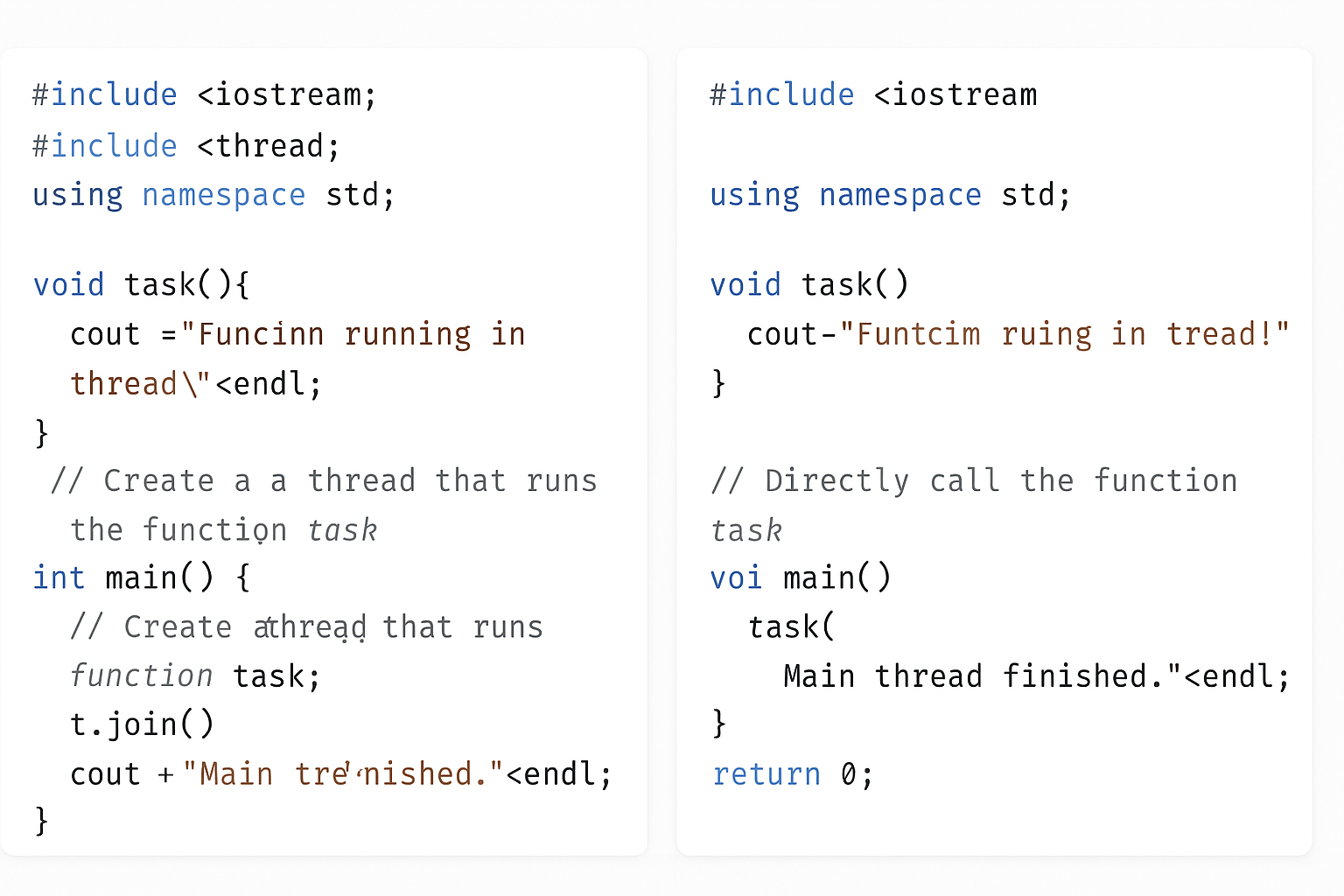
In C++, support for multithreading was added starting from the C++11 standard. This was made possible through the <thread> header, which provides the tools to create and manage threads.
How to Create a Thread in C++
In C++, the std::thread class is used to create and manage threads. When you create an object of this class, a new thread starts running the function or callable you provide.
The basic syntax looks like this:
std::thread threadName(callable);
threadName is the name you give to your thread object.
callable refers to any callable entity like a function pointer, a lambda, or a functor that defines what the thread will execute.
Example of Creating and Running a Thread in C++
#include <iostream>
#include <thread>
using namespace std;

// This function will run in a separate thread
void func() {
    cout << "Hello from the thread!" << endl;
}

int main() {
    // Create a thread that runs the function 'func'
    thread t(func);

    // Wait for the thread 't' to finish before continuing
    t.join();

    cout << "Main thread finished." << endl;

    return 0;
}
What’s happening here?
We define a function func that prints a message.
We create a thread t that runs this function independently.
The t.join() line makes sure the main program waits for the thread to complete before continuing.
Finally, the main thread prints its own message.
Output:
Hello from the thread!
Main thread finished.
Running Code With and Without Threads
You’ll see how the same piece of code behaves when run without using threads and when run inside a separate thread. We will use simple examples to help beginners understand how threads allow your program to do multiple tasks at the same time, making your programs faster and more efficient. By the end, you will know how to create a thread in C++ and see the practical difference between running code sequentially versus concurrently
Code without threading:
#include <iostream>
#include <chrono>
#include <thread>

void task() {
    for (int i = 1; i <= 5; ++i) {
        std::cout << "Task running: " << i << std::endl;
        std::this_thread::sleep_for(std::chrono::milliseconds(500));  // Simulate work
    }
}

int main() {
    std::cout << "Starting task without thread..." << std::endl;
    task();  // Running task function directly (blocking)
    std::cout << "Task completed without thread." << std::endl;
    return 0;
}
Code with threading:
#include <iostream>
#include <chrono>
#include <thread>

void task() {
    for (int i = 1; i <= 5; ++i) {
        std::cout << "Task running: " << i << std::endl;
        std::this_thread::sleep_for(std::chrono::milliseconds(500));  // Simulate work
    }
}

int main() {
    std::cout << "Starting task with thread..." << std::endl;

    std::thread t(task);  // Run task in a separate thread

    // Main thread continues here immediately
    std::cout << "Main thread continues while task runs..." << std::endl;

    t.join();  // Wait for the thread to finish before exiting

    std::cout << "Task completed with thread." << std::endl;
    return 0;
}
What happens:
Without thread: The program waits until task() completes before moving on.
With thread: The program starts task() in a new thread and the main thread continues executing immediately. The join() waits for the thread to finish before the program ends.
Multithreading in C++
What is a Callable in C++ Threads?
When you create a thread in C++, you pass a callable to it. A callable is anything that can be called like a function, and the thread will execute this callable in parallel.
For example:
thread t(func); // Runs the function 'func' in a new thread
You can also pass arguments to the callable when creating the thread:
void printNumber(int num) {
    cout << "Number: " << num << endl;
}

thread t(printNumber, 10);  // Runs printNumber(10) in the thread
Types of Callables You Can Use with Threads in Multithreading
In C++, callables fall into four main categories:
Function: A regular function like func or printNumber.
Lambda Expression: An anonymous function defined inline.
Function Object: An object with the operator() defined, so it behaves like a function.
Member Function: A function that is part of a class, either static or non-static.
Callables in C++ Threads
When you create a thread in C++, you give it something called a callable — this is basically “something you can call like a function.” The thread runs that callable independently.
There are four common types of callables you can use in threads:
1. Function
What is it?
A function is like a small reusable machine inside your program. It is a named block of code that performs a specific task. You write the function once, and then you can call (or use) it anytime by its name instead of rewriting the same code again and again.
Functions help keep your code clean and organized, especially when working with more complex concepts like multithreading. In multithreading programming, you use functions to let multiple parts of your program run at the same time independently. This makes your programs faster and more efficient by doing many tasks simultaneously.
Example
#include <iostream>
#include <thread>
using namespace std;

void sayHello() {
    cout << "Hello from function!" << endl;
}

int main() {
    thread t(sayHello); // Create thread running sayHello()
    t.join();           // Wait for thread to finish
    cout << "Main thread done." << endl;
    return 0;
}
What happens? The thread runs sayHello and prints a message separately while the main thread waits for it to finish.
2. Lambda Expression
What is it?
What is a Lambda Expression?
A lambda expression is an anonymous, inline function that you can write directly where you’d normally pass a function object, pointer, or functor.
capture_list → which external variables you want to use inside the lambda.
parameter_list → arguments (like in any function).
return_type → optional; deduced if omitted.
body → statements executed when called.
Why Lambdas in Multithreading?
When creating threads (e.g. using std::thread in C++), you often want to pass a function for the thread to run. Instead of writing a separate function or a functor class, lambdas let you:
#include <iostream>
#include <thread>

int main() {
    std::thread t([] {
        std::cout << "Hello from thread!" << std::endl;
    });
    t.join();
}
Passing Variables via Capture:
#include <iostream>
#include <thread>

int main() {
    int value = 42;

    std::thread t([value] {
        std::cout << "Value is: " << value << std::endl;
    });

    t.join();
}
If you want to modify a captured variable, capture it by reference:
#include <iostream>
#include <thread>

int main() {
    int value = 0;

    std::thread t([&value] {
        value = 100;
    });

    t.join();

    std::cout << "Value is now: " << value << std::endl;
}
What happens? The lambda function runs in the new thread, printing the message.
3. Function Object (Functor)
What is it?
What is a Function Object (Functor)?
function. This happens when a class defines a special function called operator(). Because of this, you can use an instance of that class just like you would call a normal function.
Function objects are very helpful in multithreading programming. They let you package both code and data inside an object that can be passed to threads easily. This makes your multithreading programs more flexible, organized, and easier to manage.
Example
#include <iostream>
#include <thread>
using namespace std;

// Define a class with operator()
class Functor {
public:
    void operator()() {
        cout << "Hello from function object!" << endl;
    }
};

int main() {
    Functor f;
    thread t(f); // Run the functor in a thread
    t.join();
    cout << "Main thread done." << endl;
    return 0;
}
What happens? The thread calls operator() of the functor, printing the message.
4. Member Function (Static or Non-Static)
What is it?
A member function is a function that belongs to a class. There are two types:
Static member function: This kind of function does not need an object to be called. You can call it directly using the class name.
Non-static member function: This function needs an object of the class to work on because it usually uses the object’s data.
In multithreading programming, threads can run both static and non-static member functions. But when you want to run a non-static member function in a thread, you must give the thread the object it should work on.
Threads can run both types, but for non-static ones, you have to provide the object.
Example — Static Member Function
#include <iostream>
#include <thread>
using namespace std;

class MyClass {
public:
    static void staticFunc() {
        cout << "Hello from static member function!" << endl;
    }
};

int main() {
    thread t(MyClass::staticFunc); // Run static function in thread
    t.join();
    cout << "Main thread done." << endl;
    return 0;
}
Example — Non-Static Member Function
#include <iostream>
#include <thread>
using namespace std;

class MyClass {
public:
    void nonStaticFunc() {
        cout << "Hello from non-static member function!" << endl;
    }
};

int main() {
    MyClass obj;
    thread t(&MyClass::nonStaticFunc, &obj); // Pass function pointer and object
    t.join();
    cout << "Main thread done." << endl;
    return 0;
}
Note: For non-static member functions, you must pass the object pointer as the first argument to the thread.
Summary for Multithreading
Callable Type
How to Use in Thread
Example
Function
thread t(func);
void func()
Lambda Expression
thread t([](){ /* code */ });
Inline anonymous function
Function Object
thread t(functorObj);
Class with operator()
Static Member Func
thread t(ClassName::func);
Static function of class
Non-Static Member Func
thread t(&Class::func, &obj);
Non-static func + object
Let’s create a simple C++ program that demonstrates all four callable types running in separate threads. This will help you see how each callable works side-by-side.
#include <iostream>
#include <thread>
using namespace std;

// 1. Regular Function
void regularFunction() {
    cout << "Hello from regular function!" << endl;
}

// 3. Function Object (Functor)
class Functor {
public:
    void operator()() {
        cout << "Hello from function object!" << endl;
    }
};

// 4. Class with static and non-static member functions
class MyClass {
public:
    static void staticMemberFunction() {
        cout << "Hello from static member function!" << endl;
    }

    void nonStaticMemberFunction() {
        cout << "Hello from non-static member function!" << endl;
    }
};

int main() {
    // 1. Thread running a regular function
    thread t1(regularFunction);

    // 2. Thread running a lambda expression
    thread t2([]() {
        cout << "Hello from lambda expression!" << endl;
    });

    // 3. Thread running a function object
    Functor functorObj;
    thread t3(functorObj);

    // 4a. Thread running a static member function
    thread t4(&MyClass::staticMemberFunction);

    // 4b. Thread running a non-static member function
    MyClass obj;
    thread t5(&MyClass::nonStaticMemberFunction, &obj);

    // Wait for all threads to finish before exiting
    t1.join();
    t2.join();
    t3.join();
    t4.join();
    t5.join();

    cout << "Main thread finished." << endl;

    return 0;
}
What happens here?
t1 runs the regular functionregularFunction.
t2 runs an inline lambda that prints a message.
t3 runs a function object (Functor) using its operator().
t4 runs the static member function of MyClass.
t5 runs the non-static member function of an object obj of MyClass.
All threads run in parallel, and join() waits for each to complete before the program finishes.
Expected Output (order may vary due to threads running concurrently):
Hello from regular function!
Hello from lambda expression!
Hello from function object!
Hello from static member function!
Hello from non-static member function!
Main thread finished.
Thread Management in Multithreading C++
When working with threads in C++, the standard thread library provides many tools to control and coordinate threads effectively. These tools help you manage thread lifecycles, synchronize access to shared data, and optimize program performance. Let’s explore some important functions and classes used for thread management.
Key Thread Management Functions and Classes
Function / Class
Purpose
join()
Makes the current (calling) thread wait until the target thread finishes its work.
detach()
Separates the thread from the main thread, letting it run independently without waiting.
mutex
A locking mechanism that ensures only one thread accesses shared data at a time, preventing conflicts.
lock_guard
A convenient wrapper around a mutex that locks it when created and automatically unlocks when destroyed (scope-based locking).
condition_variable
Used for making threads wait for certain conditions to be true before continuing execution.
atomic
Provides a way to safely read and modify shared variables between threads without explicit locks.
sleep_for()
Pauses the current thread for a specified duration, like waiting for 1 second.
sleep_until()
Pauses the current thread until a specific time point is reached.
hardware_concurrency()
Returns the number of threads the system can run in parallel (usually equals CPU cores or hardware threads). Helps in optimizing thread usage.
get_id()
Retrieves a unique identifier for the thread, useful for debugging or tracking thread activity.
Detailed Explanation of Each Multithreading
1. join()
When you create a thread, the main program and the new thread run at the same time. If you want the main program to wait for the thread to finish before continuing, you use join().
thread t(func);
t.join();  // Main thread waits until t finishes
Without calling join(), the main program may finish and exit before the thread completes, causing unexpected behavior.
2. detach()
Sometimes, you want a thread to run on its own without the main program waiting for it. Calling detach() lets the thread run independently in the background.
Use this carefully because once detached, you can’t control or join that thread anymore.
3. mutex
When multiple threads access the same data, they might interfere with each other, causing errors (called data races). A mutex(short for mutual exclusion) prevents this by allowing only one thread to access the data at a time.
mutex mtx;
mtx.lock();
// Access shared data safely here
mtx.unlock();
4. lock_guard
Manually locking and unlocking mutexes can lead to mistakes, especially if your code has multiple return points or exceptions. lock_guard helps by automatically locking the mutex when it’s created and unlocking when it goes out of scope.
mutex mtx;
{
    lock_guard<mutex> lock(mtx);
    // Safe access to shared data within this block
}  // Mutex automatically unlocked here
5. condition_variable
Sometimes, one thread needs to wait until another thread signals it to continue, like waiting for a resource or a specific event. condition_variable helps threads to sleep and wake up efficiently based on conditions.
Example usage involves waiting and notifying:
wait() — thread sleeps until notified.
notify_one() or notify_all() — wake one or all waiting threads.
6. atomic
Using mutexes is safe but can sometimes slow down your program due to locking overhead. atomic variables allow threads to safely read and write shared data without locks by ensuring operations are indivisible (atomic).
sleep_until(time_point) pauses the thread until the given time.
auto wake_time = chrono::steady_clock::now() + chrono::seconds(5);
this_thread::sleep_until(wake_time);  // Sleep until 5 seconds from now
8. hardware_concurrency()
This function tells you how many threads your CPU can run in parallel. You can use this to decide how many threads to create for best performance without overloading the system.
unsigned int n = thread::hardware_concurrency();
cout << "Number of hardware threads available: " << n << endl;
9. get_id()
Each thread has a unique ID, which you can get by calling get_id(). This is useful when you want to log or debug to know which thread is doing what.
C++ provides many thread management tools to help you:
Coordinate thread execution (join, detach)
Protect shared data (mutex, lock_guard, atomic)
Synchronize thread behavior (condition_variable)
Control timing (sleep_for, sleep_until)
Get system info for better performance (hardware_concurrency)
Identify threads (get_id)
Using these properly will make your multithreaded programs more reliable and efficient.
Problems with Multithreading in C++
Multithreading helps programs run faster by doing many things at once. But it also introduces some tricky problems that can cause your program to behave incorrectly or even crash. Understanding these problems is important for writing safe, reliable multithreaded code.
1. Deadlock
What is Deadlock?
Deadlock happens when two or more threads get stuck forever, each waiting for the other to release a resource (like a lock or mutex) they need. Because they wait on each other endlessly, none can continue, and the program freezes.
How Deadlock Happens — Example
Imagine two threads, Thread A and Thread B:
Thread A locks Mutex 1 and waits to lock Mutex 2.
Thread B locks Mutex 2 and waits to lock Mutex 1.
Both threads hold one mutex and wait for the other forever — this is a deadlock.
Visualization:
Thread
Holds
Waiting For
A
Mutex 1
Mutex 2
B
Mutex 2
Mutex 1
How to Avoid Deadlock?
Always lock mutexes in the same order across all threads.
Use std::lock which can lock multiple mutexes without deadlock.
Keep critical sections short and release locks quickly.
Avoid nested locks if possible.
2. Race Condition
What is a Race Condition?
A race condition happens when two or more threads access the same shared data at the same time, and at least one thread modifies it without proper synchronization. The result depends on the exact timing of threads, which can change every run.
Why is it a Problem?
The data can become corrupted or inconsistent because the operations overlap unpredictably. This leads to bugs that are hard to reproduce and fix.
Example of Race Condition:
int counter = 0;

void increment() {
    for (int i = 0; i < 1000; i++) {
        counter++;  // Not thread-safe
    }
}

int main() {
    std::thread t1(increment);
    std::thread t2(increment);

    t1.join();
    t2.join();

    std::cout << counter << std::endl;  // Might be less than 2000 due to race condition
}
Here, both threads try to update counter at the same time. Since counter++ is not atomic, some increments get lost.
How to Fix Race Condition?
Use mutexes (std::mutex) to protect shared data.
Use atomic operations (std::atomic<int>) for simple variables.
Design thread-safe data structures.
3. Starvation
What is Starvation?
Starvation happens when a thread waits indefinitely to get access to a resource because other threads keep getting priority or resources first.
Why Does it Happen?
If your synchronization mechanism favors some threads over others (e.g., high priority threads always run first), some threads may never get a chance to run or access needed resources.
Example Scenario:
Several threads with high priority continuously lock a mutex.
A low priority thread waits forever because it keeps getting preempted.
How to Avoid Starvation?
Use fair locking algorithms like fair mutexes.
Use condition variables to signal waiting threads.
Avoid priority inversion by carefully managing thread priorities.
4. Thread Synchronization — The Solution
To solve or minimize these problems, thread synchronization is crucial.
What is Thread Synchronization?
It is a technique to control access to shared resources so that only one thread can use them at a time, preventing conflicts and corruption.
Common Synchronization Tools in C++:
Mutex (std::mutex)
Provides exclusive locking.
Only one thread can lock it at a time.
Other threads wait until the mutex is unlocked.
Lock Guards (std::lock_guard)
A convenient RAII wrapper that locks a mutex when created and unlocks when destroyed.
More flexible than lock_guard, supports manual locking/unlocking and deferred locking.
Works well with condition variables.
Condition Variables (std::condition_variable)
Allow threads to wait for some condition to become true.
Useful for producer-consumer problems and signaling between threads.
Problems & Solutions of Multithreading
Problem
Cause
Result
Solution
Deadlock
Circular waiting for locked resources
Program freezes/stalls
Lock mutexes in order, use std::lock
Race Condition
Unsynchronized access/modification of shared data
Data corruption or incorrect results
Use mutexes or atomic variables
Starvation
Some threads get priority over others
Some threads never run
Use fair locks, manage thread priorities
Tips for Beginners
Always protect shared data with mutexes or atomics.
Keep locks held for the shortest time possible.
Avoid complex locking schemes that can cause deadlocks.
Use tools like thread sanitizers (e.g., in clang/gcc) to detect race conditions.
Write simple multithreaded code first and gradually add complexity.
What is a Context Switch in Multithreading?
A context switch is the process by which the CPU switches from executing one thread to executing another thread. Since the CPU can only run one thread at a time on a single core, it rapidly switches between multiple threads to give the illusion of parallelism.
Why is Context Switching Needed in Multithreading ?
To allow multiple threads to share the CPU fairly.
To handle multiple tasks efficiently, especially when some threads are waiting (e.g., for input/output).
To improve overall system responsiveness.
What Happens During a Context Switch in Multithreading ?
When the CPU decides to switch from the currently running thread (let’s call it Thread A) to another thread (Thread B), it needs to:
Save the State of Thread A: This includes the thread’s CPU registers, program counter (the address of the next instruction to execute), stack pointer, and other critical information that defines exactly where Thread A was in its execution.
Load the State of Thread B: Restore the saved CPU registers, program counter, stack pointer, etc., of Thread B so it can continue from where it left off.
Resume Execution of Thread B: The CPU then starts executing instructions of Thread B.
What is Stored in the Context in Multithreading ?
CPU registers (general purpose registers).
Program counter (instruction pointer).
Stack pointer (to track function calls).
Possibly other hardware-specific information.
Overhead of Context Switching in Multithreading
Context switching is not free — it takes time and CPU cycles.
Frequent context switches can reduce overall performance due to this overhead.
Operating systems and runtime schedulers try to minimize unnecessary context switches.
Summary of Context Switching in Multithreading
Term
Meaning
Context
The saved state of a thread (registers, PC, stack pointer, etc.)
Context Switch
Saving the current thread’s context and loading another thread’s context to resume its execution
How context switching is handled differently in user-level threads vs kernel-level threads, or provide simple code examples demonstrating multithreading behavior!
1. join() Example
#include <iostream>
#include <thread>
using namespace std;

void task() {
    cout << "Thread is running..." << endl;
}

int main() {
    thread t(task);
    t.join();  // Wait for thread to finish
    cout << "Main thread finished after join." << endl;
    return 0;
}
#include <iostream>
#include <thread>
#include <atomic>
using namespace std;

atomic<int> counter(0);

void increment() {
    for (int i = 0; i < 1000; ++i) {
        ++counter;  // Safe without mutex
    }
}

int main() {
    thread t1(increment);
    thread t2(increment);
    t1.join();
    t2.join();

    cout << "Atomic counter value: " << counter << endl;  // Should be 2000
    return 0;
}
6. sleep_for() and sleep_until() Example
#include <iostream>
#include <thread>
#include <chrono>
using namespace std;

int main() {
    cout << "Sleeping for 2 seconds..." << endl;
    this_thread::sleep_for(chrono::seconds(2));

    auto wakeTime = chrono::steady_clock::now() + chrono::seconds(3);
    cout << "Sleeping until 3 seconds from now..." << endl;
    this_thread::sleep_until(wakeTime);

    cout << "Awake now!" << endl;
    return 0;
}
7. hardware_concurrency() Example
#include <iostream>
#include <thread>
using namespace std;

int main() {
    unsigned int n = thread::hardware_concurrency();
    cout << "This system can run " << n << " threads concurrently." << endl;
    return 0;
}