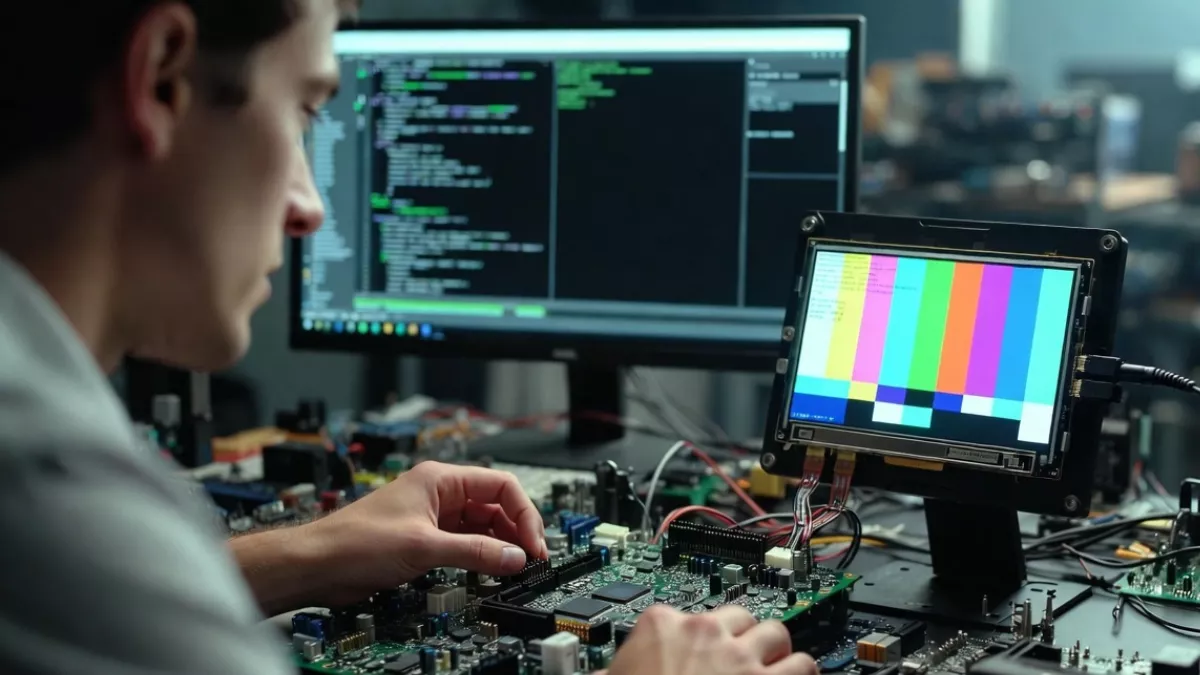
U-Boot overview explained for beginners to experts. Learn what U-Boot is, boot sequence, Linux customization, scripts, code, and debugging in simple terms now
If you have ever worked with embedded Linux, ARM boards, or custom hardware, you have definitely heard the name U-Boot. Sometimes people talk about it like it is mysterious low-level magic. In reality, once you understand it step by step, U-Boot becomes one of the most powerful and friendly tools in embedded systems.
This u-boot overview is written for everyone. Absolute beginners who just heard the term, intermediate developers working with boards, and experienced engineers who want a clean mental model of how U-Boot really works.
We will cover what is U-Boot, how it starts your system, how the U-Boot boot sequence works, how to customize it, how U-Boot development is done, and even practical examples like a U-Boot boot script example. No marketing language, no fluff, just clear explanations.
What Is U-Boot?
Let’s start with the simplest question.
What is U-Boot?
U-Boot stands for Universal Boot Loader. It is an open-source bootloader used mainly in embedded systems to start the operating system.
In simple words:
U-Boot is the first real software that runs on your board after power-on.
When you power on a development board, the Linux kernel does not magically start. Something needs to initialize hardware, load the kernel into memory, and hand control to it. That “something” is U-Boot.
So when people ask what is u-boot, the clean answer is:
- It initializes hardware
- Loads the Linux kernel
- Passes boot arguments
- Starts the operating system
Why U-Boot Is So Important in Embedded Systems
You can think of U-Boot as the bridge between raw hardware and Linux.
Without U-Boot:
- Your CPU does not know where RAM is
- Storage devices are not initialized
- The kernel cannot be loaded
U-Boot solves all of this. It is flexible, scriptable, and works on thousands of boards. That is why it is the default bootloader for ARM, RISC-V, PowerPC, and many other architectures.
This is why every serious u-boot guide starts with understanding its role instead of memorizing commands.
Where U-Boot Fits in the Boot Process
Let’s zoom out and look at the full boot flow.
Typical Embedded Linux Boot Flow
- Power On
- ROM Code (Boot ROM)
Tiny code inside the SoC - U-Boot
- Linux Kernel
- Root File System
- User Space Applications
The ROM code is burned into silicon. Its only job is to load U-Boot from flash, SD card, or eMMC into RAM.
Once U-Boot starts, everything else becomes configurable.
U-Boot Overview at a High Level
Here is the big picture of how U-Boot works.
- Runs from RAM
- Initializes clocks, DDR, peripherals
- Detects boot devices
- Loads kernel and device tree
- Passes boot arguments
- Transfers control to the kernel
This u-boot overview mindset helps you understand why debugging boot issues almost always starts inside U-Boot.
Understanding the U-Boot Boot Sequence
The u-boot boot sequence is one of the most important topics to understand.
Step-by-Step U-Boot Boot Sequence
- Reset Vector Execution
- CPU starts executing from a fixed address
- ROM Bootloader
- Loads U-Boot image into RAM
- SPL (Secondary Program Loader)
- Used on many modern SoCs
- Initializes DDR
- Loads full U-Boot
- U-Boot Proper
- Board initialization
- Peripheral setup
- Environment loading
- Autoboot
- Runs bootcmd automatically
- Or waits for user input
- Kernel Boot
- Kernel + device tree loaded
- Control passed to Linux
Once you understand this sequence, boot failures stop feeling random.
How U-Boot Works Internally
Many beginners ask how u-boot works internally. Let’s break it down simply.
Core Responsibilities of U-Boot
- CPU initialization
- DDR memory setup
- Storage access
- Network stack
- Command shell
- Scripting support
U-Boot is not just a loader. It is a mini operating environment with its own command interpreter.
That is why you can type commands like:
printenv
setenv
saveenv
boot
Understanding U-Boot Environment Variables
Environment variables are one of U-Boot’s most powerful features.
They store:
- Boot arguments
- Kernel location
- Root filesystem path
- Network configuration
Example:
bootcmd=load mmc 0:1 ${kernel_addr_r} zImage; bootz ${kernel_addr_r}
This single variable controls the entire boot process.
U-Boot Boot Script Example
Now let’s look at a real u-boot boot script example.
Example: boot.scr
setenv bootargs console=ttyS0,115200 root=/dev/mmcblk0p2 rw
load mmc 0:1 ${kernel_addr_r} zImage
load mmc 0:1 ${fdt_addr_r} devicetree.dtb
bootz ${kernel_addr_r} - ${fdt_addr_r}
What this does:
- Sets kernel command line
- Loads kernel from SD card
- Loads device tree
- Boots Linux
This script is converted into boot.scr using mkimage.
Understanding U-Boot Code Structure
If you are curious about u-boot code, the structure is actually well organized.
Key Directories in U-Boot Source
arch/
CPU architecture specific codeboard/
Board specific initializationdrivers/
GPIO, MMC, Ethernet, I2C driverscommon/
Core boot logiccmd/
Shell commands
Once you know where things live, u-boot development becomes much less scary.
U-Boot Development Explained Simply
U-Boot development is mostly about:
- Board bring-up
- Custom hardware support
- Boot customization
Typical U-Boot Development Tasks
- Adding a new board
- Modifying DDR initialization
- Changing boot commands
- Enabling peripherals
- Debugging early boot
If you can read C code and understand hardware registers, you can do U-Boot development.
How U-Boot Talks to Hardware
U-Boot interacts directly with hardware registers.
Examples:
- Memory controllers
- GPIO registers
- UART
- SPI and I2C controllers
This is why U-Boot runs without an operating system. It talks directly to silicon.
U-Boot vs BIOS vs GRUB
People coming from PC background often compare U-Boot with BIOS.
Here is a simple comparison:
| Feature | BIOS | GRUB | U-Boot |
|---|---|---|---|
| Used in PCs | Yes | Yes | No |
| Used in Embedded | No | Rare | Yes |
| Scriptable | No | Limited | Yes |
| Hardware Init | Yes | No | Yes |
U-Boot combines BIOS and bootloader roles for embedded systems.
U-Boot Manual: How to Learn It Properly
The u-boot manual is extensive but very technical.
Best way to learn:
- Read basics from documentation
- Practice on real hardware
- Break things and fix them
- Read U-Boot source code
Official documentation is useful, but hands-on learning makes everything click.
Common U-Boot Commands You Should Know
Here are some must-know commands:
helpprintenvsetenvsaveenvmmc listfatloadtftpbootboot
These commands alone can solve most boot issues.
Networking in U-Boot
U-Boot supports networking:
- TFTP
- DHCP
- NFS boot
Example:
tftpboot ${kernel_addr_r} zImage
This is extremely useful during development when flashing repeatedly.
Secure Boot and U-Boot
Modern systems use U-Boot for secure boot:
- Image authentication
- Signature verification
- Secure key storage
U-Boot plays a critical role in trusted boot chains.
Debugging Boot Issues Using U-Boot
When Linux fails to boot:
- Stop autoboot
- Check environment variables
- Manually load kernel
- Verify device tree
U-Boot is your first debugger.
U-Boot for Beginners: Common Mistakes
- Not understanding bootcmd
- Overwriting environment
- Wrong memory addresses
- Incorrect device tree
Learning U-Boot is about patience, not memorization.
Why U-Boot Is Still Relevant Today
Even with modern SoCs, U-Boot remains the default bootloader because:
- It is stable
- It is flexible
- It supports new hardware fast
- It has a massive community
That is why every serious embedded Linux engineer eventually masters U-Boot.
U-Boot Code Customization for Linux Boot (Practical and Real)
So far, we talked about what U-Boot is and how it works. Now let’s get practical. This section focuses on how to customize U-Boot specifically for booting Linux, which is what most real-world projects need.
If you are working with embedded Linux, U-Boot customization is not optional. Almost every product tweaks it in some way.
How U-Boot Boots Linux
Before changing anything, understand the Linux boot flow inside U-Boot.
- U-Boot initializes hardware
- Loads Linux kernel into RAM
- Loads Device Tree (DTB)
- Passes bootargs
- Jumps to kernel entry point
Everything here is configurable.
Important Linux Boot Variables in U-Boot
These environment variables control Linux boot behavior.
Common Linux Boot Variables
bootcmd
bootargs
kernel_addr_r
fdt_addr_r
ramdisk_addr_r
You can view them using:
printenv
Customizing Linux Boot Arguments (bootargs)
Linux kernel behavior is controlled using bootargs.
Example: Basic Linux bootargs
setenv bootargs console=ttyS0,115200 root=/dev/mmcblk0p2 rw rootwait
saveenv
What this does:
- Enables serial console
- Sets root filesystem
- Makes root filesystem writable
- Waits for storage device
This is one of the most common U-Boot customizations for Linux.
Custom Linux Boot Command (bootcmd)
The bootcmd variable tells U-Boot how to boot Linux automatically.
Example: Boot Linux from SD Card
setenv bootcmd 'load mmc 0:1 ${kernel_addr_r} zImage; load mmc 0:1 ${fdt_addr_r} board.dtb; bootz ${kernel_addr_r} - ${fdt_addr_r}'
saveenv
Now Linux boots automatically on power-up.
Linux Boot Using extlinux.conf (Recommended)
Modern systems prefer extlinux.conf instead of hardcoded commands.
Example: extlinux.conf
LABEL Linux
    KERNEL /zImage
    FDT /board.dtb
    APPEND console=ttyS0,115200 root=/dev/mmcblk0p2 rw rootwait
U-Boot automatically reads this file if enabled.
This method is:
- Cleaner
- Easier to update
- More Linux-friendly
Custom U-Boot Boot Script for Linux (boot.scr)
A U-Boot boot script is useful when logic becomes complex.
boot.cmd (Human-readable)
setenv bootargs console=ttyS0,115200 root=/dev/mmcblk0p2 rw
load mmc 0:1 ${kernel_addr_r} zImage
load mmc 0:1 ${fdt_addr_r} board.dtb
bootz ${kernel_addr_r} - ${fdt_addr_r}
Convert it to boot.scr:
mkimage -C none -A arm -T script -d boot.cmd boot.scr
This is a classic u-boot boot script example used in production.
Customizing U-Boot Source Code for Linux Boot
Now let’s go deeper into u-boot code customization.
Where Linux Boot Is Defined in Code
Key files:
include/configs/<board>.hboard/<vendor>/<board>/configs/<board>_defconfig
Setting Default Linux Bootargs in Code
Instead of typing commands manually, you can hardcode Linux bootargs.
Example: configs in board header
#define CONFIG_BOOTARGS "console=ttyS0,115200 root=/dev/mmcblk0p2 rw rootwait"
This ensures Linux always boots with correct arguments.
Setting Default bootcmd in U-Boot Code
Example:
#define CONFIG_BOOTCOMMAND \
"load mmc 0:1 ${kernel_addr_r} zImage; " \
"load mmc 0:1 ${fdt_addr_r} board.dtb; " \
"bootz ${kernel_addr_r} - ${fdt_addr_r}"
This is common in custom Linux-based products.
Enabling Linux Kernel, DTB, and Initramfs Support
Ensure these configs are enabled:
CONFIG_CMD_BOOTZ=y
CONFIG_OF_CONTROL=y
CONFIG_CMD_EXT4=y
CONFIG_CMD_FAT=y
These options allow U-Boot to load Linux images correctly.
Customizing Memory Addresses for Linux
Memory layout matters.
Example:
setenv kernel_addr_r 0x82000000
setenv fdt_addr_r 0x83000000
setenv ramdisk_addr_r 0x84000000
saveenv
Wrong addresses can crash Linux before it starts.
Linux Boot Using TFTP (Development Mode)
During development, boot Linux over network.
setenv serverip 192.168.1.10
setenv ipaddr 192.168.1.20
tftpboot ${kernel_addr_r} zImage
tftpboot ${fdt_addr_r} board.dtb
bootz ${kernel_addr_r} - ${fdt_addr_r}
This is extremely useful during u-boot development.
Passing Custom Parameters to Linux from U-Boot
You can pass application-level parameters.
setenv bootargs ${bootargs} app_mode=debug loglevel=7
saveenv
Linux applications can read these via /proc/cmdline.
Secure Linux Boot with U-Boot (Basic Idea)
U-Boot can:
- Verify kernel signatures
- Enforce secure boot
- Prevent unsigned Linux images
This is critical for commercial devices.
Debugging Linux Boot Using U-Boot
When Linux does not boot:
- Stop autoboot
- Load kernel manually
- Check bootargs
- Verify DTB
- Enable earlyprintk
Example:
setenv bootargs console=ttyS0,115200 earlyprintk
U-Boot is your first Linux debugger.
Common Linux + U-Boot Customization Mistakes
- Wrong root filesystem path
- Missing device tree
- Incorrect memory address
- Not saving environment
- Kernel and DTB mismatch
Avoiding these saves days of debugging.
Final Thoughts on U-Boot Overview
This u-boot overview should give you a solid mental model of what U-Boot is, how it works, and why it matters.
Once you stop thinking of U-Boot as “low-level magic” and start seeing it as a structured boot environment, everything becomes clearer.
Frequently Asked Questions (FAQ) on U-Boot Overview
1. What is U-Boot and why is it used in embedded systems?
U-Boot is an open-source bootloader used in embedded systems to initialize hardware and load the operating system, usually Linux. It runs immediately after the processor’s internal ROM code and prepares the system by setting up memory, peripherals, and boot parameters before handing control to the Linux kernel.
2. What does U-Boot stand for?
U-Boot stands for Universal Boot Loader. It is designed to work across multiple architectures and hardware platforms, making it one of the most widely used bootloaders in embedded Linux systems.
3. How does U-Boot work during system startup?
U-Boot works by first initializing essential hardware like RAM and clocks, then locating the Linux kernel on storage devices such as eMMC, SD card, or network. It loads the kernel and device tree into memory, passes boot arguments, and finally starts the Linux kernel.
4. What is the U-Boot boot sequence?
The U-Boot boot sequence includes CPU reset, ROM bootloader execution, optional SPL loading, U-Boot initialization, environment setup, execution of boot commands, and finally booting the Linux kernel. Understanding this sequence helps debug early boot issues.
5. What is the difference between SPL and U-Boot?
SPL, or Secondary Program Loader, is a small version of U-Boot used to initialize DDR memory on systems where full U-Boot cannot run directly from internal memory. Once DDR is ready, SPL loads the full U-Boot image.
6. How is Linux booted using U-Boot?
Linux is booted by U-Boot by loading the kernel image and device tree into RAM and passing kernel boot arguments using environment variables. The boot process is triggered using commands like bootz or booti.
7. What are U-Boot environment variables?
U-Boot environment variables store configuration values such as boot commands, kernel location, root filesystem path, and network settings. They allow flexible control of the boot process without recompiling U-Boot.
8. What is a U-Boot boot script?
A U-Boot boot script is a sequence of commands stored in a script file that automates the boot process. It is commonly used to load the Linux kernel, device tree, and start the operating system in a repeatable way.
9. Can U-Boot boot Linux over the network?
Yes, U-Boot supports network booting using protocols like TFTP and DHCP. This is commonly used during development to quickly test new kernel images without flashing storage devices.
10. What is a U-Boot boot script example?
A simple U-Boot boot script example includes setting boot arguments, loading the kernel and device tree from storage, and executing the boot command. These scripts are often converted into a boot.scr file using the mkimage tool.
11. How can U-Boot be customized for Linux boot?
U-Boot can be customized by modifying environment variables, boot scripts, or source code files. Developers often customize boot arguments, default boot commands, memory addresses, and supported boot devices based on project requirements.
12. Where is U-Boot code located in the source tree?
U-Boot source code is organized into directories such as arch for architecture-specific code, board for board initialization, drivers for hardware drivers, and cmd for shell commands.
13. What is U-Boot development used for?
U-Boot development is used for board bring-up, supporting new hardware, adding drivers, customizing boot flow, and enabling secure boot features. It is a core skill for embedded Linux developers.
14. What is the U-Boot manual and is it beginner friendly?
The U-Boot manual is the official documentation that explains configuration options, commands, and internal architecture. While detailed, beginners usually learn faster by combining documentation with hands-on practice.
15. How do you debug Linux boot issues using U-Boot?
Linux boot issues can be debugged by stopping U-Boot autoboot, manually loading kernel images, checking boot arguments, verifying memory addresses, and enabling early kernel logs. U-Boot provides a powerful interactive shell for debugging.
Related References
If you are interested in understanding how the boot process works on microcontrollers, especially in the STM32 ecosystem, it is helpful to compare it with Linux-based bootloaders. For example, while U-Boot is commonly used in embedded Linux systems, STM32 devices often rely on custom bootloader implementations. A detailed and beginner-friendly explanation of this can be found in this guide on STM32 bootloader concepts, which explains how firmware loading, memory mapping, and startup flow work at the microcontroller level:
STM32 Bootloader Explained : STM32 Bootloader
This comparison helps developers clearly understand how bootloaders differ between bare-metal microcontrollers and Linux-based embedded systems, and why U-Boot is preferred for complex OS-based platforms.

Mr. Raj Kumar is a highly experienced Technical Content Engineer with 7 years of dedicated expertise in the intricate field of embedded systems. At Embedded Prep, Raj is at the forefront of creating and curating high-quality technical content designed to educate and empower aspiring and seasoned professionals in the embedded domain.
Throughout his career, Raj has honed a unique skill set that bridges the gap between deep technical understanding and effective communication. His work encompasses a wide range of educational materials, including in-depth tutorials, practical guides, course modules, and insightful articles focused on embedded hardware and software solutions. He possesses a strong grasp of embedded architectures, microcontrollers, real-time operating systems (RTOS), firmware development, and various communication protocols relevant to the embedded industry.
Raj is adept at collaborating closely with subject matter experts, engineers, and instructional designers to ensure the accuracy, completeness, and pedagogical effectiveness of the content. His meticulous attention to detail and commitment to clarity are instrumental in transforming complex embedded concepts into easily digestible and engaging learning experiences. At Embedded Prep, he plays a crucial role in building a robust knowledge base that helps learners master the complexities of embedded technologies.