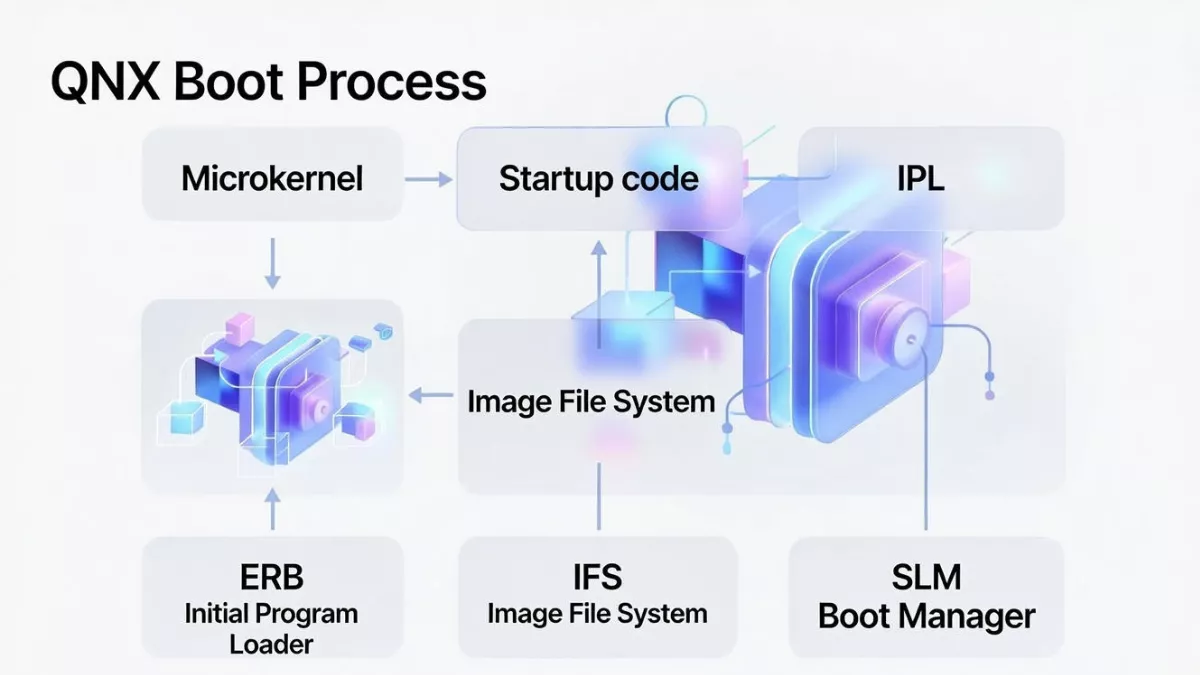
Learn the complete QNX Boot Process: IPL, Startup Code, IFS, SLM & Boot Manager explained step-by-step for embedded system interviews.
Understanding the QNX boot process is a must if you’re preparing for embedded or automotive interviews. In this video, we break down the complete QNX boot flow step by step from power-on to application launch in a way that’s easy to understand and practical for real interviews.
You’ll learn how IPL, startup code, IFS, the Neutrino microkernel, SLM, and the Boot Manager work together during system boot. Each concept is explained with clear logic, real-world examples, and common interview questions that are frequently asked in companies working with QNX RTOS.
This content is designed for beginners, experienced engineers, and senior embedded developers who want clarity instead of textbook definitions. If you’re targeting roles in automotive, IVI, ADAS, or real-time systems, this guide will help you answer confidently and explain concepts like a professional.
Perfect for:
- QNX RTOS interview preparation
- Embedded software engineers
- Automotive and safety-critical system roles
Explain QNX booting process
0️⃣ Power-On / Reset
- CPU resets and starts execution from a fixed reset vector
- Control goes to platform firmware
- ROM code / SoC boot ROM
- BIOS / UEFI (x86)
- Trusted firmware (ARM)
1️⃣ Firmware / Platform Initialization
Responsibilities:
- Basic silicon initialization
- Select boot media (eMMC, SD, NOR, NAND, network)
- Load the Initial Program Loader (IPL)
Still not QNX OS yet.
2️⃣ Initial Program Loader (IPL)
First QNX-specific software
Responsibilities:
- Initialize minimum hardware:
- DRAM controller
- CPU caches
- Basic clocking
- Locate and load the QNX IFS (Image File System) into RAM
- Transfer execution to the startup program inside the IFS
IPL is board-specific and extremely small.
3️⃣ Image File System (IFS)
The IFS is a single binary image containing:
- Startup program (
startup-*) procnto(kernel + process manager)- Boot scripts
- Drivers & servers
- Boot manager / SLM (if used)
- Optional user applications
IPL only loads the IFS; it does not start services.
4️⃣ Startup Program (Critical Stage)
Executed directly from the IFS
Responsibilities:
- Identify CPU and SoC
- Initialize interrupt controller
- Initialize timers
- Configure caches
- Initialize MMU
- Discover RAM & reserved regions
- Build the System Page (syspage)
- Register kernel callouts
- Prepare execution environment for the kernel
The kernel cannot run without startup completing
5️⃣ Transfer Control to procnto
- Startup jumps to
procntoentry point
6️⃣ procnto (Kernel + Process Manager)
procnto contains:
- Neutrino microkernel
- Process manager
Kernel responsibilities:
- Thread scheduling
- Interrupt handling
- Message passing (IPC)
- Timers
- Signals
Process manager responsibilities:
- Process creation (
spawn,fork) - Memory management
- POSIX services
- File descriptor handling
At this point, the OS is alive, but no drivers or filesystems exist yet.
7️⃣ Boot Script Execution (Buildfile Script)
- procnto executes the startup script embedded in the IFS
- Script is defined in the IFS buildfile
Script launches:
- Device drivers (resource managers)
- Filesystems
- Networking stack
- Logging services
Example:
devc-seromap
io-blk.so
devb-mmcsd
mount -t qnx6 /dev/mmc0 /
Script order defines system bring-up order.
8️⃣ Boot Manager (Optional, Policy-Based)
Runs as a user-space process
Responsibilities:
- Decide boot mode:
- Normal
- Recovery
- Factory
- OTA update
- Read:
- GPIO
- NVRAM
- Reset reason
- Select:
- Which script
- Which partition
- Which system profile
Boot Manager does not boot the OS, it selects how the OS continues.
9️⃣ SLM – System Launch Manager (Optional but Common)
Runs after boot decision
Responsibilities:
- Launch services based on policy
- Handle:
- Dependencies
- Ordering
- Restart policies
- Monitoring
Example:
- Start audio only after codec driver
- Restart camera service on crash
- Delay UI until graphics stack is ready
Replaces traditional init systems.
🔟 Filesystem Mounting
- Root filesystem mounted
- Persistent storage mounted
/proc,/dev,/etcbecome available
1️⃣1️⃣ System Services Running
Examples:
io-pkt(networking)slog2info(logging)devb-*(storage)- Audio, camera, display services
All run in user space.
1️⃣2️⃣ User Applications Start
- System enters RUNNING state
- Real-time applications start with:
- Assigned priority
- Scheduling policy
- System is fully operational
COMPLETE FLOW DIAGRAM
Power On / Reset
      ↓
Firmware / ROM / UEFI
      ↓
Initial Program Loader (IPL)
      ↓
Load IFS into RAM
      ↓
Startup Program
      ↓
procnto (Kernel + Process Manager)
      ↓
Boot Script (IFS)
      ↓
Boot Manager (optional)
      ↓
SLM (optional)
      ↓
Drivers / Services
      ↓
Applications
2.What is IPL (Initial Program Loader) in QNX?
IPL (Initial Program Loader) is the first QNX-specific software component that runs after power-on/reset.
Its primary role is to prepare minimal hardware and load the QNX OS image (IFS) into RAM.
Simple Definition
IPL is a small, board-specific program that runs after firmware, initializes minimal hardware, loads the QNX Image File System (IFS) into memory, and transfers control to the startup program.
Where IPL Fits in the QNX Boot Sequence
Power ON / Reset
   ↓
Firmware / Boot ROM / UEFI
   ↓
IPL   ← (first QNX component)
   ↓
Startup program (inside IFS)
   ↓
procnto (kernel + process manager)
Key Responsibilities of IPL
1️⃣ Minimal Hardware Initialization
- Initialize DRAM / RAM controller
- Set basic CPU clocks
- Enable caches (if required)
- Setup minimal UART for debug logs
Only what’s needed to load the OS — nothing more.
2️⃣ Locate Boot Media
- Determines where the OS image is stored:
- NOR / NAND Flash
- eMMC / SD card
- Network (TFTP)
- SPI Flash
3️⃣ Load the IFS (Image File System)
- Copies the QNX IFS image from boot media into RAM
- Verifies image integrity (optional checksum/signature)
4️⃣ Transfer Control to Startup Program
- Jumps to the startup program entry point
- From this point, IPL is no longer involved
What IPL Does NOT Do
- Does not initialize MMU
- Does not start the kernel
- Does not start drivers or services
- Does not run in user space
Characteristics of IPL
- Board-specific
- Very small footprint
- Runs in physical addressing mode
- Written in C + assembly
- Often stored in ROM or Flash
IPL vs Startup Program (Very Common Interview Question)
| Feature | IPL | Startup Program |
|---|---|---|
| Runs first | ✅ | ❌ |
| Hardware init | Minimal | Extensive |
| Loads IFS | ✅ | ❌ |
| Builds syspage | ❌ | ✅ |
| Initializes MMU | ❌ | ✅ |
| Starts kernel | ❌ | ✅ (via procnto) |
One-Line Ultra-Short Answer
IPL is a minimal bootloader in QNX that initializes basic hardware and loads the OS image (IFS) into RAM before handing control to the startup program.
3.Explain IPL vs U-Boot (Initial Program Loader vs Universal Boot Loader)
High-Level Difference (One-Line)
IPL is a minimal, board-specific QNX loader whose only job is to load the IFS, while U-Boot is a full-featured, OS-agnostic bootloader that can load many operating systems and provide user interaction.
Position in Boot Flow
QNX with IPL
ROM / Firmware
   ↓
IPL
   ↓
Startup program
   ↓
procnto (kernel)
QNX with U-Boot
ROM / Firmware
   ↓
U-Boot
   ↓
Load IFS into RAM
   ↓
Startup program
   ↓
procnto (kernel)
U-Boot can replace IPL, but the startup program is still mandatory in QNX.
Core Purpose
| Aspect | IPL | U-Boot |
|---|---|---|
| Primary goal | Load QNX IFS | General-purpose bootloader |
| OS specific | Yes (QNX) | No (Linux, QNX, RTOS) |
| Feature set | Minimal | Very rich |
| User interaction | None | CLI, scripting |
| Typical size | Very small (KBs) | Large (100s of KBs–MBs) |
Hardware Initialization
| Area | IPL | U-Boot |
|---|---|---|
| DDR init | Minimal | Full |
| Clocks | Minimal | Full |
| GPIO | No | Yes |
| Networking | No | Yes |
| USB | No | Yes |
| Display | No | Yes |
IPL initializes only what’s needed to load IFS.
Storage & Boot Sources
| Feature | IPL | U-Boot |
|---|---|---|
| NOR/NAND | Yes | Yes |
| eMMC/SD | Yes | Yes |
| Network boot | Rare | Common |
| Filesystem support | No | Yes (FAT, EXT, etc.) |
OS Image Handling
| Feature | IPL | U-Boot |
|---|---|---|
| Loads IFS | Yes | Yes |
| Loads Linux kernel | No | Yes |
| Multiple images | No | Yes |
| Image selection | Fixed | Dynamic |
Security Features
| Feature | IPL | U-Boot |
|---|---|---|
| Secure boot | Limited | Strong |
| Image authentication | Basic | Advanced |
| TPM support | No | Yes |
Scripting & Debugging
| Feature | IPL | U-Boot |
|---|---|---|
| Command line | No | Yes |
| Boot scripts | No | Yes |
| Environment variables | No | Yes |
| Recovery shell | No | Yes |
Typical Use Cases
IPL is used when:
- You want fast, deterministic boot
- System is fixed-function
- Safety-critical systems (automotive)
- Minimal attack surface
U-Boot is used when:
- Multiple OS support needed
- Development & debugging required
- OTA updates, recovery modes
- Rich storage & network boot options
Common Interview Trick Question
Q: Can QNX boot without IPL?
✔️ Yes, if U-Boot loads the IFS directly
❌ No, QNX can’t boot without the startup program
IPL vs U-Boot vs Startup
| Component | Role |
|---|---|
| IPL | Loads IFS |
| U-Boot | Loads IFS or kernel |
| Startup | Prepares system for kernel |
Startup is mandatory. IPL is optional if U-Boot is used.
Real Automotive Example
- Boot ROM → U-Boot
- U-Boot verifies image & selects slot
- U-Boot loads QNX IFS into RAM
- Jumps to startup program
- QNX kernel starts
4.What is IFS (Image File System) in QNX?
IFS (Image File System) is a single, self-contained binary image that contains everything QNX needs to boot and start running — including the kernel, startup code, drivers, and applications.
Simple Definition
IFS is a bootable, in-memory filesystem image that bundles the QNX kernel, startup program, system processes, drivers, scripts, and applications into one binary loaded by the bootloader.
Where IFS Fits in the Boot Sequence
IPL / U-Boot
   ↓
Load IFS into RAM
   ↓
Startup program
   ↓
procnto (kernel)
   ↓
Boot scripts & services
What an IFS Contains
Mandatory Components
- Startup program (
startup-*) - procnto
- Neutrino microkernel
- Process manager
Optional Components
- Boot scripts
- Device drivers (resource managers)
- Filesystem drivers
- Networking stack
- Boot Manager
- SLM (System Launch Manager)
- System services
- User applications
- Shared libraries
Everything inside the IFS is available immediately at boot.
Why QNX Uses IFS
1️⃣ Single Binary = Fast & Reliable Boot
- No dependency on external filesystems
- Ideal for real-time & safety systems
2️⃣ Read-Only & In-Memory
- Stored in ROM/Flash
- Loaded into RAM
- Immutable at runtime → improves reliability
3️⃣ Deterministic Startup
- Exact execution order defined in buildfile
- No surprises during boot
How IFS is Created
Tool Used
mkifs
Input
- Buildfile
- Lists binaries
- Defines scripts
- Sets permissions & paths
Output
- Single IFS binary
- Example:
ifs-qnx.bin
- Example:
Simple Buildfile Example
[virtual=armle]
startup-qcom
procnto
script=/etc/system/boot {
    devc-seromap
    io-blk.so
}
Runtime Characteristics
| Feature | IFS |
|---|---|
| Location | RAM |
| Writable | (read-only) |
| Size | Fixed at build time |
| Execution | Direct from memory |
| Mount point | / (initial root) |
IFS vs Root Filesystem
| Aspect | IFS | Root FS |
|---|---|---|
| Purpose | Boot & early system | Persistent storage |
| Modifiable | No | Yes |
| Used at boot | Always | Optional |
| Reliability | Very high | Depends on storage |
After boot, QNX may switch root to a persistent filesystem.
Common Interview Questions
Q. Can QNX boot without IFS?
❌ No
IFS is mandatory.
Q. Can there be multiple IFS images?
✔️ Yes
- Different boot modes
- Recovery images
- OTA A/B partitions
Q. Is IFS the same as Linux initramfs?
Conceptually similar, but:
- IFS is more deterministic
- Built specifically for QNX
- Integrated tightly with the kernel startup
One-Line Ultra-Short Answer
IFS is a single, bootable in-memory filesystem image that contains the QNX startup program, kernel, drivers, scripts, and applications.
5.What is Startup Code in QNX?
Startup code in QNX is the very first software that runs after the boot loader (IPL) and before the QNX Neutrino microkernel starts.
Its main job is to initialize the hardware, prepare memory, and load the QNX kernel and system processes into RAM.
Why is Startup Code needed in QNX?
When the system powers on:
- Hardware is in an unknown state
- RAM is not initialized
- MMU, caches, clocks are not configured
The startup code prepares the system so the QNX kernel can run safely and deterministically.
Position in QNX Boot Flow (Interview Point)
Power ON
   ↓
ROM / Boot ROM
   ↓
IPL (Initial Program Loader)
   ↓
Startup Code   ← (This)
   ↓
QNX Neutrino Microkernel (procnto)
   ↓
System Services & Applications
Key Responsibilities of QNX Startup Code
1. Basic Hardware Initialization
- Initialize CPU
- Configure clocks and PLL
- Enable RAM controllers
- Set up UART (for early debug output)
2. Memory Setup
- Detect available RAM
- Build the system memory map
- Reserve memory for:
- Kernel
- System processes
- Drivers
3. MMU and Cache Setup
- Initialize MMU
- Set up page tables
- Enable instruction and data caches
(Important for performance and protection)
4. Load the IFS (Image File System)
- Locate the IFS image
- Copy it into RAM
- Validate the image
IFS contains:
- Neutrino kernel (
procnto) - Process Manager
- Shared libraries
- Startup services
5. Start the QNX Microkernel
- Transfer control to:
procnto
- After this point, QNX kernel scheduling and message passing begin
Is Startup Code Hardware Dependent?
Yes
- Startup code is board-specific
- Written per SoC / CPU architecture
- Different for:
- ARM
- x86
- PowerPC
Where is Startup Code Located?
- Stored inside the IFS
- Built using:
startup-<boardname>
Example:
startup-am335x
startup-imx8
Difference Between IPL and Startup Code (Very Common Interview Question)
| IPL | Startup Code |
|---|---|
| Runs from ROM/Flash | Runs from RAM |
| Very minimal | More complex |
| Loads startup | Loads kernel + IFS |
| Hardware-agnostic | Hardware-specific |
One-Line Interview Answer
Startup code in QNX is a board-specific program that runs after the IPL to initialize hardware, configure memory and MMU, load the IFS, and finally start the QNX Neutrino microkernel.
Real-World Example (Bonus)
On an ARM board:
- IPL sets up SDRAM
- Startup code:
- Configures MMU
- Sets UART for logs
- Loads
procnto - Hands control to the kernel
6.Startup vs SLM vs Boot Manager in QNX
Where they sit in the QNX boot flow
Power ON
  ↓
Boot ROM
  ↓
IPL (Initial Program Loader)
  ↓
Startup Code
  ↓
QNX Neutrino Microkernel (procnto)
  ↓
SLM (System Launch Manager)
  ↓
Boot Manager
  ↓
System Services & Applications
1️⃣ Startup Code (Before Kernel)
What is Startup Code?
Startup code is a board-specific program that runs after IPL and before the QNX kernel.
Runs in:
- No OS context
- No scheduling, no IPC, no processes
Main Responsibilities
- Initialize CPU, clocks, PLL
- Initialize RAM
- Set up MMU and caches
- Build system memory map
- Load IFS into RAM
- Start Neutrino microkernel (
procnto)
Key Interview Line
Startup code prepares the hardware and memory so that the QNX kernel can safely start.
2️⃣ SLM (System Launch Manager)
What is SLM?
SLM is the first user-space process launched by the QNX kernel.
It is responsible for starting all core system services.
Runs in:
- User space
- Fully scheduled by the kernel
- Uses message passing
What SLM Does
- Reads system launch configuration
- Starts:
- Process Manager
- Path Manager
- Device drivers
- Filesystems
- Networking stack
- Handles service dependencies
- Ensures correct startup order
Why SLM is important
- Provides deterministic system bring-up
- Allows controlled, restartable services
Key Interview Line
SLM is responsible for launching and supervising essential system services after the kernel starts.
3️⃣ Boot Manager
What is Boot Manager?
Boot Manager is a user-space component that controls which system configuration or boot image to start.
It is commonly used in automotive and safety-critical systems.
Runs in:
- User space
- After SLM starts basic services
What Boot Manager Does
- Selects:
- Normal boot
- Recovery boot
- OTA update boot
- Validates images (CRC / signature)
- Handles:
- A/B partitions
- Rollback on failure
- Supports safe and secure boot flow
Why Boot Manager is needed
- Enables fail-safe boot
- Supports software updates
- Required for ASIL / functional safety systems
Key Interview Line
Boot Manager controls system boot modes and ensures safe startup, recovery, and update handling.
Direct Comparison Table (Very Important)
| Feature | Startup Code | SLM | Boot Manager |
|---|---|---|---|
| Boot Stage | Before kernel | After kernel | After SLM |
| Runs In | No OS | User space | User space |
| Hardware Init | Yes | No | No |
| Kernel Launch | Yes | No | No |
| Service Launch | No | Yes | Partial |
| Boot Mode Selection | No | No | Yes |
| Safety / OTA | No | No | Yes |
| Board Specific | Yes | Mostly generic | Generic |
One-Line Differentiation
- Startup code initializes hardware and starts the kernel
- SLM launches and manages system services
- Boot Manager decides how the system boots (normal, recovery, update)
Common Interview Trap
❌ “Boot Manager starts the kernel”
✅ Wrong — kernel is already running before Boot Manager starts.
Real Automotive Example
- Startup initializes SoC and DDR
- Kernel starts
- SLM launches:
- Audio
- Camera
- CAN
- Boot Manager:
- Verifies OTA image
- Chooses A/B partition
- Rolls back on failure
5-Second Interview Answer
In QNX, startup code initializes hardware and starts the kernel, SLM launches and supervises system services, and Boot Manager controls boot modes, recovery, and updates for safe system startup.
7. What is io-pkt in QNX?
io-pkt is the QNX networking stack process that provides TCP/IP networking services.
Detailed Explanation
- io-pkt is a user-space network protocol stack
- It implements:
- TCP
- UDP
- IP
- ARP
- ICMP
- Uses QNX’s message-passing microkernel architecture
- Hardware-independent networking core
Key Responsibilities
- Packet routing
- Protocol handling
- Socket API support
- Interface with NIC drivers
How hardware fits in
- NIC drivers are shared libraries loaded by io-pkt
- Example:
io-pkt-v6-hc -d e1000
Why QNX uses io-pkt (Interview Point)
- Fault isolation (user space)
- Restartable networking stack
- Deterministic behavior
Runs in:
- User space
8. What is devb-* in QNX?
devb-* is the QNX block device driver used for storage devices.
Detailed Explanation
- devb stands for device block
- Provides block-level access to storage:
- eMMC
- SD card
- USB storage
- SATA
- NVMe
What devb-* Does
- Manages:
- Read/write blocks
- Disk partitions
- Media detection
- Exposes devices like:
/dev/hd0
/dev/hd0t77
Common devb-* Examples
| Driver | Device |
|---|---|
| devb-sdmmc | SD / eMMC |
| devb-umass | USB mass storage |
| devb-sata | SATA disk |
| devb-nvme | NVMe |
Used with File Systems
- Works with:
- fs-qnx6
- fs-ext4
- fs-fat
Runs in:
- User space
9.What is devc-* in QNX?
devc-* is the QNX character device driver for serial communication interfaces.
Detailed Explanation
- devc stands for device character
- Provides serial I/O support:
- UART
- RS-232
- RS-485
- Uses termios interface
What devc-* Does
- Handles:
- Baud rate
- Parity
- Flow control
- Interrupts
- Creates devices like:
/dev/ser1
/dev/ttyS0
Common devc-* Examples
| Driver | Interface |
|---|---|
| devc-ser8250 | Standard UART |
| devc-mx1 | i.MX UART |
| devc-omap | TI OMAP UART |
Runs in:
- User space
Comparison Table
| Feature | io-pkt | devb-* | devc-* |
|---|---|---|---|
| Type | Network stack | Block driver | Character driver |
| Used For | TCP/IP networking | Storage devices | Serial communication |
| Device Type | Network | Block | Character |
| Runs In | User space | User space | User space |
| Restartable | Yes | Yes | Yes |
| Hardware Specific | Partially | Yes | Yes |
One-Line Difference
- io-pkt → networking stack
- devb-* → storage devices
- devc-* → serial communication
Common Interview Trap
❌ “These drivers run in kernel space”
✓ Wrong — QNX runs drivers in user space for fault tolerance.
Real Automotive Example
- io-pkt → Ethernet / CAN-over-IP
- devb-sdmmc → eMMC storage
- devc-ser8250 → Debug UART
5-Second Interview Answer (Perfect)
In QNX, io-pkt provides networking services, devb-* handles block storage devices, and devc-* manages serial character devices, all running safely in user space
10.What is a Startup Script in QNX?
A startup script in QNX is a shell script that runs after the QNX kernel boots to start system services, drivers, and applications in a defined order.
Slightly Detailed
- Executed in user space
- Runs after
procnto(microkernel) is up - Typically launched by SLM (System Launch Manager)
- Used to:
- Start drivers
- Mount filesystems
- Configure networking
- Launch applications
What Does a Startup Script Do?
Common tasks include:
- Start drivers:
devc-ser8250 &
io-pkt-v6-hc -d e1000 &
devb-sdmmc &
- Mount filesystems:
mount -t qnx6 /dev/hd0t177 /data
- Configure networking:
ifconfig en0 192.168.1.10
- Set environment variables
- Start applications and services
Where Are Startup Scripts Located?
Interview Answer
Startup scripts are stored inside the IFS (Image File System) and are executed during system boot.
Common Locations
| Location | Purpose |
|---|---|
/etc/system/ | Primary system startup scripts |
/etc/system/enum/ | Hardware enumeration scripts |
/etc/rc.d/ | Optional rc-style scripts |
/proc/boot/ | Read-only IFS contents |
Most Important File (Very Common Question)
/proc/boot/script
- Main startup script
- Executed automatically during boot
- Lives inside the IFS
- Read-only at runtime
How Startup Scripts Are Executed (Boot Flow)
Kernel (procnto)
   ↓
SLM starts
   ↓
SLM executes /proc/boot/script
   ↓
Drivers and services start
Why Startup Scripts Are Important?
Interview Points
- Control boot order
- Enable deterministic startup
- Allow easy system customization
- No kernel recompilation required
Startup Script vs Startup Code
| Startup Code | Startup Script |
|---|---|
| Runs before kernel | Runs after kernel |
| Written in C | Written in shell |
| Hardware initialization | Service & driver launch |
| Board-specific | Mostly generic |
Real-World Example (Automotive)
- Startup script:
- Starts audio service
- Launches camera driver
- Brings up Ethernet
- Allows OTA updates without touching kernel
One-Line Interview Answer
A startup script in QNX is a user-space shell script stored in the IFS that runs after the kernel boots to launch system services, drivers, and applications.
Conclusion
The QNX boot process may look complex at first, but once you understand the role of each stage, it becomes very logical and easy to explain in interviews. From IPL and startup code preparing the hardware, to the Neutrino microkernel taking control, and finally SLM and the Boot Manager launching and managing system services, every step is designed for determinism, safety, and reliability.
Knowing how these components work together not only helps you answer interview questions with confidence but also gives you a real-world understanding of why QNX is widely used in automotive and safety-critical systems. If you can clearly explain the boot flow and the responsibility of each layer, you already stand out as a strong embedded engineer.
Keep revising the flow, relate it to practical use cases, and you’ll be well prepared for any QNX or embedded systems interview.
FAQ : QNX Boot Process
1. What is the QNX boot process?
The QNX boot process is the sequence of steps the system follows from power-on to running applications. It involves IPL, startup code, IFS, the Neutrino microkernel, SLM, and Boot Manager.
2. What is IPL in QNX?
IPL (Initial Program Loader) is the first code that runs after powering on the system. It initializes basic hardware and loads the startup code into RAM.
3. What is startup code in QNX?
Startup code is a board-specific program that runs after IPL. It sets up memory, MMU, caches, and loads the IFS, then starts the Neutrino microkernel.
4. What is IFS (Image File System)?
IFS contains the QNX kernel, drivers, libraries, and startup scripts. Startup code loads IFS into RAM so the system can run all services.
5. What is SLM in QNX?
SLM (System Launch Manager) is the first user-space process launched by the kernel. It starts drivers, system services, and applications, handling dependencies and startup order.
6. What is Boot Manager in QNX?
Boot Manager controls which boot mode or image the system uses. It ensures safe boot, recovery options, and OTA updates, especially in automotive or safety-critical systems.
7. What is io-pkt in QNX?
io-pkt is the networking stack process in QNX. It handles TCP/IP, UDP, ICMP, and communicates with NIC drivers to provide network functionality in user space.
8. What are devb-* drivers in QNX?
devb-* drivers are block device drivers for storage devices like SD cards, eMMC, USB drives, and SATA/NVMe disks. They provide read/write block-level access.
9. What are devc-* drivers in QNX?
devc-* drivers are character device drivers used for serial communication interfaces such as UART, RS-232, and RS-485.
10. What is a startup script in QNX?
A startup script is a user-space shell script executed after the kernel boots. It launches drivers, services, and applications, defining the system’s startup behavior.
11. Where are startup scripts located in QNX?
Startup scripts are stored in the IFS, usually under /etc/system/ or /proc/boot/script. They are executed automatically during system boot.
12. What is the difference between startup code, SLM, and Boot Manager?
| Component | Role |
|---|---|
| Startup Code | Hardware initialization and kernel launch |
| SLM | Launches system services and drivers in user space |
| Boot Manager | Manages boot modes, safe boot, recovery, and updates |
In short, startup code starts the kernel, SLM starts services, and Boot Manager controls boot modes.
Read More about Process : What is is Process
Read More about System Call in Linux : What is System call
Read More about IPC : What is IPC


Mr. Raj Kumar is a highly experienced Technical Content Engineer with 7 years of dedicated expertise in the intricate field of embedded systems. At Embedded Prep, Raj is at the forefront of creating and curating high-quality technical content designed to educate and empower aspiring and seasoned professionals in the embedded domain.
Throughout his career, Raj has honed a unique skill set that bridges the gap between deep technical understanding and effective communication. His work encompasses a wide range of educational materials, including in-depth tutorials, practical guides, course modules, and insightful articles focused on embedded hardware and software solutions. He possesses a strong grasp of embedded architectures, microcontrollers, real-time operating systems (RTOS), firmware development, and various communication protocols relevant to the embedded industry.
Raj is adept at collaborating closely with subject matter experts, engineers, and instructional designers to ensure the accuracy, completeness, and pedagogical effectiveness of the content. His meticulous attention to detail and commitment to clarity are instrumental in transforming complex embedded concepts into easily digestible and engaging learning experiences. At Embedded Prep, he plays a crucial role in building a robust knowledge base that helps learners master the complexities of embedded technologies.