IPC in QNX : Learn message passing, shared memory, signals, POSIX message queues, and typed memory with advantages, disadvantages .
When I first started learning QNX Neutrino, I thought of it as “just another real-time kernel.” But the more I worked with it, the more I realized what makes it unique: the way it handles Interprocess Communication (IPC).
In fact, IPC is what transforms QNX Neutrino from being a lightweight real-time kernel into a full-fledged POSIX operating system. Every service in QNX — from filesystems to device drivers — is built around the idea that processes communicate through messaging.
Why IPC is the Core of QNX
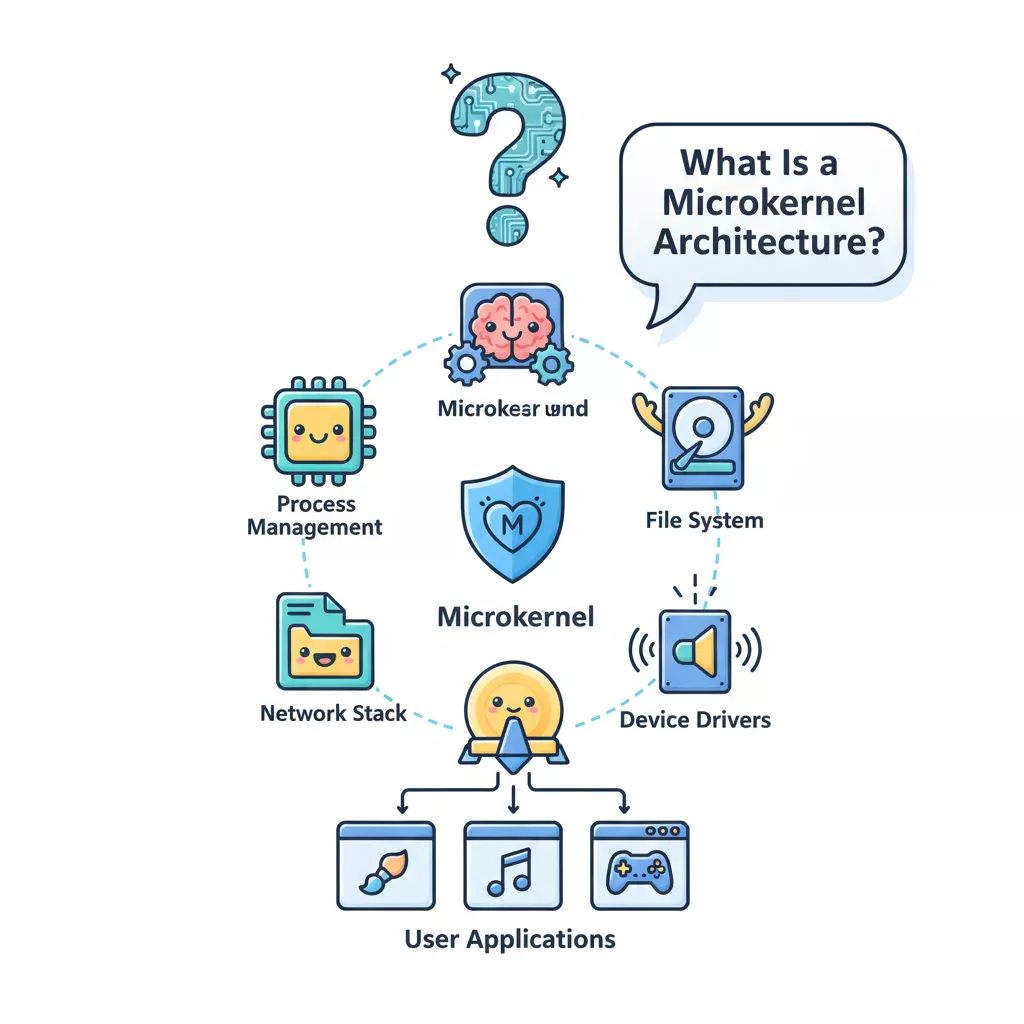
In most operating systems, many services are baked into the kernel. QNX, however, takes a microkernel approach: the kernel is minimal, and all services (like file handling, networking, drivers) run as separate processes.
So, how do these processes work together? The answer: IPC acts as the glue.
- It connects client and server processes.
- It makes the system modular and fault-tolerant.
- It ensures real-time responsiveness by keeping communication efficient.
Types of IPC Available in QNX
QNX offers multiple forms of IPC, but almost all of them are built on top of its native message passing.
| IPC Service | Implemented In |
|---|---|
| Message Passing | Kernel |
| Signals | Kernel |
| POSIX Message Queues | External Process |
| Shared Memory | Process Manager |
| Pipes | External Process |
| FIFOs | External Process |
As a developer, you choose based on your needs:
- High bandwidth? → Shared memory.
- Event notifications? → Signals.
- Streaming data? → Pipes or FIFOs.
- General communication? → Message passing.
Message Passing: The Heart of IPC in QNX
Unlike some other operating systems where shared memory dominates, QNX deliberately chose message passing as the foundation. Here’s why:
- It’s synchronous – the sender waits until the receiver replies.
- It’s safe – data is explicitly copied between processes.
- It’s efficient – no unnecessary buffering, minimal overhead.
The three building blocks are:
MsgSend()→ Client sends a request.MsgReceive()→ Server receives the request.MsgReply()→ Server replies back.
How Synchronous Messaging Works
Let’s break this down step by step.
For the Client:
- When a client calls
MsgSend(), it blocks until the server replies. - If the server hasn’t called
MsgReceive()yet, the client waits (SEND-blocked). - Once the server picks up the message, the client waits again for the reply (REPLY-blocked).
- When the reply comes, the client is marked READY to continue.
For the Server:
- When the server calls
MsgReceive(), it blocks if no messages are pending. - If a client has already sent something, the message arrives immediately.
- The server processes the request and replies with
MsgReply().
This blocking model ensures natural synchronization — no extra locking mechanisms are needed in most cases.
Channels and Connections
In QNX, communication isn’t directly from thread to thread. Instead:
- A server creates a channel.
- A client attaches to that channel to make a connection.
- Once connected, the client can use
MsgSend()just like making a function call.
These channels and connections are mapped to file descriptors (FDs), which makes IPC feel like working with regular files — simple and consistent.
Multipart Transfers (Advanced Concept)
Sometimes, you don’t want to copy data into one big buffer. QNX supports multipart (scatter/gather) messages:
- You can send a message made of multiple parts (like header + data blocks).
- The receiver gets them in order, even if they weren’t contiguous in memory.
- This is widely used in filesystems, where data blocks in cache may not be stored in one continuous space.
This design avoids unnecessary copying, improving performance for bulk transfers.
Example: Simple Server Loop
Here’s what a minimal server might look like in QNX:
#include <sys/neutrino.h>
#include <stdio.h>

int main() {
    int chid, rcv_id;
    char msg[64], reply[64];

    // Create a channel
    chid = ChannelCreate(0);

    while (1) {
        // Wait for a message
        rcv_id = MsgReceive(chid, msg, sizeof(msg), NULL);
        printf("Received: %s\n", msg);

        // Send a reply
        snprintf(reply, sizeof(reply), "Reply: %s", msg);
        MsgReply(rcv_id, 0, reply, sizeof(reply));
    }
    return 0;
}
This simple loop shows how the server keeps receiving client messages and replying.
QNX IPC Example – Server and Client
Server (server.cpp)
#include <iostream>
#include <sys/neutrino.h>
#include <sys/dispatch.h>
#include <string.h>
#include <stdlib.h>
#include <unistd.h>

#define MY_PULSE_CODE _PULSE_CODE_MINAVAIL

struct my_msg {
    int type;
    char text[64];
};

int main() {
    name_attach_t *attach;
    my_msg msg;
    int rcvid;

    // Attach a name so clients can find us
    attach = name_attach(NULL, "MyServer", 0);
    if (attach == NULL) {
        perror("name_attach");
        exit(EXIT_FAILURE);
    }

    std::cout << "Server started, waiting for messages..." << std::endl;

    while (true) {
        rcvid = MsgReceive(attach->chid, &msg, sizeof(msg), NULL);
        if (rcvid == -1) {
            perror("MsgReceive");
            continue;
        }

        if (rcvid == 0) {
            // Handle pulse
            std::cout << "Received a pulse (code "
                      << msg.type << ")" << std::endl;
        } else {
            // Handle message
            std::cout << "Server received: " << msg.text << std::endl;

            // Reply back to client
            strcpy(msg.text, "Hello from Server!");
            MsgReply(rcvid, 0, &msg, sizeof(msg));
        }
    }

    name_detach(attach, 0);
    return 0;
}
Client (client.cpp)
#include <iostream>
#include <sys/neutrino.h>
#include <sys/dispatch.h>
#include <string.h>
#include <stdlib.h>

struct my_msg {
    int type;
    char text[64];
};

int main() {
    int coid;
    my_msg msg;

    // Connect to the server by name
    coid = name_open("MyServer", 0);
    if (coid == -1) {
        perror("name_open");
        exit(EXIT_FAILURE);
    }

    strcpy(msg.text, "Hello from Client!");

    std::cout << "Client sending message: " << msg.text << std::endl;

    if (MsgSend(coid, &msg, sizeof(msg), &msg, sizeof(msg)) == -1) {
        perror("MsgSend");
        exit(EXIT_FAILURE);
    }

    std::cout << "Client received reply: " << msg.text << std::endl;

    name_close(coid);
    return 0;
}
How to Compile & Run in QNX
- Compile both programs:
qcc -o server server.cpp
qcc -o client client.cpp
- Start the server in one terminal:
./server
- Run the client in another terminal:
./client
Expected Output
Server terminal:
Server started, waiting for messages...
Server received: Hello from Client!
Client terminal:
Client sending message: Hello from Client!
Client received reply: Hello from Server!
How This Tests IPC & Priority Inheritanc
- The client sends a blocking message using
MsgSend(). - The server receives it via
MsgReceive()and replies withMsgReply(). - QNX automatically handles priority inheritance: if the client has higher priority than the server, the server temporarily runs at the client’s priority until the message is processed.
The more I use QNX, the more I see how IPC in QNX isn’t just a feature — it’s the system’s backbone. By relying on message passing, QNX achieves:
- Safety (process isolation)
- Simplicity (clean APIs)
- Performance (optimized message delivery)
Priority Inheritance and Message Passing in QNX
A few months ago, I was debugging an embedded system where multiple threads were competing for the CPU. I noticed something strange—one lower-priority thread was delaying a higher-priority task, and the entire system felt sluggish. That’s when I came across priority inheritance in QNX and the role of its message-passing IPC. It turned out to be the key to solving the problem.
What is Priority Inheritance in QNX?
In a multitasking system, different threads run with different priorities. A high-priority task should ideally finish its work before a low-priority one interrupts. But when threads communicate with a server, things can get tricky.
The Problem – Priority Inversion
Imagine this setup:
- Server thread running at priority 22
- Client thread T1 running at priority 13
- Client thread T2 running at priority 10
Now, if T2 (low priority) sends a message to the server, the server immediately works on it at its own priority (22). This means T2 is effectively boosted way beyond T1 – this is priority inversion.
How QNX Solves It – Message-Driven Priority Inheritance
QNX avoids this problem with message-driven priority inheritance. Here’s how it works:
- When a server receives a message, it temporarily inherits the priority of the sender.
- The server does not inherit the sender’s scheduling policy – only the priority.
- This ensures that higher-priority clients (like T1) are not delayed by lower-priority ones (like T2).
Key point: The server’s effective priority changes to match the highest-priority client currently waiting.
For example:
- If T2 sends first, the server drops to priority 10.
- Later, if T1 sends a request, the server immediately boosts to priority 13 even before receiving the message.
- This prevents another thread (say T3 at priority 11) from blocking T1’s urgent work.
If you want to disable this feature, you can set the _NTO_CHF_FIXED_PRIORITY flag when creating a channel with ChannelCreate().
What is Server Boost in QNX?
Sometimes, no server threads are waiting for new messages, and a client gets SEND-blocked. To avoid deadlocks, QNX uses server boost:
- The kernel temporarily boosts the priority of the most recent server threads.
- Once a message is received, priorities are reevaluated.
- If no SEND-blocked clients remain, boosted threads return to their original priorities.
Note: If you find your design constantly depending on server boost, it usually means the server is poorly designed. Ideally, at least one server thread should always be in a RECEIVE-blocked state, ready to accept messages.
Message-Passing API in QNX
Message passing is the core IPC mechanism in QNX. It ensures synchronous communication between clients and servers. The key functions are:
- MsgSend() → Client sends a message and blocks until a reply.
- MsgReceive() → Server waits for a message.
- MsgReply() → Server replies to a message.
- MsgSendPulse() → Sends a lightweight non-blocking “pulse.”
- MsgDeliverEvent() → Used for asynchronous notifications.
This synchronous model ensures that communication happens in a well-defined order, avoiding unpredictable behavior that often comes with asynchronous signals.
Designing Robust Systems with Send/Receive/Reply
One of the strengths of QNX is that you can design deadlock-free systems if you follow some simple rules:
- Never have two threads send to each other.
- Arrange threads in a hierarchy.
- Lower-level threads always send upward.
- Higher-level threads reply downward.
For example:
- A client thread sends to a database server.
- The database server may send to a filesystem server.
- Replies flow back down, ensuring no circular deadlocks.
This structure keeps communication predictable and prevents deadlocks caused by circular dependencies.
Events and Signals in QNX
Apart from messages, QNX also provides:
- Events (pulses, timers, interrupts) – lightweight notifications.
- Signals – POSIX-style but extended to work on threads, not just processes.
Events make it possible for servers to notify clients asynchronously without blocking. This flexibility allows you to build reliable notification systems for timers, I/O, or hardware interrupts.
Why This Matters
If you’re building a real-time embedded system, performance is not just about raw speed – it’s about predictability. Priority inheritance and message passing in QNX ensure that:
- High-priority tasks never get stuck behind low-priority ones.
- Deadlocks are avoided with simple design rules.
- Systems remain deterministic and reliable, even under load.
Advantages, Disadvantages, and Applications of QNX IPC
Advantages of QNX IPC
- Deterministic Performance – QNX is designed for real-time systems, so IPC calls (like
MsgSend,MsgReceive) have predictable latency, critical for automotive, aerospace, and medical devices. - Rich IPC Mechanisms – Developers can choose from multiple IPC methods: messages, signals, shared memory, semaphores, message queues, and typed memory. This flexibility makes it easy to match the IPC type to the use case.
- Microkernel Architecture – Since QNX runs most services in user space, IPC is the backbone of the OS. This makes the system more modular and fault-tolerant.
- POSIX Compliance – Support for POSIX APIs ensures portability across UNIX-like systems, easing migration from Linux or other RTOS.
- Strong Synchronization Support – IPC primitives in QNX are designed to prevent race conditions and deadlocks when used properly.
- Scalability – Works well from small embedded devices to large multicore automotive ECUs.
- Security – Fine-grained IPC allows processes to communicate in controlled ways, reducing the risk of unauthorized memory access.
Disadvantages of QNX IPC
- Learning Curve – Beginners may find QNX IPC concepts (typed memory, synchronous messaging) harder to understand compared to simple Linux IPC.
- Overhead in Synchronous Messaging – QNX’s message-passing model ensures reliability but may introduce slight overhead compared to direct shared memory.
- Limited Ecosystem – Compared to Linux, fewer community tutorials or libraries exist, so developers rely heavily on official QNX documentation.
- Portability Issues with Native IPC – QNX native messaging is not portable outside QNX. For cross-platform projects, developers need POSIX APIs.
- Resource Constraints – In very small embedded devices, using too many IPC channels or message queues can consume system resources quickly.
- Typed Memory Complexity – Typed memory is powerful but can be overkill and adds complexity unless the system requires special memory handling.
Applications of QNX IPC
QNX IPC is widely used in safety-critical and real-time embedded systems where predictable communication is vital. Some applications include:
- Automotive Systems (ADAS, Infotainment, ECU Communication)
- Different modules (navigation, sensors, multimedia) exchange data using QNX IPC.
- Example: Radar sensor sends processed object data to an ADAS decision-making module.
- Medical Devices
- Patient monitoring systems where sensor processes send real-time data to display and alarm units.
- Industrial Automation
- Robots and controllers use IPC to share sensor inputs and actuator commands.
- Telecommunications Equipment
- Base stations and routers built on QNX exchange high-volume packet data between processes.
- Aerospace and Defense
- Flight control systems rely on IPC for deterministic data exchange between subsystems.
- IoT and Consumer Electronics
- Smart gateways, wearables, and secure IoT devices built on QNX use IPC to coordinate background services.
FAQs on QNX IPC (Interprocess Communication)
Q1: What is QNX IPC and why is it important?
Ans: QNX IPC (Interprocess Communication) is a mechanism that allows processes in the QNX real-time operating system to exchange data, signals, or messages. It is crucial in embedded systems because it ensures efficient communication, synchronization, and data sharing between processes, which is vital for real-time applications like automotive ECUs, industrial robots, and medical devices.
Q2: What are the main types of QNX IPC mechanisms?
Ans: QNX provides multiple IPC mechanisms for different use cases:
Message Passing – Synchronous and asynchronous communication between client and server.
Shared Memory – High-speed memory accessible by multiple processes.
Signals – Event notifications, including special QNX signals.
Pipes (FIFO) – Stream-based data transfer between processes.
POSIX Message Queues – Priority-based messaging for portable applications.
Typed Memory – DMA-safe or structured memory communication.
These mechanisms offer flexibility depending on performance, synchronization, and data size requirements.
Q3: How does message passing work in QNX?
Ans: In QNX, message passing is a structured client-server communication mechanism. The client sends a message to a server and waits for a response. The server processes messages in priority order, ensuring synchronized and reliable communication. This method is ideal for request-response scenarios in real-time systems.
Q4: What is shared memory in QNX and when should it be used?
Ans: Shared memory is a memory region accessible by multiple processes, allowing fast data transfer without copying data between processes. It is best used when large data blocks need to be exchanged efficiently. Developers must implement synchronization using mutexes or semaphores to prevent data corruption.
Q5: What are QNX signals and how are they different from standard signals?
Ans: QNX supports standard POSIX signals and special QNX signals, which are:
Always blocked
Queued instead of being overwritten
Cannot be ignored or caught
These special signals are used for critical notifications, such as hardware interrupts, client-server notifications, or event handling in GUI frameworks like Photon.
Q6: What are the advantages of QNX IPC?
Ans:
High performance and low latency (especially with shared memory)
Flexible communication mechanisms for diverse use cases
Support for synchronous and asynchronous messaging
Network transparency in message passing
Strong data safety with structured and well-defined communication
Q7: What are the disadvantages of QNX IPC?
Ans:
Shared memory requires careful synchronization, adding complexity
Message passing may introduce latency for large messages
Typed memory requires specialized handling for DMA
Multiple IPC options can have a learning curve for beginners
Q8: What are the practical applications of QNX IPC?
Ans: QNX IPC is widely used in real-time embedded systems, including:
Automotive ECUs – Communication between engine control, infotainment, and safety modules
Industrial Automation – PLCs and robotic systems for synchronized tasks
Medical Devices – Reliable process communication for monitoring and control
Networking – Client-server applications requiring low-latency messaging
Robotics & Aerospace – High-speed interprocess communication for real-time control
Q9: How to choose the right QNX IPC mechanism?
Ans: The choice depends on:
Message Passing – Best for structured request-response communication
Shared Memory – Best for large or high-speed data exchange
Signals – For event notifications or interrupt handling
POSIX Message Queues – For portable, priority-based messaging
Typed Memory – For DMA-safe memory and specialized hardware interfaces
Q10: Can QNX IPC work across networked systems?
Ans: Yes! QNX message passing is network-transparent, allowing clients and servers to communicate across systems. Shared memory is local-only, but message passing can forward requests over the network, making QNX suitable for distributed real-time applications.
Q11: How does QNX IPC ensure real-time performance?
Ans: QNX IPC is designed for real-time systems. Message passing is priority-aware, ensuring high-priority tasks are serviced first. Shared memory avoids the overhead of copying data, and signals enable immediate notifications, making IPC predictable and low-latency, which is essential for safety-critical embedded systems.
Q12: Are there best practices for using QNX IPC?
Ans:
Always use mutexes or semaphores with shared memory
Keep message sizes small for low-latency message passing
Use typed memory for DMA or hardware-sensitive communication
Choose IPC mechanisms based on data size, speed, and priority requirements
Test IPC under real-time conditions to ensure timing reliability
You can also Visit other tutorials of Embedded Prep
- Multithreading in C++
- Multithreading Interview Questions
- Multithreading in Operating System
- Multithreading in Java
- POSIX Threads pthread Beginner’s Guide in C/C++
- Speed Up Code using Multithreading
- Limitations of Multithreading
- Common Issues in Multithreading
- Multithreading Program with One Thread for Addition and One for Multiplication
- Advantage of Multithreading
- Disadvantages of Multithreading
- Applications of Multithreading: How Multithreading Makes Modern Software Faster and Smarter”
- Master CAN Bus Interview Questions 2025
- What Does CAN Stand For in CAN Bus?
- CAN Bus Message Filtering Explained
- CAN Bus Communication Between Nodes With Different Bit Rates
- How Does CAN Bus Handle Message Collisions
- Message Priority Using Identifiers in CAN Protocol


Mr. Raj Kumar is a highly experienced Technical Content Engineer with 7 years of dedicated expertise in the intricate field of embedded systems. At Embedded Prep, Raj is at the forefront of creating and curating high-quality technical content designed to educate and empower aspiring and seasoned professionals in the embedded domain.
Throughout his career, Raj has honed a unique skill set that bridges the gap between deep technical understanding and effective communication. His work encompasses a wide range of educational materials, including in-depth tutorials, practical guides, course modules, and insightful articles focused on embedded hardware and software solutions. He possesses a strong grasp of embedded architectures, microcontrollers, real-time operating systems (RTOS), firmware development, and various communication protocols relevant to the embedded industry.
Raj is adept at collaborating closely with subject matter experts, engineers, and instructional designers to ensure the accuracy, completeness, and pedagogical effectiveness of the content. His meticulous attention to detail and commitment to clarity are instrumental in transforming complex embedded concepts into easily digestible and engaging learning experiences. At Embedded Prep, he plays a crucial role in building a robust knowledge base that helps learners master the complexities of embedded technologies.