


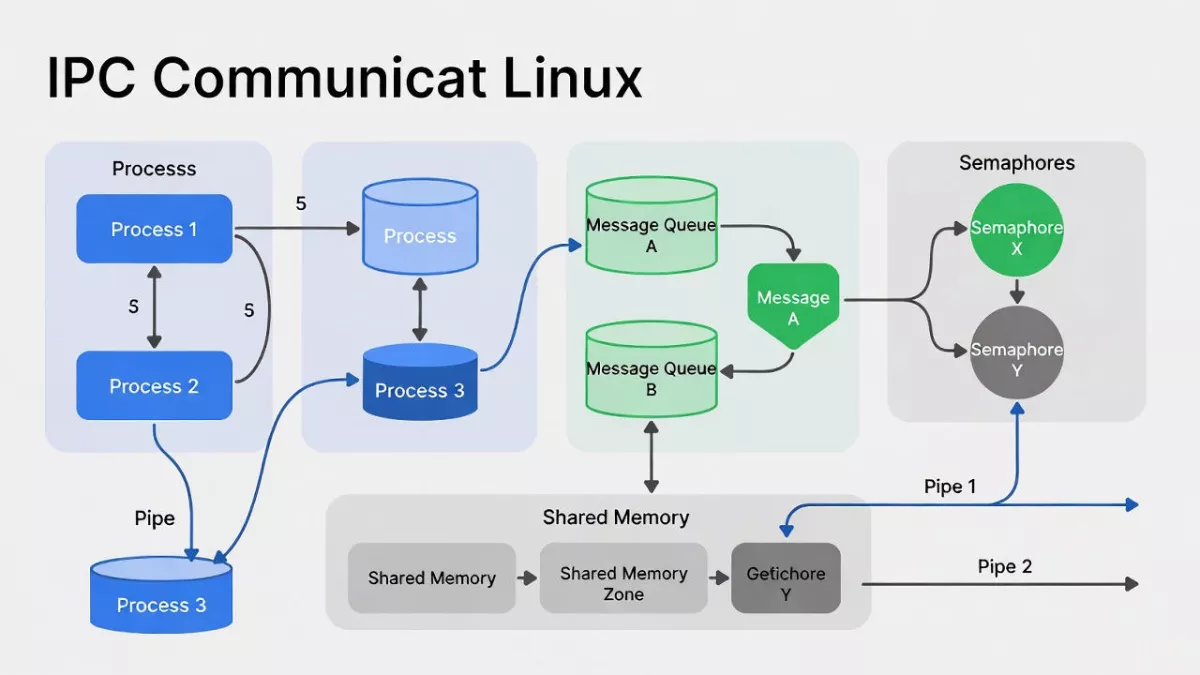
Learn IPC in Linux from beginner to expert ! Explore pipes, message queues, shared memory, semaphores, and signals with examples, diagrams, and interview-focused tips. Master process communication, synchronization, and race condition prevention in Linux system programming.
Inter-Process Communication (IPC) in Linux is a fundamental concept that allows processes to exchange data and synchronize their actions efficiently. Whether you are a beginner trying to understand how processes interact or an expert looking to deepen your knowledge of advanced IPC mechanisms, this guide covers everything. From pipes, message queues, and shared memory to semaphores and signals, we break down each IPC method with practical examples, diagrams, and real-world use cases. Learn how to prevent race conditions, manage concurrent processes, and optimize performance in Linux-based systems. This comprehensive tutorial is designed for developers, embedded engineers, and system programmers preparing for interviews or building robust, high-performance applications. Master IPC in Linux and elevate your system programming skills from beginner to expert.
Imagine you’re sitting with a friend over coffee, discussing Linux programming. You bring up a scenario: you have multiple programs running on your Linux system, and sometimes these programs need to talk to each other. How do they share data or coordinate actions safely and efficiently? That’s where IPC in Linux comes in.
Inter-Process Communication (IPC) is a set of mechanisms that allows processes to communicate and synchronize their actions. Whether you’re writing a small utility or a complex system, understanding IPC is crucial for Linux programming and system design. In this article, we’ll cover everything from beginner-friendly basics to advanced concepts, with practical examples and interview-focused tips. We’ll dive into Message Queues, Semaphores, and Shared Memory in detail, so you’ll have a complete picture of IPC in Linux.What is IPC in Linux?
At its core, IPC in Linux refers to techniques that allow one process to send data to another or coordinate tasks. Processes in Linux are isolated—they have their own memory spaces—so direct access to another process’s memory isn’t possible. IPC mechanisms solve this problem.
Think of processes as separate offices. Without IPC, each office works in isolation. IPC is like the internal mail system, shared bulletin boards, or signaling devices that allow offices to communicate safely.
Key objectives of IPC include:
- Data Sharing: Allow processes to exchange information safely.
- Synchronization: Coordinate processes so they execute in a specific order.
- Resource Management: Prevent conflicts when multiple processes access shared resources.
In Linux, IPC is implemented through several mechanisms. The most commonly used are:
- Message Queues
- Semaphores
- Shared Memory
- Sockets and Pipes (less common in kernel-level IPC discussion)
In this guide, we’ll focus on the first three since they are widely used and often asked about in interviews.
Why IPC is Important in Linux
You might wonder why processes can’t just access each other’s memory. The reason is process isolation. Isolation ensures that a bug in one process doesn’t crash others, enhancing security and stability. But isolation also means that processes need structured ways to communicate—enter IPC.
Here’s why IPC matters:
- Multi-tasking systems: Modern Linux systems run multiple programs at the same time. IPC ensures smooth interaction.
- Performance optimization: Using IPC efficiently avoids unnecessary delays and resource conflicts.
- Kernel-level programming: Many Linux services use IPC internally. Understanding it is key to systems programming.
- Interview relevance: Most Linux or embedded systems interviews ask about IPC mechanisms, differences, and implementations.
Types of IPC in Linux
Linux provides both System V IPC and POSIX IPC. The concepts are similar, but POSIX IPC is more modern and portable.
| IPC Type | System V | POSIX | Description |
|---|---|---|---|
| Message Queue | ✅ | ✅ | Allows sending messages between processes asynchronously. |
| Semaphore | ✅ | ✅ | Used to control access to shared resources and synchronize processes. |
| Shared Memory | ✅ | ✅ | Fastest IPC method; allows processes to share a memory segment. |
| Pipes & FIFO | ✅ | ✅ | Simplest form; for parent-child or unrelated process communication. |
| Sockets | ✅ | ✅ | Network-aware IPC, useful for inter-machine communication. |
For interviews and practical systems programming, the three main pillars are Message Queues, Semaphores, and Shared Memory, which we will explore in detail.
1. Message Queue in Linux
What is a Message Queue?
A message queue is a kernel-managed queue that allows processes to exchange messages. Unlike shared memory, processes do not directly access the same memory area. Instead, the kernel mediates the transfer, ensuring data integrity and synchronization.
Think of it as a post office: processes can “send letters” (messages), and the kernel ensures they reach the correct recipient.
Features of Message Queues
- Asynchronous communication
- Kernel-managed storage
- Messages can be prioritized
- Safe for multiple readers and writers
System Calls for Message Queues
In Linux, the key system calls for System V message queues are:
msgget()– create or access a message queuemsgsnd()– send a messagemsgrcv()– receive a messagemsgctl()– control operations (delete, query, set permissions)
Example: Using Message Queues
#include <sys/ipc.h>
#include <sys/msg.h>
#include <stdio.h>
#include <string.h>

struct msg_buffer {
    long msg_type;
    char msg_text[100];
};

int main() {
    key_t key = ftok("progfile", 65);
    int msgid = msgget(key, 0666 | IPC_CREAT);

    struct msg_buffer message;
    message.msg_type = 1;
    strcpy(message.msg_text, "Hello from Process 1");

    // Send message
    msgsnd(msgid, &message, sizeof(message.msg_text), 0);
    printf("Message sent: %s\n", message.msg_text);

    // Receive message
    msgrcv(msgid, &message, sizeof(message.msg_text), 1, 0);
    printf("Message received: %s\n", message.msg_text);

    // Delete the message queue
    msgctl(msgid, IPC_RMID, NULL);
    return 0;
}
Interview Tip: Be ready to explain how message queues differ from pipes (asynchronous vs synchronous, kernel-managed storage, message prioritization).
2. Semaphore in Linux
What is a Semaphore?
A semaphore is a synchronization tool used to control access to shared resources by multiple processes. It can be thought of as a traffic light:
- Green light (1): Process can enter the critical section.
- Red light (0): Process must wait.
Semaphores prevent race conditions and ensure that resources like files or shared memory are accessed safely.
Types of Semaphores
- Binary Semaphore: Only 0 or 1; used for mutual exclusion (mutex).
- Counting Semaphore: Holds a non-negative integer; useful for managing multiple identical resources.
System Calls for Semaphores
semget()– create/get semaphore setsemop()– perform operations (wait/signal)semctl()– control semaphore (delete, query, set values)
Example: Semaphore Usage
#include <stdio.h>
#include <sys/ipc.h>
#include <sys/sem.h>

int main() {
    key_t key = ftok("semfile", 65);
    int semid = semget(key, 1, 0666 | IPC_CREAT);

    // Initialize semaphore to 1
    semctl(semid, 0, SETVAL, 1);

    struct sembuf sb = {0, -1, 0}; // Wait operation
    semop(semid, &sb, 1);
    printf("Critical section entered\n");

    sb.sem_op = 1; // Signal operation
    semop(semid, &sb, 1);
    printf("Critical section exited\n");

    semctl(semid, 0, IPC_RMID); // Remove semaphore
    return 0;
}
Interview Tip: Be ready to explain how semaphores prevent race conditions, and difference between mutex vs semaphore.
3. Shared Memory in Linux
What is Shared Memory?
Shared memory allows multiple processes to access the same memory segment. It is the fastest IPC mechanism because processes read/write directly, without kernel-mediated copies like message queues.
Think of shared memory as a shared whiteboard: everyone can write and read from it, but you need rules (synchronization) to avoid conflicts.
Key Features
- Fastest IPC method
- Direct memory access
- Requires synchronization (usually via semaphores)
- Suitable for large data exchange
System Calls for Shared Memory
shmget()– create/get shared memory segmentshmat()– attach shared memory to process address spaceshmdt()– detach shared memoryshmctl()– control operations (delete, query)
Example: Shared Memory Usage
#include <stdio.h>
#include <sys/ipc.h>
#include <sys/shm.h>
#include <string.h>

int main() {
    key_t key = ftok("shmfile", 65);
    int shmid = shmget(key, 1024, 0666 | IPC_CREAT);

    char *str = (char*) shmat(shmid, (void*)0, 0);
    strcpy(str, "Hello from shared memory");

    printf("Data written to shared memory: %s\n", str);
    shmdt(str);
    shmctl(shmid, IPC_RMID, NULL);
    return 0;
}
Interview Tip: Know why semaphores are often paired with shared memory, and the performance trade-offs between shared memory and message queues.
IPC in Linux: System V vs POSIX
It’s important to know that Linux supports System V IPC (older, traditional) and POSIX IPC (modern, portable). Differences include:
| Feature | System V | POSIX |
|---|---|---|
| Identifier | int key | string name |
| Creation & deletion | msgget/shmget/semget | mq_open/shm_open/sem_open |
| Message handling | msgsnd/msgrcv | mq_send/mq_receive |
| Standardization | Legacy, Unix | Portable, standardized |
Interview Tip: Many interviewers ask which IPC mechanism is preferred today and why. POSIX is usually favored for portability and standardization.
Practical Use Cases of IPC in Linux
- Message Queues: Chat applications, logging systems, task queues
- Semaphores: Controlling access to printer, shared files, or database
- Shared Memory: High-performance systems like video processing, trading platforms
Interview Questions on IPC in Linux
Here’s a list of common interview questions from beginner to expert level:
- What is IPC in Linux and why is it used?
- Explain the difference between threads and processes.
- What is the difference between message queues, semaphores, and shared memory?
- How do you prevent race conditions in shared memory?
- Write a simple C program to demonstrate a semaphore.
- How does
msgsnd()differ fromwrite()to a pipe? - Compare System V IPC and POSIX IPC.
- How do you synchronize access to shared memory between processes?
- What are the advantages and disadvantages of each IPC mechanism?
- Explain an interview scenario where message queues are better than shared memory.
1. What is IPC in Linux and why is it used?
IPC (Inter-Process Communication) in Linux is a set of techniques that allows multiple processes to communicate and share data with each other.
- Why we need it:
Each process in Linux has its own private memory space. If one process wants to share data with another or coordinate actions, it cannot directly access the other process’s memory. IPC solves this by providing safe, structured ways to exchange information and synchronize tasks. - Common uses of IPC:
- Sharing data between processes (like configuration or computation results)
- Synchronizing tasks to avoid conflicts
- Coordinating resource usage, e.g., multiple processes accessing a printer or database
Key takeaway: Without IPC, processes would be isolated and unable to cooperate effectively, limiting system functionality and efficiency.
2. Explain the difference between threads and processes
| Feature | Process | Thread |
|---|---|---|
| Memory Space | Each process has its own address space | Threads share the same memory space |
| Creation Overhead | Higher (more resource-intensive) | Lower (lighter weight) |
| Communication | Needs IPC (message queue, shared memory) | Direct memory access (shared data) |
| Isolation | Strong isolation | Less isolation; a crash can affect all threads in the process |
| Scheduling | OS schedules each process separately | OS schedules threads of a process individually |
In short: Processes are like separate offices, while threads are like employees in the same office sharing resources.
3. What is the difference between message queues, semaphores, and shared memory?
| IPC Mechanism | Description | Key Points |
|---|---|---|
| Message Queue | Kernel-managed queue where processes can send/receive messages asynchronously | Safe, handles small messages, supports prioritization |
| Semaphore | Synchronization tool to control access to resources | Prevents race conditions, can be binary (mutex) or counting |
| Shared Memory | Memory segment accessible by multiple processes | Fastest method, requires synchronization (usually via semaphores) |
Analogy:
- Message Queue → Post office
- Semaphore → Traffic light
- Shared Memory → Whiteboard shared by multiple people
4. How do you prevent race conditions in shared memory?
Race condition: Occurs when two or more processes access shared data simultaneously and at least one is writing. Resulting behavior becomes unpredictable.
Ways to prevent it:
- Use semaphores:
Wrap read/write operations inwait()andsignal()to ensure only one process modifies shared memory at a time. - Mutexes (in POSIX threads):
If threads share memory within the same process, usepthread_mutex_lock()andpthread_mutex_unlock(). - Careful design:
Minimize shared memory access and design processes to avoid simultaneous writes.
Example:
// Pseudocode for using semaphore with shared memory
wait(sem);       // lock
shared_data++;   // critical section
signal(sem);     // unlock
5. Write a simple C program to demonstrate a semaphore
Here’s a beginner-friendly C example using System V semaphore:
#include <stdio.h>
#include <sys/ipc.h>
#include <sys/sem.h>

int main() {
    key_t key = ftok("semfile", 65);
    int semid = semget(key, 1, 0666 | IPC_CREAT);

    // Initialize semaphore to 1
    semctl(semid, 0, SETVAL, 1);

    struct sembuf sb = {0, -1, 0}; // wait (P operation)
    semop(semid, &sb, 1);
    printf("Inside critical section\n");

    sb.sem_op = 1; // signal (V operation)
    semop(semid, &sb, 1);
    printf("Exited critical section\n");

    semctl(semid, 0, IPC_RMID); // delete semaphore
    return 0;
}
Explanation:
semget()creates a semaphoresemop()performs wait (-1) or signal (+1) operationssemctl()deletes the semaphore after use
6. How does msgsnd() differ from write() to a pipe?
| Feature | msgsnd() (Message Queue) | write() (Pipe) |
|---|---|---|
| Communication type | Asynchronous | Synchronous |
| Kernel involvement | Kernel manages queue storage | Kernel handles stream directly |
| Message structure | Preserves message boundaries | No inherent message boundary |
| Access | Can be read by multiple processes | Typically FIFO (first-in, first-out) |
| Prioritization | Yes, messages can have priority | No |
Key point: msgsnd() is more structured and suitable for complex, asynchronous communication, while pipes are simpler but linear.
7. Compare System V IPC and POSIX IPC
| Feature | System V IPC | POSIX IPC |
|---|---|---|
| Identifier | int key | string name |
| API | msgget(), semget(), shmget() | mq_open(), sem_open(), shm_open() |
| Portability | Less portable, older Unix systems | Highly portable, standardized |
| Flexibility | Moderate | High, supports robust options |
| Examples | Traditional Linux IPC programs | Modern Linux applications, cross-platform |
Interview Tip: POSIX IPC is generally preferred today due to standardization and portability.
8. How do you synchronize access to shared memory between processes?
- Use semaphores or mutexes to lock the shared memory during a read/write operation.
- Steps:
- Attach the shared memory using
shmat() - Lock using semaphore (
semop()) - Perform read/write
- Unlock (
semop()) - Detach shared memory using
shmdt()
- Attach the shared memory using
Example:
wait(sem);          // lock semaphore
shared_data = 100;  // write to shared memory
signal(sem);        // unlock semaphore
Tip: Never access shared memory without synchronization to avoid race conditions.
9. What are the advantages and disadvantages of each IPC mechanism?
| IPC Mechanism | Advantages | Disadvantages |
|---|---|---|
| Message Queue | Asynchronous, safe, supports priorities | Slower than shared memory, kernel overhead |
| Semaphore | Prevents race conditions, simple control | Does not store data, only for synchronization |
| Shared Memory | Fastest IPC, ideal for large data | Requires synchronization, more complex, can cause race conditions |
10. Explain an interview scenario where message queues are better than shared memory
Scenario: Imagine a logging system where multiple processes generate logs and a single process writes them to a file.
- Using shared memory would require semaphores to avoid race conditions.
- Using a message queue, each process can send messages asynchronously, and the logging process can read messages in order without worrying about locks.
Why message queue is better here:
- Maintains order automatically
- No explicit locking required
- Safer and easier to manage when multiple producers exist
Best Practices for IPC in Linux
- Always handle errors in IPC system calls.
- Clean up resources after use (delete message queues, semaphores, shared memory).
- Pair shared memory with semaphores to avoid race conditions.
- Use POSIX IPC for portability across Unix systems.
- Limit message size in queues to avoid memory issues.
- Document the communication protocol between processes clearly.
Conclusion
Mastering IPC in Linux is crucial for any programmer working with processes, system programming, or Linux internals. Understanding message queues, semaphores, and shared memory equips you to design robust and efficient applications. For interviews, make sure you can write small programs, explain trade-offs, and reason about synchronization.
Think of IPC as the language processes use to coordinate—a skill that separates beginner programmers from advanced Linux developers. Start with message queues, experiment with semaphores, and then tackle shared memory. Once you understand these, you’ll be ready to handle almost any Linux IPC challenge.
Frequently Asked Questions (FAQ) – IPC in Linux
Q1: What is IPC in Linux?
A: IPC (Inter-Process Communication) in Linux is a set of mechanisms that allow processes to communicate, share data, and synchronize their execution. Common IPC methods include pipes, message queues, shared memory, semaphores, and signals.
Q2: Why is IPC important in Linux?
A: IPC is crucial for building efficient, high-performance applications where multiple processes need to coordinate tasks or exchange data. Without IPC, processes would run independently and could not share information safely.
Q3: What are the types of IPC in Linux?
A: Linux supports several IPC mechanisms:
- Pipes and Named Pipes (FIFO) – for simple communication between processes.
- Message Queues – to send and receive structured messages.
- Shared Memory – for high-speed data exchange.
- Semaphores – for process synchronization.
- Signals – to notify processes of events or interrupts.
Q4: What is the difference between pipes and message queues?
A: Pipes allow sequential data transfer between related processes, while message queues let processes send/receive discrete messages in a queue, supporting asynchronous communication and priority-based handling.
Q5: How does shared memory work in Linux IPC?
A: Shared memory allows multiple processes to access the same memory segment, enabling fast data exchange. Synchronization tools like semaphores are used to prevent race conditions when multiple processes read/write simultaneously.
Q6: What is a semaphore and why is it used?
A: A semaphore is a synchronization tool used to control access to shared resources. It prevents race conditions by ensuring that only a limited number of processes can access a critical section at a time.
Q7: How do signals help in IPC?
A: Signals are notifications sent to a process to indicate events like termination, interrupts, or timers. They provide a lightweight way for processes to respond to events asynchronously.
Q8: How to choose the right IPC method in Linux?
A: The choice depends on the use case:
- Use pipes for simple, linear data transfer.
- Use message queues for structured, asynchronous messaging.
- Use shared memory for high-speed, large data exchange.
- Use semaphores for synchronization of shared resources.
- Use signals for event notifications and process control.
Q9: Can IPC cause performance issues?
A: Yes, improper use of IPC can lead to bottlenecks, deadlocks, or race conditions. Choosing the right mechanism and proper synchronization is key to optimal performance.
Q10: Is IPC used in embedded Linux systems?
A: Absolutely. IPC is widely used in embedded Linux for real-time communication, process synchronization, and efficient resource sharing between processes and threads.
Read More : Linux System Programming


Mr. Raj Kumar is a highly experienced Technical Content Engineer with 7 years of dedicated expertise in the intricate field of embedded systems. At Embedded Prep, Raj is at the forefront of creating and curating high-quality technical content designed to educate and empower aspiring and seasoned professionals in the embedded domain.
Throughout his career, Raj has honed a unique skill set that bridges the gap between deep technical understanding and effective communication. His work encompasses a wide range of educational materials, including in-depth tutorials, practical guides, course modules, and insightful articles focused on embedded hardware and software solutions. He possesses a strong grasp of embedded architectures, microcontrollers, real-time operating systems (RTOS), firmware development, and various communication protocols relevant to the embedded industry.
Raj is adept at collaborating closely with subject matter experts, engineers, and instructional designers to ensure the accuracy, completeness, and pedagogical effectiveness of the content. His meticulous attention to detail and commitment to clarity are instrumental in transforming complex embedded concepts into easily digestible and engaging learning experiences. At Embedded Prep, he plays a crucial role in building a robust knowledge base that helps learners master the complexities of embedded technologies.












