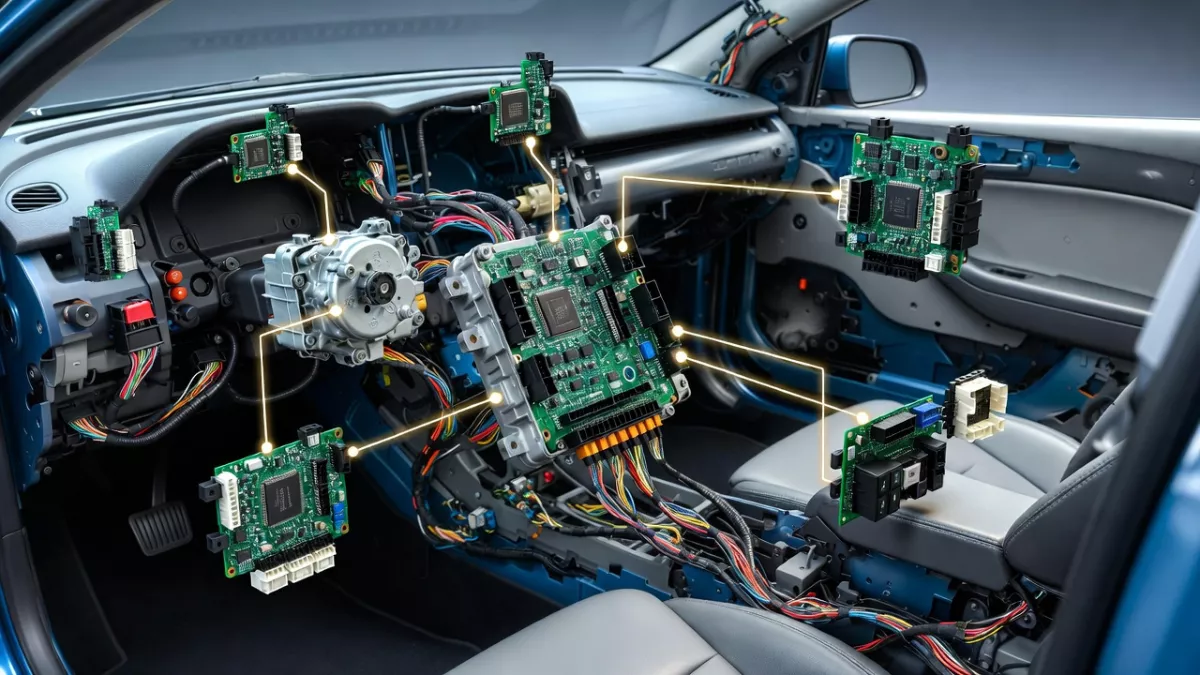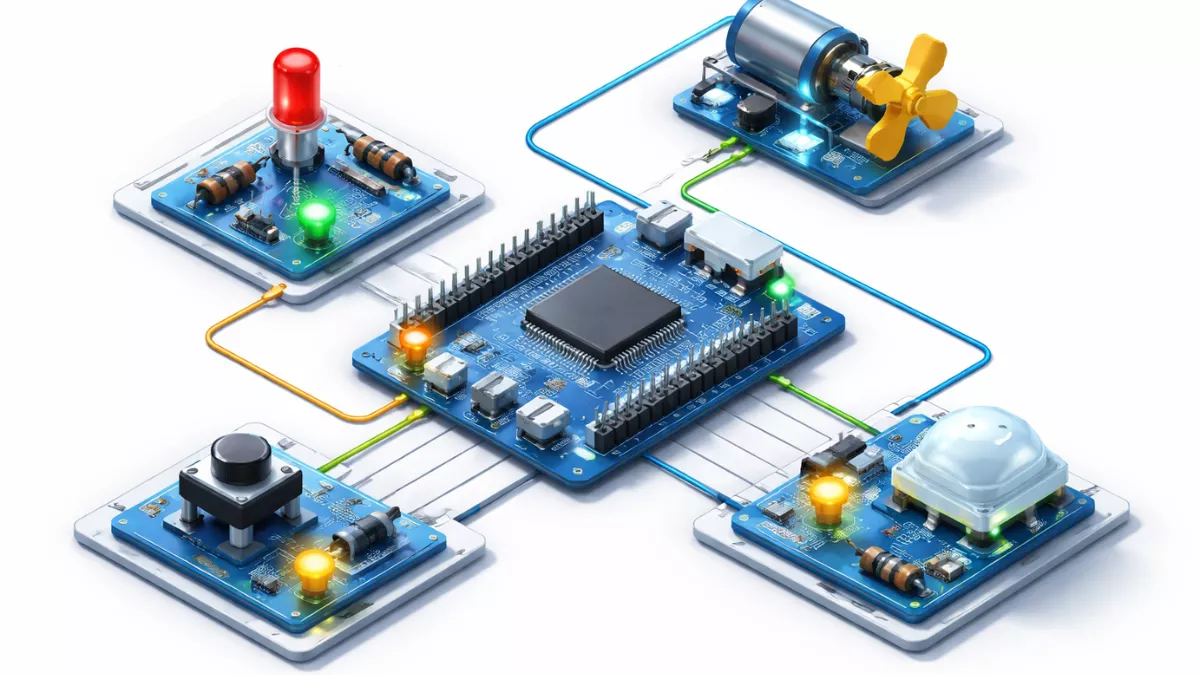
Learn GPIO interview questions guide covering input, output, pull-up, pull-down, interrupts, real debugging questions, and why interviewers ask GPIO questions.
GPIO stands for General Purpose Input Output. It is one of the most basic and important features of any microcontroller or processor. GPIO pins allow a chip to interact with the real world. Without GPIO, a microcontroller would only execute code internally and would not be able to sense or control anything outside.
Whether you are blinking an LED, reading a button, controlling a relay, or selecting a boot mode, GPIO is always involved. That is why GPIO is one of the first topics discussed in embedded systems interviews.
Why GPIO Is Important and Why Interviewers Ask GPIO Questions
Interviewers ask questions about GPIO not because GPIO is difficult, but because GPIO reveals how well a candidate understands the basics of embedded systems. GPIO is the foundation on which almost all hardware interaction is built. If someone struggles with GPIO, it usually means they will struggle with more complex peripherals as well.
GPIO Shows Your Understanding of Hardware–Software Interaction
GPIO is the first point where software meets real hardware. Through GPIO questions, interviewers check whether you understand:
- How voltage levels represent digital data
- How software controls hardware registers
- How external components like buttons, LEDs, and sensors actually work
If you can explain GPIO clearly, it shows you understand how code affects real pins on a chip, not just how to write logic in C.
GPIO Tests Your Practical Experience
Many candidates know theory but lack hands-on experience. GPIO questions quickly expose this.
For example:
- If you know why a button needs a pull-up resistor, you have worked with real hardware.
- If you understand debounce issues, you have debugged real-world problems.
- If you know why an LED needs a resistor, you understand current and voltage limits.
Interviewers use GPIO to separate practical engineers from book readers.
GPIO Reveals Your Debugging Ability
GPIO-related problems are common in real projects:
- Input always reads HIGH or LOW
- Button triggers multiple times
- Output does not toggle
- MCU resets when a pin changes state
When interviewers ask GPIO questions, they want to see how you think when something goes wrong, not just whether you remember definitions.
GPIO Is Used Everywhere in Embedded Systems
Almost every embedded system uses GPIO in some form:
- Boot mode selection
- Chip enable pins
- Interrupt lines
- Power control signals
- Sensor and module control
Because GPIO is universal, interviewers know that strong GPIO knowledge transfers to any microcontroller or processor.
GPIO Questions Test Attention to Safety and Reliability
Improper GPIO usage can damage hardware. Interviewers check if you understand:
- Current limits
- Over-voltage protection
- 5V tolerance
- Open-drain vs push-pull
- Back-powering issues
This helps them judge whether you can design safe and reliable systems, especially for automotive, medical, or industrial products.
GPIO Helps Interviewers Judge Your Learning Foundation
Advanced topics like SPI, I2C, DMA, low-power modes, and interrupts all depend on GPIO behavior.
If your GPIO fundamentals are strong:
- You learn peripherals faster
- You make fewer hardware mistakes
- You debug issues efficiently
That is why interviewers always start with GPIO before moving to advanced topics.
What Exactly is a GPIO Pin?
A GPIO pin is a digital pin that can be configured by software to either read a signal (input) or send a signal (output). The same physical pin can usually be switched between input and output modes depending on the program.
GPIO pins work with digital values, not analog values. That means they understand only two states:
- Logic LOW (0)
- Logic HIGH (1)
The voltage range for HIGH and LOW depends on the microcontroller, such as 3.3V or 5V.
GPIO Interview Questions :
BEGINNER / FRESHER LEVEL (Very Common)
- What is GPIO?
- What does GPIO stand for?
- Why do microcontrollers need GPIO pins?
- What are the basic functions of a GPIO pin?
- What is input mode in GPIO?
- What is output mode in GPIO?
- What is the difference between GPIO input and output?
- What is a digital input?
- What is a digital output?
- What voltage levels represent logic HIGH and LOW?
- What is push-pull output?
- What is open-drain output?
- Where is open-drain used?
- What is a pull-up resistor?
- What is a pull-down resistor?
- Why are pull-up resistors needed?
- What happens if GPIO input is left floating?
- What is GPIO floating input?
- What is GPIO speed?
- What is GPIO drive strength?
- Can a GPIO pin be both input and output?
- What is tri-state logic?
- What is high-impedance (Hi-Z) state?
- What happens if two outputs are shorted together?
- How many GPIO pins are there in a microcontroller?
- What is pin multiplexing?
- What is alternate function (AF) in GPIO?
- What is default GPIO state after reset?
- Can GPIO pins source and sink current?
- What is GPIO current limit?
INTERMEDIATE LEVEL (Most Asked)
- Difference between push-pull and open-drain
- When do you use open-drain instead of push-pull?
- What is internal pull-up vs external pull-up?
- What is GPIO debounce?
- How do you debounce a button in software?
- How do you debounce a button in hardware?
- What is GPIO interrupt?
- Difference between polling and interrupt
- What is edge-triggered interrupt?
- What is level-triggered interrupt?
- Difference between rising edge and falling edge
- What is GPIO EXTI?
- How do GPIO interrupts work internally?
- What happens if multiple GPIO interrupts occur at once?
- What is interrupt priority in GPIO?
- Can one GPIO pin generate multiple interrupts?
- What is glitch on GPIO?
- How do you avoid GPIO glitches?
- What is slew rate control?
- What is GPIO speed setting used for?
- Why high GPIO speed causes EMI?
- What is metastability in GPIO input?
- How do you protect GPIO pins from overvoltage?
- What is ESD protection in GPIO?
- What is clamping diode?
- What happens if GPIO pin is driven beyond VCC?
- How to interface a button with GPIO?
- How to interface an LED with GPIO?
- Why do we use resistor with LED?
- Can GPIO directly drive a relay?
- Why do we need transistor with GPIO?
- What is GPIO fan-out?
- What is sink current vs source current?
- What happens if GPIO current limit is exceeded?
- What is read-modify-write problem in GPIO?
- What is atomic GPIO operation?
- What is bit-banding (ARM)?
- What is GPIO register?
- What registers control GPIO?
- Difference between ODR and IDR
- What is BSRR register?
- Why BSRR is preferred over ODR?
- How do you toggle a GPIO pin?
- How do you read GPIO pin state?
- What is GPIO lock feature?
- What happens if GPIO is not clock-enabled?
- What is GPIO clock gating?
- Power consumption impact of GPIO
- What is leakage current in GPIO?
- What is GPIO wake-up from sleep?
ADVANCED LEVEL (Experienced / Real Debugging)
- What happens internally when GPIO changes state?
- Explain GPIO internal structure
- What is Schmitt trigger input?
- Why Schmitt trigger is used in GPIO?
- What is hysteresis in GPIO input?
- What causes false triggering in GPIO?
- How to detect short circuit on GPIO?
- How to detect stuck-at-high GPIO?
- What happens if two MCUs drive same GPIO line?
- How does open-drain solve bus contention?
- Explain GPIO bus arbitration
- What is GPIO synchronization with clock?
- What is input sampling time?
- What is asynchronous GPIO input?
- What is GPIO latency?
- What is GPIO interrupt latency?
- How do you reduce GPIO interrupt latency?
- What is GPIO jitter?
- What is EMI caused by GPIO?
- How to reduce EMI from GPIO?
- What is ground bounce?
- How GPIO switching causes ground bounce?
- What is simultaneous switching output (SSO)?
- What is GPIO cross-talk?
- PCB guidelines for GPIO routing
- What is GPIO hot-plug issue?
- How to protect GPIO from reverse current?
- What is fail-safe GPIO?
- What is 5V tolerant GPIO?
- How 5V tolerant GPIO works internally?
- What happens if non-5V tolerant GPIO gets 5V?
- What is GPIO power-up sequence issue?
- What is back-powering through GPIO?
- How to avoid back-powering?
- What is GPIO isolation during reset?
- How boot mode is selected using GPIO?
- What is strap pin?
- What is boot strap resistor?
- GPIO vs GPI vs GPO
- GPIO vs peripheral pin
- How GPIO interacts with DMA?
- Can GPIO be used with DMA?
- How fast can GPIO toggle?
- GPIO timing limitations
- What is maximum GPIO frequency?
- What is GPIO clock domain crossing?
- What is GPIO metastability fix?
- What happens if GPIO interrupt is missed?
- How do you debug GPIO issues?
- Common GPIO hardware failures
- Common GPIO software bugs
- GPIO testing methods
- How to test GPIO without hardware?
- GPIO simulation vs real behavior
- GPIO behavior during low-power modes
- Retention GPIO
- Wake-up GPIO configuration
- GPIO in deep sleep
- How GPIO state is maintained in standby
- What happens to GPIO during reset
- GPIO glitch during reset
- How to avoid reset-time glitches
- GPIO initial configuration best practices
- Why GPIO should be configured early
- GPIO security concerns
- GPIO fault injection attacks
- GPIO locking for safety
- GPIO in safety-critical systems
- ISO / automotive GPIO considerations
- Real project GPIO issue you solved
VERY COMMON PRACTICAL QUESTIONS
- Why LED glows dim or not at all?
- Button gives multiple presses, why?
- GPIO interrupt triggers randomly, why?
- GPIO output not changing, why?
- Input always reads HIGH/LOW, why?
- MCU resets when GPIO toggles, why?
- External device not responding via GPIO, why?
GPIO Question and Answer :
What is GPIO?
GPIO stands for General Purpose Input Output. In simple words, GPIO is a set of programmable pins on a microcontroller or processor that you can use to read signals or control external devices.
A GPIO pin does not have a fixed job like UART or SPI. You decide what it does. Today it can read a button. Tomorrow it can blink an LED. That flexibility is why GPIO exists.
What does GPIO stand for?
GPIO stands for General Purpose Input Output:
- General Purpose means the pin is not locked to one specific function
- Input means the pin can read a signal
- Output means the pin can send a signal
This simple name explains everything GPIO is meant to do.
Why do microcontrollers need GPIO pins?
Microcontrollers live in the real world. They need to:
- Read buttons and switches
- Detect sensors
- Turn LEDs on and off
- Control relays, motors, and displays
GPIO pins are the bridge between the digital brain of the microcontroller and the physical world outside. Without GPIO, your microcontroller would just sit there doing math with no way to interact.
What are the basic functions of a GPIO pin?
Every GPIO pin supports two basic functions:
- Input: Read external signals
- Output: Drive external signals
Some microcontrollers also allow:
- Internal pull-up or pull-down resistors
- Alternate functions like SPI, I2C, UART
- Adjustable speed and drive strength
But at the core, GPIO is always about input and output.
What is input mode in GPIO?
In GPIO input mode, the pin listens instead of talking. It reads the voltage level applied from outside and converts it into a digital value, usually 0 or 1.
Common uses of GPIO input mode:
- Reading a push button
- Detecting a sensor output
- Checking logic signals from another chip
The microcontroller never forces a voltage in input mode. It only observes.
What is output mode in GPIO?
In GPIO output mode, the pin actively drives a voltage level. The microcontroller decides whether the pin should be HIGH or LOW.
Typical uses:
- Blinking an LED
- Enabling a relay
- Sending control signals
In output mode, the pin becomes a signal source.
What is the difference between GPIO input and output?
The difference is simple but important:
- Input reads voltage from outside
- Output drives voltage to the outside
In input mode, the pin is passive. In output mode, the pin is active. Mixing these up can cause hardware damage if not handled carefully.
What is a digital input?
A digital input reads only two states:
- Logic HIGH
- Logic LOW
It does not measure exact voltage values like an analog input. It just checks whether the voltage crosses a predefined threshold.
Digital inputs are perfect for buttons, switches, and logic signals.
What is a digital output?
A digital output can produce two states:
- HIGH
- LOW
This is used to control devices that only care about on or off, such as LEDs, relays, and enable pins.
What voltage levels represent logic HIGH and LOW?
Voltage levels depend on the microcontroller:
- For 3.3V systems:
- HIGH is close to 3.3V
- LOW is close to 0V
- For 5V systems:
- HIGH is close to 5V
- LOW is close to 0V
Exact thresholds are defined in the datasheet. Never assume values blindly.
What is push-pull output?
A push-pull output can:
- Drive the pin HIGH
- Drive the pin LOW
It uses two internal transistors. One pushes the voltage up, the other pulls it down. This mode is fast and strong.
Push-pull is ideal for LEDs and direct logic connections.
What is open-drain output?
An open-drain output can only pull the pin LOW. It cannot drive the pin HIGH by itself.
To get a HIGH level, you must use a pull-up resistor.
This mode is safer when multiple devices share the same line.
Where is open-drain used?
Open-drain is commonly used in:
- I2C communication
- Shared interrupt lines
- Multi-device signal buses
It prevents devices from fighting each other electrically.
What is a pull-up resistor?
A pull-up resistor connects a signal line to a HIGH voltage through a resistor.
Its job is to ensure the signal stays HIGH when no device is pulling it LOW.
Pull-up resistors can be:
- External
- Internal (inside the microcontroller)
What is a pull-down resistor?
A pull-down resistor connects a signal line to ground.
It ensures the signal stays LOW when nothing is driving it.
Pull-downs are often used with buttons and switches.
Why are pull-up resistors needed?
Without pull-up resistors, a GPIO input can float. A floating pin can randomly read HIGH or LOW due to noise.
Pull-up resistors provide a known default state and prevent unpredictable behavior.
What happens if GPIO input is left floating?
A floating GPIO input:
- Picks up noise
- Consumes extra power
- Produces random values
This can cause false triggers and unstable systems. Floating inputs are a common beginner mistake.
What is GPIO floating input?
A GPIO floating input is an input pin that is not connected to:
- A defined voltage
- A pull-up resistor
- A pull-down resistor
It has no reference and behaves unpredictably.
What is GPIO speed?
GPIO speed defines how fast the pin can change state.
Higher speed:
- Faster edges
- More noise
- Higher power consumption
Lower speed:
- Slower edges
- Less noise
- Better signal integrity
Always choose the lowest speed that works for your application.
What is GPIO drive strength?
GPIO drive strength defines how much current a pin can source or sink.
Higher drive strength:
- Drives heavier loads
- Increases power usage
Lower drive strength:
- Saves power
- Reduces EMI
Can a GPIO pin be both input and output?
Yes. Most GPIO pins are configurable.
The same pin can be:
- Input at one moment
- Output at another moment
But never at the same time. The mode is controlled by software.
What is tri-state logic?
Tri-state logic has three states:
- HIGH
- LOW
- High-impedance (Hi-Z)
The Hi-Z state electrically disconnects the pin from the circuit.
What is high-impedance (Hi-Z) state?
In Hi-Z state, the GPIO pin behaves like it is not connected at all.
This is useful when:
- Multiple devices share a bus
- You want to release control of a signal line
What happens if two outputs are shorted together?
If two GPIO outputs drive opposite levels:
- Very high current flows
- Pins can overheat
- Permanent damage can occur
This is why shared lines use open-drain instead of push-pull.
How many GPIO pins are there in a microcontroller?
The number varies by model:
- Small microcontrollers: 8 to 20 GPIO pins
- Medium ones: 30 to 60 GPIO pins
- High-end MCUs: 100 or more GPIO pins
Always check the datasheet.
What is pin multiplexing?
Pin multiplexing means one physical pin can perform multiple functions.
For example:
- GPIO
- SPI
- UART
- I2C
You select the function using software configuration.
What is alternate function (AF) in GPIO?
Alternate Function (AF) mode assigns the pin to a peripheral instead of GPIO.
For example:
- SPI clock
- UART TX/RX
- I2C data
AF mode allows complex communication without extra pins.
What is default GPIO state after reset?
After reset, most GPIO pins:
- Are configured as inputs
- Are in high-impedance state
- Have no pull-up or pull-down enabled
This prevents accidental damage during startup.
Can GPIO pins source and sink current?
Yes.
- Source current means providing current to a load
- Sink current means drawing current from a load
Most GPIO pins are better at sinking than sourcing current.
What is GPIO current limit?
GPIO current limit is the maximum safe current a pin can handle.
Typical values:
- 5 to 10 mA per pin
- Total port current also has limits
Exceeding these limits can permanently damage the microcontroller.
GPIO Intermediate Question and Answers :
Difference Between Push-Pull and Open-Drain
This is one of the most important GPIO interview questions, and also one of the most misunderstood.
Push-Pull Output
In push-pull mode:
- The pin actively drives HIGH and LOW
- Uses two transistors internally
- Fast and strong output
- No external resistor needed
Best for:
- LEDs
- SPI signals
- Normal digital outputs
Open-Drain Output
In open-drain mode:
- The pin can only drive LOW
- HIGH comes from a pull-up resistor
- Multiple devices can share the same line
Best for:
- I2C bus
- Wired-OR logic
- Multi-device communication
When Do You Use Open-Drain Instead of Push-Pull?
Use open-drain when:
- Multiple devices share one signal line
- You want level shifting between voltages
- You need safe bus arbitration
Classic example: I2C SDA and SCL lines
Push-pull would cause bus damage if two devices drive opposite levels. Open-drain prevents that.
Internal Pull-Up vs External Pull-Up
Internal Pull-Up
- Built inside the microcontroller
- Weak resistance (20kΩ–50kΩ typical)
- Saves components and space
Good for:
- Buttons
- Simple inputs
External Pull-Up
- External resistor (1kΩ–10kΩ typical)
- Stronger and more reliable
- Better noise immunity
Good for:
- I2C
- Long wires
- High-speed signals
What Is GPIO Debounce?
When you press a mechanical button, it doesn’t change state cleanly. It bounces for a few milliseconds.
GPIO debounce is the process of filtering out these unwanted rapid transitions so one press equals one action.
How Do You Debounce a Button in Software?
Common software debounce methods:
- Delay-based debounce
- Timer-based debounce
- State machine debounce
Simple approach:
- Detect button press
- Wait 10–20 ms
- Read again
- Confirm stable state
Software debounce is flexible and cheap but consumes CPU time.
How Do You Debounce a Button in Hardware?
Hardware debounce uses:
- RC network (resistor + capacitor)
- Schmitt trigger
- Dedicated debounce IC
Hardware debounce is fast, reliable, and CPU-free, but adds cost.
What Is GPIO Interrupt?
A GPIO interrupt allows the microcontroller to react immediately when a pin changes state instead of constantly checking it.
This saves power and improves responsiveness.
Difference Between Polling and Interrupt
Polling
- CPU continuously checks GPIO
- Wastes power
- Slower response
Interrupt
- CPU sleeps until event occurs
- Power efficient
- Instant response
Use polling for simple tasks. Use interrupts for time-critical events.
What Is Edge-Triggered Interrupt?
An edge-triggered interrupt occurs when the signal changes:
- Rising edge (LOW → HIGH)
- Falling edge (HIGH → LOW)
Most buttons use falling-edge interrupts.
What Is Level-Triggered Interrupt?
A level-triggered interrupt remains active as long as the signal stays at a level.
If not handled properly, it can cause interrupt storms.
Difference Between Rising Edge and Falling Edge
- Rising edge: Signal goes from 0 to 1
- Falling edge: Signal goes from 1 to 0
Button press often uses falling edge because of pull-ups.
What Is GPIO EXTI?
EXTI (External Interrupt) is a hardware block that connects GPIO pins to the interrupt controller.
It detects edges or levels and generates interrupt requests.
How Do GPIO Interrupts Work Internally?
Internally:
- GPIO pin changes state
- EXTI detects event
- Interrupt request sent to NVIC
- CPU jumps to ISR
- ISR executes user code
What Happens If Multiple GPIO Interrupts Occur at Once?
The interrupt controller:
- Uses priority levels
- Handles higher priority first
- Lower priority waits
What Is Interrupt Priority in GPIO?
Interrupt priority decides which interrupt runs first.
Critical signals like fault detection get higher priority than button presses.
Can One GPIO Pin Generate Multiple Interrupts?
No. One pin maps to one interrupt line, but it can be configured for:
- Rising edge
- Falling edge
- Both edges
What Is a Glitch on GPIO?
A glitch is an unwanted short pulse caused by noise, switching, or poor layout.
How Do You Avoid GPIO Glitches?
- Use pull-up or pull-down resistors
- Reduce GPIO speed
- Add RC filters
- Proper PCB grounding
What Is Slew Rate Control?
Slew rate control limits how fast a GPIO transitions between LOW and HIGH.
Slower transitions reduce noise.
What Is GPIO Speed Setting Used For?
GPIO speed controls:
- Rise time
- Fall time
- EMI emissions
Low speed is safer for most applications.
Why High GPIO Speed Causes EMI?
Fast edges create:
- High-frequency harmonics
- Electromagnetic radiation
- Signal ringing
Always use the lowest speed that works.
What Is Metastability in GPIO Input?
Metastability happens when:
- Input changes near clock edge
- Flip-flop cannot decide 0 or 1
This causes unpredictable behavior.
How Do You Protect GPIO Pins from Overvoltage?
- Series resistors
- Zener diodes
- Level shifters
- TVS diodes
What Is ESD Protection in GPIO?
ESD protection prevents damage from static discharge.
Most MCUs have internal protection diodes, but external protection is safer.
What Is a Clamping Diode?
A clamping diode:
- Limits voltage to safe range
- Diverts excess current to VCC or GND
What Happens If GPIO Pin Is Driven Beyond VCC?
- Clamping diodes conduct
- Excess current flows
- GPIO or MCU may be damaged
Never exceed voltage limits.
How to Interface a Button with GPIO?
Steps:
- Configure GPIO as input
- Enable pull-up or pull-down
- Add debounce
- Read pin state
How to Interface an LED with GPIO?
Steps:
- Configure GPIO as output
- Add series resistor
- Drive HIGH or LOW
Why Do We Use Resistor with LED?
Without a resistor:
- LED draws too much current
- LED and GPIO pin get damaged
Resistor limits current safely.
Can GPIO Directly Drive a Relay?
No.
Relays need:
- High current
- High voltage
GPIO cannot supply this safely.
Why Do We Need Transistor with GPIO?
A transistor:
- Amplifies current
- Protects GPIO
- Allows driving relays, motors, buzzers
What Is GPIO Fan-Out?
Fan-out is how many inputs one GPIO output can drive without signal degradation.
What Is Sink Current vs Source Current?
- Source current: GPIO provides current
- Sink current: GPIO absorbs current
Many MCUs can sink more than they source.
What Happens If GPIO Current Limit Is Exceeded?
- Overheating
- Permanent damage
- Unstable behavior
Always check datasheets.
What Is Read-Modify-Write Problem in GPIO?
When you:
- Read register
- Modify one bit
- Write back
Other bits may change unintentionally due to interrupts.
What Is Atomic GPIO Operation?
Atomic operations modify only one bit without affecting others.
What Is Bit-Banding (ARM)?
Bit-banding maps each bit to a memory address, allowing atomic bit access.
What Is GPIO Register?
GPIO registers control pin behavior:
- Mode
- Speed
- Pull-up/down
- Output value
What Registers Control GPIO?
Common registers:
- MODER
- OTYPER
- OSPEEDR
- PUPDR
- IDR
- ODR
- BSRR
Difference Between ODR and IDR
- ODR: Output Data Register
- IDR: Input Data Register
ODR writes, IDR reads.
What Is BSRR Register?
BSRR allows:
- Atomic set/reset
- No read-modify-write issue
Why BSRR Is Preferred Over ODR?
Because it:
- Is atomic
- Prevents race conditions
- Is interrupt-safe
How Do You Toggle a GPIO Pin?
- Read ODR and invert bit
- Or use XOR register if available
How Do You Read GPIO Pin State?
Read the IDR register.
What Is GPIO Lock Feature?
Lock feature:
- Prevents accidental configuration change
- Used in safety-critical systems
What Happens If GPIO Is Not Clock-Enabled?
- Registers are inaccessible
- GPIO does not work
- Code may hang
What Is GPIO Clock Gating?
Clock gating:
- Turns off unused GPIO clocks
- Saves power
Power Consumption Impact of GPIO
GPIO affects power through:
- Leakage current
- Pull-ups
- Switching activity
Unused pins should be properly configured.
What Is Leakage Current in GPIO?
Leakage current is:
- Small current even when idle
- Important in low-power designs
What Is GPIO Wake-Up from Sleep?
GPIO wake-up allows:
- MCU to sleep
- Wake on button press or signal
- Ultra-low power operation
Conclusion
GPIO may look simple at first, but it plays a critical role in every embedded system. From reading a button to controlling complex hardware signals, GPIO is where software directly meets the real world. That is why interviewers place so much importance on GPIO fundamentals.
A strong understanding of GPIO helps you design reliable circuits, write safer firmware, and debug real hardware problems with confidence. Concepts like pull-up resistors, input floating issues, interrupts, and output current limits are not just interview topics, they are daily engineering challenges.
For interviews, GPIO questions are often used to judge your practical experience, problem-solving ability, and hardware awareness. If you can explain GPIO clearly in simple language and relate it to real-world examples, you immediately stand out as a confident and capable embedded engineer.
Mastering GPIO builds a solid foundation for learning advanced peripherals such as SPI, I2C, timers, DMA, and low-power modes. In short, if your GPIO fundamentals are strong, the rest of embedded systems becomes much easier to understand and explain.
Frequently Asked Questions (FAQ)
1. What is GPIO in simple words?
GPIO is a basic digital pin on a microcontroller that can either read a signal from the outside world or send a signal to control external hardware like LEDs, buttons, or relays.
2. Why is GPIO important in embedded systems?
GPIO allows software to interact with real hardware. Without GPIO, a microcontroller cannot sense inputs or control external devices, making it useless in real products.
3. What is the difference between GPIO input and output?
In input mode, GPIO reads voltage from outside. In output mode, GPIO drives voltage to control external devices.
4. Why do GPIO inputs need pull-up or pull-down resistors?
Pull-up and pull-down resistors prevent floating inputs, which can cause random readings, false interrupts, and unstable system behavior.
5. What happens if a GPIO pin is left floating?
A floating GPIO pin can randomly change between HIGH and LOW due to noise, leading to unreliable readings and unexpected behavior.
6. What is the difference between push-pull and open-drain GPIO?
Push-pull actively drives both HIGH and LOW, while open-drain can only pull the line LOW and needs a pull-up resistor for HIGH. Open-drain is commonly used for shared buses.
7. Can GPIO directly drive devices like motors or relays?
No, GPIO pins cannot supply enough current for motors or relays. A transistor, relay driver, or motor driver must be used to protect the microcontroller.
8. What is GPIO interrupt and why is it used?
A GPIO interrupt allows the microcontroller to react instantly when a pin changes state, instead of continuously checking it. This saves CPU time and power.
9. Why do buttons cause multiple triggers in GPIO?
Mechanical buttons bounce when pressed, causing rapid ON-OFF transitions. This is called debounce and must be handled in software or hardware.
10. What is the default state of GPIO after reset?
Most GPIO pins start in input or high-impedance mode after reset to prevent accidental damage or unwanted output signals.
11. How do interviewers judge GPIO knowledge?
Interviewers check GPIO understanding to evaluate hardware awareness, debugging skills, and real-world embedded experience.
12. Is GPIO knowledge enough for embedded interviews?
GPIO alone is not enough, but strong GPIO fundamentals make learning and answering advanced topics like SPI, I2C, interrupts, and low-power modes much easier.
Read More : I2C Interview Questions & Answers


Mr. Raj Kumar is a highly experienced Technical Content Engineer with 7 years of dedicated expertise in the intricate field of embedded systems. At Embedded Prep, Raj is at the forefront of creating and curating high-quality technical content designed to educate and empower aspiring and seasoned professionals in the embedded domain.
Throughout his career, Raj has honed a unique skill set that bridges the gap between deep technical understanding and effective communication. His work encompasses a wide range of educational materials, including in-depth tutorials, practical guides, course modules, and insightful articles focused on embedded hardware and software solutions. He possesses a strong grasp of embedded architectures, microcontrollers, real-time operating systems (RTOS), firmware development, and various communication protocols relevant to the embedded industry.
Raj is adept at collaborating closely with subject matter experts, engineers, and instructional designers to ensure the accuracy, completeness, and pedagogical effectiveness of the content. His meticulous attention to detail and commitment to clarity are instrumental in transforming complex embedded concepts into easily digestible and engaging learning experiences. At Embedded Prep, he plays a crucial role in building a robust knowledge base that helps learners master the complexities of embedded technologies.