A complete beginner-friendly guide on ESP32 with GPS. Learn setup, wiring, accuracy, antennas, GSM/4G tracking, LoRa, and how to build your own GPS tracker easily.
If you’ve ever wanted to build your own GPS tracker, outdoor navigation gadget, vehicle monitoring system, pet tracker, or IoT automation that knows exactly where it is, you’ve probably heard about combining an ESP32 with GPS. And honestly, this combo feels like magic: a tiny Wi-Fi + Bluetooth microcontroller talking to a satellite-based navigation system all on your small desk.
Whether you’re a beginner opening the ESP32 toolbox for the first time, or someone with experience wanting a deeper understanding, this article walks you through everything. We’ll explore modules like the Neo 6M GPS module with ESP32, GPS accuracy, antennas, GSM/4G/SIM integration, LoRa setups, ESP-IDF examples, and even how to make a GPS tracker with ESP32 step by step.
By the end, you’ll be confident enough to build your own project without copying random disconnected tutorials online.
Let’s get started.
What Makes ESP32 With GPS So Popular?
The ESP32 is already powerful on its own: great Wi-Fi range, dual-core processor, low power modes, and tons of GPIOs. When you add GPS to it, several new possibilities open up:
- ✔ location-aware IoT
- ✔ asset tracking
- ✔ outdoor navigation
- ✔ geofencing
- ✔ vehicle monitoring
- ✔ fitness and sports tracking
Because the ESP32 is cheap, easy to use, and flexible, it’s perfect for both:
- beginners building small DIY projects, and
- experienced developers designing production-ready devices.
The ESP32 doesn’t have GPS inside by default, so you must attach an external GPS module. Let’s break down what that means.
Common GPS Modules Used With ESP32
You’ll see the same names in most tutorials:
Neo-6M GPS module
This is the most beginner-friendly module. It’s cheap, widely available, and easy to interface. No configuration headaches.
Neo-7M / Neo-8M
Higher accuracy, faster locking, supports more satellite constellations.
LEA, SAM-M8Q, Quectel L76K
More accurate but slightly costlier.
GPS + GSM/4G/SIM modules
Such as SIM808, SIM868, A7670, or SIM7600.
These combine GPS + SIM card + GSM/4G/LTE in one module so your ESP32 with GPS and GSM can upload coordinates directly to a server.
GPS + LoRa modules
Used for long-range low-power communication.
Examples: Heltec ESP32 with LoRa and GPS, TTGO T-Beam, LILYGO boards.
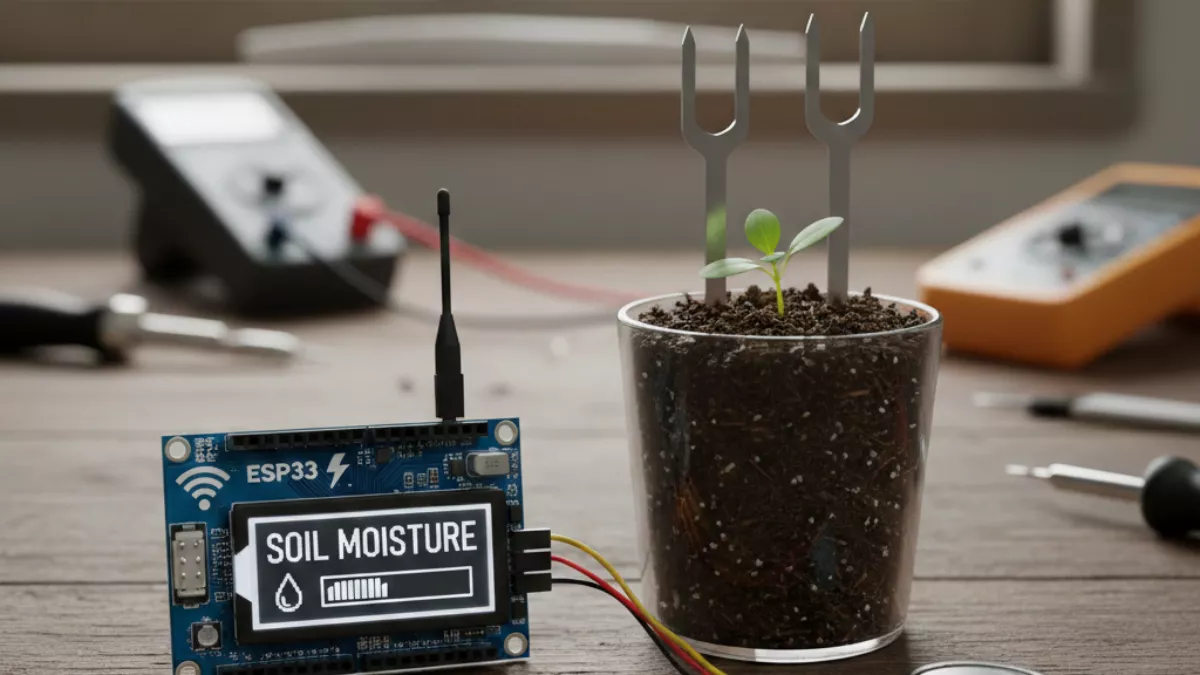
If you’re planning an IoT project that monitors plants or builds a smart irrigation system, check out this complete guide on using ESP32 with a soil moisture sensor. It walks you through wiring, code, calibration, and real-world testing in a simple way
How GPS Interfacing With ESP32 Actually Works
GPS modules talk using simple serial communication (UART).
You connect:
- TX of GPS → RX of ESP32
- RX of GPS → TX of ESP32
- VCC
- GND
Once connected, the module sends NMEA sentences, which look like this:
$GPGGA,123519,4807.038,N,01131.000,E,1,08,0.9,545.4,M,46.9,M,,*47
Inside these lines, you can extract:
- latitude
- longitude
- number of satellites
- timestamp
- altitude
- accuracy values
ESP32 reads these strings and converts them into usable coordinates.
Beginner Setup: ESP32 With GPS Neo 6M
If you’re just starting, use a Neo 6M GPS module with ESP32, because:
- it works indoors near windows
- it locks satellites easily
- the wiring is simple
Required connections
| ESP32 | GPS Module |
|---|---|
| 3.3V | VCC |
| GND | GND |
| GPIO16 (RX) | TX |
| GPIO17 (TX) | RX |
Note: Some boards expose different UART pins but any hardware UART will work.
Coding the ESP32 GPS Module (Arduino)
Most beginners use the Arduino framework because it’s simpler.
Use libraries like:
- TinyGPS++
- TinyGPS
- HardwareSerial
Example code structure:
#include <TinyGPS++.h>
#include <HardwareSerial.h>

TinyGPSPlus gps;
HardwareSerial SerialGPS(1);

void setup() {
  Serial.begin(115200);
  SerialGPS.begin(9600, SERIAL_8N1, 16, 17);
}

void loop() {
  while (SerialGPS.available() > 0) {
    gps.encode(SerialGPS.read());
  }

  if (gps.location.isUpdated()) {
    Serial.print("Lat: ");
    Serial.println(gps.location.lat(), 6);
    Serial.print("Lng: ");
    Serial.println(gps.location.lng(), 6);
  }
}
That’s it you now have latitude and longitude on your serial monitor.
ESP32 GPS Accuracy: What You Should Know
GPS accuracy depends on:
- quality of your GPS antenna
- sky view (more satellites = better accuracy)
- multipath reflections near buildings
- module type (Neo-6M < Neo-8M accuracy)
Typical ESP32 GPS accuracy:
- Neo-6M → 2.5–5 meters
- Neo-7M → 1.5–3 meters
- Neo-8M → 1 meter or lower
- GNSS modules (GPS + GLONASS + Galileo) → 0.5–1 meter
To improve accuracy:
- Use an external active antenna
- Place it outdoors
- Avoid metal surfaces
- Keep your code clean and non-blocking
Good news: the ESP32 doesn’t affect accuracy; it only reads GPS data.
ESP32 With GPS and GSM / SIM / LTE / 4G
If you want your tracker to send data online, you can combine:
- ESP32 with GPS and SIM
- ESP32 with GPS and GSM
- ESP32 with GPS and 4G
- ESP32 with GPS and LTE
Modules like:
- SIM808 (2G)
- SIM868 (2G + GPS)
- SIM7600 (4G + GPS)
- A7670 (4G + GNSS)
These modules let you:
- send GPS coordinates to your server
- upload them to Firebase
- send SMS alerts
- provide live vehicle tracking
You connect them through UART just like regular GPS.
ESP32 With LoRa and GPS (Long Range)
This combination is perfect for:
- rural tracking
- long-distance communication
- hiking
- IoT nodes with ultra-low power
Boards like TTGO T-Beam or Heltec come with:
- LoRa
- GPS
- ESP32
- Battery connector
Complete package for outdoor tracking projects.
ESP32 Indoor GPS: Is It Possible?
GPS indoors is tricky. Signals weaken due to walls and ceilings.
But you can improve indoor performance:
- place the ESP32 GPS antenna near windows
- use modules that support AGPS (Assisted GPS)
- use Wi-Fi positioning as backup
- use L76K or M8Q high sensitivity receivers
Still, don’t expect perfect accuracy indoors.
ESP32 IDF GPS (For Experienced Developers)
If you’re using ESP-IDF, the process is slightly different but more professional.
You read GPS data using:
- UART driver
- event queues
- FreeRTOS tasks
Core idea:
- configure UART
- read NMEA strings
- parse them
Because ESP-IDF doesn’t have TinyGPS++, you either:
- port TinyGPS++ yourself, or
- write your own parser
This is ideal for production-grade applications.
ESP32 GPS Antenna: Why It Matters
Your GPS antenna decides how fast your module locks satellites.
Types:
1. Ceramic Patch Antenna
- common on Neo-6M
- decent performance
2. Active Antenna (recommended)
- better gain
- faster lock
- works better indoors
3. Helical Antenna
- great for compact designs
If your tracker isn’t getting accurate GPS data, the antenna is usually the problem.
ESP32 Con GPS Integrado (For Spanish-Speaking Users)
You may find some boards advertised as “ESP32 con GPS integrado” on e-commerce sites.
These usually refer to boards like:
- T-Beam (ESP32 + LoRa + GPS)
- LILYGO boards
They are great if you don’t want to buy separate modules.
Interfacing GPS Module With ESP32 (Step-by-Step)
Here’s the simplest method:
Step 1: Gather Components
- ESP32
- GPS module (Neo-6M recommended)
- Jumper wires
- Power supply
Step 2: Wiring
As shown above (3.3V, GND, TX/RX).
Step 3: Install Arduino libraries
- TinyGPS++
Step 4: Upload code
Step 5: Open Serial Monitor
Step 6: Walk outdoors and check live coordinates
How To Make a GPS Tracker With ESP32 (Complete Blueprint)
This is what most people want to build. Here’s the full flow:
1. Choose your tracking method
- Wi-Fi tracking: micropython or Arduino
- GSM/SIM: SIM808/7600/A7670
- LoRa long range: T-Beam/Heltec
- HTTP/MQTT: ESP32 + any GPS module
2. Hardware Setup
Attach GPS to ESP32
Attach GSM/LTE/SIM module if needed
Attach battery
Attach antenna
3. Software Logic
Your tracker should:
- read GPS data
- clean and filter it
- check accuracy
- send it to cloud (MQTT/HTTP/SMS/LoRa)
- save last known location in flash
4. Cloud Dashboard (Optional)
You can use:
- Firebase
- ThingsBoard
- Node-RED
- Your own website
5. Testing
Walk or cycle outside and monitor live position.
ESP32 With GPS and SIM: Practical Real-Life Projects
Here are some useful ideas:
- vehicle tracking
- school bus tracking for kids
- bike anti-theft tracking
- parcel / courier tracking
- wildlife monitoring
- hiking and outdoor tools
- drone location logging
- delivery fleet management
You can scale small DIY projects into real products.
Troubleshooting ESP32 With GPS
1. GPS shows no data
- move outdoors
- check antenna connection
- ensure 3.3V stable
- swap TX/RX pins
2. Data is inaccurate
- wait for more satellites
- update GPS firmware if possible
- use active antenna
3. ESP32 reboots on startup
- GPS draws too much current
- use separate power supply
4. ESP32 IDF GPS UART not reading
- incorrect UART configuration
- missing
UART_PIN_NO_CHANGEusage
5. GPS works outdoors but not indoors
- normal behavior
- try AGPS if supported
Best Practices for High-Performance ESP32 GPS Projects
- always use hardware UART, not SoftwareSerial
- add a small capacitor near GPS VCC
- keep GPS antenna facing the sky
- avoid placing ESP32 Wi-Fi antenna next to GPS antenna
- log NMEA data for debugging
- filter out invalid readings
Frequently Asked Questions
1. Can ESP32 decode GPS data on its own?
Yes. It reads NMEA strings and parses them.
2. Does ESP32 have built-in GPS?
No, you must use an external GPS module.
3. Which is the best module for ESP32 with GPS?
Neo-6M for beginners, Neo-8M for accuracy, SIM7600/A7670 for 4G+GPS.
4. Can I build a full GPS tracker with ESP32?
Yes. Add GSM/SIM or LTE and you’re done.
5. How do I improve GPS accuracy?
Use active antennas and go outdoors.
6. Can ESP32 do indoor GPS?
Partially. Use AGPS and Wi-Fi positioning.
7. Does ESP-IDF support GPS?
Yes, via UART + your own parser.
8. Can I use ESP32 with LoRa and GPS together?
Yes, boards like T-Beam make it easy.
9. Can ESP32 send GPS data to the internet?
Yes, through Wi-Fi, GSM, SIM, LTE, or LoRa gateways.
10. How to check if my GPS module is working?
Open Serial Monitor and look for NMEA sentences.
Final Thoughts: Why ESP32 With GPS Is a Must-Learn Combo
If you’re into IoT, robotics, smart vehicles, or just enjoy building cool projects, learning ESP32 with GPS is a skill that gives you endless possibilities. You can begin with simple coordinate reading and eventually build full-fledged tracking and navigation systems that rival commercial devices.
The ESP32 community is huge, modules are cheap, and complexity is manageable even if you’re just starting out. And as you move from beginner to advanced, you’ll naturally explore:
- ESP-IDF parsing
- cloud dashboards
- SIM/LTE modules
- LoRa communication
- power optimization
So start small, experiment outdoors, improve accuracy, and soon you’ll be building your own professional-grade location systems.


Mr. Raj Kumar is a highly experienced Technical Content Engineer with 7 years of dedicated expertise in the intricate field of embedded systems. At Embedded Prep, Raj is at the forefront of creating and curating high-quality technical content designed to educate and empower aspiring and seasoned professionals in the embedded domain.
Throughout his career, Raj has honed a unique skill set that bridges the gap between deep technical understanding and effective communication. His work encompasses a wide range of educational materials, including in-depth tutorials, practical guides, course modules, and insightful articles focused on embedded hardware and software solutions. He possesses a strong grasp of embedded architectures, microcontrollers, real-time operating systems (RTOS), firmware development, and various communication protocols relevant to the embedded industry.
Raj is adept at collaborating closely with subject matter experts, engineers, and instructional designers to ensure the accuracy, completeness, and pedagogical effectiveness of the content. His meticulous attention to detail and commitment to clarity are instrumental in transforming complex embedded concepts into easily digestible and engaging learning experiences. At Embedded Prep, he plays a crucial role in building a robust knowledge base that helps learners master the complexities of embedded technologies.