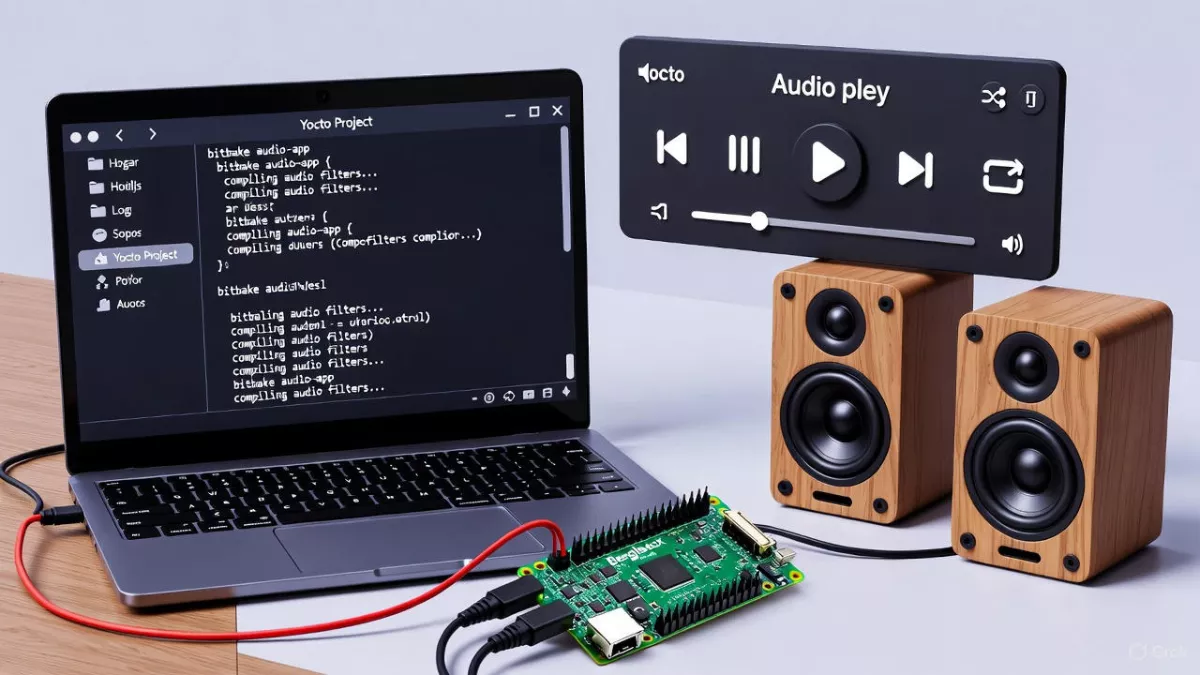
Complete Embedded Audio interview preparation covering ALSA, PulseAudio, audio drivers, debugging, Yocto, and real-world project questions.
Embedded Linux Audio interviews are not about memorizing APIs — they test how well you understand systems, timing, hardware interaction, and real-world failure handling.
Whether you’re interviewing for automotive audio, consumer devices, IoT, or infotainment platforms, interviewers expect clarity across Linux internals, audio fundamentals, ALSA, PulseAudio, drivers, and debugging.
This guide explains what interviewers actually look for, how topics connect end-to-end, and finally gives you a master checklist of questions you must be able to answer confidently.
Why Embedded Audio Interviews Are Different
Audio is one of the most timing-sensitive subsystems in embedded Linux. A small delay, clock mismatch, or buffer misconfiguration can cause:
- XRUNs
- Clicks and pops
- Audio drift
- Silent playback
- System instability
That’s why interviewers dig deep into:
- User space ↔ kernel flow
- Buffering and latency
- Hardware clocks
- Service startup timing
- Real-time behavior
Linux Fundamentals: The Foundation of Audio Systems
Before audio even starts, Linux must manage processes, memory, scheduling, and I/O correctly.
Interviewers want to see that you understand:
- Why audio apps run in user space
- Why drivers live in kernel space
- How
/dev/snd/*becomes the bridge - Why non-blocking I/O, polling, and epoll matter for audio loops
- How real-time scheduling (FIFO/RR) protects audio threads
If your Linux fundamentals are weak, audio discussions collapse quickly.
Audio Fundamentals: Where Most Candidates Slip
Many candidates can code ALSA APIs but fail basic audio theory questions.
You must be comfortable explaining:
- Why 44.1 kHz vs 48 kHz exists
- How bit depth impacts dynamic range
- Why Nyquist theorem matters in digital audio
- What causes clipping, jitter, and noise
- Difference between gain and volume
- Why pops happen during mute/unmute
Also Read : This Tiny Raspberry Pi Could Replace Your PC – Here’s How ?
Linux Audio
LINUX FUNDAMENTALS (BASE)
- User space vs kernel space
- How does a user application access hardware in Linux
- What is a system call
- What is
/devand how device files are created - What are major and minor numbers
- Difference between character device and block device
- What is
udevand how hotplug works - Process vs thread
- What is context switching
- What is virtual memory
- What is mmap and why it is used
- Blocking vs non-blocking I/O
- What is polling vs interrupt
- What is epoll / select / poll
- How Linux scheduling works
- What is real-time scheduling (FIFO, RR)
- How systemd works
- How services start during boot
- What is a daemon
- How to debug a Linux user-space crash
Read More : What is Audio
Read More : Digital Audio Interface Hardware
AUDIO FUNDAMENTALS (MUST KNOW)
- What is PCM audio
- What is sample rate
- What is bit depth
- What is a frame in audio
- What is channel count
- Difference between mono and stereo
- What is Nyquist theorem
- Why 44.1 kHz and 48 kHz are common
- What is audio latency
- What is jitter
- What is clipping
- What causes noise in audio
- What is dynamic range
- What is gain vs volume
- What is fade-in / fade-out
- What causes pop and click sounds
- what is Loudness
- What is Amplitude
LINUX AUDIO STACK (CORE QUESTIONS)
- Explain Linux audio stack end-to-end
- Role of ALSA in Linux
- What is
alsa-lib - Difference between ALSA kernel and user space
- What problem does PulseAudio solve
- ALSA vs PulseAudio
- PulseAudio vs JACK
- Where does PulseAudio sit in the stack
- What is an audio sink
- What is a source in PulseAudio
- What is a sink-input
- How PulseAudio mixes multiple streams
- How per-application volume works
- What happens if PulseAudio crashes
ALSA (VERY IMPORTANT)
- What is ALSA architecture
- What is a PCM device
- What is
hw:x,yvsplughw - What is ALSA plugin
- What is dmix
- What is dsnoop
- What is asym
- What is softvol
- What is ALSA mixer
- Hardware mixer vs software mixer
- What is
snd_pcm_open() - What is
snd_pcm_hw_params() - Difference between hw_params and sw_params
- What is period size
- What is buffer size
- What causes XRUN
- How to recover from XRUN
- How ALSA handles blocking and non-blocking mode
- How to reduce ALSA latency
PULSEAUDIO (IMPORTANT FOR MODERN SYSTEMS)
- What is PulseAudio architecture
- What is PulseAudio mainloop
- Why PulseAudio API is asynchronous
- How to create PulseAudio context
- How PulseAudio detects audio devices
- How to list sinks
- How to route audio to a specific sink
- How to move a stream between sinks
- How volume control works in PulseAudio
- Sink volume vs stream volume
- How fade-in / fade-out is implemented
- How PulseAudio handles hot-plug
- How Bluetooth audio works with PulseAudio
- What is module-combine-sink
- What is corking a stream
- PulseAudio vs PipeWire (basic idea)
AUDIO DEVICE DRIVER (KERNEL SIDE)
- What is an audio device driver ?
- What is an audio codec
- What is DAC and ADC
- Difference between codec and DSP
- What is I2S
- What is TDM
- What is audio clock (MCLK, BCLK, LRCLK)
- What happens if clocks mismatch
- What is machine driver
- What is codec driver
- What is platform driver
- What is DAI
- What is DAPM
- How power management works in audio driver
- What happens during
open()of PCM device - How DMA works in audio
- What is buffer underrun in driver
- How audio interrupt works
- ASoC driver writing flow
- What is little endian vs big endian audio format?
- What is noise floor?
- Steps to write an ALSA codec driver?
- Steps to write an ASoC machine driver?
- How to bring up new audio hardware?
- How to validate audio driver?
- How to add mixer control?
- How to add new DAPM widget?
- How to support new sample rate?
- How to support multi-channel audio?
- How to optimize power consumption?
- How to upstream an audio driver?
- How audio works in QNX?
- ALSA vs QNX audio architecture?
- What is Graph Key / audio routing?
- How audio services start during boot?
- How to place audio binaries in early boot?
- What is deterministic audio?
- How to design low-latency audio system?
- What is audio safety in automotive?
- What is fail-safe audio path?
- How to handle multi-zone audio?
- How echo cancellation works?
- What is AEC?
- What is noise suppression?
- What is beamforming?
- How to sync audio with video?
- How to handle clock recovery?
- How to design scalable audio architecture?
- Where does audio HAL sit?
- How does RT scheduling affect audio?
Read More : What is an ADC Analog
DEBUGGING & TROUBLESHOOTING (VERY COMMON)
- Audio plays but no sound – how do you debug
- How to check available audio devices
- Difference between
aplayandpaplay - How to debug ALSA issues
- How to debug PulseAudio issues
- How to debug kernel audio driver
- How to check codec registers
- How to verify I2S signals
- How to debug XRUN
- How to debug latency issues
YOCTO + EMBEDDED AUDIO
- How ALSA is enabled in Yocto
- How PulseAudio is added in Yocto
- Difference between IMAGE_INSTALL and DEPENDS
- How systemd service is enabled in Yocto
- How audio service starts at boot
- How device tree affects audio
- How to enable codec driver in kernel
- How to add custom audio app recipe
PROJECT & SENIOR-LEVEL QUESTIONS
- Explain your Linux audio project
- Why you chose PulseAudio over pure ALSA
- How your app selects speaker
- How volume and gain are handled
- How fade-in / fade-out is implemented
- How your app handles device removal
- How you handle audio service restart
- How you would make this production-ready
- How you would port this to QNX
- How to make audio real-time safe
- How to reduce CPU usage
- How to test audio automatically
Linux Internals Interview Questions
Linux Architecture & Basics
- What is the Linux kernel?
- Difference between kernel space and user space
- What are the main components of the Linux kernel?
- Is Linux monolithic or microkernel? Explain.
- What is a system call?
- How does a user application communicate with the kernel?
- What is the role of
glibc? - What is POSIX compliance?
- What is
/procfilesystem? - Difference between
/procand/sys
Process Management
- What is a process?
- Difference between process and thread
- What is PID?
- Explain
fork() - Difference between
fork()andvfork() - What happens after
fork()? - What is
exec()? - Difference between
fork()andexec() - What is
wait()andwaitpid()? - What is a zombie process?
- What is an orphan process?
- How to find zombie processes?
- How does Linux handle process scheduling?
- What is context switching?
- What is
init/systemd?
Memory Management (Very Important)
- What is virtual memory?
- Why do we need virtual memory?
- Difference between virtual memory and physical memory
- What is paging?
- What is page size?
- What is demand paging?
- What is swap space?
- What happens during a page fault?
- What is MMU?
- What is TLB?
- Difference between stack and heap
- What is memory overcommit?
- What is OOM killer?
- What is
brk()andsbrk()? - What is
mmap()? - Difference between
malloc()andmmap()
File System Internals
- What is a file descriptor?
- Difference between file descriptor and file pointer
- What is an inode?
- What information does an inode contain?
- What is a superblock?
- What are hard links and soft links?
- Difference between hard link and soft link
- What is VFS (Virtual File System)?
- How does Linux support multiple file systems?
- What happens when you open a file?
- Explain
open(),read(),write(),close() - What is buffering?
- What is page cache?
IPC (Inter-Process Communication)
- What is IPC?
- Types of IPC in Linux
- What is pipe?
- Difference between pipe and FIFO
- What is shared memory?
- What are semaphores?
- What is a mutex?
- Difference between semaphore and mutex
- What is message queue?
- What is signal?
- Common Linux signals (
SIGKILL,SIGTERM,SIGSEGV) - Can a signal be caught or ignored?
Scheduling & Timing
- What is a scheduler?
- Which scheduler does Linux use?
- What is CFS (Completely Fair Scheduler)?
- What is scheduling policy?
- Difference between
SCHED_FIFO,SCHED_RR,SCHED_OTHER - What is real-time scheduling?
- What is priority inversion?
- How is priority inversion handled in Linux?
Device Drivers & Kernel Modules
- What is a device driver?
- Types of device drivers
- Difference between character and block drivers
- What is a kernel module?
- How do you insert a kernel module?
- Difference between
insmodandmodprobe - What is
udev? - What is
/devdirectory? - Major number and minor number
- What is
ioctl()? - What is polling vs interrupt?
Boot Process (Embedded Favorite)
- Explain Linux boot process
- What is BIOS / U-Boot?
- What is bootloader?
- What is kernel image?
- What is initramfs?
- What happens after kernel is loaded?
- What is
systemdrole in boot?
Networking (Basics)
- What is a socket?
- Types of sockets
- Difference between TCP and UDP
- What is
bind(),listen(),accept() - What is port?
- What is loopback interface?
Debugging & Tools
- What is
strace? - What is
ltrace? - What is
topvshtop? - What is
ps? - What is
vmstat? - What is
freecommand? - What is
dmesg? - How do you debug memory leaks?
- What is
gdbused for?
Security & Permissions
- What is UID and GID?
- File permission bits
- What is
chmod,chown - What is
setuid? - What is
sudo? - What is SELinux (basic idea)?
Linux Internals :Tricky Questions
- What happens when you type a command in Linux?
- Why everything is a file in Linux?
- Can two processes share the same address space?
- What happens if RAM is full?
- How does kernel protect itself from user space?
- Difference between user thread and kernel thread
- Why Linux is preferred for embedded systems?
Automotive Audio Interfaces
- What is I2S? Signals (BCLK, LRCLK, DATA)
- Master vs slave in I2S
- What is TDM?
- Difference between I2S and TDM
- PCM data format
- Slot size vs frame size in TDM
- Clock synchronization issues in audio interfaces
- Pinmux configuration for audio
Audio Codec & Hardware
- What is audio codec?
- Role of ADC and DAC
- Codec initialization sequence
- Register configuration via I2C/SPI
- Reset sequence importance
- Mute / unmute handling
- Pop-noise issue – how to avoid
- Audio amplifier role (LM386 / external amp)
ALSA / Audio Stack (Linux & QNX)
- ALSA architecture
- PCM device, mixer, sound card
- User space vs kernel space in ALSA
- ASoC: machine driver vs codec driver vs platform driver
- QNX audio architecture
- PCM playback flow in QNX
- Audio service role in QNX
- Buffer handling in QNX
Boot & Audio Bring-Up Flow
- Linux boot process
- When audio is initialized
- Clock & pinmux timing
- Early boot audio issues
- Service startup order
- What if audio starts before clocks are stable?
Debugging & Tools
- No sound – debug steps
- Distorted audio – causes
- Audio underrun / overrun
- How to measure audio latency
- How to debug I2S/TDM lines
- Tools: oscilloscope, logic analyzer
- How to verify codec registers
- Stack overflow debugging
- printf debugging
Automotive Standards & Safety
- ASPICE basics
- MISRA compliance
- Functional safety awareness
- ASIL levels (A–D)
- Why safety matters for audio
- Audio performance under CPU overload
Resume / Project Questions (Critical)
- Explain your audio pipeline
- Which codec did you use and why?
- Sample rate & bit depth used
- How did you configure I2S/TDM?
- Issues faced in bring-up and debugging
- How did you debug silence/distortion?
- What optimizations did you implement?
- How does your code follow automotive standards?
- How do you handle real-time constraints in audio?
Final Embedded Linux Audio Interview Checklist
Use this as a last-week revision map.
If you can explain each item confidently, you are interview-ready.
Conclusion
Embedded Linux Audio is not a single topic — it is a complete system discipline that connects Linux internals, real-time behavior, digital audio theory, middleware like ALSA and PulseAudio, and low-level hardware drivers. Interviews in this domain are designed to test depth, clarity, and practical thinking, not just API knowledge.
If you can clearly explain how audio travels from a user application to the speaker, understand why latency, buffering, and clocks matter, and debug issues like silence, XRUNs, distortion, or pops in a structured way, you are already ahead of most candidates. Strong answers come from conceptual understanding + hands-on experience, especially in areas like ALSA PCM flow, ASoC architecture, DMA, and service startup during boot.
For senior and automotive roles, interviewers also look for production readiness — how you make audio real-time safe, reduce CPU usage, handle device hot-plug, follow safety standards, and design systems that survive restarts and edge cases. Your project explanations often matter more than textbook definitions.
Use the question list in this guide as a final revision checklist. If you can confidently explain each topic in your own words and relate it to real systems you’ve worked on, you are fully prepared to crack Embedded Linux Audio interviews across consumer, automotive, and industrial platforms.
Frequently Asked Questions (FAQ) : Embedded Linux Audio Interviews
1. What is the most important topic for Embedded Linux Audio interviews?
A strong understanding of the Linux audio stack end-to-end, especially ALSA, buffering, latency, and debugging, is considered essential.
2. Is ALSA enough for embedded audio interviews, or should I know PulseAudio?
ALSA is mandatory, but for modern Linux systems, basic PulseAudio knowledge is expected, especially for routing, mixing, and per-app volume control.
3. Why do interviewers focus so much on XRUNs?
XRUNs indicate timing and buffering issues. Handling them shows your understanding of real-time behavior and system stability.
4. How deep should audio fundamentals be for interviews?
You should confidently explain sample rate, bit depth, Nyquist theorem, latency, clipping, and noise without memorization.
5. Are kernel audio drivers important for user-space roles?
Yes. Even user-space engineers are expected to understand ASoC basics, I2S/TDM, clocks, and codec behavior.
6. How do I answer “No sound but audio is playing” questions?
Interviewers expect a structured debug approach using ALSA tools, PulseAudio logs, codec register checks, and signal verification.
7. Is Yocto knowledge required for embedded audio roles?
For embedded and automotive roles, yes. Audio bring-up, systemd services, and device tree integration are commonly discussed.
8. How important are projects in audio interviews?
Very important. Real project explanations often outweigh theoretical answers and demonstrate production-level experience.
9. Do I need real-time scheduling knowledge for audio roles?
Yes. Understanding FIFO/RR scheduling and priority handling is crucial for low-latency, glitch-free audio.
10. What separates a senior audio engineer from a junior one?
A senior engineer explains why design choices are made, anticipates failures, and designs audio systems that work reliably in production.


Mr. Raj Kumar is a highly experienced Technical Content Engineer with 7 years of dedicated expertise in the intricate field of embedded systems. At Embedded Prep, Raj is at the forefront of creating and curating high-quality technical content designed to educate and empower aspiring and seasoned professionals in the embedded domain.
Throughout his career, Raj has honed a unique skill set that bridges the gap between deep technical understanding and effective communication. His work encompasses a wide range of educational materials, including in-depth tutorials, practical guides, course modules, and insightful articles focused on embedded hardware and software solutions. He possesses a strong grasp of embedded architectures, microcontrollers, real-time operating systems (RTOS), firmware development, and various communication protocols relevant to the embedded industry.
Raj is adept at collaborating closely with subject matter experts, engineers, and instructional designers to ensure the accuracy, completeness, and pedagogical effectiveness of the content. His meticulous attention to detail and commitment to clarity are instrumental in transforming complex embedded concepts into easily digestible and engaging learning experiences. At Embedded Prep, he plays a crucial role in building a robust knowledge base that helps learners master the complexities of embedded technologies.